Page 197 of 443
4. Disconnect the negative (-) battery
cable terminal first.
5. Disconnect the positive (+) battery cable terminal last.
6. Remove the battery securing clamp.
7. Remove the battery.
8. Install in the reverse order.
Note: Before reconnecting the battery,
make sure the ignition remains switched off.
Note: If you only disconnect the negative
battery cable terminal, make sure it is
isolated or placed away from the battery
terminal to avoid un-intended connection
or arcing.
Note: Make sure the battery cable terminals
are fully tightened.
Note: If you disconnect or replace the
battery, you must reset the clock and the
pre-set radio stations once the battery is
reconnected.
Battery Disposal Make sure that you dispose of
old batteries in an
environmentally friendly way.
Seek advice from your local authority
about recycling old batteries.
CHECKING THE WIPER
BLADES Run the tip of your fingers over the edge of
the blade to check for roughness. Clean the wiper blades with washer fluid
or water applied with a soft sponge or
cloth.
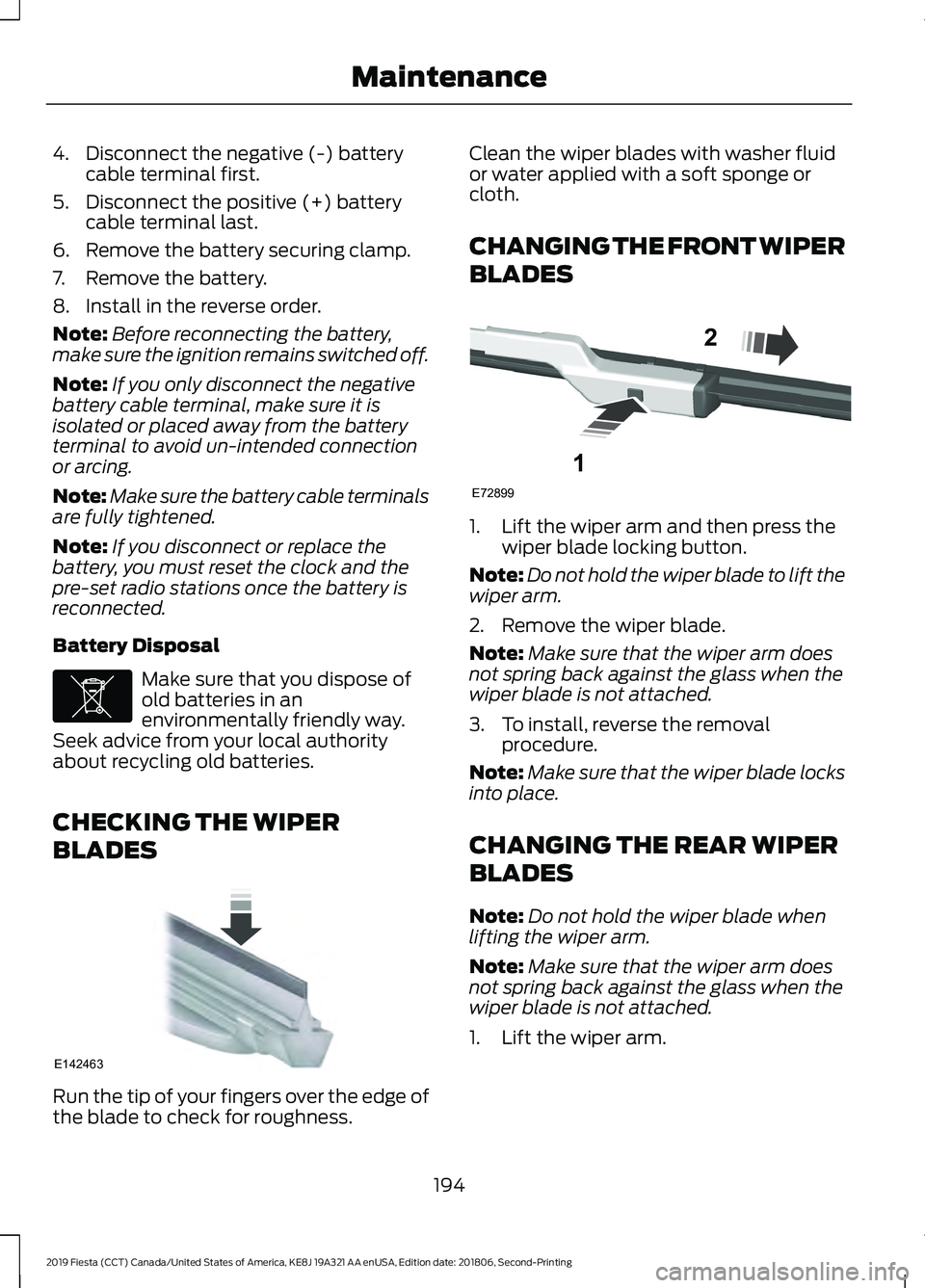
CHANGING THE FRONT WIPER
BLADES
1. Lift the wiper arm and then press the
wiper blade locking button.
Note: Do not hold the wiper blade to lift the
wiper arm.
2. Remove the wiper blade.
Note: Make sure that the wiper arm does
not spring back against the glass when the
wiper blade is not attached.
3. To install, reverse the removal procedure.
Note: Make sure that the wiper blade locks
into place.
CHANGING THE REAR WIPER
BLADES
Note: Do not hold the wiper blade when
lifting the wiper arm.
Note: Make sure that the wiper arm does
not spring back against the glass when the
wiper blade is not attached.
1. Lift the wiper arm.
194
2019 Fiesta (CCT) Canada/United States of America, KE8J 19A321 AA enUSA, Edition date: 201806, Second-Printing MaintenanceE107998 E142463 E72899
1
2
Page 198 of 443

2. Slightly rotate the wiper blade.
3. Disengage the wiper blade from the
wiper arm.
4. Remove the wiper blade.
5. Install in the reverse order.
Note: Make sure that the wiper blade locks
into place.
ADJUSTING THE HEADLAMPS
Vertical Aim Adjustment
If your vehicle has been involved in an
accident, have the alignment of your
headlamps checked by an authorized
dealer. Headlamp Aiming Target 8 feet (2.4 meters)
A
Center height of lamp to ground
B
25 feet (7.6 meters)
C
Horizontal reference line
D
Vertical Aim Adjustment Procedure
1. Park your vehicle directly in front of a wall or screen on a level surface,
approximately 25 feet (7.6 meters)
away.
2. Measure the height of the headlamp bulb center from the ground and mark
an 8 foot (2.4 meter) horizontal
reference line on the vertical wall or
screen at this height.
Note: To see a clearer light pattern for
adjusting, you may want to block the light
from one headlamp while adjusting the
other.
3. Turn on the low beam headlamps to illuminate the wall or screen and open
the hood.
195
2019 Fiesta (CCT) Canada/United States of America, KE8J 19A321 AA enUSA, Edition date: 201806, Second-Printing MaintenanceE130060
3
2 E142592
Page 199 of 443
4. On the wall or screen you will observe
a flat zone of high intensity light
located at the top of the right hand
portion of the beam pattern. If the top
edge of the high intensity light zone is
not at the horizontal reference line,
adjust the headlamp. 5. Locate the vertical adjuster on each
headlamp. Using a Phillips #2
screwdriver, turn the adjuster either
clockwise or counterclockwise in order
to adjust the vertical aim of the
headlamp. The horizontal edge of the
brighter light should touch the
horizontal reference line.
6. Close the hood and turn the lamps off.
Horizontal Aim Adjustment
Horizontal aim is not required for this
vehicle and is not adjustable.
REMOVING A HEADLAMP
1. Open the hood. See Opening and
Closing the Hood (page 182). 2. Remove the screws.
196
2019 Fiesta (CCT) Canada/United States of America, KE8J 19A321 AA enUSA, Edition date: 201806, Second-Printing MaintenanceE142465 E156848 E146878
2
Page 201 of 443
2. Remove the cover.
3. Disconnect the electrical connector.
4. Release the clip and remove the bulb.
Note:
Do not touch the glass of the bulb.
Headlamp High Beam
1. Remove the headlamp. See Removing a Headlamp (page 196). 2. Remove the cover. 3. Turn the bulb counterclockwise and
remove it.
Note: Do not touch the glass of the bulb.
Direction Indicator
1. Remove the headlamp. See Removing a Headlamp
(page 196). 2.
Turn the bulb holder counterclockwise
and remove it.
3. Gently press the bulb into the bulb holder, turn it counterclockwise and
remove it.
198
2019 Fiesta (CCT) Canada/United States of America, KE8J 19A321 AA enUSA, Edition date: 201806, Second-Printing MaintenanceE146803
4
2 E146804
2
3 E146805
3
Page 203 of 443
5. Disconnect the electrical connector.
6.
Turn the bulb holder counterclockwise
and remove it.
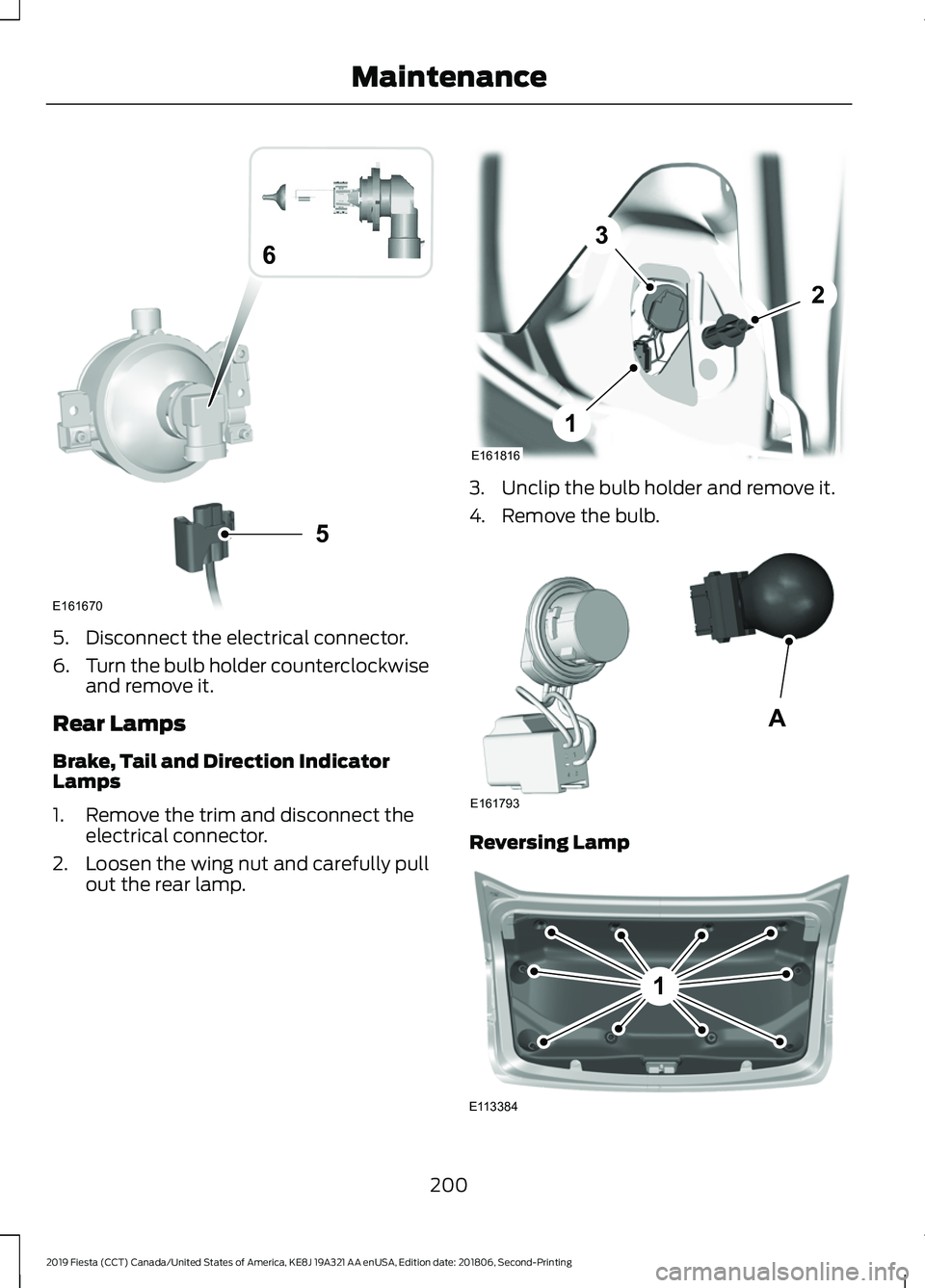
Rear Lamps
Brake, Tail and Direction Indicator
Lamps
1. Remove the trim and disconnect the electrical connector.
2. Loosen the wing nut and carefully pull
out the rear lamp. 3. Unclip the bulb holder and remove it.
4. Remove the bulb.
Reversing Lamp
200
2019 Fiesta (CCT) Canada/United States of America, KE8J 19A321 AA enUSA, Edition date: 201806, Second-Printing Maintenance5
E161670
6 E161816
1
3
2 E161793
A 1
E113384
Page 204 of 443
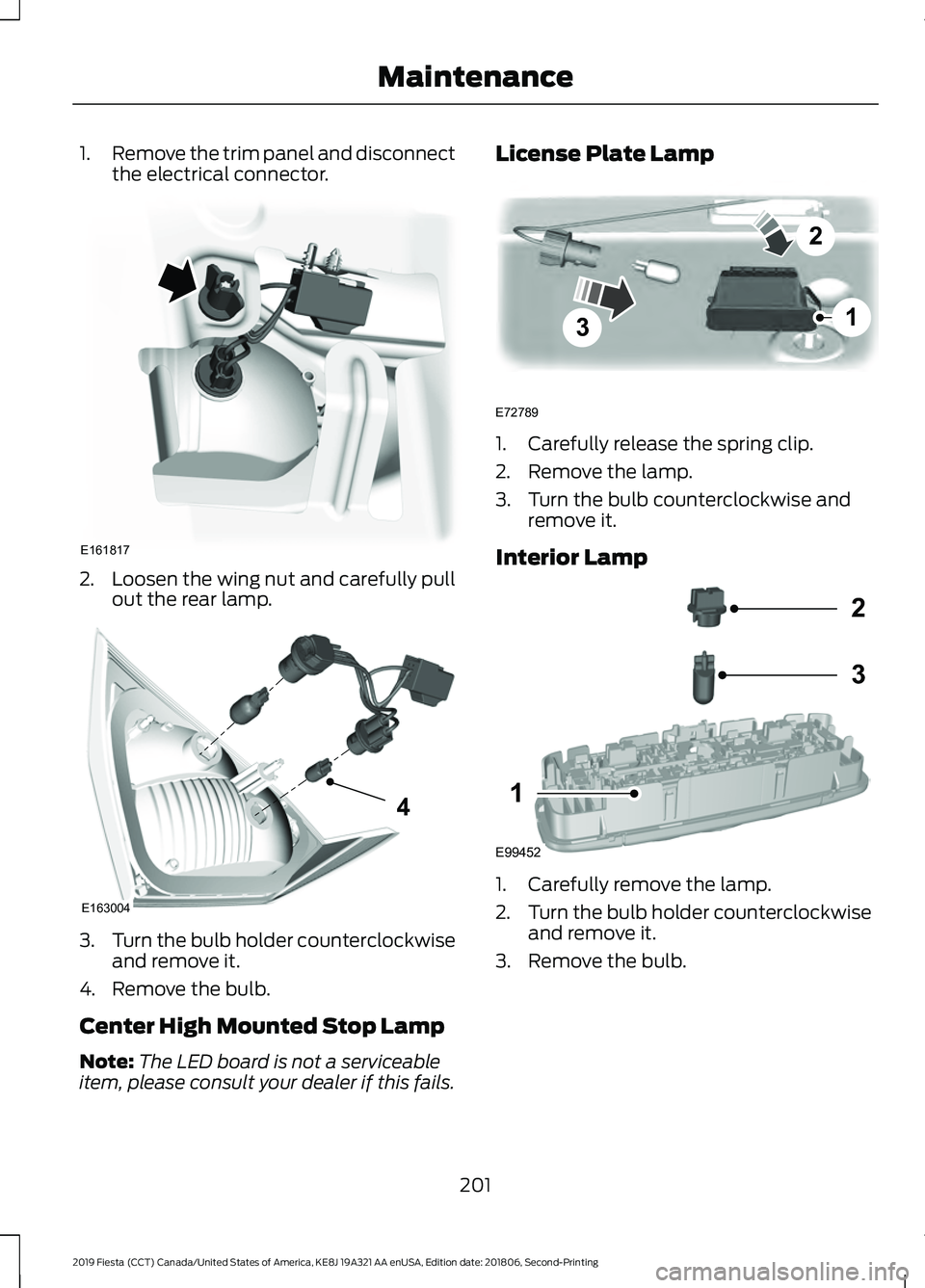
1.
Remove the trim panel and disconnect
the electrical connector. 2.
Loosen the wing nut and carefully pull
out the rear lamp. 3.
Turn the bulb holder counterclockwise
and remove it.
4. Remove the bulb.
Center High Mounted Stop Lamp
Note: The LED board is not a serviceable
item, please consult your dealer if this fails. License Plate Lamp
1. Carefully release the spring clip.
2. Remove the lamp.
3. Turn the bulb counterclockwise and
remove it.
Interior Lamp 1. Carefully remove the lamp.
2.
Turn the bulb holder counterclockwise
and remove it.
3. Remove the bulb.
201
2019 Fiesta (CCT) Canada/United States of America, KE8J 19A321 AA enUSA, Edition date: 201806, Second-Printing MaintenanceE161817 E163004
4 3
2
1
E72789 E99452
2
3
1
Page 205 of 443
Reading Lamps
1. Carefully remove the lamp.
2.
Turn the bulb holder counterclockwise
and remove it.
3. Remove the bulb.
Luggage Compartment Lamp,
Footwell Lamp and Liftgate Lamp 1. Carefully pry out the lamp.
2. Remove the bulb. CHANGING A BULB - 5-DOOR WARNING: Switch the lamps and
the ignition off. WARNING: Let the bulb cool down
before removing it. WARNING:
Do not touch the glass
of the bulb.
Note: Only fit bulbs of the correct
specification.
Note: The following instructions describe
how to remove the bulbs. Fit replacements
in the reverse order unless otherwise stated.
Headlamp
Note: Remove the covers to gain access to
the bulbs. Side marker
A
Headlamp low beam
B
Headlamp high beam
C
Direction indicator
D
Side Marker
1. Remove the headlamp. See Removing a Headlamp
(page 196).
202
2019 Fiesta (CCT) Canada/United States of America, KE8J 19A321 AA enUSA, Edition date: 201806, Second-Printing MaintenanceE99453
2
3
1 E72784 BACD
E159827
Page 206 of 443
2. Remove the bulb holder.
3. Remove the bulb.
Headlamp Low Beam
1. Remove the headlamp. See
Removing a Headlamp (page 196). 2. Remove the cover.
3. Disconnect the electrical connector.
4. Release the clip and remove the bulb.
Note:
Do not touch the glass of the bulb. Headlamp High Beam
1. Remove the headlamp. See
Removing a Headlamp
(page 196). 2. Remove the cover.
3. Turn the bulb counterclockwise and
remove it.
Note: Do not touch the glass of the bulb.
Direction Indicator
1. Remove the headlamp. See Removing a Headlamp
(page 196).
203
2019 Fiesta (CCT) Canada/United States of America, KE8J 19A321 AA enUSA, Edition date: 201806, Second-Printing MaintenanceE161707
A E146803
4
2 E146804
2
3