2019 FORD FIESTA reset
[x] Cancel search: resetPage 84 of 443
GAUGES
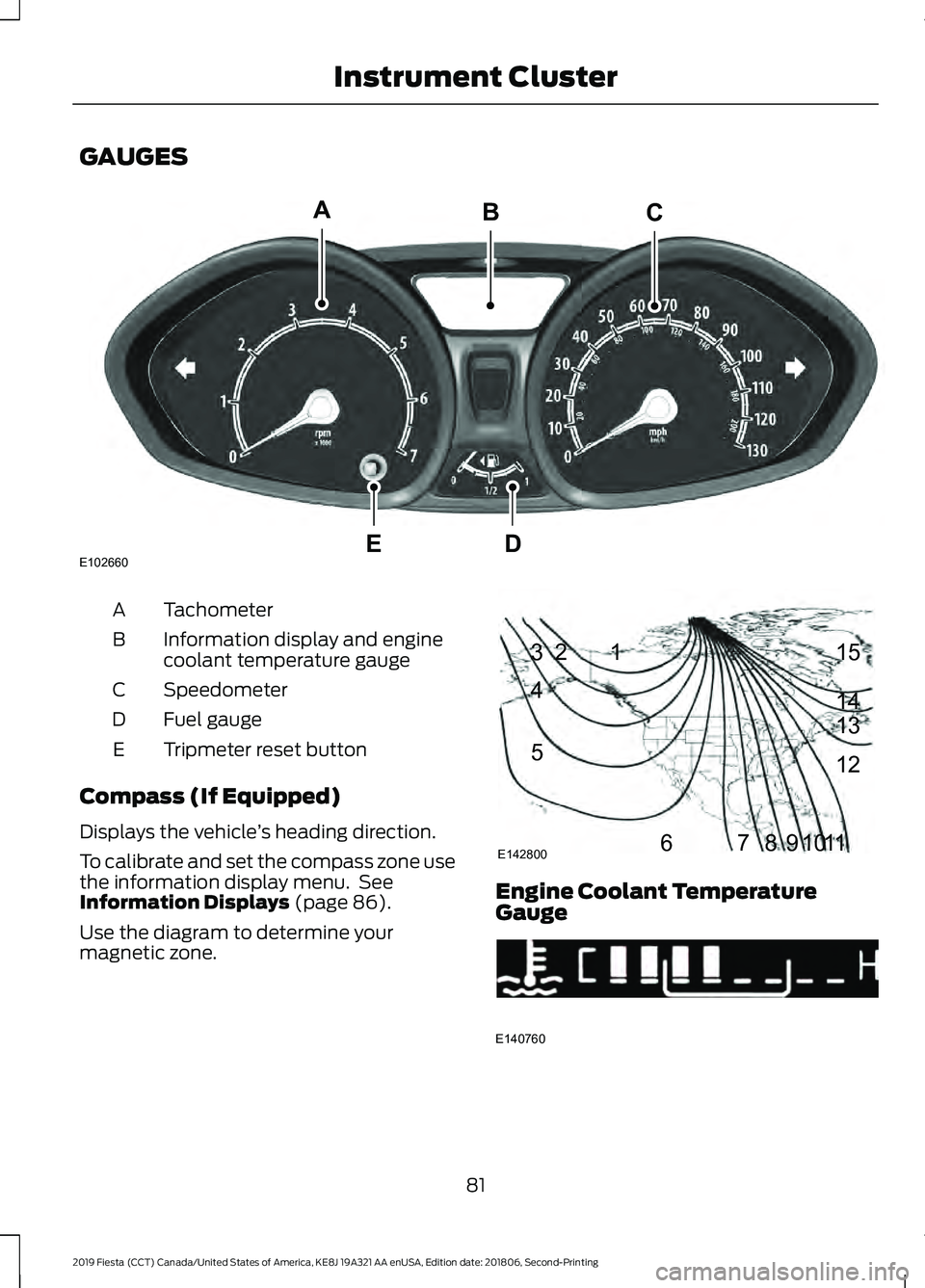
Tachometer
A
Information display and engine
coolant temperature gauge
B
Speedometer
C
Fuel gauge
D
Tripmeter reset button
E
Compass (If Equipped)
Displays the vehicle ’s heading direction.
To calibrate and set the compass zone use
the information display menu. See
Information Displays (page 86).
Use the diagram to determine your
magnetic zone. Engine Coolant Temperature
Gauge
81
2019 Fiesta (CCT) Canada/United States of America, KE8J 19A321 AA enUSA, Edition date: 201806, Second-Printing Instrument ClusterE102660
CA
DE
B 1
2
3
4
5
678910 1112 13 14 15
E142800 E140760
Page 89 of 443
GENERAL INFORMATION
WARNING: Driving while
distracted can result in loss of vehicle
control, crash and injury. We strongly
recommend that you use extreme
caution when using any device that may
take your focus off the road. Your
primary responsibility is the safe
operation of your vehicle. We
recommend against the use of any
hand-held device while driving and
encourage the use of voice-operated
systems when possible. Make sure you
are aware of all applicable local laws
that may affect the use of electronic
devices while driving.
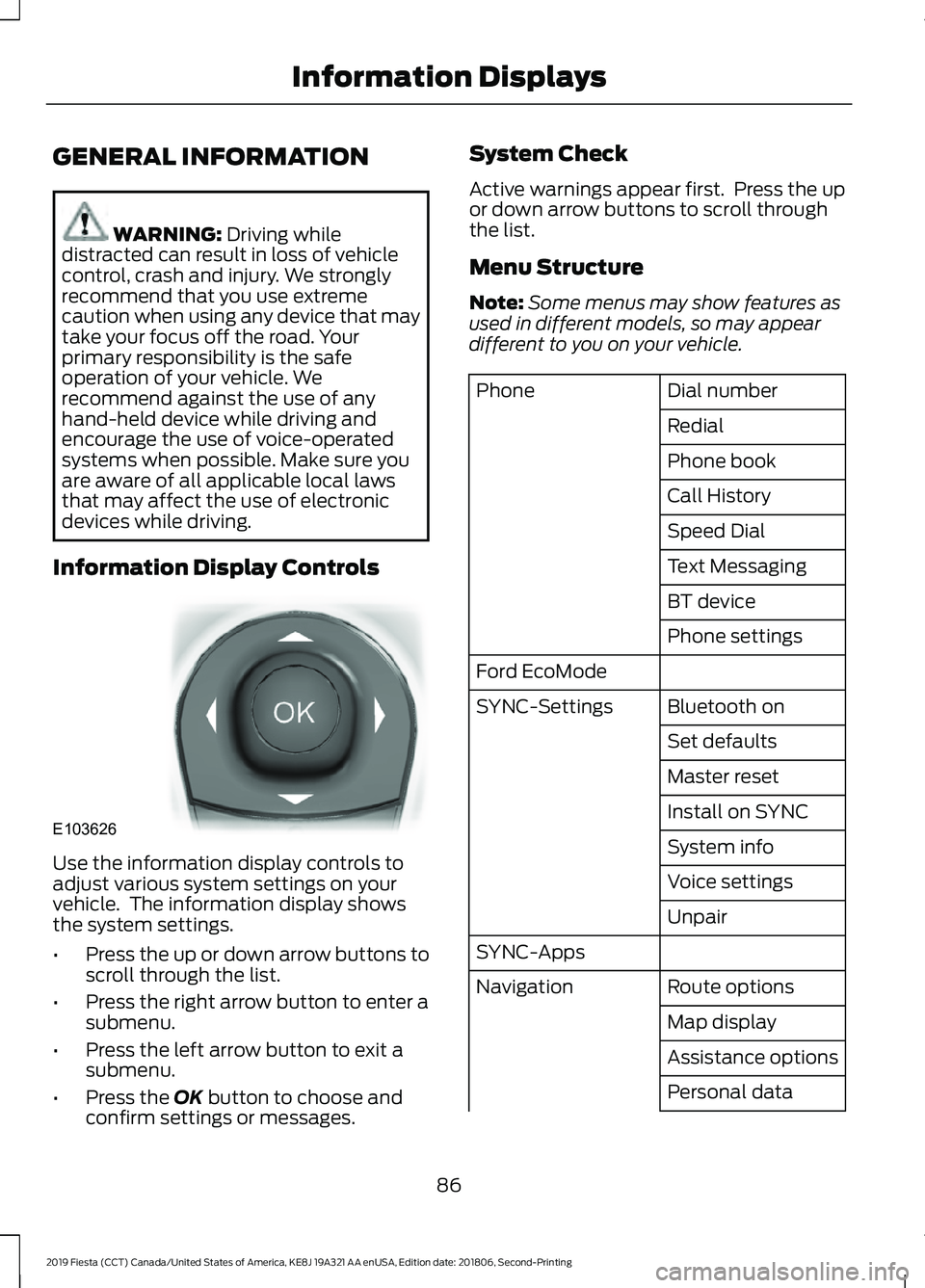
Information Display Controls Use the information display controls to
adjust various system settings on your
vehicle. The information display shows
the system settings.
•
Press the up or down arrow buttons to
scroll through the list.
• Press the right arrow button to enter a
submenu.
• Press the left arrow button to exit a
submenu.
• Press the
OK button to choose and
confirm settings or messages. System Check
Active warnings appear first. Press the up
or down arrow buttons to scroll through
the list.
Menu Structure
Note:
Some menus may show features as
used in different models, so may appear
different to you on your vehicle. Dial number
Phone
Redial
Phone book
Call History
Speed Dial
Text Messaging
BT device
Phone settings
Ford EcoMode Bluetooth on
SYNC-Settings
Set defaults
Master reset
Install on SYNC
System info
Voice settings
Unpair
SYNC-Apps Route options
Navigation
Map display
Assistance options
Personal data
86
2019 Fiesta (CCT) Canada/United States of America, KE8J 19A321 AA enUSA, Edition date: 201806, Second-Printing Information DisplaysE103626
Page 90 of 443
Reset all settings
Adaptive volume
Audio settings
Sound
Nav audio mixing
DSP settings
DSP equaliser
Traffic
News
Alt. frequency
RDS regional
Traction control
Vehicle settings
Hill start assist
Alarm system
Power mirror
Indicator
Ambient light
Chimes
Auto time (GPS)
Clock settings
Set time
Set date
Set time zone
24-hour mode
Measure unit
Display settings
Language
Dimming
Create MyKey
MyKey
Traction control
ESC Max Speed
Speed warning
MyKey Volume
limit
Information
Clear MyKeys
CLOCK
Type 1
To adjust the clock, switch the ignition on
and press buttons H or M on the
information and entertainment display as
necessary.
Type 2
Note: Use the information display to adjust
the clock. See General Information (page
86).
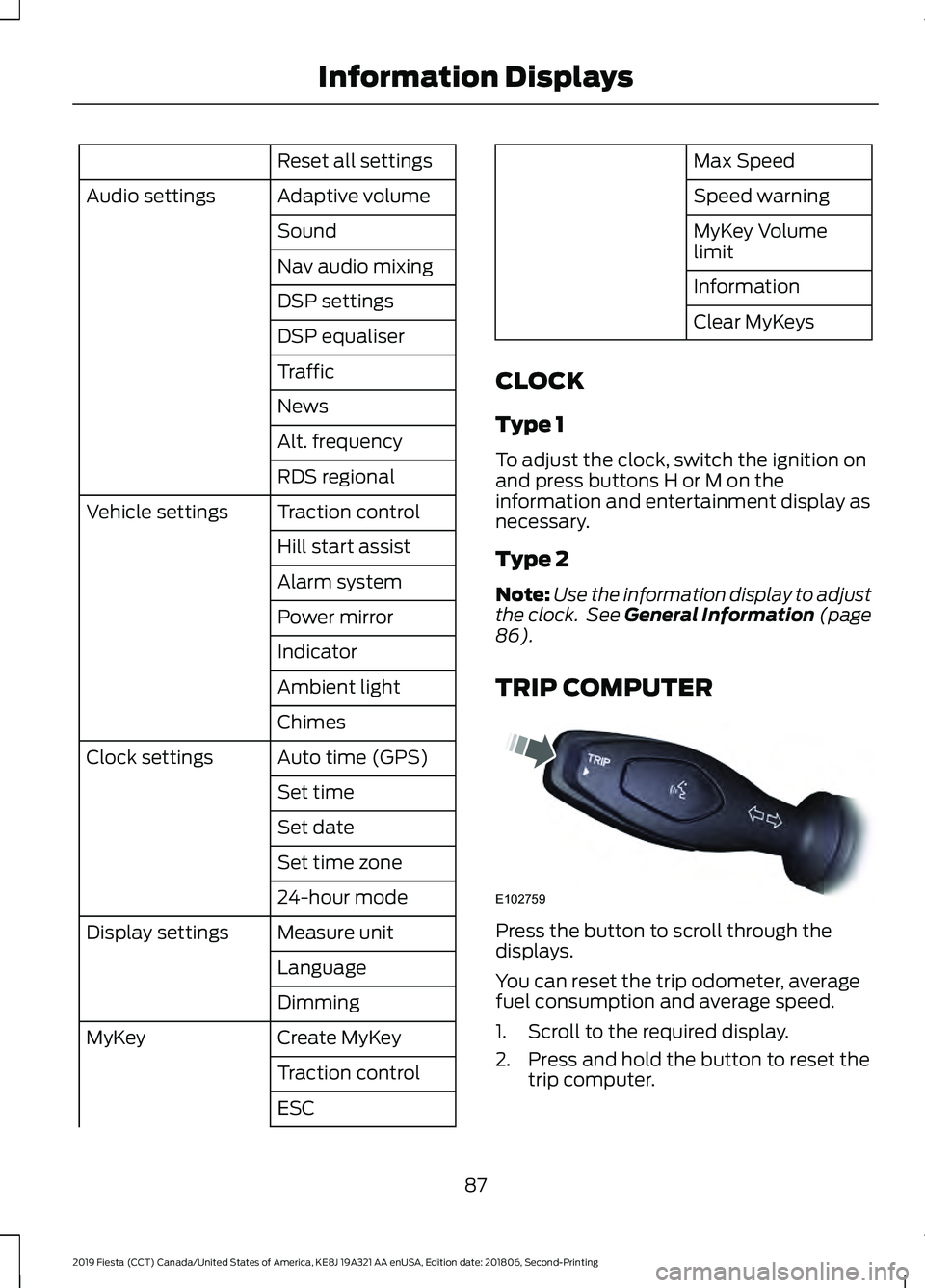
TRIP COMPUTER Press the button to scroll through the
displays.
You can reset the trip odometer, average
fuel consumption and average speed.
1. Scroll to the required display.
2. Press and hold the button to reset the
trip computer.
87
2019 Fiesta (CCT) Canada/United States of America, KE8J 19A321 AA enUSA, Edition date: 201806, Second-Printing Information DisplaysE102759
Page 91 of 443
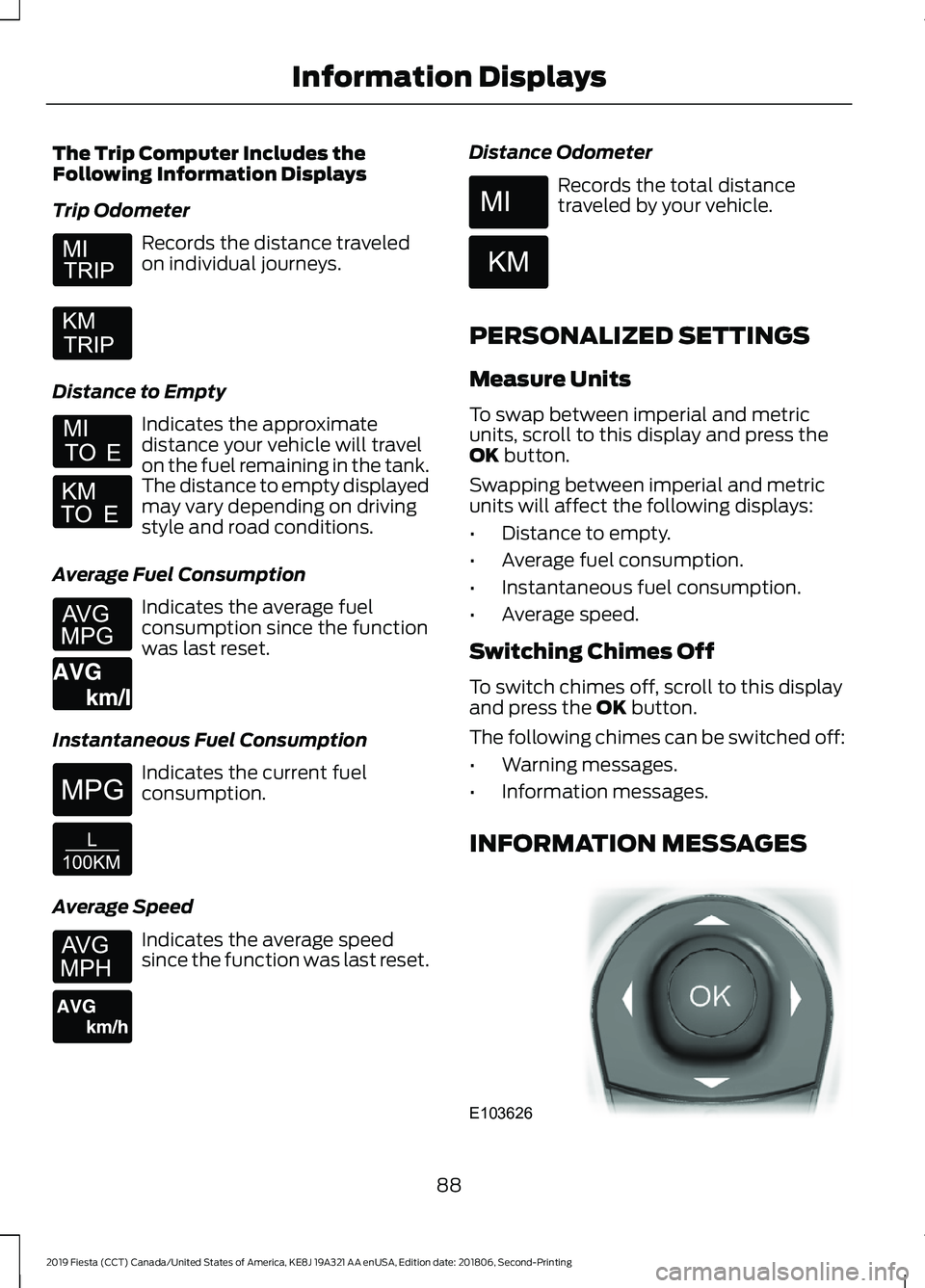
The Trip Computer Includes the
Following Information Displays
Trip Odometer
Records the distance traveled
on individual journeys.
Distance to Empty Indicates the approximate
distance your vehicle will travel
on the fuel remaining in the tank.
The distance to empty displayed
may vary depending on driving
style and road conditions.
Average Fuel Consumption Indicates the average fuel
consumption since the function
was last reset.
Instantaneous Fuel Consumption Indicates the current fuel
consumption.
Average Speed Indicates the average speed
since the function was last reset. Distance Odometer Records the total distance
traveled by your vehicle.
PERSONALIZED SETTINGS
Measure Units
To swap between imperial and metric
units, scroll to this display and press the
OK button.
Swapping between imperial and metric
units will affect the following displays:
• Distance to empty.
• Average fuel consumption.
• Instantaneous fuel consumption.
• Average speed.
Switching Chimes Off
To switch chimes off, scroll to this display
and press the
OK button.
The following chimes can be switched off:
• Warning messages.
• Information messages.
INFORMATION MESSAGES 88
2019 Fiesta (CCT) Canada/United States of America, KE8J 19A321 AA enUSA, Edition date: 201806, Second-Printing Information Displays E164638E E146275 E146277 E103626
Page 95 of 443
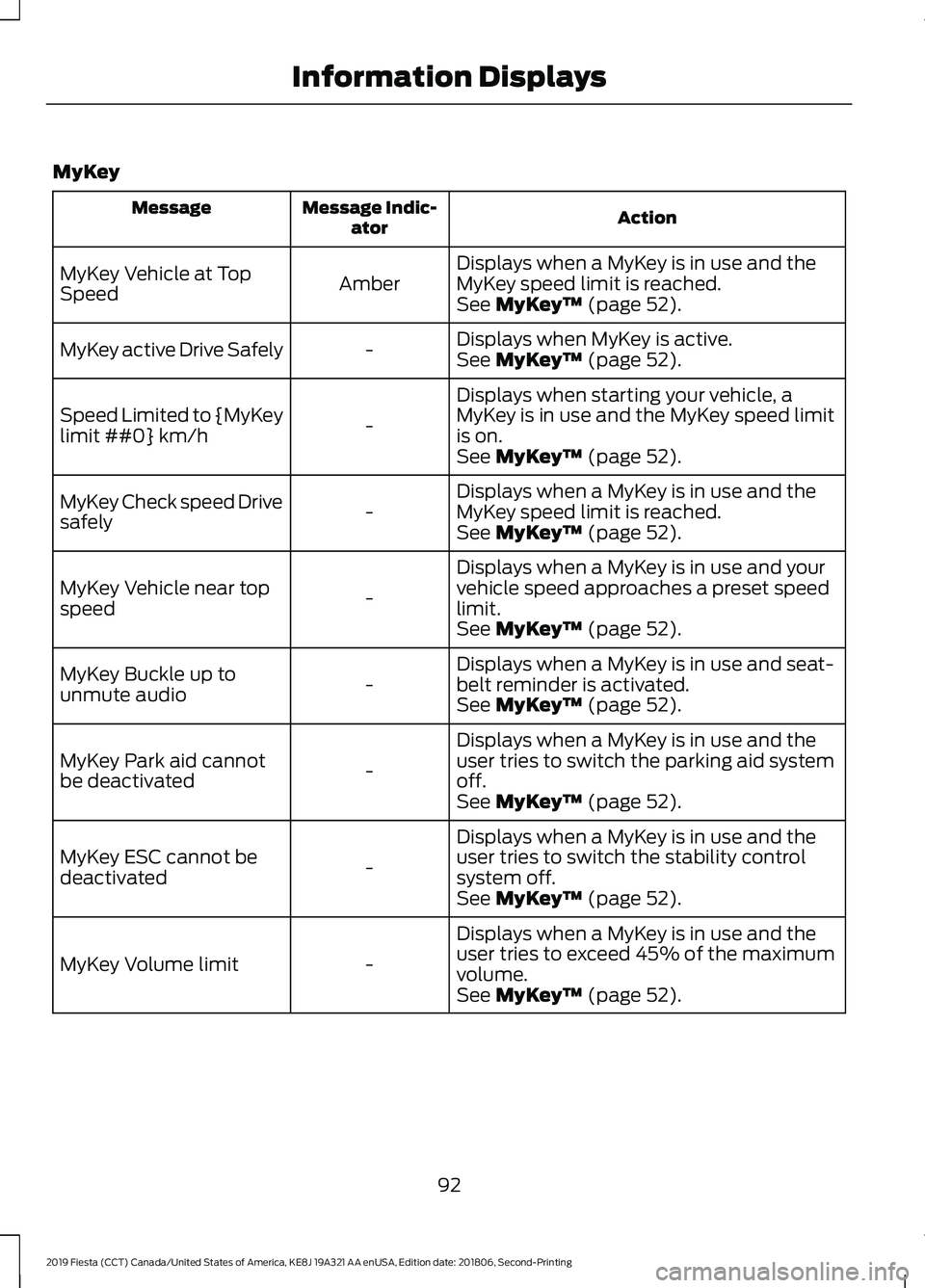
MyKey
Action
Message Indic-
ator
Message
Displays when a MyKey is in use and the
MyKey speed limit is reached.
Amber
MyKey Vehicle at Top
Speed
See MyKey™ (page 52).
Displays when MyKey is active.
-
MyKey active Drive Safely
See
MyKey™ (page 52).
Displays when starting your vehicle, a
MyKey is in use and the MyKey speed limit
is on.
-
Speed Limited to {MyKey
limit ##0} km/h
See
MyKey™ (page 52).
Displays when a MyKey is in use and the
MyKey speed limit is reached.
-
MyKey Check speed Drive
safely
See
MyKey™ (page 52).
Displays when a MyKey is in use and your
vehicle speed approaches a preset speed
limit.
-
MyKey Vehicle near top
speed
See
MyKey™ (page 52).
Displays when a MyKey is in use and seat-
belt reminder is activated.
-
MyKey Buckle up to
unmute audio
See
MyKey™ (page 52).
Displays when a MyKey is in use and the
user tries to switch the parking aid system
off.
-
MyKey Park aid cannot
be deactivated
See
MyKey™ (page 52).
Displays when a MyKey is in use and the
user tries to switch the stability control
system off.
-
MyKey ESC cannot be
deactivated
See
MyKey™ (page 52).
Displays when a MyKey is in use and the
user tries to exceed 45% of the maximum
volume.
-
MyKey Volume limit
See
MyKey™ (page 52).
92
2019 Fiesta (CCT) Canada/United States of America, KE8J 19A321 AA enUSA, Edition date: 201806, Second-Printing Information Displays
Page 108 of 443
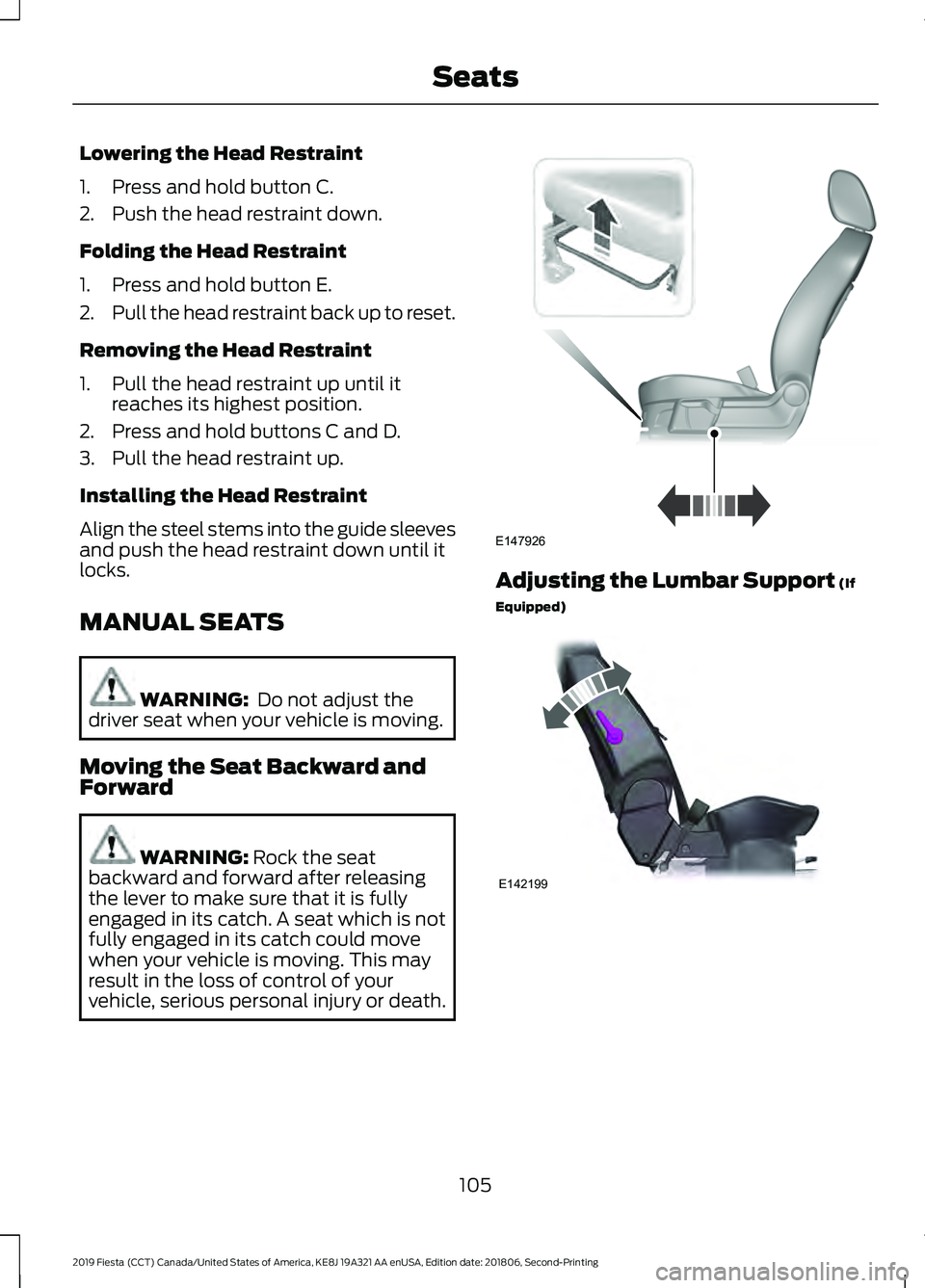
Lowering the Head Restraint
1. Press and hold button C.
2. Push the head restraint down.
Folding the Head Restraint
1. Press and hold button E.
2.
Pull the head restraint back up to reset.
Removing the Head Restraint
1. Pull the head restraint up until it reaches its highest position.
2. Press and hold buttons C and D.
3. Pull the head restraint up.
Installing the Head Restraint
Align the steel stems into the guide sleeves
and push the head restraint down until it
locks.
MANUAL SEATS WARNING: Do not adjust the
driver seat when your vehicle is moving.
Moving the Seat Backward and
Forward WARNING:
Rock the seat
backward and forward after releasing
the lever to make sure that it is fully
engaged in its catch. A seat which is not
fully engaged in its catch could move
when your vehicle is moving. This may
result in the loss of control of your
vehicle, serious personal injury or death. Adjusting the Lumbar Support
(If
Equipped) 105
2019 Fiesta (CCT) Canada/United States of America, KE8J 19A321 AA enUSA, Edition date: 201806, Second-Printing SeatsE147926 E142199
Page 125 of 443
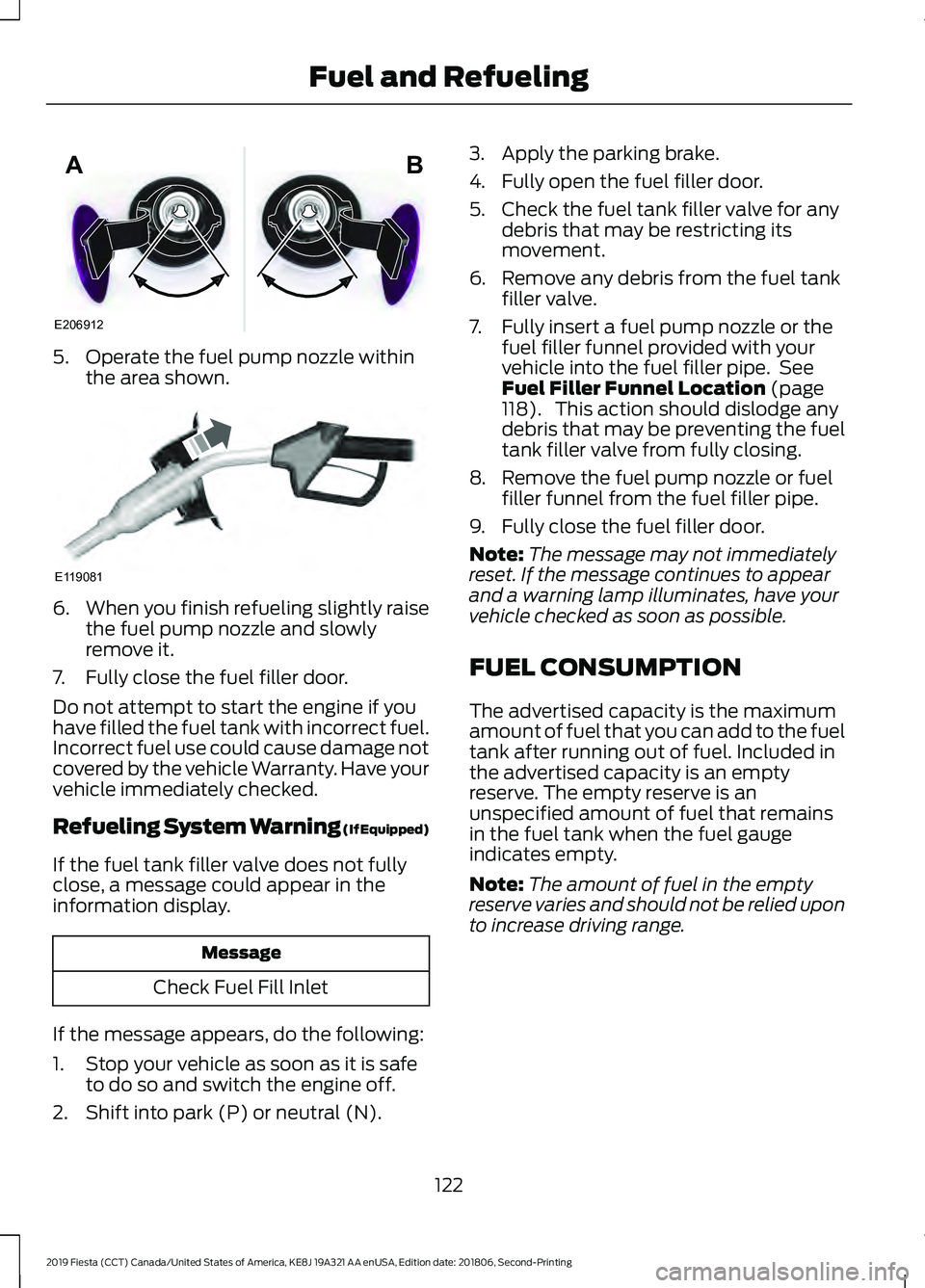
5. Operate the fuel pump nozzle within
the area shown. 6.
When you finish refueling slightly raise
the fuel pump nozzle and slowly
remove it.
7. Fully close the fuel filler door.
Do not attempt to start the engine if you
have filled the fuel tank with incorrect fuel.
Incorrect fuel use could cause damage not
covered by the vehicle Warranty. Have your
vehicle immediately checked.
Refueling System Warning (If Equipped)
If the fuel tank filler valve does not fully
close, a message could appear in the
information display. Message
Check Fuel Fill Inlet
If the message appears, do the following:
1. Stop your vehicle as soon as it is safe to do so and switch the engine off.
2. Shift into park (P) or neutral (N). 3. Apply the parking brake.
4. Fully open the fuel filler door.
5. Check the fuel tank filler valve for any
debris that may be restricting its
movement.
6. Remove any debris from the fuel tank filler valve.
7. Fully insert a fuel pump nozzle or the fuel filler funnel provided with your
vehicle into the fuel filler pipe. See
Fuel Filler Funnel Location (page
118). This action should dislodge any
debris that may be preventing the fuel
tank filler valve from fully closing.
8. Remove the fuel pump nozzle or fuel filler funnel from the fuel filler pipe.
9. Fully close the fuel filler door.
Note: The message may not immediately
reset. If the message continues to appear
and a warning lamp illuminates, have your
vehicle checked as soon as possible.
FUEL CONSUMPTION
The advertised capacity is the maximum
amount of fuel that you can add to the fuel
tank after running out of fuel. Included in
the advertised capacity is an empty
reserve. The empty reserve is an
unspecified amount of fuel that remains
in the fuel tank when the fuel gauge
indicates empty.
Note: The amount of fuel in the empty
reserve varies and should not be relied upon
to increase driving range.
122
2019 Fiesta (CCT) Canada/United States of America, KE8J 19A321 AA enUSA, Edition date: 201806, Second-Printing Fuel and RefuelingE206912
AB E119081
Page 150 of 443
ECO MODE (IF EQUIPPED)
This system assists you in driving more
efficiently by constantly monitoring
characteristics of gear changing,
anticipation of traffic conditions and
speeds while driving.
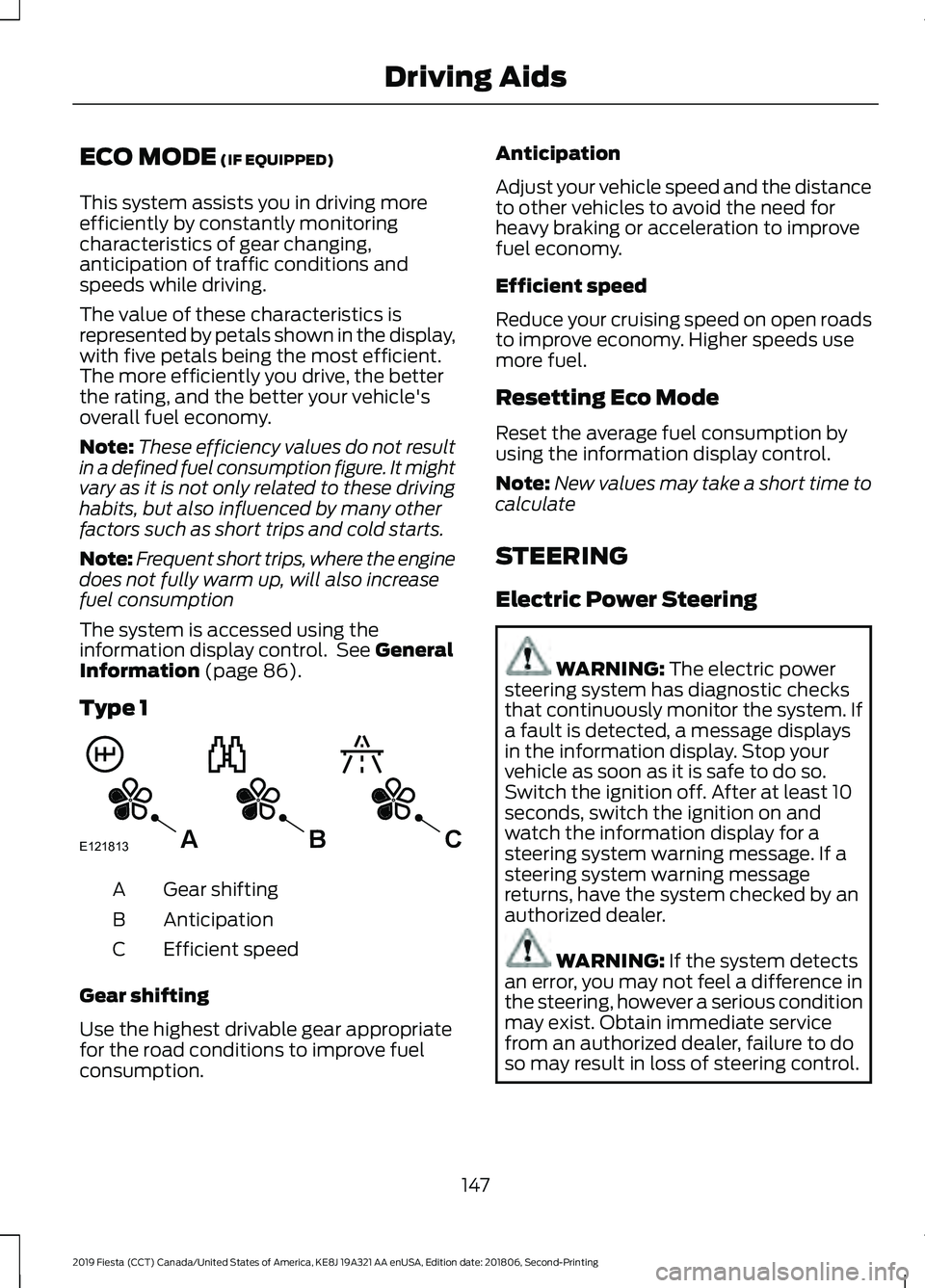
The value of these characteristics is
represented by petals shown in the display,
with five petals being the most efficient.
The more efficiently you drive, the better
the rating, and the better your vehicle's
overall fuel economy.
Note: These efficiency values do not result
in a defined fuel consumption figure. It might
vary as it is not only related to these driving
habits, but also influenced by many other
factors such as short trips and cold starts.
Note: Frequent short trips, where the engine
does not fully warm up, will also increase
fuel consumption
The system is accessed using the
information display control. See
General
Information (page 86).
Type 1 Gear shifting
A
Anticipation
B
Efficient speed
C
Gear shifting
Use the highest drivable gear appropriate
for the road conditions to improve fuel
consumption. Anticipation
Adjust your vehicle speed and the distance
to other vehicles to avoid the need for
heavy braking or acceleration to improve
fuel economy.
Efficient speed
Reduce your cruising speed on open roads
to improve economy. Higher speeds use
more fuel.
Resetting Eco Mode
Reset the average fuel consumption by
using the information display control.
Note:
New values may take a short time to
calculate
STEERING
Electric Power Steering WARNING: The electric power
steering system has diagnostic checks
that continuously monitor the system. If
a fault is detected, a message displays
in the information display. Stop your
vehicle as soon as it is safe to do so.
Switch the ignition off. After at least 10
seconds, switch the ignition on and
watch the information display for a
steering system warning message. If a
steering system warning message
returns, have the system checked by an
authorized dealer. WARNING:
If the system detects
an error, you may not feel a difference in
the steering, however a serious condition
may exist. Obtain immediate service
from an authorized dealer, failure to do
so may result in loss of steering control.
147
2019 Fiesta (CCT) Canada/United States of America, KE8J 19A321 AA enUSA, Edition date: 201806, Second-Printing Driving AidsE121813CBA