2019 FORD FIESTA ECO mode
[x] Cancel search: ECO modePage 36 of 443
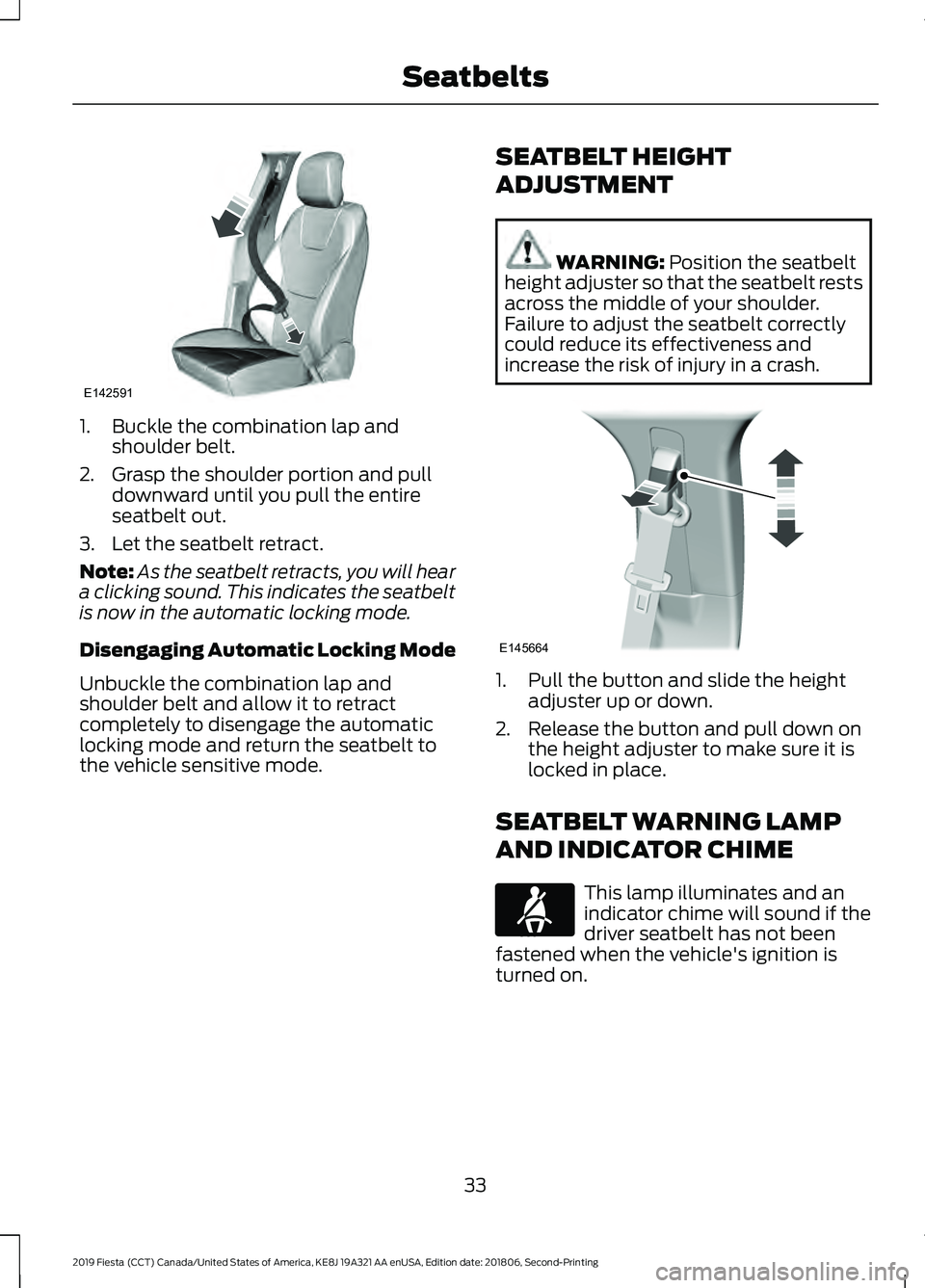
1. Buckle the combination lap and
shoulder belt.
2. Grasp the shoulder portion and pull downward until you pull the entire
seatbelt out.
3. Let the seatbelt retract.
Note: As the seatbelt retracts, you will hear
a clicking sound. This indicates the seatbelt
is now in the automatic locking mode.
Disengaging Automatic Locking Mode
Unbuckle the combination lap and
shoulder belt and allow it to retract
completely to disengage the automatic
locking mode and return the seatbelt to
the vehicle sensitive mode. SEATBELT HEIGHT
ADJUSTMENT WARNING: Position the seatbelt
height adjuster so that the seatbelt rests
across the middle of your shoulder.
Failure to adjust the seatbelt correctly
could reduce its effectiveness and
increase the risk of injury in a crash. 1. Pull the button and slide the height
adjuster up or down.
2. Release the button and pull down on the height adjuster to make sure it is
locked in place.
SEATBELT WARNING LAMP
AND INDICATOR CHIME This lamp illuminates and an
indicator chime will sound if the
driver seatbelt has not been
fastened when the vehicle's ignition is
turned on.
33
2019 Fiesta (CCT) Canada/United States of America, KE8J 19A321 AA enUSA, Edition date: 201806, Second-Printing SeatbeltsE142591 E145664 E71880
Page 38 of 443
Then...
If...
The Belt-Minder feature will not activate.
You and the front seat passenger buckle
your seatbelts before you switch the igni-
tion on or less than 1– 2 minutes elapse after
you switch the ignition on...
The Belt-Minder feature activates, the
seatbelt warning lamp illuminates and an
indicator chime sounds for 6 seconds every
25 seconds, repeating for about 5 minutes
or until you and the front seat passenger
buckle your seatbelts.
You or the front seat passenger do not
buckle your seatbelts before your vehicle
reaches at least 6 mph (9.7 km/h) and 1–
2
minutes elapse after you switch the ignition
on...
The Belt-Minder feature activates, the
seatbelt warning lamp illuminates and an
indicator chime sounds for 6 seconds every
25 seconds, repeating for about 5 minutes
or until you and the front seat passenger
buckle your seatbelts.
The seatbelt for the driver or front
passenger is unbuckled for about 1 minute
while the vehicle is traveling at least 6 mph
(9.7 km/h) and more than 1–
2 minutes
elapse after you switch the ignition on...
Deactivating and Activating the
Belt-Minder Feature WARNING: While the system
allows you to switch it off, this system is
designed to improve your chances of
being safely belted and surviving a crash.
We recommend you leave the system
switched on. To reduce the risk of injury,
do not switch the system on or off while
driving your vehicle.
Note: The driver and front passenger
warnings switch on and off independently.
When you perform this procedure for one
seating position, do not buckle the other
position as this will terminate the process.
Read Steps 1–4 thoroughly before
proceeding with the programming
procedure. Before following the procedure, make sure
that:
•
The parking brake is set.
• The transmission is in park (P) or
neutral (N).
• The ignition is off.
• The driver and front passenger
seatbelts are unbuckled.
1. Switch the ignition on. Do not start the
vehicle.
2. Wait until the seatbelt warning lamp turns off (about 1 minute). After Step
2, wait an additional 5 seconds before
proceeding with Step 3. Once you start
Step 3, you must complete the
procedure within 30 seconds.
3. For the seating position you are switching off, buckle then unbuckle the
seatbelt three times at a moderate
speed, ending in the unbuckled state.
After Step 3, the seatbelt warning lamp
turns on.
35
2019 Fiesta (CCT) Canada/United States of America, KE8J 19A321 AA enUSA, Edition date: 201806, Second-Printing Seatbelts
Page 39 of 443
4.
While the seatbelt warning lamp is on,
buckle and then unbuckle the seatbelt.
After Step 4, the seatbelt warning lamp
flashes for confirmation.
• This will switch the feature off for that
seating position if it is currently on.
• This will switch the feature on for that
seating position if it is currently off.
CHILD RESTRAINT AND
SEATBELT MAINTENANCE
Inspect the vehicle seatbelts and child
safety seat systems periodically to make
sure they work properly and are not
damaged. Inspect the vehicle and child
restraint seatbelts to make sure there are
no nicks, tears or cuts. Replace if
necessary. All vehicle seatbelt assemblies,
including retractors, buckles, front seatbelt
buckle assemblies, buckle support
assemblies (slide bar-if equipped),
shoulder belt height adjusters (if
equipped), shoulder belt guide on seat
backrest (if equipped), child safety seat
LATCH and tether anchors, and attaching
hardware, should be inspected after a
crash. Read the child restraint
manufacturer's instructions for additional
inspection and maintenance information
specific to the child restraint.
We recommend that all seatbelt
assemblies in use in vehicles involved in a
crash be replaced. However, if the crash
was minor and an authorized dealer finds
that the belts do not show damage and
continue to operate properly, they do not
need to be replaced. Seatbelt assemblies
not in use during a crash should also be
inspected and replaced if either damage
or improper operation is noted.
Properly care for seatbelts. SEATBELT EXTENSION WARNING: Persons who fit into
the vehicle's seatbelt should not use an
extension. Unnecessary use could result
in serious personal injury in the event of
a crash. WARNING:
Only use extensions
provided free of charge by Ford Motor
Company dealers. The dealer will provide
an extension designed specifically for
this vehicle, model year and seating
position. The use of an extension
intended for another vehicle, model year
or seating position may not offer you the
full protection of your vehicle ’s seatbelt
restraint system. WARNING:
Never use seatbelt
extensions to install child restraints. WARNING:
Do not use a seatbelt
extension with an inflatable seatbelt. WARNING:
Do not use extensions
to change the fit of the belt across the
torso, over the lap or to make the
seatbelt buckle easier to reach.
If, because of body size or driving position,
it is not possible to properly fasten the
seatbelt over your lap and shoulder, an
extension that is compatible with the
seatbelts is available free of charge from
Ford Motor Company dealers. Only Ford
seatbelt extensions made by the original
equipment seatbelts manufacturer should
be used with Ford seatbelts. Ask your
authorized dealer if your extension is
compatible with your Ford vehicle restraint
system.
36
2019 Fiesta (CCT) Canada/United States of America, KE8J 19A321 AA enUSA, Edition date: 201806, Second-Printing Seatbelts
Page 55 of 443
PRINCIPLE OF OPERATION
MyKey allows you to program keys with
restricted driving modes to promote good
driving habits. All but one of the keys
programmed to the vehicle can be
activated with these restricted modes.
Any keys that have not been programmed
are referred to as administrator keys or
admin keys. These can be used to:
•
Create a MyKey.
• Program configurable MyKey settings.
• Clear all MyKey features.
When you have created a MyKey, you can
access the following information using the
information display:
• How many admin keys and MyKeys are
programmed to your vehicle.
• The total distance your vehicle has
traveled using any MyKey.
Note: You can only program all MyKeys to
the same settings.
Note: For vehicles with keyless start, when
both a MyKey transmitter and an admin
transmitter are present, the admin
transmitter will be recognized by the vehicle
to start the engine.
Non-configurable Settings
The following settings cannot be changed:
• Belt-Minder™. You cannot disable this
feature. The audio system will mute
when the driver and front seat
passengers’ safety belts are not
fastened.
• Early low-fuel warning. The low-fuel
warning activates earlier, giving the
MyKey user more time to refuel.
• Driver assist features, if equipped on
your vehicle, are forced on: parking aid.
• Satellite radio adult content
restrictions. Configurable Settings WARNING: Do not set MyKey
maximum speed limit to a limit that will
prevent the driver from maintaining a
safe speed considering posted speed
limits and prevailing road conditions. The
driver is always responsible to drive in
accordance with local laws and
prevailing conditions. Failure to do so
could result in accident or injury.
You can configure certain MyKey settings
when you first create a MyKey. You can
also change the settings afterward with
an admin key.
The following settings can be configured
using an admin key:
• A vehicle speed limit can be set.
Warnings will be shown in the display
followed by an audible tone when your
vehicle reaches the set speed. You
cannot override the set speed by fully
depressing the accelerator pedal or by
setting the cruise control.
• Vehicle speed minders can be set.
Once you select a speed, a visual
warning will be shown in the display
followed by an audible tone when the
set vehicle speed is exceeded.
• Audio system maximum volume of
45%. A message will be shown in the
display when you attempt to exceed
the limited volume. Also, the speed
sensitive compensated volume
(automatic volume control) feature
will be disabled.
• Always on setting. When this is
selected you will not be able to disable
AdvanceTrac, 911 Assist or the do not
disturb feature (if your vehicle is
equipped with these features).
52
2019 Fiesta (CCT) Canada/United States of America, KE8J 19A321 AA enUSA, Edition date: 201806, Second-Printing MyKey
™
(If Equipped)
Page 58 of 443
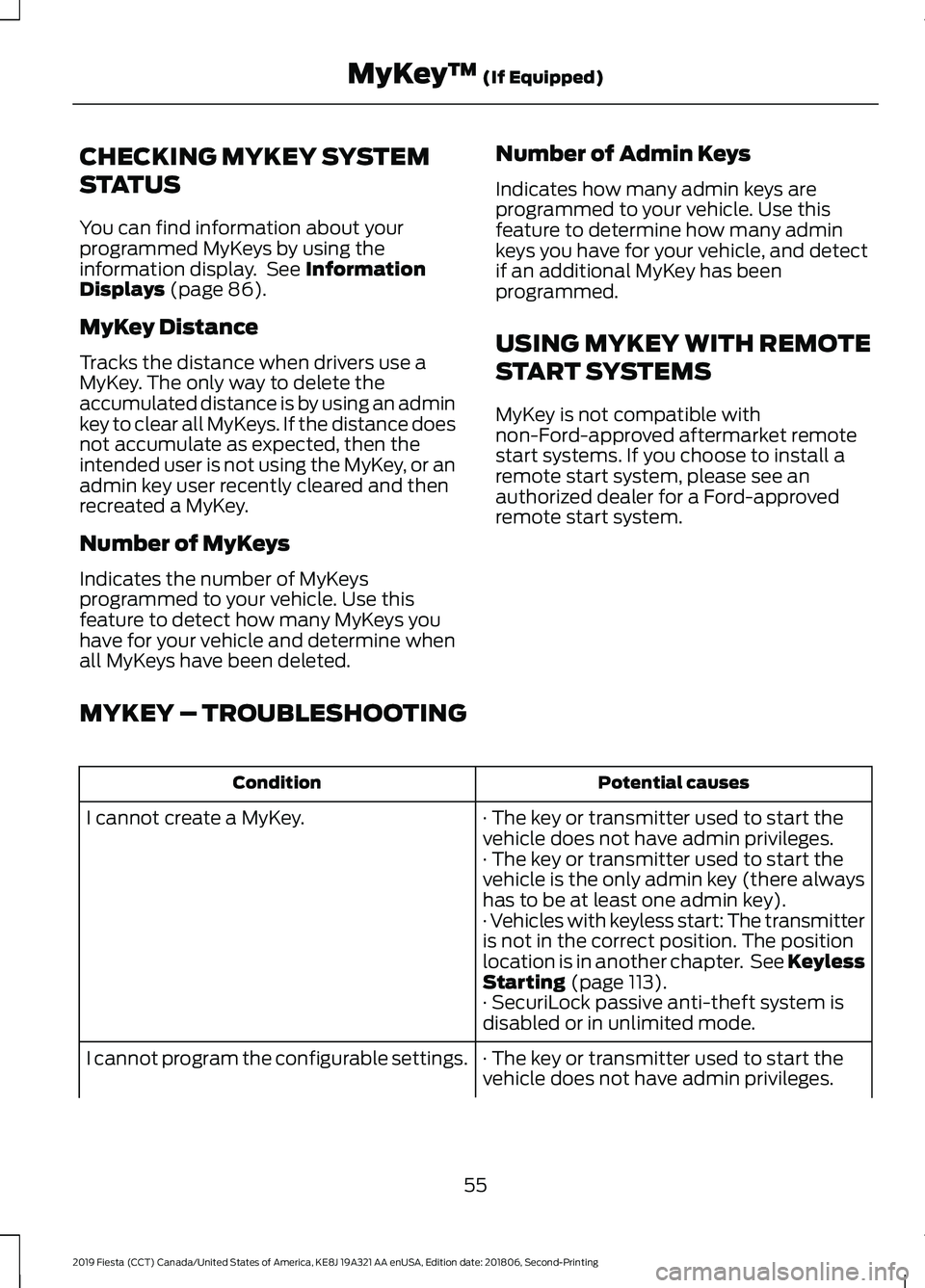
CHECKING MYKEY SYSTEM
STATUS
You can find information about your
programmed MyKeys by using the
information display. See Information
Displays (page 86).
MyKey Distance
Tracks the distance when drivers use a
MyKey. The only way to delete the
accumulated distance is by using an admin
key to clear all MyKeys. If the distance does
not accumulate as expected, then the
intended user is not using the MyKey, or an
admin key user recently cleared and then
recreated a MyKey.
Number of MyKeys
Indicates the number of MyKeys
programmed to your vehicle. Use this
feature to detect how many MyKeys you
have for your vehicle and determine when
all MyKeys have been deleted. Number of Admin Keys
Indicates how many admin keys are
programmed to your vehicle. Use this
feature to determine how many admin
keys you have for your vehicle, and detect
if an additional MyKey has been
programmed.
USING MYKEY WITH REMOTE
START SYSTEMS
MyKey is not compatible with
non-Ford-approved aftermarket remote
start systems. If you choose to install a
remote start system, please see an
authorized dealer for a Ford-approved
remote start system.
MYKEY – TROUBLESHOOTING Potential causes
Condition
· The key or transmitter used to start the
vehicle does not have admin privileges.
I cannot create a MyKey.
· The key or transmitter used to start the
vehicle is the only admin key (there always
has to be at least one admin key).
· Vehicles with keyless start: The transmitter
is not in the correct position. The position
location is in another chapter. See Keyless
Starting
(page 113).
· SecuriLock passive anti-theft system is
disabled or in unlimited mode.
· The key or transmitter used to start the
vehicle does not have admin privileges.
I cannot program the configurable settings.
55
2019 Fiesta (CCT) Canada/United States of America, KE8J 19A321 AA enUSA, Edition date: 201806, Second-Printing MyKey
™
(If Equipped)
Page 62 of 443
Auto Unlock Feature
The auto unlock feature will unlock all the
doors when all of the following conditions
have been met:
•
The ignition is on, all doors are closed,
and your vehicle is moving at a speed
greater than 12 mph (20 km/h) for
more than two seconds.
• Your vehicle has come to a stop and
you switch the ignition off or to the
accessory position.
• The driver door is opened within 10
minutes of you switching the ignition
off or to the accessory position.
Note: The doors will not auto unlock if your
vehicle has been electronically locked after
the ignition is switched off and before the
driver door is opened.
Enabling or Disabling Auto Unlock
Note: See an authorized dealer to enable
or disable the auto unlock feature or carry
out the following procedure.
Note: You will have 30 seconds to
complete the procedure.
1. Switch the ignition on.
2. Press the power door lock button three
times.
3. Switch the ignition off.
4. Press the power door lock button three
times.
5. Switch the ignition on. The system alerts you with a tone to indicate your
vehicle is in programming mode.
6. Press the power door lock button for less than one second and release.
A tone sounds to confirm the change.
After programming the feature, switch the
ignition off to exit the programming mode. Emergency Locking With the Key
Note:
If the child safety locks are on and
you pull the interior handle, you will only
turn off the emergency locking, not the child
safety lock. You can only open the doors
using the external door handle.
Note: If the doors have been unlocked using
this method, the doors must be locked
individually until the central locking function
has been repaired.
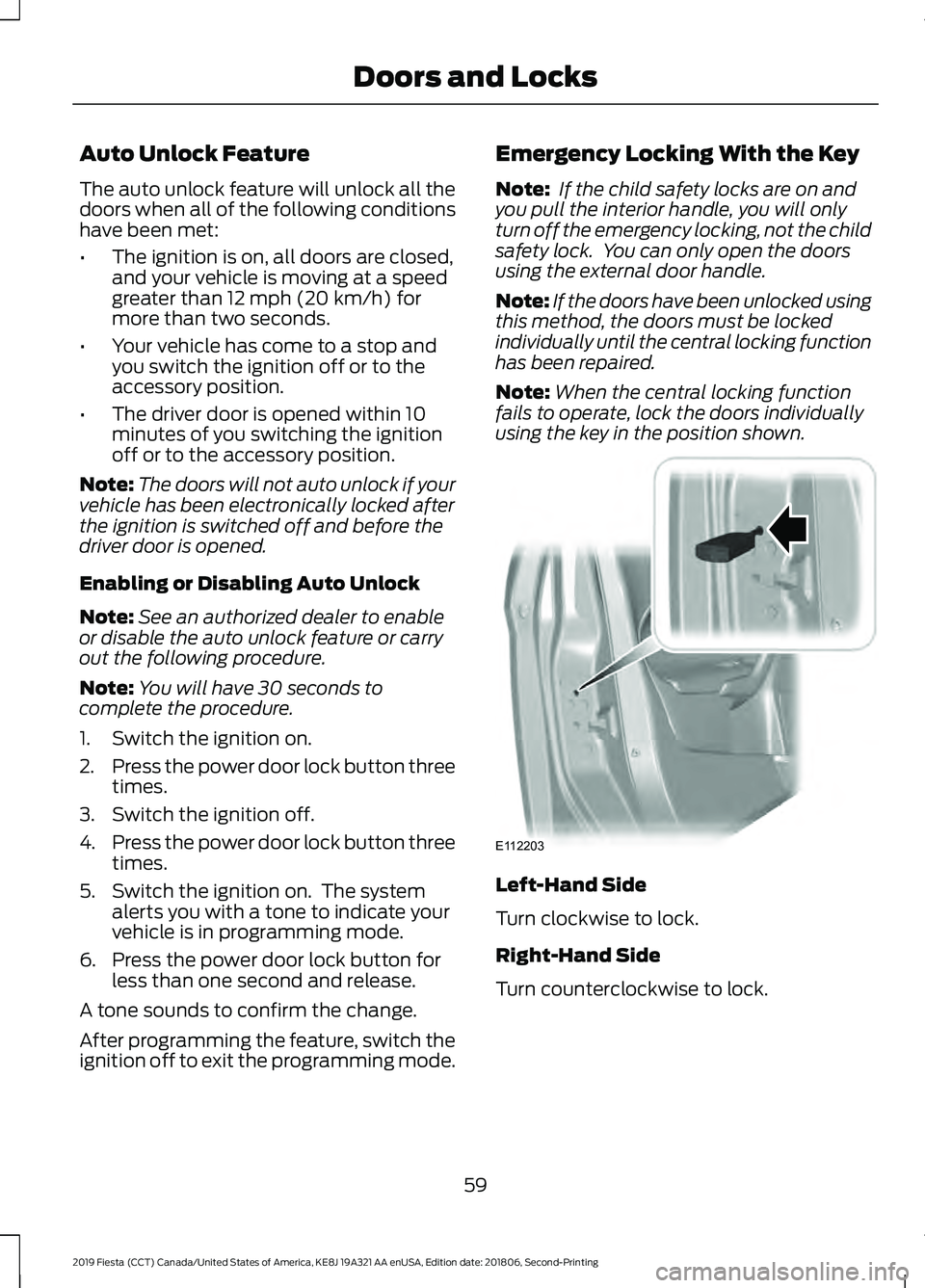
Note: When the central locking function
fails to operate, lock the doors individually
using the key in the position shown. Left-Hand Side
Turn clockwise to lock.
Right-Hand Side
Turn counterclockwise to lock.
59
2019 Fiesta (CCT) Canada/United States of America, KE8J 19A321 AA enUSA, Edition date: 201806, Second-Printing Doors and LocksE112203
Page 65 of 443
Note:
If a second valid passive key is
located within the luggage compartment
detection range, the luggage compartment
can be closed.
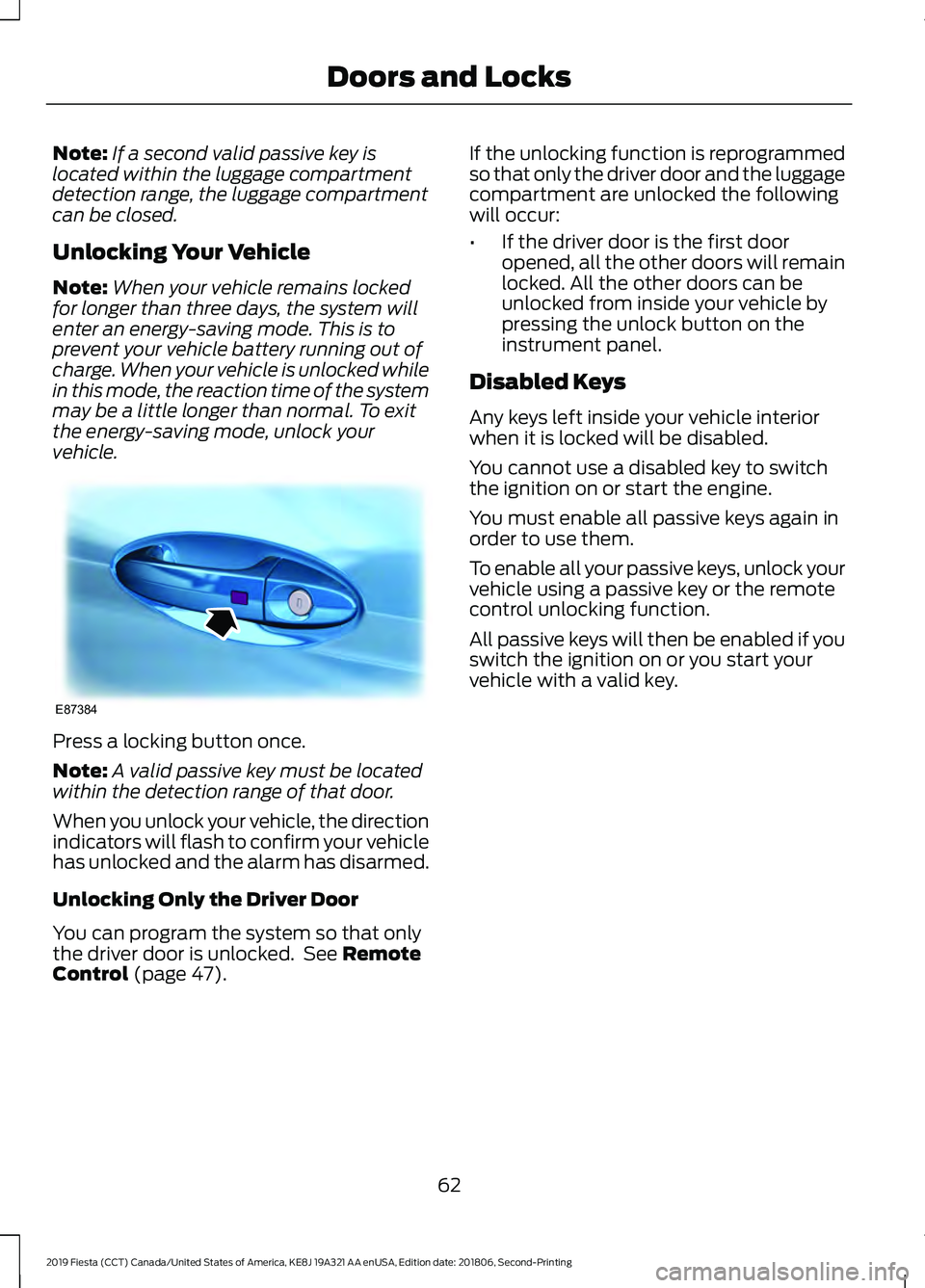
Unlocking Your Vehicle
Note: When your vehicle remains locked
for longer than three days, the system will
enter an energy-saving mode. This is to
prevent your vehicle battery running out of
charge. When your vehicle is unlocked while
in this mode, the reaction time of the system
may be a little longer than normal. To exit
the energy-saving mode, unlock your
vehicle. Press a locking button once.
Note:
A valid passive key must be located
within the detection range of that door.
When you unlock your vehicle, the direction
indicators will flash to confirm your vehicle
has unlocked and the alarm has disarmed.
Unlocking Only the Driver Door
You can program the system so that only
the driver door is unlocked. See Remote
Control (page 47). If the unlocking function is reprogrammed
so that only the driver door and the luggage
compartment are unlocked the following
will occur:
•
If the driver door is the first door
opened, all the other doors will remain
locked. All the other doors can be
unlocked from inside your vehicle by
pressing the unlock button on the
instrument panel.
Disabled Keys
Any keys left inside your vehicle interior
when it is locked will be disabled.
You cannot use a disabled key to switch
the ignition on or start the engine.
You must enable all passive keys again in
order to use them.
To enable all your passive keys, unlock your
vehicle using a passive key or the remote
control unlocking function.
All passive keys will then be enabled if you
switch the ignition on or you start your
vehicle with a valid key.
62
2019 Fiesta (CCT) Canada/United States of America, KE8J 19A321 AA enUSA, Edition date: 201806, Second-Printing Doors and LocksE87384
Page 86 of 443
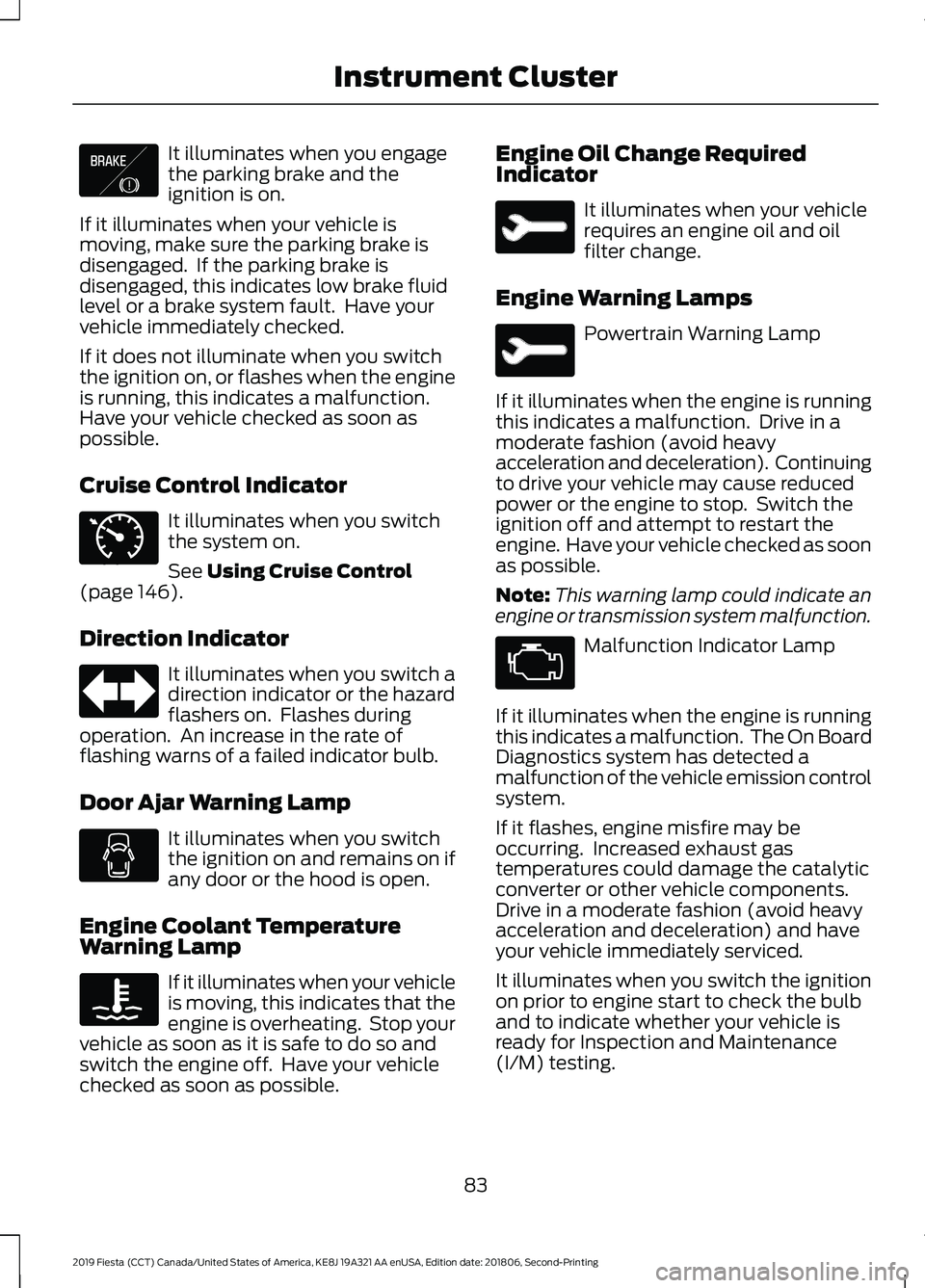
It illuminates when you engage
the parking brake and the
ignition is on.
If it illuminates when your vehicle is
moving, make sure the parking brake is
disengaged. If the parking brake is
disengaged, this indicates low brake fluid
level or a brake system fault. Have your
vehicle immediately checked.
If it does not illuminate when you switch
the ignition on, or flashes when the engine
is running, this indicates a malfunction.
Have your vehicle checked as soon as
possible.
Cruise Control Indicator It illuminates when you switch
the system on.
See Using Cruise Control
(page 146).
Direction Indicator It illuminates when you switch a
direction indicator or the hazard
flashers on. Flashes during
operation. An increase in the rate of
flashing warns of a failed indicator bulb.
Door Ajar Warning Lamp It illuminates when you switch
the ignition on and remains on if
any door or the hood is open.
Engine Coolant Temperature
Warning Lamp If it illuminates when your vehicle
is moving, this indicates that the
engine is overheating. Stop your
vehicle as soon as it is safe to do so and
switch the engine off. Have your vehicle
checked as soon as possible. Engine Oil Change Required
Indicator It illuminates when your vehicle
requires an engine oil and oil
filter change.
Engine Warning Lamps Powertrain Warning Lamp
If it illuminates when the engine is running
this indicates a malfunction. Drive in a
moderate fashion (avoid heavy
acceleration and deceleration). Continuing
to drive your vehicle may cause reduced
power or the engine to stop. Switch the
ignition off and attempt to restart the
engine. Have your vehicle checked as soon
as possible.
Note: This warning lamp could indicate an
engine or transmission system malfunction. Malfunction Indicator Lamp
If it illuminates when the engine is running
this indicates a malfunction. The On Board
Diagnostics system has detected a
malfunction of the vehicle emission control
system.
If it flashes, engine misfire may be
occurring. Increased exhaust gas
temperatures could damage the catalytic
converter or other vehicle components.
Drive in a moderate fashion (avoid heavy
acceleration and deceleration) and have
your vehicle immediately serviced.
It illuminates when you switch the ignition
on prior to engine start to check the bulb
and to indicate whether your vehicle is
ready for Inspection and Maintenance
(I/M) testing.
83
2019 Fiesta (CCT) Canada/United States of America, KE8J 19A321 AA enUSA, Edition date: 201806, Second-Printing Instrument ClusterE138644 E71340