2019 FORD EXPLORER fuel cap
[x] Cancel search: fuel capPage 357 of 571
Specification
Name
Premium Long-Life Grease
XG-1-E1 ESB-M1C93-B
Multi-purpose grease:
Motorcraft® Multi-Purpose Grease Spray
XL-5-A
-
Lock cylinders (U.S.):
Penetrating and Lock Lubricant
XL-1
-
Lock cylinders (Canada):
Penetrating Fluid
CXC-51-A
-
Lock cylinders (Mexico):
Penetrating and Lock Lubricant
MXL-1
If you use oil and fluids that do not meet
the defined specification and viscosity
grade, this may lead to:
• Component damage not covered by
the vehicle warranty.
• Longer engine cranking periods.
• Increased emission levels.
• Reduced engine performance.
• Reduced fuel economy.
• Degraded brake performance.
We recommend Motorcraft® motor oil for
your vehicle. If Motorcraft® oil is not
available, use motor oils of the
recommended viscosity grade that meet
API SN requirements and display the API
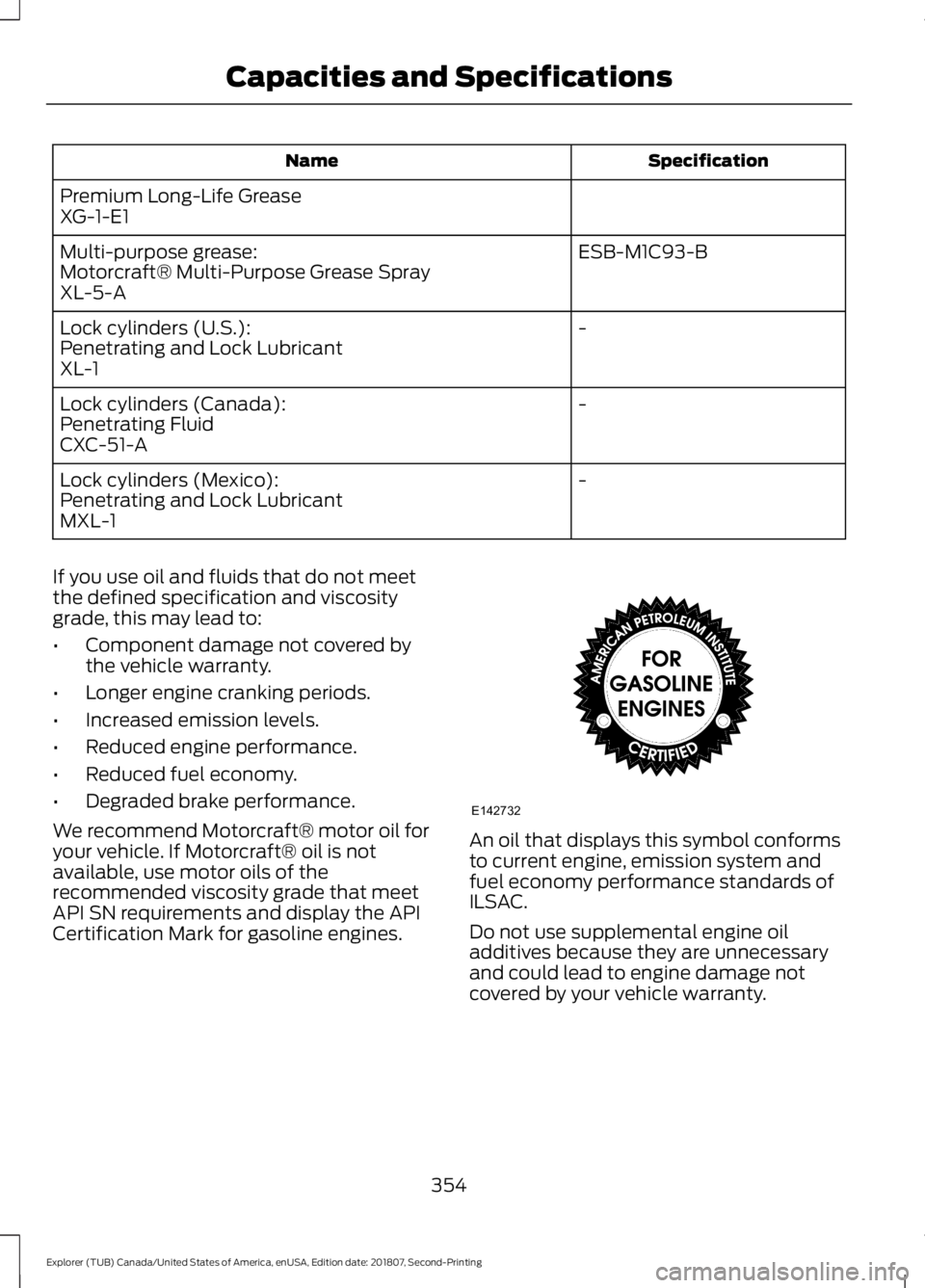
Certification Mark for gasoline engines. An oil that displays this symbol conforms
to current engine, emission system and
fuel economy performance standards of
ILSAC.
Do not use supplemental engine oil
additives because they are unnecessary
and could lead to engine damage not
covered by your vehicle warranty.
354
Explorer (TUB) Canada/United States of America, enUSA, Edition date: 201807, Second-Printing Capacities and SpecificationsE142732
Page 359 of 571
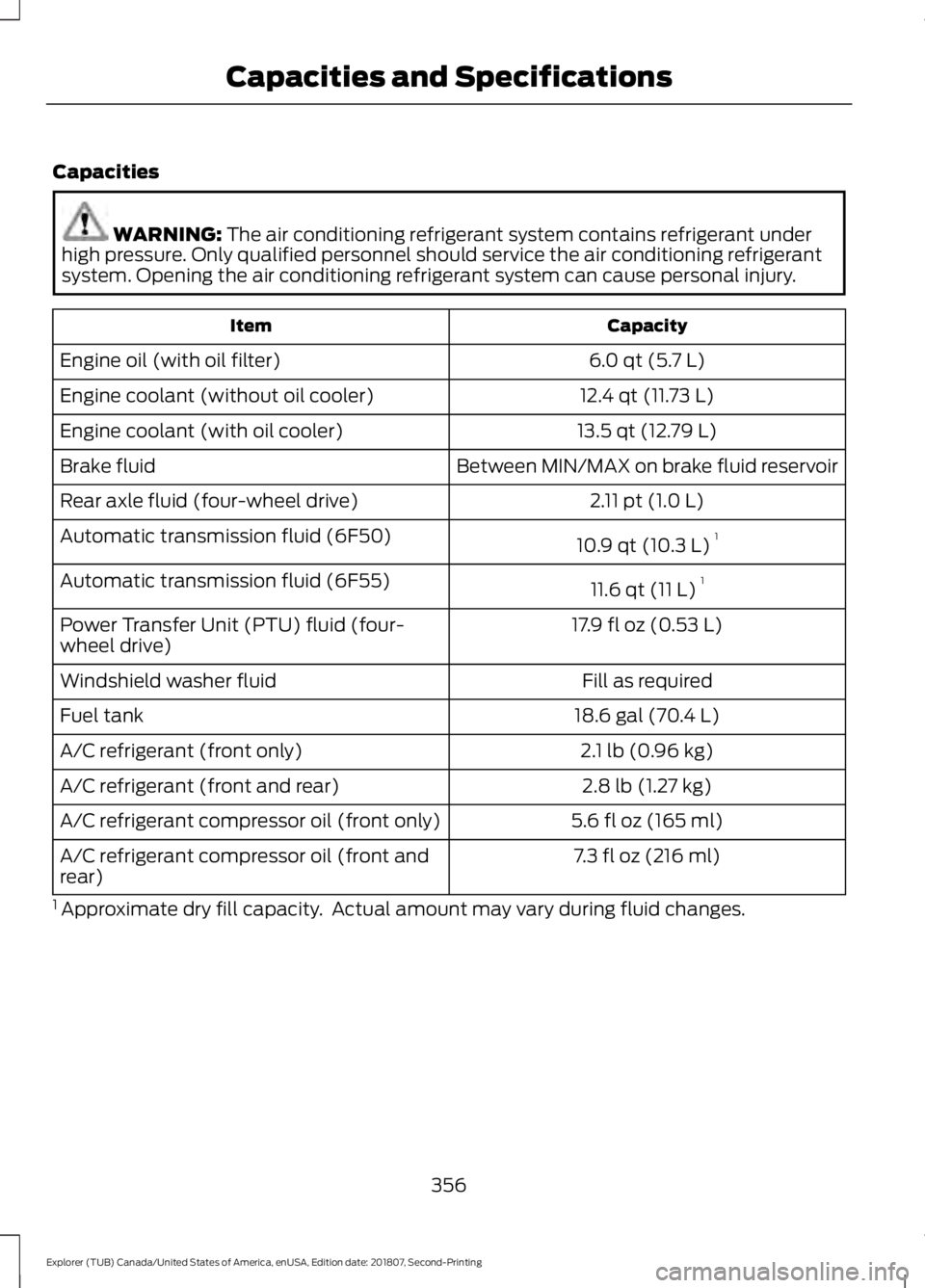
Capacities
WARNING: The air conditioning refrigerant system contains refrigerant under
high pressure. Only qualified personnel should service the air conditioning refrigerant
system. Opening the air conditioning refrigerant system can cause personal injury. Capacity
Item
6.0 qt (5.7 L)
Engine oil (with oil filter)
12.4 qt (11.73 L)
Engine coolant (without oil cooler)
13.5 qt (12.79 L)
Engine coolant (with oil cooler)
Between MIN/MAX on brake fluid reservoir
Brake fluid
2.11 pt (1.0 L)
Rear axle fluid (four-wheel drive)
10.9 qt (10.3 L)1
Automatic transmission fluid (6F50)
11.6 qt (11 L)1
Automatic transmission fluid (6F55)
17.9 fl oz (0.53 L)
Power Transfer Unit (PTU) fluid (four-
wheel drive)
Fill as required
Windshield washer fluid
18.6 gal (70.4 L)
Fuel tank
2.1 lb (0.96 kg)
A/C refrigerant (front only)
2.8 lb (1.27 kg)
A/C refrigerant (front and rear)
5.6 fl oz (165 ml)
A/C refrigerant compressor oil (front only)
7.3 fl oz (216 ml)
A/C refrigerant compressor oil (front and
rear)
1 Approximate dry fill capacity. Actual amount may vary during fluid changes.
356
Explorer (TUB) Canada/United States of America, enUSA, Edition date: 201807, Second-Printing Capacities and Specifications
Page 362 of 571
Specification
Name
-
Lock cylinders (U.S.):
Penetrating and Lock Lubricant
XL-1
-
Lock cylinders (Canada):
Penetrating Fluid
CXC-51-A
-
Lock cylinders (Mexico):
Penetrating and Lock Lubricant
MXL-1
If you use oil and fluids that do not meet
the defined specification and viscosity
grade, this may lead to:
• Component damage not covered by
the vehicle warranty.
• Longer engine cranking periods.
• Increased emission levels.
• Reduced engine performance.
• Reduced fuel economy.
• Degraded brake performance.
We recommend Motorcraft® motor oil for
your vehicle. If Motorcraft® oil is not
available, use motor oils of the
recommended viscosity grade that meet
API SN requirements and display the API
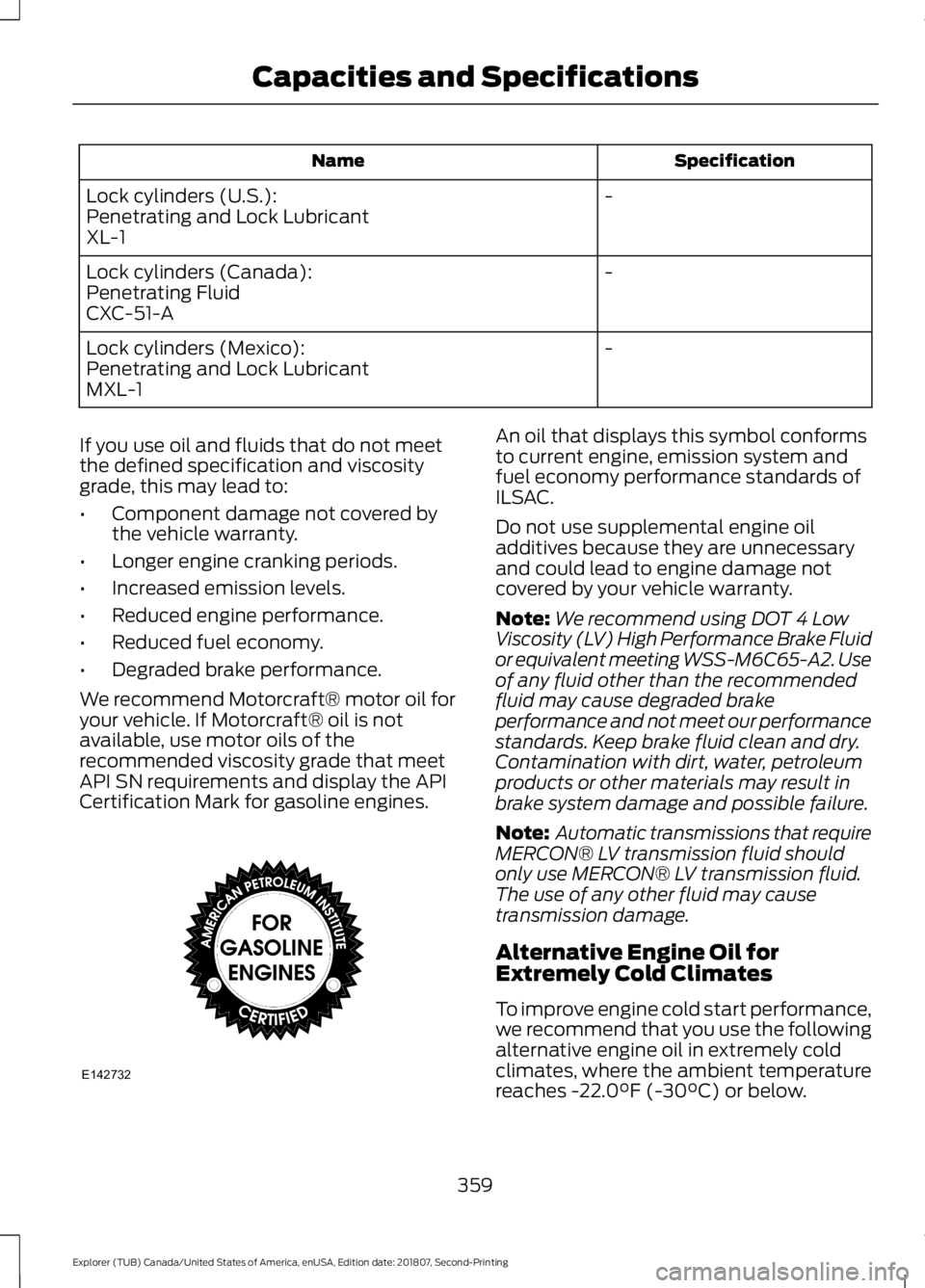
Certification Mark for gasoline engines. An oil that displays this symbol conforms
to current engine, emission system and
fuel economy performance standards of
ILSAC.
Do not use supplemental engine oil
additives because they are unnecessary
and could lead to engine damage not
covered by your vehicle warranty.
Note:
We recommend using DOT 4 Low
Viscosity (LV) High Performance Brake Fluid
or equivalent meeting WSS-M6C65-A2. Use
of any fluid other than the recommended
fluid may cause degraded brake
performance and not meet our performance
standards. Keep brake fluid clean and dry.
Contamination with dirt, water, petroleum
products or other materials may result in
brake system damage and possible failure.
Note: Automatic transmissions that require
MERCON® LV transmission fluid should
only use MERCON® LV transmission fluid.
The use of any other fluid may cause
transmission damage.
Alternative Engine Oil for
Extremely Cold Climates
To improve engine cold start performance,
we recommend that you use the following
alternative engine oil in extremely cold
climates, where the ambient temperature
reaches -22.0°F (-30°C) or below.
359
Explorer (TUB) Canada/United States of America, enUSA, Edition date: 201807, Second-Printing Capacities and SpecificationsE142732
Page 396 of 571
See Roadside Emergencies (page 258).
Important information about the fuel pump
shut-off is in this chapter.
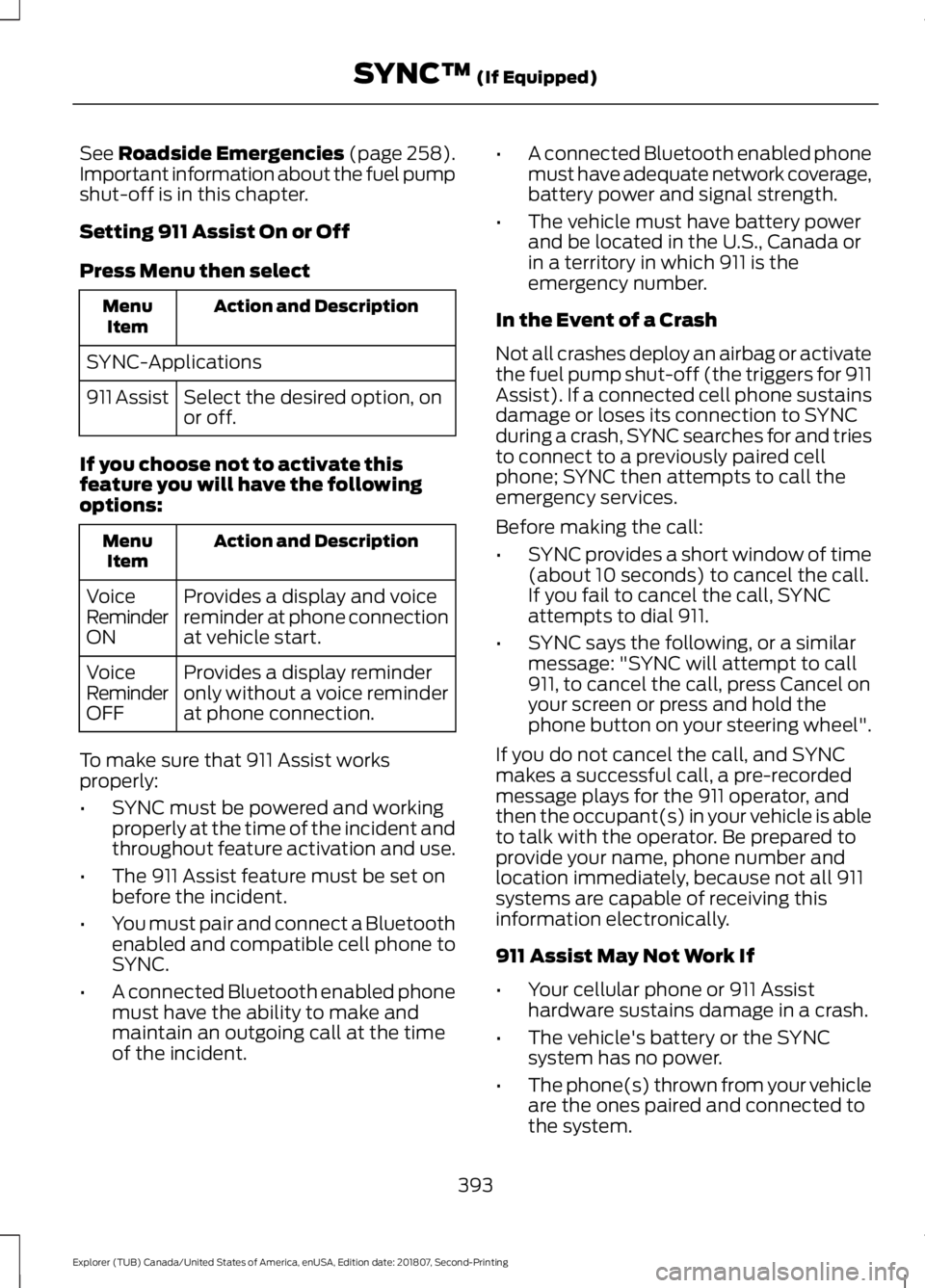
Setting 911 Assist On or Off
Press Menu then select Action and Description
Menu
Item
SYNC-Applications Select the desired option, on
or off.
911 Assist
If you choose not to activate this
feature you will have the following
options: Action and Description
Menu
Item
Provides a display and voice
reminder at phone connection
at vehicle start.
Voice
Reminder
ON
Provides a display reminder
only without a voice reminder
at phone connection.
Voice
Reminder
OFF
To make sure that 911 Assist works
properly:
• SYNC must be powered and working
properly at the time of the incident and
throughout feature activation and use.
• The 911 Assist feature must be set on
before the incident.
• You must pair and connect a Bluetooth
enabled and compatible cell phone to
SYNC.
• A connected Bluetooth enabled phone
must have the ability to make and
maintain an outgoing call at the time
of the incident. •
A connected Bluetooth enabled phone
must have adequate network coverage,
battery power and signal strength.
• The vehicle must have battery power
and be located in the U.S., Canada or
in a territory in which 911 is the
emergency number.
In the Event of a Crash
Not all crashes deploy an airbag or activate
the fuel pump shut-off (the triggers for 911
Assist). If a connected cell phone sustains
damage or loses its connection to SYNC
during a crash, SYNC searches for and tries
to connect to a previously paired cell
phone; SYNC then attempts to call the
emergency services.
Before making the call:
• SYNC provides a short window of time
(about 10 seconds) to cancel the call.
If you fail to cancel the call, SYNC
attempts to dial 911.
• SYNC says the following, or a similar
message: "SYNC will attempt to call
911, to cancel the call, press Cancel on
your screen or press and hold the
phone button on your steering wheel".
If you do not cancel the call, and SYNC
makes a successful call, a pre-recorded
message plays for the 911 operator, and
then the occupant(s) in your vehicle is able
to talk with the operator. Be prepared to
provide your name, phone number and
location immediately, because not all 911
systems are capable of receiving this
information electronically.
911 Assist May Not Work If
• Your cellular phone or 911 Assist
hardware sustains damage in a crash.
• The vehicle's battery or the SYNC
system has no power.
• The phone(s) thrown from your vehicle
are the ones paired and connected to
the system.
393
Explorer (TUB) Canada/United States of America, enUSA, Edition date: 201807, Second-Printing SYNC™
(If Equipped)
Page 397 of 571

911 Assist Privacy Notice
When you switch on 911 Assist, it may
disclose to emergency services that your
vehicle has been in a crash involving the
deployment of an airbag or activation of
the fuel pump shut-off. Certain versions or
updates to 911 Assist may also be capable
of electronically or verbally disclosing to
911 operators your vehicle location or other
details about your vehicle or crash to assist
911 operators to provide the most
appropriate emergency services. If you do
not want to disclose this information, do
not switch the feature on.
SYNC Mobile Apps
The system enables voice and steering
wheel control of SYNC AppLink enabled
smartphone apps. When an app is running
through AppLink, you can control main
features of the app through voice
commands and steering wheel controls.
Note:
You must pair and connect your
smartphone to SYNC to access AppLink.
Note: iPhone users need to connect the
phone to the USB port.
Note: Android users need to connect the
phone to SYNC using Bluetooth.
Note: For information on available apps,
supported smartphone devices and
troubleshooting tips please visit the local
website.
Note: Availability of SYNC AppLink enabled
Apps will vary by region. Note:
Make sure you have an active
account for the app that you have
downloaded. Some apps work
automatically with no setup. Other apps
want you to configure your personal settings
and personalize your experience by creating
stations or favorites. We recommend you
do this at home or outside of your vehicle.
Note: AppLink is not available if your
vehicle is equipped with the MyFord Touch
system.
To Access Using the SYNC Menu
Press the MENU button to access the
menu on-screen. Then select: Action and Description
Menu
Item
SYNC-Apps Scroll through the list of
available applications and
select a particular app or
select:
Mobile
Apps
Find New Apps
Note: If you cannot find a compatible SYNC
AppLink app, make sure the required app is
running on the mobile device.
Accessing an App's Menu
When an app is running through SYNC,
press the right arrow button on the steering
wheel control to access the app menu.
You can access various app features from
here, for example thumbs up and thumbs
down.
Press the left arrow button on the steering
wheel control to exit the app menu.
394
Explorer (TUB) Canada/United States of America, enUSA, Edition date: 201807, Second-Printing SYNC™
(If Equipped)
Page 424 of 571
Note:
Every phone operates differently.
While SYNC 911 Assist works with most
cellular phones, some may have trouble
using this feature.
If a crash deploys an airbag (excluding
knee airbags and rear inflatable safety
belts [if equipped]) or activates the fuel
pump shut-off, your SYNC-equipped
vehicle may be able to contact emergency
services by dialing 911 through a paired and
connected Bluetooth enabled phone. You
can learn more about the 911 Assist
feature, by visiting: Website
www.owner.ford.com
www.syncmyride.ca
www.syncmaroute.ca
For important information about airbag
deployment and the fuel pump shut-off
please see the Supplementary Restrains
and Roadside Emergencies sections of
your owner manual.
To switch 911 Assist on and off please view
the settings information. See Settings
(page 463).
To make sure that 911 Assist works
correctly:
• SYNC must be powered and working
properly at the time of the incident and
throughout feature activation and use.
• The 911 Assist feature must be set on
before the incident.
• You must pair and connect a Bluetooth
enabled and compatible cell phone to
SYNC.
• A connected Bluetooth enabled phone
must have the ability to make and
maintain an outgoing call at the time
of the incident. •
A connected Bluetooth enabled phone
must have adequate network coverage,
battery power and signal strength.
• The vehicle must have battery power
and be located in the U.S., Canada or
in a territory in which 911 is the
emergency number.
In the Event of a Crash
Not all crashes will deploy an airbag or
activate the fuel pump shut-off (the
triggers for 911 Assist). If a connected cell
phone sustains damage or loses its
connection to SYNC during a crash, SYNC
will search for and try to connect to a
previously paired cell phone; SYNC will
then attempt to call the emergency
services.
Before making the call:
• SYNC provides a short window of time
(about 10 seconds) to cancel the call.
If you fail to cancel the call, SYNC
attempts to dial 911.
• SYNC says the following, or a similar
message: "SYNC will attempt to call
911, to cancel the call, press Cancel on
your screen or press and hold the
phone button on your steering wheel."
If you do not cancel the call, and SYNC
makes a successful call, a pre-recorded
message plays for the 911 operator, and
then the occupant(s) in your vehicle is able
to talk with the operator. Be prepared to
provide your name, phone number and
location immediately, because not all 911
systems are capable of receiving this
information electronically.
421
Explorer (TUB) Canada/United States of America, enUSA, Edition date: 201807, Second-Printing SYNC™ 3
(If Equipped)
Page 425 of 571

911 Assist May Not Work If
•
Your cellular phone or 911 Assist
hardware sustains damage in a crash.
• The vehicle's battery or the SYNC
system has no power.
• The phone(s) thrown from your vehicle
are the ones paired and connected to
the system.
911 Assist Privacy Notice
When you switch on 911 Assist, it may
disclose to emergency services that your
vehicle has been in a crash involving the
deployment of an airbag or activation of
the fuel pump shut-off. Certain versions or
updates to 911 Assist may also be capable
of electronically or verbally disclosing to
911 operators your vehicle location or other
details about your vehicle or crash to assist
911 operators to provide the most
appropriate emergency services. If you do
not want to disclose this information, do
not switch the feature on.
Safety Information WARNING: Driving while
distracted can result in loss of vehicle
control, crash and injury. We strongly
recommend that you use extreme
caution when using any device that may
take your focus off the road. Your
primary responsibility is the safe
operation of your vehicle. We
recommend against the use of any
hand-held device while driving and
encourage the use of voice-operated
systems when possible. Make sure you
are aware of all applicable local laws
that may affect the use of electronic
devices while driving. •
Do not attempt to service or repair the
system. Have an authorized dealer
check your vehicle.
• Do not operate playing devices if the
power cords or cables are broken, split
or damaged. Place cords and cables
out of the way, so they do not interfere
with the operation of pedals, seats,
compartments or safe driving abilities.
• Do not leave playing devices in your
vehicle during extreme conditions as it
could cause them damage. See your
device's user guide for further
information.
• For your safety, some SYNC 3 functions
are speed-dependent. Their use is
limited to when your vehicle is traveling
at speeds under 3 mph (5 km/h). Make
sure that you review your device's
manual before using it with SYNC 3.
Speed-restricted Features
Some features of this system may be too
difficult to use while your vehicle is moving
so they are restricted from use unless your
vehicle is stationary.
• Screens crowded with information,
such as Point of Interest reviews and
ratings, SiriusXM Traffic and Travel Link
sports scores, movie times or ski
conditions.
• Any action that requires you to use a
keyboard is restricted, such as entering
a navigation destination or editing
information.
• All lists are limited so the user can view
fewer entries (such as phone contacts
or recent phone call entries).
See the following table for more specific
examples.
422
Explorer (TUB) Canada/United States of America, enUSA, Edition date: 201807, Second-Printing SYNC™ 3
(If Equipped)
Page 563 of 571

Flat Tire
See: Changing a Road Wheel....................... 334
Floor Mats......................................................256
Fog Lamps - Front See: Front Fog Lamps........................................ 88
Foot Pedals See: Adjusting the Pedals.................................. 81
Ford Credit
..........................................................11
US Only...................................................................... 11
Ford Protect
...................................................493
Ford Protect Extended Service Plan
(CANADA ONLY).......................................... 494
Ford Protect Extended Service Plans (U.S. Only).................................................................. 493
Four-Wheel Drive
.........................................188
Principle of Operation...................................... 188
Front Fog Lamps............................................88
Front Parking Aid.........................................203 Obstacle Distance Indicator......................... 204
Front Passenger Sensing System............46
Fuel and Refueling........................................172
Fuel Consumption
........................................179
Advertised Capacity........................................... 179
Fuel Economy....................................................... 179
Fuel Filler Funnel Location........................174
Fuel Quality - E85.........................................173 Choosing the Right Fuel - Flex Fuel
Vehicles.............................................................. 173
Switching Between E85 and Gasoline............................................................. 174
Fuel Quality - Gasoline................................172 Choosing the Right Fuel................................... 172
Fuel Shutoff
...................................................259
Fuses..................................................................271
Fuse Specification Chart............................271
Passenger Compartment Fuse Panel........276
Power Distribution Box..................................... 271
G
Garage Door Opener....................................157
Garage Door Opener See: Universal Garage Door Opener............157
Gauges...............................................................96 Engine Coolant Temperature Gauge............99
Fuel Gauge............................................................. 99
Information Display............................................. 98
Type 1........................................................................\
96Type 2........................................................................\
97
Type 3....................................................................... 98
Gearbox See: Transmission.............................................. 184
General Information on Radio Frequencies...................................................53
Intelligent Access................................................. 53
General Maintenance Information.......495 Multi-Point Inspection..................................... 497
Owner Checks and Services......................... 496
Protecting Your Investment.......................... 495
Why Maintain Your Vehicle?......................... 495
Why Maintain Your Vehicle at Your Dealership?..................................................... 495
Getting Assistance Outside the U.S. and Canada
..........................................................267
Getting the Services You Need..............264 Away From Home............................................. 264
Global Opening................................................91 Moonroof.................................................................. 91
Remote Control Front Windows..................... 91
H
Handbrake See: Parking Brake............................................. 194
Hazard Flashers
...........................................259
HDC See: Using Hill Descent Control................... 200
Headlamp Adjusting See: Adjusting the Headlamps.................... 299
Headlamp Exit Delay....................................86
Headrest See: Head Restraints......................................... 139
Head Restraints
............................................139
Adjusting the Head Restraint........................ 140
Tilting Head Restraints ..................................... 141
Heated Exterior Mirrors
...............................137
Heated Rear Window..................................137
Heated Seats.................................................154 Front Seats............................................................ 154
Second Row Heated Seats............................. 155
Heated Steering Wheel...............................80
Heating See: Climate Control......................................... 129
Hill Start Assist..............................................194 Switching the System On and Off...............195
Using Hill Start Assist....................................... 194
560
Explorer (TUB) Canada/United States of America, enUSA, Edition date: 201807, Second-Printing Index