Page 102 of 496
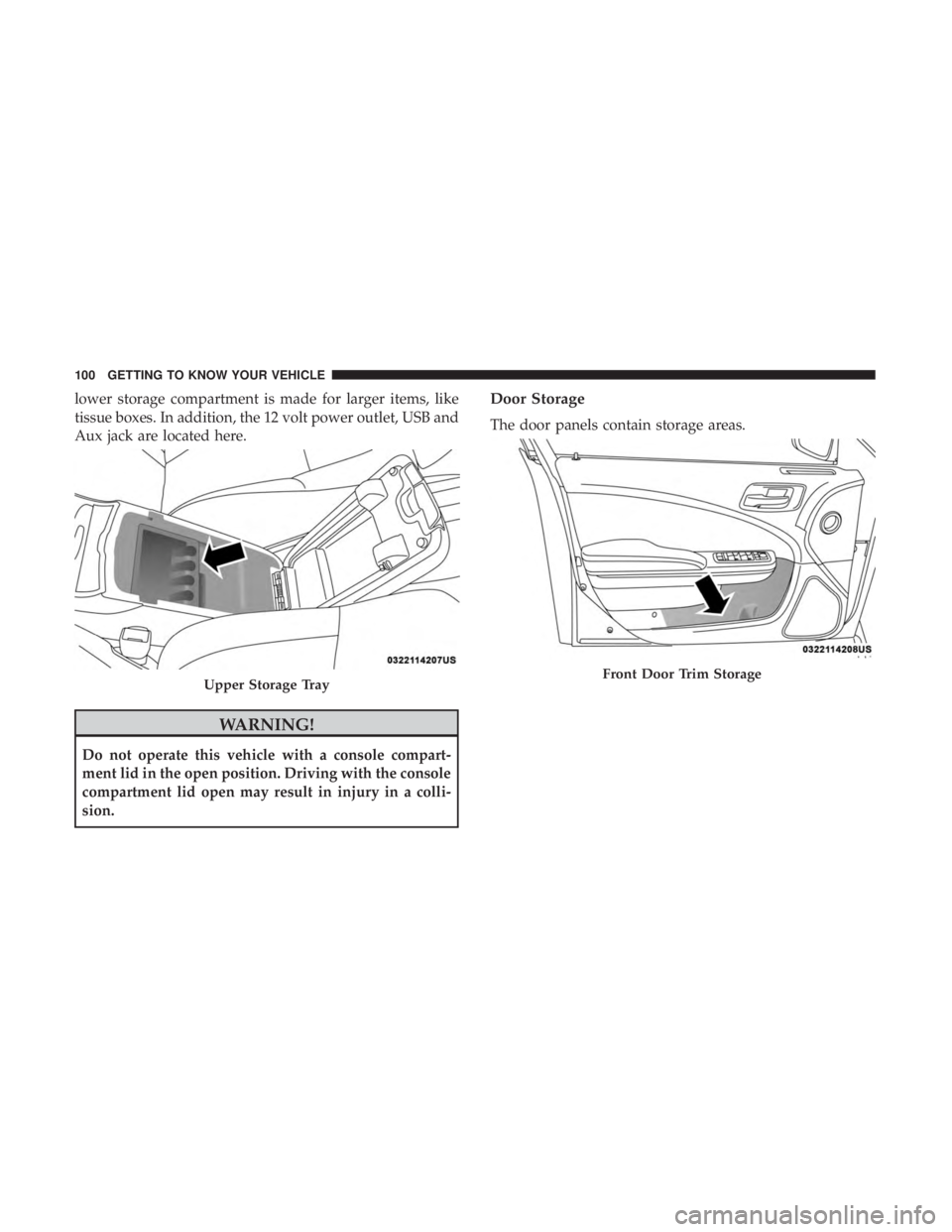
lower storage compartment is made for larger items, like
tissue boxes. In addition, the 12 volt power outlet, USB and
Aux jack are located here.
WARNING!
Do not operate this vehicle with a console compart-
ment lid in the open position. Driving with the console
compartment lid open may result in injury in a colli-
sion.
Door Storage
The door panels contain storage areas.
Upper Storage TrayFront Door Trim Storage
100 GETTING TO KNOW YOUR VEHICLE
Page 139 of 496
SAFETY
CONTENTS
�SAFETY FEATURES ..................... .138
▫ Anti-Lock Brake System (ABS) .............138
▫ Electronic Brake Control System (EBC) .......139
� AUXILIARY DRIVING SYSTEMS .............148
▫ Blind Spot Monitoring (BSM) — If Equipped . . .148
▫ Forward Collision Warning (FCW) With Mitigation
Operation ........................... .155
▫ Tire Pressure Monitoring System (TPMS) ......158
� OCCUPANT RESTRAINT SYSTEMS ..........164
▫ Occupant Restraint Systems Features ........164
▫ Important Safety Precautions ..............164▫
Seat Belt Systems ..................... .166
▫ Supplemental Restraint Systems (SRS) ........175
▫ Child Restraints ...................... .189
▫ Transporting Pets ..................... .204
� SAFETY TIPS .......................... .204
▫ Transporting Passengers ..................204
▫ Exhaust Gas ......................... .204
▫ Safety Checks You Should Make Inside The
Vehicle ............................. .205
▫ Periodic Safety Checks You Should Make Outside
The Vehicle .......................... .207
5
Page 150 of 496

AUXILIARY DRIVING SYSTEMS
Blind Spot Monitoring (BSM) — If Equipped
The Blind Spot Monitoring (BSM) system uses two radar
sensors, located inside the rear bumper fascia, to detect
highway licensable vehicles (automobiles, trucks, motor-
cycles, etc.) that enter the blind spot zones from the
rear/front/side of the vehicle.
When the vehicle is started, the BSM warning light will
momentarily illuminate in both outside rear view mirrors
to let the driver know that the system is operational.The BSM system sensors operate when the vehicle is in any
forward gear or REVERSE.
The BSM detection zone covers approximately one lane
width on both sides of the vehicle 12 ft (3.8 m). The zone
length starts at the outside rear view mirror and extends
approximately 10 ft (3 m) beyond the rear bumper of the
vehicle. The BSM system monitors the detection zones on
both sides of the vehicle when the vehicle speed reaches
approximately 6 mph (10 km/h) or higher and will alert
the driver of vehicles in these areas.
Rear Detection Zones
BSM Warning Light
148 SAFETY
Page 400 of 496
�AUX/USB/MP3 CONTROL ................454
� RADIO OPERATION AND MOBILE PHONES . . .454
▫ Regulatory And Safety Information ..........455
� UCONNECT VOICE RECOGNITION
QUICK TIPS .......................... .456
▫ Introducing Uconnect ....................456
▫ Get Started .......................... .457
▫ Basic Voice Commands ...................458
▫ Radio .............................. .458
▫ Media .............................. .459
▫ Phone .............................. .459
▫ Voice Text Reply — If Equipped ............460
▫ Climate ............................. .462▫
Navigation (4C NAV) ....................462
▫ SiriusXM Guardian (4C/4C NAV) — If
Equipped ........................... .463
▫ Register (4C/4C NAV) ...................464
▫ Vehicle Health Report/Alert (4C/4C NAV) .....464
▫ Mobile App (4C/4C NAV) ................464
▫ SiriusXM Travel Link (4C NAV) .............465
▫ Siri Eyes Free — If Equipped ..............466
▫ Do Not Disturb ....................... .467
▫ Android Auto — If Equipped ..............467
▫ Apple CarPlay — If Equipped ..............468
▫ General Information .....................469
▫ Additional Information ...................469
398 MULTIMEDIA
Page 422 of 496
Setting NameSelectable Options
AUX Volume Offset — If Equipped -3
+3
NOTE:
The “AUX Volume Offset” feature provides the ability to tune the audio level for portable devices connected through
the AUX input. To make your selection, press the AUX Volume Match button on the touchscreen, choose a level from
–3 to +3. Auto Play On Off
NOTE:
The “Auto Play” feature allows a media device to begin playing when the media device is plugged in. To make your
selection, press the On or Off buttons to activate or deactivate Auto Play.
Phone/Bluetooth Settings
After pressing the “Phone/Bluetooth Settings” button on
the touchscreen, the following settings will be available:
Setting Name Selectable Options
Do Not Disturb List of Settings
NOTE:
Press “Do Not Disturb” to access the available settings. The following settings are: Auto Reply (both, text, call), Auto
Reply Message (custom, default), and Custom Auto Reply Message (create message).
420 MULTIMEDIA
Page 455 of 496
STEERING WHEEL AUDIO CONTROLS — IF
EQUIPPED
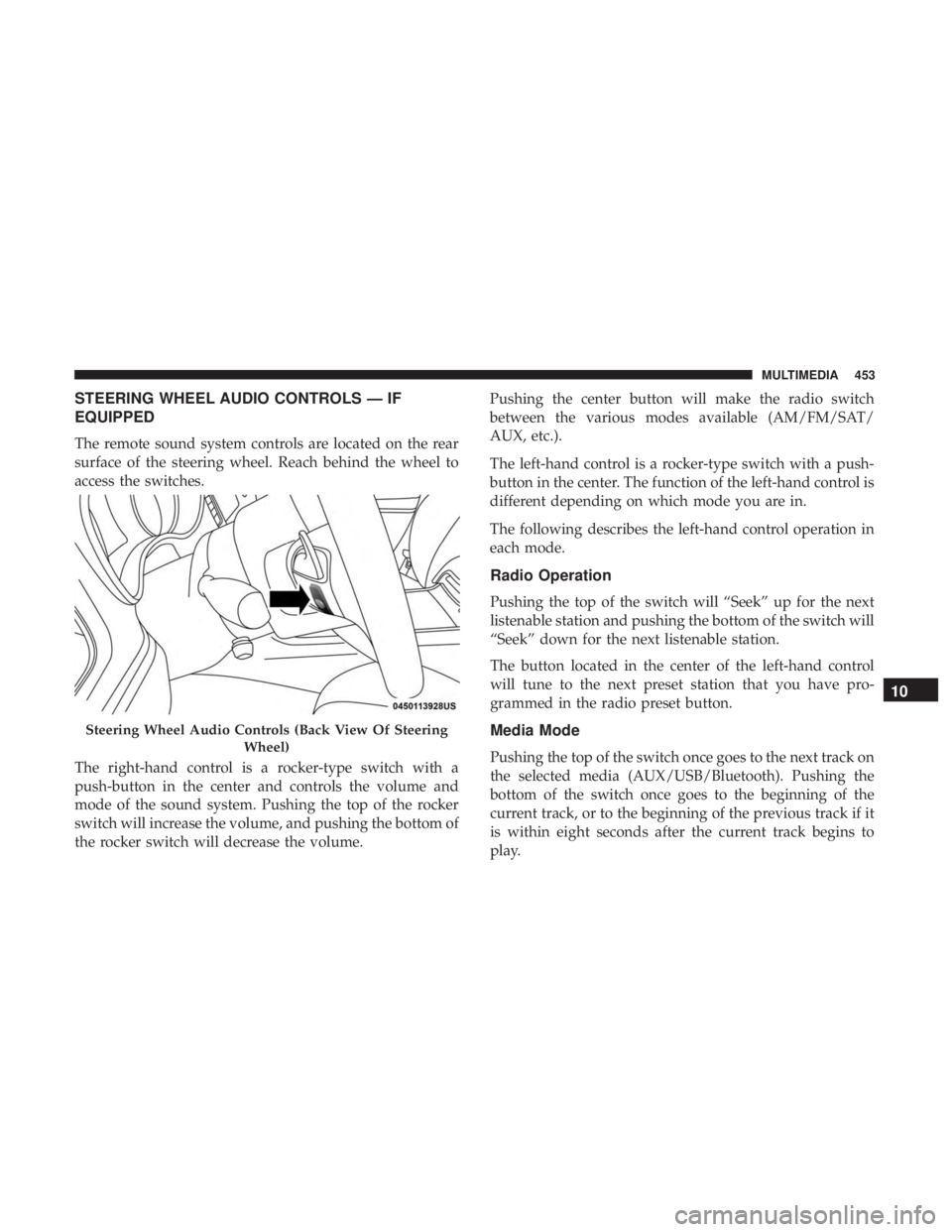
The remote sound system controls are located on the rear
surface of the steering wheel. Reach behind the wheel to
access the switches.
The right-hand control is a rocker-type switch with a
push-button in the center and controls the volume and
mode of the sound system. Pushing the top of the rocker
switch will increase the volume, and pushing the bottom of
the rocker switch will decrease the volume.Pushing the center button will make the radio switch
between the various modes available (AM/FM/SAT/
AUX, etc.).
The left-hand control is a rocker-type switch with a push-
button in the center. The function of the left-hand control is
different depending on which mode you are in.
The following describes the left-hand control operation in
each mode.
Radio Operation
Pushing the top of the switch will “Seek” up for the next
listenable station and pushing the bottom of the switch will
“Seek” down for the next listenable station.
The button located in the center of the left-hand control
will tune to the next preset station that you have pro-
grammed in the radio preset button.
Media Mode
Pushing the top of the switch once goes to the next track on
the selected media (AUX/USB/Bluetooth). Pushing the
bottom of the switch once goes to the beginning of the
current track, or to the beginning of the previous track if it
is within eight seconds after the current track begins to
play.
Steering Wheel Audio Controls (Back View Of Steering
Wheel)
10
MULTIMEDIA 453
Page 456 of 496
AUX/USB/MP3 CONTROL
This feature allows an external USB device to be plugged
into the USB port.
For further information, refer to the Uconnect Owner ’s
Manual Supplement.
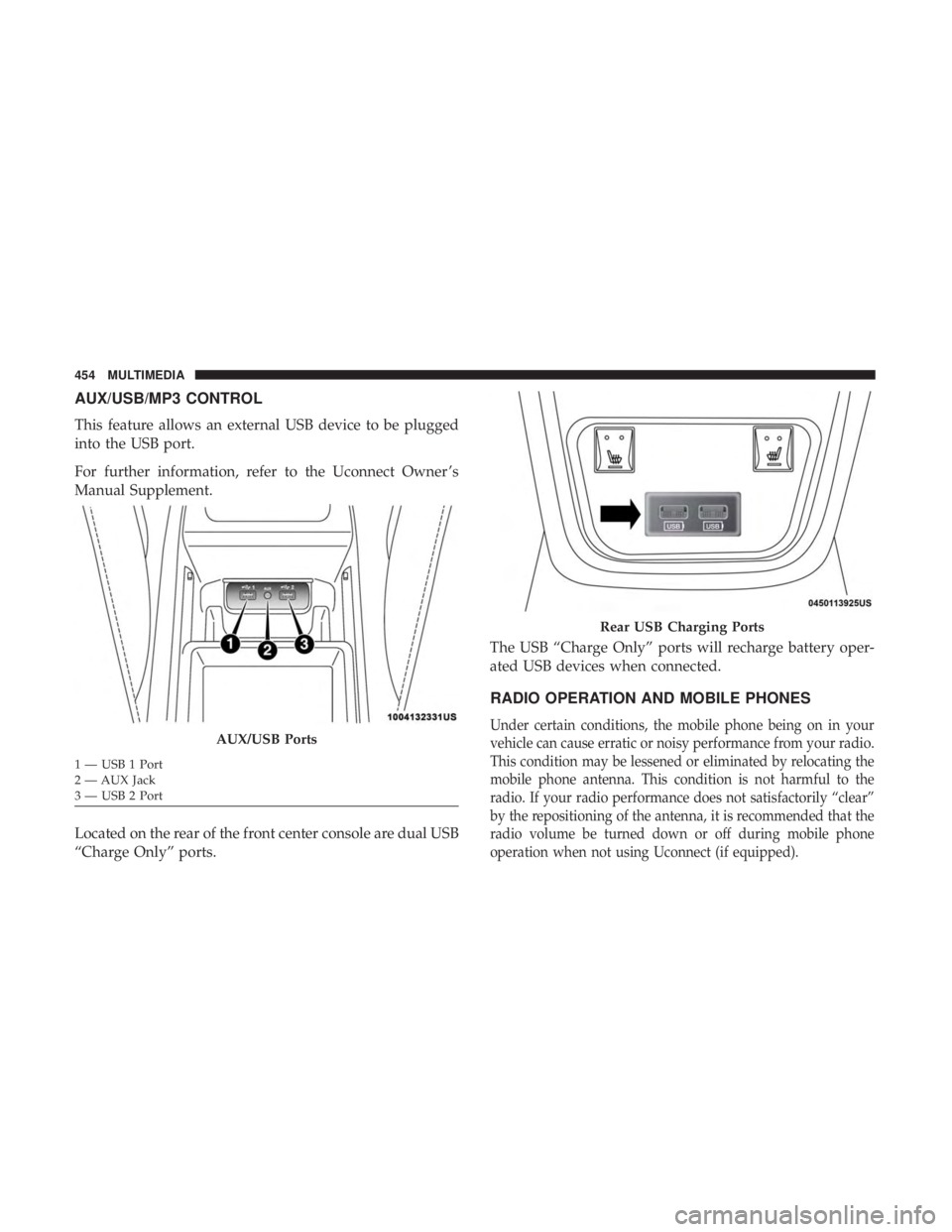
Located on the rear of the front center console are dual USB
“Charge Only” ports.The USB “Charge Only” ports will recharge battery oper-
ated USB devices when connected.
RADIO OPERATION AND MOBILE PHONES
Under certain conditions, the mobile phone being on in your
vehicle can cause erratic or noisy performance from your radio.
This condition may be lessened or eliminated by relocating the
mobile phone antenna. This condition is not harmful to the
radio. If your radio performance does not satisfactorily “clear”
by the repositioning of the antenna, it is recommended that the
radio volume be turned down or off during mobile phone
operation when not using Uconnect (if equipped).AUX/USB Ports
1 — USB 1 Port
2 — AUX Jack
3 — USB 2 Port
Rear USB Charging Ports
454 MULTIMEDIA
Page 461 of 496
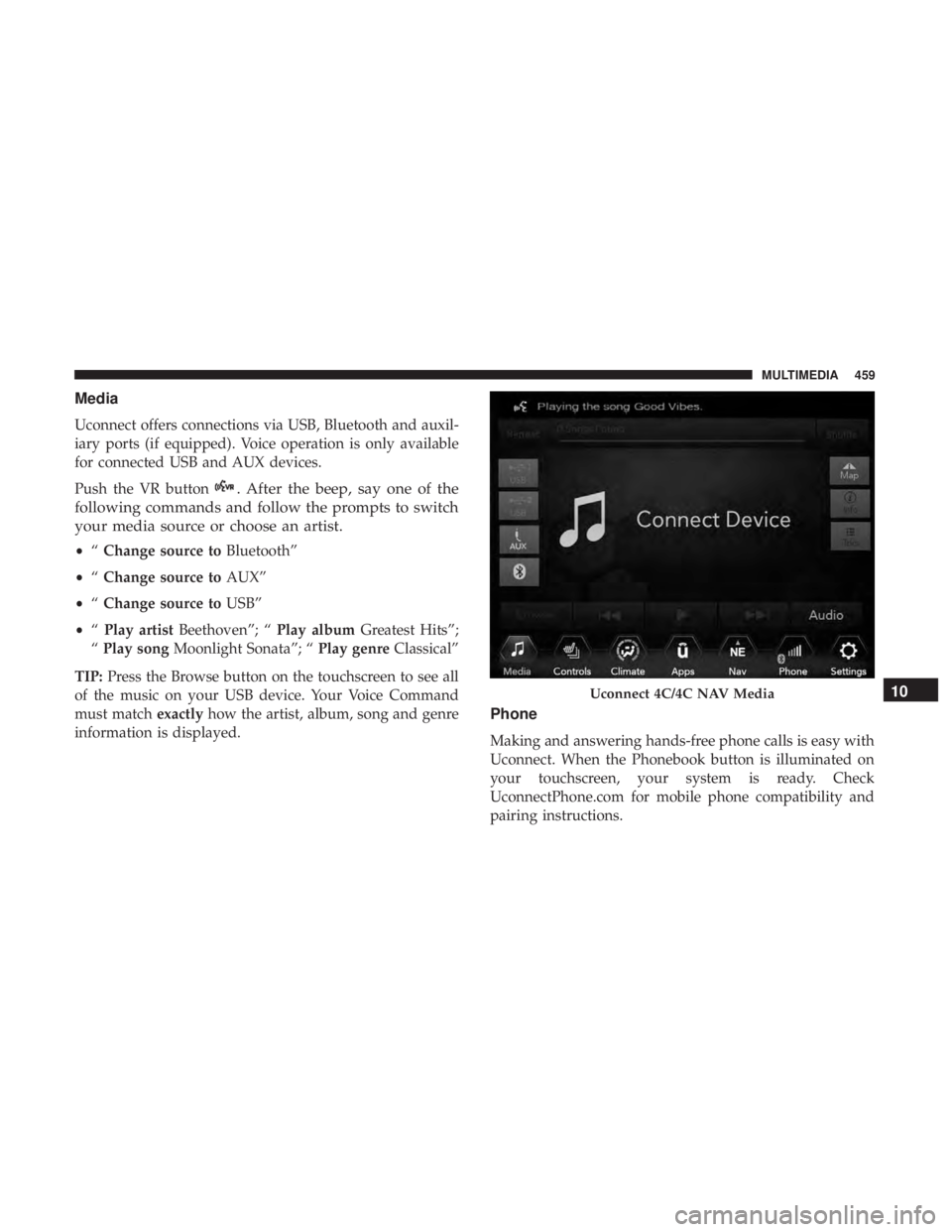
Media
Uconnect offers connections via USB, Bluetooth and auxil-
iary ports (if equipped). Voice operation is only available
for connected USB and AUX devices.
Push the VR button
. After the beep, say one of the
following commands and follow the prompts to switch
your media source or choose an artist.
• “Change source to Bluetooth”
• “Change source to AUX”
• “Change source to USB”
• “Play artist Beethoven”; “ Play albumGreatest Hits”;
“ Play song Moonlight Sonata”; “ Play genreClassical”
TIP: Press the Browse button on the touchscreen to see all
of the music on your USB device. Your Voice Command
must match exactlyhow the artist, album, song and genre
information is displayed.
Phone
Making and answering hands-free phone calls is easy with
Uconnect. When the Phonebook button is illuminated on
your touchscreen, your system is ready. Check
UconnectPhone.com for mobile phone compatibility and
pairing instructions.
Uconnect 4C/4C NAV Media10
MULTIMEDIA 459