Page 475 of 532

The following options can be selected:
•Pressing the STOP button will freeze the graph. Selecting
Play will clear the graph and restart the process over
• Press the “+” or “–” buttons to change the history of the
graph. The selectable options are 30, 60, 90, 120 seconds.
The graph will expand or constrict depending on the
setting selected.
• Select the “Gear” display setting to turn the graph gear
markers on and off.
NOTE: The Gear on/off feature will only display if your
vehicle is equipped with an Automatic Transmission.
Performance Control — If Equipped
Your vehicle is equipped with a Performance Control
feature which allows for coordinating the operation of
various vehicle systems depending upon the type of driv-
ing behavior desired. The Performance Control feature is
controlled through the Uconnect system and may be ac-
cessed by performing any of the following:
• Pushing the Super Track Pack button on the instrument
panel switch bank. •
Selecting “Performance Control” from the “Apps”
menu.
• Selecting “Performance Control” from within the Perfor-
mance Pages menu.
You will be able to enable, disable, and customize the
functionality of the Launch Control and Performance Con-
trol Set-Up features within Performance Control.
Descriptions of these features are provided below. To
access information about the functionality of these features
through the Uconnect system, press the “Info” button on
the touchscreen.
NOTE: Scat and Widebody Dodge vehicles equipped with
a 6.4L engine will use SRT Drive Modes rather than the
Dodge Performance Control Pages. Please refer to the
Owner ’s Manual Supplement for further information on
the SRT Drive Modes.10
MULTIMEDIA 473
Page 476 of 532
Launch Mode
WARNING!
Launch Mode is intended for off-highway or off-road
use only and should not be used on any public
roadways. It is recommended that this feature be used
in a controlled environment, and within the limits of
the law. The capabilities of the vehicle as measured by
the performance pages must never be exploited in a
reckless or dangerous manner, which can jeopardize
the user ’s safety or the safety of others. Only a safe,
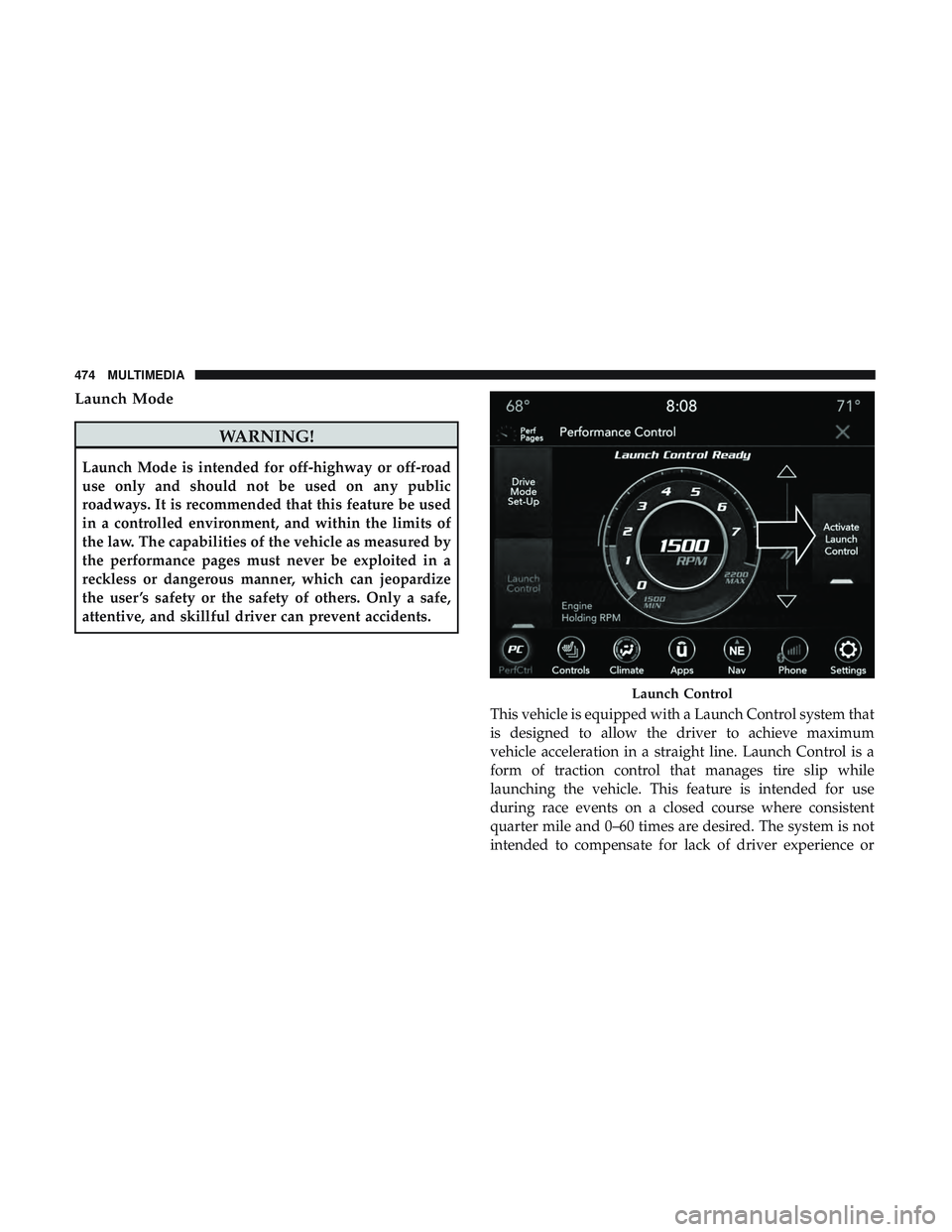
attentive, and skillful driver can prevent accidents.This vehicle is equipped with a Launch Control system that
is designed to allow the driver to achieve maximum
vehicle acceleration in a straight line. Launch Control is a
form of traction control that manages tire slip while
launching the vehicle. This feature is intended for use
during race events on a closed course where consistent
quarter mile and 0–60 times are desired. The system is not
intended to compensate for lack of driver experience or
Launch Control
474 MULTIMEDIA
Page 477 of 532
familiarity with the race track. Use of this feature in low
traction (cold, wet, gravel, etc.) conditions may results in
excess wheel slip outside this systems control resulting in
an aborted launch.
NOTE:
•Launch control should not be used on public roads.
Always check track conditions and the surrounding
area.
• Launch Control is not available for the first 500 miles
(805 km) of the vehicle’s life.
• Launch Control should only be used when the engine
and transmission are at operating temperature.
• Launch Control is intended to be used on dry, paved
road surfaces only. Use on slippery or loose surfaces
may cause damage to vehicle components and is not
recommended.Drive Mode Set-Up
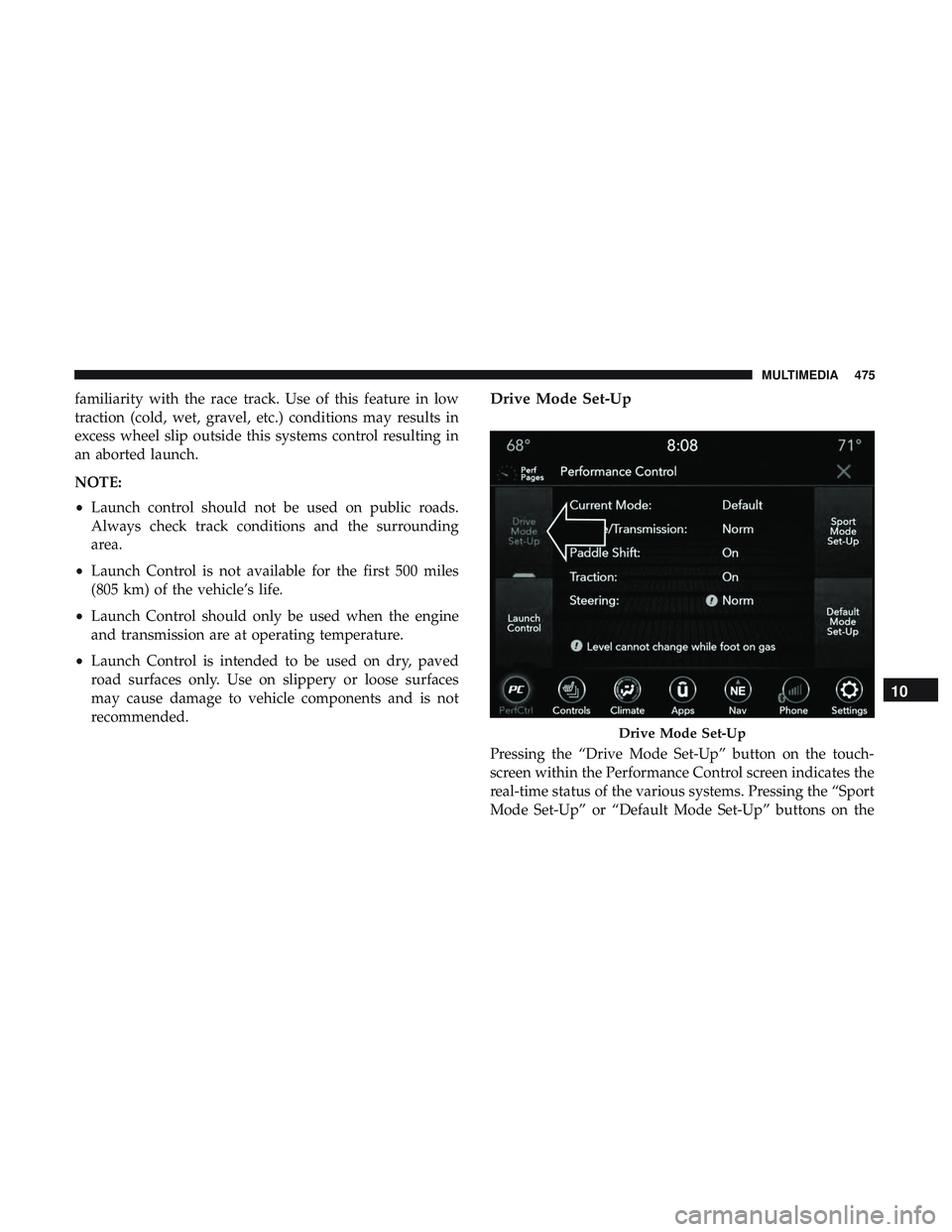
Pressing the “Drive Mode Set-Up” button on the touch-
screen within the Performance Control screen indicates the
real-time status of the various systems. Pressing the “Sport
Mode Set-Up” or “Default Mode Set-Up” buttons on the
Drive Mode Set-Up
10
MULTIMEDIA 475
Page 484 of 532
STEERING WHEEL AUDIO CONTROLS —
IF EQUIPPED
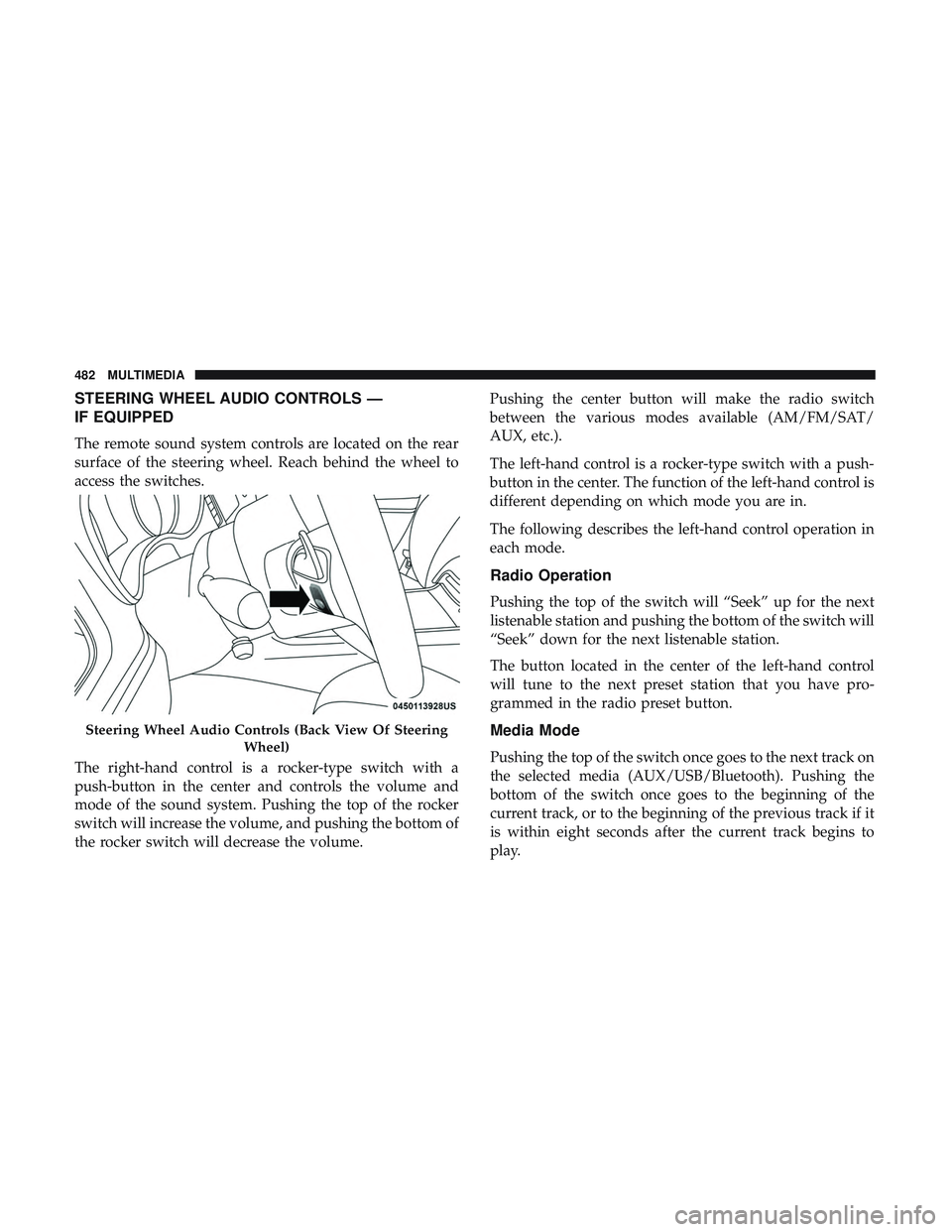
The remote sound system controls are located on the rear
surface of the steering wheel. Reach behind the wheel to
access the switches.
The right-hand control is a rocker-type switch with a
push-button in the center and controls the volume and
mode of the sound system. Pushing the top of the rocker
switch will increase the volume, and pushing the bottom of
the rocker switch will decrease the volume.Pushing the center button will make the radio switch
between the various modes available (AM/FM/SAT/
AUX, etc.).
The left-hand control is a rocker-type switch with a push-
button in the center. The function of the left-hand control is
different depending on which mode you are in.
The following describes the left-hand control operation in
each mode.
Radio Operation
Pushing the top of the switch will “Seek” up for the next
listenable station and pushing the bottom of the switch will
“Seek” down for the next listenable station.
The button located in the center of the left-hand control
will tune to the next preset station that you have pro-
grammed in the radio preset button.
Media Mode
Pushing the top of the switch once goes to the next track on
the selected media (AUX/USB/Bluetooth). Pushing the
bottom of the switch once goes to the beginning of the
current track, or to the beginning of the previous track if it
is within eight seconds after the current track begins to
play.
Steering Wheel Audio Controls (Back View Of Steering
Wheel)
482 MULTIMEDIA
Page 515 of 532
Anti-Lock Warning Light.....................122
Apple CarPlay ........................... .501
Arming System Security Alarm ...........................33
Assist, Hill Start .......................... .136
Audio Systems (Radio) ...................... .419
Auto Down Power Windows ...................80
Automatic Door Locks ........................41
Automatic Headlights ........................61
Automatic High Beams .......................61
Automatic Temperature Control (ATC) ............76
Automatic Transmission ..................... .224
Adding Fluid .....................372, 413, 415
Fluid And Filter Change ...................372
Fluid Change .......................... .372
Fluid Level Check .....................371, 372
Fluid Type ...................... .371, 413, 415
Special Additives ........................ .372
Automatic Transmission Limp Home Mode .....41, 228
AutoPark ................................211
Autostick Operation ............................. .229
AW D Towing ............................... .333
Axle Fluid ........................... .413, 415Axle Lubrication
....................... .413, 415
Back-Up ................................ .261
Battery ...............................117,349
Charging System Light .....................117
Keyless Key Fob Replacement ................22
Location .............................. .349
Belts, Seat ............................... .202
Blind Spot Monitoring ...................... .139
Body Mechanism Lubrication ..................360
B-Pillar Location .......................... .379
Brake Assist System ........................ .131
Brake Control System ....................... .131
Brake Fluid ....................... .369, 413, 415
Brake System ......................... .369, 404
Fluid Check ..................... .369,
413, 415
Master Cylinder ........................ .369
Parking .............................. .215
Warning Light .......................115,404
Brake/Transmission Interlock ..................223
Break-In Recommendations, New Vehicle ..........214
Brightness, Interior Lights .....................65
Bulb Replacement ......................... .286
Bulbs, Light .......................... .204, 286
12
INDEX 513