2019 CHRYSLER PACIFICA cruise control
[x] Cancel search: cruise controlPage 367 of 718

Stationary Objects And Vehicles
ACC does not react to stationary objects and stationary
vehicles. For example, ACC will not react in situations
where the vehicle you are following exits your lane and the
vehicle ahead is stopped in your lane. Always be attentive
and ready to apply the brakes if necessary.
General Information
The following regulatory statement applies to all Radio
Frequency (RF) devices equipped in this vehicle:
This device complies with Part 15 of the FCC Rules and
with Industry Canada license-exempt RSS standard(s).
Operation is subject to the following two conditions:
1. This device may not cause harmful interference.
2. This device must accept any interference received, in-cluding interference that may cause undesired opera-
tion.
NOTE: Changes or modifications not expressly approved
by the party responsible for compliance could void the
user ’s authority to operate the equipment.
Normal (Fixed Speed) Cruise Control Mode
In addition to Adaptive Cruise Control mode, a Normal
(Fixed Speed) Cruise Control mode is available for cruising
at fixed speeds. The Normal (Fixed Speed) Cruise Control
mode is designed to maintain a set cruising speed without
requiring the driver to operate the accelerator. Cruise
Control can only be operated if the vehicle speed is above
20 mph (32 km/h).
Stationary Object And Stationary Vehicle Example
6
STARTING AND OPERATING 365
Page 368 of 718

To change between the different control modes, push the
Adaptive Cruise Control (ACC) on/off button which turns
the ACC and the Normal (Fixed Speed) Cruise Control off.
Pushing the Normal (Fixed Speed) Cruise Control on/off
button will result in turning on (changing to) the Normal
(Fixed Speed) Cruise Control mode.
WARNING!
In the Normal (Fixed Speed) Cruise Control mode, the
system will not react to vehicles ahead. In addition, the
proximity warning does not activate and no alarm will
sound even if you are too close to the vehicle ahead
since neither the presence of the vehicle ahead nor the
vehicle-to-vehicle distance is detected. Be sure to main-
tain a safe distance between your vehicle and the
vehicle ahead. Always be aware which mode is se-
lected.
To Set A Desired Speed
Turn the Normal (Fixed Speed) Cruise Control
on. When the vehicle has reached the desired
speed, push the SET (+) or SET (-) button and
release. Release the accelerator and the vehicle
will operate at the selected speed. Once a speed has been set a message “CRUISE CONTROL SET TO MPH (km/h)”
will appear indicating what speed was set. This light will
turn on when the system is turned on via the on/off
control. It turns green when the cruise control is set.
To Vary The Speed Setting
To Increase Speed
When the Normal (Fixed Speed) Cruise Control is set, you
can increase speed by pushing the SET
(+)button.
The driver ’s preferred units can be selected through the
instrument cluster. Refer to “Instrument Cluster Display”
in “Getting To Know Your Instrument Panel” for more
information. The speed increment shown is dependant on
the speed of U.S. (mph) or Metric (km/h) units:
U.S. Speed (mph)
• Pushing the SET (+)button once will result ina1mph
increase in set speed. Each subsequent tap of the button
results in an increase of 1 mph.
• If the button is continually pushed, the set speed will
continue to increase in 5 mph increments until the
button is released. The increase in set speed is reflected
in the instrument cluster display.
366 STARTING AND OPERATING
Page 369 of 718

Metric Speed (km/h)
•Pushing the SET (+)button once will result in a 1 km/h
increase in set speed. Each subsequent tap of the button
results in an increase of 1 km/h.
• If the button is continually pushed, the set speed will
continue to increase in 10 km/h increments until the
button is released. The increase in set speed is reflected
in the instrument cluster display.
To Decrease Speed
When the Normal (Fixed Speed) Cruise Control is set, you
can decrease speed by pushing the SET (-)button.
The driver ’s preferred units can be selected through the
instrument cluster. Refer to “Instrument Cluster Display”
in “Getting To Know Your Instrument Panel” for more
information. The speed decrement shown is dependant on
the speed of U.S. (mph) or Metric (km/h) units:
U.S. Speed (mph)
• Pushing the SET (-)button once will result in a 1 mph
decrease in set speed. Each subsequent tap of the button
results in a decrease of 1 mph. •
If the button is continually pushed, the set speed will
continue to decrease in 5 mph decrements until the
button is released. The decrease in set speed is reflected
in the instrument cluster display.
Metric Speed (km/h)
• Pushing the SET (-)button once will result in a 1 km/h
decrease in set speed. Each subsequent tap of the button
results in a decrease of 1 km/h.
• If the button is continually pushed, the set speed will
continue to decrease in 10 km/h decrements until the
button is released. The decrease in set speed is reflected
in the instrument cluster display.
To Cancel
The following conditions will cancel the Normal (Fixed
Speed) Cruise Control without clearing the memory:
• The brake pedal is applied.
• The CANC (cancel) button is pushed.
• The Electronic Stability Control/Traction Control Sys-
tem (ESC/TCS) activates.
• The vehicle parking brake is applied.
6
STARTING AND OPERATING 367
Page 370 of 718

•The braking temperature exceeds normal range (over-
heated).
• The gear selector is removed from the DRIVE position.
To Resume Speed
To resume a previously set speed, push the RES button and
release. Resume can be used at any speed above 20 mph
(32 km/h).
To Turn Off
The system will turn off and erase the set speed in memory
if:
•The Normal (Fixed Speed) Cruise Control on/off button
is pushed.
• The ignition is turned OFF.
• The Adaptive Cruise Control (ACC) on/off button is
pushed.
PARKSENSE REAR PARK ASSIST — IF EQUIPPED
The ParkSense Rear Park Assist system provides visual and
audible indications of the distance between the rear fascia
and a detected obstacle when backing up, e.g. during a
parking maneuver. If your vehicle is equipped with an Automatic Transmission, the vehicle brakes may be auto-
matically applied and released when performing a reverse
parking maneuver if the system detects a possible collision
with an obstacle.
NOTE:
•
The driver can override the automatic braking function
by pressing the gas pedal, turning ParkSense off via
ParkSense switch, or changing the gear while the auto-
matic brakes are being applied.
• Automatic brakes will not be available if ESC is not
available.
• Automatic brakes will not be available if there is a
faulted condition detected with the ParkSense Park
Assist system or the Braking System Module.
• The automatic braking function may not provide
enough vehicle deceleration to avoid colliding with a
detected obstacle depending on vehicle speed, road
conditions, and brake capability.
• The automatic braking function may not be applied fast
enough for moving obstacles that approach the rear of
the vehicle from the left and / or right sides.
368 STARTING AND OPERATING
Page 702 of 718
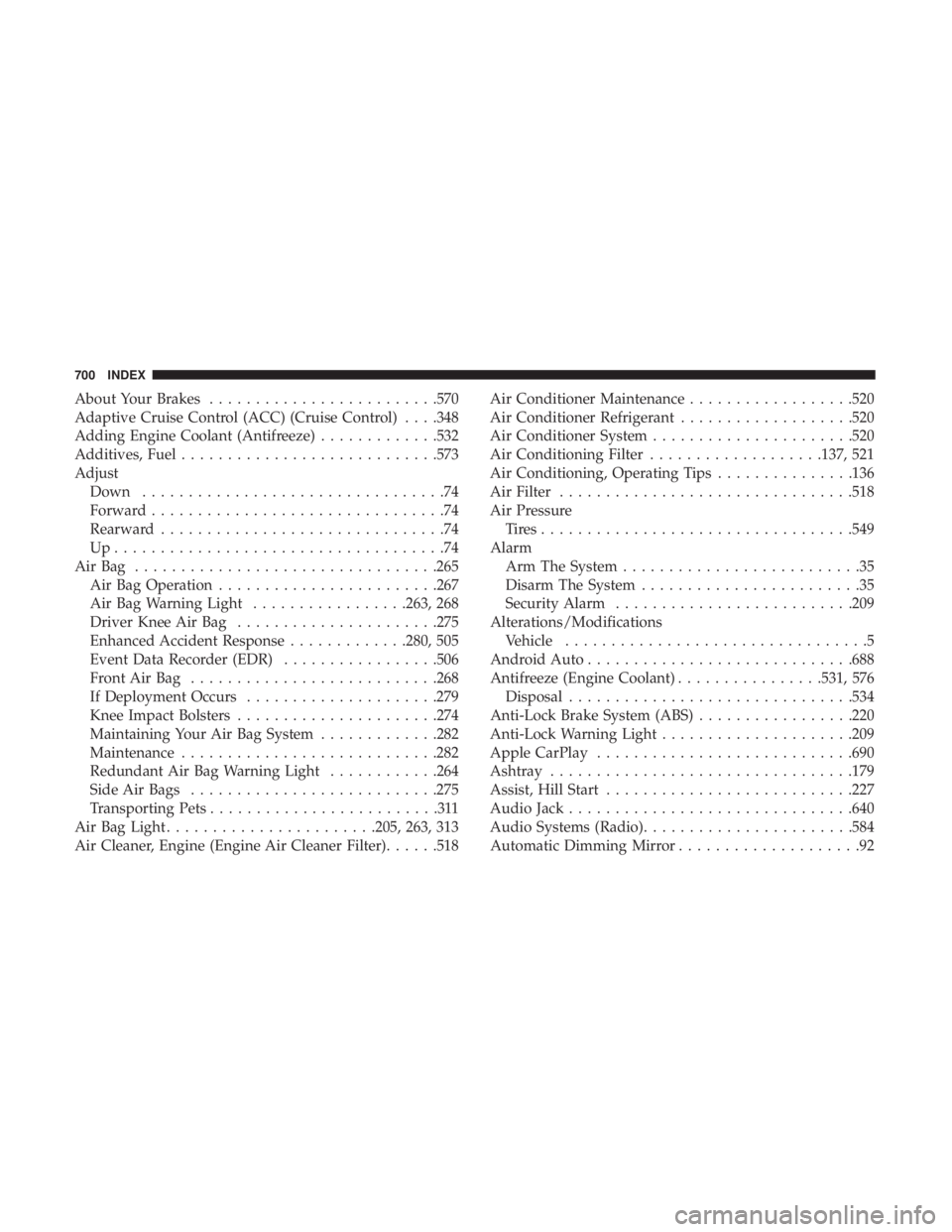
About Your Brakes........................ .570
Adaptive Cruise Control (ACC) (Cruise Control) . . . .348
Adding Engine Coolant (Antifreeze) .............532
Additives, Fuel ........................... .573
Adjust Down .................................74
Forward ................................74
Rearward ...............................74
Up....................................74
AirBag ................................ .265
Air Bag Operation ....................... .267
Air Bag Warning Light .................263, 268
Driver Knee Air Bag ..................... .275
Enhanced Accident Response .............280, 505
Event Data Recorder (EDR) .................506
FrontAirBag .......................... .268
If Deployment Occurs .....................279
Knee Impact Bolsters ..................... .274
Maintaining Your Air Bag System .............282
Maintenance ........................... .282
Redundant Air Bag Warning Light ............264
Side Air Bags .......................... .275
Transporting Pets .........................311
Air Bag Light ...................... .205, 263, 313
Air Cleaner, Engine (Engine Air Cleaner Filter) ......518Air Conditioner Maintenance
..................520
Air Conditioner Refrigerant ...................520
Air Conditioner System ..................... .520
Air Conditioning Filter ...................137, 521
Air Conditioning, Operating Tips ...............136
Air Filter ............................... .518
Air Pressure Tires................................. .549
Alarm Arm The System ..........................35
Disarm The System ........................35
Security Alarm ......................... .209
Alterations/Modifications Vehicle .................................5
Android Auto ............................ .688
Antifreeze (Engine Coolant) ................531, 576
Disposal .............................. .534
Anti-Lock
Brake System (ABS) .................220
Anti-Lock Warning Light .....................209
Apple CarPlay ........................... .690
Ashtray ................................ .179
Assist, Hill Start .......................... .227
Audio Jack .............................. .640
Audio Systems (Radio) ...................... .584
Automatic Dimming Mirror ....................92
700 INDEX
Page 705 of 718

Points To Remember..................... .534
Pressure Cap ........................... .533
Radiator Cap .......................... .533
Selection Of Coolant (Antifreeze) .......531, 576, 577
Corrosion Protection ....................... .563
Cruise Control (Speed Control) .................348
Cruise Light .......................... .214, 215
Customer Assistance ....................... .694
Cybersecurity ............................ .585
Daytime Brightness, Interior Lights ..............104
Daytime Running Lights ......................97
Dealer Service ............................ .516
Defroster, Windshield ....................... .313
Delay (Intermittent) Wipers ...................105
Diagnostic System, Onboard ...................216
Dimmer Switch Headlight ...............................97
Dipsticks Oil (Engine) ........................... .514
Disable Vehicle Towing ..................... .503
Disposal Antifreeze (Engine Coolant) .................534
Disturb ................................. .687
Door Ajar ............................ .206, 208Door Ajar Light
....................... .206, 208
Drag And Drop Menu ...................... .584
Driver ’s Seat Back Tilt ........................50
Driving Through Flowing, Rising, Or Shallow Standing
Water ................................ .439
DVD Player (Video Entertainment System) .........641
Electric Brake Control System ..................221
Anti-Lock Brake System ....................220
Traction Control System ....................221
Electric Parking Brake ...................... .328
Electric Remote Mirrors .......................94
Electronic Speed Control (Cruise Control) .........346
Electronic Stability Control (ESC) ...............224
Electronic Throttle Control Warning Light .........207
Emer
gency, In Case Of
Hazard Warning Flasher ...................443
Jacking ........................ .466, 468, 538
Jump Starting .......................... .495
Overheating ........................... .499
Towing ............................... .503
Emission Control System Maintenance ............217
Engine ................................. .513
Air Cleaner ............................ .518
Block Heater ........................... .327
12
INDEX 703
Page 709 of 718

Bulb Replacement.....................449, 453
Center Mounted Stop ..................... .455
Cruise ............................ .214, 215
Daytime Running .........................97
Dimmer Switch, Headlight ...................97
Engine Temperature Warning ................207
Exterior ........................... .315, 453
Fog .............................. .100, 454
Headlights ....................... .97, 99, 451
High Beam/Low Beam Select .................97
Instrument Cluster ........................97
Intensity Control ........................ .103
Interior ............................... .101
Lights On Reminder ....................97, 100
Malfunction Indicator (Check Engine) ..........211
Parade Mode (Daytime Brightness) ............104
Park ................................. .215
Passing ............................. .97, 99
Reading .............................. .101
Seat Belt Reminder ...................... .208
Security Alarm ......................... .209
Service ............................... .449
Side Marker ........................... .453
SmartBeams .............................98
Traction Control ........................ .226Turn Signals
...................97, 215, 315, 453
Warning Instrument Cluster Descriptions . . . .207, 215
Load Floor, Cargo ......................... .152
Loading Vehicle ....................... .152, 424
Tires................................. .544
Load Shed Battery Saver Mode .................202
Load Shed Battery Saver On ...................202
Load Shed Electrical Load Reduction .............202
Load Shed Intelligent Battery Sensor .............202
Low Tire Pressure System .....................241
Lubrication, Body ......................... .523
Luggage Carrier .......................... .180
Lug
Nuts ............................... .571
Maintenance Free Battery .....................515
Maintenance Schedule ...................... .509
Malfunction Indicator Light (Check Engine) .....211,217
Manual Park Release ........................... .500
Service ............................... .698
Map/Reading Lights ....................... .101
Marker Lights, Side ........................ .453
Media Hub .............................. .640
Memory Feature (Memory Seats) ................50
Memory Seat ........................... .50, 94
12
INDEX 707
Page 713 of 718

Tilting.............................. .50, 52
Security Alarm ........................... .209
Arm The System ..........................35
Disarm The System ........................35
Selection Of Coolant (Antifreeze) ...............577
Sentry Key Key Programming .........................34
Sentry Key (Immobilizer) ......................33
Sentry Key Replacement ......................34
Service Assistance ......................... .694
Service Contract .......................... .696
Service Manuals .......................... .698
Shifting Automatic Transmission ....................335
Shoulder Belts ............................ .249
Side View Mirror Adjustment ...................92
Signals, Turn .....................97, 215, 315, 453
Siri .................................... .686
SiriusXM Guardian Vehicle Health Alert ...................... .685
SmartBeams ...............................98
Snow Chains (Tire Chains) ....................559
Snow Tires .............................. .555
Spare Tires .....................467, 555, 556, 557
Spark Plugs ............................. .577Specifications
Oil.................................. .577
Speed Control Accel/Decel (ACC Only) ...................353
Cancel ............................... .348
Resume .............................. .348
Speed Control (Cruise Control) ..............346, 348
Starting .............................. .30, 321
Button .................................28
Cold Weather .......................... .326
Engine Fails To Start ..................... .326
Remote ................................30
Starting And Operating ..................... .321
Starting Procedures ........................ .321
Steering ................................ .341
Tilt Column .............................90
Wheel,
Heated ...........................90
Wheel, Tilt ..............................90
Steering Wheel Audio Controls .................639
Steering Wheel Mounted Sound System Controls . . . .639
Storage, Vehicle ........................... .136
Stow ‘n Go (Fold In Floor) Seats .................63
Stow ‘n Vac .............................. .152
Stuck, Freeing ............................ .501
Sunglasses Storage ......................... .180
12
INDEX 711