Page 342 of 718

Transmission Limp Home Mode
Transmission function is monitored electronically for ab-
normal conditions. If a condition is detected that could
result in transmission damage, Transmission Limp Home
Mode is activated. In this mode, the transmission may
operate only in a fixed gear, or may remain in NEUTRAL.
The Malfunction Indicator Light (MIL) may be illuminated.
Limp Home Mode may allow the vehicle to be driven to an
authorized dealer for service without damaging the trans-
mission.
In the event of a momentary problem, the transmission can
be reset to regain all forward gears by performing the
following steps:
1. Stop the vehicle.
2. Shift the transmission into PARK, if possible. If not, shiftthe transmission to NEUTRAL.
3. Push and hold the ignition switch until the engine turns OFF.
4. Wait approximately 30 seconds.
5. Restart the engine. 6. Shift into the desired gear range. If the problem is no
longer detected, the transmission will return to normal
operation.
NOTE: Even if the transmission can be reset, we recom-
mend that you visit an authorized dealer at your earliest
possible convenience. An authorized dealer has diagnostic
equipment to assess the condition of your transmission. If
the transmission cannot be reset, authorized dealer service
is required.
Torque Converter Clutch
A feature designed to improve fuel economy has been
included in the automatic transmission on your vehicle. A
clutch within the torque converter engages automatically
at calibrated speeds. This may result in a slightly different
feeling or response during normal operation in the upper
gears. When the vehicle speed drops or during some
accelerations, the clutch automatically disengages.
NOTE: The torque converter clutch will not engage until
the engine and/or transmission is warm (usually after 1 to
3 miles [2 to 5 km] of driving). Because the engine speed is
higher when the torque converter clutch is not engaged, it
may seem as if the transmission is not shifting properly
when the vehicle is cold. This is normal. The torque
340 STARTING AND OPERATING
Page 344 of 718

NOTE:
•Even if the power steering assistance is no longer
operational, it is still possible to steer the vehicle. Under
these conditions there will be a substantial increase in
steering effort, especially at low speeds and during
parking maneuvers.
• The power steering system is fully electric; it requires no
power steering fluid.
• If the condition persists, see your authorized dealer for
service.
STOP/START SYSTEM — IF EQUIPPED
The Stop/Start function is developed to reduce fuel con-
sumption. The system will stop the engine automatically
during a vehicle stop if the required conditions are met.
Releasing the brake pedal, pressing the accelerator pedal or
shifting out of DRIVE (D) will automatically re-start the
engine.
This vehicle has been upgraded with a heavy duty starter,
enhanced battery, and other upgraded engine parts, to
handle the additional engine starts.
Auto Stop/Start
The Stop/Start feature is enabled after every
normal customer engine start. At that time, the
system will go into STOP/START READY and if
all other conditions are met, can go into a STOP/
START AUTOSTOP ACTIVE.
To Activate Auto STOP/START, The Following Must
Occur:
• The system must be in STOP/START READY state. A
STOP/START READY message will be displayed in the
instrument cluster within the Stop/Start section. Refer to
“Instrument Cluster Display” in “Getting To Know Your
Instrument Panel” for further information.
• The vehicle must be completely stopped.
• The shifter must be in a forward gear and the brake
pedal depressed.
The engine will shut down, the tachometer will move to
the zero position and the Stop/Start telltale will illuminate
indicating you are in Autostop. Customer settings will be
maintained throughout the Auto Stop/Start process.
342 STARTING AND OPERATING
Page 395 of 718

Enabling And Disabling The ParkSense Active Park
Assist System
The ParkSense Active Park Assist system can be
enabled and disabled with the ParkSense Active
Park Assist switch, located on the switch panel
below the Uconnect display.
To enable the ParkSense Active Park Assist system, push the
ParkSense Active Park Assist switch once (LED turns on).
To disable the ParkSense Active Park Assist system, push the
ParkSense Active Park Assist switch again (LED turns off).
The ParkSense Active Park Assist system will turn off
automatically for any of the following conditions:
•The parking maneuver is completed.
• Vehicle speed greater than 18 mph (30 km/h) when
searching for a parking space.
• Vehicle speed greater than 5 mph (7 km/h) during active
steering guidance into the parking space.
• Touching the steering wheel during active steering guid-
ance into the parking space. •
Pushing the ParkSense Front and Rear Park Assist
switch.
• The driver ’s door is opened.
• The liftgate is opened.
• Electronic Stability Control/Anti-lock Braking System
intervention.
•
The ParkSense Active Park Assist system will allow a
maximum of eight shifts between DRIVE and REVERSE. If
the maneuver cannot be completed within eight shifts, the
system will cancel and the instrument cluster display will
instruct the driver to complete the maneuver manually.
The ParkSense Active Park Assist system will only operate
and search for a parking space when the following condi-
tions are present:
• The gear position is in DRIVE.
• The ignition is in the RUN position.
• The ParkSense Active Park Assist switch is activated.
• The driver ’s door is closed.
• The liftgate is closed.
• Vehicle speed is less than 15 mph (25 km/h).
6
STARTING AND OPERATING 393
Page 398 of 718
Once the vehicle is in position, you will be instructed to
stop the vehicle’s movement and remove your hands from
the steering wheel.Once the vehicle is at a standstill with your hands removed
from the steering wheel, you will be instructed to place the
gear selector into the REVERSE position.
Parking Space Found — Stop And Remove Hands From
WheelParking Space Found — Shift To Reverse
396 STARTING AND OPERATING
Page 400 of 718

•The ParkSense Active Park Assist system will allow a
maximum of eight shifts between DRIVE or REVERSE.
If the maneuver cannot be completed within eight shifts,
the system will cancel and the instrument cluster display
will instruct the driver to complete the maneuver manu-
ally.
• The system will cancel the maneuver if the vehicle speed
exceeds 5 mph (7 km/h) during active steering guidance
into the parking space. The system will provide a
warning to the driver at 3 mph (5 km/h) that tells them
to slow down. The driver is then responsible for com-
pleting the maneuver if the system is canceled.
• If the system is canceled during the maneuver for any
reason, the driver must take full control of the vehicle. When the vehicle has reached the end of its backward
movement, the system will instruct the driver to check
their surroundings and stop the vehicle’s movement.
NOTE:
It is the driver ’s responsibility to use the brake and
stop the vehicle. The driver should check their surround-
ings and be prepared to stop the vehicle either when
instructed to, or when driver intervention is required.
Check Surroundings — STOP
398 STARTING AND OPERATING
Page 404 of 718
The system will then instruct the driver to check their
surroundings and move backward.Your vehicle is now in the parallel park position. When the
maneuver is complete, the driver will be instructed to
check the vehicle’s parking position. If the driver is satis-
fied with the vehicle position, they should shift to PARK.
The
�Active ParkSense Complete - Check Parking Position �
message will be momentarily displayed.
Check Surroundings — Move Backward
Active ParkSense Complete — Check Parking Position
402 STARTING AND OPERATING
Page 407 of 718
Once the vehicle is in position, you will be instructed to
stop the vehicle’s movement and remove your hands from
the steering wheel.Once the vehicle is at a standstill with your hands removed
from the steering wheel, you will be instructed to place the
gear selector into the REVERSE position.
Parking Space Found — Stop And Remove Hands From
WheelParking Space Found — Shift To Reverse
6
STARTING AND OPERATING 405
Page 409 of 718
•The ParkSense Active Park Assist system will allow a
maximum of eight shifts between DRIVE or REVERSE.
If the maneuver cannot be completed within eight shifts,
the system will cancel and the instrument cluster display
will instruct the driver to complete the maneuver manu-
ally.
• The system will cancel the maneuver if the vehicle speed
exceeds 5 mph (7 km/h) during active steering guidance
into the parking space. The system will provide a
warning to the driver at 3 mph (5 km/h) that tells them
to slow down. The driver is then responsible for com-
pleting the maneuver if the system is canceled.
• If the system is canceled during the maneuver for any
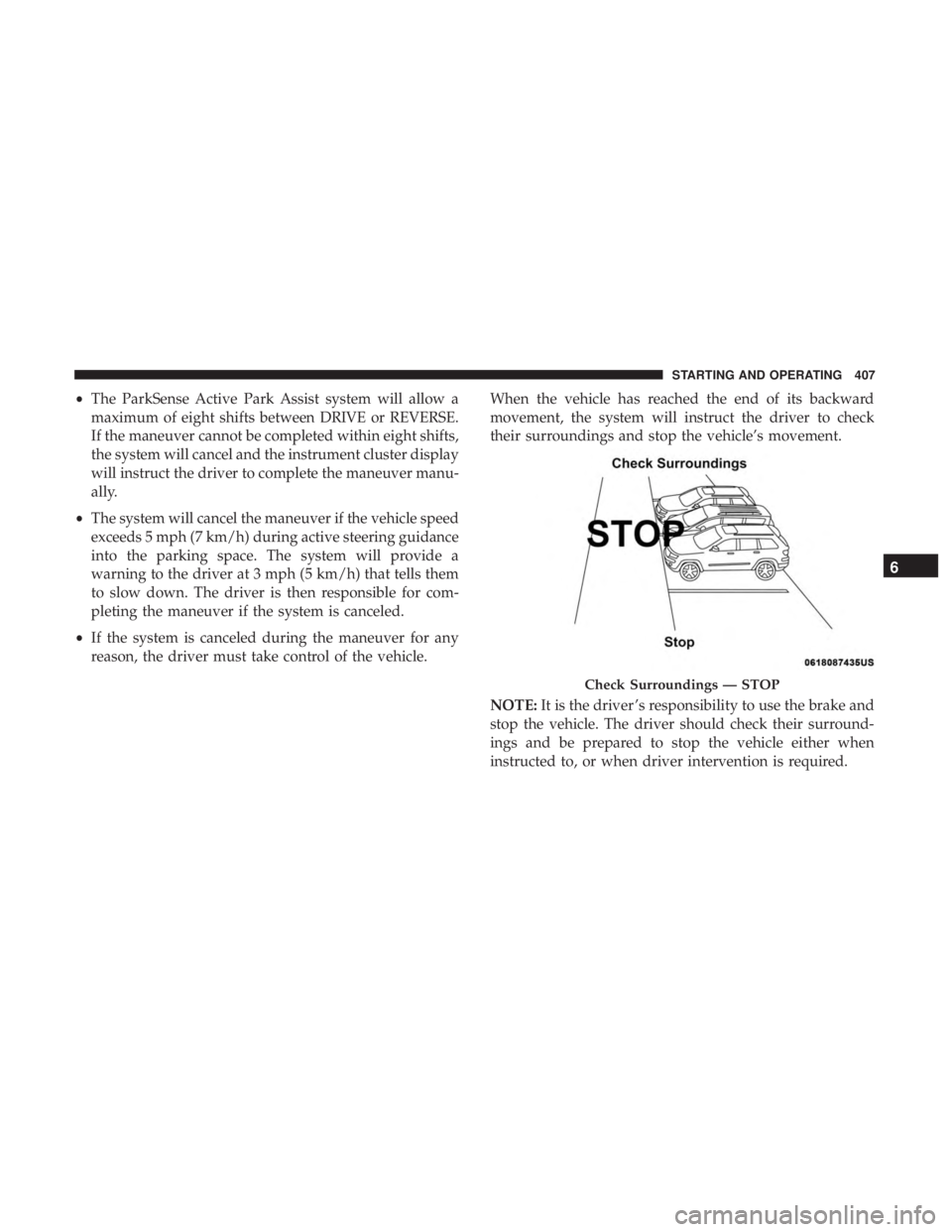
reason, the driver must take control of the vehicle. When the vehicle has reached the end of its backward
movement, the system will instruct the driver to check
their surroundings and stop the vehicle’s movement.
NOTE:
It is the driver ’s responsibility to use the brake and
stop the vehicle. The driver should check their surround-
ings and be prepared to stop the vehicle either when
instructed to, or when driver intervention is required.
Check Surroundings — STOP
6
STARTING AND OPERATING 407


