2019 CHEVROLET VOLT charging
[x] Cancel search: chargingPage 129 of 373
Chevrolet VOLT Owner Manual (GMNA-Localizing-U.S./Canada/Mexico-
12163007) - 2019 - CRC - 11/5/18
128 Instruments and Controls
To cancel the temporary override of
the Next Departure Time, select Off
on the Charge Overrides screen.
Utility Rate Charging
The vehicle estimates the charging
start time based on the utility rate
schedule, utility rate preference, and
programmed departure time for the
current day of the week. The vehicle
will charge during the least
expensive rate periods to achieve a
full battery charge by the departure
time. Utility rate information from the
utility company for the charging
location is required for this mode.
Select one of the following:
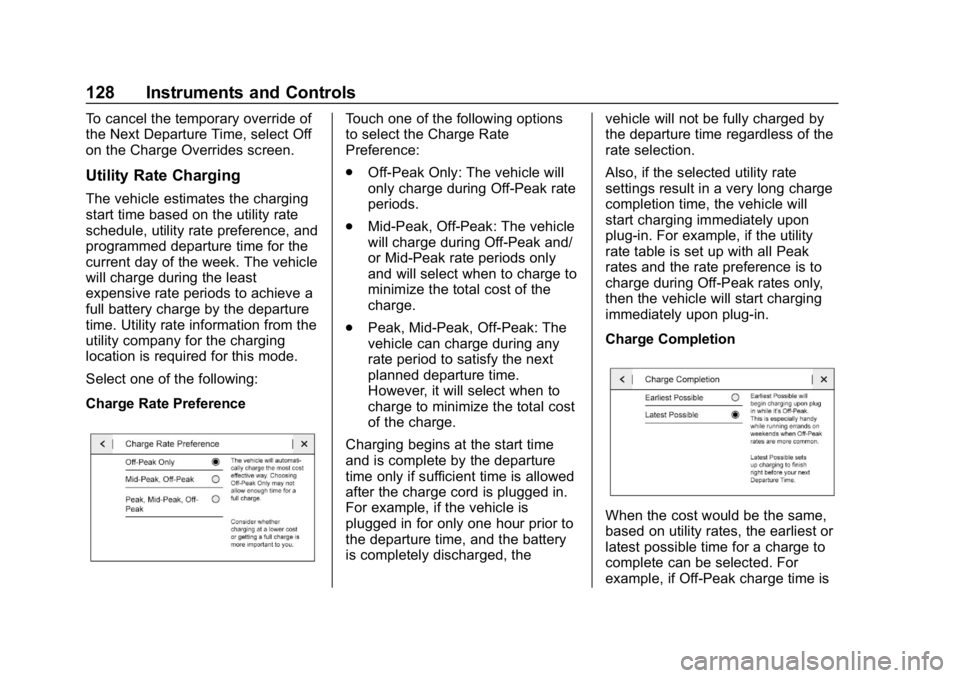
Charge Rate Preference
Touch one of the following options
to select the Charge Rate
Preference:
.Off-Peak Only: The vehicle will
only charge during Off-Peak rate
periods.
. Mid-Peak, Off-Peak: The vehicle
will charge during Off-Peak and/
or Mid-Peak rate periods only
and will select when to charge to
minimize the total cost of the
charge.
. Peak, Mid-Peak, Off-Peak: The
vehicle can charge during any
rate period to satisfy the next
planned departure time.
However, it will select when to
charge to minimize the total cost
of the charge.
Charging begins at the start time
and is complete by the departure
time only if sufficient time is allowed
after the charge cord is plugged in.
For example, if the vehicle is
plugged in for only one hour prior to
the departure time, and the battery
is completely discharged, the vehicle will not be fully charged by
the departure time regardless of the
rate selection.
Also, if the selected utility rate
settings result in a very long charge
completion time, the vehicle will
start charging immediately upon
plug-in. For example, if the utility
rate table is set up with all Peak
rates and the rate preference is to
charge during Off-Peak rates only,
then the vehicle will start charging
immediately upon plug-in.
Charge Completion
When the cost would be the same,
based on utility rates, the earliest or
latest possible time for a charge to
complete can be selected. For
example, if Off-Peak charge time is
Page 130 of 373
Chevrolet VOLT Owner Manual (GMNA-Localizing-U.S./Canada/Mexico-
12163007) - 2019 - CRC - 11/5/18
Instruments and Controls 129
12 am to 6 am and only three hours
of charge are needed, Earliest
Possible would start charging at 12
am and Latest Possible would start
charging at 3 am. Use the Earliest
Possible setting to charge as soon
as possible. Use the Latest Possible
setting to optimize energy usage.
To edit the Charge Completion:1. From the Utility Rate Charging screen, touch Charge
Completion.
2. Select Earliest Possible or Latest Possible.
Rate Schedule Type
Utility rates, or cost per unit, may
vary based on time, weekday/
weekend, and season. During the
day when the demand for electricity
is high, the rates are usually higher
and are called Peak rates. At night
when the demand for electricity is
low, the rates are usually lower and
are called Off-Peak rates. In some
areas, a Mid-Peak rate is offered. Contact the utility company to obtain
the rate schedule for your area. The
summer and winter start dates must
be established to use a summer/
winter schedule.
To edit the Rate Schedule Type:
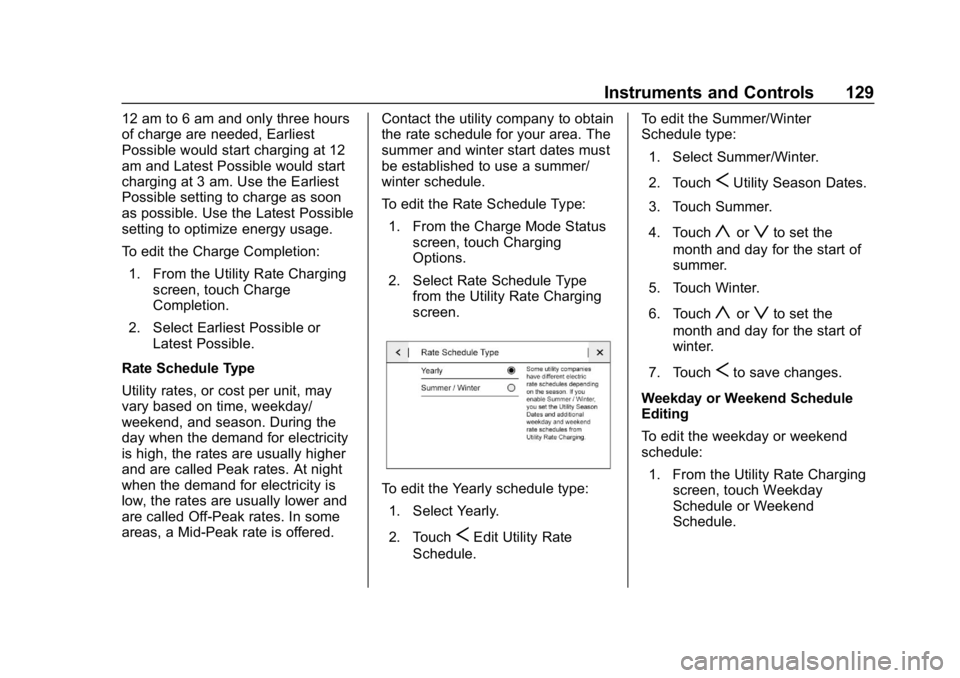
1. From the Charge Mode Status screen, touch Charging
Options.
2. Select Rate Schedule Type from the Utility Rate Charging
screen.
To edit the Yearly schedule type:
1. Select Yearly.
2. Touch
SEdit Utility Rate
Schedule. To edit the Summer/Winter
Schedule type:
1. Select Summer/Winter.
2. Touch
SUtility Season Dates.
3. Touch Summer.
4. Touch
yorzto set the
month and day for the start of
summer.
5. Touch Winter.
6. Touch
yorzto set the
month and day for the start of
winter.
7. Touch
Sto save changes.
Weekday or Weekend Schedule
Editing
To edit the weekday or weekend
schedule: 1. From the Utility Rate Charging screen, touch Weekday
Schedule or Weekend
Schedule.
Page 131 of 373

Chevrolet VOLT Owner Manual (GMNA-Localizing-U.S./Canada/Mexico-
12163007) - 2019 - CRC - 11/5/18
130 Instruments and Controls
2. Touch Add A Rate Period orSubtract A Rate Period.
.Weekdays are Monday
through Friday and use the
same rate schedule.
. Weekends are Saturday
and Sunday and use the
same rate schedule.
Both weekday and weekend
schedules must be set. The rate
schedule only applies for a 24-hour
period, starting at 12:00 am and
ending at 12:00 am. There can be
five rate changes for each day; not
all must be used.
The finish times must be
consecutive. If a finish time does not
follow a start time, this error
message displays: “An invalid entry
was found in the data entered.
Please re-enter data.”
Energy Summary Pop-Up
When this function is turned on, the
Energy Summary Pop-Up will
provide a summary of energy usage
when the vehicle is turned off.
Select On or Off.
Charge Status Feedback
When this function is turned on, the
vehicle will provide audible
feedback of the charge status.
1 beep : Immediate charging
2 beeps : Delayed charging
3 beeps : Charge port door is open
4 beeps : Desired time cannot
be met
Select On or Off.
Charge Cord Theft Alert
When this function is turned on and
the vehicle is off and locked, the
horn will sound if the charge cord is
removed.
Select On or Off.
Charge Power Loss Alert
When this function is turned on and
the vehicle is charging, the horn will
sound if power is lost.
Select On or Off.
Engine Assisted Heating
In Default setting, the engine will run
at cold ambient temperatures to
assist in warming the cabin. When
Deferred is selected the engine will
not run to assist in cabin heating,
until extremely cold ambient
temperatures, or Max Defrost is
selected. See Automatic Climate
Control System 0150.
Engine Assisted Heating
Plugged In
If the vehicle is started remotely, the
engine will turn on to assist in
warming up the cabin.
Select On or Off.
Charging Interrupted or
Overridden Pop-Up
The Charging Interrupted or
Overridden message will appear if
there was an unintended loss of AC
power during the plug in charge
event. For example, there was a
power outage or the charge cord
was unplugged from the wall.
Page 132 of 373

Chevrolet VOLT Owner Manual (GMNA-Localizing-U.S./Canada/Mexico-
12163007) - 2019 - CRC - 11/5/18
Instruments and Controls 131
SeeInstrument Cluster 0107 and
Utility Interruption of Charging
0 227.
Programmable Charging
Disabled
When the Programmable Charging
system is disabled, the main
charging screen will display “- -:- -”
for the Charge Complete Time. The
Programmable Charging system will
be disabled if the Charge Complete
Time cannot be confidently
estimated. If the Programmable
Charging system is consistently
disabled, see your dealer.
A message displays if the vehicle is
not able to charge.
Energy Information
To view Usage, Impacts, Details,
and History, touch Energy on the
infotainment display, Select Energy
on the upper left of the display, then
touch the desired information or
touch More
kif the desired icon is not shown. To reset the values, the
high voltage battery needs to be
fully recharged.
Usage
The Usage screen displays
information for the total of all drive
cycles since the last time the high
voltage battery was fully charged.
This includes:
.
Distance traveled in
Electric Mode
. Distance traveled in Extended
Range Mode
. Total distance traveled
. Electric energy used from the
battery
. Total fuel used .
Average fuel economy
The electric equivalent to fuel
economy is MPGe. Touch MPG on
the screen to view. When dashes
are displayed, the maximum limits to
some values have been reached.
The circle graph displays
the percentage of distance traveled
using Electric Mode versus
Extended Range Mode. The
Lifetime fuel economy is a total over
the life of the vehicle and can only
be reset by the dealer. The Energy
Usage information will also appear
automatically on power off when
Retained Accessory Power is
active. This pop-up can be disabled.
See “Energy Summary Pop-up”
under Vehicle Personalization
0 137.
Page 140 of 373

Chevrolet VOLT Owner Manual (GMNA-Localizing-U.S./Canada/Mexico-
12163007) - 2019 - CRC - 11/5/18
Instruments and Controls 139
When Lane Change Alert is
disabled, Side Blind Zone Alert is
also disabled.
Touch Off or On.
Comfort and Convenience
Touch and the following may
display:
.Chime Volume
. Extended Hill Start Assist
Chime Volume
This setting determines the chime
volume level.
Touch the controls on the
infotainment display to adjust the
volume.
Extended Hill Start Assist
This allows the duration of the Hill
Start Assist to be changed. See
“Extended Hill Start Assist (EHSA)”
in Hill Start Assist (HSA) 0184.
Touch Extended Hold or
Standard Hold.
Energy
Touch and the following may
display:
. Location Based Charging
. Energy Summary Pop-up
. Charge Status Feedback
. Charge Cord Theft Alert
. Charge Power Loss Alert
Location Based Charging
This allows the feature to be turned
on or off.
Touch Set Home Location, On,
or Off.
Energy Summary Pop-up
This allows the feature to be turned
on or off.
Touch Off or On.
Charge Status Feedback
If the feature is on, horn chirps
are on.
Touch Off or On. Charge Cord Theft Alert
When this function is turned on and
the vehicle is off and locked, the
horn will sound if the charge cord is
removed.
Touch Off or On.
Charge Power Loss Alert
When this function is turned on and
the vehicle is charging, the horn will
sound if power is lost.
Touch Off or On.
Lighting
Touch and the following may
display:
.
Vehicle Locator Lights
. Exit Lighting
Vehicle Locator Lights
This setting flashes the vehicle’ s
headlamps when
Kis pressed on
the Remote Keyless Entry (RKE)
transmitter.
Touch Off or On.
Page 158 of 373

Chevrolet VOLT Owner Manual (GMNA-Localizing-U.S./Canada/Mexico-
12163007) - 2019 - CRC - 11/5/18
Driving and Operating 157
Driving and
Operating
Driving Information
Distracted Driving . . . . . . . . . . . . 158
Defensive Driving . . . . . . . . . . . . . 159
Drunk Driving . . . . . . . . . . . . . . . . . 159
Control of a Vehicle . . . . . . . . . . . 159
Braking . . . . . . . . . . . . . . . . . . . . . . . 159
Steering . . . . . . . . . . . . . . . . . . . . . . 160
Off-Road Recovery . . . . . . . . . . . 160
Loss of Control . . . . . . . . . . . . . . . 161
Driving on Wet Roads . . . . . . . . 161
Hill and Mountain Roads . . . . . 162
Winter Driving . . . . . . . . . . . . . . . . 163
If the Vehicle Is Stuck . . . . . . . . 164
Vehicle Load Limits . . . . . . . . . . . 164
Starting and Operating
New Vehicle Break-In . . . . . . . . . 168
Power Button . . . . . . . . . . . . . . . . . 168
Starting and Stopping theVehicle . . . . . . . . . . . . . . . . . . . . . . 170
Retained Accessory Power (RAP) . . . . . . . . . . . . . . . . 171
Shifting Into Park . . . . . . . . . . . . . 171
Shifting out of Park . . . . . . . . . . . 172 Parking over Things
That Burn . . . . . . . . . . . . . . . . . . . 173
Extended Parking . . . . . . . . . . . . 173
Electric Vehicle Operating
Modes
System Operation . . . . . . . . . . . . 173
Electric Mode . . . . . . . . . . . . . . . . . 174
Extended Range Mode . . . . . . . 174
Driver Selected Operating Modes . . . . . . . . . . . . . . . . . . . . . . 174
Out of Fuel/Engine Unavailable . . . . . . . . . . . . . . . . . 177
Maintenance Modes . . . . . . . . . . 177
Engine Exhaust
Engine Exhaust . . . . . . . . . . . . . . 180
Running the Vehicle While Parked . . . . . . . . . . . . . . . . . . . . . . 180
Electric Drive Unit
Electric Drive Unit . . . . . . . . . . . . 181
Brakes
Antilock BrakeSystem (ABS) . . . . . . . . . . . . . . . 182
Electric Parking Brake . . . . . . . . 183
Hill Start Assist (HSA) . . . . . . . . 184
Regenerative Braking . . . . . . . . 185
Ride Control Systems
Traction Control/Electronic Stability Control . . . . . . . . . . . . . 186
Driver Mode Control . . . . . . . . . . 188
Cruise Control
Cruise Control . . . . . . . . . . . . . . . . 188
Adaptive Cruise Control . . . . . . 191
Driver Assistance Systems
Driver Assistance Systems . . . 201
Assistance Systems for Parking or Backing . . . . . . . . . . 202
Assistance Systems for Driving . . . . . . . . . . . . . . . . . . . . . . 206
Forward Collision Alert (FCA) System . . . . . . . . . . . . . . . . . . . . . . 206
Forward Automatic Braking (FAB) . . . . . . . . . . . . . . . 208
Side Blind Zone Alert (SBZA) . . . . . . . . . . . . . . . . 210
Lane Change Alert (LCA) . . . . . 210
Lane Departure Warning (LDW) . . . . . . . . . . . . . 212
Lane Keep Assist (LKA) . . . . . . 212
Charging
Plug-In Charging . . . . . . . . . . . . . 214
Delayed Charging Override . . . 216
Charging Status Feedback . . . 216
Charge Cord . . . . . . . . . . . . . . . . . 221
Page 159 of 373

Chevrolet VOLT Owner Manual (GMNA-Localizing-U.S./Canada/Mexico-
12163007) - 2019 - CRC - 11/5/18
158 Driving and Operating
Utility Interruption ofCharging . . . . . . . . . . . . . . . . . . . . 227
Electrical Requirements for Battery Charging . . . . . . . . . . . . 228
Fuel
Top Tier Fuel . . . . . . . . . . . . . . . . . 229
Recommended Fuel . . . . . . . . . . 229
Prohibited Fuels . . . . . . . . . . . . . . 229
Fuels in Foreign Countries . . . 230
Fuel Additives . . . . . . . . . . . . . . . . 230
Filling the Tank . . . . . . . . . . . . . . . 230
Filling a Portable FuelContainer . . . . . . . . . . . . . . . . . . . 232
Trailer Towing
General TowingInformation . . . . . . . . . . . . . . . . . . 233
Conversions and Add-Ons
Add-On ElectricalEquipment . . . . . . . . . . . . . . . . . . 233
Driving Information
Distracted Driving
Distraction comes in many forms
and can take your focus from the
task of driving. Exercise good
judgment and do not let other
activities divert your attention away
from the road. Many local
governments have enacted laws
regarding driver distraction. Become
familiar with the local laws in
your area.
To avoid distracted driving, keep
your eyes on the road, keep your
hands on the steering wheel, and
focus your attention on driving.
. Do not use a phone in
demanding driving situations.
Use a hands-free method to
place or receive necessary
phone calls.
. Watch the road. Do not read,
take notes, or look up
information on phones or other
electronic devices. .
Designate a front seat
passenger to handle potential
distractions.
. Become familiar with vehicle
features before driving, such as
programming favorite radio
stations and adjusting climate
control and seat settings.
Program all trip information into
any navigation device prior to
driving.
. Wait until the vehicle is parked
to retrieve items that have fallen
to the floor.
. Stop or park the vehicle to tend
to children.
. Keep pets in an appropriate
carrier or restraint.
. Avoid stressful conversations
while driving, whether with a
passenger or on a cell phone.
Page 173 of 373

Chevrolet VOLT Owner Manual (GMNA-Localizing-U.S./Canada/Mexico-
12163007) - 2019 - CRC - 11/5/18
172 Driving and Operating
Warning (Continued)
vehicle will not move, even when
you are on fairly level ground,
always set the parking brake and
move the shift lever to P (Park).
SeeShifting Into Park 0171.
If you have to leave the vehicle with
the propulsion system on, be sure
the vehicle is in P (Park) and the
parking brake is firmly set before
you leave it. After you have moved
the shift lever into P (Park), hold
down the regular brake pedal. See if
you can move the shift lever away
from P (Park) without first pulling it
toward you. If you can, it means that
the shift lever was not fully locked
into P (Park).
Torque Lock
Torque lock is when the weight of
the vehicle puts too much force on
the parking pawl in the electric drive
unit. This happens when parking on
a hill and shifting the electric drive
unit into P (Park) is not done
properly and then it is difficult to shift out of P (Park). To prevent
torque lock, set the parking brake
and then shift into P (Park).
If torque lock does occur, your
vehicle may need to be pushed
uphill by another vehicle to relieve
the parking pawl pressure, so you
can shift out of P (Park).
Shifting out of Park
Ensure that the charge cord is
unplugged and the vehicle is on.
1. Press brake pedal.
2. Release the Electric Parking Brake. See Electric Parking
Brake 0183.
3. Press the shift lever button.
4. Move the shift lever to the desired gear.
The vehicle has an electronic shift
lock release system. The shift lock
release is designed to:
. Prevent the vehicle from turning
off unless the shift lever is in
P (Park). .
Prevent moving the shift lever
out of P (Park), unless the
vehicle is on, the brake pedal is
applied, and the charge cord is
unplugged.
Parking the vehicle in extreme cold
for several days without the charge
cord connected may cause the
electric drive unit to be locked in
P (Park) until the propulsion system
has warmed sufficiently.
The shift lock is always functional
except in the case of an uncharged
or low charged 12-volt battery (less
than 9 volts).
If the vehicle has an uncharged
12-volt battery or a 12-volt battery
with low voltage, try charging or
jump starting the 12-volt battery.
See Battery - North America 0255
or Jump Starting - North America
0 299.
If the shift lever cannot be moved
out of P (Park): 1. Apply and maintain the regular brakes.