Page 59 of 474
Chevrolet Silverado Owner Manual (GMNA-Localizing-U.S./Canada/Mexico-
1500-11698642) - 2019 - CRC - 2/20/19
58 Keys, Doors, and Windows
Heated Mirrors
1
REAR :If equipped, the rear
window defogger also heats the
outside mirrors.
W: If equipped, press to turn the
heated outside mirrors on or off.
See “Rear Window Defogger” under
Climate Control Systems 0189 or
Dual Automatic Climate Control
System 0191.
Automatic Dimming
Mirror
If equipped, the driver outside mirror
automatically adjusts for the glare of
the headlamps from behind. This
feature comes on when the vehicle
is started.
Blind Spot Mirrors
If equipped, there is a small convex
mirror built into the upper and outer
corner of the driver outside mirror.
It can show objects that may be in
the vehicle's blind zone.
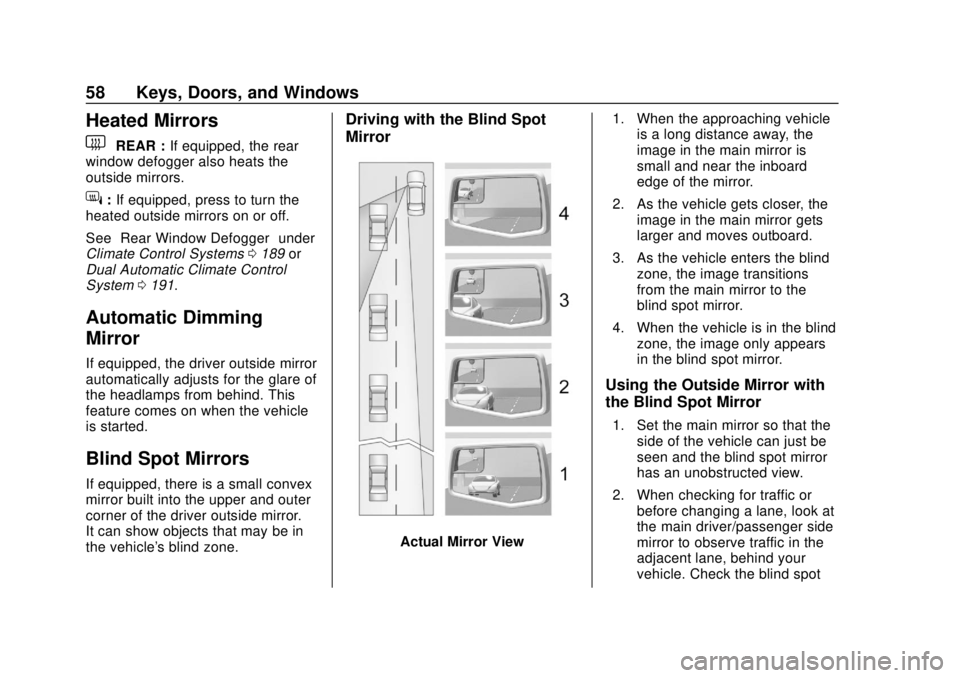
Driving with the Blind Spot
Mirror
Actual Mirror View 1. When the approaching vehicle
is a long distance away, the
image in the main mirror is
small and near the inboard
edge of the mirror.
2. As the vehicle gets closer, the image in the main mirror gets
larger and moves outboard.
3. As the vehicle enters the blind zone, the image transitions
from the main mirror to the
blind spot mirror.
4. When the vehicle is in the blind zone, the image only appears
in the blind spot mirror.
Using the Outside Mirror with
the Blind Spot Mirror
1. Set the main mirror so that theside of the vehicle can just be
seen and the blind spot mirror
has an unobstructed view.
2. When checking for traffic or before changing a lane, look at
the main driver/passenger side
mirror to observe traffic in the
adjacent lane, behind your
vehicle. Check the blind spot
Page 60 of 474

Chevrolet Silverado Owner Manual (GMNA-Localizing-U.S./Canada/Mexico-
1500-11698642) - 2019 - CRC - 2/20/19
Keys, Doors, and Windows 59
mirror for a vehicle in the blind
zone. Then, glance over your
shoulder to double check
before moving slowly into the
adjacent lane.
Reverse Tilt Mirrors
If equipped with memory seats, the
passenger and/or driver mirror tilts
to a preselected position when the
vehicle is in R (Reverse). This
allows the curb to be seen when
parallel parking.
The mirror(s) return to the original
position when:
.The vehicle is shifted out of
R (Reverse), or remains in
R (Reverse) for about
30 seconds.
. The ignition is turned off.
. The vehicle is driven in
R (Reverse) above a set speed.
To turn this feature on or off, see
Vehicle Personalization 0168.
Interior Mirrors
Interior Rearview Mirrors
Adjust the rearview mirror for a clear
view of the area behind your
vehicle.
Do not spray glass cleaner directly
on the mirror. Use a soft towel
dampened with water.
Manual Rearview Mirror
If equipped, push the tab forward for
daytime use and pull it rearward for
nighttime use to avoid glare from
the headlamps from behind.
Automatic Dimming
Rearview Mirror
If equipped, the mirror will
automatically reduce the glare of the
headlamps from behind. The
dimming feature comes on each
time the vehicle is started.
Rear Camera Mirror
If equipped, this automatic dimming
mirror provides a wide angle camera
view of the area behind the vehicle.
Pull the tab to turn on the display.
Push the tab to turn it off. When off
the mirror is automatic dimming.
Adjust the mirror for a clear view of
the area behind the vehicle while
the display is off.
Page 61 of 474
Chevrolet Silverado Owner Manual (GMNA-Localizing-U.S./Canada/Mexico-
1500-11698642) - 2019 - CRC - 2/20/19
60 Keys, Doors, and Windows
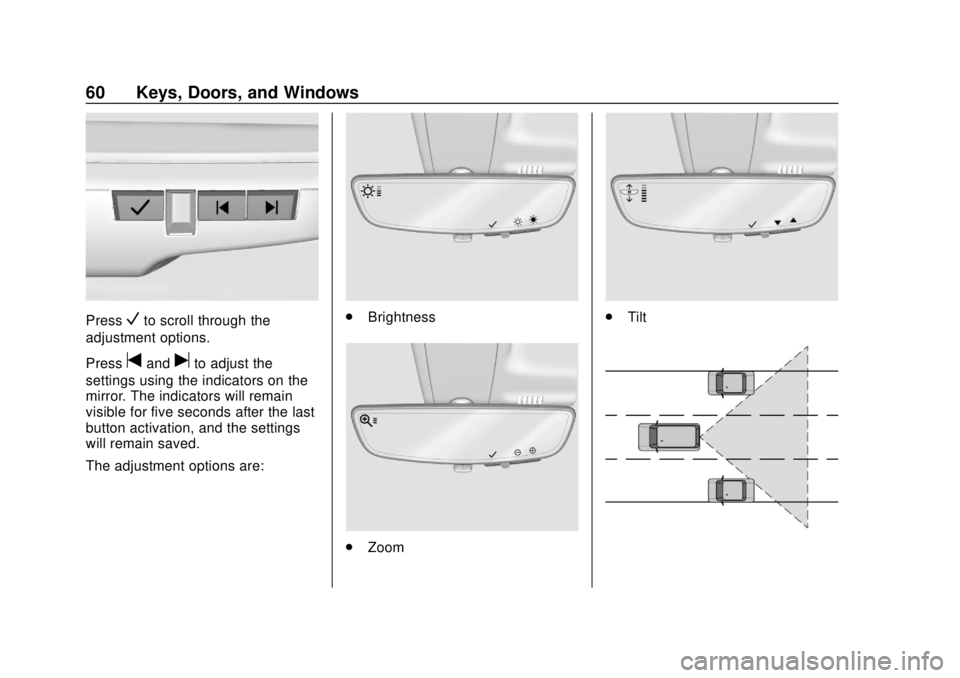
PressVto scroll through the
adjustment options.
Press
tanduto adjust the
settings using the indicators on the
mirror. The indicators will remain
visible for five seconds after the last
button activation, and the settings
will remain saved.
The adjustment options are:
. Brightness
.Zoom
.Tilt
Page 62 of 474

Chevrolet Silverado Owner Manual (GMNA-Localizing-U.S./Canada/Mexico-
1500-11698642) - 2019 - CRC - 2/20/19
Keys, Doors, and Windows 61
{Warning
The Rear Camera Mirror (RCM)
has a limited view. Portions of the
road, vehicles, and other objects
may not be seen. Do not drive or
park the vehicle using only this
camera. Objects may appear
closer than they are. Check the
outside mirrors or glance over
your shoulder when making lane
changes or merging. Failure to
use proper care may result in
injury, death, or vehicle damage.Troubleshooting
See your dealer for service if a blue
screen and
3are displayed in
the mirror, and the display shuts off.
Also, push the tab as indicated to
return to the automatic
dimming mode.
The Rear Camera Mirror may not
work properly or display a clear
image if:
. There is glare from the sun or
headlamps. This may obstruct
objects from view. If needed,
push the tab to turn off the
display. .
Dirt, snow, or other debris blocks
the camera lens. Clean the lens
with a soft damp cloth.
. The camera’s mounting on the
vehicle has been damaged, and/
or the position or the mounting
angle of the camera has
changed.
Page 63 of 474
Chevrolet Silverado Owner Manual (GMNA-Localizing-U.S./Canada/Mexico-
1500-11698642) - 2019 - CRC - 2/20/19
62 Keys, Doors, and Windows
Windows
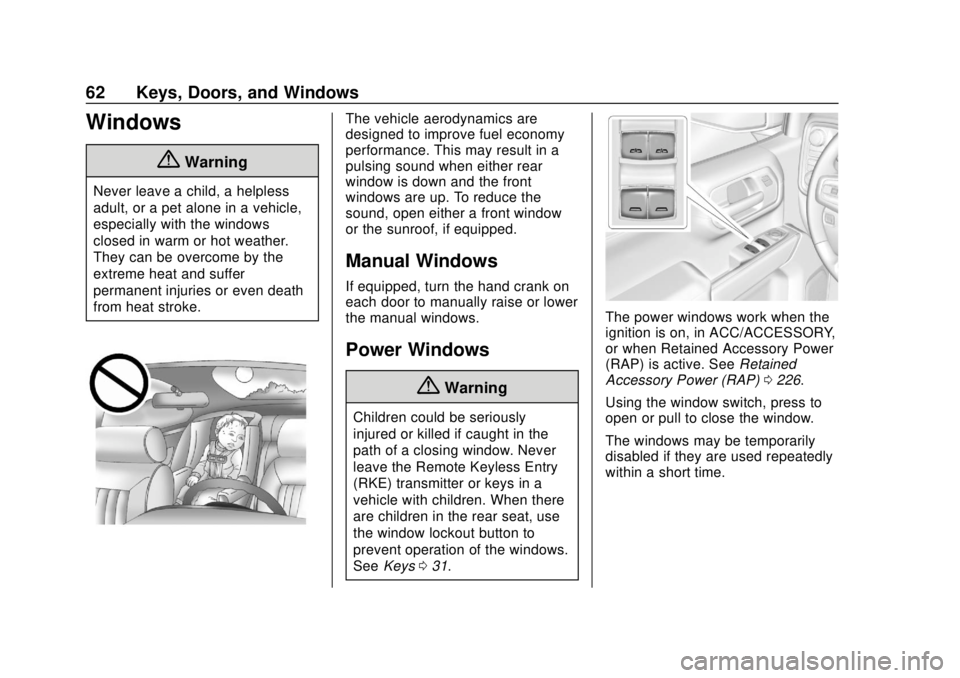
{Warning
Never leave a child, a helpless
adult, or a pet alone in a vehicle,
especially with the windows
closed in warm or hot weather.
They can be overcome by the
extreme heat and suffer
permanent injuries or even death
from heat stroke.
The vehicle aerodynamics are
designed to improve fuel economy
performance. This may result in a
pulsing sound when either rear
window is down and the front
windows are up. To reduce the
sound, open either a front window
or the sunroof, if equipped.
Manual Windows
If equipped, turn the hand crank on
each door to manually raise or lower
the manual windows.
Power Windows
{Warning
Children could be seriously
injured or killed if caught in the
path of a closing window. Never
leave the Remote Keyless Entry
(RKE) transmitter or keys in a
vehicle with children. When there
are children in the rear seat, use
the window lockout button to
prevent operation of the windows.
SeeKeys 031.
The power windows work when the
ignition is on, in ACC/ACCESSORY,
or when Retained Accessory Power
(RAP) is active. See Retained
Accessory Power (RAP) 0226.
Using the window switch, press to
open or pull to close the window.
The windows may be temporarily
disabled if they are used repeatedly
within a short time.
Page 64 of 474
Chevrolet Silverado Owner Manual (GMNA-Localizing-U.S./Canada/Mexico-
1500-11698642) - 2019 - CRC - 2/20/19
Keys, Doors, and Windows 63
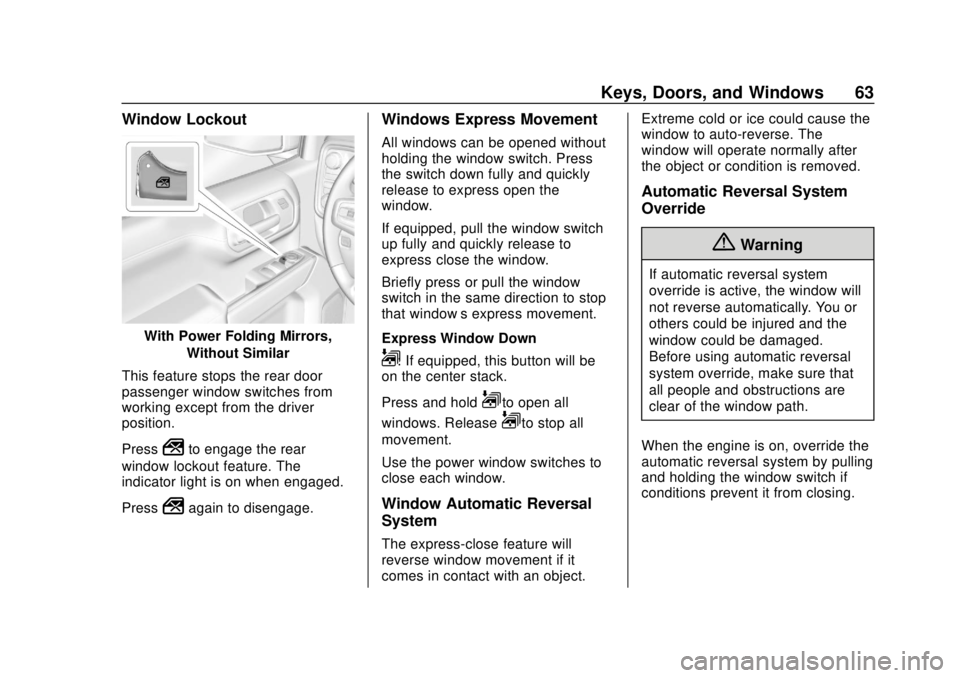
Window Lockout
With Power Folding Mirrors,Without Similar
This feature stops the rear door
passenger window switches from
working except from the driver
position.
Press
2to engage the rear
window lockout feature. The
indicator light is on when engaged.
Press
2again to disengage.
Windows Express Movement
All windows can be opened without
holding the window switch. Press
the switch down fully and quickly
release to express open the
window.
If equipped, pull the window switch
up fully and quickly release to
express close the window.
Briefly press or pull the window
switch in the same direction to stop
that window’s express movement.
Express Window Down
L: If equipped, this button will be
on the center stack.
Press and hold
Lto open all
windows. Release
Lto stop all
movement.
Use the power window switches to
close each window.
Window Automatic Reversal
System
The express-close feature will
reverse window movement if it
comes in contact with an object. Extreme cold or ice could cause the
window to auto-reverse. The
window will operate normally after
the object or condition is removed.
Automatic Reversal System
Override
{Warning
If automatic reversal system
override is active, the window will
not reverse automatically. You or
others could be injured and the
window could be damaged.
Before using automatic reversal
system override, make sure that
all people and obstructions are
clear of the window path.
When the engine is on, override the
automatic reversal system by pulling
and holding the window switch if
conditions prevent it from closing.
Page 65 of 474
Chevrolet Silverado Owner Manual (GMNA-Localizing-U.S./Canada/Mexico-
1500-11698642) - 2019 - CRC - 2/20/19
64 Keys, Doors, and Windows
Programming the Power
Windows
Programming may be necessary if
the vehicle battery has been
disconnected or discharged. If the
window is unable to express-up,
program each express-close
window:1. Close all doors.
2. Turn the ignition on or to ACC/ ACCESSORY.
3. Partially open the window to be programmed. Then close it and
continue to pull the switch
briefly after the window has
fully closed.
4. Open the window and continue to press the switch briefly after
the window has fully opened.
Remote Window Operation
If equipped, this feature allows the
windows to be opened remotely.
If enabled in vehicle personalization,
press and hold
Kon the RKE
transmitter. See Vehicle
Personalization 0168.
Rear Windows
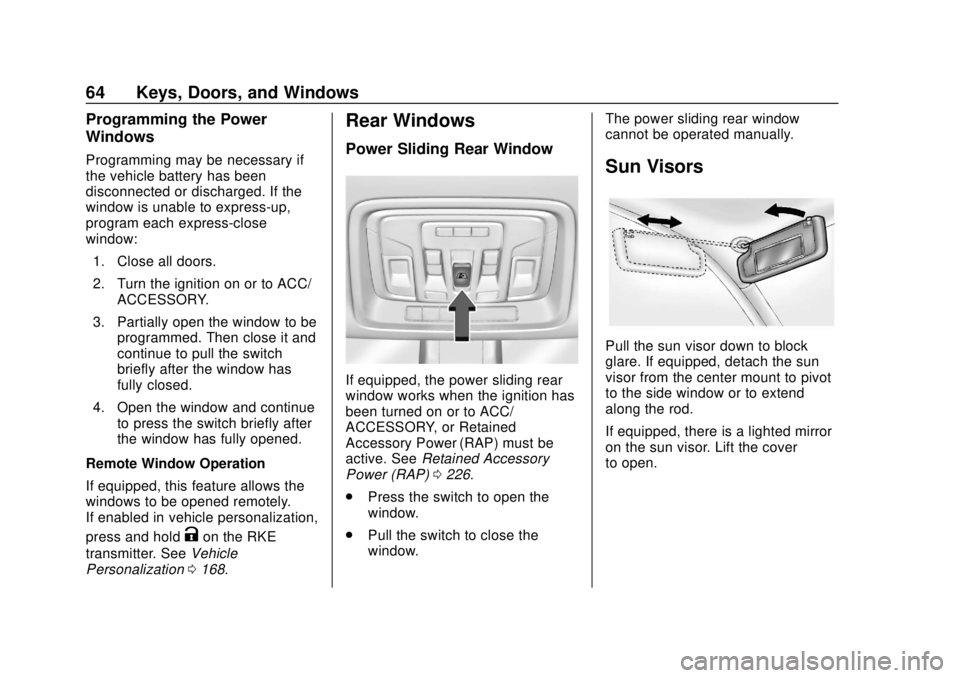
Power Sliding Rear Window
If equipped, the power sliding rear
window works when the ignition has
been turned on or to ACC/
ACCESSORY, or Retained
Accessory Power (RAP) must be
active. See Retained Accessory
Power (RAP) 0226.
. Press the switch to open the
window.
. Pull the switch to close the
window. The power sliding rear window
cannot be operated manually.
Sun Visors
Pull the sun visor down to block
glare. If equipped, detach the sun
visor from the center mount to pivot
to the side window or to extend
along the rod.
If equipped, there is a lighted mirror
on the sun visor. Lift the cover
to open.
Page 66 of 474
Chevrolet Silverado Owner Manual (GMNA-Localizing-U.S./Canada/Mexico-
1500-11698642) - 2019 - CRC - 2/20/19
Keys, Doors, and Windows 65
Roof
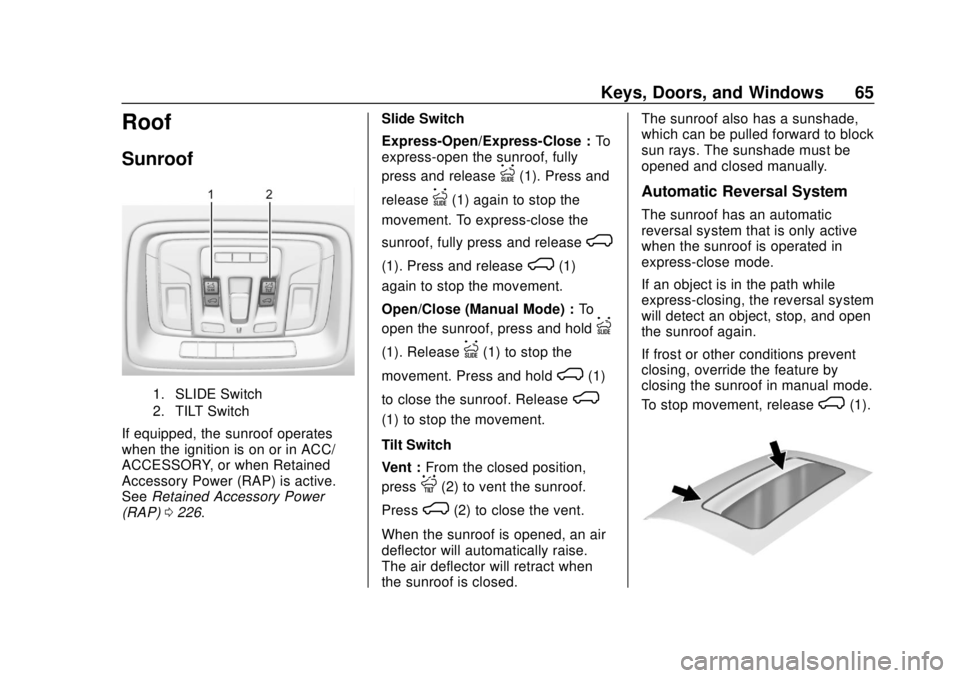
Sunroof
1. SLIDE Switch
2. TILT Switch
If equipped, the sunroof operates
when the ignition is on or in ACC/
ACCESSORY, or when Retained
Accessory Power (RAP) is active.
SeeRetained Accessory Power
(RAP) 0226. Slide Switch
Express-Open/Express-Close :
To
express-open the sunroof, fully
press and release
I(1). Press and
release
I(1) again to stop the
movement. To express-close the
sunroof, fully press and release
K
(1). Press and releaseK(1)
again to stop the movement.
Open/Close (Manual Mode) : To
open the sunroof, press and hold
I
(1). ReleaseI(1) to stop the
movement. Press and hold
K(1)
to close the sunroof. Release
K
(1) to stop the movement.
Tilt Switch
Vent : From the closed position,
press
J(2) to vent the sunroof.
Press
K(2) to close the vent.
When the sunroof is opened, an air
deflector will automatically raise.
The air deflector will retract when
the sunroof is closed. The sunroof also has a sunshade,
which can be pulled forward to block
sun rays. The sunshade must be
opened and closed manually.
Automatic Reversal System
The sunroof has an automatic
reversal system that is only active
when the sunroof is operated in
express-close mode.
If an object is in the path while
express-closing, the reversal system
will detect an object, stop, and open
the sunroof again.
If frost or other conditions prevent
closing, override the feature by
closing the sunroof in manual mode.
To stop movement, release
K(1).