2019 CHEVROLET SILVERADO Front
[x] Cancel search: FrontPage 222 of 474
Chevrolet Silverado Owner Manual (GMNA-Localizing-U.S./Canada/Mexico-
1500-11698642) - 2019 - CRC - 2/20/19
Driving and Operating 221
Stopping the Engine/LOCK/
OFF (No Indicator Lights) :When
the vehicle is stopped, press
ENGINE START/STOP once to turn
the engine off.
If the vehicle is in P (Park), the
ignition will turn off, and Retained
Accessory Power (RAP) will remain
active. See Retained Accessory
Power (RAP) 0226.
If the vehicle is not in P (Park), the
ignition will return to ACC/
ACCESSORY and display the
message SHIFT TO PARK in the
Driver Information Center (DIC).
When the vehicle is shifted into
P (Park), the ignition system will
turn off.
The vehicle may have an electric
steering column lock. The lock is
activated when the ignition is turned
off and either front door is opened.
A sound may be heard as the lock
actuates or releases. The steering
column lock may not release with
the wheels turned off center. If this
happens, the vehicle may not start.
Move the steering wheel from left to right while attempting to start the
vehicle. If this does not work, the
vehicle needs service.
If the vehicle must be shut off in an
emergency:
1. Brake using a firm and steady pressure. Do not pump the
brakes repeatedly. This may
deplete power assist, requiring
increased brake pedal force.
2. Shift the vehicle to N (Neutral). This can be done while the
vehicle is moving. After shifting
to N (Neutral), firmly apply the
brakes and steer the vehicle to
a safe location.
3. Come to a complete stop.
4. Hold the brake pedal down and shift to P (Park). The shift lever
must be in P (Park) to turn the
ignition off.
5. Continue to hold the brake pedal down.
6. Set the parking brake. See Electric Parking Brake 0242.
7. Press ENGINE START/STOP once to turn the ignition off. 8. Release the brake pedal.
If the vehicle cannot be pulled over,
and must be shut off while driving,
press and hold ENGINE START/
STOP for longer than two seconds,
or press twice in five seconds.
ACC/ACCESSORY (Amber
Indicator Light) : This mode allows
some electrical accessories to be
used when the engine is off.
With the ignition off, pressing the
button one time without the brake
pedal applied will place the ignition
system in ACC/ACCESSORY.
The ignition will switch from ACC/
ACCESSORY to off after
five minutes to prevent battery
rundown.
ON/RUN/START (Green Indicator
Light) : This mode is for driving and
starting. With the ignition off, and
the brake pedal applied, pressing
the button once will turn the ignition
on. Once engine cranking begins,
release the button. Engine cranking
will continue until the engine starts.
See Starting the Engine 0222.
Page 226 of 474
Chevrolet Silverado Owner Manual (GMNA-Localizing-U.S./Canada/Mexico-
1500-11698642) - 2019 - CRC - 2/20/19
Driving and Operating 225
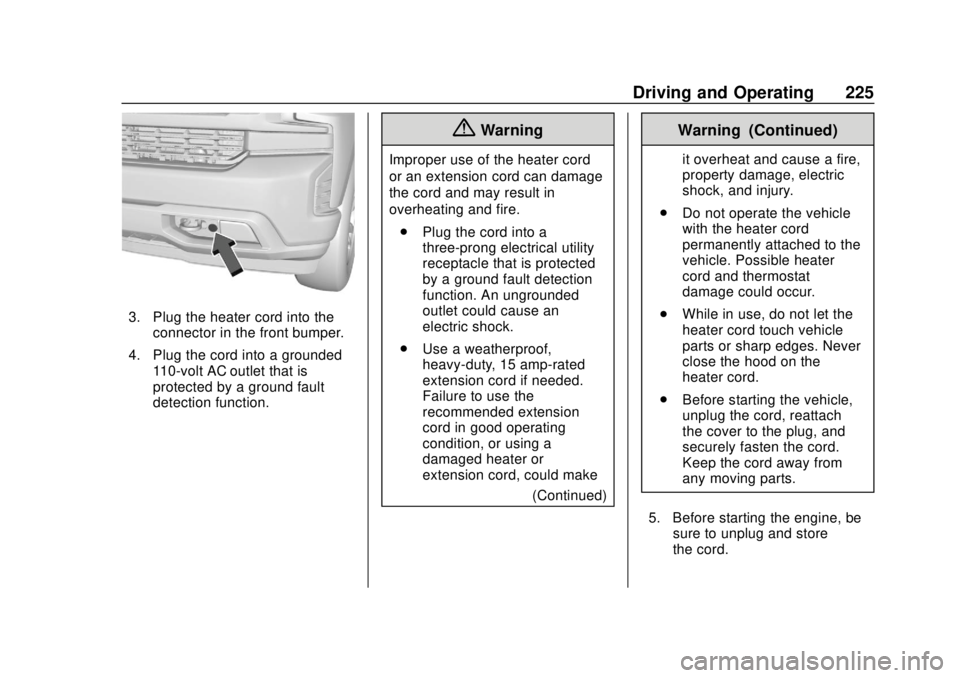
3. Plug the heater cord into theconnector in the front bumper.
4. Plug the cord into a grounded 110-volt AC outlet that is
protected by a ground fault
detection function.
{Warning
Improper use of the heater cord
or an extension cord can damage
the cord and may result in
overheating and fire.
. Plug the cord into a
three-prong electrical utility
receptacle that is protected
by a ground fault detection
function. An ungrounded
outlet could cause an
electric shock.
. Use a weatherproof,
heavy-duty, 15 amp-rated
extension cord if needed.
Failure to use the
recommended extension
cord in good operating
condition, or using a
damaged heater or
extension cord, could make
(Continued)
Warning (Continued)
it overheat and cause a fire,
property damage, electric
shock, and injury.
. Do not operate the vehicle
with the heater cord
permanently attached to the
vehicle. Possible heater
cord and thermostat
damage could occur.
. While in use, do not let the
heater cord touch vehicle
parts or sharp edges. Never
close the hood on the
heater cord.
. Before starting the vehicle,
unplug the cord, reattach
the cover to the plug, and
securely fasten the cord.
Keep the cord away from
any moving parts.
5. Before starting the engine, be sure to unplug and store
the cord.
Page 237 of 474
Chevrolet Silverado Owner Manual (GMNA-Localizing-U.S./Canada/Mexico-
1500-11698642) - 2019 - CRC - 2/20/19
236 Driving and Operating
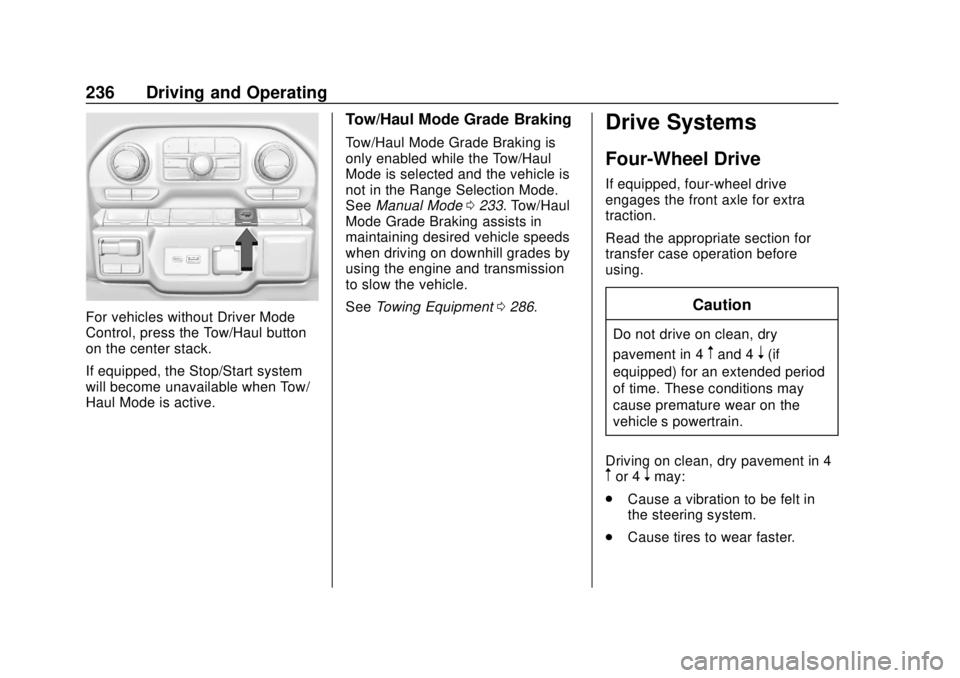
For vehicles without Driver Mode
Control, press the Tow/Haul button
on the center stack.
If equipped, the Stop/Start system
will become unavailable when Tow/
Haul Mode is active.
Tow/Haul Mode Grade Braking
Tow/Haul Mode Grade Braking is
only enabled while the Tow/Haul
Mode is selected and the vehicle is
not in the Range Selection Mode.
SeeManual Mode 0233. Tow/Haul
Mode Grade Braking assists in
maintaining desired vehicle speeds
when driving on downhill grades by
using the engine and transmission
to slow the vehicle.
See Towing Equipment 0286.
Drive Systems
Four-Wheel Drive
If equipped, four-wheel drive
engages the front axle for extra
traction.
Read the appropriate section for
transfer case operation before
using.
Caution
Do not drive on clean, dry
pavement in 4
mand 4n(if
equipped) for an extended period
of time. These conditions may
cause premature wear on the
vehicle’s powertrain.
Driving on clean, dry pavement in 4
mor 4nmay:
. Cause a vibration to be felt in
the steering system.
. Cause tires to wear faster.
Page 238 of 474
Chevrolet Silverado Owner Manual (GMNA-Localizing-U.S./Canada/Mexico-
1500-11698642) - 2019 - CRC - 2/20/19
Driving and Operating 237
{Warning
If equipped with four-wheel drive,
the vehicle will be free to roll if the
transfer case is in N (Neutral),
even when the shift lever is in
P (Park). You or someone else
could be seriously injured. Be
sure the transfer case is in a drive
gear—2
m, 4m, or 4n—or set the
parking brake before placing the
transfer case in N (Neutral). See
Shifting Into Park 0226.
Caution
Extended high-speed operation in
4
nmay damage or shorten the
life of the drivetrain.
An engagement noise and bump is
normal when shifting between 4
n
and 4mor N (Neutral), with the
engine running. Shifting into 4
nwill turn Traction
Control and StabiliTrak/Electronic
Stability Control (ESC) off. See
Traction Control/Electronic Stability
Control 0244.
Automatic Transfer Case
Two-Speed Transfer Case
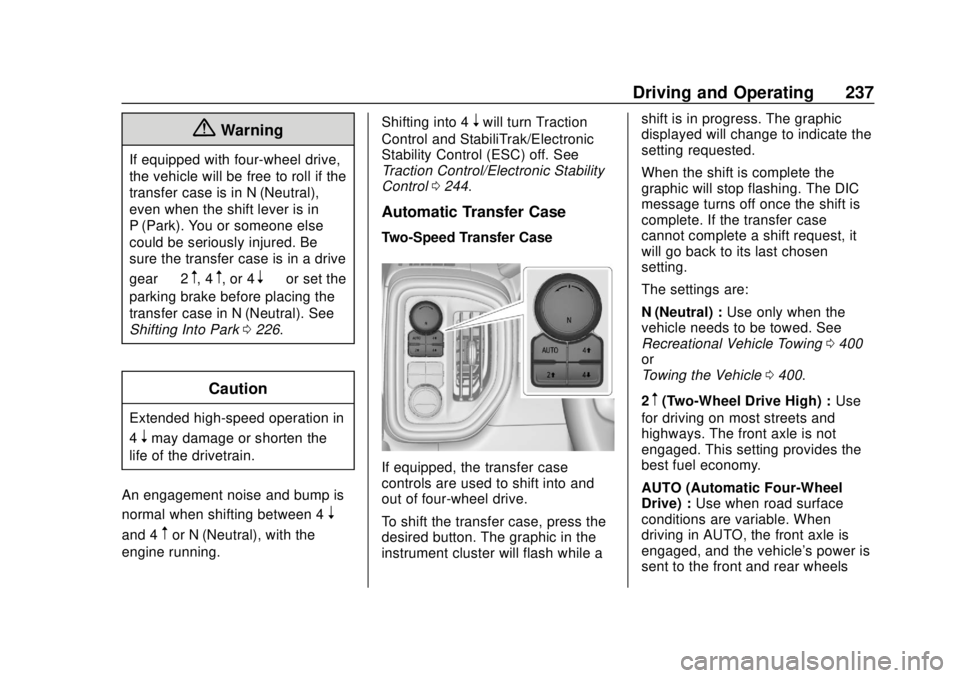
If equipped, the transfer case
controls are used to shift into and
out of four-wheel drive.
To shift the transfer case, press the
desired button. The graphic in the
instrument cluster will flash while a shift is in progress. The graphic
displayed will change to indicate the
setting requested.
When the shift is complete the
graphic will stop flashing. The DIC
message turns off once the shift is
complete. If the transfer case
cannot complete a shift request, it
will go back to its last chosen
setting.
The settings are:
N (Neutral) :
Use only when the
vehicle needs to be towed. See
Recreational Vehicle Towing 0400
or
Towing the Vehicle 0400.
2
m(Two-Wheel Drive High) : Use
for driving on most streets and
highways. The front axle is not
engaged. This setting provides the
best fuel economy.
AUTO (Automatic Four-Wheel
Drive) : Use when road surface
conditions are variable. When
driving in AUTO, the front axle is
engaged, and the vehicle's power is
sent to the front and rear wheels
Page 239 of 474

Chevrolet Silverado Owner Manual (GMNA-Localizing-U.S./Canada/Mexico-
1500-11698642) - 2019 - CRC - 2/20/19
238 Driving and Operating
automatically based on driving
conditions. This setting provides
slightly lower fuel economy than 2
m.
4
m(Four-Wheel Drive High) : Use
this setting when extra traction is
needed, such as when driving on
snowy or icy roads, when
off-roading, or when plowing snow.
4
n(Four-Wheel Drive Low) : This
setting engages the front axle and
delivers extra torque. Choose 4
n
when driving off-road in deep sand,
deep mud, or deep snow, and while
climbing or descending steep hills.
While driving in 4
n, keep vehicle
speed below 72 km/h (45 mph).
Shifting into 4
nwill turn Traction
Control and StabiliTrak/ESC off.
See Traction Control/Electronic
Stability Control 0244.
Shifts between 2
m, 4m, and AUTO
Any of these shifts can be made at
normal driving speed. The actual 4x4 shift request is only
made after the button is released.
The 4x4 graphic will remain flashing
until the shift request has
completed. A DIC message displays
to indicate that the 4x4 transfer case
has been requested to shift to the
new desired state.
Once the 4x4 shift has completed,
the DIC message disappears, the
4x4 graphic stops flashing, and the
current setting is indicated.
When a shift to 2
mis completed
successfully while in P (Park), the
parking brake will engage. To
resume driving, shift the
transmission to the desired gear
and manually release the parking
brake or press the accelerator pedal
to begin driving. See Electric
Parking Brake 0242.
If equipped, use 4
n, AUTO, or 4mto
provide additional traction when
parking on a steep grade with poor
traction such as ice, snow, mud,
or gravel. Shifting Into 4
n
1. The ignition must be on and
the vehicle must be stopped or
moving less than 5 km/h
(3 mph) with the transmission
in N (Neutral). It is best for the
vehicle to be moving
1.6 to 3.2 km/h (1 to 2 mph).
2. Press 4
n. The actual 4x4 shift
request is only made after the
button is released. The 4x4
graphic will remain flashing
until the shift request has
completed. A DIC message
displays to indicate that the 4x4
transfer case has been
requested to shift to the new
desired state.
Once the 4x4 shift has
completed, the DIC message
disappears, the 4x4 graphic
stops flashing and the current
setting is indicated.
If vehicle speed is higher when shift
request occurs, a DIC message
displays. Reduce vehicle speed.
Page 242 of 474
Chevrolet Silverado Owner Manual (GMNA-Localizing-U.S./Canada/Mexico-
1500-11698642) - 2019 - CRC - 2/20/19
Driving and Operating 241
cannot complete a shift request, it
will go back to its last chosen
setting.
The settings are:
2
m(Two-Wheel Drive High) :Use
for driving on most streets and
highways. The front axle is not
engaged. This setting provides the
best fuel economy.
4
m(Four-Wheel Drive High) : Use
this setting when extra traction is
needed, such as when driving on
snowy or icy roads, when
off-roading, or when plowing snow.
AUTO (Automatic Four-Wheel
Drive)
Use when road surface conditions
are variable. When driving in AUTO,
the front axle is engaged, and the
vehicle's power is sent to the front
and rear wheels automatically
based on driving conditions. This
setting provides slightly lower fuel
economy than 2
m. Shifts between 2
m, 4m, and AUTO
Any of these shifts can be made at
normal driving speed.
The actual 4x4 shift request is only
made after the button is released.
The 4x4 graphic will remain flashing
until the shift request has
completed. A DIC message
displays.
Once the 4x4 shift has completed,
the DIC message disappears, the
4x4 graphic stops flashing, and the
current setting is indicated.
The actual 4x4 shift request is only
made after the button is released.
The 4x4 graphic will remain flashing
until the shift request has
completed.
A DIC message displays. Once the
4x4 shift has completed, the DIC
message disappears, the 4x4
graphic stops flashing, and the
current setting is indicated.Brakes
Antilock Brake
System (ABS)
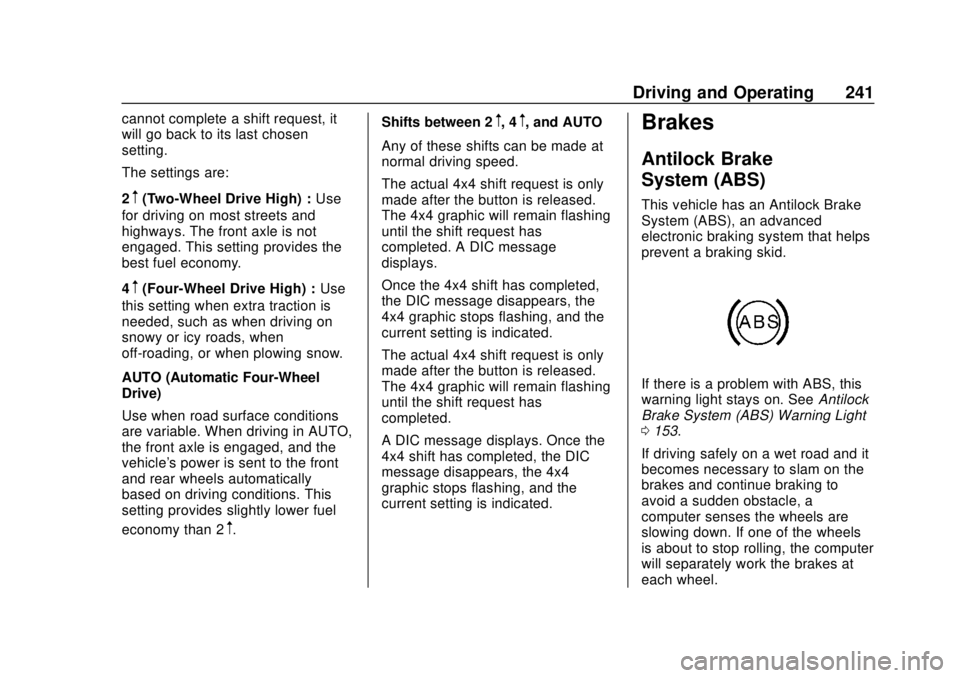
This vehicle has an Antilock Brake
System (ABS), an advanced
electronic braking system that helps
prevent a braking skid.
If there is a problem with ABS, this
warning light stays on. See Antilock
Brake System (ABS) Warning Light
0 153.
If driving safely on a wet road and it
becomes necessary to slam on the
brakes and continue braking to
avoid a sudden obstacle, a
computer senses the wheels are
slowing down. If one of the wheels
is about to stop rolling, the computer
will separately work the brakes at
each wheel.
Page 243 of 474
Chevrolet Silverado Owner Manual (GMNA-Localizing-U.S./Canada/Mexico-
1500-11698642) - 2019 - CRC - 2/20/19
242 Driving and Operating
ABS can change the brake pressure
to each wheel, as required, faster
than any driver could. This can help
you steer around the obstacle while
braking hard.
As the brakes are applied, the
computer keeps receiving updates
on wheel speed and controls
braking pressure accordingly.
Remember: ABS does not change
the time needed to get a foot up to
the brake pedal or always decrease
stopping distance. If you get too
close to the vehicle in front of you,
there will not be enough time to
apply the brakes if that vehicle
suddenly slows or stops. Always
leave enough room up ahead to
stop, even with ABS.
Using ABS
Do not pump the brakes. Just hold
the brake pedal down firmly and let
ABS work. You may hear noise or
feel vibration while the ABS is
operating.
The Traction Control System (TCS)/
StabiliTrak indicator light will flash to
indicate that ABS is active. WhenABS is active, it may indicate that
road surfaces are slippery. Braking
sooner may be required for driving
conditions.
Braking in Emergencies
ABS allows you to steer and brake
at the same time. In many
emergencies, steering can help
more than even the very best
braking.
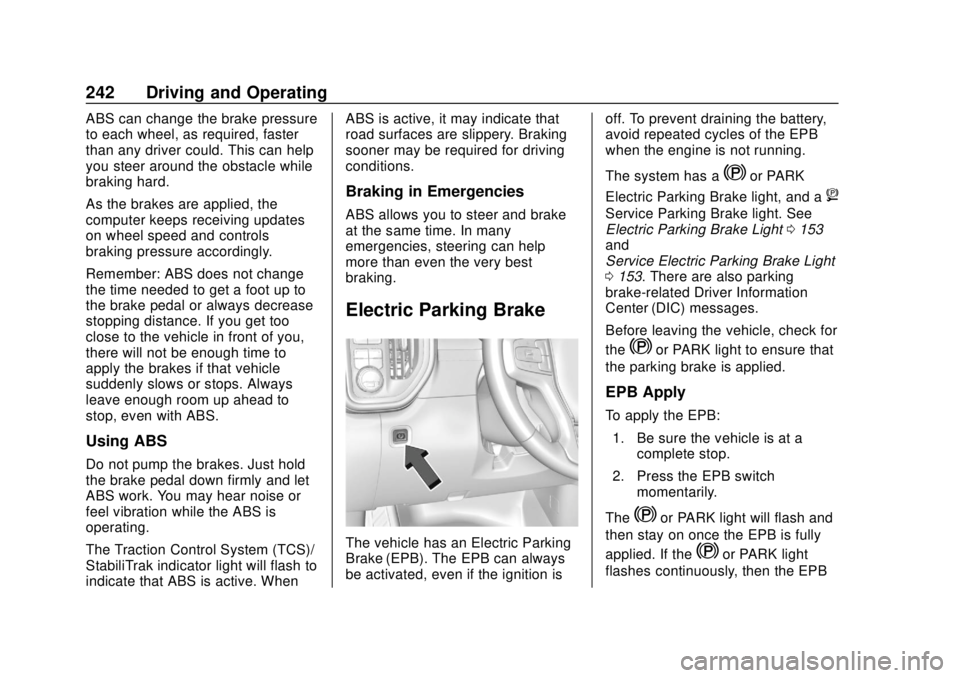
Electric Parking Brake
The vehicle has an Electric Parking
Brake (EPB). The EPB can always
be activated, even if the ignition is
off. To prevent draining the battery,
avoid repeated cycles of the EPB
when the engine is not running.
The system has a
Yor PARK
Electric Parking Brake light, and a
8
Service Parking Brake light. See
Electric Parking Brake Light 0153
and
Service Electric Parking Brake Light
0 153. There are also parking
brake-related Driver Information
Center (DIC) messages.
Before leaving the vehicle, check for
the
Yor PARK light to ensure that
the parking brake is applied.
EPB Apply
To apply the EPB:
1. Be sure the vehicle is at a complete stop.
2. Press the EPB switch momentarily.
The
Yor PARK light will flash and
then stay on once the EPB is fully
applied. If the
Yor PARK light
flashes continuously, then the EPB
Page 256 of 474

Chevrolet Silverado Owner Manual (GMNA-Localizing-U.S./Canada/Mexico-
1500-11698642) - 2019 - CRC - 2/20/19
Driving and Operating 255
Information Center (DIC) messages
may display when the systems are
unavailable or blocked..Front and rear bumpers and the
area below the bumpers
. Front grille and headlamps
. Front camera lens in the front
grille or near the front emblem
. Front side and rear side panels
. Outside of the windshield in front
of the rearview mirror
. Side camera lens on the bottom
of the outside mirrors
. Rear side corner bumpers
. Rear Vision Camera in the
tailgate handle
Assistance Systems for
Parking or Backing
If equipped, the Rear Vision Camera
(RVC), Surround Vision, Rear Park
Assist (RPA), Front Park Assist
(FPA), and Rear Cross Traffic Alert
(RCTA) may help the driver park or
avoid objects. Always check around
the vehicle when parking or
backing. The RVC, RPA, and Surround
Vision will not work properly if the
tailgate is down. If the tailgate is
down, do not use these systems.
Rear Vision Camera (RVC)
When the vehicle is shifted into
R (Reverse), the RVC displays an
image of the area behind the vehicle
in the infotainment display. The
previous screen displays when the
vehicle is shifted out of R (Reverse)
after a short delay. To return to the
previous screen sooner, press any
button on the infotainment system,
shift into P (Park), or, while in D
(Drive), reach a vehicle speed of
approximately 12 km/h (8 mph). The
rear vision camera is in the tailgate
handle.