2019 CHEVROLET BOLT EV keyless entry
[x] Cancel search: keyless entryPage 46 of 371

Chevrolet BOLT EV Owner Manual (GMNA-Localizing-U.S./Canada/Mexico-
12163003) - 2019 - crc - 5/18/18
Keys, Doors, and Windows 45
Safety Locks
If equipped, the safety lock is on the
inside edge of the rear doors. To
use the safety lock:1. Move the lever forward to the lock position.
2. Close the door.
3. Do the same for the other rear door.
To open a rear door when the safety
lock is on: 1. Unlock the door by using the
inside handle, the power door
lock switch, or the Remote
Keyless Entry (RKE)
transmitter.
2. Open the door from the outside.
When the safety lock is enabled,
adults and older children will not be
able to open the rear door from the
inside. Cancel the safety locks to
enable the doors to open from the
inside.
To cancel the safety lock: 1. Unlock the door and open it from the outside.
2. Move the lever rearward to unlock. Do the same for the
other door.
KeyPass
If equipped, this feature allows a
smartphone to be connected to the
vehicle and remote vehicle functions
to be requested. Features vary
depending on availability.
Features include: .
Remote commands –Use to
lock/unlock the vehicle, remote
start for the cabin climate,
or sound or cancel the horn and
flash the lights.
. Vehicle status –View the
vehicle’s range and battery level,
charging status, and tire
pressure.
. Welcome lighting –Request light
when approaching the vehicle.
. Location services –Save the
parked location or start
navigation at the vehicle’s GPS
coordinates.
Setup Function
. KeyPass Setup
‐Managing Priority Setting
‐ Modifying Priority Setting
. Revocation
Active Remote Function
. Door Lock/Unlock
. Remote Start/Stop
. Panic Alarm Activation/
Termination
Page 50 of 371
Chevrolet BOLT EV Owner Manual (GMNA-Localizing-U.S./Canada/Mexico-
12163003) - 2019 - crc - 5/18/18
Keys, Doors, and Windows 49
Immobilizer Operation
This vehicle has a passive
theft-deterrent system.
The system does not have to be
manually armed or disarmed.
The vehicle is automatically
immobilized when the transmitter
leaves the vehicle.
The immobilization system is
disarmed when POWER
Ois
pressed and a valid transmitter is
found in the vehicle.
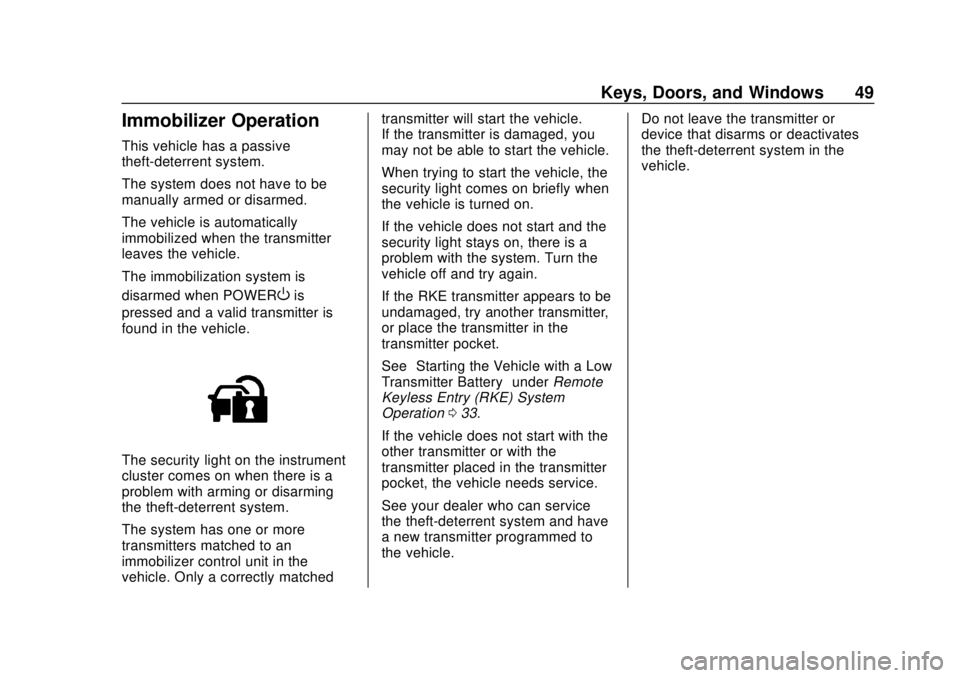
The security light on the instrument
cluster comes on when there is a
problem with arming or disarming
the theft-deterrent system.
The system has one or more
transmitters matched to an
immobilizer control unit in the
vehicle. Only a correctly matched transmitter will start the vehicle.
If the transmitter is damaged, you
may not be able to start the vehicle.
When trying to start the vehicle, the
security light comes on briefly when
the vehicle is turned on.
If the vehicle does not start and the
security light stays on, there is a
problem with the system. Turn the
vehicle off and try again.
If the RKE transmitter appears to be
undamaged, try another transmitter,
or place the transmitter in the
transmitter pocket.
See
“Starting the Vehicle with a Low
Transmitter Battery” underRemote
Keyless Entry (RKE) System
Operation 033.
If the vehicle does not start with the
other transmitter or with the
transmitter placed in the transmitter
pocket, the vehicle needs service.
See your dealer who can service
the theft-deterrent system and have
a new transmitter programmed to
the vehicle. Do not leave the transmitter or
device that disarms or deactivates
the theft-deterrent system in the
vehicle.
Page 149 of 371

Chevrolet BOLT EV Owner Manual (GMNA-Localizing-U.S./Canada/Mexico-
12163003) - 2019 - crc - 5/18/18
148 Instruments and Controls
Front Pedestrian Detection
This allows the feature’s notification
to be customized.
Select Off, Alert, or Alert and Brake.
Park Assist
This allows the feature to be turned
on or off.
Select Off or On.
Rear Cross Traffic Alert
This allows the Rear Cross Traffic
Alert feature to be turned on or off.
Select Off or On. SeeAssistance
Systems for Parking or Backing
0 224.
Lane Change Alert
This allows the Lane Change Alert
feature to be turned on or off.
Select Off or On. See Lane Change
Alert (LCA) 0232.
Lighting
Select and the following may
display:
. Vehicle Locator Lights .
Exit Lighting
Vehicle Locator Lights
This feature will flash the exterior
lamps and allows some of the
exterior lamps and most of the
interior lamps to turn on briefly when
Kon the Remote Keyless Entry
(RKE) transmitter is pressed to
locate the vehicle.
Select Off or On.
Exit Lighting
This allows the selection of how
long the exterior lamps stay on
when leaving the vehicle when it is
dark outside.
Select Off, 30 Seconds, 60
Seconds, or 120 Seconds.
Power Door Locks
Select and the following may
display:
. Unlocked Door Anti Lock Out
. Auto Door Unlock
. Delayed Door Lock Unlocked Door Anti Lock Out
When on, this feature will keep the
driver door from locking when the
door is open. If Off is selected, the
Delayed Door Lock menu will be
available.
Select Off or On.
Auto Door Unlock
This allows selection of which of the
doors will automatically unlock when
the vehicle is shifted into P (Park).
Select Off, All Doors, or Driver Door.
Delayed Door Lock
When on, this feature will delay the
locking of the doors. To override the
delay, press the power door lock
switch on the door.
Select Off or On.
Remote Lock / Unlock / Start
Select and the following may
display:
.
Remote Unlock Light Feedback
. Remote Lock Feedback
. Remote Door Unlock
Page 159 of 371
Chevrolet BOLT EV Owner Manual (GMNA-Localizing-U.S./Canada/Mexico-
12163003) - 2019 - crc - 5/18/18
158 Lighting
Lighting Features
Entry Lighting
Some exterior lamps and the interior
lamps turn on briefly at night when
the Remote Keyless Entry (RKE)
transmitter
Kis pressed. See
Remote Keyless Entry (RKE)
System Operation 033. The lights
turn off immediately when the
vehicle is started or automatically
after a brief period.
This feature can be turned on or off.
See “Vehicle Locator Lights” under
Vehicle Personalization 0146.
Exit Lighting
Some exterior lamps come on at
night when the vehicle is turned off
and the driver door is opened.
Some interior lamps also come on
when the vehicle is turned off. The
exterior lamps and interior lamps
remain on after the door is closed
for a brief period and then turn off.
This feature can be turned on or off.
See Vehicle Personalization 0146.
Battery Power Protection
The battery saver feature is
designed to protect the vehicle's
12-volt battery.
If some interior lamps and/or the
headlamps are left on and the
vehicle is turned off, the battery
rundown protection system
automatically turns the lamp off after
some time.
Exterior Lighting Battery
Saver
The exterior lamps turn off about
10 minutes after the ignition is
turned off, if the parking lamps or
headlamps have been manually left
on. This protects against draining
the battery. To restart the 10-minute
timer, turn the exterior lamp control
to the off position and then back to
the parking lamp or headlamp
position.
To keep the lamps on for more than
10 minutes, the ignition must be on
or in ACC/ACCESSORY.
Page 185 of 371
Chevrolet BOLT EV Owner Manual (GMNA-Localizing-U.S./Canada/Mexico-
12163003) - 2019 - crc - 5/18/18
184 Infotainment System
5. Place the Remote KeylessEntry (RKE) transmitter key in
the transmitter pocket. See
Remote Keyless Entry (RKE)
System Operation 033 for the
transmitter pocket location.
6. From the Teen Driver Menu, select Key Registration.
.If the transmitter key is in
the transmitter pocket, it will
identify whether the
transmitter key is registered
or unregistered.
. If the transmitter key is not
registered, the option to
register displays. Select
Register and a confirmation
message displays.
. If the transmitter key is
already registered, the
option to unregister
displays. If Unregister is
selected, the transmitter
key is no longer registered
and a confirmation
message displays. If a Teen Driver transmitter key and
a non-Teen Driver transmitter key
are both present at start up, the
vehicle will recognize the non-Teen
Driver transmitter key to start the
vehicle. The Teen Driver settings
will not be active.
Manage Settings
Use the PIN to change the following
settings:
Audio Volume Limit :
Allows a
maximum radio volume to be set.
Turn the audio volume limit On or
Off, and if equipped, choose the
maximum level for the audio
volume.
Teen Driver Speed Warning :
Allows for setting a visual and
audible warning when a certain
speed is exceeded. The speed
warning is selectable from 64 km/h
(40 mph) to 120 km/h (75 mph). The
speed warning does not limit the
speed of the vehicle.
Teen Driver Speed Limiter (If
Equipped) : Allows the maximum
speed of the vehicle to be limited to
137 km/h (85 mph). When the speed limiter is turned On and the vehicle
is started with a Teen Driver key, the
DIC displays a message that the top
speed is limited to 137 km/h
(85 mph).
When Teen Driver is Active:
.
The radio will mute when the
driver seat belt is not fastened,
and in some vehicles, when the
right front passenger seat belt is
not fastened. The audio from
any device paired to the vehicle
will also be muted.
. Certain electronic devices
placed on the front passenger
seat could cause the passenger
sensing system to falsely sense
an unbuckled front passenger
and mute the radio. See
Passenger Sensing System
078.
. Some safety systems, such as
Forward Automatic Braking,
if equipped and supported,
cannot be turned off.
. The gap setting for the Forward
Collision Alert, if equipped,
cannot be changed.
Page 192 of 371

Chevrolet BOLT EV Owner Manual (GMNA-Localizing-U.S./Canada/Mexico-
12163003) - 2019 - crc - 5/18/18
Climate Controls 191
Caution
Do not try to clear frost or other
material from the inside of the
front windshield and rear window
with a razor blade or anything
else that is sharp. This may
damage the rear window
defogger grid and affect the
radio's ability to pick up stations
clearly. The repairs would not be
covered by the vehicle warranty.
Remote Start : The climate control
system may be started by using the
Remote Keyless Entry (RKE)
transmitter. The climate control
system will default to an appropriate
heating or cooling mode. See
Remote Start 040.
The rear window defogger turns on
if it is cold outside.
Mobile Application Feature
If equipped, this feature allows a
smartphone to set the start-up
climate control settings. The
following features can be set: .
Temperature
. Fan Speed
. Air Delivery Mode
. Climate Mode
. Recirculation
Once the settings are saved through
the application, the vehicle will use
these settings when turned on. After
the vehicle is turned on, use the
climate controls if additional
adjustments are desired.
Sensors
Indicator Light and Solar
Sensor (ILSS)
The ILSS is on top of the instrument
panel, near the windshield, where it
monitors solar intensity.
The climate control system uses the
sensor information to adjust the
temperature, fan speed,
recirculation, and air delivery mode
for best comfort.
Do not cover the sensor; otherwise
the automatic climate control system
may not work properly. Humidity Sensor
The humidity sensor is near the
base of the inside rearview mirror.
The climate control system uses the
sensor information to adjust the
temperature and recirculation for
best comfort.
Outside Air Temperature Sensor
The outside air temperature sensor
is behind the front grille of the
vehicle. The vehicle uses the sensor
information to display outside air
temperature. The climate control
system uses the information to
adjust the climate system operation.
Page 206 of 371

Chevrolet BOLT EV Owner Manual (GMNA-Localizing-U.S./Canada/Mexico-
12163003) - 2019 - crc - 5/18/18
Driving and Operating 205
Warning (Continued)
.Do not leave a seat
folded down unless
needed.
Starting and
Operating
New Vehicle Break-In
Caution
Avoid making hard stops for the
first 322 km (200 mi). During this
time the new brake linings are not
yet broken in. Hard stops with
new linings can mean premature
wear and earlier replacement.
Follow this breaking-in guideline
every time you get new brake
linings. Following break-in,
vehicle speed and load can be
gradually increased.
Power Button
The vehicle has an electronic
pushbutton start.
The Remote Keyless Entry (RKE)
transmitter must be in the vehicle for
the system to operate. If the vehicle
will not start, place the RKE
transmitter in the transmitter pocket,
inside the center console.
ON/RUN :This position is for
starting and driving. With the vehicle
off, and the brake pedal applied,
pressing POWER
Oonce will place
the vehicle in ON/RUN. When the
vehicle ready light is on in the
Page 208 of 371

Chevrolet BOLT EV Owner Manual (GMNA-Localizing-U.S./Canada/Mexico-
12163003) - 2019 - crc - 5/18/18
Driving and Operating 207
If the vehicle cannot be pulled over,
and must be shut off while driving,
press and hold POWER
Ofor
longer than two seconds, or press
twice in five seconds.
Starting and Stopping the
Vehicle
Starting Procedure
Press the P (Park) button on the
shift lever, or move the shift lever
into N (Neutral). The propulsion
system will not start in any other
position.
Caution
Do not try to shift to P (Park) if the
vehicle is moving or the electric
drive unit could be damaged.
Shift to P (Park) only when the
vehicle is stopped.
Caution
If you add electrical parts or
accessories, you could change
the way the vehicle operates. Any
resulting damage would not be
covered by the vehicle warranty.
The Remote Keyless Entry (RKE)
transmitter must be in the vehicle.
Press the brake pedal, then press
and release POWER
O.
If the RKE transmitter is not in the
vehicle or something is interfering
with the transmitter, a message
displays in the Driver Information
Center (DIC).
If the vehicle will not start due to a
low RKE transmitter battery, the
vehicle can still be driven. See
Remote Keyless Entry (RKE)
System Operation 033.
A vehicle ready light displays in the
lower right corner of the instrument
cluster when the vehicle is ready to
be driven.
The instrument cluster also displays
an active battery gauge when the
vehicle is ready to be driven.
Restarting Procedure
If the vehicle must be restarted
while it is still moving, move the shift
lever to N (Neutral) and press
POWER
Otwice without pressing
the brake pedal. The propulsion
system will not restart in any other
position.
A chime will sound if the driver door
is opened while the vehicle is on.
Always press POWER
Oto turn the
vehicle off before exiting.