2019 BUICK REGAL SPORTBACK radio unit
[x] Cancel search: radio unitPage 51 of 391
Buick Regal Owner Manual (GMNA-Localizing-U.S./Canada-12163021) -
2019 - CRC - 11/14/18
50 Keys, Doors, and Windows
the lights will flash to indicate
pre-alarm. If the vehicle is not
started, or the door is not unlocked
by pressing
Kon the RKE
transmitter during the 10-second
pre-alarm, the alarm will be
activated.
If a door, the hood, or the liftgate is
opened without first disarming the
system, the turn signals will flash
and the horn will sound for about
30 seconds. The alarm system will
then re-arm to monitor for the next
unauthorized event.
Disarming the Alarm System
Do one of the following to disarm
the alarm system or turn off the
alarm if it has been activated:
. Press
Kon the RKE transmitter.
. Unlock the vehicle using the
Keyless Access system.
. Start the vehicle.
To avoid setting off the alarm by
accident: .
Lock the vehicle after all
occupants have left the vehicle
and all doors are closed.
. Always unlock a door with the
RKE transmitter or use the
Keyless Access system.
Unlocking the driver door with the
key will not disarm the system or
turn off the alarm.
How to Detect a Tamper
Condition
IfKis pressed on the RKE
transmitter and the horn chirps three
times, an alarm occurred previously
while the alarm system was armed.
If the alarm has been activated, a
message will appear on the DIC.
Immobilizer
See Radio Frequency Statement
0 362.
Immobilizer Operation
This vehicle has a passive
theft-deterrent system. The system does not have to be
manually armed or disarmed.
The vehicle is automatically
immobilized when the transmitter
leaves the vehicle.
The immobilization system is
disarmed when ENGINE START/
STOP is pressed and a valid
transmitter is in the vehicle.
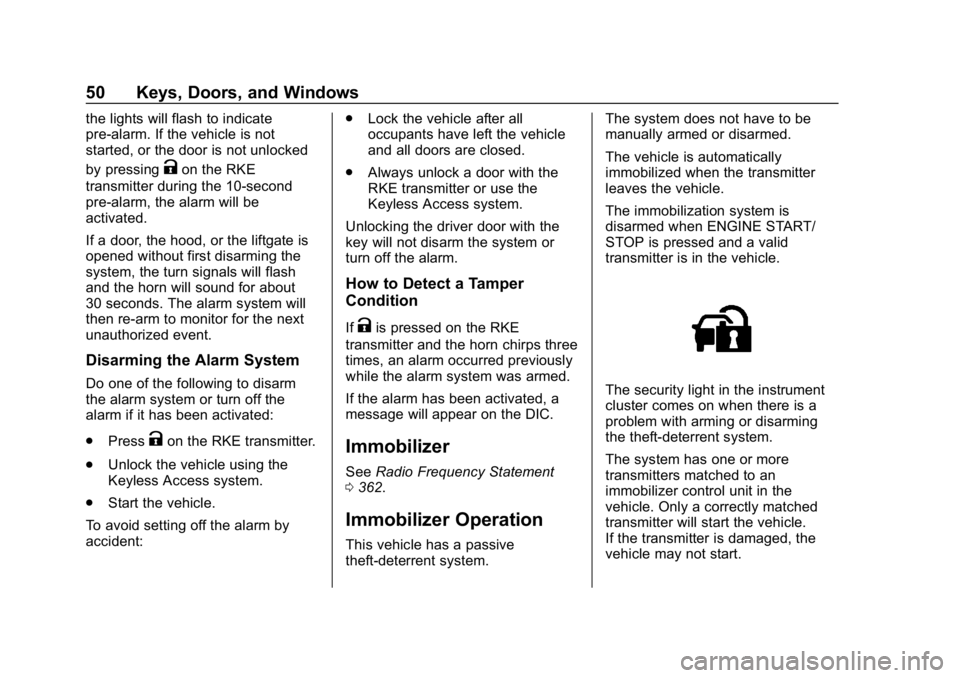
The security light in the instrument
cluster comes on when there is a
problem with arming or disarming
the theft-deterrent system.
The system has one or more
transmitters matched to an
immobilizer control unit in the
vehicle. Only a correctly matched
transmitter will start the vehicle.
If the transmitter is damaged, the
vehicle may not start.
Page 150 of 391
Buick Regal Owner Manual (GMNA-Localizing-U.S./Canada-12163021) -
2019 - CRC - 11/14/18
Instruments and Controls 149
Head-Up Display (HUD)
{Warning
If the HUD image is too bright or
too high in your field of view, it
may take you more time to see
things you need to see when it is
dark outside. Be sure to keep the
HUD image dim and placed low in
your field of view.
If equipped with HUD, some
information concerning the
operation of the vehicle is projected
onto the windshield. The information
is projected through the HUD lens
on the driver side of the instrument
panel and focused out toward the
front of the vehicle.
Caution
If you try to use the HUD image
as a parking aid, you may
misjudge the distance and
damage your vehicle. Do not use
the HUD image as a parking aid. The HUD information can be
displayed in various languages. The
speedometer reading and other
numerical values can be displayed
in either English or metric units.
The language selection is changed
through the radio and the units of
measurement is changed through
the instrument cluster. See
“Settings”
in the Infotainment
Manual and “Options”under
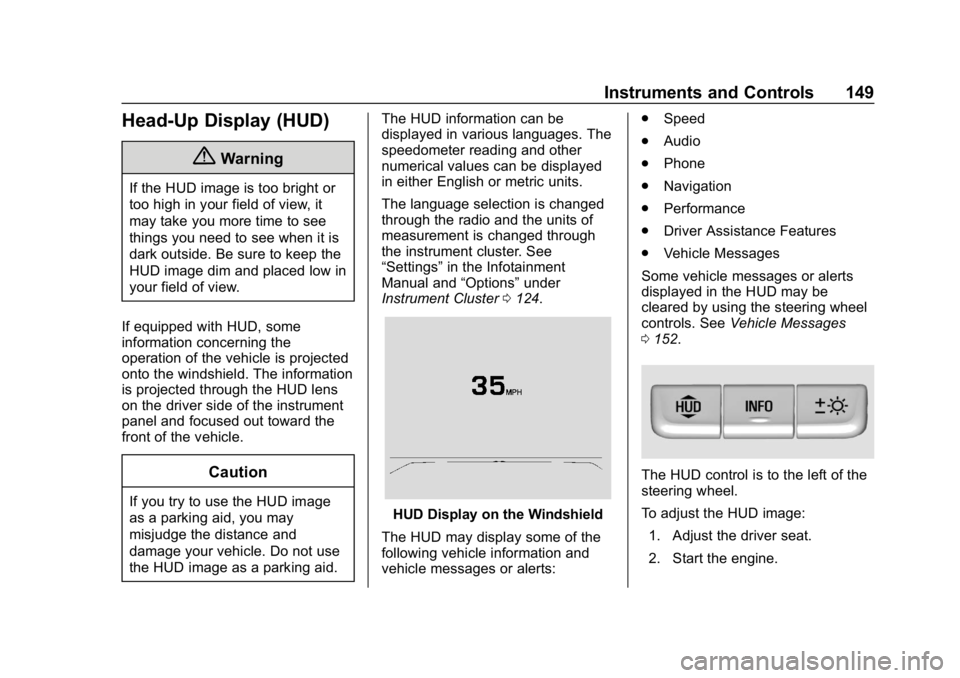
Instrument Cluster 0124.HUD Display on the Windshield
The HUD may display some of the
following vehicle information and
vehicle messages or alerts: .
Speed
. Audio
. Phone
. Navigation
. Performance
. Driver Assistance Features
. Vehicle Messages
Some vehicle messages or alerts
displayed in the HUD may be
cleared by using the steering wheel
controls. See Vehicle Messages
0 152.
The HUD control is to the left of the
steering wheel.
To adjust the HUD image:
1. Adjust the driver seat.
2. Start the engine.
Page 353 of 391
Buick Regal Owner Manual (GMNA-Localizing-U.S./Canada-12163021) -
2019 - CRC - 11/14/18
352 Customer Information
Customer
Information
Customer Information
Customer SatisfactionProcedure . . . . . . . . . . . . . . . . . . . 352
Customer Assistance Offices . . . . . . . . . . . . . . . . . . . . . . 354
Customer Assistance for Text Telephone (TTY) Users . . . . . 355
Online Owner Center . . . . . . . . . 355
GM Mobility Reimbursement Program . . . . . . . . . . . . . . . . . . . . 356
Roadside Assistance Program . . . . . . . . . . . . . . . . . . . . 356
Scheduling Service Appointments . . . . . . . . . . . . . . . 358
Courtesy Transportation Program . . . . . . . . . . . . . . . . . . . . 358
Collision Damage Repair . . . . . 359
Publication Ordering Information . . . . . . . . . . . . . . . . . . 361
Radio Frequency Statement . . . . . . . . . . . . . . . . . . . 362
Reporting Safety Defects
Reporting Safety Defects tothe United States
Government . . . . . . . . . . . . . . . . . 363
Reporting Safety Defects to the Canadian
Government . . . . . . . . . . . . . . . . . 363
Reporting Safety Defects to General Motors . . . . . . . . . . . . . 364
Vehicle Data Recording and
Privacy
Vehicle Data Recording andPrivacy . . . . . . . . . . . . . . . . . . . . . . 364
Event Data Recorders . . . . . . . . 364
OnStar . . . . . . . . . . . . . . . . . . . . . . . 365
Infotainment System . . . . . . . . . . 365
Customer Information
Customer Satisfaction
Procedure
Your satisfaction and goodwill are
important to your dealer and to
Buick. Normally, any concerns with
the sales transaction or the
operation of the vehicle will be
resolved by your dealer's sales or
service departments. Sometimes,
however, despite the best intentions
of all concerned, misunderstandings
can occur. If your concern has not
been resolved to your satisfaction,
the following steps should be taken:
STEP ONE : Discuss your concern
with a member of dealership
management. Normally, concerns
can be quickly resolved at that level.
If the matter has already been
reviewed with the sales, service,
or parts manager, contact the owner
of your dealership or the general
manager.
Page 356 of 391
Buick Regal Owner Manual (GMNA-Localizing-U.S./Canada-12163021) -
2019 - CRC - 11/14/18
Customer Information 355
Canada
General Motors of Canada
Company
Customer Care Centre,
Mail Code: CA1-163-005
1908 Colonel Sam Drive
Oshawa, Ontario L1H 8P7
www.gm.ca
1-800-263-3777 (English)
1-800-263-7854 (French)
1-800-263-3830 (For Text
Telephone devices (TTYs))
Roadside Assistance:
1-800-268-6800
All Overseas Locations
Please contact the local General
Motors Business Unit.
Customer Assistance for
Text Telephone (TTY)
Users
To assist customers who are deaf,
hard of hearing, or speech-impaired
and who use Text Telephones
(TTYs), Buick has TTY equipment
available at its Customer Assistance
Center. Any TTY user cancommunicate with Buick by dialing:
1-800-832-8425. TTY users in
Canada can dial 1-800-263-3830.
Online Owner Center
Online Owner Experience
(U.S.) my.buick.com
The Buick online owner experience
allows interaction with Buick and
keeps important vehicle-specific
information in one place.
Membership Benefits
E:
Download owner ’s manuals
and view vehicle-specific how-to
videos.
G: View maintenance schedules,
alerts, and Vehicle Diagnostic
Information. Schedule service
appointments.
I: View and print dealer-recorded
service records and self-recorded
service records.
D: Select a dealer and view
locations, maps, phone numbers,
and hours.
r: Track your vehicle’s warranty
information.
J: View active recalls by Vehicle
Identification Number (VIN). See
Vehicle Identification Number (VIN)
0 348.
H:View GM Card, SiriusXM
Satellite radio (if equipped), and
OnStar account information.
F: Chat with online help
representatives.
See my.buick.com to register your
vehicle.
Buick Owner Centre (Canada)
www.buickowner.ca
Visit the Buick Owner Centre:
. Chat live with online help
representatives.
. Use the Vehicle Tools section.
. Access third party enthusiast
sites and social media networks.
. Locate owner resources such as
lease-end, financing, and
warranty information.