2019 BUICK LACROSSE low
[x] Cancel search: lowPage 190 of 374

Buick LaCrosse Owner Manual (GMNA-Localizing-U.S./Canada-12032549) -
2019 - crc - 8/20/18
Driving and Operating 189
N :In this position, the engine does
not connect with the wheels. To
restart the engine when the vehicle
is already moving, use
N (Neutral) only.
{Warning
Shifting into a drive gear while the
engine is running at high speed is
dangerous. Unless your foot is
firmly on the brake pedal, the
vehicle could move very rapidly.
You could lose control and hit
people or objects. Do not shift
into a drive gear while the engine
is running at high speed.
Caution
Shifting out of P (Park) or
N (Neutral) with the engine
running at high speed may
damage the transmission. The
repairs would not be covered by
(Continued)
Caution (Continued)
the vehicle warranty. Be sure the
engine is not running at high
speed when shifting the vehicle.
The vehicle is not designed to stay
in N (Neutral) for more than
five minutes. It may automatically
shift into P (Park). N (Neutral) is not
intended for towing. If the vehicle
does need to be towed, see Towing
the Vehicle 0305.
To shift into N (Neutral): 1. From the center position, move the shift lever forward. If the
vehicle is in P (Park), apply the
brake pedal and press and
hold the shift lock release
button while moving the shift
lever forward.
2. N will illuminate in red.
3. After releasing the shift lever, it will return to the center
position. To shift out of N (Neutral):
1. Bring the vehicle to a complete stop.
2. Shift to the desired gear. If selecting R (Reverse), press
and hold the shift lock release
button.
3. After releasing the shift lever, it will return to the center
position.
Car Wash Mode
This vehicle includes a Car Wash
Mode that allows the vehicle to
remain in N (Neutral) for use in
automatic car washes. The vehicle
may not stay in N (Neutral) for more
than five minutes. It may
automatically shift into P (Park).
Car Wash Mode (Engine Off –
Driver in Vehicle)
To place the vehicle in N (Neutral)
with the engine off and the vehicle
occupied:
1. Drive to the entrance of the car wash.
2. Apply the brake pedal.
Page 192 of 374

Buick LaCrosse Owner Manual (GMNA-Localizing-U.S./Canada-12032549) -
2019 - crc - 8/20/18
Driving and Operating 191
3. After releasing the shift lever, itwill return to the center
position.
To shift out of D (Drive): 1. Bring the vehicle to a complete stop.
2. Shift to the desired gear.
3. After releasing the shift lever, it will return to the center
position.
Downshifting the transmission in
slippery road conditions could result
in skidding. See “Skidding”under
Loss of Control 0168.
Caution
Spinning the tires or holding the
vehicle in one place on a hill
using only the accelerator pedal
may damage the transmission.
The repair will not be covered by
the vehicle warranty. If the vehicle
is stuck, do not spin the tires.
When stopping on a hill, use the
brakes to hold the vehicle in
place.
Caution
A transmission hot message may
display if the automatic
transmission fluid is too hot.
Driving under this condition can
damage the vehicle. Stop and idle
the engine to cool the automatic
transmission fluid. This message
clears when the transmission fluid
has cooled sufficiently.
Manual Mode
Tap Shift
Caution
Driving with the engine at a high
rpm without upshifting while using
Tap Shift, could damage the
vehicle. Always upshift when
necessary while using Tap Shift.
Vehicles with Tap Shift have
controls on the back of the steering
wheel to manually shift the
automatic transmission.
To enter Permanent Tap Shift Mode:1. With the transmission in D (Drive), pull back on the shift
lever to activate M (Manual
Mode). The M in the shift
pattern will illuminate in red,
and the D will switch to white.
2. Tap the left steering wheel control to downshift, and the
right control to upshift. To shift
to the lowest available gear,
press and hold the left control.
Page 193 of 374
Buick LaCrosse Owner Manual (GMNA-Localizing-U.S./Canada-12032549) -
2019 - crc - 8/20/18
192 Driving and Operating
3. To exit, pull back on the shiftlever a second time. The D in
the shift pattern will illuminate
in red, and the M will switch to
white.
To enter Temporary Tap Shift Mode:
1. With transmission in D, Tap the left steering wheel control to
downshift, and the right control
to upshift.
2. To shift to the lowest available gear, press and hold the left
control.
3. To deactivate, hold the right upshift control briefly.
After temporary tap shifts, automatic
shifts return after no manual shifts
have been done for seven to
10 seconds.
While using Tap Shift, the vehicle
will have firmer, quicker shifting.
This can be used for sport driving or
when climbing or descending hills,
to stay in gear longer, or to
downshift for more power or engine
braking. The transmission will only allow
shifting into gears appropriate for
the vehicle speed and engine
revolutions per minute (rpm).
If shifting is prevented for any
reason, a SHIFT DENIED message
will be displayed in the instrument
cluster. The transmission will not
automatically shift to the next higher
gear if the engine rpm is too high.
It will only automatically shift to the
next lower gear if the engine rpm is
much too low.Drive Systems
All-Wheel Drive
Vehicles with this feature always
send engine power to all four
wheels. It is fully automatic, and
adjusts itself as needed for road
conditions.
All-Wheel Drive (AWD) system
performance will be automatically
reduced when the compact spare
tire is in use. To restore full AWD
performance, and prevent excessive
wear to the AWD system, replace
the compact spare tire with a
full-size tire as soon as possible.
See
Compact Spare Tire 0300.
Page 194 of 374
Buick LaCrosse Owner Manual (GMNA-Localizing-U.S./Canada-12032549) -
2019 - crc - 8/20/18
Driving and Operating 193
Brakes
Antilock Brake
System (ABS)
This vehicle has an Antilock Brake
System (ABS), an advanced
electronic braking system that helps
prevent a braking skid.
When the vehicle begins to drive
away, ABS checks itself.
A momentary motor or clicking noise
may be heard while this test is going
on, and it may even be noticed that
the brake pedal moves a little. This
is normal.
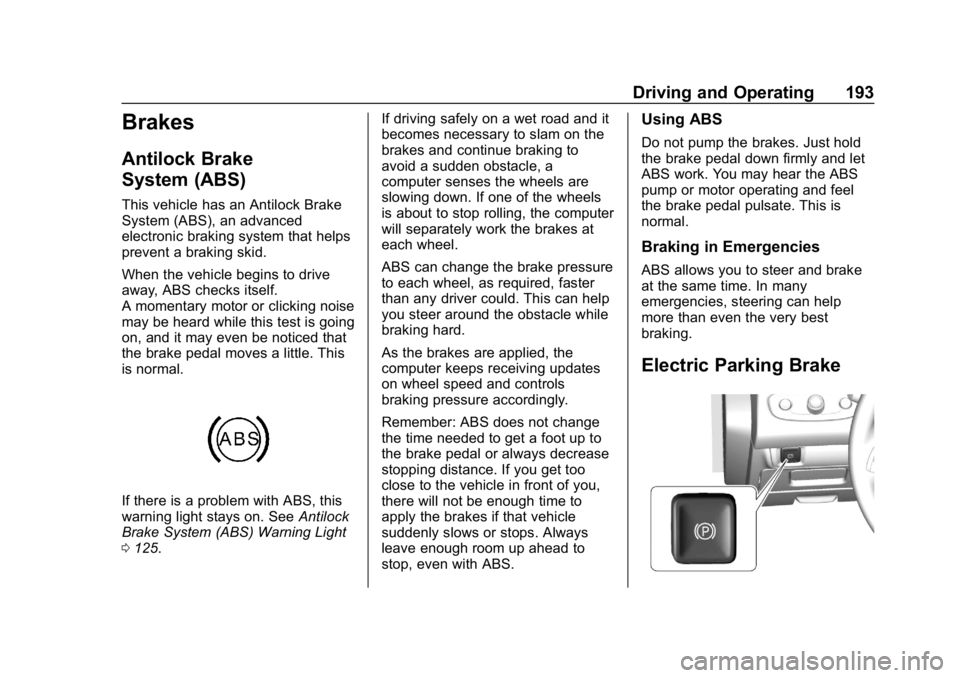
If there is a problem with ABS, this
warning light stays on. SeeAntilock
Brake System (ABS) Warning Light
0 125. If driving safely on a wet road and it
becomes necessary to slam on the
brakes and continue braking to
avoid a sudden obstacle, a
computer senses the wheels are
slowing down. If one of the wheels
is about to stop rolling, the computer
will separately work the brakes at
each wheel.
ABS can change the brake pressure
to each wheel, as required, faster
than any driver could. This can help
you steer around the obstacle while
braking hard.
As the brakes are applied, the
computer keeps receiving updates
on wheel speed and controls
braking pressure accordingly.
Remember: ABS does not change
the time needed to get a foot up to
the brake pedal or always decrease
stopping distance. If you get too
close to the vehicle in front of you,
there will not be enough time to
apply the brakes if that vehicle
suddenly slows or stops. Always
leave enough room up ahead to
stop, even with ABS.
Using ABS
Do not pump the brakes. Just hold
the brake pedal down firmly and let
ABS work. You may hear the ABS
pump or motor operating and feel
the brake pedal pulsate. This is
normal.
Braking in Emergencies
ABS allows you to steer and brake
at the same time. In many
emergencies, steering can help
more than even the very best
braking.
Electric Parking Brake
Page 196 of 374

Buick LaCrosse Owner Manual (GMNA-Localizing-U.S./Canada-12032549) -
2019 - crc - 8/20/18
Driving and Operating 195
Caution
Driving with the parking brake on
can overheat the brake system
and cause premature wear or
damage to brake system parts.
Make sure that the parking brake
is fully released and the brake
warning light is off before driving.
Automatic EPB Release
The EPB will automatically release if
the vehicle is running, placed into
gear, and an attempt is made to
drive away. Avoid rapid acceleration
when the EPB is applied, to
preserve parking brake lining life.
Brake Assist
The Brake Assist feature is
designed to assist the driver in
stopping or decreasing vehicle
speed in emergency driving
conditions. This feature uses the
stability system hydraulic brake
control module to supplement the
power brake system underconditions where the driver has
quickly and forcefully applied the
brake pedal in an attempt to quickly
stop or slow down the vehicle. The
stability system hydraulic brake
control module increases brake
pressure at each corner of the
vehicle until the ABS activates.
Minor brake pedal pulsation or
pedal movement during this time is
normal and the driver should
continue to apply the brake pedal as
the driving situation dictates. The
Brake Assist feature will
automatically disengage when the
brake pedal is released or brake
pedal pressure is quickly
decreased.
Hill Start Assist (HSA)
The Hill Start Assist (HSA) feature
will activate when the vehicle is
stopped on a moderate to steep
grade to help prevent it from rolling
in an unintended direction. After the
brake pedal has been released and
before the accelerator pedal has
been pressed, HSA uses braking
pressure to hold the vehiclestationary. If HSA is holding the
vehicle, a Driver Information Center
(DIC) message displays. HSA will
not activate in a forward drive gear
when facing downhill, or in
R (Reverse) when facing uphill.
Select the duration of the HSA
feature through vehicle
personalization. See
”Extended Hill
Start Assist” under“Comfort and
Convenience” inVehicle
Personalization 0138. When
Standard Hold is selected, the
vehicle is held stationary for up to
two seconds after the brake pedal is
released. When Extended Hold is
selected, the vehicle is held
stationary for up to five minutes
after the brake pedal is released. In
either case, override the hold
feature by pressing the accelerator
pedal and attempting to drive away.
If Standard Hold is selected, it will
hold the vehicle for two seconds
unless the driver door is opened or
the driver seat belt is unbuckled
after releasing the brake pedal.
If Extended Hold is selected, it will
hold the vehicle for five minutes
Page 198 of 374
Buick LaCrosse Owner Manual (GMNA-Localizing-U.S./Canada-12032549) -
2019 - crc - 8/20/18
Driving and Operating 197
vehicle wheel brakes to assist the
driver in keeping the vehicle on the
intended path.
If cruise control is being used and
traction control or StabiliTrak/ESC
begins to limit wheel spin, cruise
control will disengage. Cruise
control may be turned back on when
road conditions allow.
Both systems come on
automatically when the vehicle is
started and begins to move. The
systems may be heard or felt while
they are operating or while
performing diagnostic checks. This
is normal and does not mean there
is a problem with the vehicle.
It is recommended to leave both
systems on for normal driving
conditions, but it may be necessary
to turn TCS off if the vehicle gets
stuck in sand, mud, ice, or snow.
SeeIf the Vehicle Is Stuck 0171
and “Turning the Systems Off and
On” later in this section.
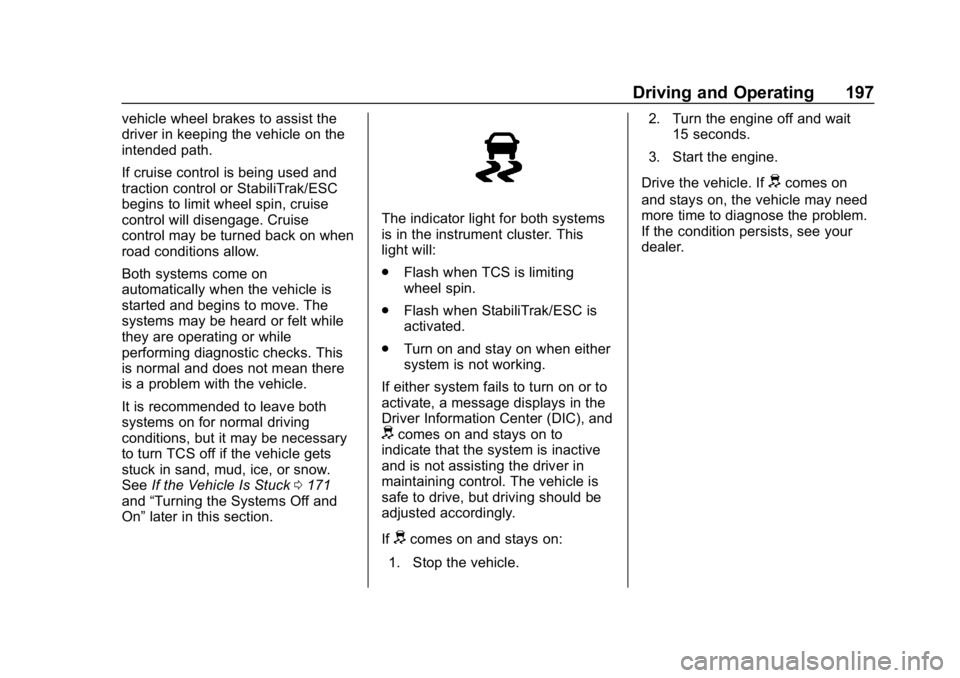
The indicator light for both systems
is in the instrument cluster. This
light will:
.
Flash when TCS is limiting
wheel spin.
. Flash when StabiliTrak/ESC is
activated.
. Turn on and stay on when either
system is not working.
If either system fails to turn on or to
activate, a message displays in the
Driver Information Center (DIC), and
dcomes on and stays on to
indicate that the system is inactive
and is not assisting the driver in
maintaining control. The vehicle is
safe to drive, but driving should be
adjusted accordingly.
If
dcomes on and stays on:
1. Stop the vehicle. 2. Turn the engine off and wait
15 seconds.
3. Start the engine.
Drive the vehicle. If
dcomes on
and stays on, the vehicle may need
more time to diagnose the problem.
If the condition persists, see your
dealer.
Page 200 of 374
Buick LaCrosse Owner Manual (GMNA-Localizing-U.S./Canada-12032549) -
2019 - crc - 8/20/18
Driving and Operating 199
handling to road conditions through
increased steering effort and
suspension tuning. Press and
release SPORT and the light on the
button comes on. Press the button
again and the system returns to the
Tour Mode.
The setting can be changed at any
time. Based on road conditions,
steering wheel angle, and vehicle
speed, the system automatically
adjusts to provide the best handling
while providing a smooth ride. The
Tour and Sport Modes will feel
similar on a smooth road.
Selective Ride Control automatically
comes on in the Tour Mode when
the vehicle is started. When the
Sport Mode is turned off, the system
returns to the Tour Mode.Cruise Control
With cruise control the vehicle can
maintain a speed of about 40 km/h
(25 mph) or more without keeping
your foot on the accelerator. Cruise
control does not work at speeds
below 40 km/h (25 mph).
{Warning
Cruise control can be dangerous
where you cannot drive safely at
a steady speed. Do not use
cruise control on winding roads or
in heavy traffic.
Cruise control can be dangerous
on slippery roads. On such roads,
fast changes in tire traction can
cause excessive wheel slip, and
you could lose control. Do not use
cruise control on slippery roads.
The Traction Control System (TCS)
may begin to limit wheel spin while
you are using cruise control. If this
happens, the cruise control will automatically disengage. See
Traction Control/Electronic Stability
Control
0196. If a collision alert
occurs when cruise control is
activated, cruise control is
disengaged. See Forward Collision
Alert (FCA) System 0214. When
road conditions allow you to safely
use it again, cruise control can be
turned back on.
Cruise control will disengage if
either TCS or StabiliTrak/Electronic
Stability Control (ESC) is turned off.
If the brakes are applied, cruise
control disengages.
Page 201 of 374
Buick LaCrosse Owner Manual (GMNA-Localizing-U.S./Canada-12032549) -
2019 - crc - 8/20/18
200 Driving and Operating
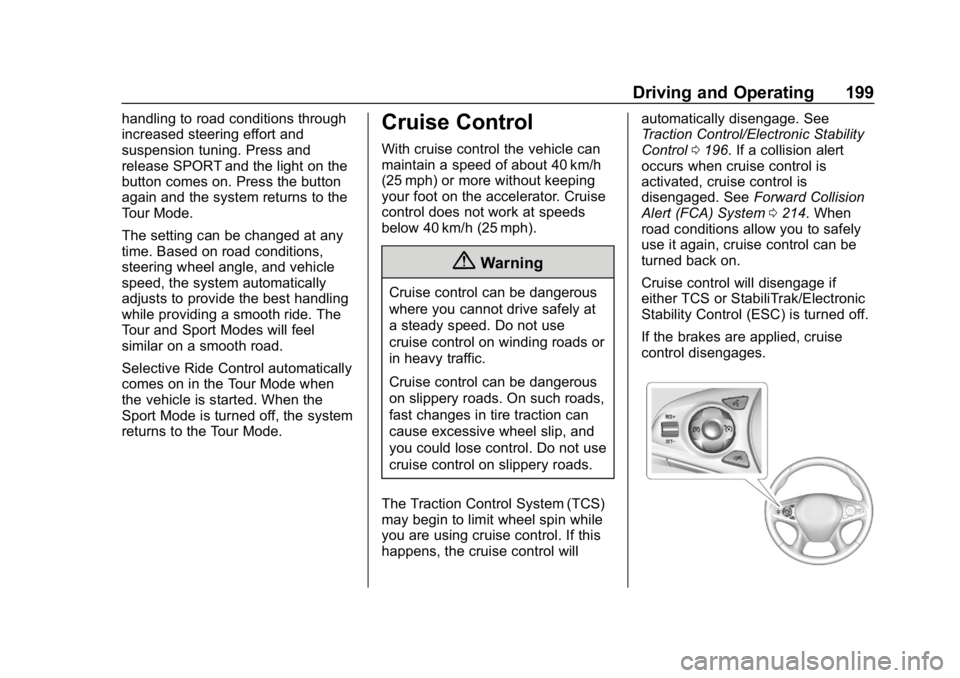
5:Press to turn cruise control on
or off. A white indicator comes on in
the instrument cluster.
RES+ : If there is a set speed in
memory, press the control up briefly
to resume to that speed or press
and hold to accelerate. If cruise
control is already engaged, use to
increase vehicle speed.
SET− :Press the control down
briefly to set the speed and activate
cruise control. If cruise control is
already engaged, use to decrease
vehicle speed.
*: Press to disengage cruise
control without erasing the set
speed from memory.
The speedometer reading can be
displayed in either English or metric
units. See Instrument Cluster 0114.
The increment value used depends
on the units displayed. Setting Cruise Control
If
5is on when not in use, SET−
or
RES+ could get pressed and go into
cruise when not desired. Keep
5
off when cruise is not being used.
1. Press
5to turn the cruise
system on.
2. Get to the speed desired.
3. Press and release SET− . The
desired set speed briefly
appears in the instrument
cluster.
4. Take your foot off the accelerator pedal.
The cruise control indicator on the
instrument cluster turns green after
the cruise control has been set to
the desired speed. See Instrument
Cluster 0114.
Resuming a Set Speed
If the cruise control is set at a
desired speed and then the brakes
are applied or
*is pressed, the
cruise control is disengaged without
erasing the set speed from memory. Once the vehicle reaches about
40 km/h (25 mph) or more, press
RES+ up briefly. The vehicle returns
to the previously set speed.
Increasing Speed While Using
Cruise Control
Do one of the following:
.
Press and hold RES+ up until
the vehicle accelerates to the
desired speed, then release it.
. To increase vehicle speed in
small increments, press RES+
up briefly. For each press, the
vehicle goes about 1 km/h
(1 mph) faster.
Reducing Speed While Using
Cruise Control
Do one of the following:
. Press and hold SET− down until
the desired lower speed is
reached, then release it.
. To slow down in small
increments, press SET− down
briefly. For each press, the
vehicle goes about 1 km/h
(1 mph) slower.