2019 BUICK ENCLAVE shift
[x] Cancel search: shiftPage 8 of 398

Buick Enclave Owner Manual (GMNA-Localizing-U.S./Canada/Mexico-
12146155) - 2019 - crc - 9/10/18
In Brief 7
1.Air Vents 0184.
2. Turn Signal Lever. See Turn
and Lane-Change Signals
0 172.
IntelliBeam System Button (If
Equipped). See Exterior Lamp
Controls 0168.
3. Manual Mode 0217.
4. Instrument Cluster 0132.
Driver Information Center (DIC)
Display.
See Driver Information Center
(DIC) (Base Level) 0149 or
Driver Information Center (DIC)
(Uplevel) 0152.
5. Windshield Wiper/Washer
0124.
6. Traction Control/Electronic
Stability Control 0222.
All-Wheel Drive Button (If
Equipped). See Driver Mode
Control 0223.
Sport Mode Button (If
Equipped) or Tow/Haul Mode
Button (If Equipped). See
Driver Mode Control 0223. 7. Light Sensor. See
Automatic
Headlamp System 0171.
8. Hazard Warning Flashers
0172.
Assistance Systems for
Parking or Backing 0237 (If
Equipped).
Lane Keep Assist (LKA) 0249
(If Equipped).
9. Infotainment 0177.
10. Dual Automatic Climate Control
System 0178.
Heated and Ventilated Front
Seats 068 (If Equipped).
11. Wireless Charging 0129 (If
Equipped).
12. Shift Lever. See Automatic
Transmission 0212.
13. ENGINE START/STOP Button. SeeIgnition Positions 0202.
14. Steering Wheel Controls 0123.
15. Horn 0124.
16. Steering Wheel Adjustment
0123 (Out of View). 17.
Cruise Control 0225.
Adaptive Cruise Control 0227
(If Equipped).
Heated Steering Wheel 0123
(If Equipped).
Forward Collision Alert (FCA)
System 0240 (If Equipped).
18. Hood Release. See Hood
0 270.
19. Data Link Connector (DLC) (Out of View). See Malfunction
Indicator Lamp (Check Engine
Light) 0141.
20. Exterior Lamp Controls 0168.
21. Instrument Panel Illumination
Control 0173.
22. Electric Parking Brake 0219.
Page 17 of 398

Buick Enclave Owner Manual (GMNA-Localizing-U.S./Canada/Mexico-
12146155) - 2019 - crc - 9/10/18
16 In Brief
and the indicator light will turn off.
The dome lamps will come on when
doors are opened.
+ON/OFF : Press to turn the dome
lamps on manually. Press again to
turn the dome lamps off.
Reading Lamps
There are reading lamps on the
overhead console and over the rear
seats. These lamps come on when
any door is opened.
Front Reading Lamps
The front reading lamps are in the
overhead console. Press the lamp lenses to turn the
front reading lamps on or off.
Rear Reading Lamps
The rear reading lamps are over the
rear seats.
Press the lamp lens to turn the rear
reading lamps on or off.
For more information on interior
lighting, see Instrument Panel
Illumination Control 0173.
Exterior Lighting
The exterior lamp control is on the
instrument panel to the left of the
steering column.
There are four positions.
O:Turns the exterior lamps off and
deactivates the AUTO mode. Turn
Oagain to reactivate the
AUTO mode.
In Canada, the headlamps will
automatically reactivate when the
vehicle is shifted out of P (Park).
AUTO : Turns the exterior lamps on
and off automatically depending on
outside lighting.
Page 20 of 398

Buick Enclave Owner Manual (GMNA-Localizing-U.S./Canada/Mexico-
12146155) - 2019 - crc - 9/10/18
In Brief 19
SeeDual Automatic Climate Control
System 0178. For more information
about the rear climate controls, see
Rear Climate Control System 0182.
Transmission
Electronic Precision Shift
This vehicle is equipped with an
electronic transmission. It is
designed to prevent shifting out of
P (Park), unless the ignition is on,
the brake pedal is applied, and the
shift lock release button is pressed.
The shift pattern is displayed on the
top of the shift lever. The selected
gear position will illuminate red on
the shift lever.
After releasing the shift lever, it will
return to the center position. Shifting from P (Park) to
R (Reverse)
1. With your foot on the brake
pedal, press and hold the shift
lock release button.
2. Push the shift lever forward, then left toward R (Reverse).
Shifting from P (Park) to D (Drive) 1. With your foot on the brake pedal, press and hold the shift
lock release button.
2. Pull the shift lever back toward D (Drive). Shifting into P (Park)
1. Press the brake pedal and come to a complete stop.
2. Press the P button on the shiftlever.
Shifting from D (Drive) to L (Low) 1. While in D (Drive), pull the shift lever back to L (Low).
2. Pull the shift lever back again to return to D (Drive).
See Automatic Transmission 0212.
Page 21 of 398

Buick Enclave Owner Manual (GMNA-Localizing-U.S./Canada/Mexico-
12146155) - 2019 - crc - 9/10/18
20 In Brief
Electronic Range Select (ERS)
Electronic Range Select (ERS) or
Manual Mode allows for the
selection of the range of gear
positions. Use this mode when
driving downhill to limit the top gear
and vehicle speed.To use:
1. When in D (Drive), pull the shift lever back to L (Low).
2. Use the Manual Mode controls on the steering wheel to
increase or decrease the gear
range available.
3. Pull the shift lever back again to return to D (Drive).
See Manual Mode 0217.
Vehicle Features
Infotainment System
See the infotainment manual for
information on the radio, audio
players, phone, navigation system,
and voice or speech recognition.
It also includes information on
settings.
Steering Wheel Controls
The infotainment system can be
operated by using the steering
wheel controls. See “Steering Wheel
Controls” in the infotainment
manual.
Page 24 of 398

Buick Enclave Owner Manual (GMNA-Localizing-U.S./Canada/Mexico-
12146155) - 2019 - crc - 9/10/18
In Brief 23
approaching these areas from
behind. The LCA warning display
will light up in the corresponding
outside mirror and will flash if the
turn signal is on. The Side Blind
Zone Alert (SBZA) system is
included as part of the LCA system.
SeeSide Blind Zone Alert (SBZA)
0 246 andLane Change Alert (LCA)
0 247.
Surround Vision
If equipped, views around the
vehicle appear in the infotainment
display to aid with parking and
low-speed maneuvers.
See “Surround Vision” under
Assistance Systems for Parking or
Backing 0237.
Front Vision Camera
If equipped, a view of the area in
front of the vehicle appears on the
infotainment display to aid with
parking and low-speed maneuvers.
See “Front Vision Camera” under
Assistance Systems for Parking or
Backing 0237.
Rear Vision
Camera (RVC)
If equipped, RVC shows a view of
the area behind the vehicle on the
infotainment display when the
vehicle is shifted into R (Reverse) to
aid with parking and low-speed
backing maneuvers.
See Assistance Systems for Parking
or Backing 0237.
Rear Cross Traffic Alert
(RCTA) System
If equipped, the RCTA system
shows a triangle with an arrow on
the infotainment display to warn of
traffic behind your vehicle that may
cross your vehicle's path while in
R (Reverse). In addition, beeps will
sound, or the driver seat will pulse.
See Assistance Systems for Parking
or Backing 0237.
Park Assist
If equipped, Rear Park Assist (RPA)
uses sensors on the rear bumper to
assist with parking and avoiding
objects while in R (Reverse).
It operates at speeds less than
8 km/h (5 mph). RPA may show a
warning triangle on the infotainment
display and a graphic on the
instrument cluster to provide the
object distance. In addition, multiple
beeps or seat pulses may occur if
very close to an object.
The vehicle may also have the Front
Park Assist system.
See Assistance Systems for Parking
or Backing 0237.
Power Outlets
The vehicle has two 12-volt
accessory power outlets, which can
be used to plug in electrical
equipment, such as a cell phone or
MP3 player.
Page 41 of 398
Buick Enclave Owner Manual (GMNA-Localizing-U.S./Canada/Mexico-
12146155) - 2019 - crc - 9/10/18
40 Keys, Doors, and Windows
To replace the cap:1. Position the bottom edge of the cap under the lower edge of
the metal piece (2). The
tabs (3) attach to the metal
piece (2) at the positions (1).
2. Rotate the cap upward and install into place.
3. Check that the cap is secure.
Free-Turning Locks
The door key lock cylinder turns
freely when either the wrong key is
used, or the correct key is not fully
inserted. The free-turning door lock
feature prevents the lock from being
forced open. To reset the lock, turn
it to the vertical position with the
correct key fully inserted. Remove
the key and insert it again. If this
does not reset the lock, turn the key
halfway around in the cylinder and
repeat the reset procedure.
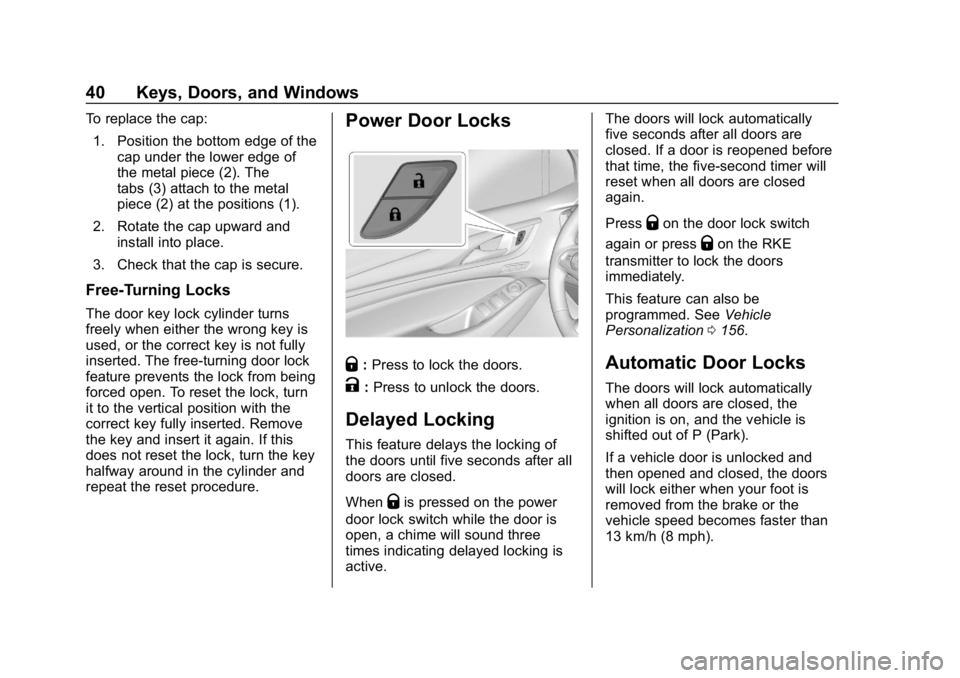
Power Door Locks
Q: Press to lock the doors.
K:Press to unlock the doors.
Delayed Locking
This feature delays the locking of
the doors until five seconds after all
doors are closed.
When
Qis pressed on the power
door lock switch while the door is
open, a chime will sound three
times indicating delayed locking is
active. The doors will lock automatically
five seconds after all doors are
closed. If a door is reopened before
that time, the five-second timer will
reset when all doors are closed
again.
Press
Qon the door lock switch
again or press
Qon the RKE
transmitter to lock the doors
immediately.
This feature can also be
programmed. See Vehicle
Personalization 0156.
Automatic Door Locks
The doors will lock automatically
when all doors are closed, the
ignition is on, and the vehicle is
shifted out of P (Park).
If a vehicle door is unlocked and
then opened and closed, the doors
will lock either when your foot is
removed from the brake or the
vehicle speed becomes faster than
13 km/h (8 mph).
Page 42 of 398

Buick Enclave Owner Manual (GMNA-Localizing-U.S./Canada/Mexico-
12146155) - 2019 - crc - 9/10/18
Keys, Doors, and Windows 41
To unlock the doors:
.Press
Kon the power door lock
switch.
. Shift into P (Park).
Automatic door locking cannot be
disabled. Automatic door unlocking
can be programmed. See Vehicle
Personalization 0156.
Lockout Protection
If the ignition is on or in ACC/
ACCESSORY and the power door
lock switch is pressed with the
driver door open, all the doors will
lock and only the driver door will
unlock.
If the vehicle is off and locking is
requested while a door is open,
when all doors are closed the
vehicle will check for RKE
transmitters inside. If an RKE
transmitter is detected and the
number of RKE transmitters inside
has not reduced, the driver door will
unlock and the horn will chirp three
times. Lockout Protection can be manually
overridden with the driver door open
by pressing and holding
Qon the
power door lock switch.
Unlocked Door Anti-Lockout
If Unlocked Door Anti-Lockout has
been turned on and the vehicle is
off, the driver door is open, and
locking is requested, all the doors
will lock and the driver door will
remain open. Press the button again
to lock the driver door. The
Unlocked Door Anti-Lockout feature
can be turned on or off. See Vehicle
Personalization 0156.
Safety Locks
The rear door safety locks prevent
passengers from opening the rear
doors from inside the vehicle.
Manual Safety Locks
If equipped, the safety lock is on the
inside edge of the rear doors. To
use the safety lock:
1. Move the lever down to the lock position.
2. Close the door.
3. Do the same for the other rear door.
Page 45 of 398

Buick Enclave Owner Manual (GMNA-Localizing-U.S./Canada/Mexico-
12146155) - 2019 - crc - 9/10/18
44 Keys, Doors, and Windows
.3/4: Opens to a reduced height
that can be set from 3/4 to fully
open. Use to prevent the liftgate
from opening into overhead
obstructions such as a garage
door or roof-mounted cargo. The
liftgate can be manually opened
all the way.
. OFF: Opens manually only.
To power open or close the liftgate,
select MAX or 3/4 mode.
. Press
btwice quickly on the
RKE transmitter until the liftgate
moves.
. Press
8on the driver door.
The driver door must either be
unlocked or locked without the
security armed.
. Press the touch pad on the
underside of the liftgate handle
after unlocking all doors.
A locked vehicle can be opened
if the RKE transmitter is within
1 m (3 ft) of the touch pad.
.Presslon the bottom edge of
the liftgate to the left of the latch
to close.
Press any liftgate button, the touch
pad, or
bon the RKE transmitter
while the liftgate is moving to stop it.
Pressing any liftgate button or
pressing
btwice quickly on the
RKE transmitter restarts the
operation in the reverse direction.
Pressing the touch pad on the
liftgate handle will restart the
motion, but only in the opening
direction.
Caution
Manually forcing the liftgate to
open or close during a power
cycle can damage the vehicle.
Allow the power cycle to
complete.
The power liftgate may be
temporarily disabled under extreme
low temperatures, or after repeated
power cycling over a short period of
time. If this occurs, the liftgate can
still be operated manually.
If the vehicle is shifted out of
P (Park) while the power function is
in progress, the liftgate will continue
to completion. If the vehicle is
accelerated before the liftgate has
completed moving, the liftgate may
stop or reverse direction. Check for
DIC messages and make sure the
liftgate is closed and latched before
driving.