2019 AUDI TT ROADSTER service indicator
[x] Cancel search: service indicatorPage 241 of 304

8S8012721BA
Checking and Filling
@) Note
— The concentration of anti-freezing agent
must be adjusted to the vehicle operating
conditions and the climate. A concentration
that is too high can lead to vehicle damage.
— Never add radiator anti-freeze or other addi-
tives to the washer fluid.
— Do not use a glass cleaner that contains
paint solvents, because this could damage
the paint.
Service interval display
The service interval display detects when your ve-
hicle is due for service.
The service interval display works in two stages:
— Inspection or oil change reminder: after a cer-
tain distance driven, a message appears in the
Infotainment system display each time the ig-
nition is switched on or off. The remaining dis-
tance or time is displayed briefly.
— Inspection or oil change due: if your vehicle
has reached an inspection or oil change interval
or both intervals at the same time, the mes-
sage Inspection due! or Oil change due! or Oil
change and inspection due! appears briefly af-
ter switching the ignition on/off.
Checking service intervals
You can check the remaining distance or time un-
til the next oil change or next inspection. Select
in the Infotainment system: the [MENU] button >
Vehicle > left control button > Service & checks >
Service intervals.
Resetting the indicator
An authorized Audi dealer or authorized Audi
Service Facility will reset the service interval dis-
play after performing service.
If you have changed the oil yourself, you must re-
set the oil change interval.
To reset the display, select in the Infotainment
system: the [MENU] button > Vehicle > left con-
trol button > Service & checks > Service intervals
> Reset oil change interval.
CG) Note
— Only reset the oil change indicator if the oil
was changed.
— Following the service intervals is critical to
maintaining the service life and value of
your vehicle, especially the engine. Even if
the mileage on the vehicle is low, do not ex-
ceed the time for the next service.
239
Page 251 of 304
8S8012721BA
Wheels
Tire wear
Check the tires regularly for wear.
—Inflation pressure that is too low
or high can increase tire wear
considerably.
—Driving quickly through curves,
rapid acceleration, and heavy
braking increase tire wear.
—Have an authorized Audi dealer
or authorized Audi Service Facili-
ty check the wheel alignment if
there is unusual wear.
—Have the wheels rebalanced if an
imbalance is causing noticeable
vibration in the steering wheel.
If you do not, the tires and other
vehicle components could wear
more quickly.
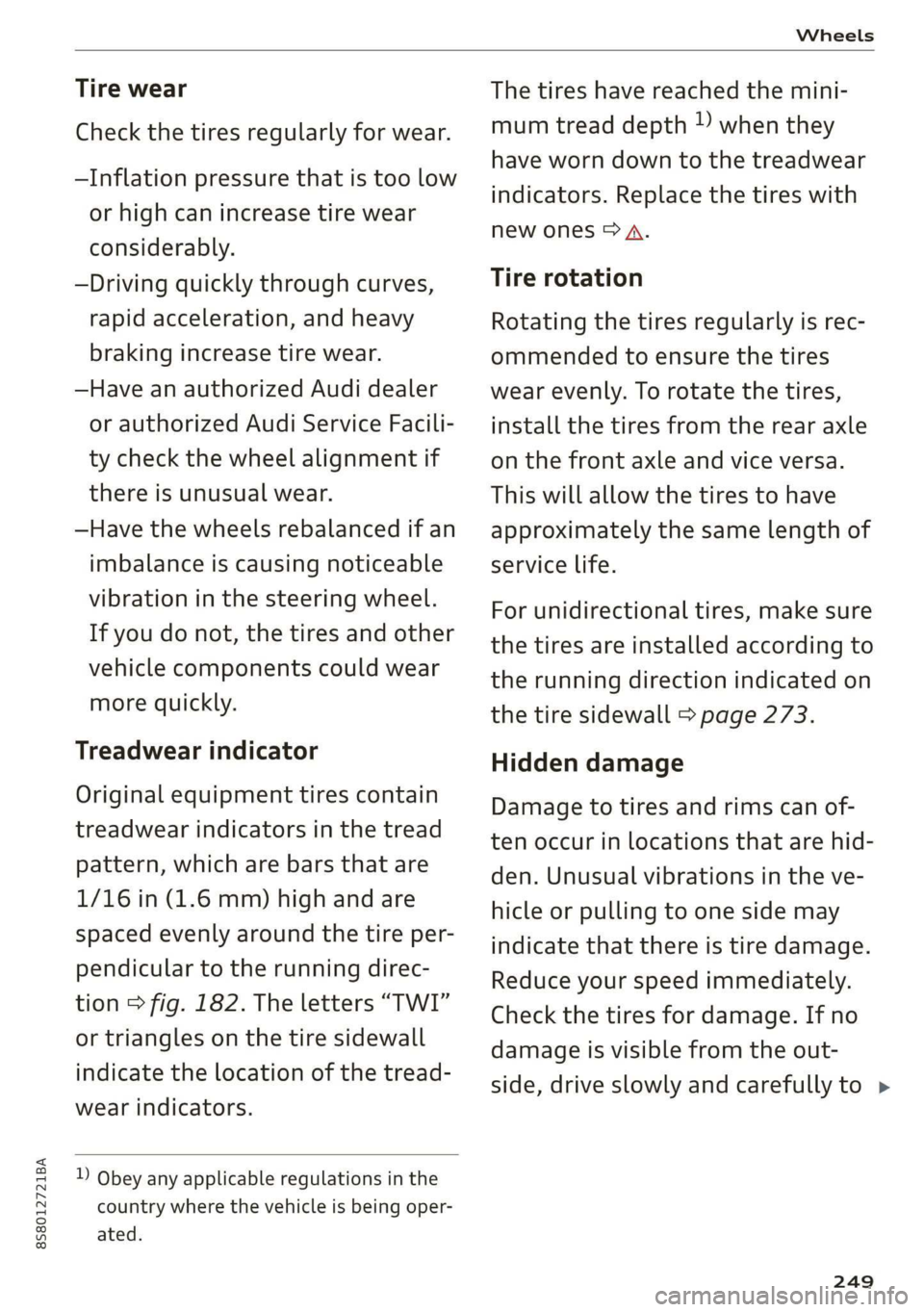
Treadwear indicator
Original equipment tires contain
treadwear indicators in the tread
pattern, which are bars that are
1/16 in (1.6 mm) high and are
spaced evenly around the tire per-
pendicular to the running direc-
tion > fig. 182. The letters “TWI”
or triangles on the tire sidewall
indicate the location of the tread-
wear indicators.
D Obey any applicable regulations in the
country where the vehicle is being oper-
ated.
The tires have reached the mini-
mum tread depth ) when they
have worn down to the treadwear
indicators. Replace the tires with
new ones > A.
Tire rotation
Rotating the tires regularly is rec-
ommended to ensure the tires
wear evenly. To rotate the tires,
install the tires from the rear axle
on the front axle and vice versa.
This will allow the tires to have
approximately the same length of
service life.
For unidirectional tires, make sure
the tires are installed according to
the running direction indicated on
the tire sidewall > page 273.
Hidden damage
Damage to tires and rims can of-
ten occur in locations that are hid-
den. Unusual vibrations in the ve-
hicle or pulling to one side may
indicate that there is tire damage.
Reduce your speed immediately.
Check the tires for damage. If no
damage is visible from the out-
side, drive slowly and carefully to >
249
Page 259 of 304

8S8012721BA
Wheels
overheat and can lead to tire failure. Under-infla-
tion also reduces fuel efficiency and tire tread
life, and may affect the vehicle's handling and
stopping ability.
Please note that the TPMS is not a substitute for
proper tire maintenance, and it is the driver's re-
sponsibility to maintain correct tire pressure,
even if under-inflation has not reached the level
to trigger illumination of the TPMS low tire pres-
sure telltale.
Your vehicle has also been equipped with a TPMS
malfunction indicator to indicate when the sys-
tem is not operating properly. The TPMS mal-
function indicator is combined with the low tire
pressure telltale. When the system detects a
malfunction, the telltale will flash for approxi-
mately one minute and then remain continuously
illuminated. This sequence will continue upon
subsequent vehicle start-ups as long as the mal-
function exists.
When the malfunction indicator is illuminated,
the system may not be able to detect or signal
low tire pressure as intended. TPMS malfunctions
may occur for a variety of reasons, including the
installation of replacement or alternate tires or
wheels on the vehicle that prevent the TPMS
from functioning properly. Always check the
TPMS malfunction telltale after replacing one or
more tires or wheels on your vehicle to ensure
that the replacement or alternate tires and
wheels allow the TPMS to continue to function
properly.
If the Tire Pressure Monitoring System
indicator appears
Applies to: vehicles with Tire Pressure Monitoring System in-
dicator
The tire pressure indicator in the instrument
cluster informs you if the tire pressure is too low
or if there is a system malfunction.
Using the ABS sensors, the tire pressure monitor-
ing system compares the tire tread circumference
and vibration characteristics of the individual
tires. If the pressure changes in one or more
tires, this is indicated in the Infotainment system
display with an indicator light @ and a message.
If only one tire is affected, the location of that
tire will be indicated.
The tire pressures must be stored in the Infotain-
ment system again each time the pressures
change (switching between partial and full load
pressure) or after changing or replacing a tire on
your vehicle > page 258. The tire pressure moni-
toring system only monitors the tire pressure you
have stored. Refer to the tire pressure label for
the recommended tire pressure for your vehicle
=> page 250, fig. 184.
Tire tread circumference and vibration character-
istics can change and cause a tire pressure warn-
ing if:
— The tire pressure in one or more tires is too low
— The tire has structural damage
— The tire was replaced or the tire pressure was
changed and it was not stored > page 258
— The spare tire* is installed
Indicator lights
@® - Loss of pressure in at least one tire > A\.
Check the tires and replace or repair if necessary.
Check/correct the pressures of all four tires and
store the pressure again in the Infotainment sys-
tem > page 258.
ia (Tire Pressure Monitoring System) Tire pres-
sure: malfunction! See owner's manual - if io
appears after switching on the ignition or while
driving and then the @) indicator light in the in-
strument cluster also starts to blink for about
one minute and then stays on permanently, there
is a system malfunction. Try to store the correct
tire pressures > page 258. If the indicator light
does turn off or turns on again after a short peri-
od of time, drive to an authorized Audi dealer or
authorized Audi Service Facility immediately to
have the malfunction corrected.
ZA WARNING
— If the tire pressure indicator appears in the
display, reduce your speed immediately and
avoid any hard steering or braking maneu-
vers. Stop as soon as possible and check the
tires and their pressure.
257
Page 260 of 304
Wheels
— The driver is responsible for maintaining the
correct tire pressures. You must check the
tire pressures regularly.
— Under certain conditions (such as a sporty
driving style, winter conditions or unpaved
roads), the pressure monitor indicator may
be delayed.
— Do not use run-flat tires on your vehicle. Us-
ing them when not permitted can lead to ve-
hicle damage or accidents.
G) Tips
— The tire pressure monitoring system can al-
so stop working when there is an ESC mal-
function.
— Using snow chains may result in a system
malfunction.
— The tires with the identification “AO”
= page 247 have been matched with your
Audi tire pressure monitoring system. Using
these tires is recommended.
Storing tire pressures
Applies to: vehicles with Tire Pressure Monitoring System in-
dicator
If the tire pressure changes or a tire is replaced,
it must be confirmed in the Infotainment sys-
tem.
> Before storing the tire pressures, make sure the
tire pressures in all four tires meet the speci-
fied values and are adapted to the load
=> page 248.
> Switch the ignition on.
> Select in the Infotainment system: the
button > Vehicle > left control button > Service
& checks > Tire pressure monitoring.
G) Tips
Do not store the tire pressures if snow chains
are installed.
MENU
258
Tire pressure monitoring
system
(1) General notes
Each tire, including the spare (if provided),
should be checked monthly when cold and inflat-
ed to the inflation pressure recommended by the
vehicle manufacturer on the vehicle placard or
tire inflation pressure label. (If your vehicle has
tires of a different size than the size indicated on
the vehicle placard or tire inflation pressure la-
bel, you should determine the proper tire infla-
tion pressure for those tires).
As an added safety feature, your vehicle has been
equipped with a tire pressure monitoring system
(TPMS) that illuminates a low tire pressure tell-
tale when one or more of your tires is significant-
ly under-inflated. Accordingly, when the low tire
pressure telltale illuminates, you should stop and
check your tires as soon as possible, and inflate
them to the proper pressure. Driving on a signifi-
cantly under-inflated tire causes the tire to over-
heat and can lead to tire failure. Under-inflation
also reduces fuel efficiency and tire tread life,
and may affect the vehicle's handling and stop-
ping ability.
Please note that the TPMS is not a substitute for
proper tire maintenance, and it is the driver's re-
sponsibility to maintain correct tire pressure,
even if under-inflation has not reached the level
to trigger illumination of the TPMS low tire pres-
sure telltale.
Your vehicle has also been equipped with a TPMS
malfunction indicator to indicate when the sys-
tem is not operating properly. The TPMS mal-
function indicator is combined with the low tire
pressure telltale. When the system detects a
malfunction, the telltale will flash for approxi-
mately one minute and then remain continuously
illuminated. This sequence will continue upon
subsequent vehicle start-ups as long as the mal-
function exists.
When the malfunction indicator is illuminated,
the system may not be able to detect or signal
low
tire pressure as intended. TPMS malfunctions
may occur for a variety of reasons, including the >
Page 262 of 304

The tire pressure or temperature is not dis-
played while the vehicle is stationary and in
adaptation mode. Dashes --.-- are shown in
place of the pressure and temperature.
OW iw este ort
Applies to: vehicles with tire pressure monitoring system
If the @ indicator light turns on, the pressure in
at least one tire is too low or new sensors were
not adapted:
@ indicator lights turns on after turning the
ignition on
The tire pressure is too low compared to the
specified pressure.
> Check and store the tire pressure(s) the next
time it is possible > page 260.
@ indicator light turns on while driving
Wheels with new sensors were not adapted or
the tire pressure has reached a critical level com-
pared to the specified pressure.
> Avoid unnecessary steering and braking maneu-
vers.
> Adapt your driving style to the situation.
>» Stop as soon as possible and check the tire(s).
> If it is possible to continue driving, see an au-
thorized Audi dealer or authorized Audi Service
Facility immediately and have your tire(s) re-
paired or replaced.
ZA WARNING
Read and follow the important information
and notes > page 259.
Storing new tire pressures
Applies to: vehicles with tire pressure monitoring system
The tire pressure specifications must be stored
correctly for the tire pressure monitoring system
to function reliably.
It is always necessary to store the tire pressures
when the tire pressures are modified, for exam-
ple due to a change in load or when new sensors
are installed.
260
> Before storing the tire pressures, make sure the
tire pressures of all four tires meet the speci-
fied values and are adapted to the load
=> page 250, fig. 184. Only correct and store
the pressure in tires whose temperature is ap-
proximately the same as the ambient tempera-
ture. If the temperature of the tire is higher
than the ambient air temperature, the tire
pressure must be increased approximately
3.0 PSI (0.2 bar) above the value on the sticker.
>» Switch the ignition on.
> Select in the Infotainment system: [MENU] but-
ton > Service & checks > Tire pressure monitor-
ing > Store tire pressure > Yes, store now. Af-
ter storing the tire pressures, the tire pressure
monitoring system measures the current pres-
sures while driving and stores them as the new
specified pressures.
> If the changed tire pressures are not displayed
in the Infotainment system, drive the vehicle
for approximately 10 minutes so that the sen-
sor signal from the wheels is received again.
During this adaptation phase, --.-- is displayed
for the pressure and temperature and the tire
pressure monitoring system is only partially
available. It only provides a warning if one or
more tire pressures is below the minimum per-
mitted specified pressure.
If the @ indicator light turns on and the mes-
sage Tire pressure: wheel change detected.
Please check all tires and store pressures in
MMT also appears, the system has detected that
the position of the sensors has changed because
of a tire rotation, or that new sensors were instal-
led. Store the new tire pressures.
ZA WARNING
Read and follow the important information
and notes > page 259.
Malfunctions
Applies to: vehicles with tire pressure monitoring system
If the tire pressure monitoring system is not
available, the [iS indicator light appears inthe >
Page 263 of 304

8S58012721BA
Wheels
instrument cluster display along with the mes-
sage Tire pressure: malfunction! See owner's
manual.
If the is indicator light appears after switching
the ignition on or while driving and the @ indi-
cator light also blinks for approximately one mi-
nute and then stays on, there is system malfunc-
tion. The following are examples of situations
that could cause a malfunction:
— If the message appears at the end of the adap-
tation phase, the system may not detect one or
several of the wheel sensors necessary for pres-
sure monitoring. This may result from one or
more wheels without wheel sensors or with in-
compatible wheel sensors being installed.
—Awheel sensor or another component has
failed.
— Using snow chains can affect the function of
the system because of the shielding effect of
the chains.
— The tire pressure monitoring system is not
available due to a malfunction.
— Transmitters with the same frequency, such as
headphones or remote-controlled devices, may
cause a temporary system malfunction due to
the strong electromagnetic field.
The iis indicator light and the message turn off
once the tire pressure monitoring system is avail-
able again. If you cannot correct the malfunction
and the ia indicator light stays on, drive imme-
diately to an authorized Audi dealer or author-
ized Audi Service Facility to have the malfunction
repaired.
261
Page 289 of 304
8S58012721BA
Index
A
A/C (climate control system) .............. 53
ACCESSOFIES . 6... ee eee 48, 282
Active lane assist... . owes. ss sesmen «oes ee ave 72
Activating vibration warning............. 74
Adjusting steering time................. 74
Cleaning the camera area.............. 263
Indicator light........... 0.00 eee ee eee 73
MO@SSAQGS wees 2 2 wars 5 ¥ sees & ¥ BOS & Eo 73
Switching on/off. « ccsiss «season o 6 wasn e 6 enaew 73
Adaptive UIght seiics 6 eva oo nears os was ¥ wee 78
Adaptive light (indicator light)............ 20
Adjusting the additional display........... 14
Adjusting the air distribution. ............ 53
Adjusting the center console lighting....... 41
Adjusting the sound..............-..00- 175
Adjusting the temperature............... 53
Adjusting the vents............. 0. eee ee 54
Advanced Airbag System
Children... 0.2... eee eee ee 212
GOMPONENUS’. ¢ wees » o eae 4 e eee a vee 196
Frontsairbagse. « ser + 2 ccesn vous eo recon x 194
How the components work together... .. 197
UEDA Gin 1 « sunsce « o vsiscete 0 0 siete ao anmene © exettome 189
Indicator light...........-...0--00 000: 18
Airbag system... 2... eee eee 208
Advanced Airbag System............... 193
CaRC bcs ow averiue 6 ¥ wxicend wo tandeDe Bo ewexare wa aie 203
Child restraints..................000. 212
Components (front airbags)............ 196
Danger of fitting a child safety seat on the
front passenger seat..............00.. 190
Disposal zee: ¢ ¢ ees 2 x seen ¢ » eews 2 2 ees 203
Frontiairbagss. « wee oo wae 6 wamen 6 3 saxon 193
How do the front airbags work?......... 198
How many airbags does my vehicle have?. 196
Important information................ 189
Important safety instructions on the knee
airbagisySteM« « aces s ¢ eaiae & x eae 5 x Bee 206
Kneeiairbagsias = 2 saw 2s cin sue es wo 204
MON
ILOFING weenie 5 ceerese a 6 sonnets a 8 ene © 0! oe 200
PASSENGER AIR BAG light............- 200
Repairs’: = seses + & seine & eeoreys « ¥ caves vo Hare 203
Safety instructions................00- 202
Side airbags .......... 00. sce e eee 206
Warning/Indicator lights.............. 200
When must the system be inspected?.... 200
Alarm system
refer to Anti-theft alarm system.......... 27
Alignment pin (tire change) .............. 268
All-weather lights.................00000. 38
AlUSeaSON tiN@Sbercis ss sce ee ers oo mene ve 254
All wheelidrive wes. 2 ose0 22 cee oe even so 89
Alternative routes........... 0... e eee 139
Ambient lighting'ss « esex + eee 3 s eames so oe 40
AMI
refer to Audi music interface....... 158,159
Android Auto
refer to Audi smartphone interface...... 169
Announcements (settings)
refer to Voice guidance..............-. 139
Anti-freeze
Windshield washer system............. 238
Anti-lock braking system (ABS) ............ 86
Anti-Slip Regulation.................0005 86
Anti-theft alarm system .............0000- 27
Anti-theft wheel bolts..............564. 271
Apple CarPlay
refer to Audi smartphone interface...... 169
ARIINCSE:. cxsusne » 5 swsuins 9 0 snamens oo saree % ¥ omeeete @ » 47
ASAE AY": & esware © & enmee @ a eaves ao esecuae a @ eoasare 48
Aspect ratio (Vid@0) wisi si ieee s aaa see 163
ASR
refer to Anti-Slip Regulation............. 86
Audi connect
refer toconnect....... 0.0 e eee eee eee 125
Audi connect Infotainment
Personal hotspot...............000055 126
Services:overview o.. 6 ci sb ee es ees 127
Audi magnetic ride
refer to Suspension control.............. 78
Audi music interface..............0000- 158
Audi music stream
refer to Wi-Fi... 0.2... cee eee eee eee 156
AUdIO FILS resis «6 arene xe cancers xo wrecene ao eenane & 160
Audio player
Bluetooth audio player................ 155
Wi-Fi audio players. « s was ss sees se ees 156
Audio track. ...... cece eee eee
Audi phone box
Audi smartphone interface.......... 169, 173
Audi virtual cockpit
refer to Instrument cluster.............. 10
287
Page 291 of 304
8S58012721BA
Remote control key............---0 eee 24
Setting... 2... cece eee 26
Central locking switch..............00-0. 25
Ceramic brakes......... 00020-00002 eae 88
Gertifications: = + ccs 2 waver « cece =o anesees 3 283
Changing light bulbs................... 279
Charging
refer to Power sourceS.........2--0000-- 48
Charging the battery (mobile devices). 113, 159
Child restraint
Danger of using child restraints in the front
Child restraints
Where can I get additional information
about child restraints and their use?..... 222
Child:safety:s + & scvis ss ows 2 2 reson oe vem vo 210
Important safety instructions for using child
SAfetySGats s wacas x x sees go eeeE so eR YY 213
Child safety seats... 0.00... cece eee eee 215
Booster Seats... + «isu ss ews ev paws soe 217
Convertible child seats.............0.0. 216
How do I properly install a child safety seat
in my vehicle? s = sees « ¢ sews so ees so es 213
Tinfantiseatsis i osseous a x cviaina a o canams ao xaos 215
Safety instructions.............-..00. 213
SOCUFING & exis x o ees xe eis xe dew ee oH 219
Cigarette lighter a: < s eens + 8 ees ose 5 oe 48
Classic view
Cleaning......... 02.
Cleaning/removing ice from windows...... 264
Cleaning Alcantara...............00000. 265
Cleaning artificial leather............... 265
Cleaning carbon components........ 264, 265
Cleaning controls ........0..scceeeeeees 265
Cleaning decorative parts andtrim........ 264
Cleaning displays «os i esas si eee ot ve ws 265
Cleaning exhaust tail pipes.............. 263
Cleaning plastic parts..............000. 265
Cleaning rims..............0 02.20 e ee eee 263
Cleaning seat covers.............000005 265
Cleaning taillights « ice <2 cece 6 a emacs xe oe 263
Cleaning textiles ove. ss sccan vs evn oe eves 265
Cleaning the Audi virtual cockpit.......... 265
Cleaning the instrument cluster.......... 265
Cleaning the wind deflector............. 264
Climate control system (automatic)........ 53
Drive select... 0... cece eee eee 78
Clock... eee eee eee eee L71
Closing
Convenience closing. ..........ese eres 29
HOG « 2 wey + y seus: 8 5 ees ¢ 9 eee es wR 229
Luggage compartment lid............... 27
Windows ..... 0.0.0.0 c cece eee eee eee 28
Cockpit (overview) ...... 6.0.0 c cece eee ee 6
GolommUMBer a. « siasnse sv cvavane ew ogsuwre + o oxesnse 285
GOMING HOME aici 2 6 sensi av eymree w H arwere a + anave 40
Commands (voice recognition system) ..... 104
Compartments: as ss ssw sv sews sv eaves y 6 eae 49
Compass inthe mirror...............0005 44
Complianicé:: = » eece x x sews 5 s wees 5 v eee os 283
Conference call...................20005 116
CONNECE. 2... eee eee 125
Data Privacy ews < ¢ ces se nes & ¢ pete 5 ¥ eee 130
Infotainmenticn 2 = ciao a 2 cxivaus « eoeseas 6 2 we 125
Infotainment services............00005 127
Connection manager................... 172
Connections
referto Media..............e eee 152, 160
Connection settings .................00. 172
Consumer information................55 280
Consumption (Fuel) . . srerice o ccasese wo yess « 6 ave 15
Contacts
Additional directory.......... 0.0 eevee 173
Importing/exporting.................. 122
Memiory:capacityisicca: asc ss sesese © evans 123
Searching.......... 02. see eee eee eee 121
SHOWiniG UStailS!: « aeas x 2 eames ¢ 5 seem Ee 121
Storing
as destination................. 138
Control BUTCONSio08 x s mews 2 x gow = qamey o 9 we 13
Control buttons (operating the MMI)....... 93
Control knob with joystick function......... 97
Convenience key...... 0.02.00 ee eee eee 22
Indicator light ; sacs se ceca ss pees ee reese 58
Unlocking and locking..............0005 24
Convenience opening and closing
Setting... 0.0... c eee 29
WIRKOWS% = zur: ¢ 2 were x x ces go ee sox 29
Convertible child safety seats............ 216
289