2019 AUDI TT COUPE audio
[x] Cancel search: audioPage 156 of 312

—Checkforanyconnectionrequestsonyour
Bluetoothdevice.
—MultipleBluetoothaudioplayerscan be
connectedtotheMMI,butonlyonemobile
devicecanbeactive.
—BluetoothprotocolsAVRCP(1.0/1.3/1.4)
andA2DParesupported.
—NotethevolumesettingonyourBluetooth
device.Audirecommendssettingyourmo-
biledevicetothemaximumvolumewhen
usingitasaBluetoothaudioplayer.
— Thesupportedmediafunctions(suchas
shuffle)dependontheBluetoothdevicebe-
ingused.
—Formoreinformationonsupporteddevices,
visitwww.audiusa.com/bluetoothorcon-
tactanauthorizedAudidealerorauthorized
AudiServiceFacility.
Wi-Fiaudioplayer
Appliesto:vehicleswithWi-Fiaudioplayer
UsingtheWi-Fiaudioplayermediasourceonthe
MMI,youcanconnectandoperateyourWi-Fi-ca-
pablemediaplayer(suchasasmartphone)to
wirelesslyplaymusicfrom yourmediaplayerli-
brary.Themediaplayerisconnectedthroughthe
vehicle'sWi-Fihotspot.AUPnPServerapporan
integratedUPnP/DLNAserveronyourmedia
playerisrequiredtoaccessyourmediaplayerli-
brary.
Requirement:theWi-Fifunctiononyourmedia
playermustbe switchedon.ThemyAudiappora
UPnPserverappmustbeinstalledonyourmedia
player.Or:youmustbeusingamediaplayerwith
anintegratedUPnP/DLNAserver.
—Connectingamediaplayer:pressthe[MEDIA
button.Presstheleftcontrolbuttonuntilthe
sourcesoverview>page158isdisplayed.Se-
lectandconfirm Wi-Fiaudioplayer(7)
=>page158,fig. 134.
—Ifnecessary,selectandconfirmWi-Fiturned
off>TurnonWi-Fito activateWi-Fiinthe
MMI.SelectWi-Fisettings,ifnecessary.Select
thesamesettingsonthewirelessmediaplayer
thatareusedfortheWi-Fihotspot.
154
—StartingtheWi-Fiaudioplayer:startthe
myAudiapporaUPnPserverapp.Or:setme-
diapermissionsonyourmediaplayer.
Operatingthemediaplayer:themediaplayeris
operatedthroughtheMMI.
—Presstheleftcontrolbuttonrepeatedlyuntil
theFoldersmenuitemappears.Selectandcon-
firm
Folders.
—Playingmusicfromthemediaplayer:select
andconfirmMediacenter.
Webradio:see>page155.
ZAWARNING
—Asthedriver,donotallowusageoftheWi-
Fihotspottodistractyoufromdriving,as
thiscouldincreasetheriskofanaccident.
—Itisonlysafe tousetablets,laptops,mobile
devicesandothersimilardeviceswhenthe
vehicleisstationarybecause,likeallloose
objects,theycouldbethrownaroundthein-
sideofthevehicleinacrashandcauseseri-
ousinjuries.Storethesetypesofdevicesse-
curelywhiledriving.
—Donotuseanywirelessdevicesonthefront
seatswithinrangeoftheairbagswhiledriv-
ing.Also readthewarningsinthechapter
=>page188.
@)Note
Alwaysfollowtheinformationfoundin>@in
Generalinformationonpage123.
@Tips
— TheWi-Ficonnectionisreconfiguredwhen
insertingorremovingtheminiSIMcardin
theSIMcardreader*.Theremaybeatem-
poraryinterruptioninaudioplayback,de-
pendingonthemediaplayer.
—Alwaysreadthe chapter>page123,Audi
connect.
—PleasenotethataWi-Ficonnectiondoes
notautomaticallymakeitpossible touse
theInternet.Foradditionalinformation,
see>page123.
Page 157 of 312

8S1012721BA
Media
—Toavoidinterruptionsduringplayback,de-
activatethepowersavingfunctiononthe
mediaplayer orconnectittoacharger.
— Theloadingtimesfortheaudiodatadepend
onthemediaplayerusedandthenumberof
filesthatitcontains.
—Amaximumof2,000entriesperdirectory
aredisplayedintheMMI.
—Songsdownloadedforofflineuseusingmu-
sicstreamingservicesarestoredonyour
mobiledevice(suchasasmartphone)and
maybeDRMprotected.TheWi-Fiaudio
playerwillnotplayDRMprotectedfiles.
—ContactanauthorizedAudidealeror au-
thorizedAudiServiceFacilityforadditional
informationontheWi-Fiaudioplayer.
Onlinemediaand
Internetradio
Appliesto:vehicleswithAudiconnect
Youcanplaybackandoperatevariousonlineme-
diaservicesandInternetradiousingtheMMI.
>»Pressthe[MEDIA]button.Presstheleftcontrol
buttonuntilthesourcesoverview>page158,
fig.134isdisplayed.
Appliesto:usingonlinemediaandInternetradio
Requirement:
—ThemyAudiappmustbeinstalledandopenon
yourmobiledevice.
—YoumustbeloggedintoyourmyAudiaccount
inthemyAudiappandyoumusthaveselected
yourvehicle.
—TheWi-Fifunctiononthemobiledeviceandon
theMMImustbeswitchedon.
—Ifnecessary,checkinthe connectionmanager
=>page170ifthemobiledeviceyouconnected
isselectedundertheMMIconnectapp().
—TheMMImustbeconnectedtothenetwork.
—ThesymbolfortheOnlinemedia*source
=>page158,fig.134isshownintheMMI.
Appliesto:usingonlinemedia
Additionalrequirement:
—Asupportedonlinemediaservicemustbeavail-
ableinthecountrywherethevehicleisbeing
operated.
—Youmusthaveanaccountwithasupportedon-
linemediaservice.
—Dependingontheonlinemediaservice,you
mayneedtoinstallandopenanapponyour
mobiledevice.
StartingOnlinemedia
—Pressthe[MEDIA]button.Presstheleftcontrol
buttonuntilthesourcesoverview>page158is
displayed.
—Selectandconfirm anonlinemediaservice.
StartingInternetradio
—Pressthe|MEDIA]button.Presstheleftcontrol
buttonuntilthesourcesoverview>page158is
displayed.
—SelectandconfirmInternetradio.TheInternet
radiobrowserorthelaststationthatwasplay-
ingisshown.
—Selectingthestation:ifnecessary,selectand
confirmacategoryintheInternetradioBrows-
er>astation.
OnlinemediaandInternetradio::additionalop-
tions
—Presstherightcontrolbutton.
Thefollowingoptionsmaybeavailable,depend-
ingontheinformationshown(suchasthesta-
tion/trackthatiscurrentlyplaying):
—Soundsettings:see>page173.
—Wi-Fisettings:see>page128,Wi-Fisettings.
—Connectionmanager:see>page170.
—Additionaloptionsmaybeavailable,depending
ontheactiveonlinemediaserviceorInternet
radio.
ZA\WARNING
—Itisonlysafe tousetablets,laptops,mobile
devicesandothersimilardeviceswhenthe
vehicleisstationarybecause,likeallloose
objects,theycouldbethrownaroundthein-
sideofthevehicleinacrashandcauseseri-
ousinjuries.Storethesetypesofdevicesse-
curelywhiledriving.
—Donotuseanywirelessdevicesonthefront
seatswithinrangeoftheairbagswhiledriv-
ing.Also readthewarningsinthechapter
>page188.>
155
Page 160 of 312
Media
—Audirecommendssettingthevolumeofa
mobiledeviceconnectedtotheAUXinputto
approximately70%ofthemaximumvol-
ume.
—Functionalityisnotguaranteedformobile
devicesthatdonotconformtotheUSB2.0
specification.
—USBhubsarenotsupported.
—SomeversionsoftheiPodsuchastheiPod
shufflecannotbeconnectedtotheUSB
adapterfordeviceswithAppleDockconnec-
tor.ConnectthesedevicesusingaAUXcon-
nectorcable.
—Videoplaybackthroughthe Audimusicin-
terfaceisonlysupportediftheconnected
deviceisrecognizedasaUSBstoragedevice
(forexampleaUSBstick).Appledevicesand
MTPdevices(such assmartphones)arenot
recognizedasUSBstoragedevices.
—iPod oriPhonemalfunctionsalsoaffectthe
operationoftheMMI.ResetyouriPod or
iPhoneifthishappens.
—Forimportantinformationonoperating
youriPodoriPhone,refertotheuserguide
forthedevice.Audirecommendsupdating
theiPodoriPhonesoftwaretothelatest
version.
—Formoreinformationaboutthe Audimusic
interfaceandsupporteddevices,checkthe
Audidatabaseformobiledevicesatwww.
audiusa.com/mp3orcontactanauthorized
AudidealerorauthorizedAudiServiceFa-
cility.
Playingmedia
Accessingmedia
Youcanstartandoperatevariousmediathrough
theMMIcontrolpanel.
Ue@@|Jukebox
@—eies
[RAH-8519]
@—§Audimusicinterface
evaudioplayer
Fig.133Diagram:possiblesourcesintheMediamenu
158
RAH-8520Bluetoothaudioplayer
=~Wi-Fiaudioplayer
Onlinemedia
Fig.134Diagram:possiblesourcesintheMediamenu
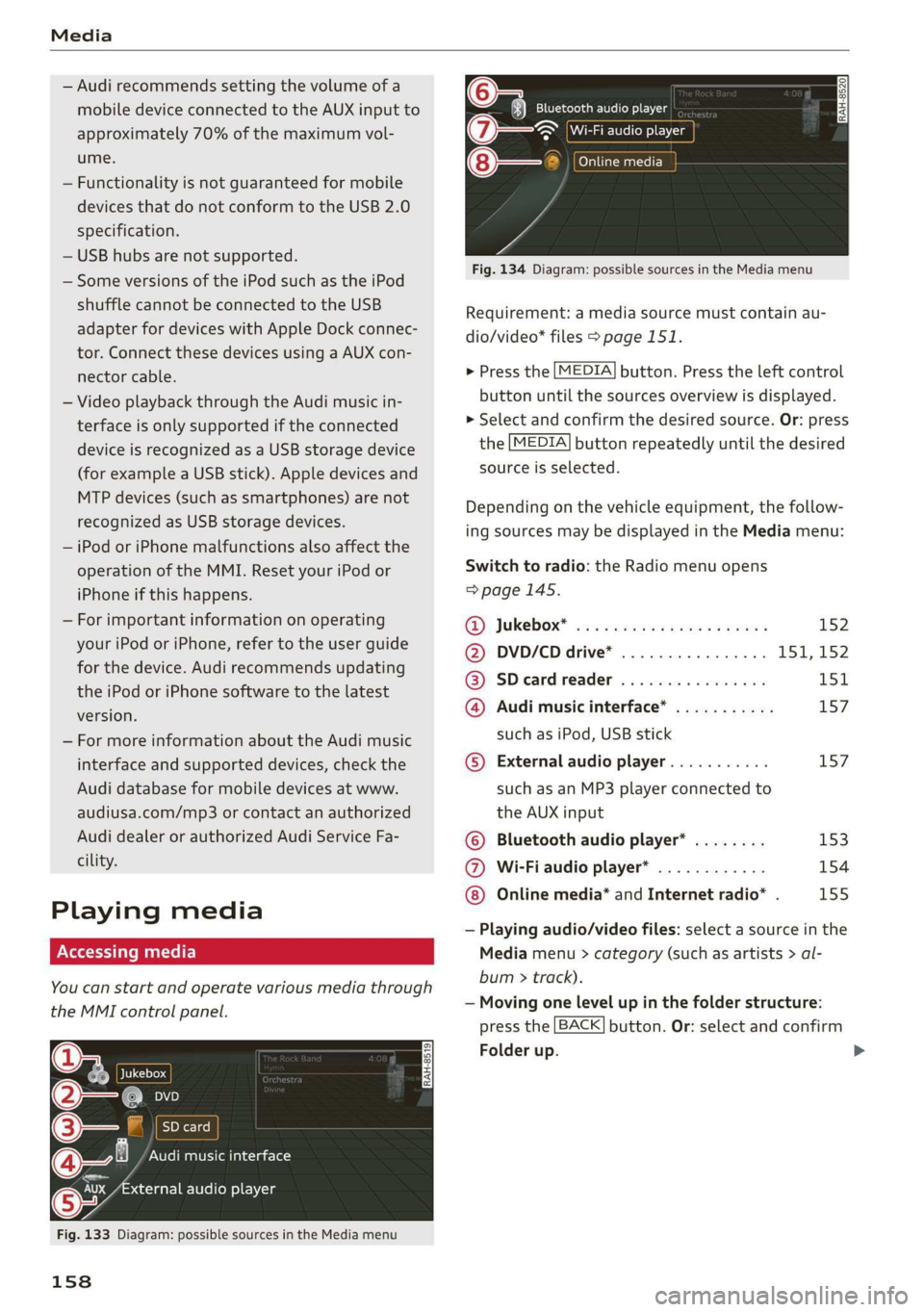
Requirement:amediasourcemustcontainau-
dio/video*files>page151.
>Pressthe[MEDIA]button.Presstheleftcontrol
buttonuntilthesourcesoverviewisdisplayed.
>Selectandconfirmthedesiredsource.Or:press
the[MEDIA]buttonrepeatedlyuntilthedesired
sourceisselected.
Dependingonthevehicleequipment,thefollow-
ingsourcesmaybedisplayedintheMediamenu:
Switchtoradio:the Radiomenuopens
=>page145.
RD):JUKEDOX®wesssserex xsemeveeee152
@DVD/CDdrive*................ISI,152
@SDeardreader................151
@Audimusicinterface*...........157
suchasiPod,USBstick
©Externalaudioplayer...........157
suchasanMP3playerconnectedto
theAUXinput
©Bluetoothaudioplayer*........153
@Wi-Fiaudioplayer*............154
Onlinemedia*andInternetradio”.155
—Playingaudio/videofiles:selectasourceinthe
Mediamenu>category(suchasartists>al-
bum>track).
—Movingonelevelupinthefolderstructure:
pressthe[BACK]button.Or:selectandconfirm
Folderup.
>
Page 161 of 312

8S1012721BA
Media
—Selectingthepreviousornexttrack/chapter
D: presstheOn/OffknobontheMMIcontrol
panelbrieflytotheleftKdorrightDo.
—Fast-forwardingandrewindingaudio/video
files:pressandholdtheOn/Offknobonthe
MMIcontrolpaneltotheleftKdorrightDelfor
alongertime.
—Pausingorresumingplayback:pressthe
On/OffknobontheMMIcontrolpanelbriefly.
@)Tips
—Youcanscrollthroughlonglistsquicklyby
turningthecontrolknobquickly.Thescroll-
ingspeeddependsonthenumberoflisten-
tries.
—Forsafetyreasons,thevideoimageisonly
displayedwhenthevehicleisstationary.On-
lythesoundfromthevideoplayswhiledriv-
ing.
Variouscategoriesfor selectingaudio/video*
filesareavailableinthemediacenter.
ao
€Artists
(4)‘falNeyeraa
ogalg-t)
—
Fig.135Example:USBstickcategories
Track
(7)RNa
Fig.136Example:USBstickcategories
))DependingontheDVD,thismaynotbepossibleduring
playback.
>Pressthe[MEDIA]button.Presstheleftcontrol
buttonuntilthesourcesoverviewisdisplayed.
Selectandconfirmthedesiredsource.
@Activesource
Theactivesourceishighlighted.Theactive
sourcesymbol(@)maychangedependingonthe
connecteddevice,theonlinemediaservice*,or
Internetradio*.Thedevicenamemaybedis-
played(forexample:myPhone).Asanexample,a
USBstickisshown>fig.135connectedtothe
Audimusicinterface*.
Depending ontheactivesource,youcanselect
audio/videofiles*fromthefollowingcategories
andaddthemtotheplaylist:
@Favorites
TheFavoritescategoryappearsifatleastoneen-
tryisstoredinthefavoriteslist.See>page161,
Favorites.
@Artists
Allavailableartistsaredisplayed.Selectandcon-
firmanartist,analbumandthenatrack.
@Albums
Allavailablealbumsaredisplayed.Selectand
confirm analbumandthenatrack.
©Genres
Allavailablegenresaredisplayed.Selectandcon-
firm
agenre(suchasPop),anartist,analbum
andthenasong.
©Tracks
Allavailabletracksaredisplayed.Selectandcon-
firm
atrack.
@Folders
Thefolderstructureortrack/chapterlistisdis-
played.Selectafolder,ifnecessary. Selectand
confirmatrack.
159
Page 162 of 312

Media
Playlists
Allavailableplaylistsfromthe sourceandthe
smartplaylistsaredisplayed.Selectandconfirm
aplaylistandthenatrack.
Smartplaylists:
—Lastplayedtracks:thelasttracksplayedinthe
selectedsourcearedisplayed.
— Mostplayed:themostplayedtracksinthese-
lectedsourcearedisplayed.
—5starsto1star:tracksfromtheselected
sourcearedisplayedaccordingtotheirrating.
—Unrated:allfilesfromtheselectedsource
withoutratinginformation(forexample,inthe
ID3tag)aredisplayed.
©Videos*
Allavailablevideofilesaredisplayed.Selectand
confirmavideofile.
@)Tips
—Onlythecategoriessupportedby themedi-
umareavailable.Forexample,CD/DVD-
ROMtrackscannotbeselectedwithcatego-
riessuchasArtists,AlbumsorGenres.
WithaniPod(source:Audimusicinterface
=page156),thePodcasts,Audio books
andComposerscategoriesarealsoavaila-
ble.
—For safetyreasons,thevideoimageisonly
displayedwhenthevehicleisstationary.On-
lythesoundfromthevideoplayswhiledriv-
ing.
—Whensynchronizingaportabledevicewith
"Cloud“services,playlistsmaydisplayincor-
rectly
intheMMI.Usethemediacenterin
thedevice.
160
a-\-e-yaay1aa)
You cansearchintheactivesourcebytracksand
videofiles*,forexample
RockBand
RockBand
x
ee
Saal
(ees
Fig.137Inputfieldandresultslistforfreetextsearch
Nume
Youcanopenthefreetextsearch>fig.137de-
pendingontheselectedsource.
Requirement:theplaylist>page161ormedia
center>page159mustbedisplayed.
Openingfreetextsearch
>Keepturningthecontrolknobtotheleftuntil
thefreetextsearchinputfield@>fig.137
appears.Or:pushthecontrolknobup.
Usingthefreetextsearch:see>page98,Free
textsearch.
Entriesthatcontaintheenteredsearchtermare
listedintheresultslist©)>fig.137.Youcan
searchforartists2)>fig.137,albums@)or
tracks@)aswellasgenresandvideos.
(i)Tips
—Onlyfilesintheactivesourcewillbe
searched.
—IfyouopenfreetextsearchintheFolders
category(7)>page159,fig.136orthe
Composers,PodcastsandAudiobookscat-
egories,itwillonlysearchthroughthefiles
inthatfolder.
Page 165 of 312

8S1012721BA
Media
Audiotrack!)
Youcanmanuallysettheaudiotrack(language
andaudioformat).Thelanguageandaudiofor-
matoptionsdependonthevideoDVD.
Subtitles!)
Youcanmanuallyselectsubtitlesforplayback.
ThelanguagesavailabledependontheDVD.
Aspectratio
AudirecommendstheAutomaticsettingforthe
pictureformat.Youcansetthepictureformat
dependingontheactivefileorsource(forexam-
plevideofile*,DVD*).
Aspectra-|Information
tio
OriginalTheimageisdisplayedintheratio
ofthesourceformat.Selectthis
optioniftheimageisdistorted ora
sectionoftheimageiscutoff
whenAutoisselected.
4:3Theimageissettothe 4:3picture
format.Blackbarsareshownon
thesidesoftheInfotainmentsys-
temdisplay.
Aspectra-|Information
tio
16:9 Theimageissettothe16:9picture
format.Blackbarsareshowninthe
upperandloweredgesoftheInfo-
tainmentsystemdisplay.
Automatic|TheMMIdetectsthepicturefor-
matofthesourceanddisplaysthe
imageintheoptimumratio.Black
barsmayappearonthesidesof
thedisplay,dependingonthe
sourceformatandtheInfotain-
mentsystemdisplaythatisinstal-
led.
ZoomTheimageisenlargedtofilltheen-
tireInfotainmentsystemdisplay.
Switchthefunctionoffiftheimage
isdistorted.
Cinema-Usethissettingforfilmsincinema
scopeformat21:9. Blackbarswillappear
ontheupper/loweredgeintheIn-
fotainmentsystemdisplay.
DDependingontheDVD,thismaynotbepossibleduring
playback.
@Tips
—NotallvideoDVDshaveparentalcontrol.
—TheprotectionlevelsfortheParentalcon-
trolarebasedontheUSstandardsfromthe
MotionPictureAssociationofAmerica
(MPAA).Notethattheagelevelsforvideo
DVDsinEuropeancountriesmaydiffer.
—PasswordentryforParentalcontrolwillbe
lockedforapproximatelyoneminuteifyou
entertheincorrectpasswordthreetimesin
arow.Thepasswordcanonlyberesetbyan
authorizedAudidealer.
163
Page 166 of 312

Media
Supportedmediaandfileformats
Thefollowingaudio/videofilesaresupportedbytheDVDdrive,theJukebox*,theSDcardreaderand
theconnectionforUSBstoragedevices:
AudiofilesVideofiles*
SupportedSD/SDHC/SDXC/MMCmemorycards:withacapacityupto128GB
mediaDVDdrive:audioCDs(upto80min.)withCDtext(artist,album,song)*,CD-ROMswith
acapacityupto700MB;DVD+R/RW;DVDvideo;DVDaudiowithaudiotracksthatare
compatiblewithaDVDvideoplayer
Audimusicinterface:mobiledevices>page156suchasiPodsandMTPplayers,USB
storagedevicesin“USBDeviceSubclass1and6”thatconformtoUSB2.0:USBsticks,
USBMP3players(Plug-and-Playcapable),externalUSBflashdrivesandharddrives
FilesystemMemorycards:exFAT,FAT,FAT32,NTFS
USBstoragedevices:FAT,FAT32,NTFS
USBstoragedevicepartitions:2perUSBconnection
CD/DVDfilesystems: ISO9660,Joliet,UDF
MetadataAlbumcover:GIF,JPG,PNGwithmax.
800x800px.Thealbumcoverfromthe
mediumorfromGracenoteisdisplayed,
dependingonavailability.
FormatMPEGWindows|MPEGFLACMPEGMPEG4|WindowsMediaVid-
1/2Media2/41/2AVCe09
Layer-3|Audio9(H.264)
and10
Fileexten-|.mp3.wma.m4a;-flac-Mpg;-mp4;.wmy;
sion.m4b;-mpeg.mA4v;.asf
aac-Mov;
avi
Playlists-M3U;.PLS;.WPL;.M3U8;.ASX
Characteris-|uptomaximum320kbit/sand|48kHz uptomaximum2,000kbit/sand
tics48kHzsamplingfrequencies|sampling720x576px.atmaximum25fps
frequency
NumberofDVDdrive*:max.1,000filespermedium
filesJukebox*:approximately10GBstoragespace;max.3,000filescan beimported
USBstoragedevicesandmemorycards:max.10,000filespermedium;max.1,000
filesperplaylist/directory
@Ti—Specialcharacters(suchasthoseinID3tag
ips::::
information)maydisplaydifferentlyormay
notalwaysdisplay,dependingonthesys-
temlanguage.
— ThemediadrivesdonotsupporttheWin-
dowsMediaAudio9Voiceformat.
—ToeeMP3files,abitrateoiatleast—Themanufacturerofthestoragedevicecan
160kbit/sisrecommended.Thedisplayprovideinformationaboutits“USBDevice
showingtheremainingplaytimemaydifferSubclass”.
forMP3fileswithvariablebitrate.
164
Page 167 of 312

8S1012721BA
Media
—SomeMTPplayerfunctionsarenotsupport-
ed,suchasratingmusictracksandvideo
playback.
Appliesto:vehicleswithaCDdrive
ThefollowingaudiofilepropertiesaresupportedbytheCDdrive:
Audiofiles
SupportedAudioCDs(upto80min)withCDtext(artist,album,track)*,CD-ROMswithacapaci-
mediatyofupto700MB
FilesystemCDfilesystem:ISO9660,Joliet,UDF
MetadataAlbumcover:GIF,JPG,PNGwithmax.800x800px.Thealbumcoverfromthemedi-
ummaybedisplayed,dependingonavailability.
FormatMPEG1/2WindowsMediaAu-|MPEG2/4 FLAC
Layer-3dio9and10
Fileextension|.mp3.wma.m4a;flac
-m4b;
aac
Playlists-M3U;.PLS;.WPL;.M3U8;.ASX
Characteristicsuptomaximum320kbit/sand48kHzsamplingfrequencies
48kHzsampling
frequency
Numberof
files
Maximum1,000filespermedium
@)Tips
—TocompressMP3files,abitrateofatleast
160kbit/sisrecommended.Thedisplay
—Specialcharacters(suchasthoseinID3tag
information)maydisplaydifferentlyormay
temlanguage.
showingtheremainingplaytimemaydiffer
forMP3fileswithvariablebitrate.
Troubleshooting
notalwaysdisplay,dependingonthesys-
ProblemSolution
Audimusicinterface*/Bluetoothau-
dioplayer*:mobiledeviceisnotsup-
ported.
Readtheinstructionsinthechapter>page156,Multimedia
connections/=>page153,Bluetoothaudioplayer.Youcan
learnaboutsupportedmobiledevicesintheAudidatabasefor
mobiledevicesatwww.audiusa.com/bluetooth.
Audimusicinterface*/AUXinput:the
volumeistoohigh/toolowwhen
startingplaybackthroughtheAUXin-
put.
Adjustthevolumeofthemobiledevicetoapproximately70%
ofthemaximumoutput>page161,Inputlevel.>
165