2019 AUDI Q5 change wheel
[x] Cancel search: change wheelPage 123 of 392

80A012721BG
Assistsystems
ere)
Appliesto:vehicleswithAudisideassist
B4M-0101
BFY-0004
Fig.122Rearofthevehicle:positionofthesensors
Sideassistfunctionsatspeedsaboveapproxi-
mately9mph(15km/h).
@Vehiclesthatareapproaching
Incertaincases,avehiclewillbeclassifiedas
criticalforalanechangeevenifitisstillsome-
whatfaraway.Thefasteravehicleapproaches,
thesoonerthedisplayintheoutsidemirrorwill
turnon.
Vehiclestravelingwithyou
Vehiclestravelingwithyouareindicatedinthe
exteriormirroriftheyareclassifiedascriticalfor
alanechange.Allvehiclesdetectedbysideassist
areindicatedbythetimetheyenteryour“blind
spot”,atthelatest.
©Vehiclesyouarepassing
Ifyouslowlypassavehiclethatsideassisthas
detected(thedifferenceinspeedbetweentheve-
hicleandyourvehicleislessthanapproximately
9mph(15km/h)),thedisplayintheexteriormir-
rorturnsonassoonasthevehicleentersyour
blindspot.
Thedisplaywillnotturnonifyouquicklypassa
vehiclethatsideassisthasdetected(thediffer-
enceinspeedisgreaterthanapproximately9
mph(15km/h)).
Functionallimitations
Theradarsensorsaredesignedtodetecttheleft
andrightadjacentlaneswhentheroadlanesare
thenormalwidth.Insomesituations,thedisplay
intheexteriormirrormayturnoneventhough
thereisnovehiclelocatedintheareathatiscriti-
calforalanechange.Forexample:
—Ifthelanesarenarroworifyouaredrivingon
theedgeofyourlane.Ifthisisthecase,the
systemmayhavedetectedavehicleinanother
lanethatisnotadjacenttoyourcurrentlane.
—Ifyouaredrivingthroughacurve.Sideassist
mayreacttoavehiclethatisinthesamelane
or
onelaneoverfromtheadjacentlane.
—Ifsideassistreactstootherobjects(suchas
roadsidestructureslikeguardrails).
—Inpoorweatherconditions.Thesideassist
functionsarelimited.
Donotcovertheradarsensors>fig.122with
stickers,deposits,bicyclewheelsorotherob-
jects,becausethiswillimpair thefunction.For
informationoncleaning,see>page343.
ZXWARNING
—Alwayspayattentiontotrafficandtothe
areaaroundyourvehicle.Sideassistcannot
replaceadriver'sattention.Thedriveralone
isalwaysresponsibleforlanechangesand
similardrivingmaneuvers.
—Insomesituations,thesystemmaynot
functionoritsfunctionmaybelimited.For
example:>
121
Page 124 of 392

Assistsystems
—Ifvehiclesareapproachingorbeingleft
behindveryquickly.Thedisplaymaynot
turnonintime.
—Inpoorweatherconditionssuchasheavy
rain,snoworheavymist.
—Onverywidelanes,intightcurves,orif
thereisariseintheroadsurface.Vehicles
intheadjacentlanemaynot be detected
becausetheyareoutsideofthesensor
range.
©)Note
Thesensorscanbedisplacedbyimpactsor
damagetothebumper,wheelhousingand
underbody.Thiscanimpair thesystem.Have
anauthorizedAudidealerorauthorizedAudi
ServiceFacilitychecktheirfunction.
@)Tips
—Thesesystemsarenotavailableintrailer
towingmode.Thereisnoguaranteethesys-
temswillswitchoffwhenusingaretrofitted
trailerhitch.Donot use thesefunctions
whentowingatrailer.
—Ifthewindowglassinthedriver'sdooror
frontpassenger'sdoorhasbeentinted,the
displayintheexteriormirrormaybeincor-
rect.
—Foranexplanationonconformitywiththe
FCCregulationsinthe UnitedStatesandthe
IndustryCanadaregulations,see
=>page370.
Switchingonandoff
Appliesto:vehicleswithAudisideassist
Thesystemcanbe switchedon/offintheInfo-
tainmentsystem.
>SelectintheInfotainmentsystem:[MENU]but-
ton>Vehicle>leftcontrolbutton>Driveras-
sistance>Audisideassist.Offswitchesthe
systemoff.
Ifthesystemisactivated,thedisplaysintheex-
terior
mirrorswillturnonbrieflywhentheigni-
tionisswitchedon.
122
G)Tips
Whenyouswitchsideassistonoroff,theexit
warningsystemactivatesordeactivates
=page123.
Settingthedisplaybrightness
Appliesto:vehicleswithAudisideassist
ThedisplaybrightnesscanbeadjustedintheIn-
fotainmentsystem.
>SelectintheInfotainmentsystem:[MENU]but-
ton>Vehicle> leftcontrolbutton>Driveras-
sistance>Audisideassist.
Thedisplaybrightnessadjustsautomaticallyto
thebrightnessofthesurroundings,bothinthe
informationandinthewarningstage.Invery
darkorverybrightsurroundings,theautomatic
adjustmentwillsetthedisplay totheminimum
ormaximumlevel.Insuchcases,youmaynotice
nochangewhenadjustingthebrightness, orthe
changemayonlybenoticeableoncethesur-
roundingschange.
Adjustthebrightnesstoalevelwherethedisplay
intheinformationstagewillnotdisruptyour
view
ahead.Ifyouchangethebrightness,thedis-
playintheexteriormirrorwillbrieflyshowthe
brightnesslevelintheinformationstage.The
brightnessofthewarningstageislinkedtothe
brightnessintheinformationstageandisadjust-
edalongwiththeinformationstage.
@)Tips
—Thesideassistfunctionsarenotactivedur-
ingtheadjustmentprocess.
— Theexitwarningindicatorsturnonduring
the
adjustmentprocess.
—Yoursettingsareautomaticallystoredand
assignedtothevehiclekeybeingused.
Page 131 of 392

80A012721BG
Parkingaid
Parkingaid
Generalinformation
Appliesto:vehicleswitharearparkingsystem/parkingsys-
templus/rearviewcamera/peripheralcameras/parkassist.
Dependingonyourvehicle'sequipment,various
parkingaidswillhelpyouwhenparkingandma-
neuvering.
Therearparkingsystemisanaudible parkingaid
thatwarnsyouofobstaclesbehindthevehicle
=>page130.
Theparkingsystemplusassistsyouwhilepark-
ingusingaudioandvisualsignalstowarnyou
aboutobjectsdetectedinfrontof,behind,andat
thesides*ofthevehicle>page130.
Therearviewcamerashowstheareabehindthe
vehicleintheInfotainmentsystemdisplay.The
linesintherearviewcameraimagehelpyouto
parkormaneuver>page132.
Theperipheralcamerasgivevariousviewsto
helpyouwhenparkingormaneuvering
=page134.Theparkingsystemplusfunctions
arealsoavailable>page130.
Parkassisthelpsyoutolocatesuitableparking
spaceswhenparallelorperpendicularparking,
andalsohelpswhenleavingaparallelparking
space>page137.
ingsystemmaybe impairedasaresult.
HaveanauthorizedAudidealerorauthor-
izedAudiServiceFacilitychecktheirfunc-
tion.
ZA\WARNING
—Alwayslookfortrafficandcheckthearea
aroundyourvehiclebylookingatitdirectly
aswell.Theparkingsystemcannotreplace
thedriver'sattention.Thedriverisalways
responsiblewhenenteringorexitingapark-
ingspaceandduringsimilarmaneuvers.
—Pleasenotethatsomesurfaces,suchas
clothing,arenotdetectedbythesystem.
—Sensorsandcamerashaveblindspotsin
whichpeopleandobjectscannotbedetect-
ed.Beespeciallycautiousofsmallchildren
andanimals.
—Alwayskeepyoureyesonthevehicle'ssur-
roundings,usingtherearviewmirroraswell.
— Thesensorscanbedisplacedbyimpactsor
damagetotheradiatorgrille,bumper,
wheelhousingandtheunderbody.Thepark-
@)Note
—Someobjectsarenotdetectedordisplayed
bythesystemundercertaincircumstances:
—objectssuchasbarrierchains,trailerdraw
bars,verticalpolesorfences
—objectsabovethesensorssuchaswallex-
tensions
—objectswithcertainsurfacesorstructures
suchaschainlinkfencesorpowdersnow
—Ifyoucontinuedrivingclosertoalowob-
ject,itmaydisappearfromthe sensor
range.NotethatyouwillnoLongerbe
warnedaboutthisobstacle.
—Maintainenoughdistancefromthecurbto
reducetheriskofdamagetotherims.
@)Tips
—Thesystemmayprovideawarningeven
thoughtherearenoobstaclesinthecover-
ageareainsomesituations,suchas:
—certainroadsurfacesor whenthereistall
grass
—externalultrasonicsourcessuchasfrom
cleaningvehicles
—inheavyrain,snow,orthickvehicleex-
haust
—Werecommendthatyoupracticeparkingin
atraffic-freelocationorparkinglottobe-
comefamiliarwiththesystem.Practice
parkingingoodlightand weathercondi-
tions.
—Youcanchangethevolumeofthesignals
andthedisplay>page142.
—Whatappearsintheinfotainmentdisplayis
somewhattime-delayed.
—Thesensorsmustbekeptcleanandfreeof
snowandicefortheparkingaidtooperate.
— Therearviewcameraiscleanedwhenclean-
ingtherearwindow©page50.
129
Page 136 of 392
Parkingaid
>Turn theInfotainmentsystemonandshiftinto
reversegear.
>Theorangeorientationlines@showthevehi-
cle'sdirectionoftravel.Turn thesteeringwheel
untiltheorangeorientationlinesalignwiththe
parkingspace>fig.134.Usethemarkings@)
tohelpyouestimatethedistancetoanobsta-
cle.Eachmarkingrepresentsapproximately3
feet(1m).Thebluearearepresentsanexten-
sionofthevehicle'soutlinebyapproximately
16feet(5meters)totherear.
>Whiledrivinginreversegear,adjustthesteer-
ingwheelangletofittheparkingspaceusing
theorangeorientationlinesforassistance>A\
inGeneralinformationonpage132,>@)in
Generalinformationonpage133.Area@)rep-
resentstherearbumper.Attheverylatest,
stopthevehiclewhentheredorientationline
@bordersanobject.
NirliCimUCW
Appliesto:vehicleswith rearviewcamera/peripheralcameras
andtrailerhitch
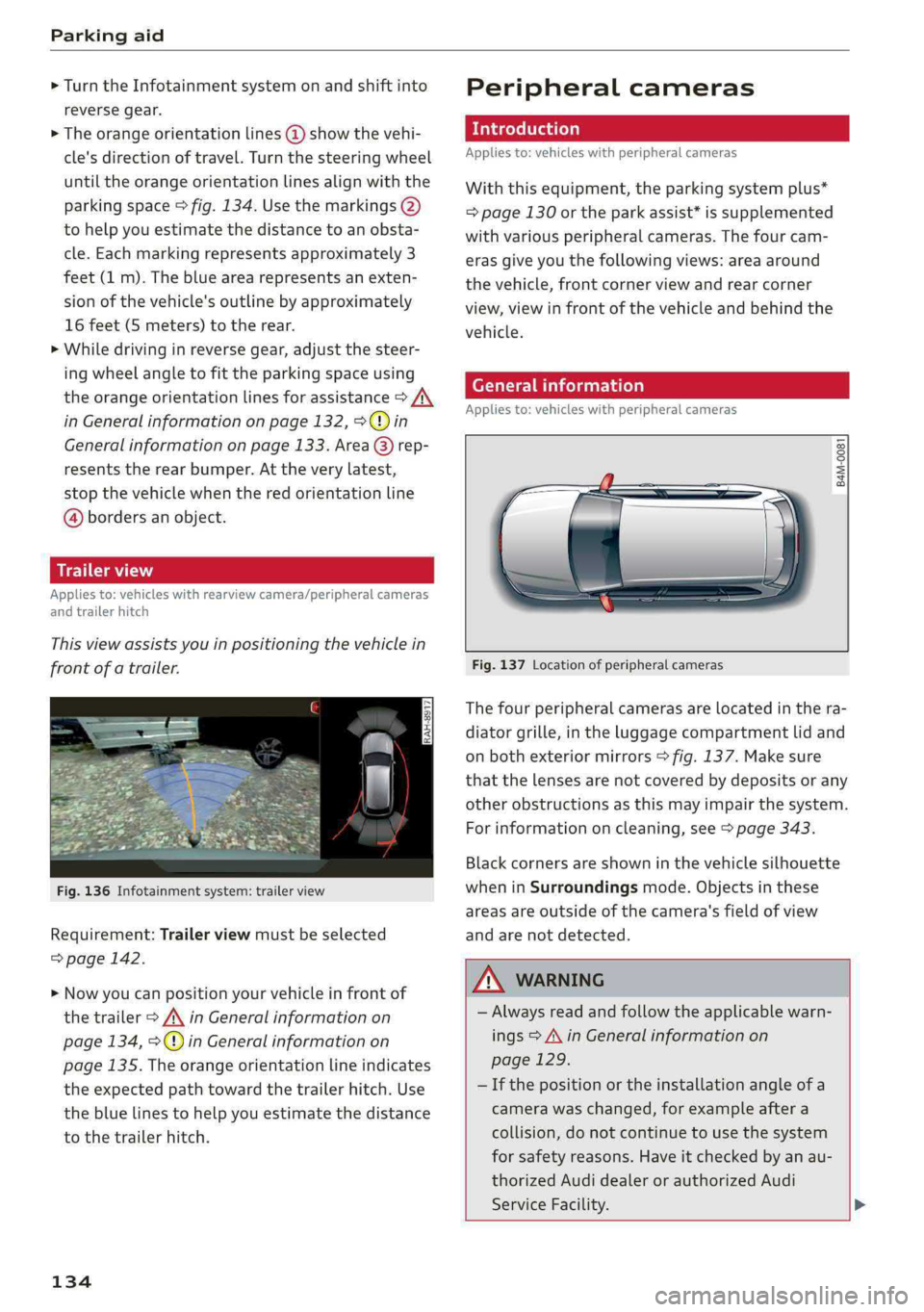
Thisviewassistsyouinpositioningthevehiclein
frontofatrailer.
Fig.136Infotainmentsystem:trailerview
Requirement:Trailerviewmustbeselected
=>page142.
>Nowyoucanpositionyourvehicleinfrontof
thetrailer>/\inGeneralinformationon
page134,>@)inGeneralinformationon
page135.Theorangeorientationlineindicates
theexpectedpathtowardthetrailerhitch.Use
thebluelinestohelpyouestimatethedistance
tothetrailerhitch.
134
Peripheralcameras
Introduction
Appliesto:vehicleswithperipheralcameras
Withthisequipment,theparkingsystemplus*
=page130ortheparkassist*issupplemented
withvariousperipheralcameras.Thefourcam-
erasgiveyouthefollowingviews:areaaround
thevehicle,frontcornerviewandrearcorner
view,viewinfrontofthevehicleandbehindthe
vehicle.
Generalinformation
Appliesto:vehicleswithperipheralcameras
B4M-0081
Fig.137Locationofperipheralcameras
Thefourperipheralcamerasarelocatedinthera-
diatorgrille,intheluggagecompartmentlidand
onbothexteriormirrors>fig.137.Makesure
thatthelensesarenotcoveredbydepositsorany
otherobstructionsasthismayimpairthesystem.
Forinformationoncleaning,see>page343.
Blackcornersareshowninthevehiclesilhouette
wheninSurroundingsmode.Objectsinthese
areasareoutsideofthecamera'sfieldofview
andarenotdetected.
Z\WARNING
—Alwaysreadandfollowtheapplicablewarn-
ings>A\inGeneralinformationon
page129.
—Ifthepositionortheinstallationangleofa
camerawaschanged,forexampleaftera
collision,donotcontinuetouse thesystem
forsafety reasons.Haveitcheckedby anau-
thorizedAudidealerorauthorizedAudi
ServiceFacility.>
Page 140 of 392

Parkingaid
system.Forinformationoncleaning,see
=>page343.
Whenparkingspacesaresmall,theparkingsys-
temsignalsacontinuoustonewhenanobstacle
islessthanapproximately0.7feet(0.20m)
away.Donotcontinuedrivingfarther.
ZAWARNING
—Alwaysreadandfollowtheapplicablewarn-
ings>AinGeneralinformationon
page129.
—Pleasenotethat parkassistonlycontrols
thesteering.Thedriverisalwaysresponsi-
bleforbrakingandaccelerating.
— Thedrivermustdecideiftheparkingspace
displayedissuitableforthevehicle.
—Thevehiclewillchangepositionwhenpark-
ing.Makesureyoudonotendangeranyoth-
erdrivers.
—Whenusingparkassisttodriveintoorout
ofaparkingspace,thesteeringwheelturns
quicklyonitsown.Reachingintothesteer-
ing
wheelspokeswhilethisishappeningcan
resultininjury.
@)Note
—Alwaysreadandfollowtheapplicablewarn-
ings>@inGeneralinformationon
page129.
—Parkassistguidesthevehicleeitheraway
fromcurbsorontothemifothervehicles
areparkedonthecurb.Makesurethatyour
vehicle'stiresandrimsarenotdamaged.
Takeoversteeringattherighttime.
—Certainconditionsaroundtheparkingspace
mayresultinthevehiclenotbeingparked
asexpected.
—Objectssuchaspillarsorposts.
—Groundcoveringsuchasgravel,snowor
ice
G)Tips
— TheElectronicStabilizationControl(ESC)
mustnotbe switchedoffduringtheparking
process>page145.
—Parkingintightcurveswith parkassistis
notpossible.
138
—Youcannotparkwith parkassistwhenyou
aretowingatrailerorhavetheconnectorin-
sertedinthetrailersocket.
Sleemela
Appliesto:vehicleswithparkassist
3S
2 x a
oO
Fig.147Centerconsole:Parkassistbutton
Fig.148Infotainment:Searchingforparkingspaces
>Toswitchtheparkassiston,pressthePebut-
ton>fig.147.The LEDinthebuttonwillturn
onandthedisplayforfindingaparkingspace
willappearintheInfotainmentsystem
>fig.148.
>Toswitchparkassistoff,pressthePebutton.
TheLEDinthebuttonturnsoff.
G)Tips
Thesystempreselectsaspacefromtheavail-
ableparkingoptionsassoonasaspaceisde-
tected.Youcanchangethesuggestedloca-
tion.
Page 147 of 392

80A012721BG
IntelligentTechnology
—Acceleratecarefullywhendrivingon
smooth,slipperysurfacessuchasiceand
snow.Thedrivewheelscanspinevenwhen
thesecontrolsystemsareinstalledandthis
canaffectdrivingstabilityandincreasethe
riskofacollision.
—Appliesto:Vehicleswithroofrackssupplied
by
thefactoryWheninstallingafactory-
suppliedroofracksystemontheroofrail,
theESCwillusesensorstoadaptitselfto
thedifferentcenterofgravityif itchanges
becauseofcarryingaload.Thisdoesnotoc-
cur whenusingotherroofracksystems,so
theriskofanaccidentwillincrease.
iG)Tips
—TheABSandASRonlyfunctioncorrectly
whenallfourwheelshaveasimilarwear
condition.Differenttiresizescanleadtoa
reductioninenginepower.
—Youmayhearnoiseswhenthesystemsde-
scribedareworking.
ScareRiemola
TheESCisautomaticallyswitchedonwhentheignitionisswitchedon.
2i) 3S
gpaaoo
Fig.151CenterconsolewiththeoFbutton
The ESCisdesignedtofunctioninlevels.Depend-
ingonthelevelthatisselected,thestabilization
functionoftheESCwillbelimitedorswitched
off.Theamountofstabilizationcontrolwilldiffer
dependingonthelevel.
Thefollowingexamplesareunusualsituations
whereitmaymakesensetoswitchoffroadmode
ontoallowthewheelstospin:
—Rocking thevehicletofreeitwhenitisstuck
—Drivingindeepsnoworonlooseground
—Drivingwithsnowchains
—Drivingonroughterrainwhenmuchofthecar's
weightisliftedoffthewheels(axle articula-
tion)
—Drivingdownhillwhilebrakingonlooseground
Foryoursafety,switchtheoffroadmodeoffin
advance.
ESClevels
OffroadmodeonESC/ASRoffOffroadmodeoffor
ESC/ASRon
BehaviorThe ESC andASRstabiliza-|Thestabilizationfunctionis|Thefullstabilizationfunc-
tionfunctionsarelimitednotavailable>A\.ESCand__|tionoftheESCandASRis
SA.ASRareswitchedoff.available again.
Operating|Pressthe|#°*|buttonbriefly.|Pressandholdthe|#|but-|Pressthe|#"|buttonagain.
ton longerthanthreesec-
onds.
IndicatorBiturnson.EganFRAturnon.BaiturnsofforEgand
lightsEaturnoff.
Messages__|Stabilizationcontrol(ESC):|Stabilizationcontrol(ESC):|Stabilizationcontrol(ESC):
offroad.Warning!Limited|off.Warning!Restrictedon
stabilitystability
145
Page 169 of 392

80A012721BG
Multifunctionsteeringwheel
Requirement:adestinationmustbeentered
=>page203,routeguidancemustbestartedand
thenavigationtabmustbedisplayed.
Dependingonvehicleequipment,thefollowing
informationmaybeshowninthedriverinforma-
tionsystem>fig.174:
Distancetothedestinationorstopover
©oDisplayinganexpressway,highwayormain
roadaspreparationforanupcomingchange
indirection
Lanerecommendation
Calculatedarrivaltime
Distancetothenextmaneuver
Display oftheexpressway,highwayormain
roadontowhichyouwillbeturning
Directionarrowfortheupcomingmaneuver
©
O80
Abargraphappearswhenadirectionarrowis
displayed.Thefewerthebars thatareshown,
theshorterthedistanceisuntiltheturn.
Currentvehicleposition©
Additionalinformation(on-boardcomputer)
Thefollowingfunctionsarealsoavailablewhen
routeguidanceisactive:
—Adjustingthevoiceguidancevolume:turnthe
rightthumbwheelupordownwhileavoice
guidancemessageisplaying.
ZA\WARNING
Theroutecalculatedby thenavigationsystem
isarecommendationforreachingyourdesti-
nation.Obeytrafficlights,stoppingrestric-
tions,one-waystreets,lanechangerestric-
tions,etc.
(i)Tips
—Alsoseethechapter>page8,Cockpitover-
view.
— Anexclamationpoint“!”infront ofthe
streetnameindicatesthattheinformation
aboutthisstreetorthissectionoftheroute
isnotcompleteinthenavigationdatacon-
tainedintheMMI.Obeytrafficlawsinone-
waystreetsandpedestrianzones.
TAUAmelhmeereeitanle)
Appliesto:vehicleswithnavigationsystemandarrowview
Dependingonthevehicleequipment,theactiverouteguidancewillbedisplayedinthearrowview*in
thedriverinformationsystem.
om:
Fig.175Example:arrowview(monochromeinstrumentcluster)
Requirement:adestinationmustbeentered
=page203,routeguidancemustbestartedand
thenavigationtabmustbedisplayed.
Dependingonvehicleequipment,thefollowing
informationmaybeshowninthedriverinforma-
tionsystem>fig.175:
@Distancetothedestinationorstopover
167
Page 170 of 392

Multifunctionsteeringwheel
Distancetothenextmaneuver
Directionarrowfortheupcomingmaneuver
Abargraphappearswhen adirectionarrowis
displayed.Thefewerthebars thatareshown,
theshorterthedistanceisuntiltheturn.
®O®
Lanerecommendation
Additionalinformation(on-boardcomputer)
Calculatedarrivaltime
©0G®@Displayofthestreetcurrentlybeingdriven
onIfapointisdisplayedbeforethestreet,it
isindicatingthestreetyouwillbe onwiththe
nextmaneuver.
Thefollowingfunctionsarealsoavailablewhen
routeguidanceisactive:
—Adjustingthevoiceguidancevolume:turnthe
rightthumbwheelupordownwhileavoice
guidancemessageisplaying.
ZXWARNING
Theroutecalculatedby thenavigationsystem
isarecommendationforreachingyourdesti-
nation.Obeytrafficlights,stoppingrestric-
tions,one-waystreets,lanechangerestric-
tions,etc.
@Tips
—Alsosee thechapter>page8,Cockpitover-
view.
—Anexclamationpoint“!”infront ofthe
streetnameindicatesthattheinformation
aboutthisstreetorthissectionoftheroute
isnotcompleteinthenavigationdatacon-
tainedintheMMI.Obeytrafficlawsinone-
waystreetsandpedestrianzones.
168