2018 VOLVO XC90 T8 child lock
[x] Cancel search: child lockPage 174 of 686

||
WINDOWS, GLASS AND MIRRORS
* Option/accessory.
172
Automatic folding when the vehicle is locked *
The door mirrors automatically fold in when the vehicle is locked and open when the vehicle isunlocked using the remote key. 1.
Tap
Settings in the center display's Top
view.
2. Tap
My CarMirrors and Convenience.
3. Select
Fold Mirror When Locked to acti-
vate/deactivate.
Related information
• Rearview/door mirrors (p. 169)
• Adjusting the rearview mirror dimming func- tion (p. 170)
• Storing memory settings in power front seats
* (p. 186)
• Activating and deactivating the heated rear window and door mirrors (p. 223)
Panoramic roof
*
The panoramic roof is divided into two glass sections. The front section can be opened verti-cally at the rear edge (ventilation position) or hor-izontally (open position). The rear section cannotbe moved. The panoramic roof has a wind deflector and sun curtain made of perforated fabric (locatedbeneath the glass sections) for extra protectionin e.g. bright sunlight.
The panoramic roof and sun curtain are operated using the controls in the ceiling. It can also be operated using keyless opening *
with the door handle. To operate the panoramic roof and sun curtain, the ignition must be in mode I or II.
WARNING
Children, other passengers or objects can be trapped by the moving parts.
• Always operate the windows with caution.
• Do not allow children to play with the operating controls.
• Never leave a child alone in the vehicle.
• Remember to always cut the current tothe power windows by setting the vehi- cle's electrical system to ignition mode
0
and then taking the remote key with you when leaving the vehicle.
• Never stick objects or body parts outthrough the windows, even if the vehicleelectrical system is completely turned off.
CAUTION
• Do not open the panoramic roof when load carriers are installed.
• Never place heavy objects on the panor-amic roof.
CAUTION
• Remove ice and snow before opening the panoramic roof.
• Do not operate the panoramic roof if it isfrozen in place.
Page 175 of 686

WINDOWS, GLASS AND MIRRORS
}}
* Option/accessory.173
Wind blocker
The panoramic roof is equipped with a wind blocker that folds up when the roof is open.
Related information
•Operating the panoramic roof
* (p. 173)
• Auto closing the panoramic roof
* sun curtain
(p. 175)
• Pinch protection for windows and sun cur-tains (p. 166)
• Keyless locking and unlocking
* (p. 254)
• Locking and unlocking using the remote key(p. 241)
• Locking and unlocking from inside the vehi-cle (p. 257)
Operating the panoramic roof
*
The panoramic roof and sun curtain are oper- ated using a control in the ceiling panel, andboth are equipped with pinch protection.
WARNING
Children, other passengers or objects can be trapped by the moving parts.
• Always operate the windows with caution.
• Do not allow children to play with the operating controls.
• Never leave a child alone in the vehicle.
• Remember to always cut the current tothe power windows by setting the vehi- cle's electrical system to ignition mode
0
and then taking the remote key with you when leaving the vehicle.
• Never stick objects or body parts outthrough the windows, even if the vehicleelectrical system is completely turned off.
CAUTION
• Do not open the panoramic roof when load carriers are installed.
• Never place heavy objects on the panor-amic roof.
CAUTION
• Remove ice and snow before opening the panoramic roof.
• Do not operate the panoramic roof if it isfrozen in place.
To operate the panoramic roof and sun curtain, the ignition must be in mode
I or II.
It can also be operated using keyless opening *
with the door handle.
WARNING
Make sure that no child or other passenger comes into contact with the windows as they are closing with keyless closing *.
CAUTION
Check that the panoramic roof is properly closed when closing.
The movement of the roof will stop if the control is released during manual operation or when the glass has reached the comfort 4
or fully open/
closed position. The movement of both the pan- oramic roof and the sun curtain is also stopped ifthe control in the ceiling is operated again in the
4 The comfort position is a position which helps keep wind and resonance sounds to a comfortably low level.
Page 194 of 686
SEATS AND STEERING WHEEL
* Option/accessory.
192 •
Adjusting front seat side bolster settings
*
(p. 190)
• Adjusting front seat lumbar support
* (p. 190)
Folding the second row backrests
The second row of seats has three individual seating positions. The backrests can be foldeddown separately.
WARNING
• Adjust the seat and ensure it locks into position before driving. Use caution whenadjusting the seat. Uncontrolled or care-less adjustments could lead to injury.
• Long objects must always be securelytied down to help prevent injury or dam-age in the event of sudden braking.
• Always turn off the engine and apply theparking brake when loading or unloadingthe vehicle.
• Put the gear selector in
P to help prevent
the gear selector from being inadvertentlymoved.
CAUTION
When the backrest is folded down, make sure there are no objects in the rear seat, and theseat belts are not buckled. Otherwise there isa risk of damage to the upholstery.
CAUTION
The seat cushion of the integrated child restraint * must be in the stowed position
before the center seat backrest can be folded down. The armrest * in the center seat must be
raised before the seat backrest is folded down. If the vehicle has private locking *, the ski
hatch must be closed before the seat back- rest is folded down.
NOTE
The front seats may need to be pushed for- ward and/or the backrest adjusted so that therear seat backrests can be fully lowered. The rear seats may also need to be moved rearward. The seats in the second row must be in the upright position before they can be foldeddown completely. They should not be foldeddown when they are tilted forward to accessthe third row of seats.
Page 252 of 686

KEY, LOCKS AND ALARM
* Option/accessory.
250
Detachable key blade The remote key contains a detachable metal key blade that can be used to activate a number offunctions and preform certain actions.
A Volvo workshop can provide you with the key blade's unique code, which is recommended incase you need to order a new key blade.
Using the detachable key bladeThe detachable key blade can be used to:
• manually open the left-side front door if cen-tral locking cannot be activated with theremote key.
• emergency lock all doors.
• activate/deactivate the rear door mechanicalchild safety locks.
The button-less Key Tag 10
does not have a
detachable key blade. If needed, use the standardremote key's detachable key blade.
Detaching the key blade
Hold the remote key with the front side
(with the Volvo logo) facing up and move the button on the key ring section to the right.Slide the front cover slightly upward.
The cover will loosen and can be
removed from the key.
Remove the key blade by pulling it up.
Put the key blade back into its designated spot in the remote key after use.
Replace the cover by pressing it down
until it clicks into place.
Slide the cover back.
> An additional click indicates that the cover is correctly in place.
Related information
• Locking and unlocking with detachable key blade (p. 251)
• Remote key (p. 239)
10
Supplied with vehicles equipped with keyless locking/unlocking (Passive Entry *).
Page 253 of 686

KEY, LOCKS AND ALARM
}}
251
Locking and unlocking withdetachable key blade
The detachable key blade can be used to unlock the vehicle from the outside, e.g. if the battery inthe remote key is discharged.
Unlocking
Pull the front left-hand door handle to its end position to access the lock cylinder.
Put the key in the lock cylinder.
Turn the key clockwise 45 degrees so that the key blade is pointing straight rearward.
Turn the key blade back 45 degrees to its original position. Remove the key from thelock cylinder and release the handle so that itreturns to its original position against thevehicle.
5. Pull the door handle. > The door will open. Lock the door in the same way, but turn the key45 degrees counterclockwise in step (3).
Turning off the alarm
NOTE
When the door is unlocked using the detach- able key blade and then opened, the alarmwill be triggered.
Location of the backup key reader in the cup holder.
Turn off the alarm by:
1. Place the remote control key on the key sym-
bol in the backup reader in the bottom of the cup holder in the tunnel console.
2. Turn the start knob clockwise and release it. > The start knob will automatically return toits original position - the alarm signal willstop and the alarm will be turned off.
LockingThe vehicle can also be locked using the remotekey's detachable key blade, e.g. if either the vehi-cle's or remote key's batteries are discharged. The left-hand front door can be locked by insert- ing the detachable key into the door's lock cylin-der. This is the only door with a lock cylinder. The other doors have lock mechanisms in the side ofthe door that must be pushed in using the keyblade. The door will then be locked mechanicallyand cannot be opened from the outside. The doors can still be opened from inside.
Manual door lock. This is not the child lock.
–Remove the detachable key blade from the remote key. Insert the key blade into theopening for the lock mechanism and pushthe key in as far as possible, about 12 mm.
Page 254 of 686

||
KEY, LOCKS AND ALARM
* Option/accessory.
252
The door can be opened from both the out- side and the inside.
The door cannot be opened from the outside. To return to position A, open the door usingthe inside door handle.
The doors can also be unlocked by pressing theunlock button on the remote key or the centrallock button in the driver's door.
NOTE
• The door's lock controls only lock that specific door, not all doors simultane-ously.
• A manually locked rear door with an acti-vated manual or electric child safety lockcannot be opened from either the outsideor inside of the vehicle. A rear doorlocked in this way can only be unlockedusing the remote key or the centralunlocking button.
Related information
• Detachable key blade (p. 250)
• Arming and disarming the alarm (p. 269)
• Replacing the remote key's battery (p. 244)
• Remote key (p. 239)
Electronic immobilizer
The electronic immobilizer is a start inhibitor that helps prevent the vehicle from being started byan unauthorized person.
The vehicle can only be started with the right remote key. The following instrument panel error messages are related to the electronic immobilizer:
SymbolMessageMeaning
Vehicle key not found See Owner'smanualRemote key not recognized duringstart. Place theremote key on thekey symbol in thecup holder and tryto start the vehicleagain.
Related information
• Remote key (p. 239)
• Ordering additional remote keys (p. 248)
Start and lock system typedesignations
The following information contains type designa- tions for the start and lock system.
Alarm systemUSA FCC ID: MAYDA 5823(3) This device complies with part 15 of the FCC rules. Operation is subject to the following condi-tions: (1) This device may not cause harmfulinterference, and (2) this device must accept anyinterference received, including interference thatmay cause undesired operation. Canada IC: 4405A-DA 5823(3)This device is subject to the following conditions: (1) this device may not cause interference, and(2) this device must accept any interference,including interference that may cause undesiredoperation of the device.
Remote keys (Passive entry/Passive start *)
USA Volvo Standard Key FCC ID: YGOHUF8423 Volvo Tag ID FCC ID: YGOHUF8432This device complies with part 15 of the FCC rules. Operation is subject to the following two conditions: (1) This device may not cause harmful interfer- ence, and
Page 260 of 686

||
KEY, LOCKS AND ALARM
* Option/accessory.
258
Alternative unlocking method
Alternative unlocking method using side door opening handle.
–Pull either of the side door inside opening handles and release.
> Depending on the remote key settings,
either all doors will be unlocked or just the selected door will be unlocked andopened. To change this setting, tap
Settings
My CarLockingRemote and
Interior Unlock in the Top view of the
center display.
Locking using the front door buttons
–Press the button (both front doors must
be closed).
> All doors and the tailgate will lock.
Press and hold the
button to close all side
windows at the same time.
Locking using the rear door button *
Button with indicator light for locking/unlocking in rear door.
The lock buttons in the rear doors only lock/ unlock that particular door.
Unlocking the rear door1. Pull the opening handle to unlock the rear
door.
2. Pull the opening handle again to open the rear door 16
.
Related information
• Settings for remote and inside door unlock(p. 242)
• Unlocking the tailgate from inside the vehicle(p. 259)
• Activating and deactivating child safety locks(p. 259)
16
Provided the child safety lock is not activated.
Page 261 of 686
KEY, LOCKS AND ALARM
}}
* Option/accessory.259
Unlocking the tailgate from insidethe vehicle
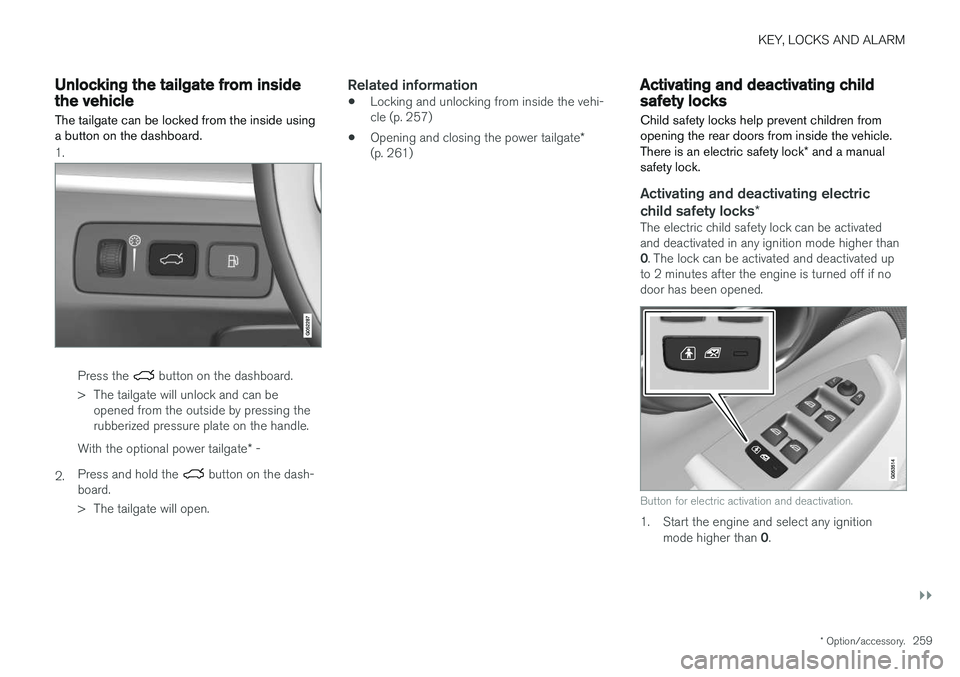
The tailgate can be locked from the inside using a button on the dashboard.
1.
Press the button on the dashboard.
> The tailgate will unlock and can be opened from the outside by pressing the rubberized pressure plate on the handle.
2. With the optional power tailgate
* -
Press and hold the
button on the dash-
board.
> The tailgate will open.
Related information
• Locking and unlocking from inside the vehi- cle (p. 257)
• Opening and closing the power tailgate
*
(p. 261)
Activating and deactivating childsafety locks
Child safety locks help prevent children from opening the rear doors from inside the vehicle. There is an electric safety lock * and a manual
safety lock.
Activating and deactivating electric child safety locks *
The electric child safety lock can be activated and deactivated in any ignition mode higher than 0. The lock can be activated and deactivated up
to 2 minutes after the engine is turned off if no door has been opened.
Button for electric activation and deactivation.
1. Start the engine and select any ignition
mode higher than 0.