2018 VOLVO XC60 T8 reset
[x] Cancel search: resetPage 133 of 674

DISPLAYS AND VOICE CONTROL
}}
131
Resetting center display settingsAll settings made in the center display's Settings menu can be reset to default values.
Two types of resetThere are two ways to reset the settings in the Settings menu:
•
Factory Reset- erases all data and files and
resets all settings to factory default.
•
Reset Personal Settings- erases personal
data and resets personalized settings to fac- tory default.
Resetting settingsFollow these instructions to reset the settings.
NOTE
Factory Reset is only possible when the
vehicle is stationary.
1. Tap Settings in the Top view in the center
display.
2. Proceed to
SystemFactory Reset.
3. Select the type of reset you would like to do. > A pop-up window will appear. 4.
Tap
OK to confirm the reset.
For
Reset Personal Settings, confirm the
reset by tapping Reset for the active
profile or Reset for all profiles.
> The selected settings will be reset.
Related information
• Center display overview (p. 105)
• Opening settings in the center display (p. 128)
• Changing settings in the center display(p. 130)
• Table of settings in the center display(p. 132)
Setting types in the center display
Different types of settings are changed in differ- ent ways. Refer to the table below for a descrip-tion of the different types of settings.
Types of settings
Type ofsettingDescription
Trigger function Starts an app or a separate viewfor more advanced settings. Tapthe text to e.g. connect a Bluetooth
®
device.
Radio but- ton Select one of the possible set-tings by tapping the desired radiobutton to e.g. change the systemlanguage.
Multi-selectionbutton Select a level for a particular set-ting by pressing the desired partof the button, e.g. to select sensi-tivity level for City Safety.
Checkbox Tap the checkbox to activate/ deactivate a function, e.g. toselect automatic start for heatedseats.
Page 135 of 674

DISPLAYS AND VOICE CONTROL
}}
* Option/accessory.133
Sub-categories
Gracenote®
Video
Communication
Sub-categories
Phone Text Messages Android Auto
*
Apple CarPlay*
Bluetooth Devices Wi-FiVehicle Wi-Fi HotspotVehicle Modem Internet Volvo On Call Volvo Service Networks
ClimateThe Climate main category does not have any
sub-categories.
System
Sub-categories
Driver Profile Date and TimeSystem Languages and UnitsPrivacy and dataKeyboard Layouts Voice Control
*
Factory Reset System Information
Related information
• Center display overview (p. 105)
• Changing settings in the center display (p. 130)
• Resetting center display settings (p. 131)
Driver profiles
Many of the vehicle's settings can be custom- ized to the driver's personal preferences andsaved in one or more driver profiles.
These personal settings are automatically saved in the active driver profile. Each key can be linkedto one driver profile. When the linked key is used,the vehicle is customized to the specific settingsof that driver profile.
Which settings are saved in driver profiles?
The vehicle has settings that can be made eitherpersonal or global. The personal settings aresaved in driver profiles. Settings that can be saved in a driver profile include, among other things, screens, mirrors, front seats, navigation *, audio and media system,
language and voice control. Some settings are global settings. These settings can be changed but are not saved to a specificdriver profile. Changes to global settings affect allprofiles.
Page 136 of 674

||
DISPLAYS AND VOICE CONTROL
134
Global settings
Global settings and parameters do not change when driver profiles are changed. They remainthe same regardless of which driver profile is cur-rently active. Keyboard layout is an example of a global setting. If driver profile X is used to add additional key-board languages, these languages will also beavailable for driver profile Y. The settings for key-board layout are not saved to a specific driverprofile - the settings are global.
Personal settings
If driver profile X has been used to e.g., set the brightness for the center display, driver profile Ywill not be affected by this setting. It will only besaved to driver profile X because brightness set-ting is a personal setting.
Related information
•Selecting a driver profile (p. 134)
• Changing a driver profile's name (p. 135)
• Resetting driver profile settings (p. 135)
• Linking a remote key to a driver profile(p. 135)
• Table of settings in the center display(p. 132)
Selecting a driver profile When the center display starts up, the selected driver profile will be shown at the top of thescreen. The most recently used driver profile willbe active the next time the vehicle is unlocked. Adifferent driver profile can be selected once thevehicle has been unlocked. However, if theremote key has been linked to a driver profile,this profile will be used instead.
There are two options for switching between driver profiles. Option 1:
1. Tap the name of the driver profile shown at
the top of the center display when the dis- play starts up.
> A list will appear, showing driver profilesthat can be selected.
2. Select desired driver profile. 3. Tap
Confirm.
> The driver profile has now been selected and the system will load the settings stored in that profile.
Option 2:
1. Pull down Top view in the center display.2. Tap
Profile.
> The same list as in option 1 will be dis- played.
3. Select desired driver profile. 4.
Tap
Confirm.
> The driver profile has now been selected and the system will load the settings stored in that profile.
Related information
• Driver profiles (p. 133)
• Navigating in the center display's views(p. 111)
• Changing a driver profile's name (p. 135)
• Linking a remote key to a driver profile(p. 135)
Page 137 of 674
DISPLAYS AND VOICE CONTROL
}}
135
Changing a driver profile's name
It is possible to change the names of the differ- ent driver profiles used in the vehicle.
1. Tap Settings in the Top view in the center
display.
2. Tap
SystemDriver Profiles.
3. Select
Edit Profile.
> A menu will open in which the driver pro- file can be changed.
4. Tap the
Profile Name box.
> A keyboard will be displayed and can be used to change the name. Tap
to
close the keyboard.
5. Save the name change by pressing
Back orClose.
> The name has now been changed.
NOTE
Profile names may not begin with a space. If a space is entered first, the profile name will notbe saved.
Related information
• Selecting a driver profile (p. 134)
• Using the center display keyboard (p. 122)
Resetting driver profile settings
Settings that have been saved for one or more driver profiles can be reset when the vehicle isstationary.
NOTE
Factory Reset is only possible when the
vehicle is stationary.
1. Tap Settings in the Top view.
2. Tap
SystemFactory ResetReset
Personal Settings.
3. Select option
Reset for the active profile,Reset for all profiles or Cancel.
Related information
• Driver profiles (p. 133)
• Resetting center display settings (p. 131)
Linking a remote key to a driverprofile A remote key can be linked to a driver profile. This driver profile and all of its settings will thenautomatically be selected every time the vehicleis used with that particular remote key.
The first time the remote key is used, it is not linked to any specific driver profile. The Guestprofile is automatically activated when the ignition is switched on. A driver profile can also be selected manually without linking it to any key. When the vehicle isunlocked, the last active driver profile will be acti-vated. If the key has ever been linked to a driverprofile, it is not necessary to manually select adriver profile when using that particular key.
Linking a remote key to a specific driver
profile
First select the profile you would like to link tothe key (if that profile is not already active). Theactive profile can then be linked to the key. 1. Tap
Settings in the Top view in the center
display.
2. Tap
SystemDriver Profiles.
3. Mark the desired profile. The display will return to Home view. The
Guest profile can-
not be linked to a remote key.
Page 164 of 674
WINDOWS, GLASS AND MIRRORS
* Option/accessory.
162
Windows, glass and mirrors
The vehicle is equipped with controls for win- dows, glass and mirrors. Some of the windowsin the car are laminated.
Laminated glass
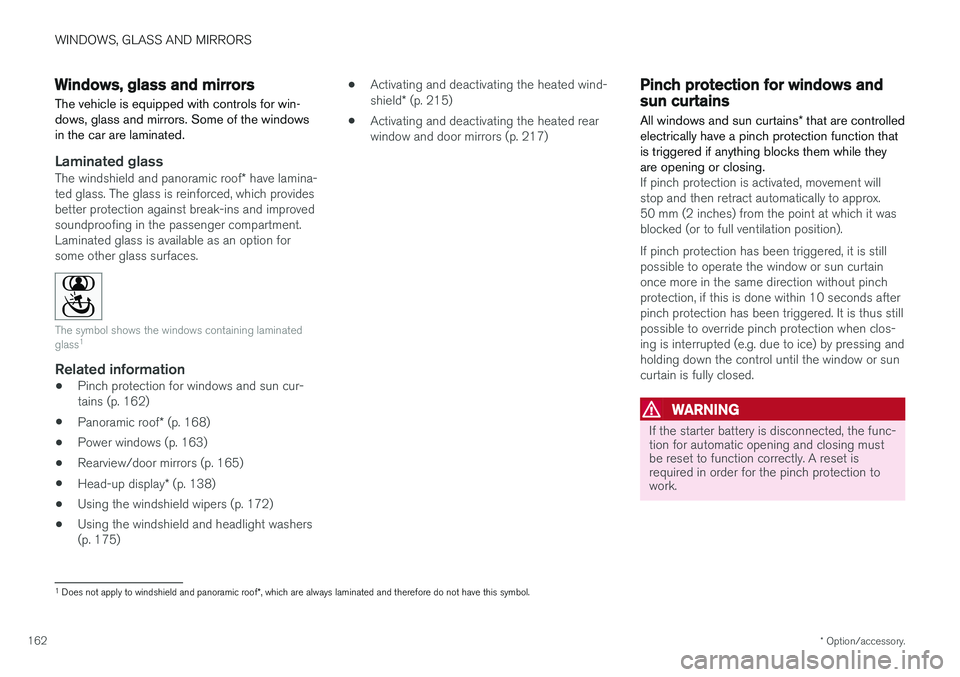
The windshield and panoramic roof * have lamina-
ted glass. The glass is reinforced, which provides better protection against break-ins and improvedsoundproofing in the passenger compartment.Laminated glass is available as an option forsome other glass surfaces.
The symbol shows the windows containing laminated glass 1
Related information
•
Pinch protection for windows and sun cur- tains (p. 162)
• Panoramic roof
* (p. 168)
• Power windows (p. 163)
• Rearview/door mirrors (p. 165)
• Head-up display
* (p. 138)
• Using the windshield wipers (p. 172)
• Using the windshield and headlight washers(p. 175) •
Activating and deactivating the heated wind- shield
* (p. 215)
• Activating and deactivating the heated rear window and door mirrors (p. 217)
Pinch protection for windows andsun curtains
All windows and sun curtains * that are controlled
electrically have a pinch protection function that is triggered if anything blocks them while theyare opening or closing.
If pinch protection is activated, movement will stop and then retract automatically to approx.50 mm (2 inches) from the point at which it wasblocked (or to full ventilation position). If pinch protection has been triggered, it is still possible to operate the window or sun curtainonce more in the same direction without pinchprotection, if this is done within 10 seconds afterpinch protection has been triggered. It is thus stillpossible to override pinch protection when clos-ing is interrupted (e.g. due to ice) by pressing andholding down the control until the window or suncurtain is fully closed.
WARNING
If the starter battery is disconnected, the func- tion for automatic opening and closing mustbe reset to function correctly. A reset isrequired in order for the pinch protection towork.
1 Does not apply to windshield and panoramic roof *, which are always laminated and therefore do not have this symbol.
Page 165 of 674

WINDOWS, GLASS AND MIRRORS
}}
* Option/accessory.163
Related information
•Reset procedure for pinch protection (p. 163)
• Operating the power windows (p. 164)
• Panoramic roof
* (p. 168)
Reset procedure for pinchprotection
If the power windows are not operating properly, you can try a reset procedure.
WARNING
If the starter battery is disconnected, the func- tion for automatic opening and closing mustbe reset to function correctly. A reset isrequired in order for the pinch protection towork.
If the problem persists or if it affects the panor- amic roof or sunroof, contact a workshop. 2
Resetting a power window
1. Start with the window in the closed position.
2. Then operate the window in manual mode
three times upward toward the closed posi- tion.
> The system will be automatically initiated.
Related information
• Pinch protection for windows and sun cur- tains (p. 162)
• Operating the power windows (p. 164)
Power windows
The power windows are operated using the con- trol panels found in the doors. The driver's doorhas controls for operating all windows and foractivating the child safety locks.
Driver's door control panel.
Electric child safety locks * that deactivate the
controls in the rear doors to prevent the doors or windows from being opened fromthe inside.
Rear window controls.
Front window controls.
The power windows have pinch protection. If there is any problem with the pinch protection, arest procedure can be tested.
2 An authorized Volvo workshop is recommended.
Page 166 of 674

||
WINDOWS, GLASS AND MIRRORS
* Option/accessory.
164
WARNING
Children, other passengers or objects can be trapped by the moving parts.
• Always operate the windows with caution.
• Do not allow children to play with the operating controls.
• Never leave a child alone in the vehicle.
• Remember to always cut the current tothe power windows by setting the vehi- cle's electrical system to ignition mode
0
and then taking the remote key with you when leaving the vehicle.
• Never stick objects or body parts outthrough the windows, even if the vehicleelectrical system is completely turned off.
Related information
•Operating the power windows (p. 164)
• Pinch protection for windows and sun cur-tains (p. 162)
• Reset procedure for pinch protection(p. 163)
Operating the power windows
All power windows can be operated using the control panel in the driver's door. The controlpanels in the other doors can be used to oper-ate that particular door.
The power windows have pinch protection. If there is any problem with the pinch protection, arest procedure can be tested.
WARNING
Children, other passengers or objects can be trapped by the moving parts.
• Always operate the windows with caution.
• Do not allow children to play with the operating controls.
• Never leave a child alone in the vehicle.
• Remember to always cut the current tothe power windows by setting the vehi- cle's electrical system to ignition mode
0
and then taking the remote key with you when leaving the vehicle.
• Never stick objects or body parts outthrough the windows, even if the vehicleelectrical system is completely turned off.
Operating the power windows.
Operating manually. Move one of the controls slightly up or down. The power windows goup or down while the control is held in posi-tion.
Operating with automatic controls. Move one of the controls up or down to its end positionand release it. The window moves automati-cally to its fully closed/open position.
To use the power windows, the ignition must be in at least mode I or II. After the ignition has
been switched off, the power windows can be operated for several minutes or until a door isopened. Only one control panel can be operatedat a time. It can also be operated using keyless opening *
with the door handle.
Page 167 of 674

WINDOWS, GLASS AND MIRRORS
* Option/accessory.165
WARNING
Make sure that no child or other passenger comes into contact with the windows as they are closing with keyless closing *.
NOTE
One way to reduce the pulsating wind noise heard when the rear windows are open is toalso open the front windows slightly.
NOTE
The windows cannot be opened at speeds over approx. 180 km/h (ca112 mph), but theycan be closed. The driver is always responsible for following applicable traffic regulations.
Related information
• Power windows (p. 163)
• Pinch protection for windows and sun cur- tains (p. 162)
• Reset procedure for pinch protection(p. 163)
• Keyless locking and unlocking
* (p. 244)
• Locking and unlocking using the remote key(p. 231)
• Locking and unlocking from inside the vehi-cle (p. 247)
Rearview/door mirrors
The rearview mirror and door mirrors can be used to improve the driver's visibility behind thevehicle.
Rearview mirrorThe rearview mirror can be easily adjusted man- ually. The rearview mirror can be equipped with HomeLink *, auto-dim * and compass *.
Door mirrors
WARNING
The door mirror on the passenger side is curved to improve visibility. Objects in the mir-ror may appear farther away than they actuallyare.
The joystick in the drivers' door control panel is used to adjust the position of the door mirrors.There are also several automatic settings thatcan also be connected to the memory function buttons for the power seat *.
Related information
•
HomeLink ®
* (p. 468)
• Compass (p. 471)
• Adjusting the rearview mirror dimming func- tion (p. 166)
• Adjusting the door mirrors (p. 166) •
Storing memory settings in power front seats
* (p. 182)
• Activating and deactivating the heated rear window and door mirrors (p. 217)