2018 VOLVO V60 CROSS COUNTRY brake light
[x] Cancel search: brake lightPage 205 of 404
DRIVER SUPPORT
203
•
City Safety – symbols and messages (p. 207)
• City Safety – Laser sensor (p. 208)
City Safety – function
Function
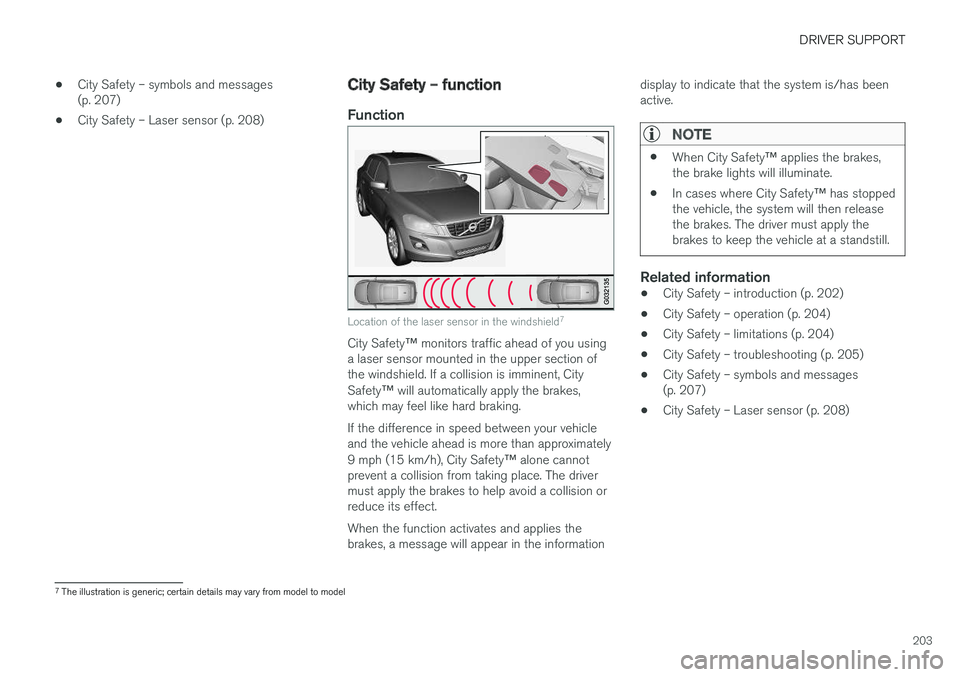
Location of the laser sensor in the windshield 7
City Safety
™ monitors traffic ahead of you using
a laser sensor mounted in the upper section of the windshield. If a collision is imminent, City Safety ™ will automatically apply the brakes,
which may feel like hard braking. If the difference in speed between your vehicle and the vehicle ahead is more than approximately 9 mph (15 km/h), City Safety ™ alone cannot
prevent a collision from taking place. The driver must apply the brakes to help avoid a collision orreduce its effect. When the function activates and applies the brakes, a message will appear in the information display to indicate that the system is/has beenactive.
NOTE
•
When City Safety
™ applies the brakes,
the brake lights will illuminate.
• In cases where City Safety
™ has stopped
the vehicle, the system will then release the brakes. The driver must apply thebrakes to keep the vehicle at a standstill.
Related information
• City Safety – introduction (p. 202)
• City Safety – operation (p. 204)
• City Safety – limitations (p. 204)
• City Safety – troubleshooting (p. 205)
• City Safety – symbols and messages (p. 207)
• City Safety – Laser sensor (p. 208)
7
The illustration is generic; certain details may vary from model to model
Page 212 of 404
||
DRIVER SUPPORT
* Option/accessory.
210
WARNING
• Pedestrian and Cyclist Detection with Full Auto Brake does not work in all driving,traffic, weather and road conditions. Itdoes not react to vehicles not traveling inthe same direction as your vehicle.
• Pedestrian and Cyclist Detection with FullAuto Brake does not react to animals.
• Warnings are only provided when the riskof collision is high. The "Function" sectionprovides information about limitations thatthe driver must be aware of before usingCollision Warning.
• Pedestrian and Cyclist Detection with FullAuto Brake will not provide a warning orbrake the vehicle for pedestrians orcyclists at speeds above 50 mph(80 km/h).
WARNING
•
Pedestrian and Cyclist Detection with Full Auto Brake will not provide a warning orbrake the vehicle for pedestrians in dark-ness or in tunnels, even if there is streetlighting in the area.
• The auto-brake function can help preventa collision or reduce the speed at impactbut the driver should always apply thebrakes for the best possible brakingeffect, even if auto-brake is actively apply-ing the brakes.
• Never wait for a collision warning. Thissystem is designed to be a supplemen-tary driving aid. It is not, however,intended to replace the driver's attentionand judgement. The driver is responsiblefor maintaining a safe distance andspeed, even when the collision warningsystem is in use.
• Maintenance of the Pedestrian andCyclist Detection with Full Auto Brakesystem's components must only be per-formed by a trained and qualified Volvotechnician.
Related information
•
Collision warning
* – function (p. 211)
• Collision warning
* – operation (p. 212) •
Collision warning
* – Pedestrian detection
(p. 214)
• Collision warning
* – Cyclist detection
(p. 213)
• Collision warning
* – limitations (p. 215)
• The camera
Page 213 of 404
DRIVER SUPPORT
* Option/accessory.211
Collision warning * – function
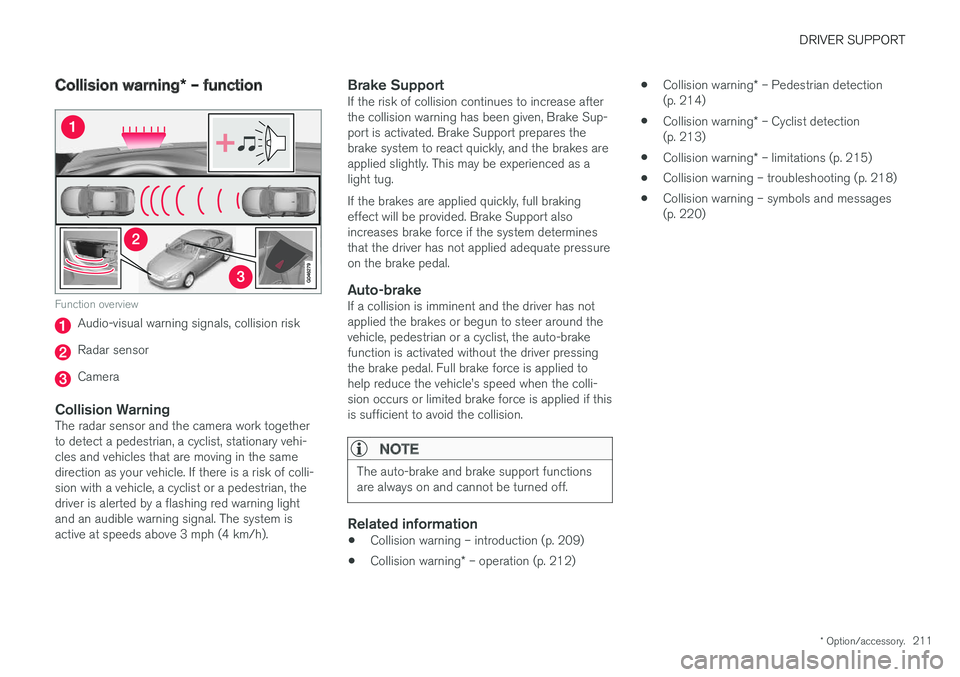
Function overview
Audio-visual warning signals, collision risk
Radar sensor
Camera
Collision WarningThe radar sensor and the camera work together to detect a pedestrian, a cyclist, stationary vehi-cles and vehicles that are moving in the samedirection as your vehicle. If there is a risk of colli-sion with a vehicle, a cyclist or a pedestrian, thedriver is alerted by a flashing red warning lightand an audible warning signal. The system isactive at speeds above 3 mph (4 km/h).
Brake SupportIf the risk of collision continues to increase afterthe collision warning has been given, Brake Sup-port is activated. Brake Support prepares thebrake system to react quickly, and the brakes areapplied slightly. This may be experienced as alight tug. If the brakes are applied quickly, full braking effect will be provided. Brake Support alsoincreases brake force if the system determinesthat the driver has not applied adequate pressureon the brake pedal.
Auto-brakeIf a collision is imminent and the driver has notapplied the brakes or begun to steer around thevehicle, pedestrian or a cyclist, the auto-brakefunction is activated without the driver pressingthe brake pedal. Full brake force is applied tohelp reduce the vehicle
Page 214 of 404
DRIVER SUPPORT
* Option/accessory.
212
Collision warning * – operation
Settings are made by pressing MY CAR on the
center console control panel and using the menus displayed.
Activating/deactivating both warning
signals
To switch the system's audible and visual sig-
nals on or off at the same time, press MY CAR
on the center console control panel and go to
SettingsCar settingsDriver support
systems
Collision Warning. If Pedestrian
and Cyclist Detection with Full Auto Brake is on, the system will perform a self-test each time theengine is started by briefly illuminating the warn-ing light. See My Car – introduction (p. 79) for adescription of the menu system. When the engine is switched on, the system set- ting that was being used when it was switchedoff will be the default setting.
NOTE
The auto-brake and pedestrian/cyclist detec- tion features are always on, even if the audi-ble and visual warning signals have beendeactivated.
Activating/deactivating the audible warning signal only
The audible warning signal can be activated/ deactivated by pressing MY CAR on the center
console control panel and going to
Settings
Car settingsDriver support systemsWarning sound if risk of collision.
Setting a warning distanceThis setting determines the distance at which the visual and audible warnings are triggered. Select
Long, Normal or Short by pressing MY CAR on
the center console control panel and going to
SettingsCar settingsDriver support
systems
Collision WarningWarning
distance.
The warning distance determines the level of sensitivity used by the system. The warning dis- tance
Long provides an earlier warning. Begin by
using Long and if the system gives too many
warnings, try changing to Normal.
WARNING
• The setting Short should only be used in
situations where traffic is light and mov- ing at low speeds.
• Pedestrian and Cyclist Detection with FullAuto Brake alerts the driver to the risk ofa collision but this function cannot reducethe driver
Page 216 of 404
||
DRIVER SUPPORT
* Option/accessory.
214 •
The camera's function is deactivated and will not detect a cyclist in darkness or in tunnels,even if there is street lighting in the area.
• For optimal cyclist detection, City Safety
™
must be activated.
WARNING
Pedestrian and Cyclist Detection with Full Auto Brake is designed to be a supplemen-tary driving aid. It is not, however, intended toreplace the driver's attention and judgement.The driver is always responsible for operatingthe vehicle in a safe manner. The system cannot detect a bike/cyclist if:
• He/she is wearing loose-fitting clothing that may obscure body contours
• The bike is approaching your vehicle fromthe side
• The bike is not equipped with a rear-fac-ing red reflector
• The bike is carrying large objects
• Most of the cyclist's body or the bikeitself cannot be "seen" by the system'scamera
Related information
•Collision warning – introduction (p. 209)
• Collision warning
* – function (p. 211)
• Collision warning
* – operation (p. 212) •
Collision warning
* – Pedestrian detection
(p. 214)
• Collision warning
* – limitations (p. 215)
• Collision warning – troubleshooting (p. 218)
• Collision warning – symbols and messages(p. 220)
Collision warning
* – Pedestrian
detection
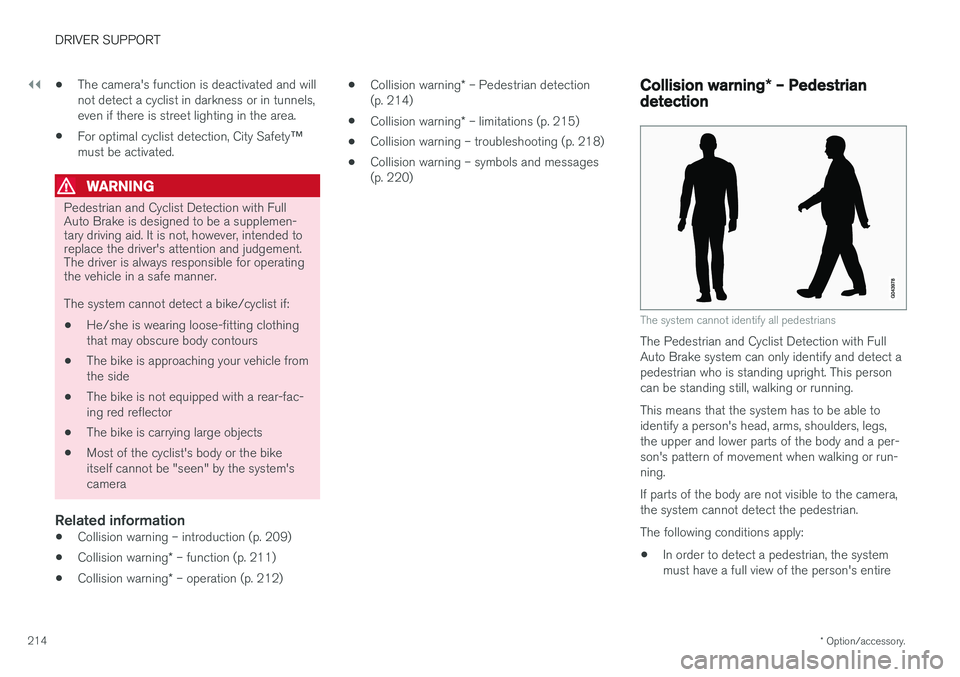
The system cannot identify all pedestrians
The Pedestrian and Cyclist Detection with Full Auto Brake system can only identify and detect apedestrian who is standing upright. This personcan be standing still, walking or running. This means that the system has to be able to identify a person's head, arms, shoulders, legs,the upper and lower parts of the body and a per-son's pattern of movement when walking or run-ning. If parts of the body are not visible to the camera, the system cannot detect the pedestrian. The following conditions apply:
• In order to detect a pedestrian, the system must have a full view of the person's entire
Page 217 of 404
DRIVER SUPPORT
}}
* Option/accessory.215
body and the person must be at least 32 in. (80 cm) tall.
• The system cannot detect a pedestrian carry-ing a large object.
• The camera's capacity to see a pedestrian atdawn or dusk is limited, much as it is for thehuman eye.
• The camera's function is deactivated and willnot detect a pedestrian in darkness or in tun-nels, even if there is street lighting in thearea.
WARNING
•Pedestrian and Cyclist Detection with Full Auto Brake is designed to be a supple-mentary driving aid. It is not, however,intended to replace the driver's attentionand judgement. The driver is alwaysresponsible for operating the vehicle in asafe manner.
• The system cannot detect all pedestriansin all situations, such as in darkness/atnight and cannot detect partially hiddenpedestrians, people who are less thanapprox. 32 in. (80 cm) tall, or peoplewearing clothing that obscures the con-tours of their bodies.
Related information
•Collision warning – introduction (p. 209)
• Collision warning
* – function (p. 211)
• Collision warning
* – operation (p. 212)
• Collision warning
* – Cyclist detection
(p. 213)
• Collision warning
* – limitations (p. 215)
• Collision warning – troubleshooting (p. 218)
• Collision warning – symbols and messages(p. 220)
Collision warning
* – limitations
Strong sunlight, reflections, extreme light con- trasts, the use of sunglasses, or if the driver is notlooking straight ahead may make the visual warn-ing signal in the windshield difficult to see. Forthis reason, always activate the audible warningsignal. Slippery driving conditions increase braking dis- tance, which can reduce the system's capacity toavoid a collision. In these conditions, the ABS andstability systems provide the best possible brak-ing effect while helping to maintain stability.
NOTE
The visual warning signal may be temporarily disengaged in the event of high passengercompartment temperature due to strong sun-light, etc. If this occurs, the audible warningsignal will be used, even if it has been deacti-vated in the menu system.
Page 242 of 404
||
DRIVER SUPPORT
* Option/accessory.
240
Front park assist
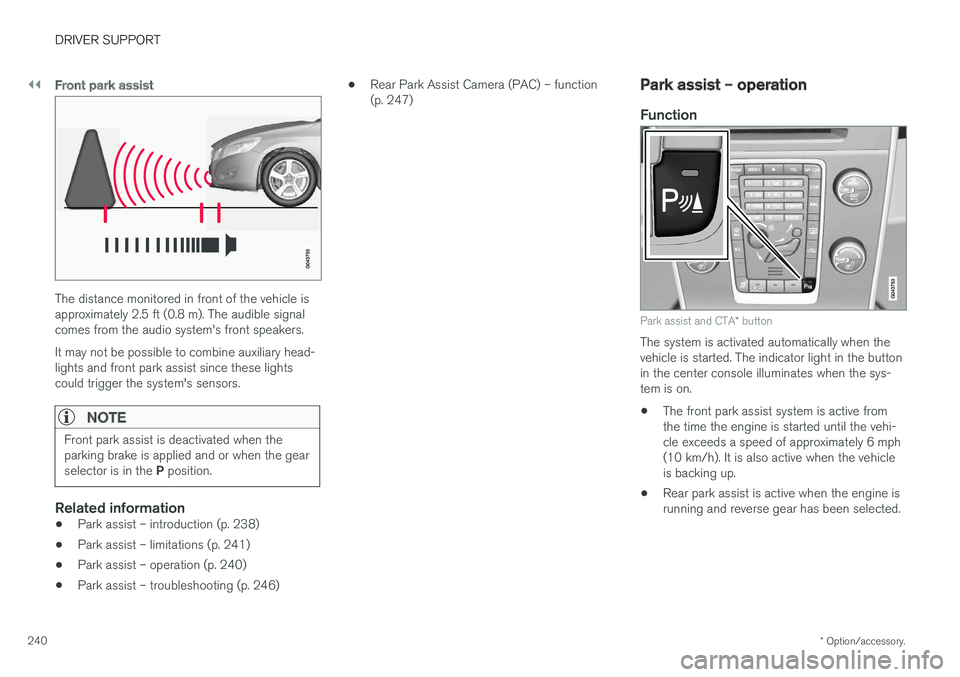
The distance monitored in front of the vehicle is approximately 2.5 ft (0.8 m). The audible signalcomes from the audio system's front speakers. It may not be possible to combine auxiliary head- lights and front park assist since these lightscould trigger the system's sensors.
NOTE
Front park assist is deactivated when the parking brake is applied and or when the gear selector is in the P position.
Related information
• Park assist – introduction (p. 238)
• Park assist – limitations (p. 241)
• Park assist – operation (p. 240)
• Park assist – troubleshooting (p. 246) •
Rear Park Assist Camera (PAC) – function (p. 247)
Park assist – operation
Function
Park assist and CTA
* button
The system is activated automatically when the vehicle is started. The indicator light in the buttonin the center console illuminates when the sys-tem is on. • The front park assist system is active from the time the engine is started until the vehi-cle exceeds a speed of approximately 6 mph(10 km/h). It is also active when the vehicleis backing up.
• Rear park assist is active when the engine isrunning and reverse gear has been selected.
Page 243 of 404
DRIVER SUPPORT
241
Activating/deactivating
The system is activated automatically when the vehicle is started.
–Press the Park assist button on the center console to temporarily deactivate the sys-tem(s).
> The indicator light in the button will go outwhen the system has been deactivated.
Park assist will be automatically reactivated the next time the engine is started, or if the button ispressed (the indicator light in the button will illu-minate).
NOTE
Park assist is disengaged automatically when the parking brake is applied.
Related information
• Park assist – introduction (p. 238)
• Park assist – limitations (p. 241)
• Park assist – function (p. 238)
• Park assist – troubleshooting (p. 246)
• Rear Park Assist Camera (PAC) – function (p. 247)
Park assist – limitations
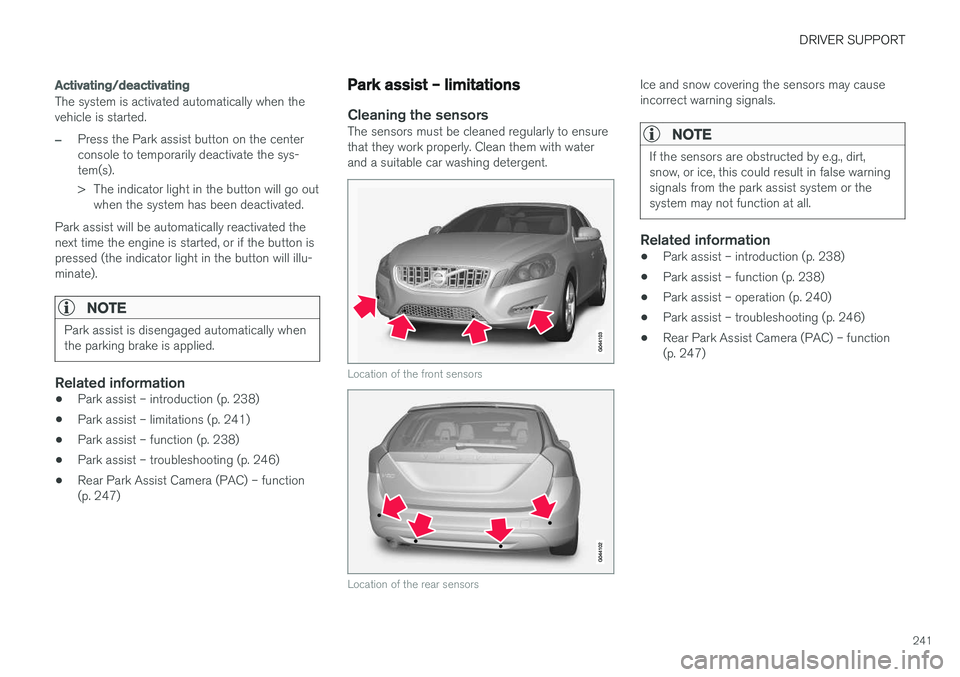
Cleaning the sensorsThe sensors must be cleaned regularly to ensure that they work properly. Clean them with waterand a suitable car washing detergent.
Location of the front sensors
Location of the rear sensors
Ice and snow covering the sensors may cause incorrect warning signals.
NOTE
If the sensors are obstructed by e.g., dirt, snow, or ice, this could result in false warningsignals from the park assist system or thesystem may not function at all.
Related information
•Park assist – introduction (p. 238)
• Park assist – function (p. 238)
• Park assist – operation (p. 240)
• Park assist – troubleshooting (p. 246)
• Rear Park Assist Camera (PAC) – function (p. 247)