Page 59 of 632
591-2. Child safety
1
For safety and security
YARIS_HV_OM_Europe_OM52J66E
Riding with children
●It is recommended that children sit in the rear seats to avoid acci-
dental contact with the shift lever, wiper switch etc.
● Use the rear door child-protector lock or the window lock switch to
avoid children opening the door while driving or operating the
power window accidentally. ( P. 157, 199)
● Do not let small children operate equipment which may catch or
pinch body parts, such as the power window, hood, back door,
seats etc.
Observe the following precautions when children are in the vehi-
cle.
Use a child restraint system appropriate for the child, until the
child becomes large enough to properly wear the vehicle’s seat
belt.
WARNING
Never leave children unattended in the vehicle, and never allow children to
have or use the key.
Children may be able to start the vehicle or shift the vehicle into neutral.
There is also a danger that children may injure themselves by playing with
the windows or other features of the vehicle. In addition, heat build-up or
extremely cold temperatures inside the vehicle can be fatal to children.
Page 72 of 632
721-2. Child safety
YARIS_HV_OM_Europe_OM52J66E
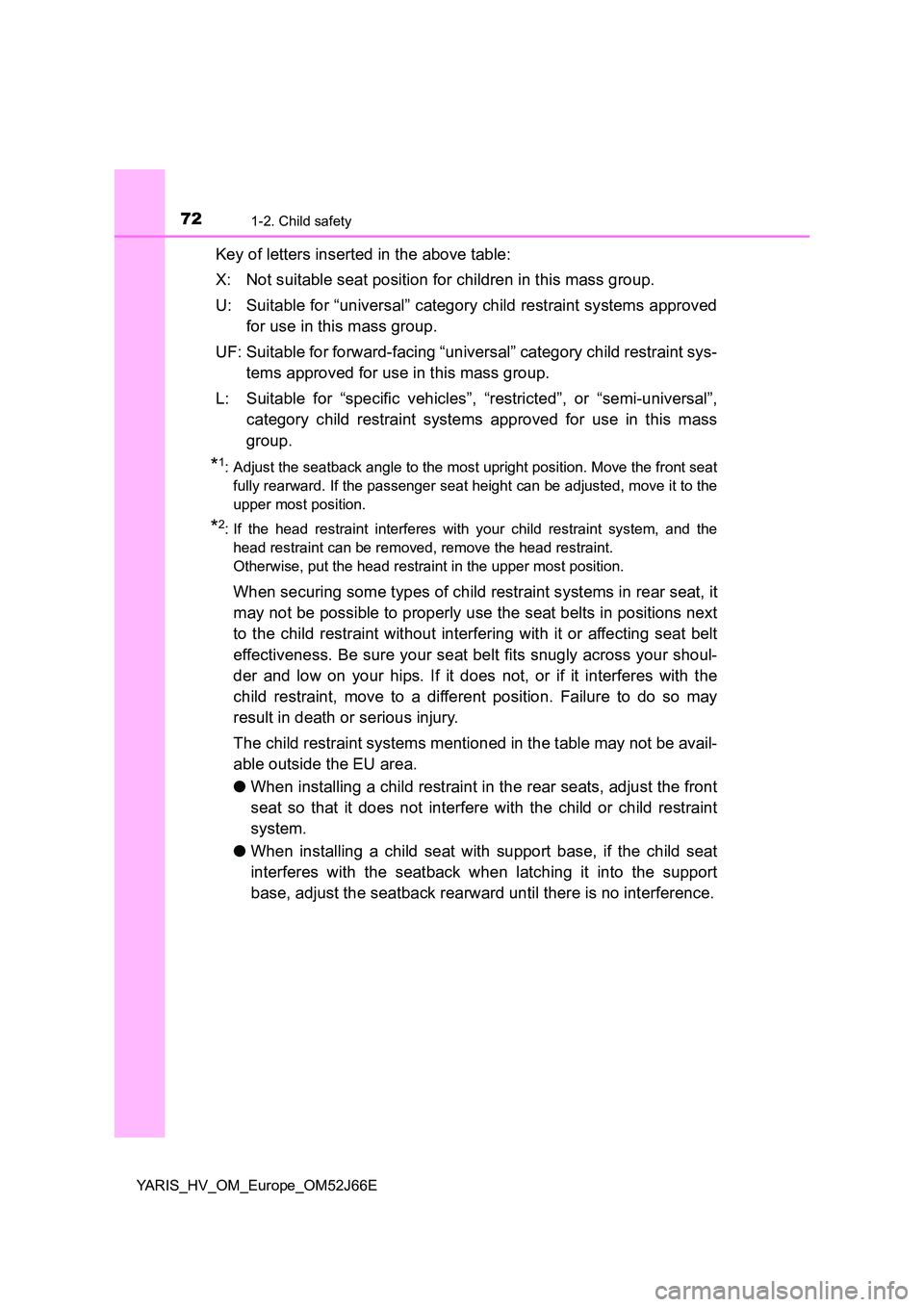
Key of letters inserted in the above table:
X: Not suitable seat position for children in this mass group.
U: Suitable for “universal” category child restraint systems approved
for use in this mass group.
UF: Suitable for forward-facing “universal” category child restraint sys-
tems approved for use in this mass group.
L: Suitable for “specific vehicles”, “restricted”, or “semi-universal”,
category child restraint systems approved for use in this mass
group.
*1: Adjust the seatback angle to the most upright position. Move the front seat
fully rearward. If the passenger seat height can be adjusted, move it to the
upper most position.
*2: If the head restraint interferes with your child restraint system, and the
head restraint can be removed, remove the head restraint.
Otherwise, put the head restraint in the upper most position.
When securing some types of child restraint systems in rear seat, it
may not be possible to properly use the seat belts in positions next
to the child restraint without interfering with it or affecting seat belt
effectiveness. Be sure your seat belt fits snugly across your shoul-
der and low on your hips. If it does not, or if it interferes with the
child restraint, move to a different position. Failure to do so may
result in death or serious injury.
The child restraint systems mentioned in the table may not be avail-
able outside the EU area.
● When installing a child restraint in the rear seats, adjust the front
seat so that it does not interfere with the child or child restraint
system.
● When installing a child seat with support base, if the child seat
interferes with the seatback when latching it into the support
base, adjust the seatback rearward until there is no interference.
Page 80 of 632
801-2. Child safety
YARIS_HV_OM_Europe_OM52J66E
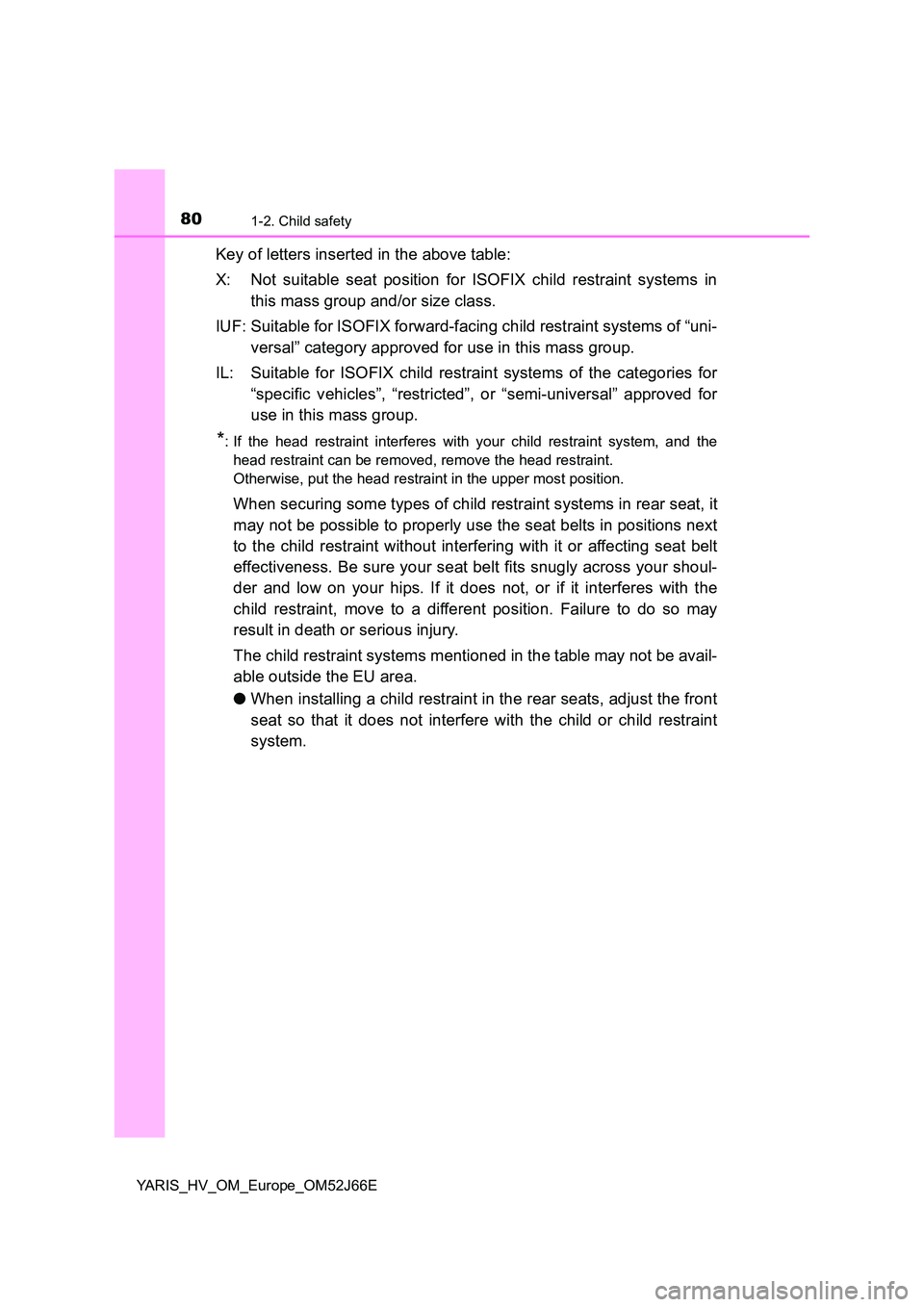
Key of letters inserted in the above table:
X: Not suitable seat position for ISOFIX child restraint systems in
this mass group and/or size class.
IUF: Suitable for ISOFIX forward-facing child restraint systems of “uni-
versal” category approved for use in this mass group.
IL: Suitable for ISOFIX child restraint systems of the categories for
“specific vehicles”, “restricted”, or “semi-universal” approved for
use in this mass group.
*: If the head restraint interferes with your child restraint system, and the
head restraint can be removed, remove the head restraint.
Otherwise, put the head restraint in the upper most position.
When securing some types of child restraint systems in rear seat, it
may not be possible to properly use the seat belts in positions next
to the child restraint without interfering with it or affecting seat belt
effectiveness. Be sure your seat belt fits snugly across your shoul-
der and low on your hips. If it does not, or if it interferes with the
child restraint, move to a different position. Failure to do so may
result in death or serious injury.
The child restraint systems mentioned in the table may not be avail-
able outside the EU area.
● When installing a child restraint in the rear seats, adjust the front
seat so that it does not interfere with the child or child restraint
system.
Page 81 of 632
811-2. Child safety
1
For safety and security
YARIS_HV_OM_Europe_OM52J66E
■i-Size child restraint systems fastened with ISOFIX (ECE
R129) - Compatibility table
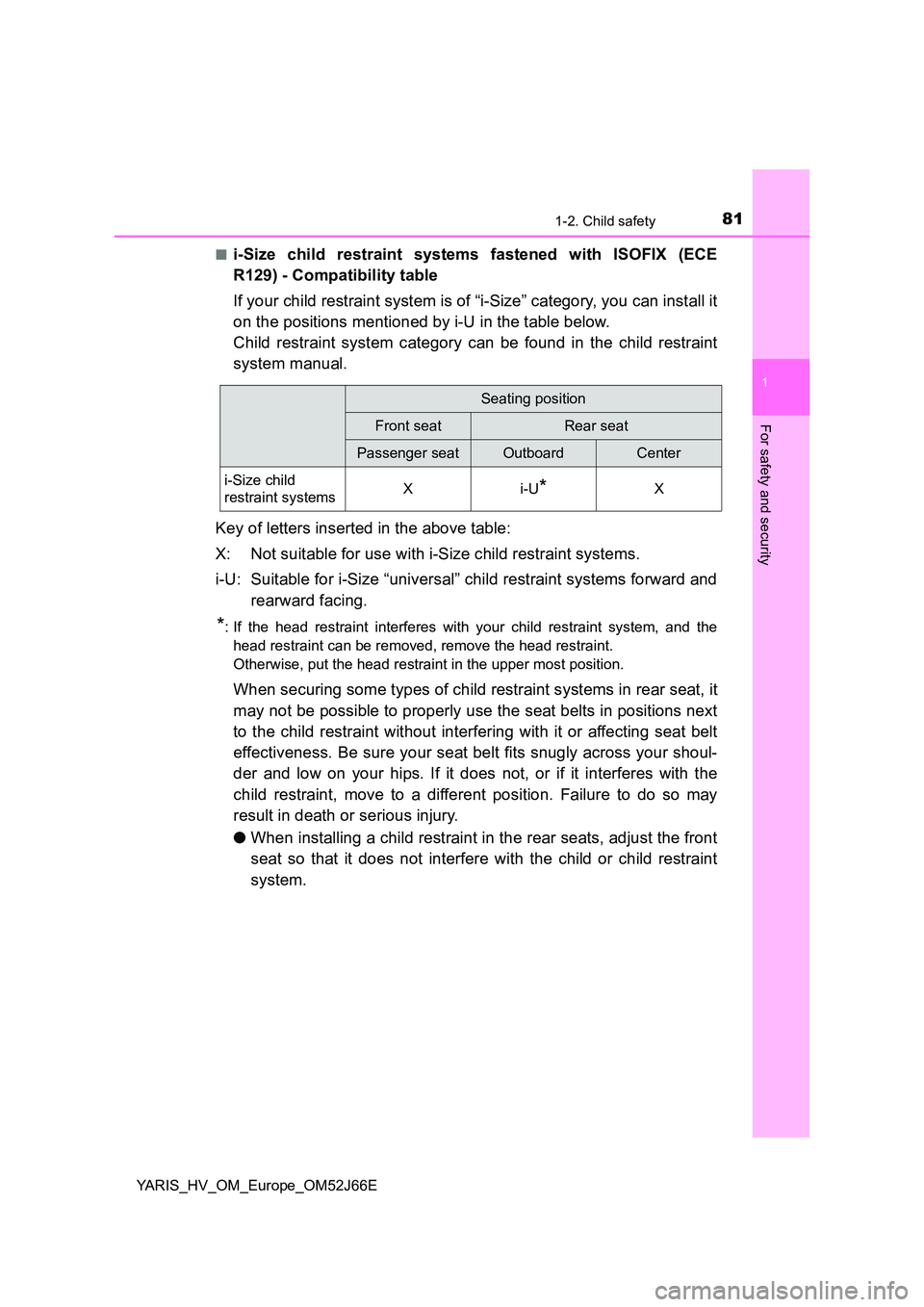
If your child restraint system is of “i-Size” category, you can install it
on the positions mentioned by i-U in the table below.
Child restraint system category can be found in the child restraint
system manual.
Key of letters inserted in the above table:
X: Not suitable for use with i-Size child restraint systems.
i-U: Suitable for i-Size “universal” child restraint systems forward and
rearward facing.
*: If the head restraint interferes with your child restraint system, and the
head restraint can be removed, remove the head restraint.
Otherwise, put the head restraint in the upper most position.
When securing some types of child restraint systems in rear seat, it
may not be possible to properly use the seat belts in positions next
to the child restraint without interfering with it or affecting seat belt
effectiveness. Be sure your seat belt fits snugly across your shoul-
der and low on your hips. If it does not, or if it interferes with the
child restraint, move to a different position. Failure to do so may
result in death or serious injury.
● When installing a child restraint in the rear seats, adjust the front
seat so that it does not interfere with the child or child restraint
system.
Seating position
Front seatRear seat
Passenger seatOutboardCenter
i-Size child
restraint systemsXi-U*X
Page 96 of 632
961-4. Theft deterrent system
YARIS_HV_OM_Europe_OM52J66E
Immobilizer system
Vehicles without a smart entry & start system
The system begins operating after the key has been removed from
the power switch. The system is canceled after the registered key has
been inserted into the power switch.
Vehicles with a smart entry & start system
The system begins operating after the power switch has been turned
off. The system is canceled after the power switch has been turned to
ACCESSORY or ON mode.
■ System maintenance
The vehicle has a maintenance-free type immobilizer system.
■ Conditions that may cause the system to malfunction
● If the grip portion of the key is in contact with a metallic object
● If the key is in close proximity to or touching a key to the security system
(key with a built-in transponder chip) of another vehicle
The vehicle’s keys have built-in transponder chips that prevent
the hybrid system from starting if a key has not been previously
registered in the vehicle’s on-board computer.
Never leave the keys inside the vehicle when you leave the vehi-
cle.
This system is designed to help prevent vehicle theft but does
not guarantee absolute security against all vehicle thefts.
Page 139 of 632
139
3
Operation of
each component
YARIS_HV_OM_Europe_OM52J66E
3-1. Key information
Keys ................................... 140
3-2. Opening, closing
and locking the doors
Side doors.......................... 152
Back door........................... 159
Smart entry &
start system ..................... 164
3-3. Adjusting the seats
Front seats ......................... 182
Rear seats ......................... 184
Head restraints .................. 188
3-4. Adjusting the steering
wheel and mirrors
Steering wheel ................... 191
Inside rear view mirror ....... 193
Outside rear view mirrors... 196
3-5. Opening and closing
the windows
Power windows .................. 199
Page 140 of 632
1403-1. Key information
YARIS_HV_OM_Europe_OM52J66E
Keys
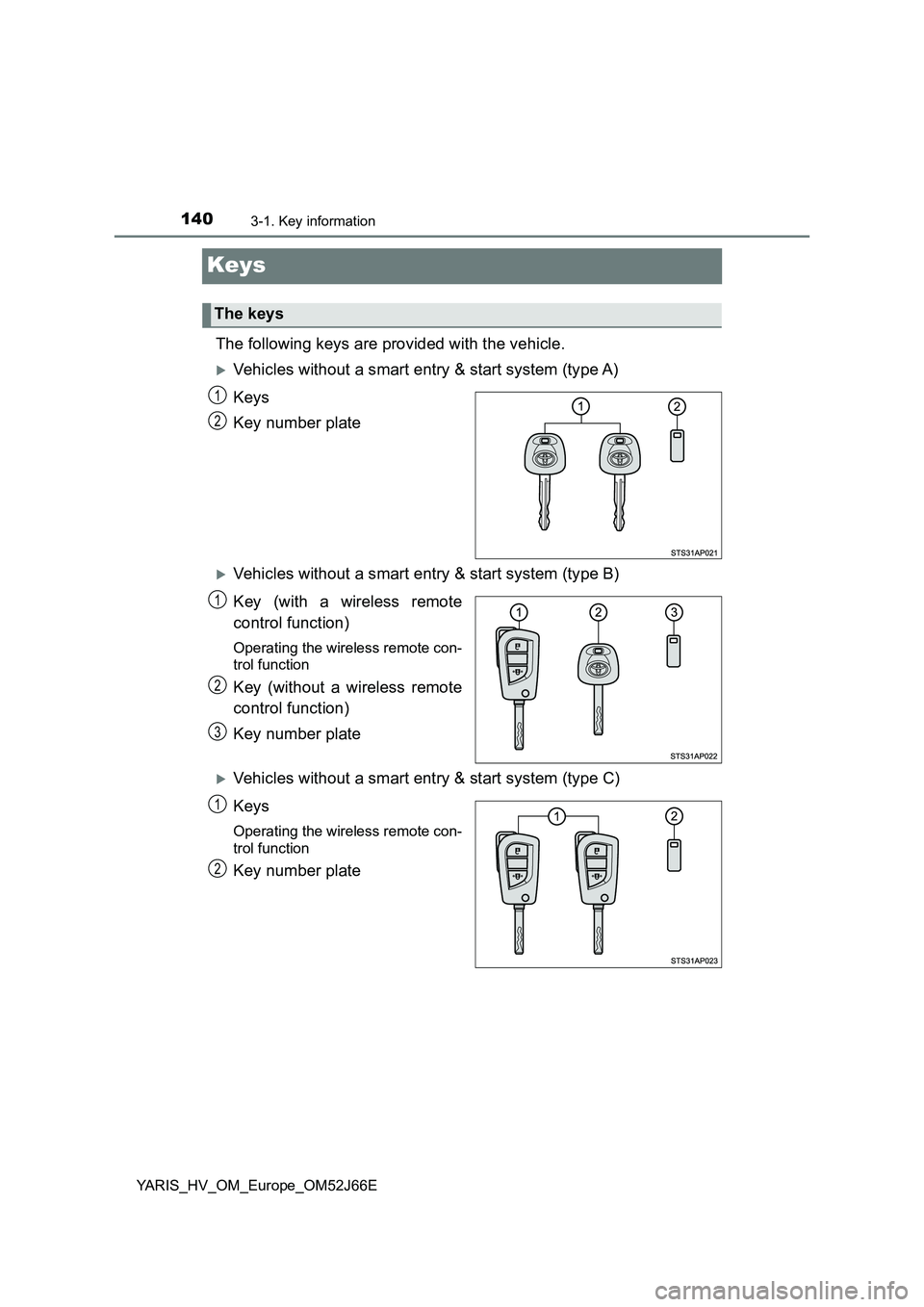
The following keys are provided with the vehicle.
Vehicles without a smart entry & start system (type A)
Keys
Key number plate
Vehicles without a smart entry & start system (type B)
Key (with a wireless remote
control function)
Operating the wireless remote con-
trol function
Key (without a wireless remote
control function)
Key number plate
Vehicles without a smart entry & start system (type C)
Keys
Operating the wireless remote con-
trol function
Key number plate
The keys
1
2
1
2
3
1
2
Page 141 of 632
1413-1. Key information
3
Operation of each component
YARIS_HV_OM_Europe_OM52J66E
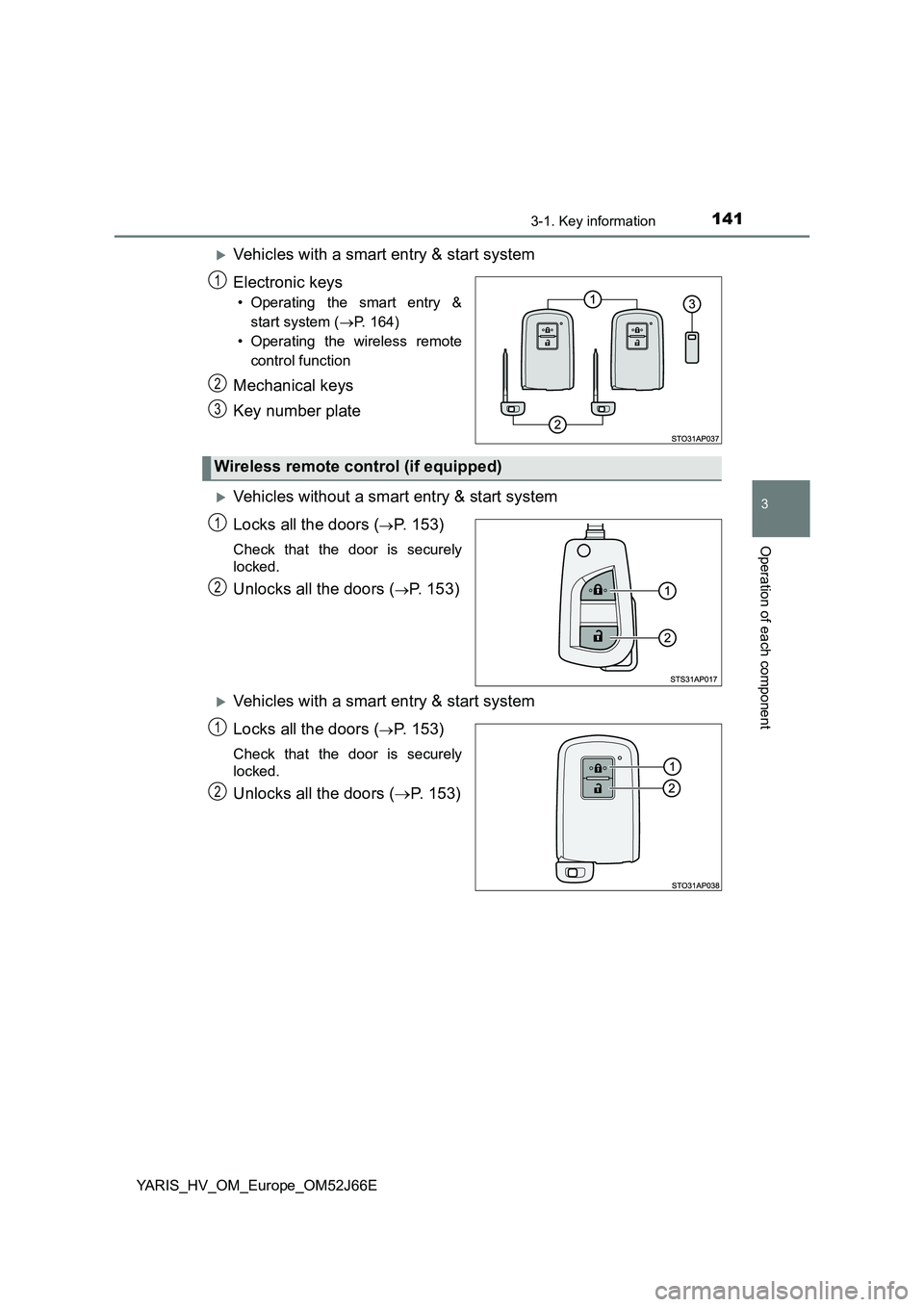
Vehicles with a smart entry & start system
Electronic keys
• Operating the smart entry &
start system ( P. 164)
• Operating the wireless remote
control function
Mechanical keys
Key number plate
Vehicles without a smart entry & start system
Locks all the doors (P. 153)
Check that the door is securely
locked.
Unlocks all the doors (P. 153)
Vehicles with a smart entry & start system
Locks all the doors (P. 153)
Check that the door is securely
locked.
Unlocks all the doors ( P. 153)
1
2
3
Wireless remote control (if equipped)
1
2
1
2