Page 369 of 632
3695-7. “SETUP” menu
5
Audio system
YARIS_HV_OM_Europe_OM52J66E
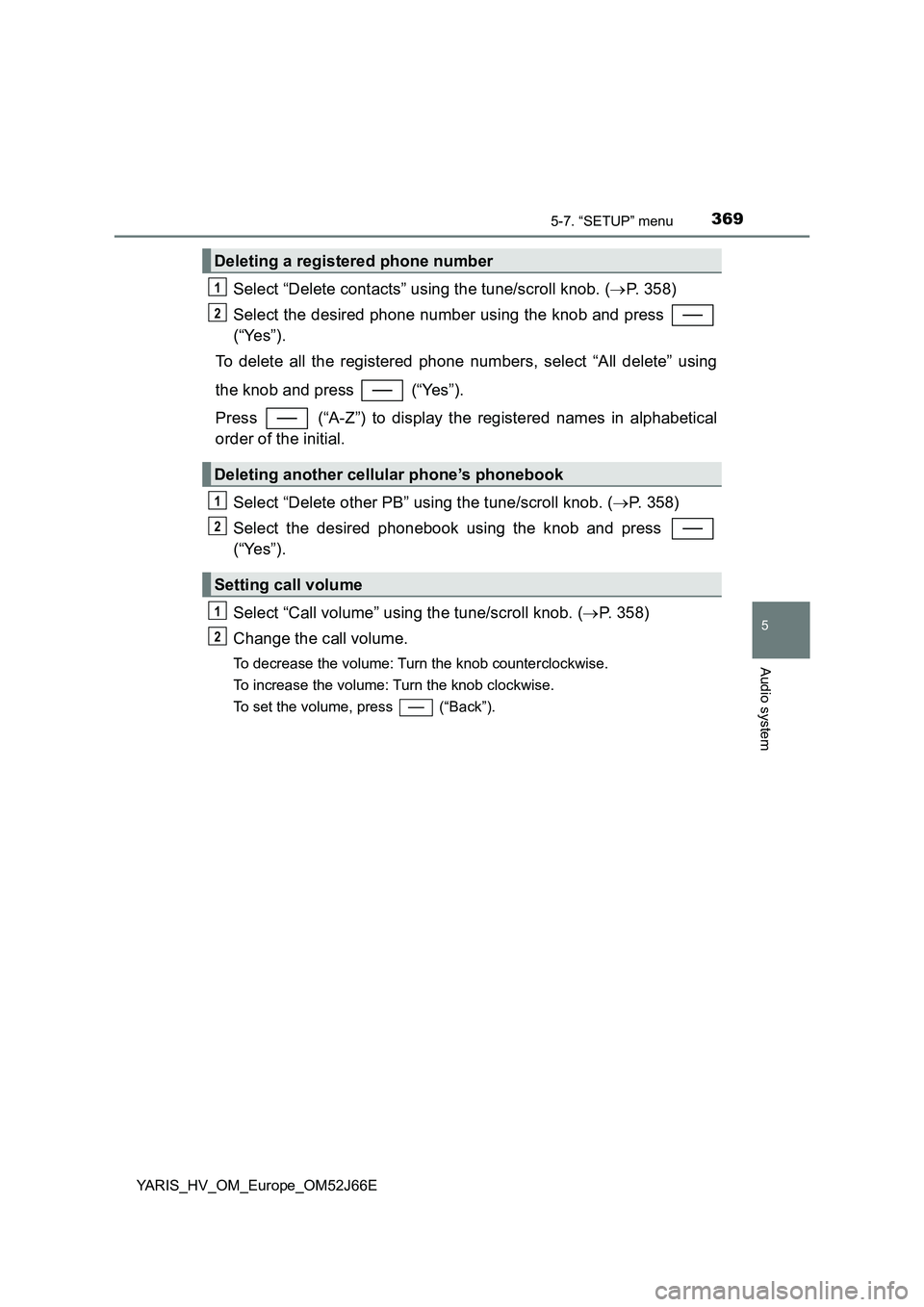
Select “Delete contacts” using the tune/scroll knob. (P. 358)
Select the desired phone number using the knob and press
(“Yes”).
To delete all the registered phone numbers, select “All delete” using
the knob and press (“Yes”).
Press (“A-Z”) to display the registered names in alphabetical
order of the initial.
Select “Delete other PB” using the tune/scroll knob. ( P. 358)
Select the desired phonebook using the knob and press
(“Yes”).
Select “Call volume” using the tune/scroll knob. ( P. 358)
Change the call volume.
To decrease the volume: Turn the knob counterclockwise.
To increase the volume: Turn the knob clockwise.
To set the volume, press (“Back”).
Deleting a registered phone number
Deleting another cellular phone’s phonebook
Setting call volume
1
2
1
2
1
2
Page 370 of 632
3705-7. “SETUP” menu
YARIS_HV_OM_Europe_OM52J66E
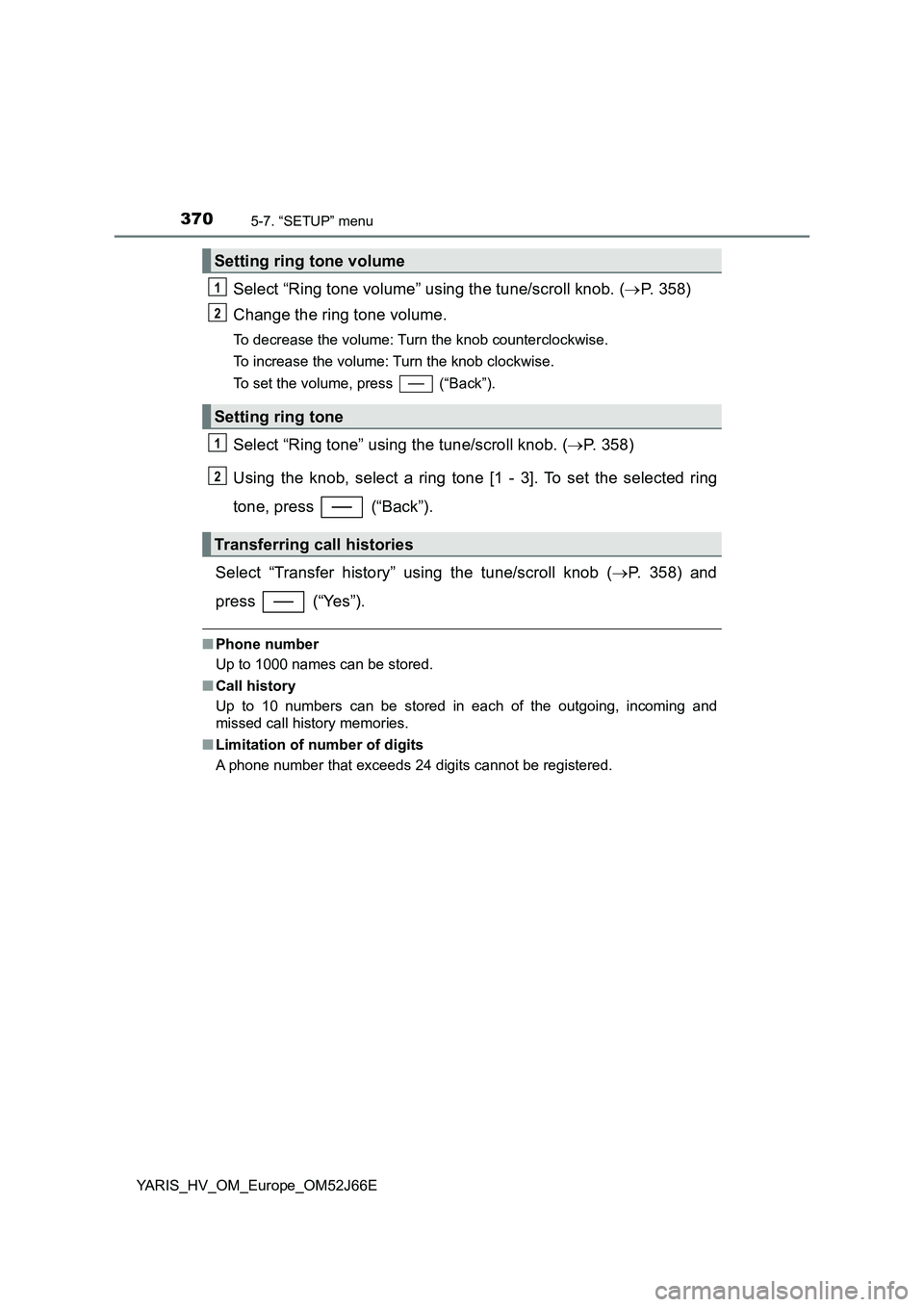
Select “Ring tone volume” using the tune/scroll knob. (P. 358)
Change the ring tone volume.
To decrease the volume: Turn the knob counterclockwise.
To increase the volume: Turn the knob clockwise.
To set the volume, press (“Back”).
Select “Ring tone” using the tune/scroll knob. ( P. 358)
Using the knob, select a ring tone [1 - 3]. To set the selected ring
tone, press (“Back”).
Select “Transfer history” using the tune/scroll knob ( P. 358) and
press (“Yes”).
■ Phone number
Up to 1000 names can be stored.
■ Call history
Up to 10 numbers can be stored in each of the outgoing, incoming and
missed call history memories.
■ Limitation of number of digits
A phone number that exceeds 24 digits cannot be registered.
Setting ring tone volume
Setting ring tone
Transferring call histories
1
2
1
2
Page 376 of 632
3765-9. Bluetooth® Phone
YARIS_HV_OM_Europe_OM52J66E
Receiving a phone call
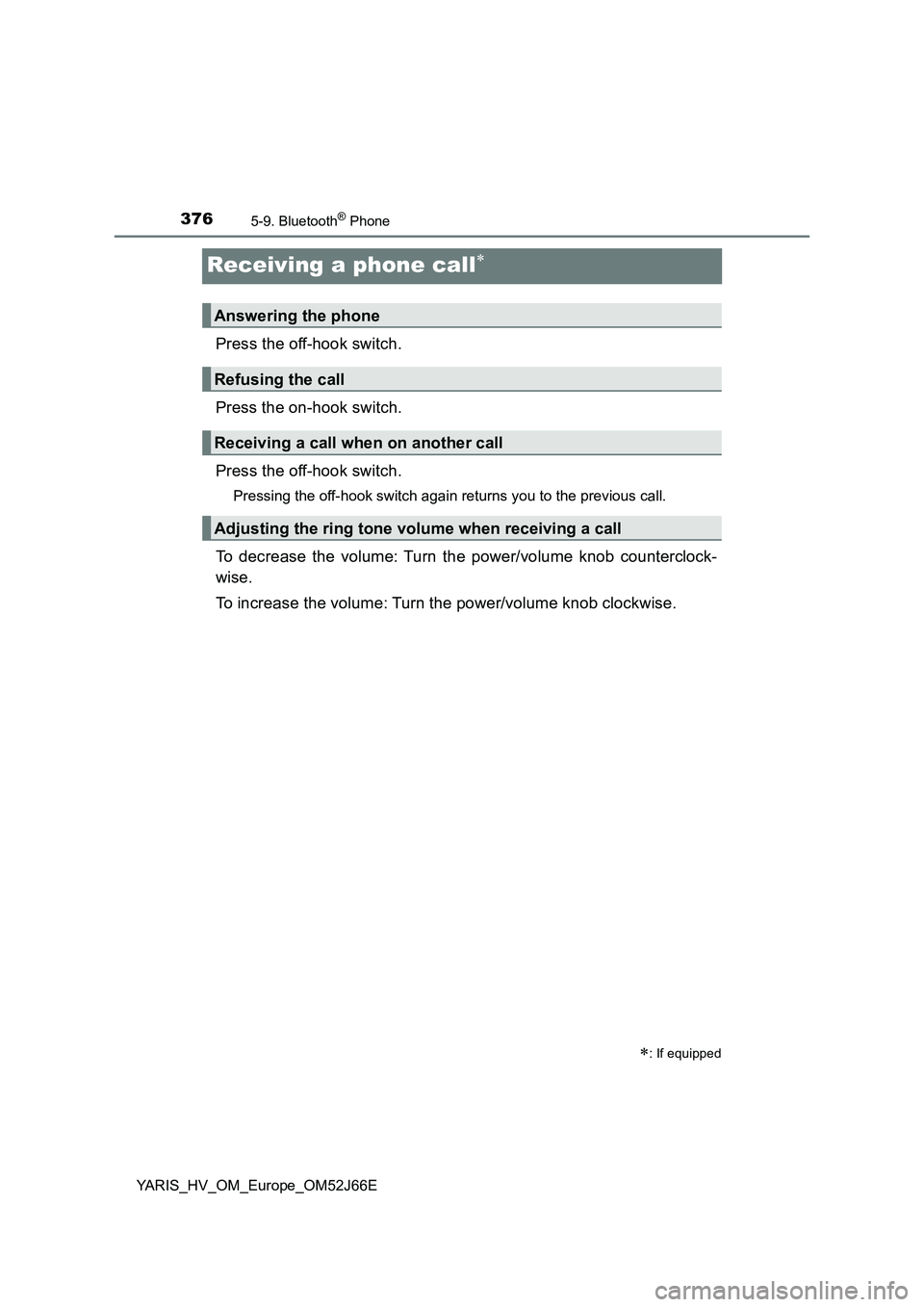
Press the off-hook switch.
Press the on-hook switch.
Press the off-hook switch.
Pressing the off-hook switch again returns you to the previous call.
To decrease the volume: Turn the power/volume knob counterclock-
wise.
To increase the volume: Turn the power/volume knob clockwise.
: If equipped
Answering the phone
Refusing the call
Receiving a call when on another call
Adjusting the ring tone volume when receiving a call
Page 377 of 632
3775-9. Bluetooth® Phone
5
Audio system
YARIS_HV_OM_Europe_OM52J66E
Speaking on the phone
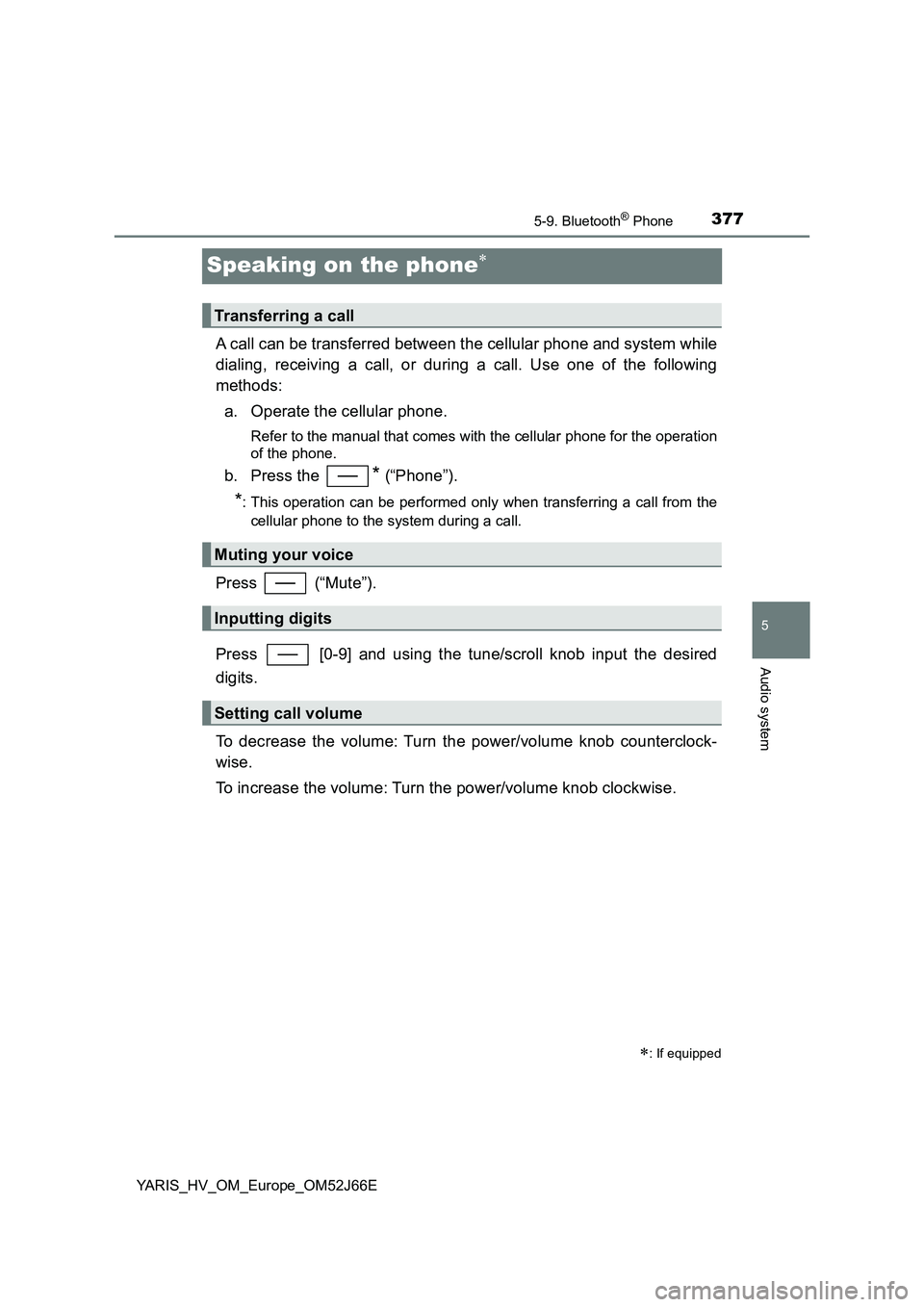
A call can be transferred between the cellular phone and system while
dialing, receiving a call, or during a call. Use one of the following
methods:
a. Operate the cellular phone.
Refer to the manual that comes with the cellular phone for the operation
of the phone.
b. Press the * (“Phone”).
*: This operation can be performed only when transferring a call from the
cellular phone to the system during a call.
Press (“Mute”).
Press [0-9] and using the tune/scroll knob input the desired
digits.
To decrease the volume: Turn the power/volume knob counterclock-
wise.
To increase the volume: Turn the power/volume knob clockwise.
: If equipped
Transferring a call
Muting your voice
Inputting digits
Setting call volume
Page 387 of 632
3876-1. Using the air conditioning system and defogger
6
Interior features
YARIS_HV_OM_Europe_OM52J66E
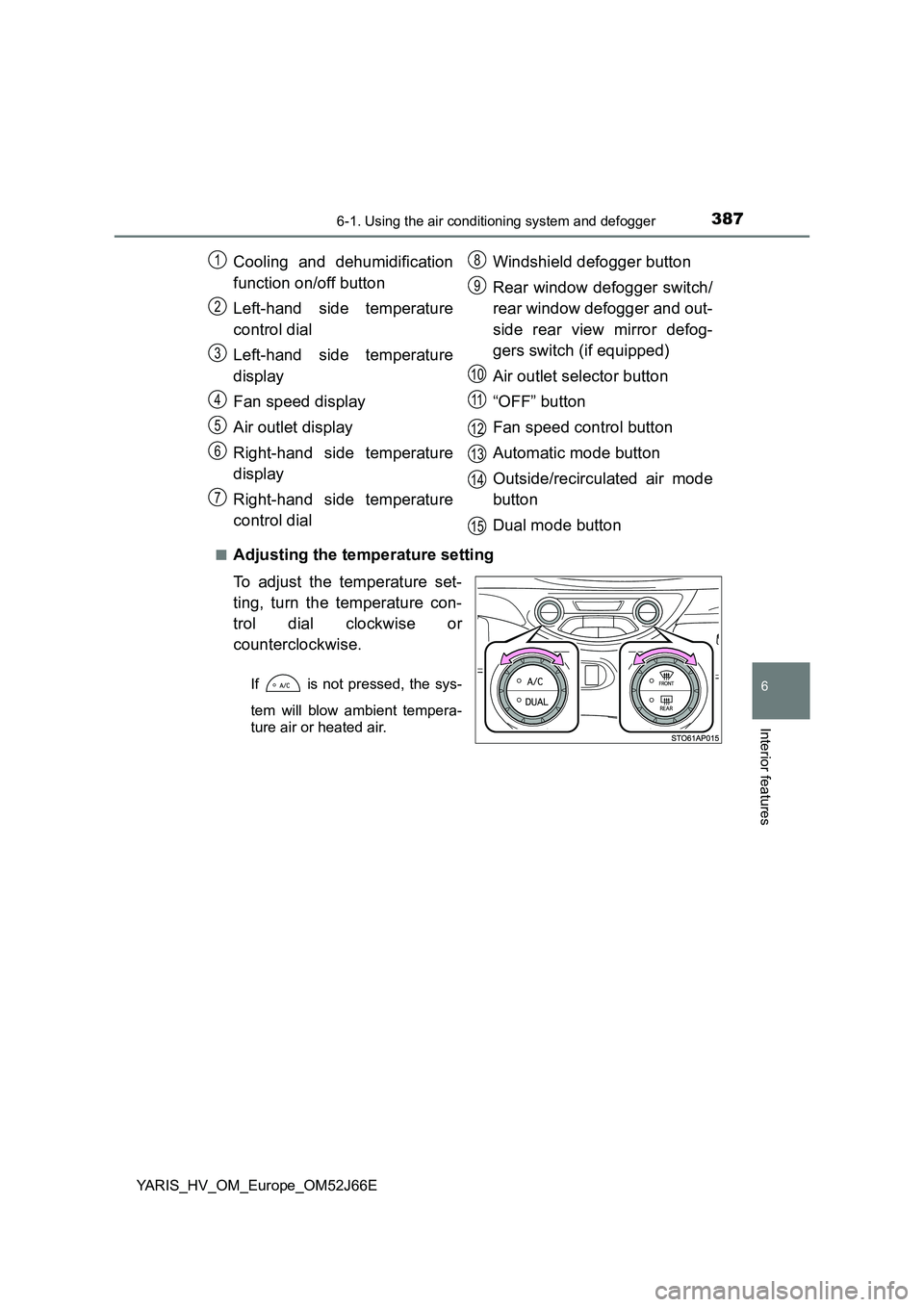
■Adjusting the temperature setting
To adjust the temperature set-
ting, turn the temperature con-
trol dial clockwise or
counterclockwise.
If is not pressed, the sys-
tem will blow ambient tempera-
ture air or heated air.
Cooling and dehumidification
function on/off button
Left-hand side temperature
control dial
Left-hand side temperature
display
Fan speed display
Air outlet display
Right-hand side temperature
display
Right-hand side temperature
control dial
Windshield defogger button
Rear window defogger switch/
rear window defogger and out-
side rear view mirror defog-
gers switch (if equipped)
Air outlet selector button
“OFF” button
Fan speed control button
Automatic mode button
Outside/recirculated air mode
button
Dual mode button
1
2
3
4
5
6
7
8
9
10
11
12
13
14
15
Page 439 of 632
4397-3. Do-it-yourself maintenance
7
Maintenance and care
YARIS_HV_OM_Europe_OM52J66E
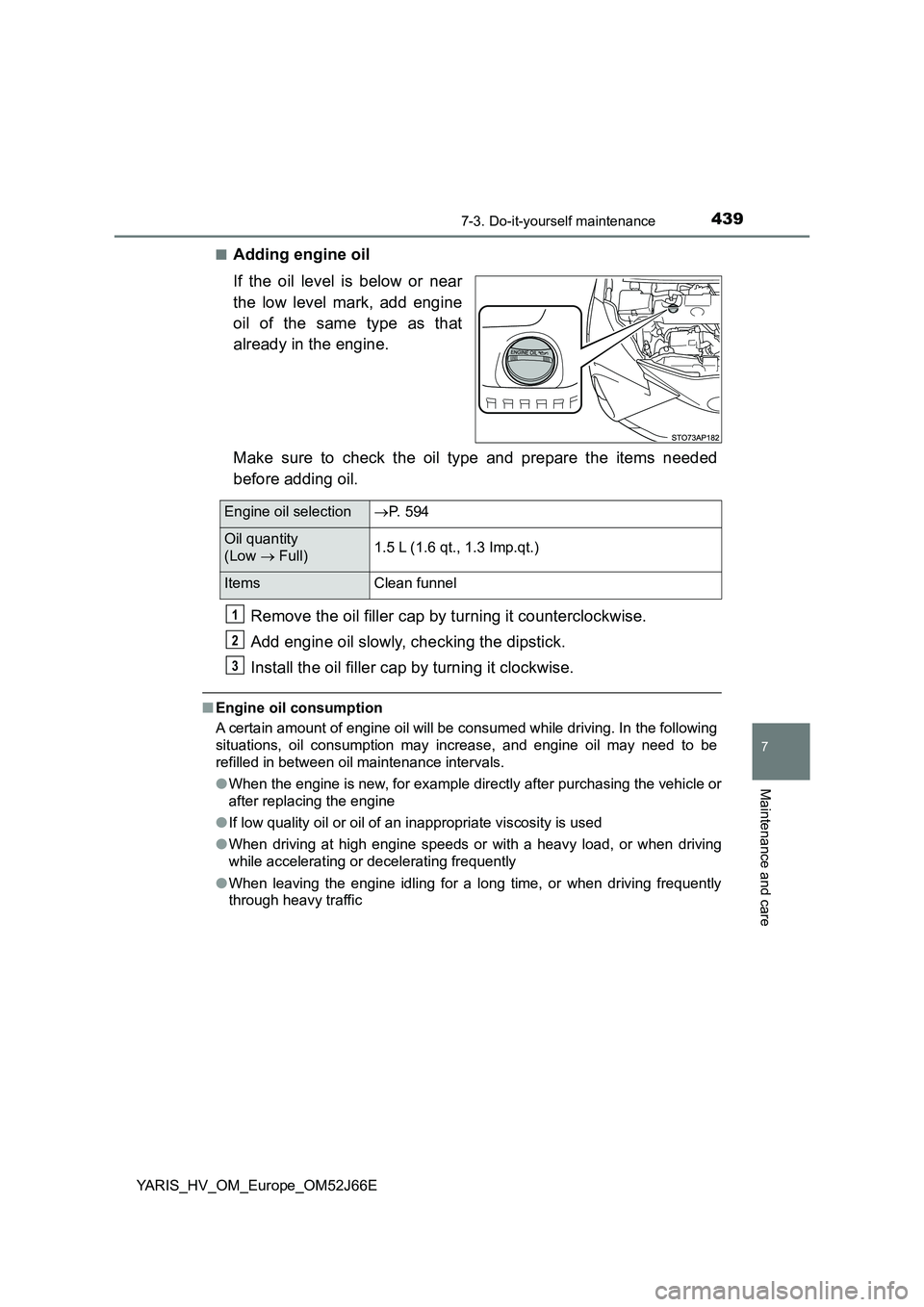
■Adding engine oil
If the oil level is below or near
the low level mark, add engine
oil of the same type as that
already in the engine.
Make sure to check the oil type and prepare the items needed
before adding oil.
Remove the oil filler cap by turning it counterclockwise.
Add engine oil slowly, checking the dipstick.
Install the oil filler cap by turning it clockwise.
■ Engine oil consumption
A certain amount of engine oil will be consumed while driving. In the following
situations, oil consumption may increase, and engine oil may need to be
refilled in between oil maintenance intervals.
● When the engine is new, for example directly after purchasing the vehicle or
after replacing the engine
● If low quality oil or oil of an inappropriate viscosity is used
● When driving at high engine speeds or with a heavy load, or when driving
while accelerating or decelerating frequently
● When leaving the engine idling for a long time, or when driving frequently
through heavy traffic
Engine oil selection P. 594
Oil quantity
(Low Full) 1.5 L (1.6 qt., 1.3 Imp.qt.)
Items Clean funnel
1
2
3
Page 488 of 632
4887-3. Do-it-yourself maintenance
YARIS_HV_OM_Europe_OM52J66E
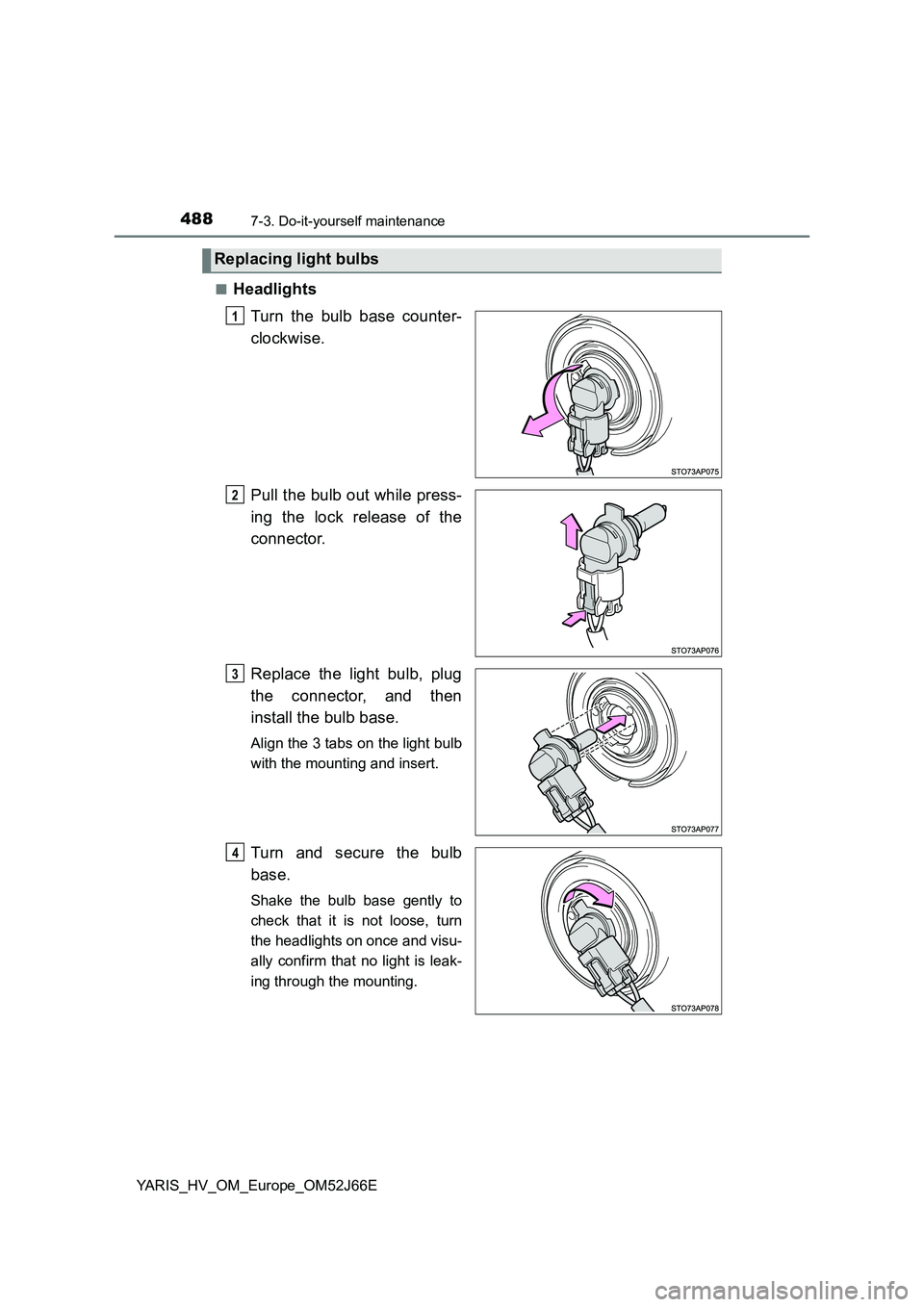
■Headlights
Turn the bulb base counter-
clockwise.
Pull the bulb out while press-
ing the lock release of the
connector.
Replace the light bulb, plug
the connector, and then
install the bulb base.
Align the 3 tabs on the light bulb
with the mounting and insert.
Turn and secure the bulb
base.
Shake the bulb base gently to
check that it is not loose, turn
the headlights on once and visu-
ally confirm that no light is leak-
ing through the mounting.
Replacing light bulbs
1
2
3
14
Page 490 of 632
4907-3. Do-it-yourself maintenance
YARIS_HV_OM_Europe_OM52J66E
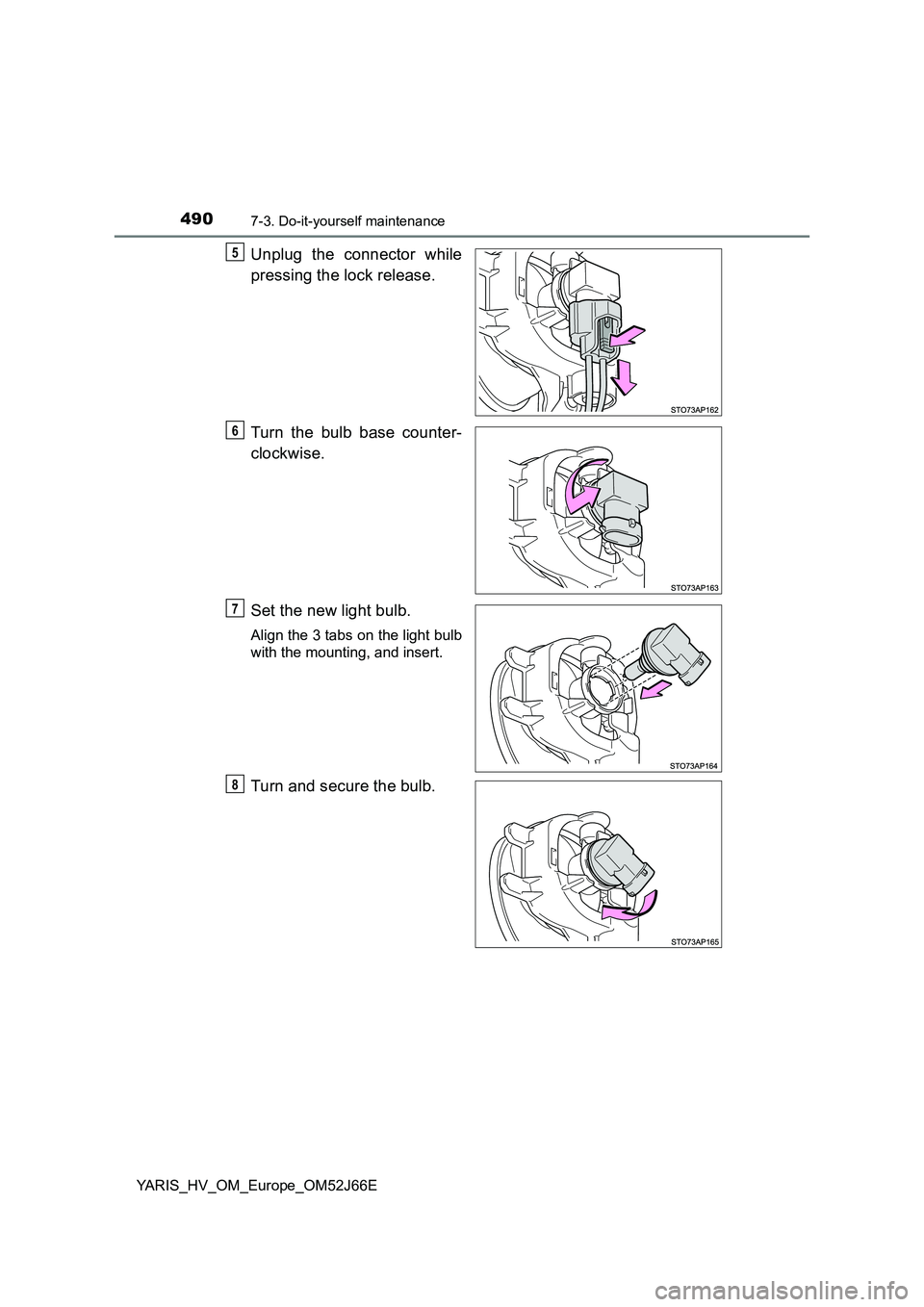
Unplug the connector while
pressing the lock release.
Turn the bulb base counter-
clockwise.
Set the new light bulb.
Align the 3 tabs on the light bulb
with the mounting, and insert.
Turn and secure the bulb.
5
6
7
8