Page 383 of 820
PRIUS_OM_OM47B89U_(U)
3834-5. Using the driving support systems
4
Driving
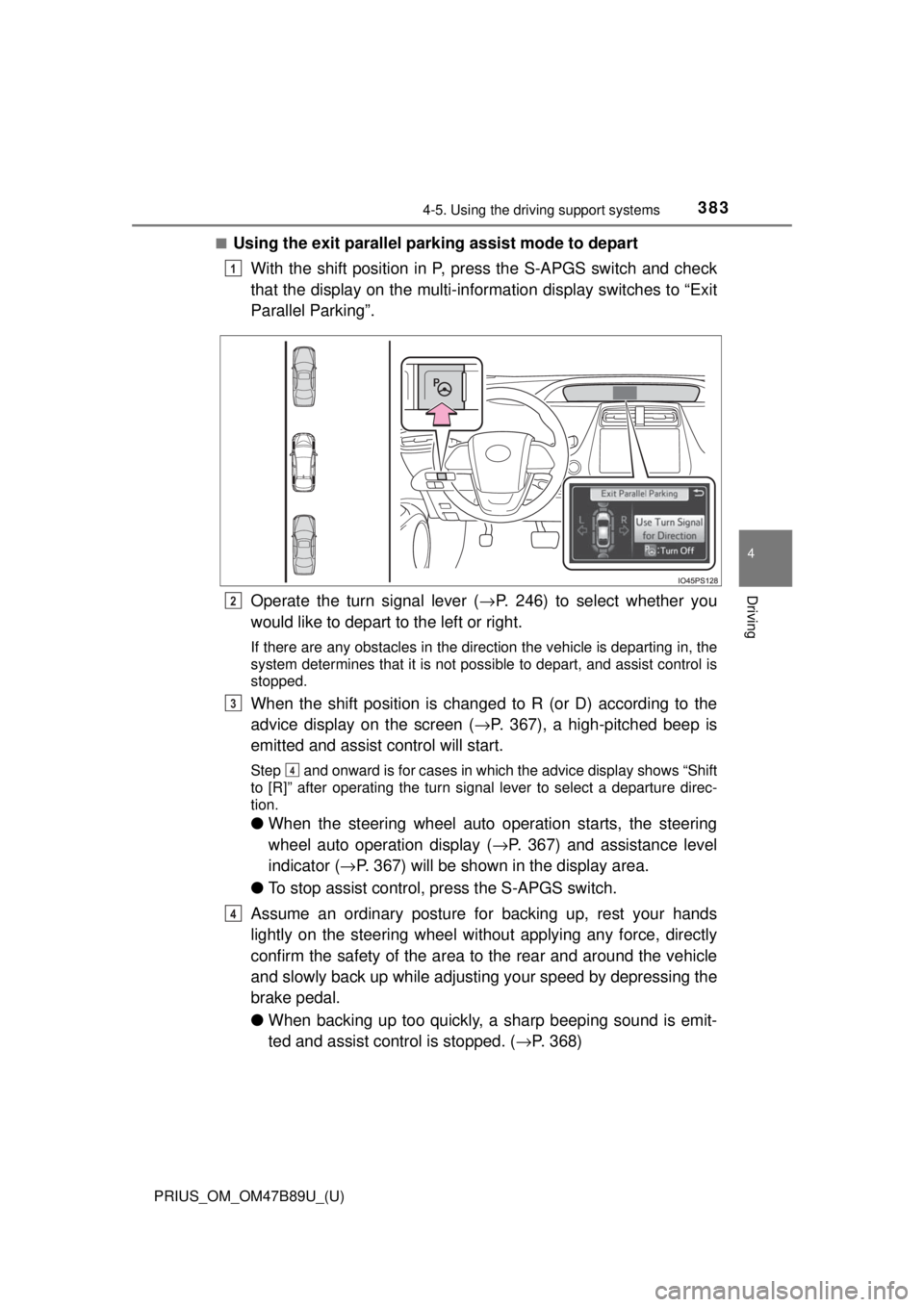
■Using the exit parallel park ing assist mode to depart
With the shift position in P, press the S-APGS switch and check
that the display on the multi-information display switches to “Exit
Parallel Parking”.
Operate the turn signal lever ( →P. 246) to select whether you
would like to depart to the left or right.
If there are any obstacles in the direction the vehicle is departing in, the
system determines that it is not possible to depart, and assist control is
stopped.
When the shift position is changed to R (or D) according to the
advice display on the screen ( →P. 367), a high-pitched beep is
emitted and assist control will start.
Step and onward is for cases in which the advice display shows “Shift
to [R]” after operating the turn signal lever to select a departure direc-
tion.
● When the steering wheel auto operation starts, the steering
wheel auto operation display ( →P. 367) and assistance level
indicator ( →P. 367) will be shown in the display area.
● To stop assist control, press the S-APGS switch.
Assume an ordinary posture for backing up, rest your hands
lightly on the steering wheel wi thout applying any force, directly
confirm the safety of the area to the rear and around the vehicle
and slowly back up while adjusti ng your speed by depressing the
brake pedal.
● When backing up too quickly, a sharp beeping sound is emit-
ted and assist control is stopped. ( →P. 368)
1
2
3
4
4
Page 384 of 820
384
PRIUS_OM_OM47B89U_(U)
4-5. Using the driving support systems
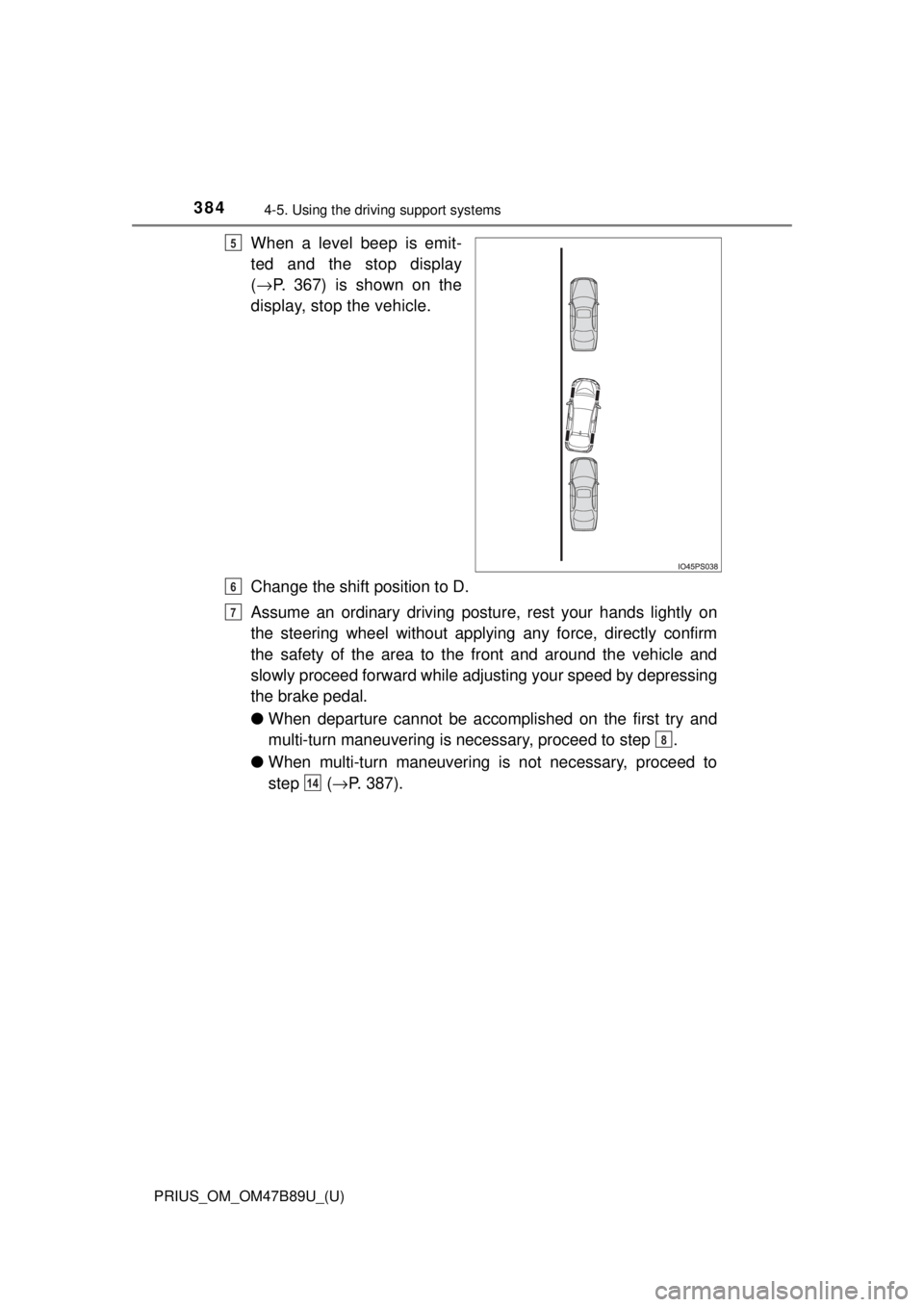
When a level beep is emit-
ted and the stop display
(→ P. 367) is shown on the
display, stop the vehicle.
Change the shift position to D.
Assume an ordinary driving postu re, rest your hands lightly on
the steering wheel without applying any force, directly confirm
the safety of the area to the front and around the vehicle and
slowly proceed forward while adjus ting your speed by depressing
the brake pedal.
● When departure cannot be accomplished on the first try and
multi-turn maneuvering is necessary, proceed to step .
● When multi-turn maneuvering is not necessary, proceed to
step ( →P. 387).5
6
7
8
14
Page 385 of 820
PRIUS_OM_OM47B89U_(U)
3854-5. Using the driving support systems
4
Driving
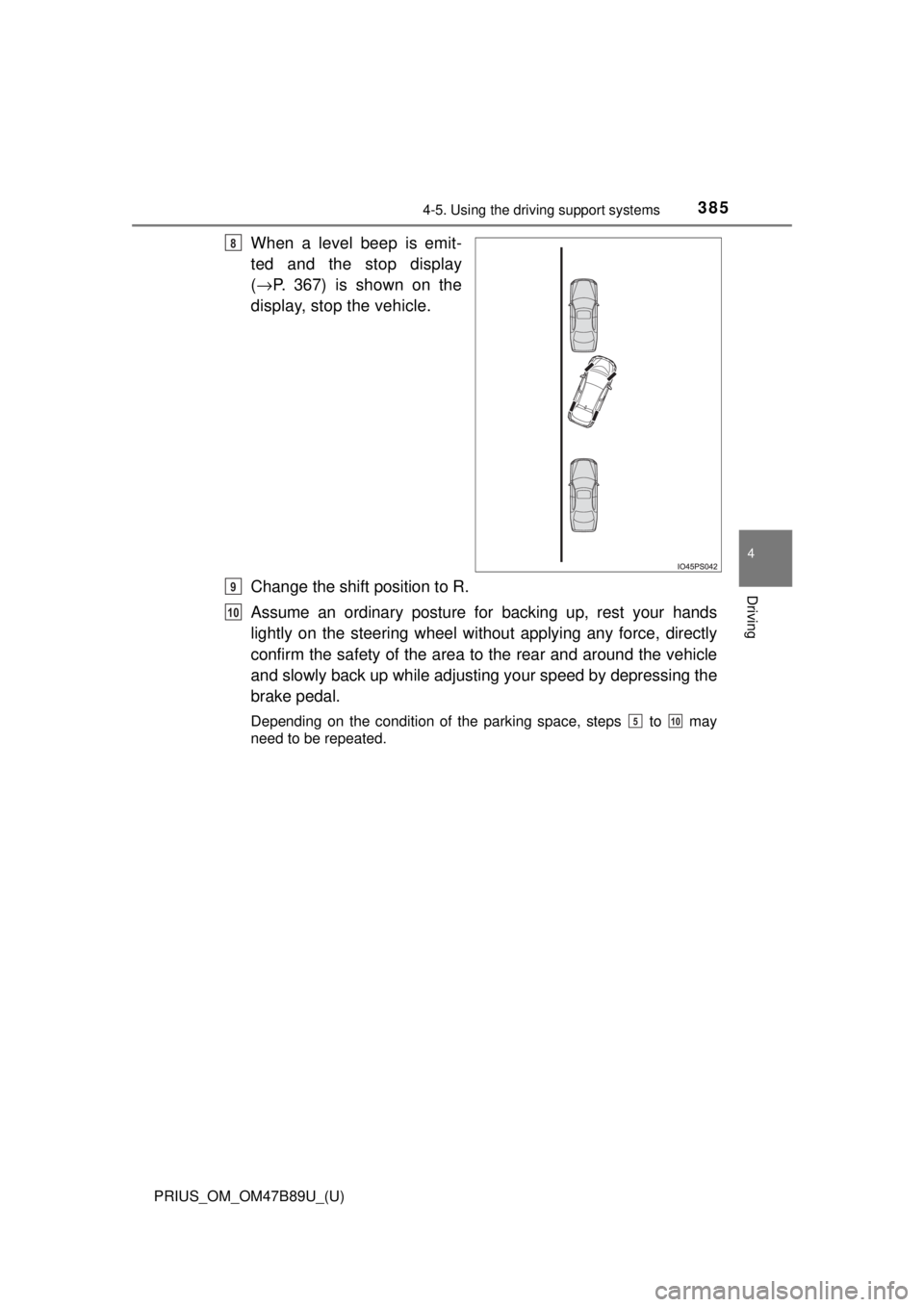
When a level beep is emit-
ted and the stop display
(→ P. 367) is shown on the
display, stop the vehicle.
Change the shift position to R.
Assume an ordinary posture for backing up, rest your hands
lightly on the steering wheel wi thout applying any force, directly
confirm the safety of the area to the rear and around the vehicle
and slowly back up while adjusti ng your speed by depressing the
brake pedal.
Depending on the condition of the parking space, steps to may
need to be repeated.
8
9
10
510
Page 386 of 820
386
PRIUS_OM_OM47B89U_(U)
4-5. Using the driving support systems
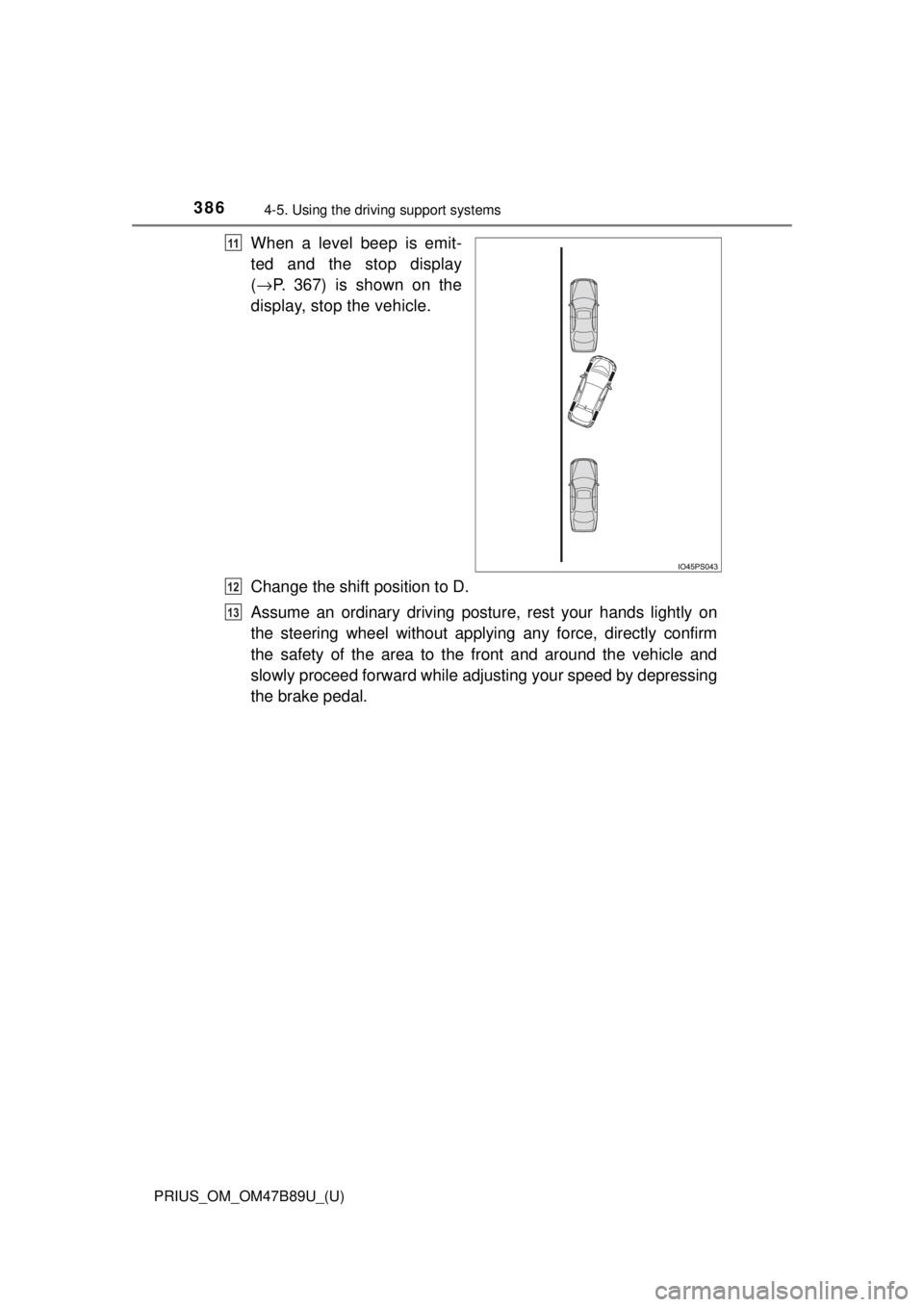
When a level beep is emit-
ted and the stop display
(→ P. 367) is shown on the
display, stop the vehicle.
Change the shift position to D.
Assume an ordinary driving postu re, rest your hands lightly on
the steering wheel without applying any force, directly confirm
the safety of the area to the front and around the vehicle and
slowly proceed forward while adjus ting your speed by depressing
the brake pedal.11
12
13
Page 405 of 820
PRIUS_OM_OM47B89U_(U)
4054-5. Using the driving support systems
4
Driving
■If you notice any symptoms
If you notice any of the following symptoms, refer to the likely cause
and the solution, and re-check.
If the symptom is not resolved by the solution, have the vehicle
inspected by your Toyota dealer.
Things you should know
Likely causeSolution
The image is difficult to see
• The vehicle is in a dark area
• The temperature around the lens
is either high or low
• The outside temperature is low
• There are water droplets on the camera
• It is raining or humid
• Foreign matter (mud, etc.) is adhering to the camera
• Sunlight or headlights are shining directly into the camera
• The vehicle is under fluorescent
lights, sodium lights, mercury
lights etc.
If this happens due to these causes,
it does not indicate a malfunction.
Back up while visually checking the
vehicle’s surroundings. (Use the
monitor again once conditions have
been improved.)
The procedure for adjusting the pic-
ture quality of the rear view monitor
system is the same as the proce-
dure for adjusting the screen.
The image is blurry
Dirt or foreign matter (such as water
droplets, snow, mud, etc.) is adher-
ing to the camera.Flush the camera with a large quan-
tity of water and wipe the camera
lens clean with a soft and wet cloth.
The image is out of alignment
The camera or surrounding area has
received a strong impact.Have the vehicle inspected by your
Toyota dealer.
The fixed guide lines are very far out of alignment
The camera position is out of align-
ment.Have the vehicle inspected by your
Toyota dealer.
• The vehicle is tilted (there is a
heavy load on the vehicle, tire
pressure is low due to a tire punc-
ture, etc.)
• The vehicle is used on an incline.If this happens due to these causes,
it does not indicate a malfunction.
Back up while visually checking the
vehicle’s surroundings.
Page 409 of 820
PRIUS_OM_OM47B89U_(U)
4094-5. Using the driving support systems
4
Driving
◆Enhanced VSC (Enhanced Ve hicle Stability Control)
Provides cooperative control of the ABS, TRAC, VSC and EPS.
Helps to maintain directional stability when swerving on slippery
road surfaces by controllin g steering performance.
◆Hill-start assist control
Helps to reduce the vehicle from rolling backward when starting on
a uphill
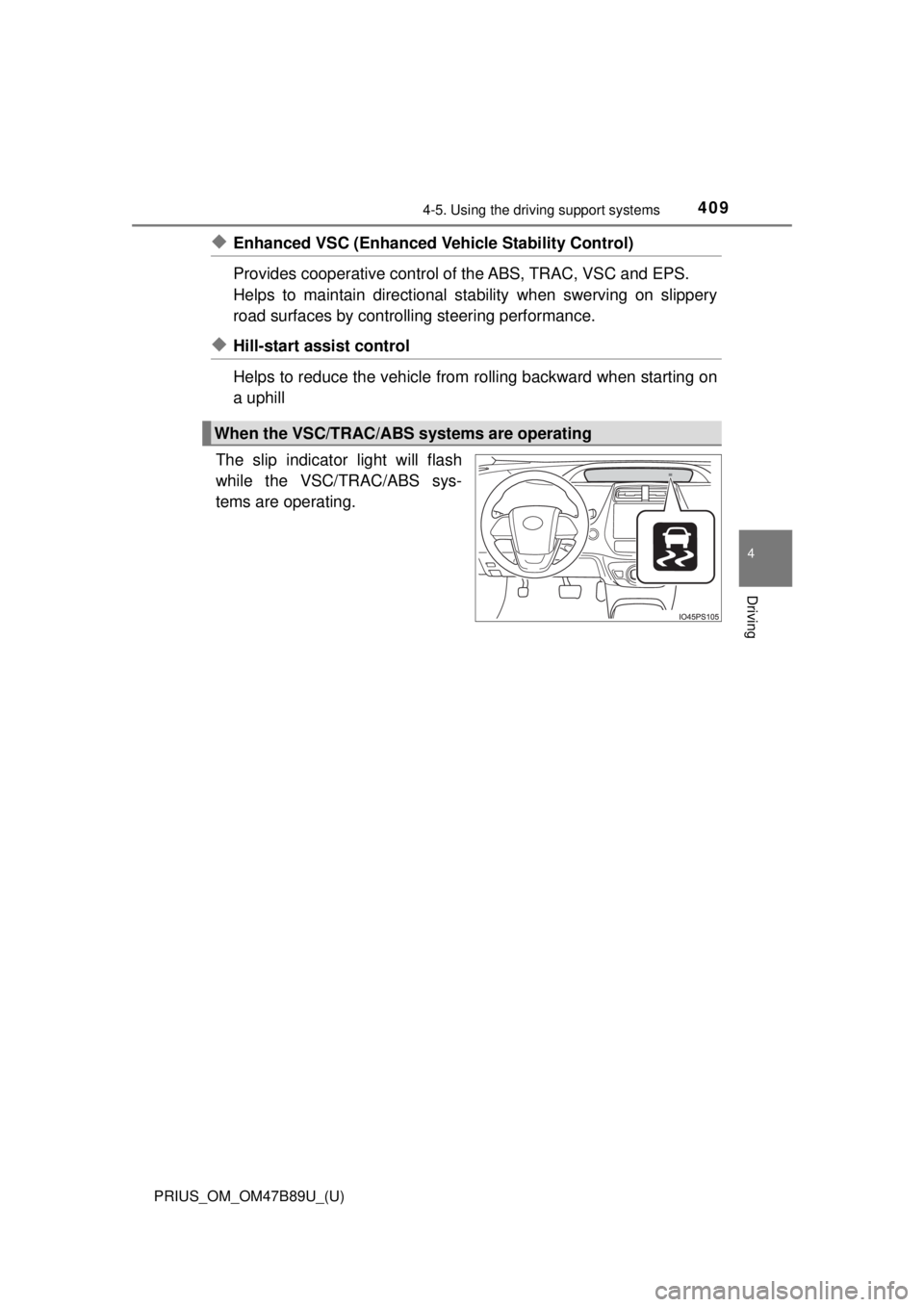
The slip indicator light will flash
while the VSC/TRAC/ABS sys-
tems are operating.
When the VSC/TRAC/ABS systems are operating
Page 410 of 820
410
PRIUS_OM_OM47B89U_(U)
4-5. Using the driving support systems
If the vehicle gets stuck in mud, di rt or snow, the TRAC system may
reduce power from the hybrid sy stem to the wheels. Pressing
to turn the system off may make it easier for you to rock the vehicle in
order to free it.
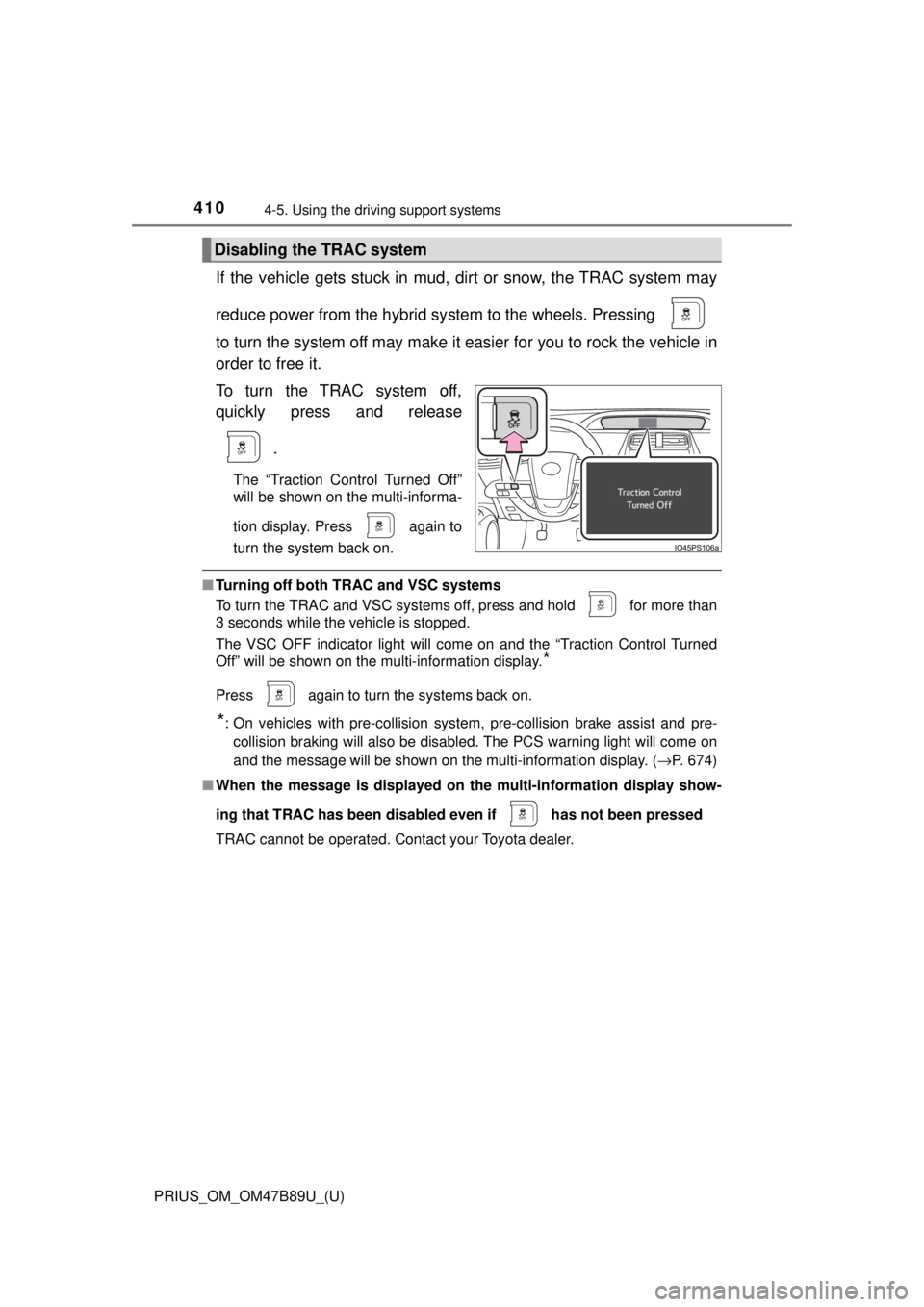
To turn the TRAC system off,
quickly press and release
.
The “Traction Control Turned Off”
will be shown on the multi-informa-
tion display. Press
again to
turn the system back on.
■ Turning off both TRAC and VSC systems
To turn the TRAC and VSC systems off, press and hold for more than
3 seconds while the vehicle is stopped.
The VSC OFF indicator light will come on and the “Traction Control Turned
Off” will be shown on the multi-information display.
*
Press again to turn the systems back on.
*: On vehicles with pre-collision system, pre-collision brake assist and pre-
collision braking will also be disabled. The PCS warning light will come on
and the message will be shown on the multi-information display. ( →P. 674)
■ When the message is displayed on th e multi-information display show-
ing that TRAC has been disable d even if has not been pressed
TRAC cannot be operated. Contact your Toyota dealer.
Disabling the TRAC system
Page 411 of 820
PRIUS_OM_OM47B89U_(U)
4114-5. Using the driving support systems
4
Driving
■Sounds and vibrations caused by the ABS, brake assist, VSC, TRAC and
hill-start assist control systems
Any of the following conditions may occur when the above systems are oper-
ating. None of these indicates that a malfunction has occurred.
●Vibrations may be felt through the vehicle body and steering.
● A motor sound may be heard also after the vehicle comes to a stop.
● The brake pedal may pulsate slightly after the ABS is activated.
● The brake pedal may move down slightly after the ABS is activated.
■ ECB operating sound
ECB operating sound may be heard in the following cases, but it does not
indicate that a malfunction has occurred.
●Operating sound heard from the engine compartment when the brake pedal
is operated.
● Motor sound of the brake system heard from the front part of the vehicle
when the driver’s door is opened.
● Operating sound heard from the engine compartment when 1 or 2 minutes
passed after the stop of the hybrid system.
■ EPS operation sound
When the steering wheel is operated, a motor sound (whirring sound) may be
heard. This does not indicate a malfunction.