Page 125 of 532
125
1-7. Safety information
1
Before driving
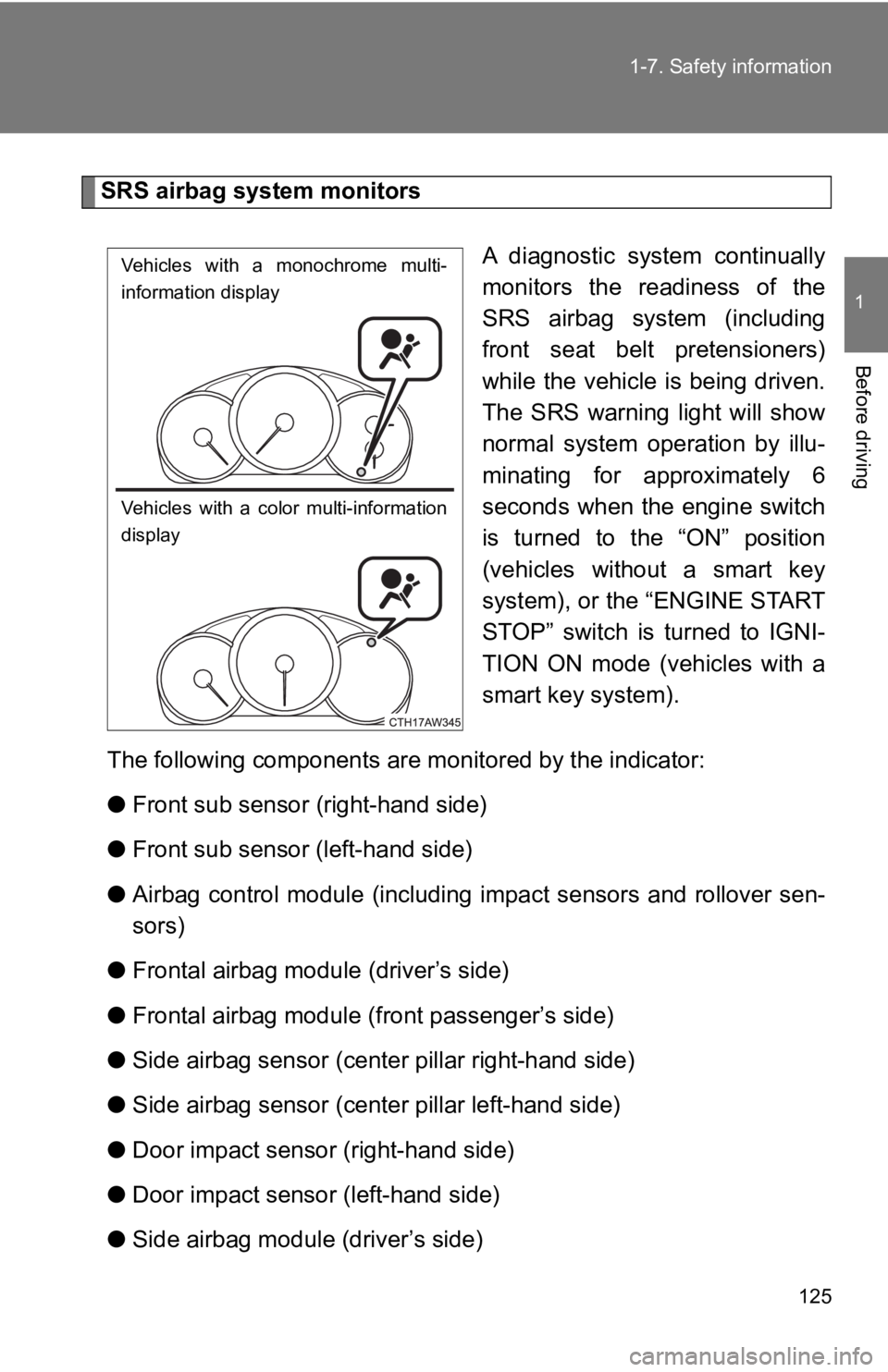
SRS airbag system monitors
A diagnostic system continually
monitors the readiness of the
SRS airbag system (including
front seat belt pretensioners)
while the vehicle is being driven.
The SRS warning light will show
normal system operation by illu-
minating for approximately 6
seconds when the engine switch
is turned to the “ON” position
(vehicles without a smart key
system), or the “ENGINE START
STOP” switch is turned to IGNI-
TION ON mode (vehicles with a
smart key system).
The following components are mo nitored by the indicator:
● Front sub sensor (right-hand side)
● Front sub sensor (left-hand side)
● Airbag control module (including impact sensors and rollover se n-
sors)
● Frontal airbag modu le (driver’s side)
● Frontal airbag module ( front passenger’s side)
● Side airbag sensor (center pillar right-hand side)
● Side airbag sensor (center pillar left-hand side)
● Door impact sensor (right-hand side)
● Door impact sensor (left-hand side)
● Side airbag module (driver’s side)
Vehicles with a monochrome multi-
information display
Vehicles with a color multi-information
display
Page 134 of 532

134 1-7. Safety information
If the front passenger’s frontal airbag ON indicator illuminates and the OFF indicator turns off
even when an infant or a small child is in a child restraint system (including booster seat)
This can be caused by the child restraint system being installe d incor-
rectly. Perform the following.
Vehicles without a smart key system:
The engine switch is turned to the “LOCK” position.
Vehicles with a smart key system:
Turn the “ENGINE START STOP” switch off.
Remove the child restraint system from the seat. By referring
to the child restraint manufacturer’s recommendations as well
as the child restraint system in stallation procedure in “child
restraint system”, correctly rein stall the child restraint system.
Vehicles without a smart key system:
The engine switch is turned to the “ON” position and make
sure that the front passenger’s frontal airbag ON indicator
turns off and the OFF indicator illuminates.
Vehicles with a smart key system:
Turn the “ENGINE START STOP” switch to IGNITION ON
mode and make sure that the front passenger’s frontal airbag
ON indicator turns off and t he OFF indicator illuminates.
If the ON indicator still remains illuminated while the OFF ind i-
cator turns off, perform the following.
• Ensure that no article is pla ced on the seat other than the
child restraint system and the child occupant.
• Ensure that the backward-fo rward position and seatback of
front passenger seat are locked into place securely by mov-
ing the seat back and forth.
If the ON indicator still remains illuminated while the OFF ind i-
cator turns off after taking the relevant corrective actions
described above, relocate the child restraint system to the
rear seat and immediately contact your Toyota dealer for an
inspection.
STEP 1
STEP 2
STEP 3
STEP 4
STEP 5
Page 166 of 532
166
2-1. Driving procedures
Engine (ignition) switch (vehicles with a smart key system)
Performing the following operations when carrying the electroni c
key on your person starts the engine or changes “ENGINE START
STOP” switch modes.
■ Starting the engine
Vehicles with an auto matic transmission
Check that the parking brake is set.
Check that the shift lever is set in P.
If the shift lever is not set in P, the engine may not be started.
( P. 178)
Firmly depress the brake pedal.
The smart key system indicator light (green) will turn on. If t he
indicator light does not turn on, the engine cannot be started.
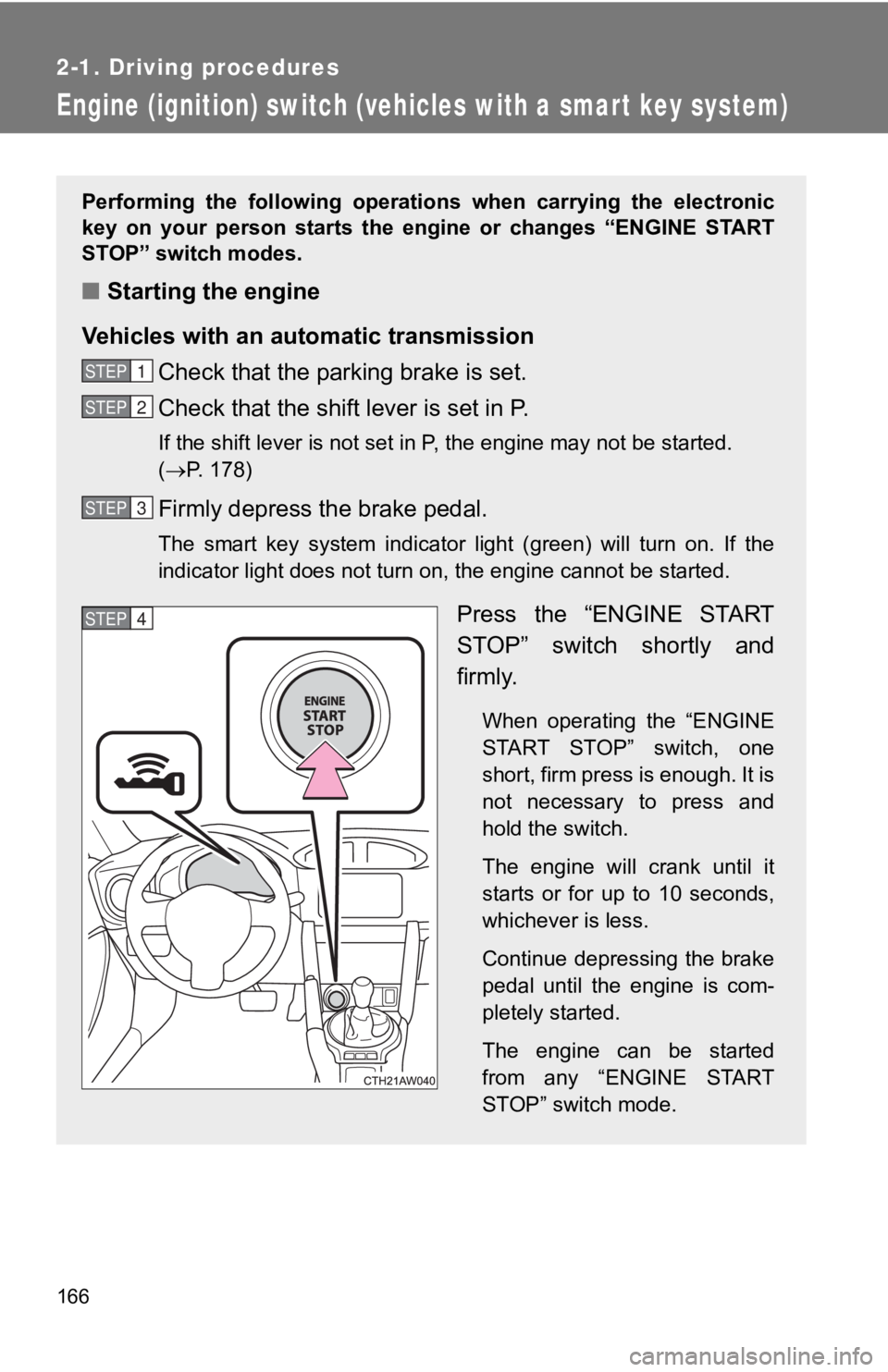
Press the “ENGINE START
STOP” switch shortly and
firmly.
When operating the “ENGINE
START STOP” switch, one
short, firm press is enough. It is
not necessary to press and
hold the switch.
The engine will crank until it
starts or for up to 10 seconds,
whichever is less.
Continue depressing the brake
pedal until the engine is com-
pletely started.
The engine can be started
from any “ENGINE START
STOP” switch mode.
STEP 1
STEP 2
STEP 3
STEP 4
Page 167 of 532
167
2-1. Driving procedures
2
When driving
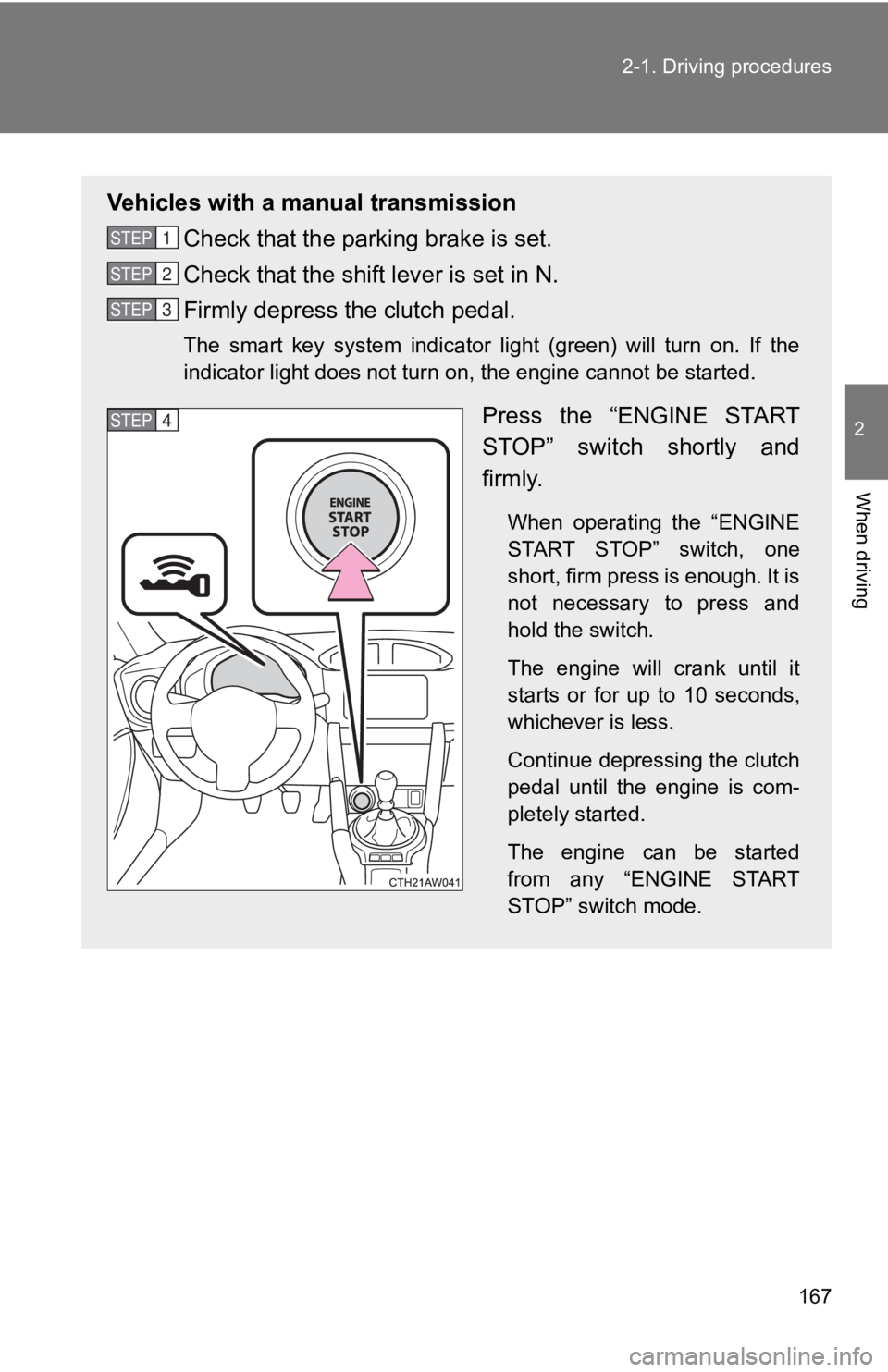
Vehicles with a manual transmission
Check that the parking brake is set.
Check that the shift lever is set in N.
Firmly depress the clutch pedal.
The smart key system indicator light (green) will turn on. If t he
indicator light does not turn on, the engine cannot be started.
Press the “ENGINE START
STOP” switch shortly and
firmly.
When operating the “ENGINE
START STOP” switch, one
short, firm press is enough. It is
not necessary to press and
hold the switch.
The engine will crank until it
starts or for up to 10 seconds,
whichever is less.
Continue depressing the clutch
pedal until the engine is com-
pletely started.
The engine can be started
from any “ENGINE START
STOP” switch mode.
STEP 1
STEP 2
STEP 3
STEP 4
Page 172 of 532
172 2-1. Driving procedures
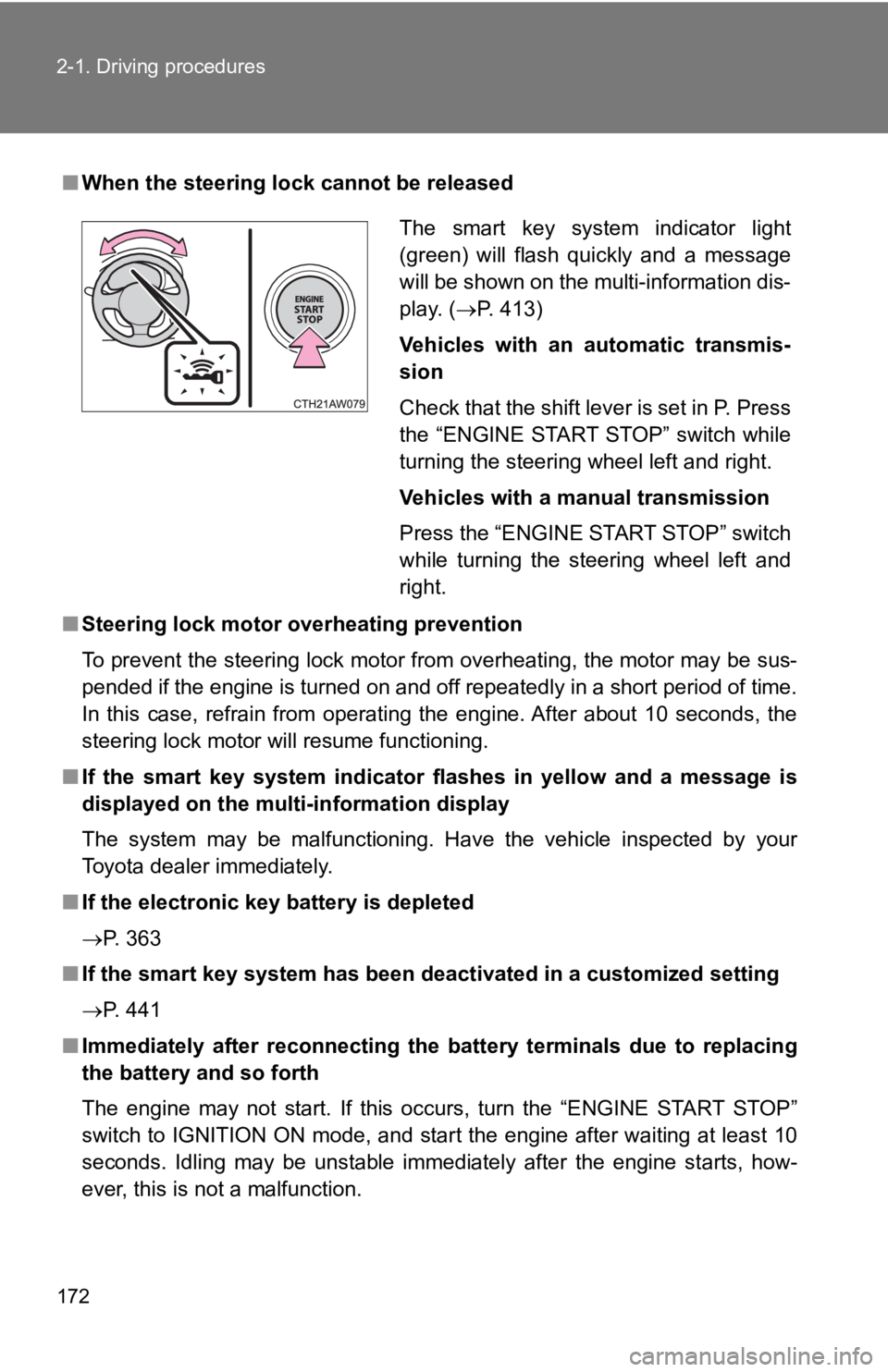
■When the steering lock cannot be released
■ Steering lock motor o verheating prevention
To prevent the steering lock motor from overheating, the motor may be sus-
pended if the engine is turned on and off repeatedly in a short period of time.
In this case, refrain from operating the engine. After about 10 seconds, the
steering lock motor will resume functioning.
■ If the smart key system indicator flashes in yellow and a messa ge is
displayed on the multi-information display
The system may be malfunctioning. Have the vehicle inspected by your
Toyota dealer immediately.
■ If the electronic key battery is depleted
P. 363
■ If the smart key system has been deactivated in a customized se tting
P. 441
■ Immediately after reconnecting th e battery terminals due to replacing
the battery and so forth
The engine may not start. If this occurs, turn the “ENGINE STAR T STOP”
switch to IGNITION ON mode, and start the engine after waiting at least 10
seconds. Idling may be unstable immediately after the engine st arts, how-
ever, this is not a malfunction.
The smart key system indicator light
(green) will flash quickly and a message
will be shown on the multi-information dis-
play. ( P. 413)
Vehicles with an automatic transmis-
sion
Check that the shift lever is set in P. Press
the “ENGINE START STOP” switch while
turning the steering wheel left and right.
Vehicles with a manual transmission
Press the “ENGINE START STOP” switch
while turning the steering wheel left and
right.
Page 174 of 532

174 2-1. Driving procedures
NOTICE
■To prevent battery discharge
●Do not leave the “ENGINE START STOP” switch in ACCESSORY or IGN I-
TION ON mode for long periods of time without the engine runnin g.
● If the smart key system indicator light (green) is illuminated, the “ENGINE
START STOP” switch is not off. When exiting the vehicle, always check
that the “ENGINE START STOP” switch is off.
● Vehicles with an automatic transmission: Do not stop the engine when the
shift lever is in a position other than P. If the engine is sto pped in another
shift lever position, the “ENGINE START STOP” switch will not b e turned
off but instead be turned to ACCESSORY mode. If the vehicle is left in
ACCESSORY mode, battery discharge may occur.
■ When starting the engine
●Do not race a cold engine.
● If the engine becomes difficult to start or stalls frequently, have your vehi-
cle checked by your Toyota dealer immediately.
● Vehicles with an automatic transmission: Do not shift the shift lever while
the starter is operating.
■ Symptoms indicating a malfunction with the “ENGINE START STOP”
switch
If the “ENGINE START STOP” switch seems to be operating somewha t dif-
ferently than usual, such as the switch sticking slightly, there may be a mal-
function. Contact your Toyota dealer immediately.
Page 179 of 532
179
2-1. Driving procedures
2
When driving
■
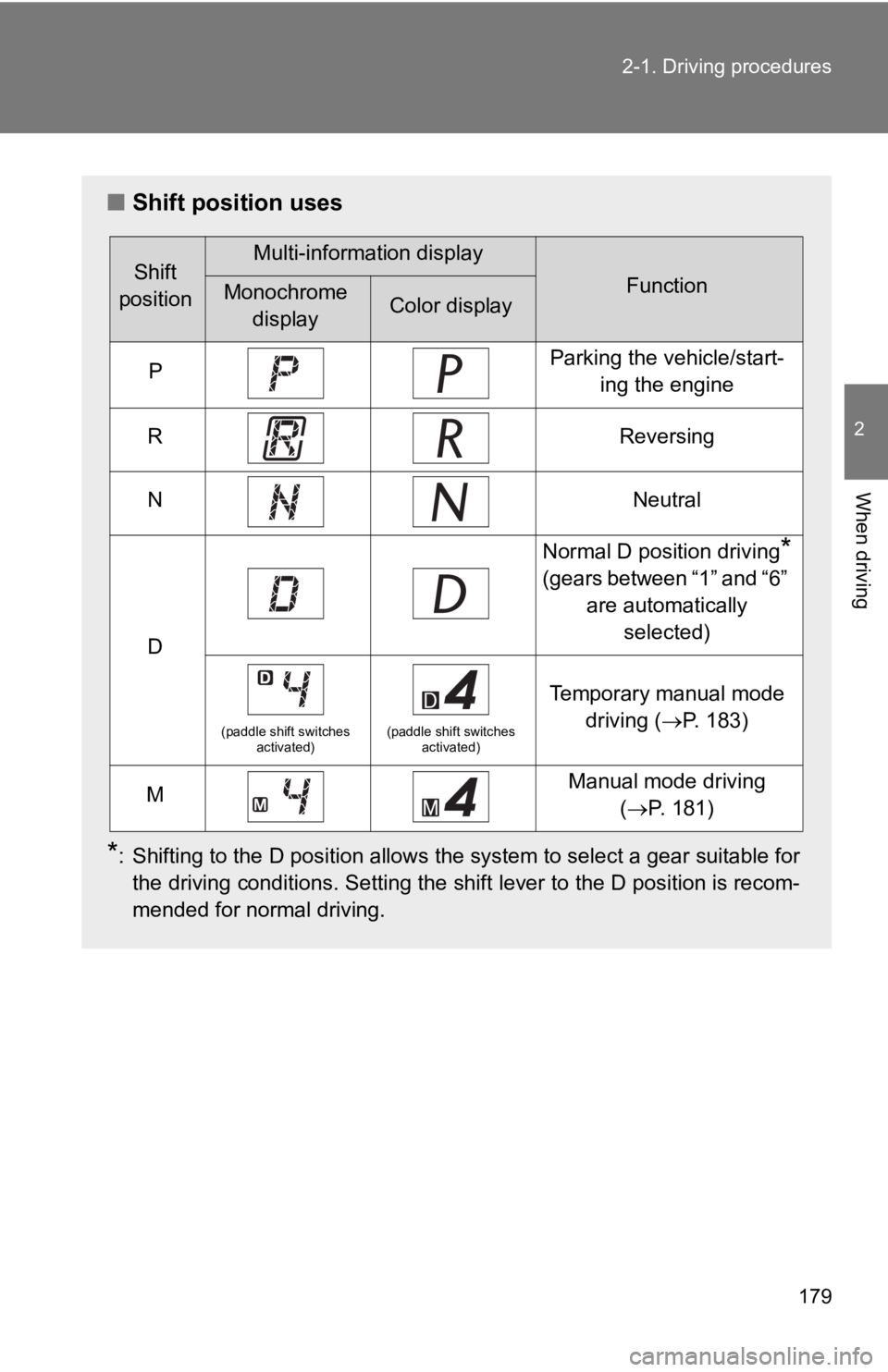
Shift position uses
*: Shifting to the D position allows the system to select a gear suitable for
the driving conditions. Setting the shift lever to the D positi on is recom-
mended for normal driving.
Shift
positionMulti-information display
FunctionMonochrome displayColor display
PParking the vehicle/start- ing the engine
RReversing
NNeutral
D
Normal D position driving*
(gears between “1” and “6” are automatically selected)
(paddle shift switches activated)(paddle shift switches activated)
Temporary manual mode
driving ( P. 183)
MManual mode driving
(P. 181)
Page 197 of 532
197
2-2. Instrument cluster
2
When driving
*1:
Vehicles without a smart key system
These lights turn on when the engine switch is turned to the “O N”
position to indicate that a system check is being performed. Th ey
will turn off after the engine is started, or after a few seconds. There
may be a malfunction in a system if a light does not come on, o r if
the lights do not turn off. Have the vehicle inspected by your To y o t a
dealer.
Vehicles with a smart key system
These lights turn on when the “ENGINE START STOP” switch is
turned to IGNITION ON mode to indicate that a system check is
being performed. They will turn off after the engine is started , or
after a few seconds. There may be a malfunction in a system if a
light does not come on, or if the lights do not turn off. Have the vehi-
cle inspected by your Toyota dealer for details.
*2: This indicator turns on when the engine coolant temperature is low.
*3: The light flashes to indicate that the system is operating.
*4: When the outside temperature is approximately 37°F (3°C) or lower,
the indicator will illuminate.
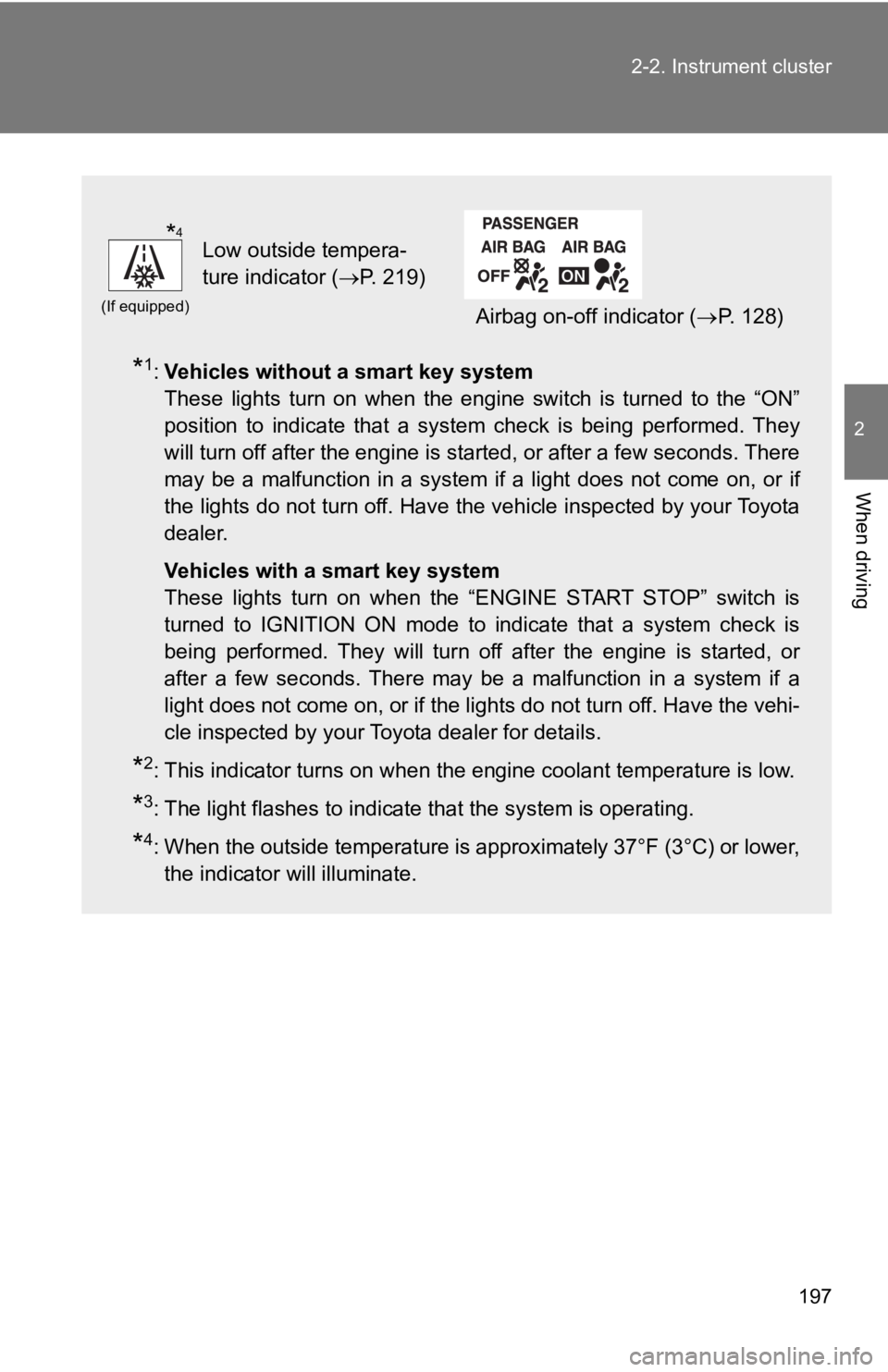
(If equipped)
Low outside tempera-
ture indicator ( P. 219)
Airbag on-off indicator ( P. 128)
*4