Page 307 of 568
307
3-3. Using the interior lights
3
Interior features
BRZ_U (A4450BE-A)
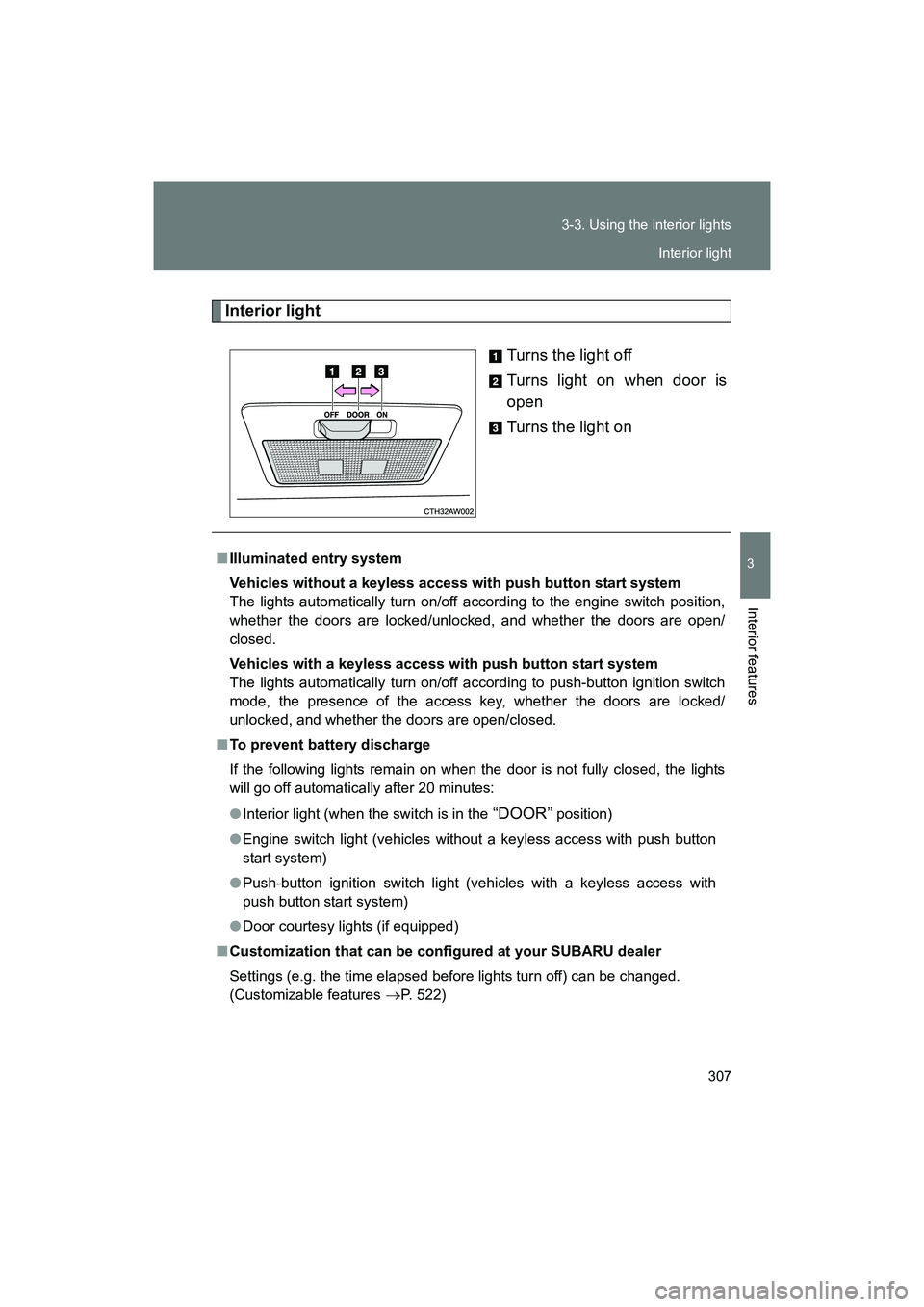
Interior light
Turns the light off
Turns light on when door is
open
Turns the light on
■Illuminated entry system
Vehicles without a keyless access with push button start system
The lights automatically turn on/off according to the engine switch position,
whether the doors are locked/unlocked, and whether the doors are open/
closed.
Vehicles with a keyless access with push button start system
The lights automatically turn on/off according to push-button ignition switch
mode, the presence of the access key, whether the doors are locked/
unlocked, and whether the doors are open/closed.
■ To prevent battery discharge
If the following lights remain on when the door is not fully closed, the lights
will go off automatically after 20 minutes:
● Interior light (when the switch is in the
“DOOR” position)
● Engine switch light (vehicles without a keyless access with push button
start system)
● Push-button ignition switch light (vehicles with a keyless access with
push button start system)
● Door courtesy lights (if equipped)
■ Customization that can be configured at your SUBARU dealer
Settings (e.g. the time elapsed before lights turn off) can be changed.
(Customizable features
→P. 522)
Interior light
Page 327 of 568

327
3-5. Other interior features
3
Interior features
BRZ_U (A4450BE-A)
If status indicator arrows appear
next to the indicator light, please
refer to “Garage Door Two-Way
Communication”. (
→P. 329)
In the event that there are still
programming difficulties or ques-
tions, additional HomeLink infor-
mation and programming videos
can be found at
www.HomeLink.com and
www.youtube.com/HomeLink-
Gentex. For Genie and Sommer
garage door openers please go
directly to the HomeLink website.
■ Gate Operator / Canadian Programming
Canadian radio-frequency laws require transmitter remote signals
to “time-out” (or quit) after several seconds of transmission, which
may not be long enough for HomeLink to pick up the signal during
programming. Similar to this Canadian law, some U.S. gate opera-
tors are designed to “time-out” in the same manner. The indicator
LED on the hand-held remote will go off when the device times out,
indicating that it has finished transmitting.
If you live in Canada or you are having difficulties programming a
gate operator or garage door opener by using the programming
procedures, replace “Programming a New HomeLink Button”
with the following:
While the HomeLink indicator light is flashing orange, press and
release (“cycle”) your device’s hand-held remote every two sec-
onds until the HomeLink indicator light changes from orange to
green. You may now release the hand-held remote button.
If programming a garage door opener or gate operator, it is advised to
unplug the device during the “cycling” process to prevent possible over-
heating.
Proceed with “Programming a New HomeLink Button” to com-
plete.
STEP 8
STEP 3
STEP 4
Page 328 of 568
328 3-5. Other interior features
BRZ_U (A4450BE-A)
Using HomeLinkTo operate, simply press and release the programmed HomeLink but-
ton. Activation will now occur for the trained device (i.e. garage door
opener, gate operator, security system, entry door lock, home/office
lighting, etc.). For convenience, the handheld remote of the device
may also be used at any time.
Reprogramming a Single HomeLink ButtonTo program a previously trained button, follow these steps: Press and hold the desired HomeLink button. DO NOT
release the button.
The indicator light will begin to slowly flash orange after 20
seconds. The HomeLink button can be released at this point.
Proceed with “Programming a New HomeLink Button” -.
If you do not complete the programming of a new device to
the button, it will revert to the previously stored programming.
Erasing HomeLink Buttons
To erase programming from the three buttons (individual buttons can-
not be erased but can be “reprogrammed” as outlined below), follow
the step noted:
Press and hold the two outer HomeLink buttons for at least 10 sec-
onds. The LED indicator will change from continuously lit to rapidly
flashing. Release both buttons. Do not hold for longer than 20 sec-
onds. HomeLink is now ready to be programmed at any time begin-
ning with “Programming a New HomeLink Button” - .
STEP 1
STEP 2
STEP 3
STEP 3
STEP 1
Page 338 of 568
338 4-1. Maintenance and care
BRZ_U (A4450BE-A)
■Brake (vehicles with brembo brake)
●Painted brake calipers
• When using detergent, use neutral detergent. Do not use hard brushes
or abrasive cleaners, as they will damage the paint.
• Do not use detergent on the brake calipers when they are hot.
• Wash detergent off immediately after use.
● Rust may form if the vehicle is parked with wet brake pads or disc rotors,
causing them to stick. Before parking the vehicle after it is washed, drive
slowly and apply the brakes several times to dry the parts.
■ CFRP (Carbon Fiber Reinforced Plastic) part (if equipped)
●Remove any dirt using a neutral detergent. Do not use hard brushes or
abrasive cleaners. Do not use st rong or harsh chemical cleaners.
● As the CFRP parts may change color if they are exposed to ultraviolet
rays for extended periods of time, SUBARU recommends that your vehi-
cle be stored in a place where it will not be exposed to direct sunlight.
● Do not use wax that contains abrasives.
■ When washing the vehicle
Wear rubber gloves and use a hand brush when washing down underbody,
inner fenders and suspension to effectively remove mud and dirt off.
Page 363 of 568
363
4-3. Do-it-yourself maintenance
4
Maintenance and care
BRZ_U (A4450BE-A)
●
When the engine is operated at high engine speeds (for extended peri-
ods of time)
● When the engine is operated under heavy loads (for extended periods of
time)
● When the engine idles for extended periods of time
● When the vehicle is operated in stop and go and/or heavy traffic situa-
tions
● When the vehicle is used under severe thermal conditions
● When the vehicle accelerates and decelerates frequently
Under these or similar conditions, you should check your oil at least every
2nd fuel fill-up and change your engine oi l more frequently. Different drivers
in the same car may experience different results. If your oil consumption rate
is greater than expected, contact y our authorized SUBARU retailer who may
perform a test under controlled conditions.
WARNING
■ Used engine oil
● Used engine oil contains potentially harmful contaminants which may
cause skin disorders such as inflammation or skin cancer, so care should
be taken to avoid prolonged and repeated contact. To remove used engine
oil from your skin, wash thoroughly with soap and water.
● Dispose of used oil and filters only in a safe and acceptable manner. Do
not dispose of used oil and filters in household trash, in sewers or onto the
ground.
Call your SUBARU dealer, service station or auto parts store for informa-
tion concerning recycling or disposal.
● Do not leave used engine oil within the reach of children.
Page 477 of 568
5
When trouble arises
477
5-2. Steps to take in an emergency
BRZ_U (A4450BE-A)
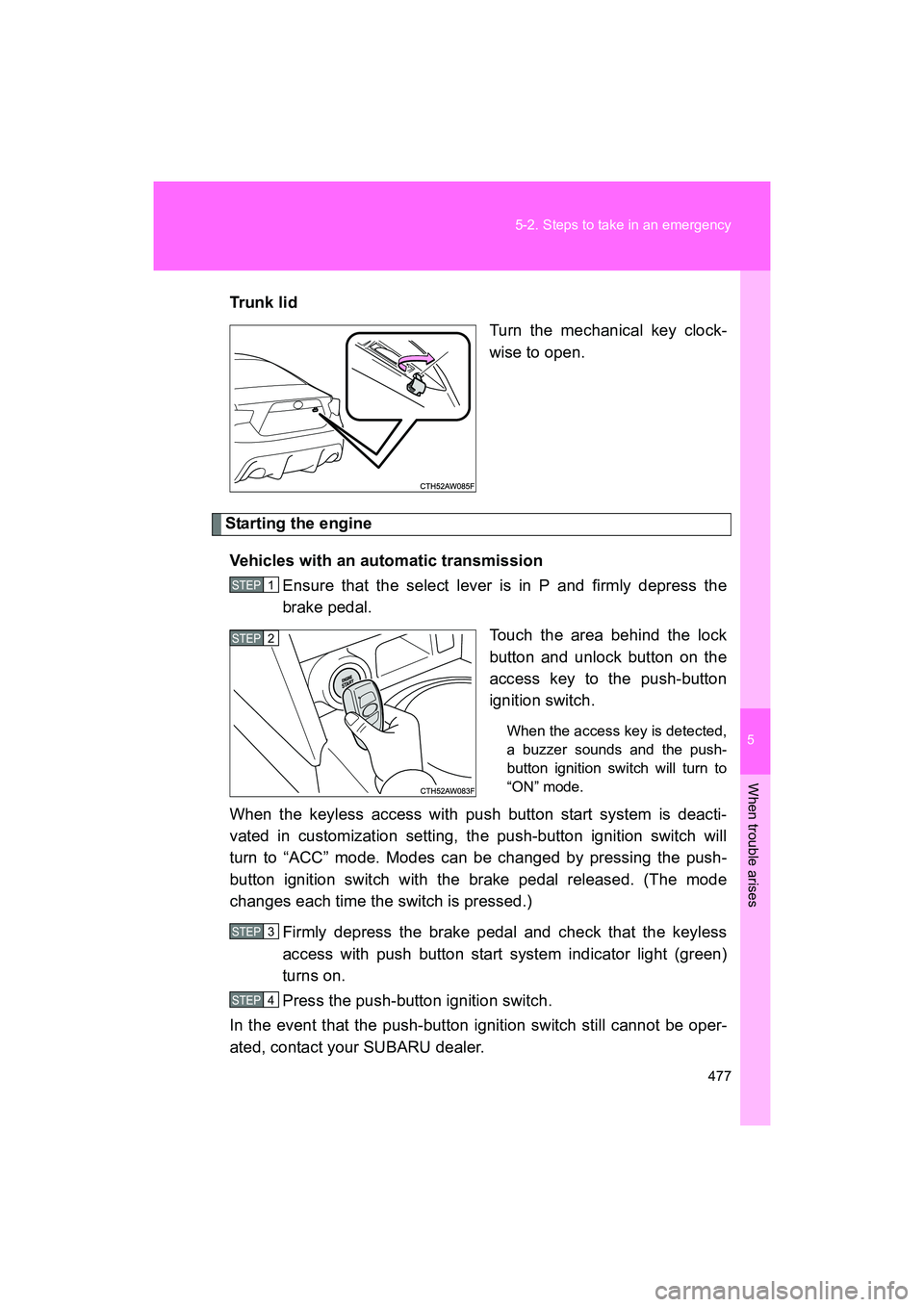
Trun k li d
Turn the mechanical key clock-
wise to open.
Starting the engine
Vehicles with an automatic transmission Ensure that the select lever is in P and firmly depress the
brake pedal.
Touch the area behind the lock
button and unlock button on the
access key to the push-button
ignition switch.
When the access key is detected,
a buzzer sounds and the push-
button ignition switch will turn to
“ON” mode.
When the keyless access with push button start system is deacti-
vated in customization setting, the push-button ignition switch will
turn to “ACC” mode. Modes can be changed by pressing the push-
button ignition switch with the brake pedal released. (The mode
changes each time the switch is pressed.)
Firmly depress the brake pedal and check that the keyless
access with push button start system indicator light (green)
turns on.
Press the push-button ignition switch.
In the event that the push-button ignition switch still cannot be oper-
ated, contact your SUBARU dealer.
STEP 1
STEP 2
STEP 3
STEP 4
Page 478 of 568
478 5-2. Steps to take in an emergency
BRZ_U (A4450BE-A)Vehicles with a manual transmission
Ensure that the shift lever is in neutral and depress the clutch
pedal.
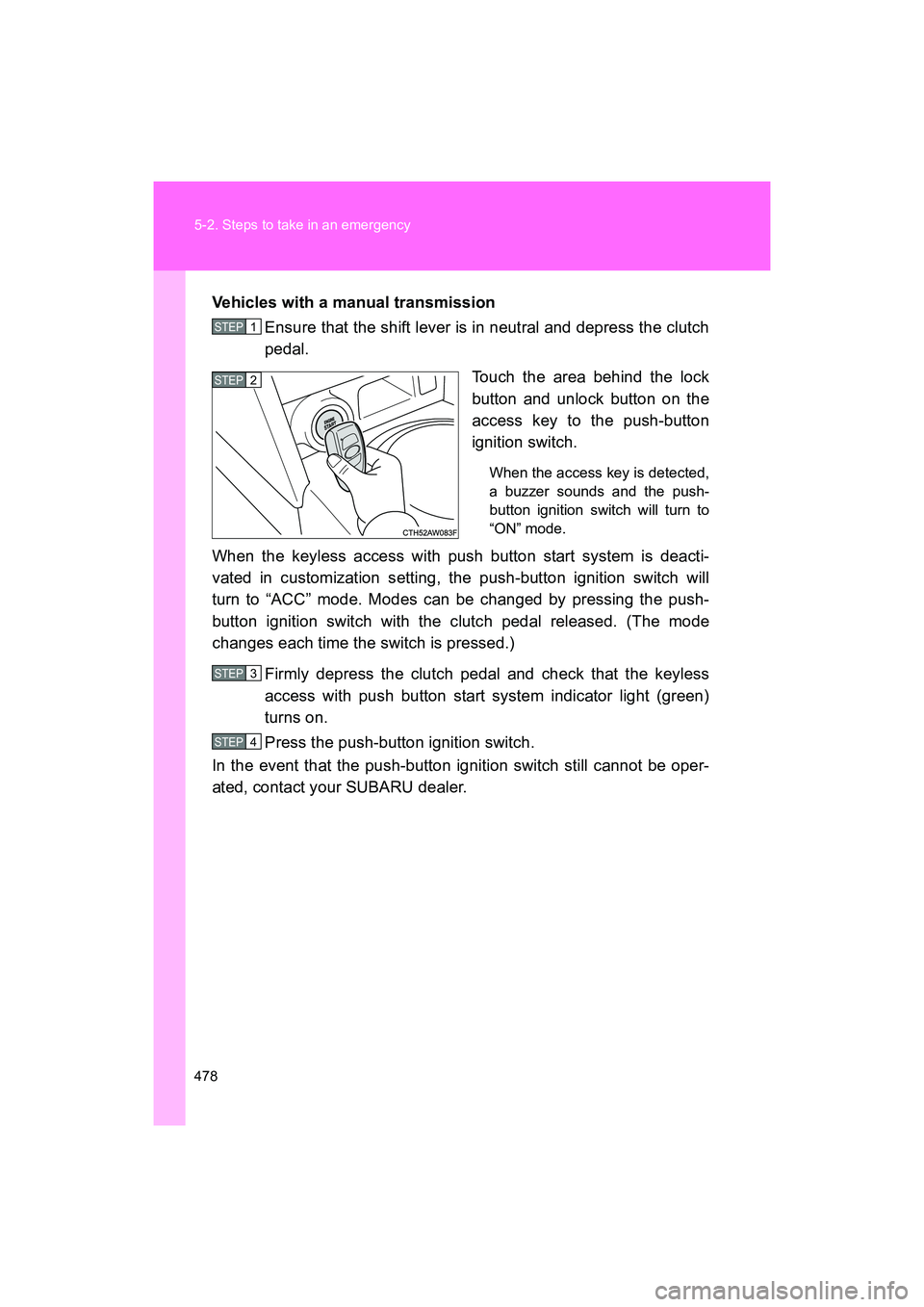
Touch the area behind the lock
button and unlock button on the
access key to the push-button
ignition switch.
When the access key is detected,
a buzzer sounds and the push-
button ignition switch will turn to
“ON” mode.
When the keyless access with push button start system is deacti-
vated in customization setting, the push-button ignition switch will
turn to “ACC” mode. Modes can be changed by pressing the push-
button ignition switch with the clutch pedal released. (The mode
changes each time the switch is pressed.)
Firmly depress the clutch pedal and check that the keyless
access with push button start system indicator light (green)
turns on.
Press the push-button ignition switch.
In the event that the push-button ignition switch still cannot be oper-
ated, contact your SUBARU dealer.
STEP 1
STEP 2
STEP 3
STEP 4
Page 522 of 568
522
BRZ_U (A4450BE-A)
6-2. Customization
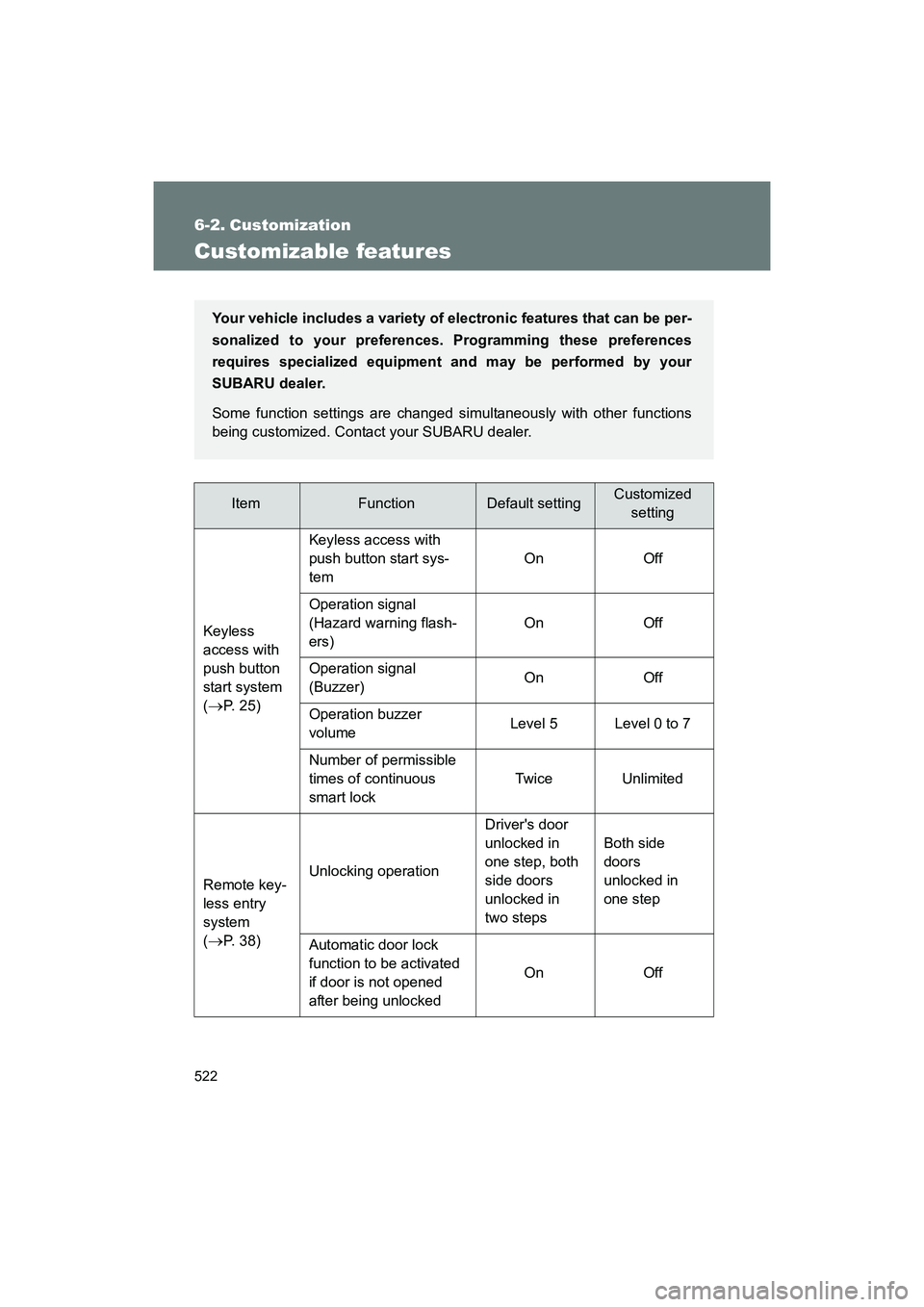
Customizable features
ItemFunctionDefault settingCustomizedsetting
Keyless
access with
push button
start system
(
→P. 25) Keyless access with
push button start sys-
tem
On Off
Operation signal
(Hazard warning flash-
ers) On Off
Operation signal
(Buzzer) On Off
Operation buzzer
volume Level 5 Level 0 to 7
Number of permissible
times of continuous
smart lock Twice Unlimited
Remote key-
less entry
system
(
→P. 38) Unlocking operation
Driver's door
unlocked in
one step, both
side doors
unlocked in
two stepsBoth side
doors
unlocked in
one step
Automatic door lock
function to be activated
if door is not opened
after being unlocked On Off
Your vehicle includes a variety of
electronic features that can be per-
sonalized to your preferences. Programming these preferences
requires specialized equipment and may be performed by your
SUBARU dealer.
Some function settings are changed simultaneously with other functions
being customized. Contact your SUBARU dealer.