Page 214 of 568
214 2-2. Instrument cluster
BRZ_U (A4450BE-A)
Tachometer indicator needle movement function when starting
the vehicleWhen the engine switch is turned to “ON” position, the tachometer
indicator needle points to the highest value once and then quickly
returns.
■ Changing between activated/deactivated
Press the “ODO/TRIP” switch repeatedly until the setting
screen is displayed. ( →P. 212)
Each time the switch is pressed and held, the function
changes between activated/deactivated.
“S-on”: Activated
“S-oFF”: Deactivated
Setting the shift position indicator and shift-up indicator
(vehicles with a manual transmission)
Displaying of the shift position indicator and shift-up indicator can be
turned on/off. Press the “ODO/TRIP” switch repeatedly until the setting
screen is displayed. ( →P. 212)
Each time the switch is pressed and held, the display changes
between on/off.
“G-on”: Display on
“G-oFF”: Display off
STEP 1
STEP 2
STEP 1
STEP 2
Page 215 of 568
215
2-2. Instrument cluster
2
When driving
BRZ_U (A4450BE-A)
Setting the REV indicator
■ Changing the REV indicator settings
The engine speed at which the REV indicator turns on at and
whether a buzzer sounds or not when the light turns on can be set.
Engine speed setting range: From 2000 to 7400 rpm (r/min)
Press the “DISP” switch repeatedly until the setting screen is
displayed. ( →P. 213)
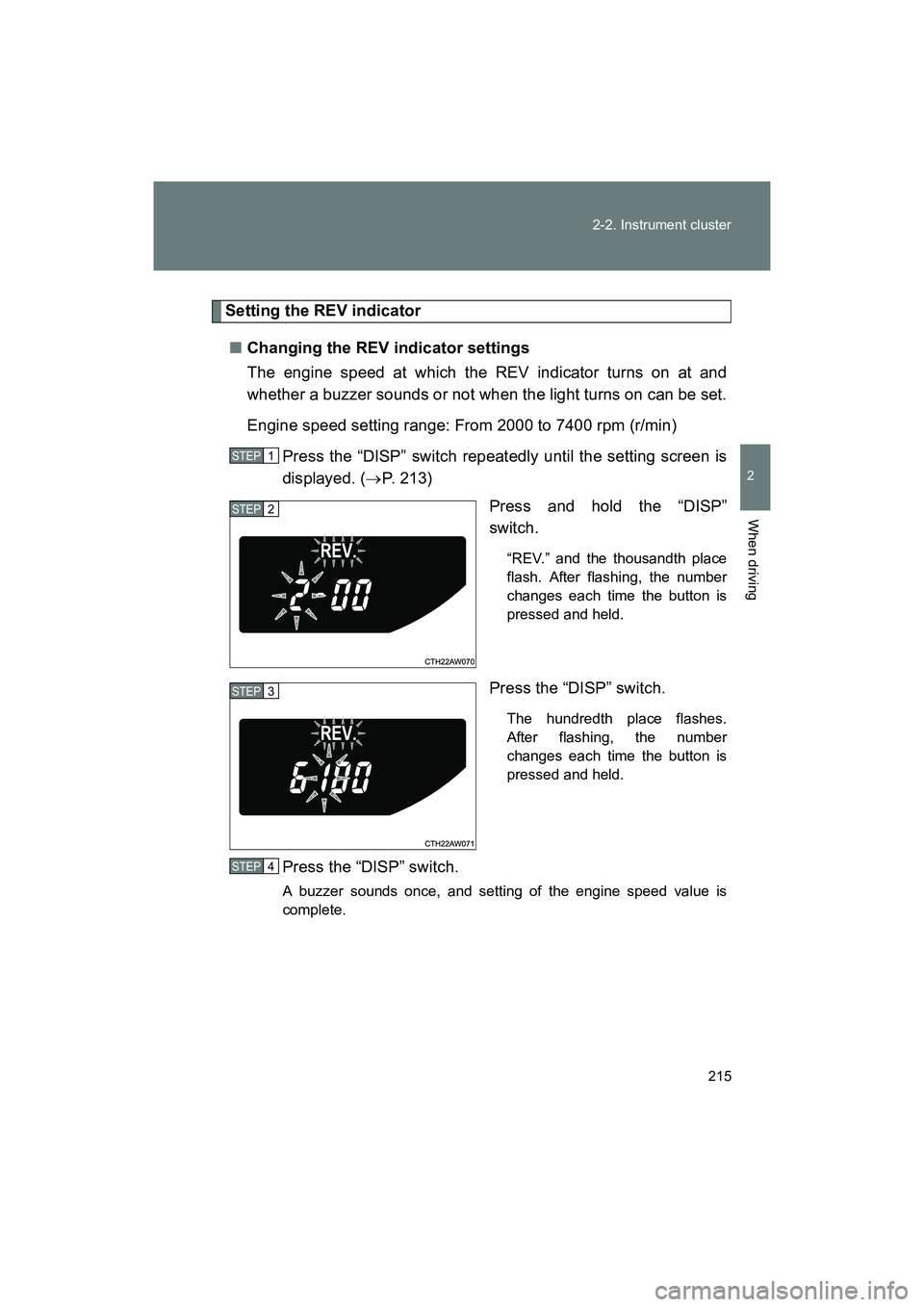
Press and hold the “DISP”
switch.
“REV.” and the thousandth place
flash. After flashing, the number
changes each time the button is
pressed and held.
Press the “DISP” switch.
The hundredth place flashes.
After flashing, the number
changes each time the button is
pressed and held.
Press the “DISP” switch.
A buzzer sounds once, and setting of the engine speed value is
complete.
STEP 1
STEP 2
STEP 3
STEP 4
Page 216 of 568
216 2-2. Instrument cluster
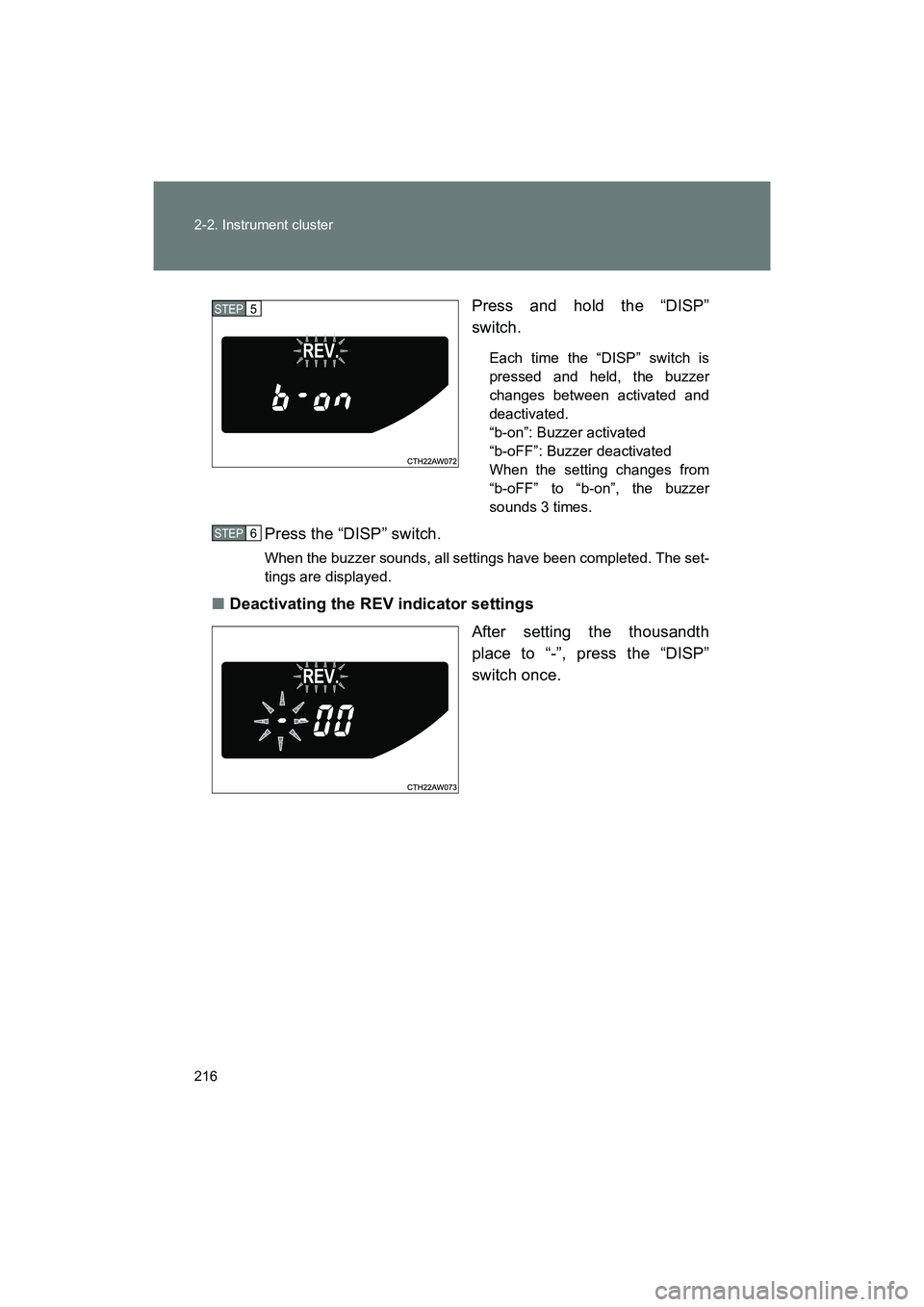
BRZ_U (A4450BE-A)Press and hold the “DISP”
switch.
Each time the “DISP” switch is
pressed and held, the buzzer
changes between activated and
deactivated.
“b-on”: Buzzer activated
“b-oFF”: Buzzer deactivated
When the setting changes from
“b-oFF” to “b-on”, the buzzer
sounds 3 times.
Press the “DISP” switch.
When the buzzer sounds, all settings have been completed. The set-
tings are displayed.
■
Deactivating the REV indicator settings
After setting the thousandth
place to “-”, press the “DISP”
switch once.
STEP 5
STEP 6
Page 219 of 568
219
2-2. Instrument cluster
2
When driving
BRZ_U (A4450BE-A)
Using the multi-information display
■ Using the content display area
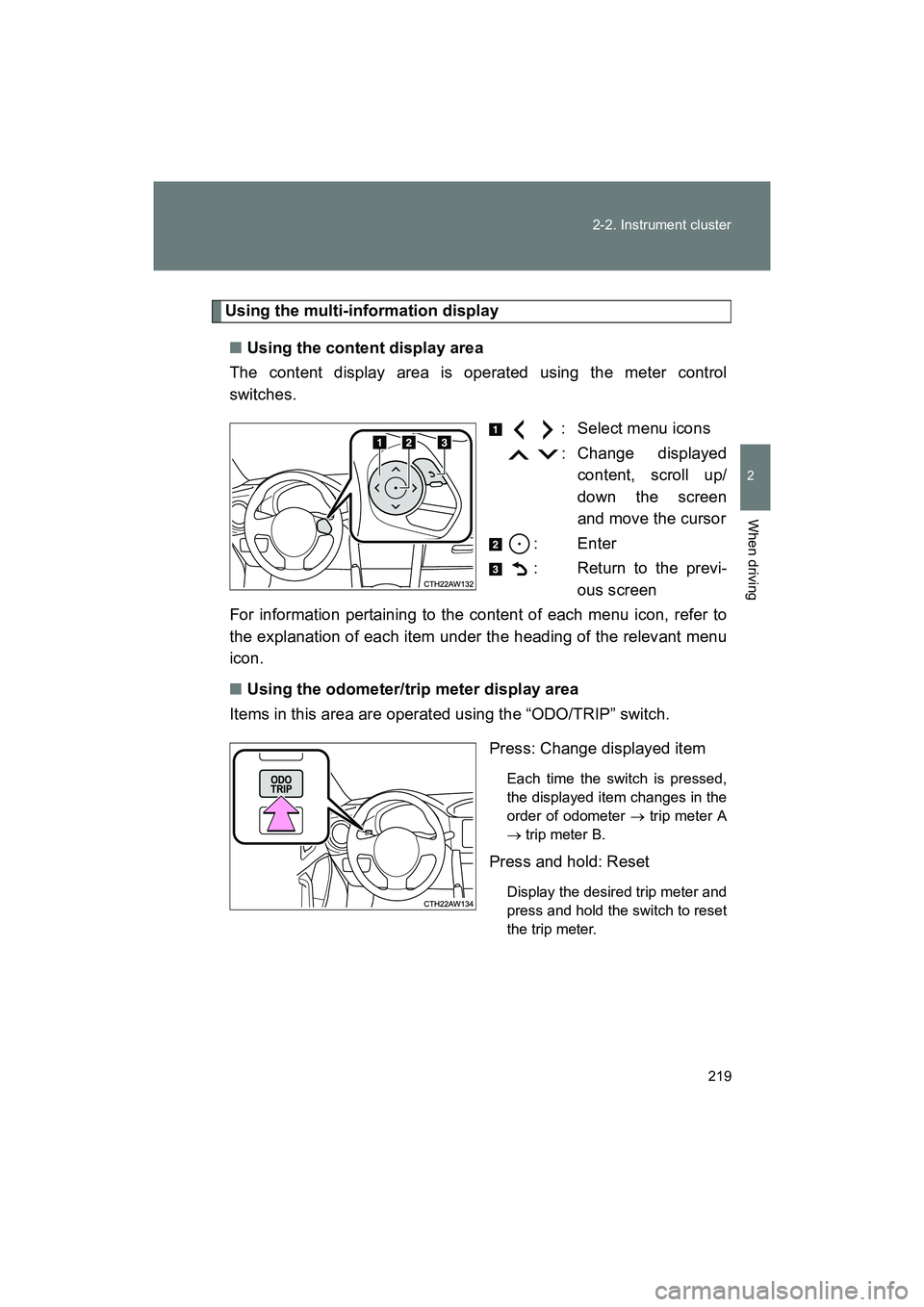
The content display area is operated using the meter control
switches.
: Select menu icons
: Change displayedcontent, scroll up/
down the screen
and move the cursor
: Enter
: Return to the previ- ous screen
For information pertaining to the content of each menu icon, refer to
the explanation of each item under the heading of the relevant menu
icon.
■ Using the odometer/trip meter display area
Items in this area are operated using the “ODO/TRIP” switch.
Press: Change displayed item
Each time the switch is pressed,
the displayed item changes in the
order of odometer → trip meter A
→ trip meter B.
Press and hold: Reset
Display the desired trip meter and
press and hold the switch to reset
the trip meter.
Page 226 of 568
226 2-2. Instrument cluster
BRZ_U (A4450BE-A)■
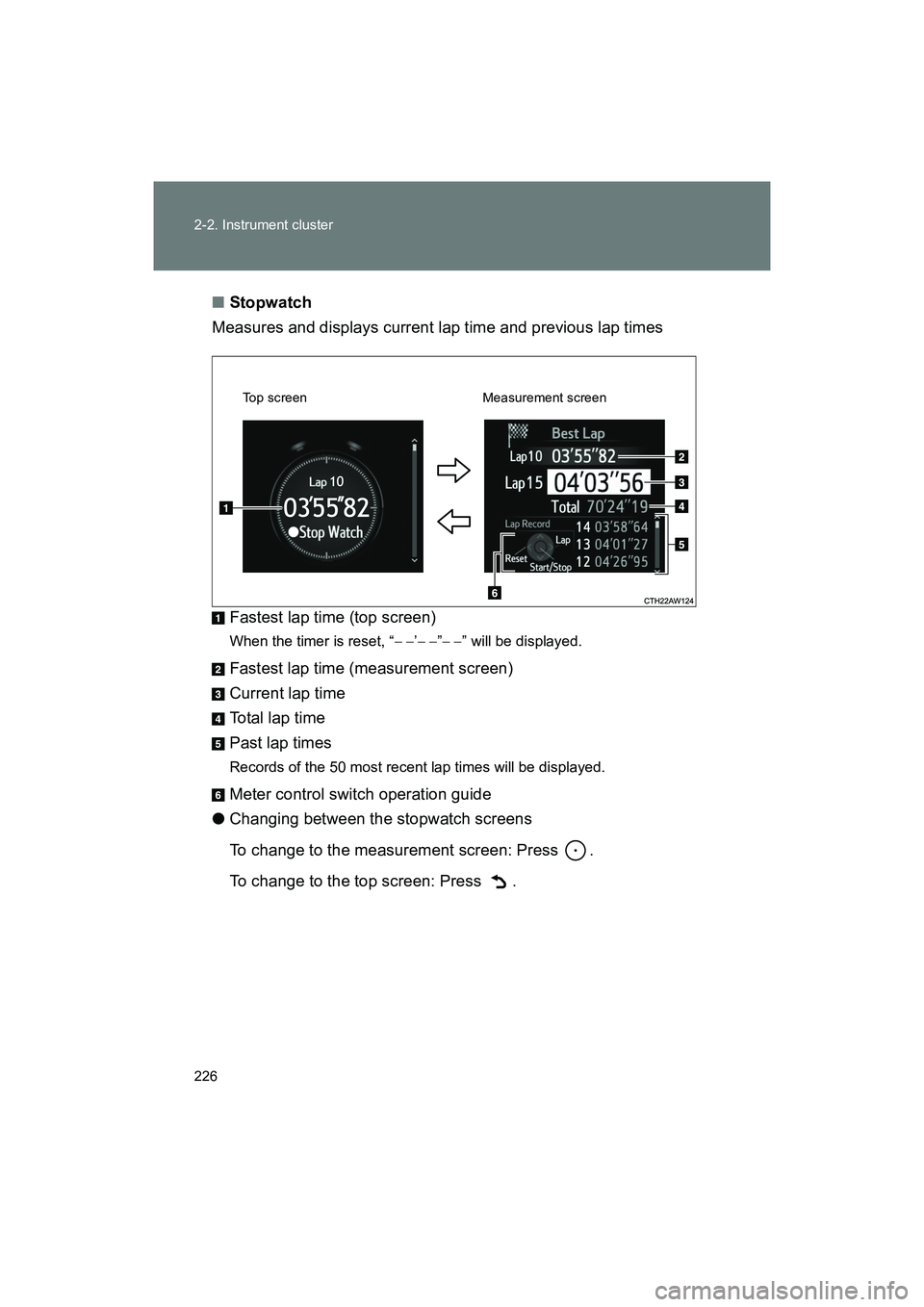
Stopwatch
Measures and displays current lap time and previous lap times
Fastest lap time (top screen)
When the timer is reset, “ − −’− − ”− − ” will be displayed.
Fastest lap time (measurement screen)
Current lap time
Total lap time
Past lap times
Records of the 50 most recent lap times will be displayed.
Meter control switch operation guide
● Changing between the stopwatch screens
To change to the measurement screen: Press .
To change to the top screen: Press .
Top screen Measurement screen
Page 231 of 568
231
2-2. Instrument cluster
2
When driving
BRZ_U (A4450BE-A)
■
G-force display
● Depending on the vehicle usage conditions , the brake fluid pressure dis-
play may not reach its maximum reading even though the brake pedal is
fully depressed.
● If a battery terminal is disconnected and reconnected, the steering
amount display may be disabled temporarily. After driving the vehicle for
a while, the display will be enabled.
■ Suspension of the settings display
● The settings cannot be changed while driving. When changing settings,
park the vehicle in a safe place.
● If a warning message is displayed, operation of the settings display will
be suspended.
■ Using the stopwatch
If the engine is stopped while the stopwatch is operating, the stopwatch will
stop and the time up to that point will be recorded.
■ Outside temperature display
● In the following situations, the correct outside temperature may not be
displayed.
• When the vehicle is very hot, such as when under the sun.
• When the vehicle is idling or being driven at low speeds such as in a
traffic jam or when the engine is stopped and then restarted immedi-
ately afterward.
• When the actual outside temperature is outside of the indicator range.
● If “ − − ” is displayed for approximately 1 minute or more or if the outside
temperature is not displayed, the system may be malfunctioning. Have
the vehicle inspected by your SUBARU dealer.
■ Liquid crystal display
Small spots or light spots may appear on the display. This phenomenon is
characteristic of liquid crystal displays, and there is no problem continuing to
use the display.
Page 244 of 568
244 2-4. Using other driving systems
BRZ_U (A4450BE-A)
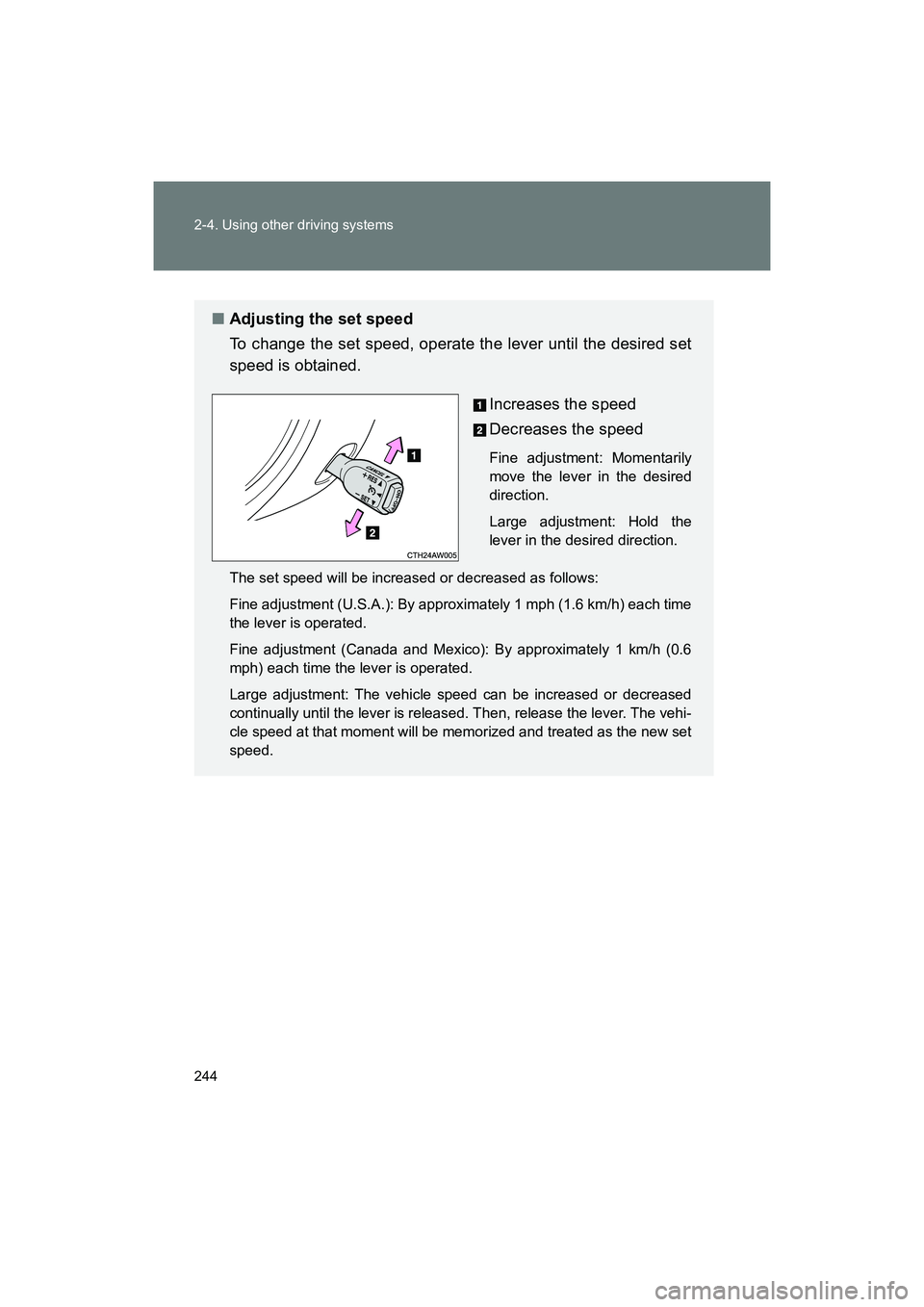
■Adjusting the set speed
To change the set speed, operate the lever until the desired set
speed is obtained.
Increases the speed
Decreases the speed
Fine adjustment: Momentarily
move the lever in the desired
direction.
Large adjustment: Hold the
lever in the desired direction.
The set speed will be increased or decreased as follows:
Fine adjustment (U.S.A.): By approximately 1 mph (1.6 km/h) each time
the lever is operated.
Fine adjustment (Canada and Mexico): By approximately 1 km/h (0.6
mph) each time the lever is operated.
Large adjustment: The vehicle speed can be increased or decreased
continually until the lever is released. Then, release the lever. The vehi-
cle speed at that moment will be memorized and treated as the new set
speed.
Page 295 of 568
295
3-1. Using the air conditioning system and defogger
3
Interior features
BRZ_U (A4450BE-A)
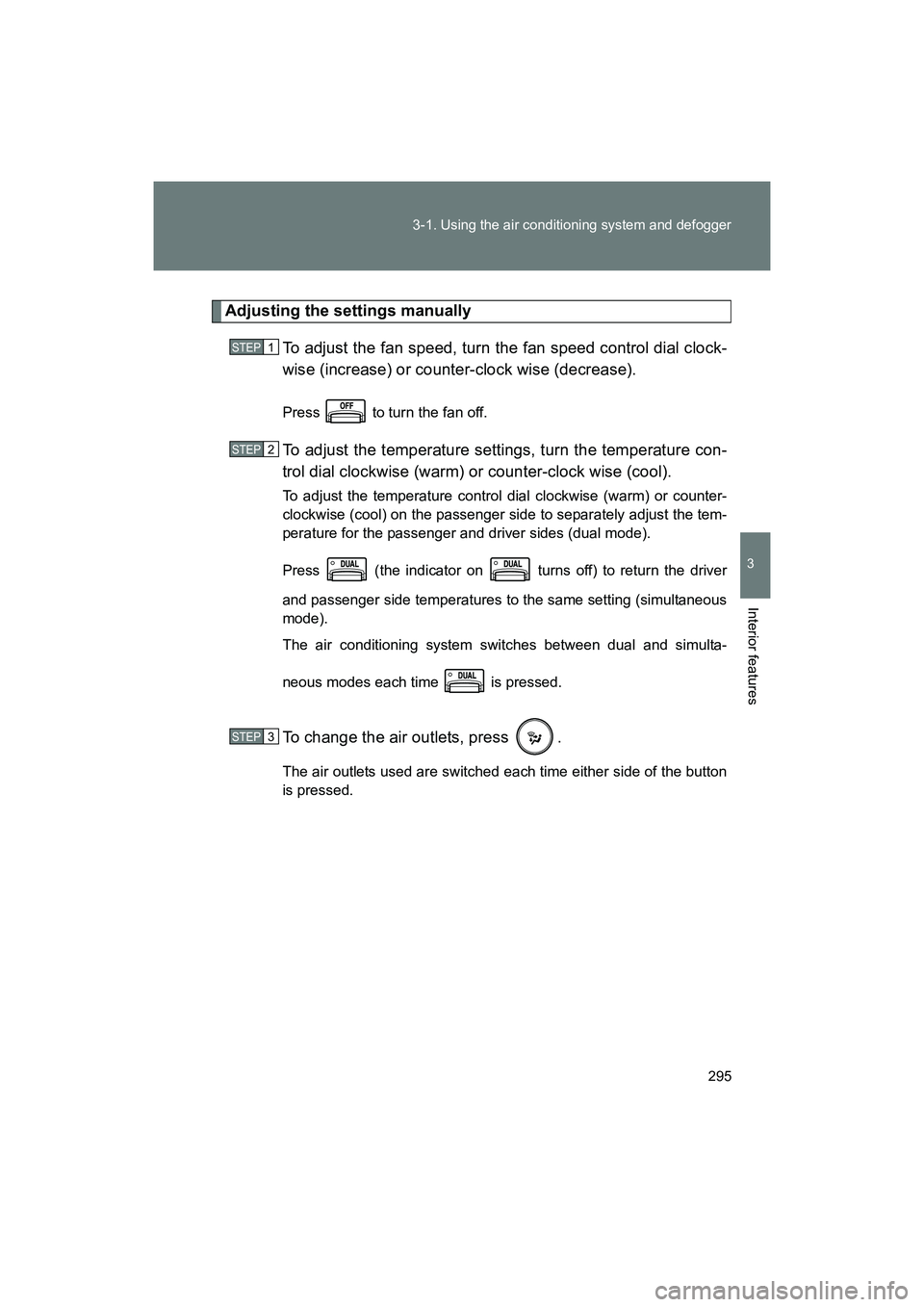
Adjusting the settings manually
To adjust the fan speed, turn the fan speed control dial clock-
wise (increase) or counter-clock wise (decrease).
Press to turn the fan off.
To adjust the temperature settings, turn the temperature con-
trol dial clockwise (warm) or counter-clock wise (cool).
To adjust the temperature control dial clockwise (warm) or counter-
clockwise (cool) on the passenger side to separately adjust the tem-
perature for the passenger and driver sides (dual mode).
Press (the indicator on turns off) to return the driver
and passenger side temperatures to the same setting (simultaneous
mode).
The air conditioning system switches between dual and simulta-
neous modes each time is pressed.
To change the air outlets, press .
The air outlets used are switched each time either side of the button
is pressed.
STEP 1
STEP 2
STEP 3