Page 237 of 568
237
2-3. Operating the lights and windshield wipers
2
When driving
BRZ_U (A4450BE-A)
■
Automatic headlight leveling system
The level of the headlights is automatically adjusted according to the number
of passengers and the loading condition of the vehicle to ensure that the
headlights do not interfere with other road users.
■ Windshield wiper-linked automatic headlights
When the headlight switch is in , if the windshield wipers operate for
approximately 10 seconds, the headlights will turn on automatically. (If the
windshield wipers are operated due to oper ation of the windshield washers,
the headlights will not turn on automatic ally.) In this case, the headlights will
automatically turn off approximately 60 seconds after the windshield wipers
stop operating.
■ Battery-saving function
In the following conditions, the headlights and the other remaining lights will
go off automatically after 20 minutes in order to prevent the vehicle battery
from being discharged:
● The headlights and/or tail lights are on.
● The key is removed from the engine switch (vehicles without a keyless
access with push button start system) or the push-button ignition switch
is turned off (vehicles with a keyless access with push button start sys-
tem).
● The light switch is in , or .
This function will be canceled in any of the following situations:
● When the engine switch is turned to the “ON” position (vehicles without a
keyless access with push button start system) or the push-button ignition
switch is turned to “ON” mode (vehicles with a keyless access with push
button start system)
● When the light switch is operated
● When the door is opened or closed
■ Customization that can be configured at your SUBARU dealer
Settings (e.g. light sensor sensitivity) can be changed.
(Customizable features →P. 522)
Page 238 of 568
238 2-3. Operating the lights and windshield wipers
BRZ_U (A4450BE-A)
CAUTION
■To prevent battery discharge
Do not leave the lights on longer than necessary when the engine is not run-
ning.
Page 241 of 568
241
2-3. Operating the lights and windshield wipers
2
When driving
BRZ_U (A4450BE-A)
■
The windshield wipers and washer can be operated when
Vehicles without a keyless access with push button start system
The engine switch is in the “ON” position.
Vehicles with a keyless access with push button start system
The push-button ignition switch is in “ON” mode.
■ If no windshield washer fluid sprays
Check that the washer nozzles are not blocked if there is washer fluid in the
windshield washer fluid tank.
WARNING
■Caution regarding the use of washer fluid
When it is cold, do not use the washer fluid until the windshield becomes
warm. The fluid may freeze on the wi ndshield and cause low visibility. This
may lead to an accident, resulting in death or serious injury.
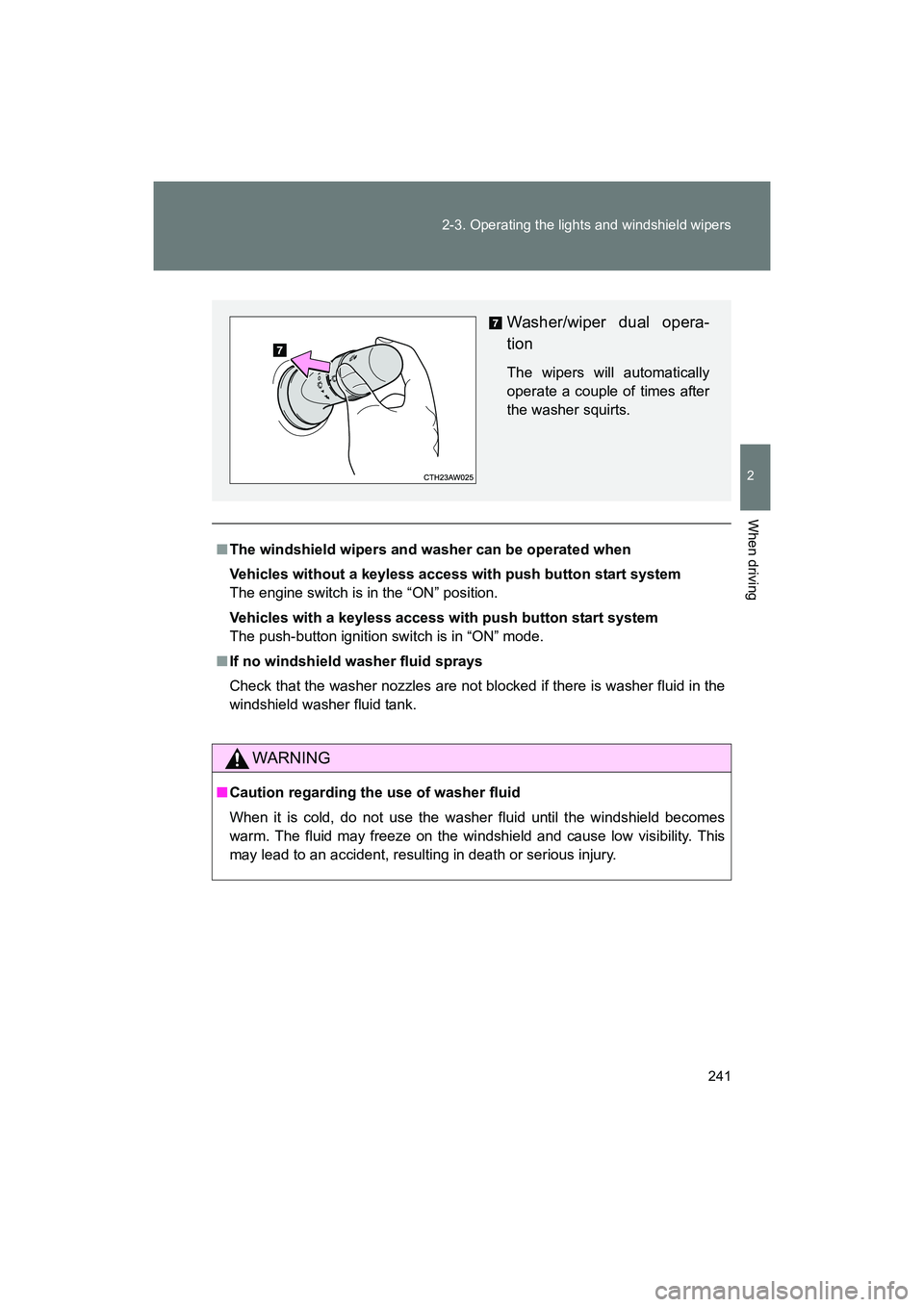
Washer/wiper dual opera-
tion
The wipers will automatically
operate a couple of times after
the washer squirts.
Page 246 of 568
246 2-4. Using other driving systems
BRZ_U (A4450BE-A)
■Accelerating after setting the vehicle speed
●The vehicle can be accelerated normally. After acceleration, the set
speed resumes.
● Even without canceling the cruise control, the set speed can be
increased by first accelerating the vehicle to the desired speed and then
pushing the lever down to set the new speed.
■ Automatic cruise control cancelation
Cruise control will stop maintaining the vehicle speed in any of the following
situations.
●Actual vehicle speed is below approximately 20 mph (30 km/h).
● Vehicle stability control (VSC) is activated.
■ The system may be malfunctioning when
In the following situations, the system may be malfunctioning. Have the vehi-
cle inspected by your SUBARU dealer.
●The cruise control indicator light comes on in yellow.
● The cruise control indicator does not come on even when the “ON-OFF”
button is pressed while the engine is running.
Page 247 of 568
247
2-4. Using other driving systems
2
When driving
BRZ_U (A4450BE-A)
WARNING
■
When using the cruise control
Always set the speed appropriately according to the speed limit, traffic flow,
road conditions, and other conditions.
■ Cruise control precaution (vehicles with an automatic transmission)
You can cancel the cruise control by shifting the select lever into the N posi-
tion. However, do not shift the lever into the N position while driving except in
case of emergency. If the select lever is shifted into the N position, the
engine brake will no longer work. This could result in an accident.
■ To avoid operating the cruise control by mistake
Switch the cruise control off using the “ON-OFF” button when not in use.
■ Situations unsuitable for cruise control
Do not use cruise control in any of the following situations.
Doing so may result in loss of control and could cause an accident resulting
in death or serious injury.
● In heavy traffic
● On roads with sharp bends
● On winding roads
● On slippery roads, such as those covered with rain, ice or snow
● On steep hills
Vehicle speed may exceed the set speed when driving down a steep hill.
● During emergency towing
Page 248 of 568
248
2-4. Using other driving systems
BRZ_U (A4450BE-A)
Rear view camera
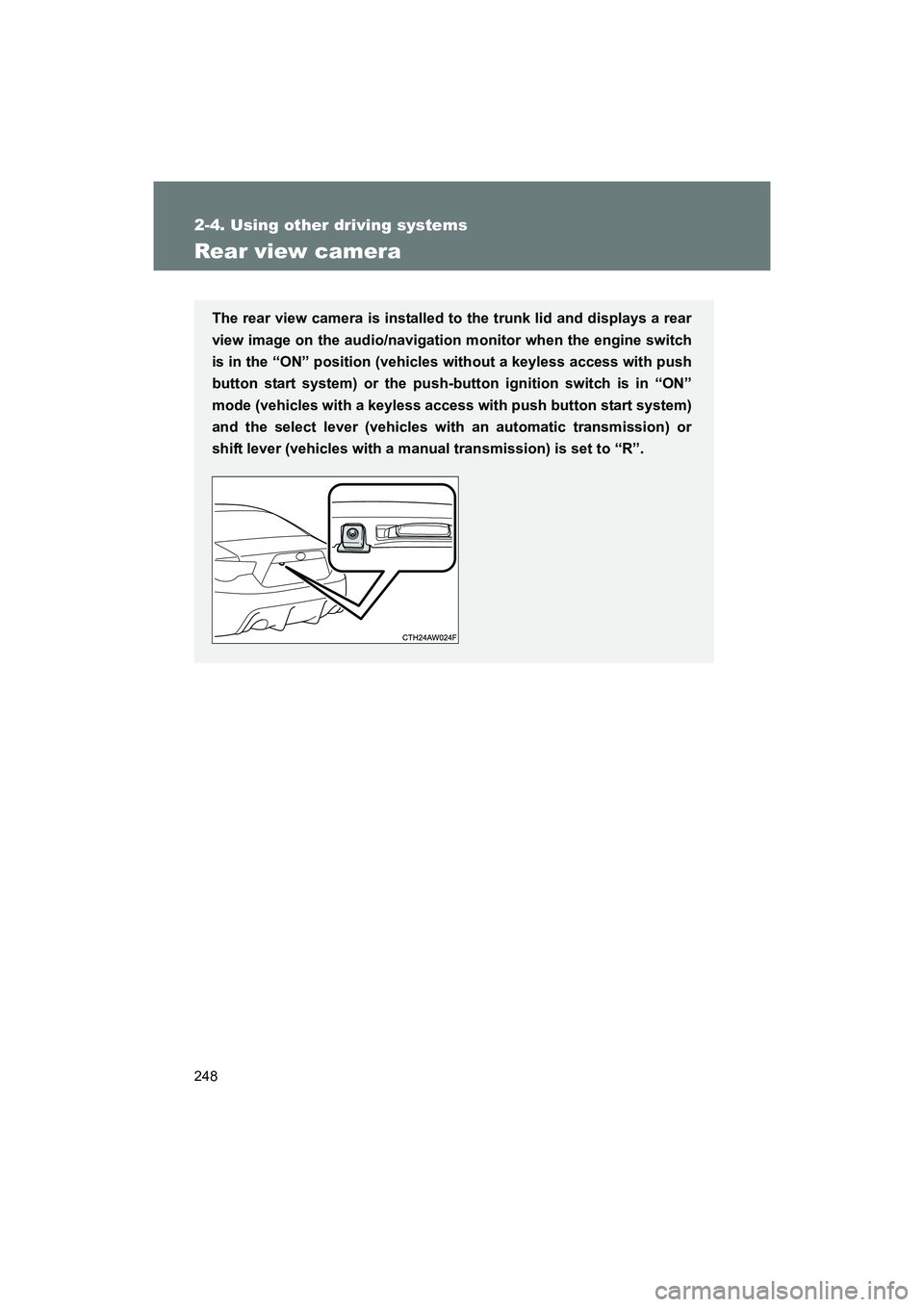
The rear view camera is installed to the trunk lid and displays a rear
view image on the audio/navigation monitor when the engine switch
is in the “ON” position (vehicles without a keyless access with push
button start system) or the push-button ignition switch is in “ON”
mode (vehicles with a keyless access with push button start system)
and the select lever (vehicles with an automatic transmission) or
shift lever (vehicles with a manual transmission) is set to “R”.
Page 249 of 568
249
2-4. Using other driving systems
2
When driving
BRZ_U (A4450BE-A)
How to use the rear view camera
Perform the following to display a rear view image on the rear view
camera. Turn the engine switch to the “ON” position (vehicles without a
keyless access with push button start system) or turn the
push-button ignition switch to “ON” mode (vehicles with a key-
less access with push button start system).
Shift the select lever (vehicles with an automatic transmis-
sion) or shift lever (vehicles with a manual transmission) to
“R”.
In the following situations, the screen will return to the image that
was displayed before the lever was shifted to “R”.
• Vehicles with an automatic transmission: When several secondshave passed since the select lever was shifted to a position other
than “P” or “R” (off delay function).
• Vehicles with an automatic transmission: When the select lever is
shifted to “P”.
• Vehicles with a manual transmission: When several seconds have passed since the shift lever was shifted to a position other than
“R” (off delay function).
• When the vehicle speed is 5 mph (8 km/h) or more.
STEP 1
STEP 2
Page 253 of 568
253
2-4. Using other driving systems
2
When driving
BRZ_U (A4450BE-A)
■
Rear view camera display
● On vehicles with a genuine SUBARU navigation system, the rear view
camera display will be prioritized over other displays. To display another
display, shift the select lever (vehicles with an automatic transmission) or
shift lever (vehicles with a manual transmission) to a position other than
“R”.
● Images from the rear view camera will be displayed horizontally reversed
as is the case with the vehicle’s rear view mirror or a side view mirror.
● Images on the screen may look different depending on the number of
passengers and loading conditions.
● When the vehicle is on an incline or decline, distances displayed on the
screen may look different than the actual distance.
● When the vehicle is loaded, the distance on the screen will look farther
than the actual distance, as is the case when approaching an upward
incline.
● The color of objects on the screen may be different from the actual color
of the objects.
● Be sure to check your surroundings when “Check Surroundings Before
Backing Up” is displayed.
● If you shift to “R” shortly after turning the engine switch to the “ON” posi-
tion (vehicles without a keyless access with push button start system) or
the push-button ignition switch to “ON” mode (vehicles with a keyless
access with push button start system), “Check Surroundings Before
Backing Up” may not be displayed. Wait several seconds or more after
turning the engine switch to the “ON” position (vehicles without a keyless
access with push button start system) or the push-button ignition switch
to “ON” mode (vehicles with a keyless access with push button start sys-
tem) before shifting to the “R” range. The warning message can then be
displayed.