Page 100 of 332

1.94
Activation/deactivation of the rear
screen wiper
(depending on the vehicle)
Engaging reverse gear triggers inter-
mittent wiping (if the front wipers are in
operation). If your vehicle is fitted with
a vehicle settings customisation menu,
you can opt to activate or deactivate
this function. To do this, refer to the in-
formation on the “Vehicle settings cus-
tomisation menu” in Section 1; “Rear
wiping in reverse gear”.
REAR SCREEN WASH, WIPE (2/2)
pRear screen wash/wipe
With the ignition on, push and
hold stalk 1, then release.
A longer action will trigger three sweeps
of the wipers followed, a few seconds
later, by a fourth, in addition to the wind-
screen washer.
In the event of obstacles present on the
rear window (dirt, snow, etc.), the wiper
will try to sweep away all the obstacles.
If an obstacle prevents the blade from
moving, it can be stopped. Remove the
obstacle, wait for around 30 seconds
and reactivate the wiper using the wiper
stalk.
Precautions
–
In the event of ice, check whether
the blades are stuck to the wind-
screen before operating the wiping
mechanism. If you activate the wiper
while the blade is blocked by ice, you
risk damaging both the blade and the
wiping motor.
– Do not activate the wipers on a dry
screen. This will lead to the prema-
ture wear or damage to the blades.
1
Page 139 of 332
2.35
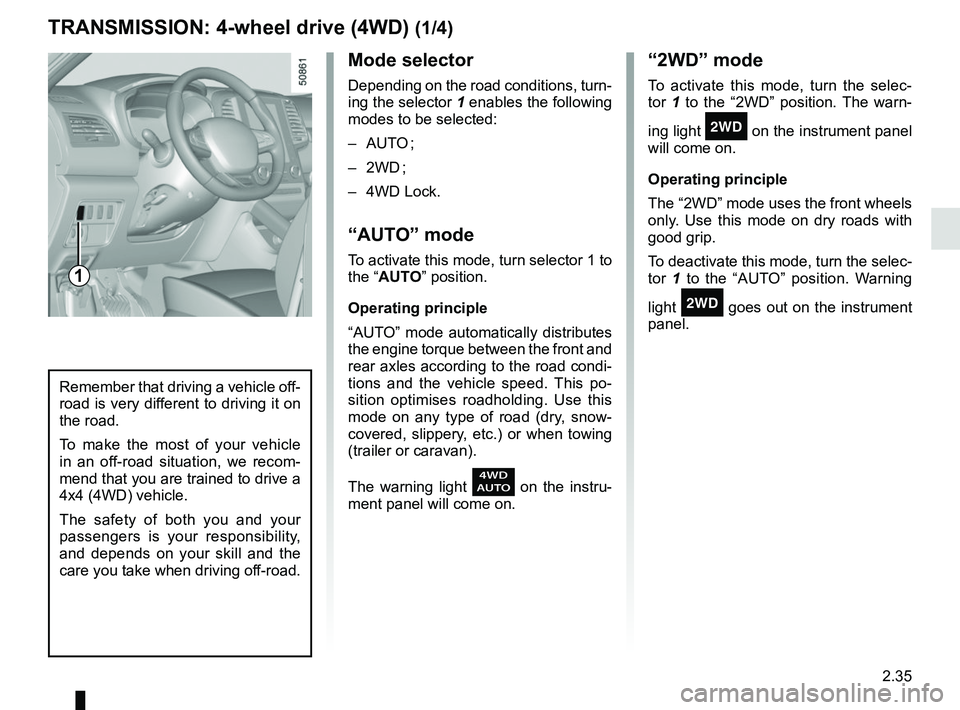
Mode selector
Depending on the road conditions, turn-
ing the selector 1 enables the following
modes to be selected:
– AUTO ;
– 2WD ;
– 4WD Lock.
“AUTO” mode
To activate this mode, turn selector 1 to
the “AUTO” position.
Operating principle
“AUTO” mode automatically distributes
the engine torque between the front and
rear axles according to the road condi-
tions and the vehicle speed. This po-
sition optimises roadholding. Use this
mode on any type of road (dry, snow-
covered, slippery, etc.) or when towing
(trailer or caravan).
The warning light
on the instru-
ment panel will come on.
TRANSMISSION: 4-wheel drive (4WD) (1/4)
“2WD” mode
To activate this mode, turn the selec-
tor 1 to the “2WD” position. The warn-
ing light
‘ on the instrument panel
will come on.
Operating principle
The “2WD” mode uses the front wheels
only. Use this mode on dry roads with
good grip.
To deactivate this mode, turn the selec-
tor 1 to the “AUTO” position. Warning
light
‘ goes out on the instrument
panel.
Remember that driving a vehicle off-
road is very different to driving it on
the road.
To make the most of your vehicle
in an off-road situation, we recom-
mend that you are trained to drive a
4x4 (4WD) vehicle.
The safety of both you and your
passengers is your responsibility,
and depends on your skill and the
care you take when driving off-road.
1
Page 140 of 332
2.36
TRANSMISSION: 4-wheel drive (4WD) (2/4)
This problem may be resolved by
changing the tyres. Always use four
identical tyres (same brand, profile,
etc.) and with similar wear.
In the event of excessive wheelspin, the
mechanical components may overheat.
If this happens:
– at first, the
’ warning light
comes on. “4WD Lock” mode is still
active – however, we recommend
that you stop as soon as possible to
allow the system to cool down (until
the warning light goes out);
– if the wheels still spin, the system au- tomatically switches to “2WD” mode
to protect the mechanical compo-
nents.
The message “4WD overheating” is
displayed on the instrument panel.
The mode cannot be changed while
the message is displayed.
Note: If the vehicle speed exceeds
approximately 24.8 mph (40 km/h) in
“4WD Lock” mode, the system auto-
matically switches back to “AUTO”
mode.
The
’ warning light goes out and
the
warning light comes on.
Special features of the
4-wheel drive transmission
The vehicle may make more noise when
the “AUTO” or “4WD Lock” modes are
activated. This is normal. If the system
detects a difference in the dimensions
of the front and rear wheels (eg. un-
derinflation, severe wear on an axle),
the system automatically switches to
“2WD” mode.
The message “4WD unavailable unsuit-
able tyres” is displayed on the instru-
ment panel. Drive as soon as possible
at a moderate speed to an approved
dealer.
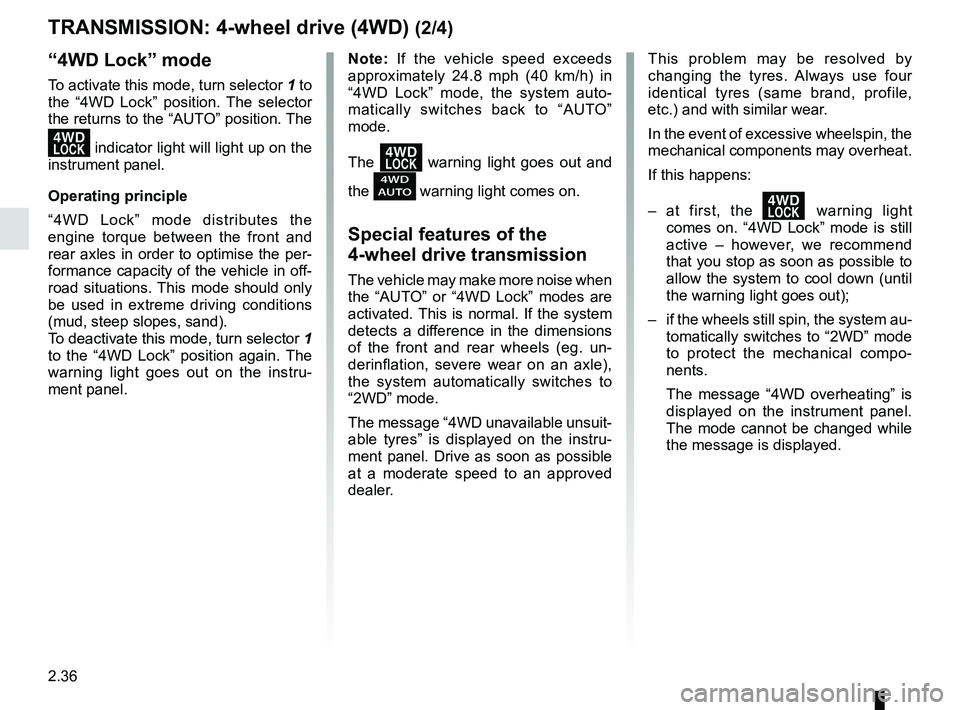
“4WD Lock” mode
To activate this mode, turn selector 1 to
the “4WD Lock” position. The selector
the returns to the “AUTO” position. The
’ indicator light will light up on the
instrument panel.
Operating principle
“4WD Lock” mode distributes the
engine torque between the front and
rear axles in order to optimise the per-
formance capacity of the vehicle in off-
road situations. This mode should only
be used in extreme driving conditions
(mud, steep slopes, sand).
To deactivate this mode, turn selector 1
to the “4WD Lock” position again. The
warning light goes out on the instru-
ment panel.
Page 142 of 332
 (4/4)
All-wheel drive system
– Irrespective of the mode selected, do not start the engine if one or mor\
e wheels are not in contact with the ground
(eg. when")
2.38
TRANSMISSION: 4-wheel drive (4WD) (4/4)
All-wheel drive system
– Irrespective of the mode selected, do not start the engine if one or mor\
e wheels are not in contact with the ground
(eg. when the vehicle is on a jack or roller bench).
– Do not turn the mode selector when cornering, reversing or if the wheels\
are spinning excessively. Only select the
“2WD”, “AUTO” or “4WD Lock” mode when the vehicle is being driven in a str\
aight line.
– Only use tyres which meet the required specifications.
– “4WD Lock” mode is exclusively reserved for driving off-road. The use of this mode in any other conditions may adversely
affect the vehicle’s manoeuvrability and damage its mechanical components.
– Always ensure tyres with identical specifications are fitted to all four\
wheels (brand, size, structure, wear etc.). Fitting tyres
of different sizes to the front and rear wheels and/or left and right wheels m\
ay have serious consequences for the tyres,
gearbox, transfer gearbox and the rear differential pinions.
Page 228 of 332
3.32
The headrest is a safety
component; check that it is
fitted and in the correct po-
sition. The top of the head-
rest should be as close as possible
to the top of the head.
Centre seat headrest storage
position
Press the button A and lower the cen-
tral headrest 1 completely.
When the headrest is set at the
lowest position, this is for storage
only. It should not be in this position
when a seat is occupied.
Position for use
Lift the headrest to maximum height,
then lower it until it locks.
To remove a headrest
Raise the headrest as far as it will go,
then press button A and remove the
headrest.
To refit a headrest
Insert the rods in the holes, press the
button A and lower the headrest. Check
that it is correctly locked in place.
REAR HEADRESTS
A
Note: When the headrest need to be
reassembled, pay attention to its posi-
tion which is drawn in the label.
Page 229 of 332

3.33
To replace the seatback, proceed in
the reverse order to removal.
Refit the seatback and click it back into
place.
REAR BENCH SEAT (1/3)
For safety reasons, carry
out any adjustments when
the vehicle is not being
driven.
When moving the rear
seats, ensure that nothing
obstructs the anchorage
points (passenger’s arm or
leg, a pet, gravel, cloth, toys, etc.).
A
1
The configuration of the
two-seat bench with the
small seatback B pulled
down, does not allow the
central seat to be used as it would
be impossible to buckle the seat belt
(belt buckles inaccessible).
When refitting the seat-
back, make sure it is cor-
rectly locked in place.
If seat covers are fitted ,
make sure these do not prevent the
seatback latch from locking in.
Make sure that the seat belts are
positioned correctly.
Reposition the headrests.
To manually fold down the
seatbacks
Ensure that the front seats are far
enough forward.
Lower the headrests fully.
Pull the control 1 and lower the seat-
back A.
B
Page 230 of 332
3.34
To automatically fold down
the seatbacks (flat position)
Place seat belt in hook 2 to avoid dam-
aging the belt. From the boot, pulling
the control 3 enables you to automati-
cally unlock the rear bench seatbacks
to get a flat floor.
Conditions of use
– Vehicle stationary;
– tailgate open;
– rear seat belts unlocked.
Operating fault
If all user conditions have been ful-
filled and the folding action still fails to
operate, please contact an authorised
dealer.
REAR BENCH SEAT (2/3)
When moving the rear
seats, ensure that nothing
obstructs the anchorage
points (passenger’s arm or
leg, a pet, gravel, cloth, toys, etc.).
Use restriction
It is forbidden to drive with a seatback
or a front seat folded down when there
is a passenger occupying a rear seat.
For safety reasons, carry
out any adjustments when
the vehicle is not being
driven.
2
3
Page 232 of 332
3.36
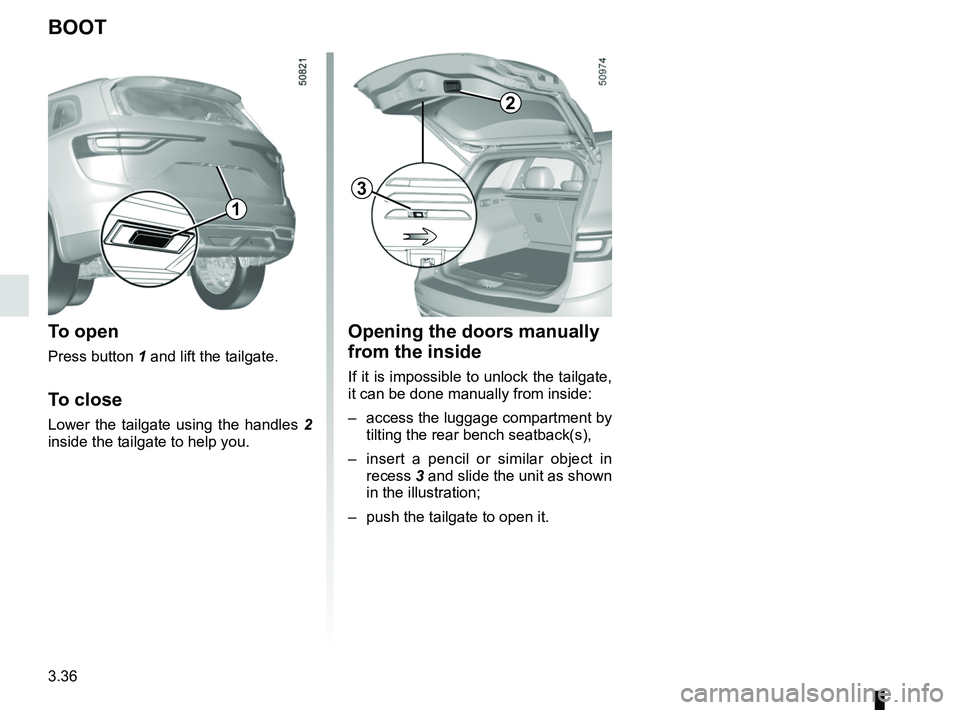
Opening the doors manually
from the inside
If it is impossible to unlock the tailgate,
it can be done manually from inside:
– access the luggage compartment by tilting the rear bench seatback(s),
– insert a pencil or similar object in recess 3 and slide the unit as shown
in the illustration;
– push the tailgate to open it.
BOOT
To open
Press button 1 and lift the tailgate.
To close
Lower the tailgate using the handles 2
inside the tailgate to help you.
2
1
3