2018 PEUGEOT 5008 fuel
[x] Cancel search: fuelPage 47 of 364
45
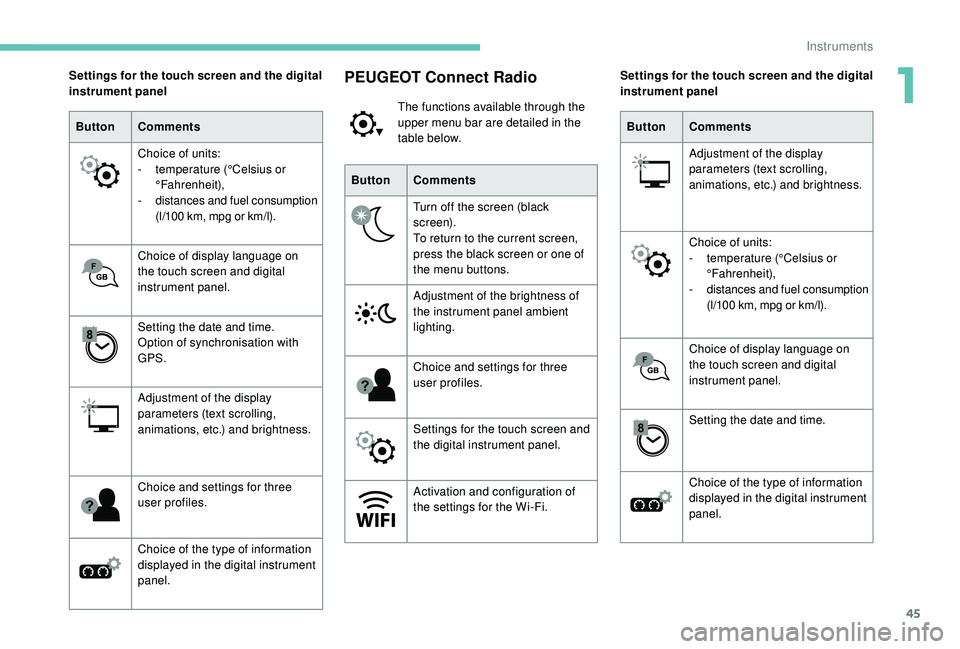
PEUGEOT Connect Radio
The functions available through the
upper menu bar are detailed in the
table below.
Button Comments
Turn off the screen (black
screen).
To return to the current screen,
press the black screen or one of
the menu buttons.
Adjustment of the brightness of
the instrument panel ambient
lighting.
Choice and settings for three
user profiles.
Settings for the touch screen and
the digital instrument panel.
Activation and configuration of
the settings for the Wi-Fi.
Settings for the touch screen and the digital
instrument panel
Button Comments
Choice of units:
-
t
emperature (°Celsius or
°Fahrenheit),
-
d
istances and fuel consumption
(l/100
km, mpg or km/l).
Choice of display language on
the touch screen and digital
instrument panel.
Setting the date and time.
Option of synchronisation with
GPS.
Adjustment of the display
parameters (text scrolling,
animations, etc.) and brightness.
Choice and settings for three
user profiles.
Choice of the type of information
displayed in the digital instrument
panel. Settings for the touch screen and the digital
instrument panel
Button Comments
Adjustment of the display
parameters (text scrolling,
animations, etc.) and brightness.
Choice of units:
-
t
emperature (°Celsius or
°Fahrenheit),
-
d
istances and fuel consumption
(l/100
km, mpg or km/l).
Choice of display language on
the touch screen and digital
instrument panel.
Setting the date and time.
Choice of the type of information
displayed in the digital instrument
panel.
1
Instruments
Page 48 of 364
46
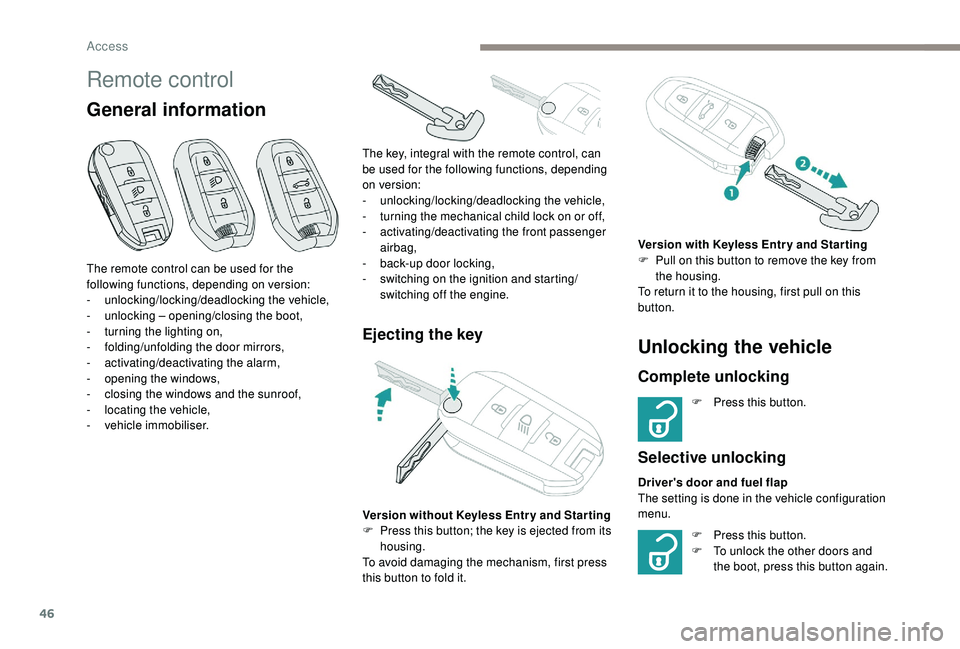
Remote control
General information
Ejecting the key
The remote control can be used for the
following functions, depending on version:
-
u
nlocking/locking/deadlocking the vehicle,
-
u
nlocking – opening/closing the boot,
-
t
urning the lighting on,
-
fo
lding/unfolding the door mirrors,
-
a
ctivating/deactivating the alarm,
-
o
pening the windows,
-
c
losing the windows and the sunroof,
-
l
ocating the vehicle,
-
v
ehicle immobiliser. The key, integral with the remote control, can
be used for the following functions, depending
on version:
-
u
nlocking/locking/deadlocking the vehicle,
-
t
urning the mechanical child lock on or off,
-
a
ctivating/deactivating the front passenger
airbag,
- b ack-up door locking,
- s witching on the ignition and starting/
switching off the engine.
Version without
K
eyless Entr y and Star ting
F
P
ress this button; the key is ejected from its
housing.
To avoid damaging the mechanism, first press
this button to fold it.
Unlocking the vehicle
Complete unlocking
F Press this button.
Selective unlocking
Driver's door and fuel flap
The setting is done in the vehicle configuration
menu. Version with
K
eyless Entr y and Star ting
F
P
ull on this button to remove the key from
the housing.
To return it to the housing, first pull on this
button.
F
P
ress this button.
F
T
o unlock the other doors and
the boot, press this button again.
Access
Page 50 of 364
48
Locating your vehicle
This function allows you to identify your vehicle
from a distance, particularly in poor light. Your
vehicle must be locked.
Welcome lighting
F Press this button.
This will switch on the courtesy lamps and door
mirror spot lamps and the direction indicators
will flash for around ten seconds.
Selective unlocking and
opening of the tailgate
The settings for the selective tailgate unlocking
and motorised operation are made in the
vehicle configuration menu.
By default, selective tailgate unlocking is
activated and the motorised function is
deactivated. F
M
ake a long press on the button
to unlock the boot and trigger the
motorised opening of the tailgate.
If selective unlocking of the tailgate is
deactivated, pressing the unlocking button
unlocks the whole vehicle.
If motorised operation of the tailgate is
deactivated, pressing the unlocking button
releases the tailgate.
To lock the vehicle, it is necessary to close
the tailgate again.
The doors and fuel filler flap remain locked.
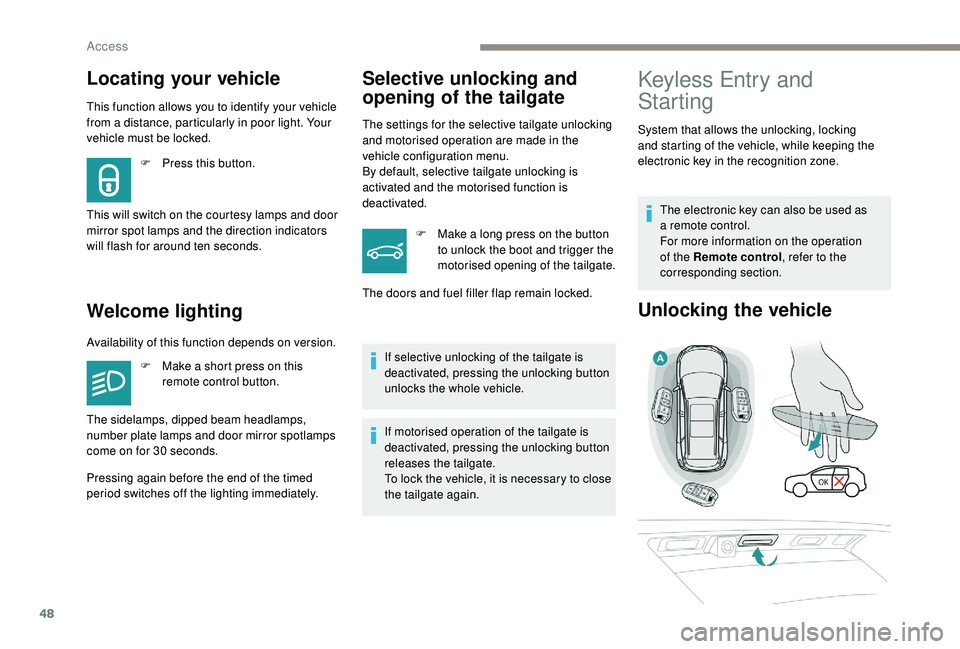
Keyless Entry and
Starting
System that allows the unlocking, locking
and starting of the vehicle, while keeping the
electronic key in the recognition zone.
The electronic key can also be used as
a
remote control.
For more information on the operation
of the Remote control , refer to the
corresponding section.
Unlocking the vehicle
Availability of this function depends on version.
F
M
ake a short press on this
remote control button.
Pressing again before the end of the timed
period switches off the lighting immediately. The sidelamps, dipped beam headlamps,
number plate lamps and door mirror spotlamps
come on for 30
seconds.
Access
Page 51 of 364
49
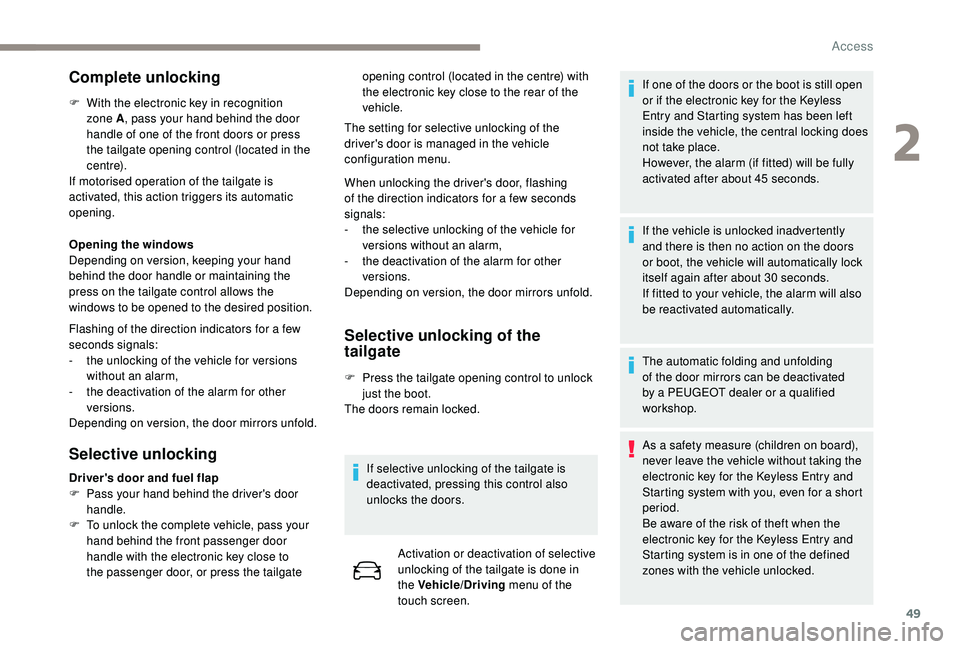
Complete unlocking
F With the electronic key in recognition zone A , pass your hand behind the door
handle of one of the front doors or press
the tailgate opening control (located in the
c e nt r e).
If motorised operation of the tailgate is
activated, this action triggers its automatic
opening.
Opening the windows
Depending on version, keeping your hand
behind the door handle or maintaining the
press on the tailgate control allows the
windows to be opened to the desired position.
Flashing of the direction indicators for a
few
seconds signals:
-
t
he unlocking of the vehicle for versions
without an alarm,
-
t
he deactivation of the alarm for other
versions.
Depending on version, the door mirrors unfold.
Selective unlocking Selective unlocking of the
tailgate
F Press the tailgate opening control to unlock
just the boot.
The doors remain locked.
If selective unlocking of the tailgate is
deactivated, pressing this control also
unlocks the doors. Activation or deactivation of selective
unlocking of the tailgate is done in
the Vehicle/Driving menu of the
touch screen. If one of the doors or the boot is still open
or if the electronic key for the
K
eyless
Entry and Starting system has been left
inside the vehicle, the central locking does
not take place.
However, the alarm (if fitted) will be fully
activated after about 45
seconds.
If the vehicle is unlocked inadvertently
and there is then no action on the doors
or boot, the vehicle will automatically lock
itself again after about 30
seconds.
If fitted to your vehicle, the alarm will also
be reactivated automatically.
The automatic folding and unfolding
of the door mirrors can be deactivated
by a PEUGEOT dealer or a qualified
workshop.
As a
safety measure (children on board),
never leave the vehicle without taking the
electronic key for the
K
eyless Entry and
Starting system with you, even for a
short
period.
Be aware of the risk of theft when the
electronic key for the
K
eyless Entry and
Starting system is in one of the defined
zones with the vehicle unlocked.
Driver's door and fuel flap
F
P
ass your hand behind the driver's door
handle.
F
T
o unlock the complete vehicle, pass your
hand behind the front passenger door
handle with the electronic key close to
the passenger door, or press the tailgate The setting for selective unlocking of the
driver's door is managed in the vehicle
configuration menu.
When unlocking the driver's door, flashing
of the direction indicators for a
few seconds
signals:
-
t
he selective unlocking of the vehicle for
versions without an alarm,
-
t
he deactivation of the alarm for other
versions.
Depending on version, the door mirrors unfold. opening control (located in the centre) with
the electronic key close to the rear of the
vehicle.
2
Access
Page 75 of 364
73
Recalling a stored position
Ignition on or engine running
F
P ress button 1 or 2 to recall the
corresponding position.
An audible signal confirms that adjustment is
complete.
You can interrupt the current movement by
pressing button M , 1
or 2 or by using one
of the seat controls.
A stored position cannot be recalled while
driving.
Recalling stored positions is deactivated
45
seconds after switching off the ignition.
Heated seats
The function is active only with the engine
running.
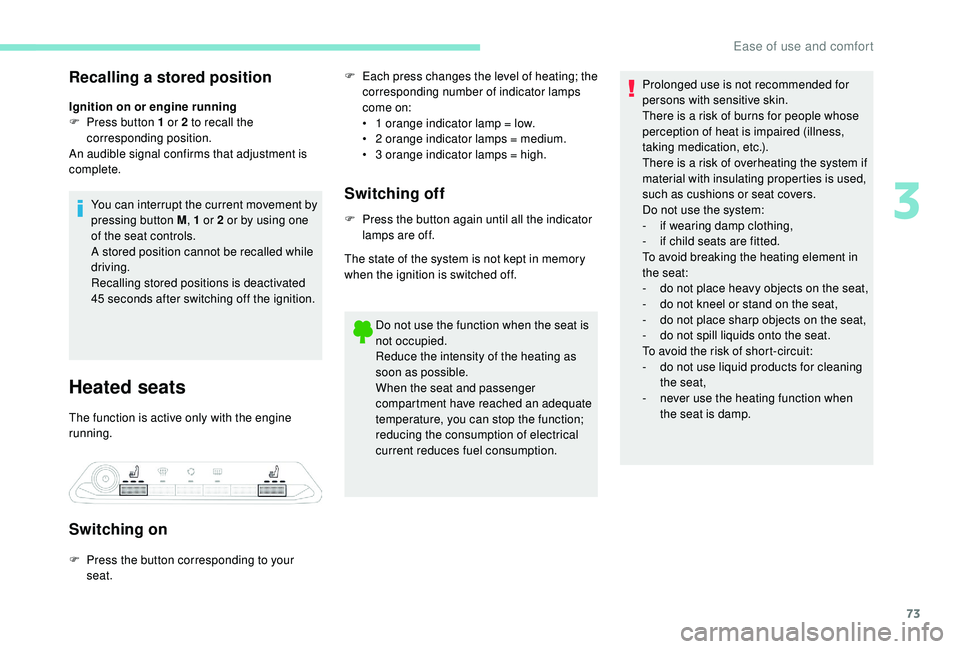
Switching on
F Each press changes the level of heating; the corresponding number of indicator lamps
come on:
•
1
orange indicator lamp = low.
•
2
orange indicator lamps = medium.
•
3
orange indicator lamps = high.
Switching off
F Press the button again until all the indicator lamps are off.
The state of the system is not kept in memory
when the ignition is switched off.
Do not use the function when the seat is
not occupied.
Reduce the intensity of the heating as
soon as possible.
When the seat and passenger
compartment have reached an adequate
temperature, you can stop the function;
reducing the consumption of electrical
current reduces fuel consumption.
F
P
ress the button corresponding to your
seat. Prolonged use is not recommended for
persons with sensitive skin.
There is a
risk of burns for people whose
perception of heat is impaired (illness,
taking medication, etc.).
There is a risk of overheating the system if
material with insulating properties is used,
such as cushions or seat covers.
Do not use the system:
- i f wearing damp clothing,
-
i
f child seats are fitted.
To avoid breaking the heating element in
the seat:
-
d
o not place heavy objects on the seat,
-
d
o not kneel or stand on the seat,
-
d
o not place sharp objects on the seat,
-
d
o not spill liquids onto the seat.
To avoid the risk of short-circuit:
-
d
o not use liquid products for cleaning
the seat,
-
n
ever use the heating function when
the seat is damp.
3
Ease of use and comfort
Page 96 of 364
94
Switching on/off
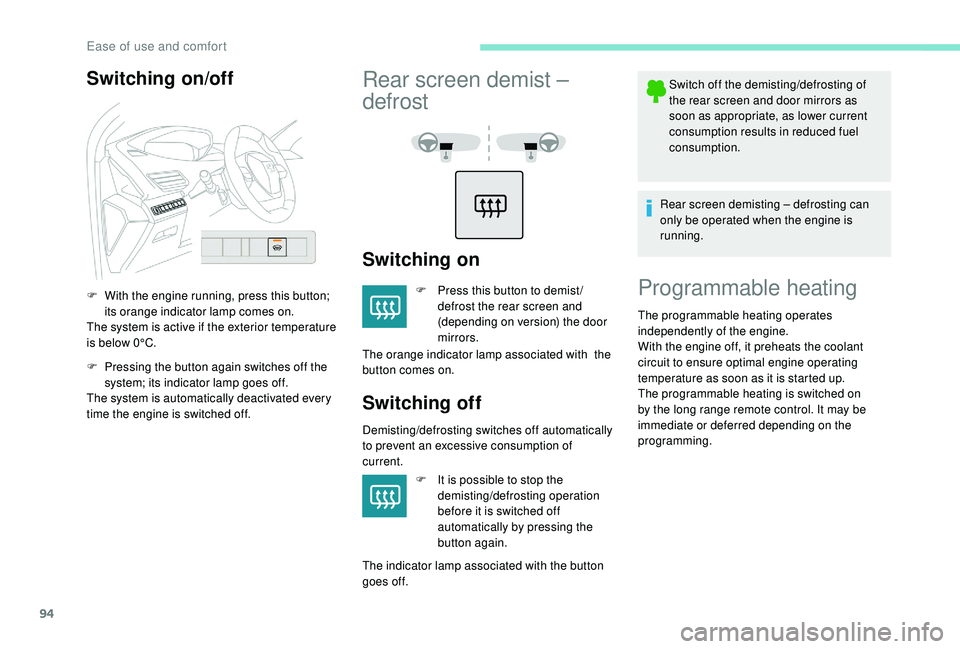
F With the engine running, press this button; its orange indicator lamp comes on.
The system is active if the exterior temperature
is below 0°C.
F
P
ressing the button again switches off the
system; its indicator lamp goes off.
The system is automatically deactivated every
time the engine is switched off.
Rear screen demist –
defrost
Switching on
F Press this button to demist / defrost the rear screen and
(depending on version) the door
mirrors.
The orange indicator lamp associated with the
button comes on.
Switching off
Demisting/defrosting switches off automatically
to prevent an excessive consumption of
current.
F
I
t is possible to stop the
demisting/defrosting operation
before it is switched off
automatically by pressing the
button again.
The indicator lamp associated with the button
goes off. Switch off the demisting/defrosting of
the rear screen and door mirrors as
soon as appropriate, as lower current
consumption results in reduced fuel
consumption.
Rear screen demisting – defrosting can
only be operated when the engine is
running.
Programmable heating
The programmable heating operates
independently of the engine.
With the engine off, it preheats the coolant
circuit to ensure optimal engine operating
temperature as soon as it is started up.
The programmable heating is switched on
by the long range remote control. It may be
immediate or deferred depending on the
programming.
Ease of use and comfort
Page 97 of 364
95
The volumetric alarm movement detector
may be disrupted by the programmable
heating air flows when it is operating.
To avoid any untimely triggering of the
alarm when using the programmable
heating, it is advisable that the volumetric
monitoring is deactivated.
Adapting the programmable heating
enables you to use it to preheat the
passenger compartment of your vehicle.
Contact a PEUGEOT dealer or a qualified
workshop.
Operating indicator lamp
Always switch off the programmable
heating when refuelling to avoid any risk of
fire or explosion.
The programmable heating is supplied by
the vehicle's fuel tank. Before use, ensure
that there is enough fuel left in the tank. If
the fuel in the tank is at the reser ve level,
we strongly recommend that you do not
programme the heating.
To avoid the risks of poisoning or
asphyxia, the programmable heating must
not be used, even for short periods, in
a
closed environment such as a garage or
workshop which are not equipped with an
exhaust gas extraction system.
Do not park the vehicle on a
flammable
sur face (dry grass, dead leaves, paper,
etc.) – Risk of fire!
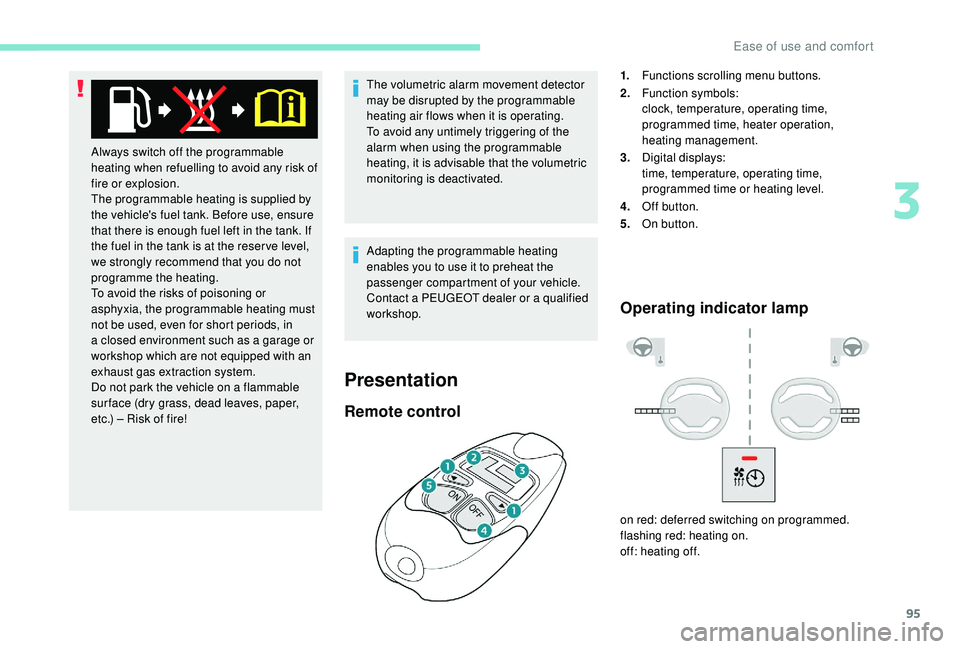
Remote control
1. Functions scrolling menu buttons.
2. Function symbols:
clock, temperature, operating time,
programmed time, heater operation,
heating management.
3. Digital displays:
time, temperature, operating time,
programmed time or heating level.
4. Off button.
5. On button.
on red: deferred switching on programmed.
flashing red: heating on.
off: heating off.
Presentation
3
Ease of use and comfort
Page 131 of 364
129
You can deactivate the ASR
and DSC systems by turning
the knob to the "OFF" position.
Recommendations
Your vehicle is designed principally to
drive on tarmac roads but it allows you to
occasionally drive on other less passable
terrain.
However, it does not permit off-road
driving such as:
-
c
rossing and driving on terrain which
could damage the underbody or strip
away components (fuel pipe, fuel
cooler, etc.) due to obstacles or stones
in particular,
-
d
riving on terrain with steep gradients
and poor grip,
-
c
rossing a stream.
The ASR and DSC systems will no longer
act on the engine operation or the brakes
in the event of an involuntary change of
trajectory.
These systems are reactivated
automatically from 31
mph (50 km/h) or
every time the ignition is switched on.Hill Assist Descent
Control
System that provides assistance when
descending on loose or soft sur faces (gravel,
mud, etc.) or a
steep gradient.
This system reduces the risk of slip or loss
of control of the vehicle when descending,
whether going forward or in reverse.
During a
descent, it assists the driver in
maintaining a
constant speed, depending
on the gear engaged, while progressively
releasing the brakes.
For the system to activate, the slope must
be greater than 5%.
The system can be used with the gearbox
in neutral.
Otherwise engage a
gear corresponding
to the speed to prevent the engine stalling.
With an automatic gearbox, the system
can be used with the selector at N , D or R.
When the system is regulating, the Active
Safety Brake system is automatically
deactivated. The system is not available:
-
i
f the speed of the vehicle is above
43 mph (70 km/h),
- i f the speed of the vehicle is being
controlled by the Adaptive cruise
control with Stop function, depending
on the type of gearbox.
Switching on
By default, the system is not selected.
The system's status is not saved when the
ignition is switched off.
The driver can select the system when
the engine is running, when the vehicle is
stationary or moving at speeds up to approx.
31
mph (50 km/h).
F
T
o select the system, at a speed
below 31
mph (50 km/h),
press this button until its green
indicator lamp comes on; this
warning lamp comes on in grey
in the instrument panel.
5
Safety