Page 437 of 702
18. Cruise control switches(if so equipped) (P. 5-19)
19. Tilt steering (P. 3-16)
20. Audio control switches (P. 4-43) Bluetooth® Hands-Free Phone
System switches (P. 4-47)
21. Vehicle Dynamic Control (VDC) OFF
switch (P. 2-26)
22. Fuel-filler door release lever (P. 3-14) Hood release lever (P. 3-11)
23. Electronic outside rearview mirror
control switch (P. 3-18)
Refer to the page number indicated in
parentheses for operating details.
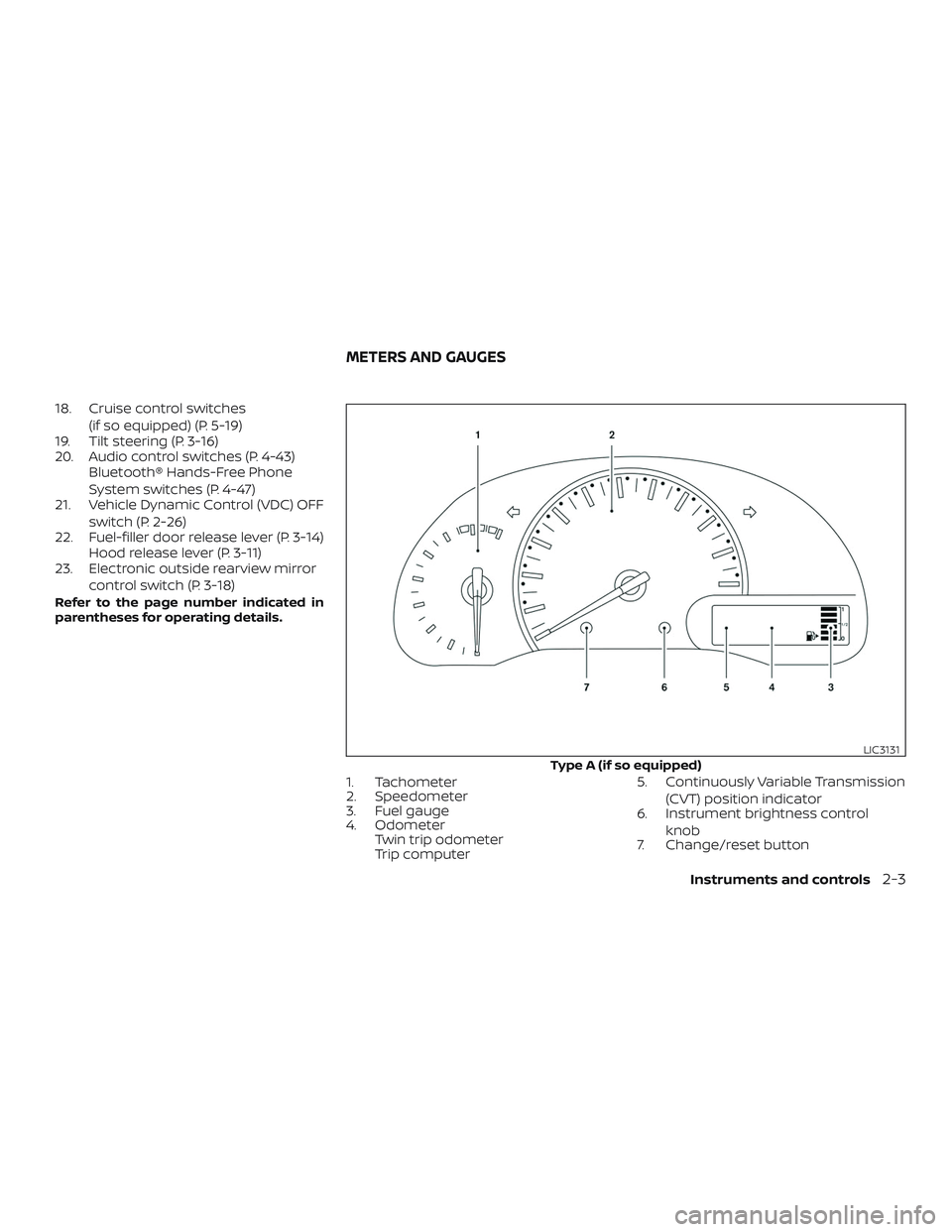
1. Tachometer
2. Speedometer
3. Fuel gauge
4. OdometerTwin trip odometer
Trip computer 5. Continuously Variable Transmission
(CVT) position indicator
6. Instrument brightness control
knob
7. Change/reset button
Type A (if so equipped)
LIC3131
METERS AND GAUGES
Instruments and controls2-3
Page 446 of 702
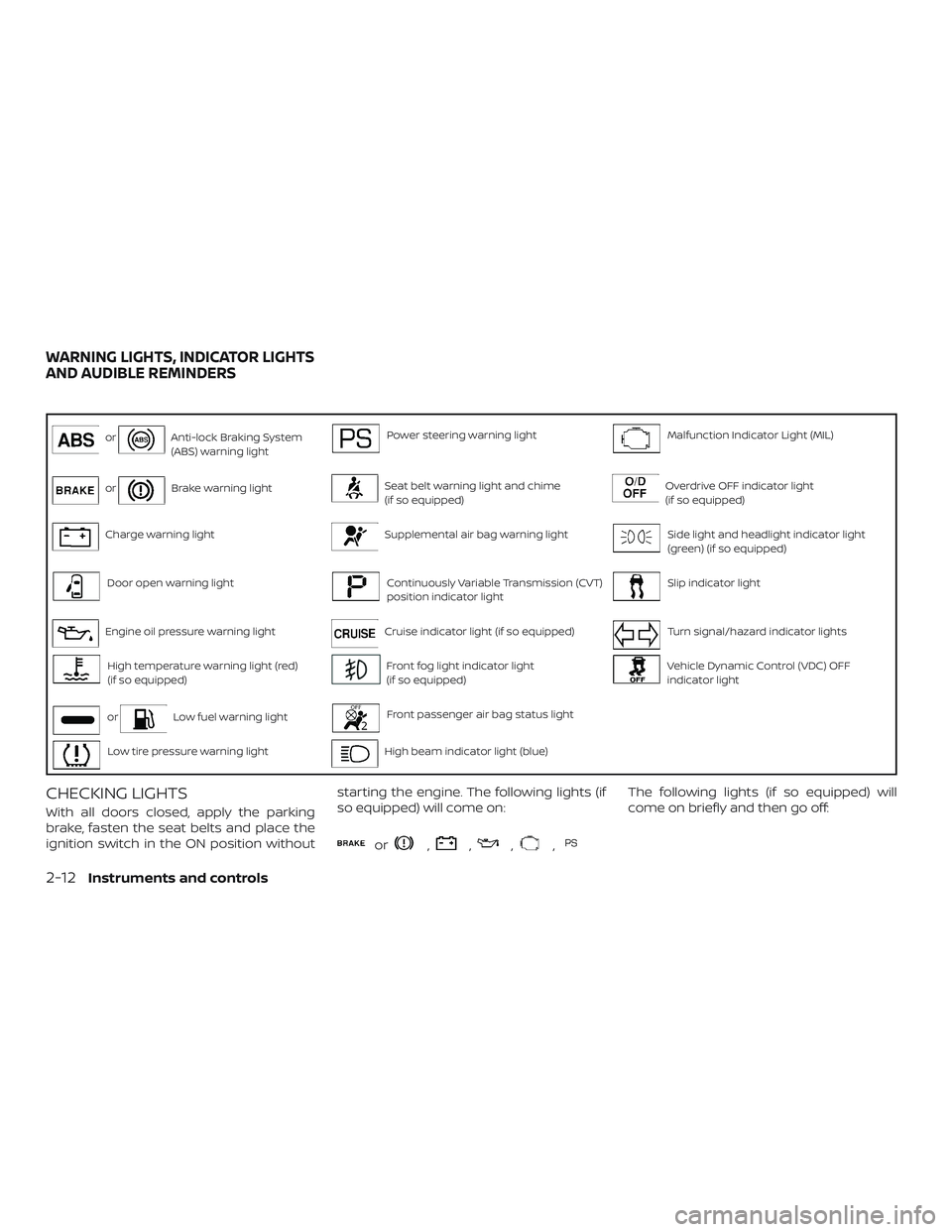
orAnti-lock Braking System
(ABS) warning lightPower steering warning lightMalfunction Indicator Light (MIL)
orBrake warning lightSeat belt warning light and chime
(if so equipped)Overdrive OFF indicator light
(if so equipped)
Charge warning lightSupplemental air bag warning lightSide light and headlight indicator light
(green) (if so equipped)
Door open warning lightContinuously Variable Transmission (CVT)
position indicator lightSlip indicator light
Engine oil pressure warning lightCruise indicator light (if so equipped)Turn signal/hazard indicator lights
High temperature warning light (red)
(if so equipped)Front fog light indicator light
(if so equipped)Vehicle Dynamic Control (VDC) OFF
indicator light
orLow fuel warning lightFront passenger air bag status light
Low tire pressure warning lightHigh beam indicator light (blue)
CHECKING LIGHTS
With all doors closed, apply the parking
brake, fasten the seat belts and place the
ignition switch in the ON position withoutstarting the engine. The following lights (if
so equipped) will come on:
or,,,,
The following lights (if so equipped) will
come on briefly and then go off:
WARNING LIGHTS, INDICATOR LIGHTS
AND AUDIBLE REMINDERS
2-12Instruments and controls
Page 452 of 702
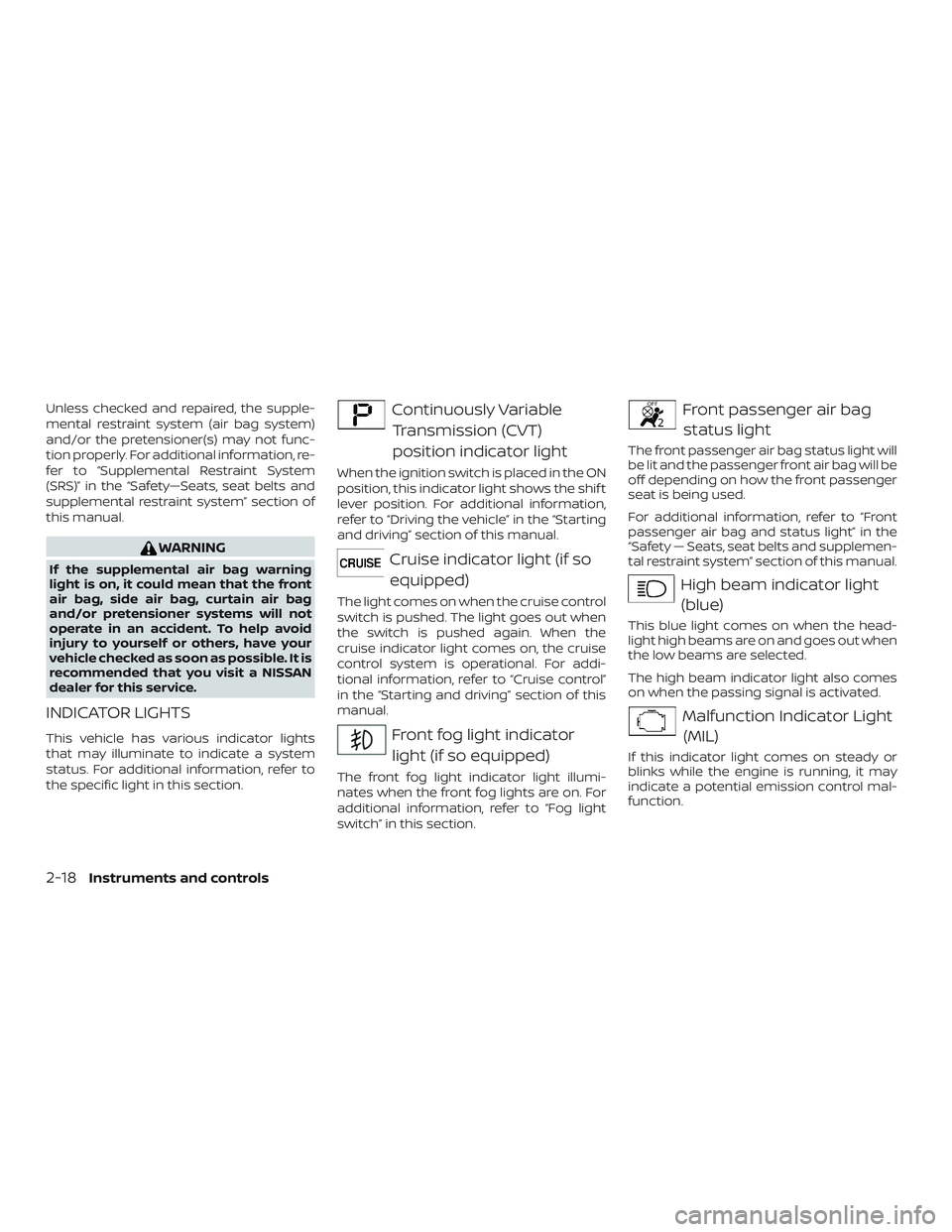
Unless checked and repaired, the supple-
mental restraint system (air bag system)
and/or the pretensioner(s) may not func-
tion properly. For additional information, re-
fer to “Supplemental Restraint System
(SRS)” in the “Safety—Seats, seat belts and
supplemental restraint system” section of
this manual.
WARNING
If the supplemental air bag warning
light is on, it could mean that the front
air bag, side air bag, curtain air bag
and/or pretensioner systems will not
operate in an accident. To help avoid
injury to yourself or others, have your
vehicle checked as soon as possible. It is
recommended that you visit a NISSAN
dealer for this service.
INDICATOR LIGHTS
This vehicle has various indicator lights
that may illuminate to indicate a system
status. For additional information, refer to
the specific light in this section.
Continuously VariableTransmission (CVT)
position indicator light
When the ignition switch is placed in the ON
position, this indicator light shows the shif t
lever position. For additional information,
refer to “Driving the vehicle” in the “Starting
and driving” section of this manual.
Cruise indicator light (if soequipped)
The light comes on when the cruise control
switch is pushed. The light goes out when
the switch is pushed again. When the
cruise indicator light comes on, the cruise
control system is operational. For addi-
tional information, refer to “Cruise control”
in the “Starting and driving” section of this
manual.
Front fog light indicatorlight (if so equipped)
The front fog light indicator light illumi-
nates when the front fog lights are on. For
additional information, refer to “Fog light
switch” in this section.
Front passenger air bagstatus light
The front passenger air bag status light will
be lit and the passenger front air bag will be
off depending on how the front passenger
seat is being used.
For additional information, refer to “Front
passenger air bag and status light” in the
“Safety — Seats, seat belts and supplemen-
tal restraint system” section of this manual.
High beam indicator light(blue)
This blue light comes on when the head-
light high beams are on and goes out when
the low beams are selected.
The high beam indicator light also comes
on when the passing signal is activated.
Malfunction Indicator Light(MIL)
If this indicator light comes on steady or
blinks while the engine is running, it may
indicate a potential emission control mal-
function.
2-18Instruments and controls
Page 488 of 702
4 Display screen, heater, air conditioner,
audio and phone systems
Control panel buttons...........................4-2
How to use the touch-screen .................4-3
How to use the
MENU button ...........4-5
(brightness control) button .............4-7
How to use the VOL (volume) knob /
PUSH
(power)button ...................4-7
Selecting menu from launch bar .............4-7
RearView Monitor ...............................4-8
RearView Monitor system operation ..........4-9
How to read the displayed lines ..............4-10
Difference between predicted and
actual distances ............................. 4-10
Adjusting the screen ........................ 4-12
RearView Monitor system limitations ........4-13
System maintenance ........................ 4-14
Vents ........................................... 4-14
Heater and air conditioner (manual) ............4-15
Controls ..................................... 4-16
Heater operation ............................ 4-17
Air conditioner operation ....................4-18
Air flow charts ............................... 4-19
Servicing air conditioner ........................4-23
Audio system ................................... 4-23Radio
........................................ 4-23
FM radio reception .......................... 4-23
AM radio reception .......................... 4-24
Audio operation precautions ................4-24
FM/AM radio ................................. 4-28
USB (Universal Serial Bus) Connection
Port......................................... 4-33
iPod®* player operation ......................4-36
Bluetooth® streaming audio .................4-39
Steering wheel switch for audio control ......4-43
Antenna ..................................... 4-43
Siri® Eyes Free (if so equipped) ..................4-44
Requirements ............................... 4-44
Operating Siri® Eyes Free ....................4-45
Troubleshooting guide ......................4-46
Car phone or CB radio ..........................4-47
Bluetooth® Hands-Free Phone System .........4-47
Regulatory information ......................4-49
Using the system ............................ 4-50
Indicators ................................... 4-51
C
ontrol buttons ............................. 4-51
Connecting procedure ......................4-52
Voice commands ........................... 4-54
Page 489 of 702
Phone display screen........................ 4-56
Making a call ................................ 4-57
Receiving a call .............................. 4-58
During a call ................................. 4-58Ending a call
................................. 4-58
Text messaging (if so equipped) .............4-59
Bluetooth® connections screen .............4-63
Phone and text message settings ...........4-64
Page 490 of 702
WARNING
∙ Positioning of the heating or air con-ditioning controls and display con-
trols should not be done while driving
in order that full attention may be
given to the driving operation.
∙ Do not disassemble or modif y this system. If you do, it may result in acci-
dents, fire, or electrical shock.
∙ Do not use this system if you notice any abnormality, such as a frozen
screen or lack of sound. Continued
use of the system may result in acci-
dent, fire or electric shock.
∙ In case you notice any foreign object in the system hardware, spill liquid on
it, or notice smoke or smell coming
from it, stop using the system imme-
diately. Ignoring such conditions may
lead to accidents, fire or electrical
shock. It is recommended that you
visit a NISSAN dealer for servicing.
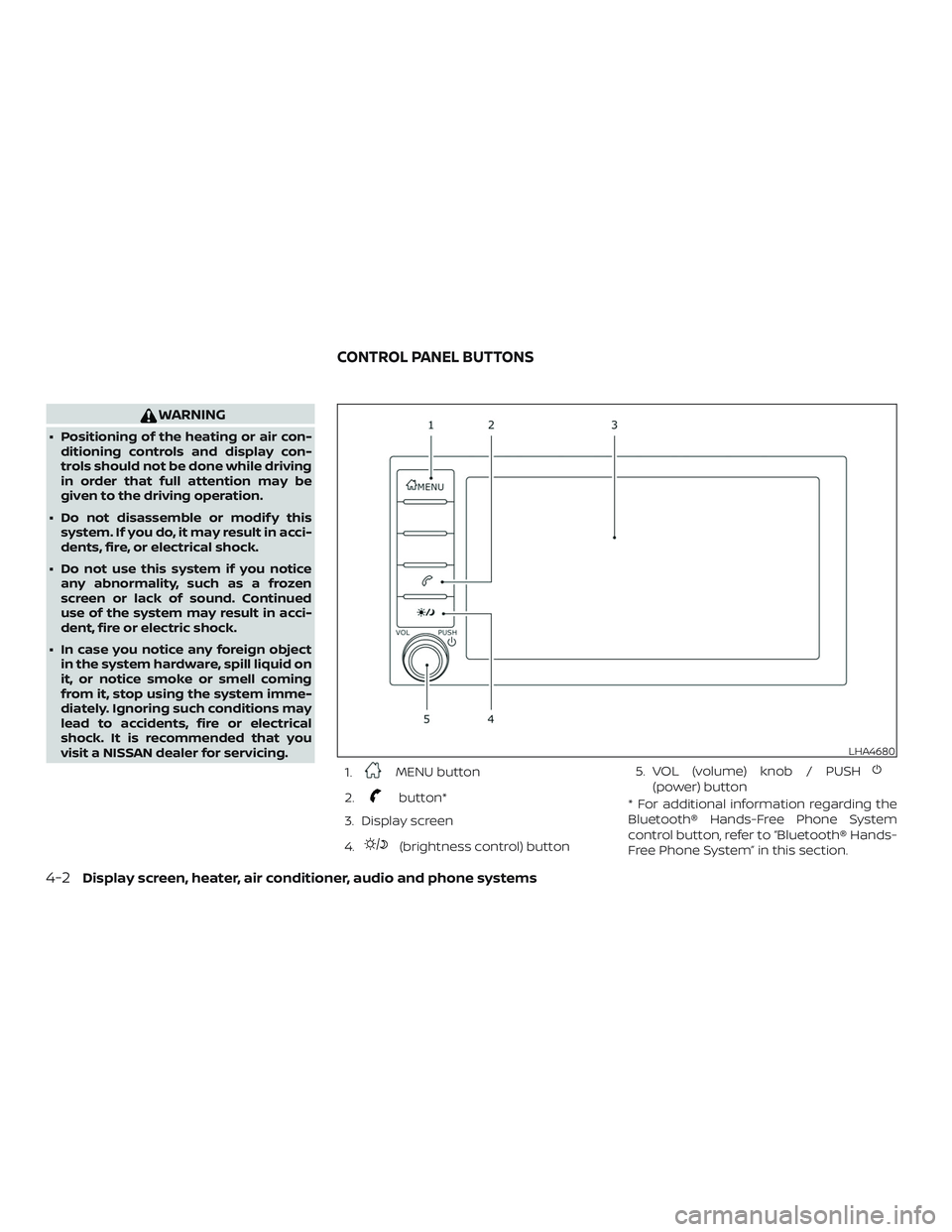
1.
MENU button
2.
button*
3. Display screen
4.
(brightness control) button 5. VOL (volume) knob / PUSH
(power) button
* For additional information regarding the
Bluetooth® Hands-Free Phone System
control button, refer to “Bluetooth® Hands-
Free Phone System” in this section.
LHA4680
CONTROL PANEL BUTTONS
4-2Display screen, heater, air conditioner, audio and phone systems
Page 494 of 702

Menu itemResult
Settings Touch to change the following settings.
Connections Touch this key to select either Bluetooth® phone, Bluetooth® audio or USB audio options. For additional information, re-
fer to “USB connections screen” and “Bluetooth® connections screen” in this section.
Phone For additional information, refer to “Bluetooth® Hands-Free Phone System” in this section.
Sound For additional information, refer to “Audio system” in this section.
Volume & Beeps For additional information, refer to “Volume & beeps” in this section.
Clock Touch this key to adjust clock settings.
On-screen
Clock Touch to toggle ON or OFF the clock display on the upper right corner of the display screen.
Clock Format Touch to set the clock to 12 hours or 24 hours formats.
Daylight Sav-
ings Time Touch to adjusts the daylight saving time to on or off.
Set Clock
Manually Touch to adjust the clock manually; then touch to change between AM and PM, the hour and the minutes.
System Voice For additional information, refer to “Settings” in this section.
Camera Touch this key to change the camera settings.
Others Touch this key to select and/or adjust various functions of this system. A screen with additional options will appear.
Display Touch this key to adjust the appearance of the display. For additional information, refer to “Adjusting the screen” in this section.
Language Touch this key to change the language on the display.
OSS Licenses Touch this key to display sof tware licensing information.
Return All Set-
tings To De-
fault Touch this key to return all settings to default and to clear the memory.
4-6Display screen, heater, air conditioner, audio and phone systems
Page 495 of 702
(brightness control) BUTTON
To change the display brightness, press
the
button. Pressing the button again
will change the display to the day or the
night display.
Press and hold the
button for more
than 2 seconds to turn the display off. Press
and hold the button again to turn the dis-
play on.
HOW TO USE THE VOL (volume)
KNOB / PUSH
(power)
BUTTON
Press the PUSH(power) button to
turn audio function on and off. Turn the VOL
(volume) knob to adjust audio volume.SELECTING MENU FROM LAUNCH
BAR
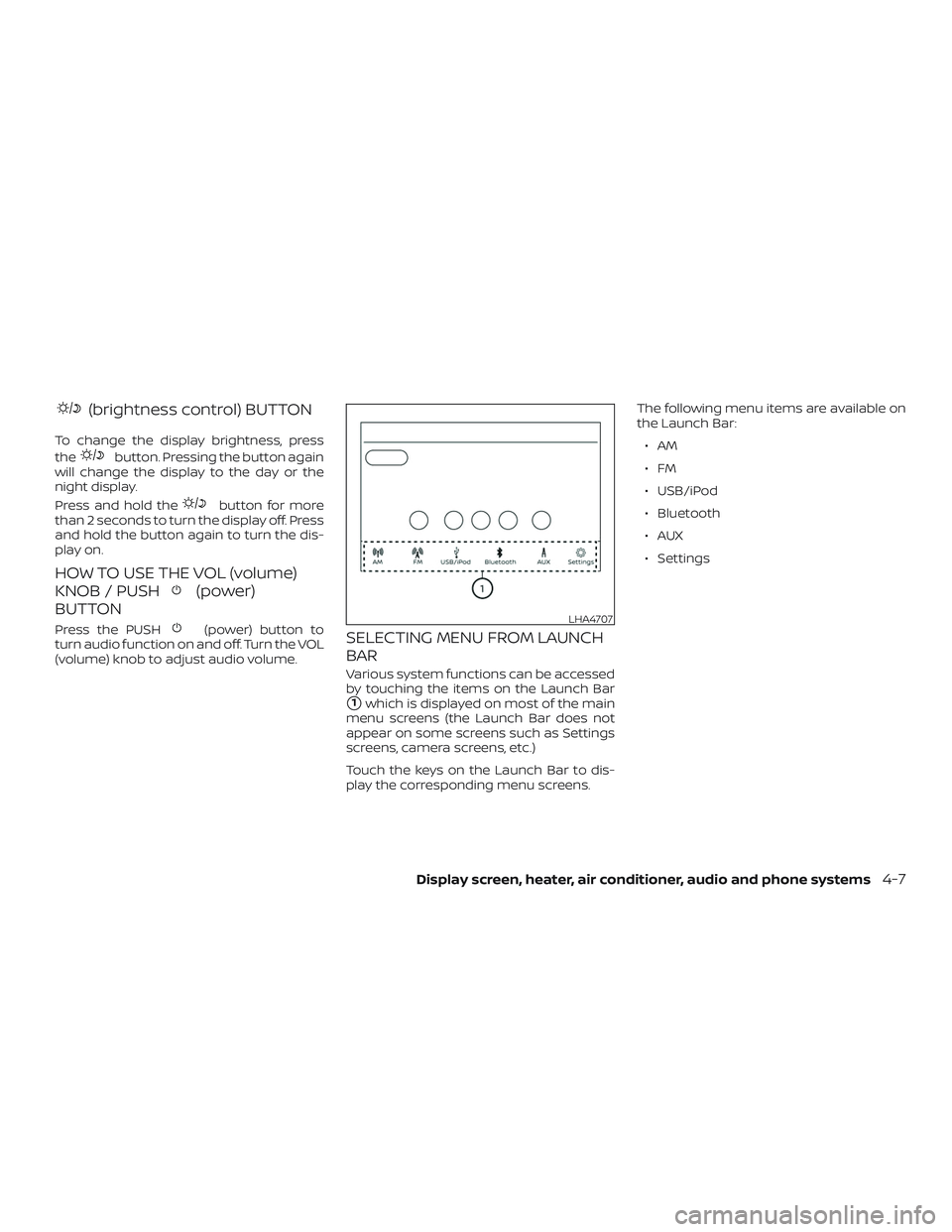
Various system functions can be accessed
by touching the items on the Launch Bar
�1which is displayed on most of the main
menu screens (the Launch Bar does not
appear on some screens such as Settings
screens, camera screens, etc.)
Touch the keys on the Launch Bar to dis-
play the corresponding menu screens. The following menu items are available on
the Launch Bar:
∙AM
∙FM
∙ USB/iPod
∙ Bluetooth
∙AUX
∙ Settings
LHA4707
Display screen, heater, air conditioner, audio and phone systems4-7