2018 NISSAN VERSA ECO mode
[x] Cancel search: ECO modePage 197 of 354

VOICE ADAPTATION (VA) MODE
Voice Adaptation (VA) allows up to two out-
of-dialect users to train the system to im-
prove recognition accuracy. By repeating a
number of commands, the users can cre-
ate a voice model of their own voice that is
stored in the system. The system is ca-
pable of storing a different Voice Adapta-
tion model for each connected phone.
Training procedure
The procedure for training a voice is as fol-
lows.
1. Position the vehicle in a reasonably
quiet outdoor location.
2. Sit in the driver’s seat with the engine
running, the parking brake on, and the
transmission in P (Park).
3. Press and hold the
button for
more than 5 seconds.
4. The system announces: “Press the
PHONE/SEND
button for the
hands-free phone system to enter the
voice adaptation mode or press the
PHONE/END
button to select a
different language.”5. Press the
button.
For additional information on selecting
a different language, refer to “Choosing
a language” in this section.
6. Voice memory A or memory B is se-
lected automatically. If both memory
locations are already in use, the system
will prompt you to overwrite one. Fol-
low the instructions provided by the
system.
7. When preparation is complete and you
are ready to begin, press the
but-
ton.
8. The VA mode will be explained. Follow
the instructions provided by the sys-
tem.
9. When training is finished, the system
will tell you an adequate number of
phrases have been recorded.
10. The system will announce that voice
adaptation has been completed and
the system is ready.
The VA mode will stop if:
∙ The
button is pressed for more
than 5 seconds in VA mode.∙ The vehicle begins moving during VA
mode.
∙ The ignition switch is placed in the OFF
or LOCK position.
Training phrases
During the Voice Adaptation mode, the sys-
tem instructs the trainer to say the follow-
ing phrases. The system will prompt you for
each phrase.
∙ phonebook transfer entry
∙ dial three oh four two nine
∙ delete call back number
∙ incoming
∙ transfer entry
∙ eight pause nine three two pause seven
∙ delete all entries
∙ call seven two four zero nine
∙ phonebook delete entry
∙ next entry
∙ dial star two one seven oh
∙yes
∙no
4-62Display screen, heater, air conditioner, audio and phone systems
Page 198 of 354
∙ select
∙ missed
∙ dial eight five six nine two
∙ Bluetooth on
∙ outgoing
∙ call three one nine oh two
∙ nine seven pause pause three oh eight
∙ cancel
∙ call back number
∙ call star two zero nine five
∙ delete phone
∙ dial eight three zero five one
∙ record name
∙ four three pause two nine pause zero
∙ delete redial number
∙ phonebook list names
∙ call eight oh five four one
∙ correction
∙ connect phone
∙ dial seven four oh one eight
∙ previous entry∙ delete
∙ dial nine seven two six six
∙ call seven six three oh one
∙ go back
∙ call five six two eight zero
∙ dial six six four three seven
MANUAL CONTROL
While using the Voice Recognition system,
it is possible to select menu options by
using the steering wheel controls instead
of speaking voice commands. The manual
control mode does not allow dialing a
phone number by digits. The user may se-
lect an entry from the Phonebook or Re-
cent Calls lists. To re-activate voice recog-
nition, exit the manual control mode by
pressing and holding the
PHONE/END
button. At that time,
pressing the PHONE/SEND
button
will start the Hands Free Phone System.
Operating tips
∙ To enter manual control mode, start the
Voice Recognition system and push the
tuning switch
. The system will
speak "Showing Manual Options" when
manual controls are initially activated.
∙ To browse the menu options, push the
tuning switch
. The system will al-
ways speak the current menu option.
Depending on the audio display, it will
also show the current menu option.
∙ To select the current menu option,
press the PHONE/SEND
button.
∙ To go back to the previous menu, press
the PHONE/END
button. If the cur-
rent menu is the Main Menu, pressing
the PHONE/END
button will exit
the Phone system.
∙ To exit the manual control mode, press
and hold the PHONE/END
button
for 5 seconds.
Display screen, heater, air conditioner, audio and phone systems4-63
Page 199 of 354
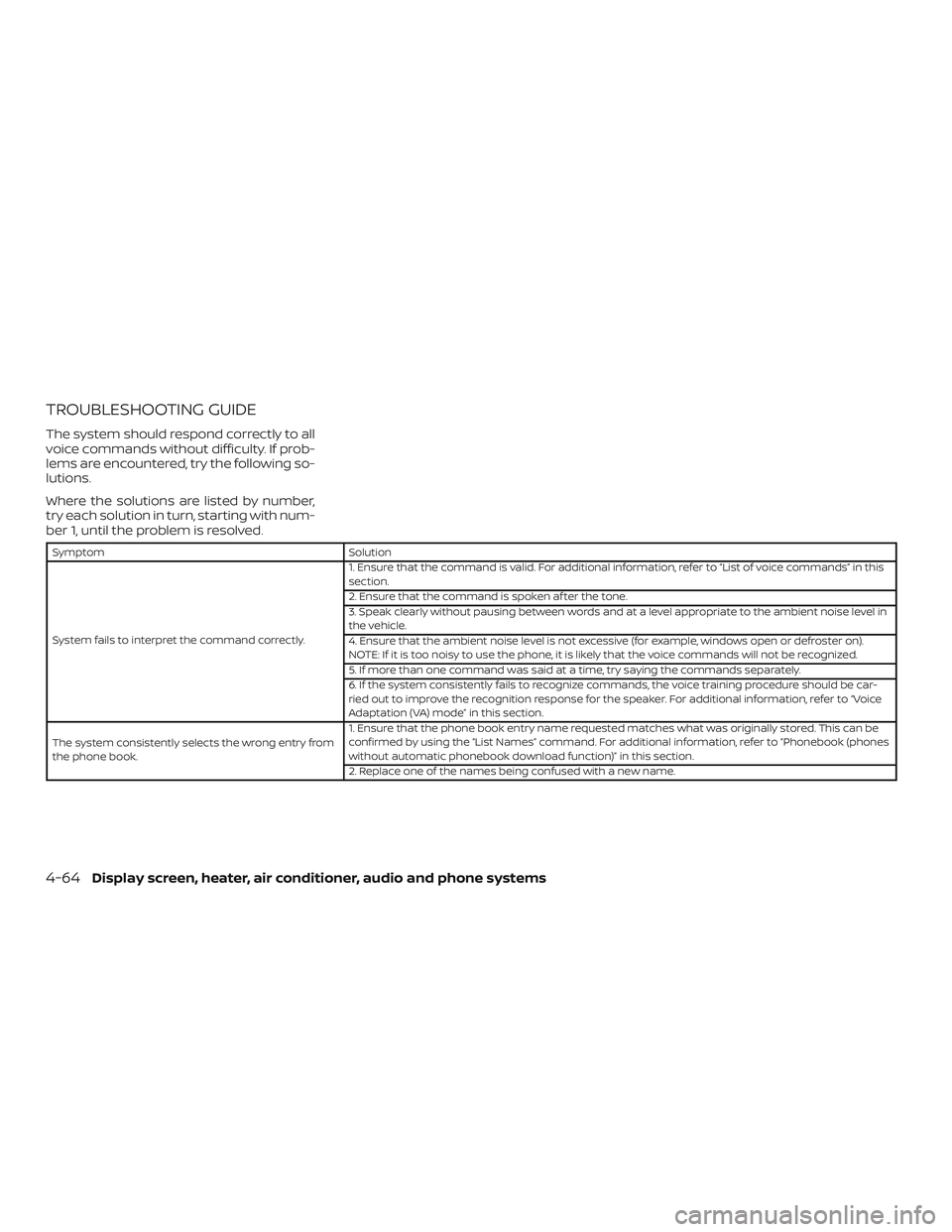
TROUBLESHOOTING GUIDE
The system should respond correctly to all
voice commands without difficulty. If prob-
lems are encountered, try the following so-
lutions.
Where the solutions are listed by number,
try each solution in turn, starting with num-
ber 1, until the problem is resolved.
Symptom Solution
System fails to interpret the command correctly.1. Ensure that the command is valid. For additional information, refer to “List of voice commands” in this
section.
2. Ensure that the command is spoken af ter the tone.
3. Speak clearly without pausing between words and at a level appropriate to the ambient noise level in
the vehicle.
4. Ensure that the ambient noise level is not excessive (for example, windows open or defroster on).
NOTE: If it is too noisy to use the phone, it is likely that the voice commands will not be recognized.
5. If more than one command was said at a time, try saying the commands separately.
6. If the system consistently fails to recognize commands, the voice training procedure should be car-
ried out to improve the recognition response for the speaker. For additional information, refer to “Voice
Adaptation (VA) mode” in this section.
The system consistently selects the wrong entry from
the phone book.1. Ensure that the phone book entry name requested matches what was originally stored. This can be
confirmed by using the “List Names” command. For additional information, refer to “Phonebook (phones
without automatic phonebook download function)” in this section.
2. Replace one of the names being confused with a new name.
4-64Display screen, heater, air conditioner, audio and phone systems
Page 206 of 354
∙ Outgoing Calls
Speak this command to list the last five
outgoing calls from the vehicle. If the
call was to an entry in the phonebook,
the name will be displayed. Otherwise,
the phone number of the outgoing call
will be displayed.
Say “Dial” to call the number or “Send
Text” to send a text message to that
number. Say “Next Entry ” or “Previous
Entry ” to move through the list of out-
going calls.
∙ Redial
Speak this command to call the last
number dialed.
∙ Call Back
Speak this command to call the num-
ber of the last incoming call to the ve-
hicle.
“Messaging”(if so equipped)
Speak this command to access text mes-
saging functions. For additional informa-
tion, refer to “Text messaging” in this sec-
tion.
“Select Phone”
Speak this command to select a phone to
use from a list of those phones connected
to the vehicle.
MAKING A CALL
To make a call from a phone connected to
the vehicle’s Bluetooth® Hands-Free Phone
System:
NOTE:
Available commands different if system
is in Manual Control mode. For additional
information, refer to “Manual Control” in
this section.
1. Press the
button.
2. The system will prompt you for a com-
mand. Say “Call”.
3. Select one of the available voice com-
mands to continue:∙ “(a name)” — Speak the name of a
phonebook entry to place a call to that
entry. The system will respond with the
name it interpreted from your com-
mand and will prompt you to confirm
that the name is correct. Say “Yes” to
initiate the call or “No” to hear another
name from the phonebook.
∙ “List Names” – Speak this command to
have the system list the names in the
phonebook one by one alphabetically.
Say “Next Entry” or “Previous Entry” to
move through the list alphabetically.
Say “Select” once desired contact is
heard and displayed on screen. Say
“Dial” to dial the number of the current
name or say “Record Name” to record a
name for the current phonebook entry
to be assigned.
Display screen, heater, air conditioner, audio and phone systems4-71
Page 210 of 354
∙ Auto Reply Message
Select to choose the message that is
sent when the Auto Reply function is
enabled. Choose from “I’m Driving” or
one of the three custom messages
stored in the system.
∙ Vehicle Signature On/Off
Select to choose whether or not the
vehicle signature is added to outgoing
text messages from the vehicle. This
message cannot be changed or cus-
tomized.
MANUAL CONTROL
While using the Voice Recognition system,
it is possible to select menu options by
using the steering wheel controls instead
of speaking voice commands. The manual
control mode does not allow dialing a
phone number by digits. The user may se-
lect an entry from the Phonebook or Re-
cent Calls lists. To re-activate Voice Recog-
nition, exit the manual control mode by
pressing and holding the
PHONE/END
button. At that time,
pressing the PHONE/SEND
button
will start the Hands Free Phone System.
Display screen, heater, air conditioner, audio and phone systems4-75
Page 213 of 354
WARNING
∙ Do not leave children or adults who
would normally require the assis-
tance of others alone in your vehicle.
Pets should also not be lef t alone.
They could accidentally injure them-
selves or others through inadvertent
operation of the vehicle. Also, on hot,
sunny days, temperatures in a closed
vehicle could quickly become high
enough to cause severe or possibly
fatal injuries to people or animals.
∙ Properly secure all cargo to help pre-
vent it from sliding or shif ting. Do not
place cargo higher than the seat-
backs. In a sudden stop or collision,
unsecured cargo could cause per-
sonal injury.
EXHAUST GAS (carbon monoxide)
WARNING
∙ Do not breathe exhaust gases; they
contain colorless and odorless carbon
monoxide. Carbon monoxide is dan-
gerous. It can cause unconsciousness
or death.∙ If you suspect that exhaust fumes are
entering the vehicle, drive with all
windows fully open, and have the ve-
hicle inspected immediately.
∙ Do not run the engine in closed spaces
such as a garage.
∙ Do not park the vehicle with the en-
gine running for any extended length
of time.
∙ Keep the rear vent windows, doors
and trunk lids (if so equipped) closed
while driving, otherwise exhaust
gases could be drawn into the pas-
senger compartment. If you must
drive with one of these open, follow
these precautions:
1. Open all the windows.
2. Turn the air recirculation mode off
and set the fan speed control to
the highest level to circulate the
air.
∙ The exhaust system and body should
be inspected by a qualified mechanic
whenever:
a. The vehicle is raised for service.b. You suspect that exhaust fumes
are entering into the passenger
compartment.
c. You notice a change in the sound of
the exhaust system.
d. You have had an accident involving
damage to the exhaust system,
underbody, or rear of the vehicle.
THREE-WAY CATALYST
The three-way catalyst is an emission con-
trol device installed in the exhaust system.
Exhaust gases in the three-way catalyst
are burned at high temperatures to help
reduce pollutants.
WARNING
∙ The exhaust gas and the exhaust sys-
tem are very hot. Keep people, ani-
mals or flammable materials away
from the exhaust system
components.
∙ Do not stop or park the vehicle over
flammable materials such as dry
grass, waste paper or rags. They may
ignite and cause a fire.
PRECAUTIONS WHEN STARTING AND
DRIVING
5-2Starting and driving
Page 221 of 354

∙ Make sure the area around the vehicle is
clear.
∙ Check fluid levels such as engine oil,
coolant, brake and clutch fluid (if so
equipped), and windshield-washer fluid
as frequently as possible, or at least
whenever you refuel.
∙ Check that all windows and lights are
clean.
∙ Visually inspect tires for their appear-
ance and condition. Also check tires for
proper inflation.
∙ Lock all doors.
∙ Position seat and adjust head
restraints/headrests.
∙ Adjust inside and outside mirrors.
∙ Fasten seat belts and ask all passen-
gers to do likewise.
∙ Check the operation of warning lights
when the ignition switch is placed in the
ON position. For additional information,
refer to “Warning lights, indicator lights
and audible reminders” in the “Instru-
ments and controls” section of this
manual.1. Apply the parking brake.
2.Continuously Variable Transmission
models:
Move the shif t lever to P (Park) or N
(Neutral). P (Park) is recommended.
The shif t lever cannot be moved out
of P (Park) and into any of the other
gear positions if the ignition key is
turned to the OFF position or if the
key is removed from the ignition
switch.
The starter is designed not to oper-
ate if the shif t lever is in any of the
driving positions.
Manual transmission (M/T) models:
For best practice when operating an
M/T, depressing the clutch before
moving the shif t lever is ideal.
Move the shif t lever to N (Neutral). De-
press the clutch pedal to the floor
while cranking the engine.
The starter is designed not to oper-
ate unless the clutch pedal is fully
depressed.3. Crank the enginewith your foot off
the accelerator pedalby turning the
ignition key to the START position. Re-
lease the key when the engine starts. If
the engine starts, but fails to run, repeat
the above procedure.
∙ If the engine is very hard to start in
extremely cold weather or when re-
starting, depress the accelerator
pedal a little (approximately 1/3 to the
floor) and hold it and then crank the
engine. Release the key and the ac-
celerator pedal when the engine
starts.
∙ If the engine is very hard to start be-
cause it is flooded, depress the accel-
erator pedal all the way to the floor
and hold it. Crank the engine for
5-6 seconds. Af ter cranking the en-
gine, release the accelerator pedal.
Crank the enginewith your foot off
the accelerator pedalby turning the
ignition key to the START position. Re-
lease the key when the engine starts.
If the engine starts, but fails to run,
repeat the above procedure.
BEFORE STARTING THE ENGINE STARTING THE ENGINE
5-10Starting and driving
Page 222 of 354
CAUTION
Do not operate the starter for more
than 15 seconds at a time. If the engine
does not start, turn the key off and wait
10 seconds before cranking again, oth-
erwise the starter could be damaged.
4. Allow the engine to idle for at least
30 seconds af ter starting. Do not race
the engine while warming it up. Drive at
a moderate speed for a short distance
first, especially in cold weather.
NOTE:
Care should be taken to avoid situations
that can lead to potential battery dis-
charge and potential no-start conditions
such as:
1.Installation or extended use of elec-
tronic accessories that consume bat-
tery power when the engine is not
running (phone chargers, GPS, DVD
players, etc.).
2.The vehicle is not driven regularly
and/or only driven short distances.
In these cases, the battery may need
to be charged to maintain battery
health.
CONTINUOUSLY VARIABLE
TRANSMISSION (CVT) (if so
equipped)
WARNING
∙ Do not depress the accelerator pedal
while shif ting from P (Park) or N (Neu-
tral) to R (Reverse), D (Drive) or L (Low).
Always depress the brake pedal until
shif ting is completed. Failure to do so
could cause you to lose control and
have an accident.
∙ Cold engine idle speed is high, so use
caution when shif ting into a forward
or reverse gear before the engine has
warmed up.
∙ Never shif t to either the P (Park) or R
(Reverse) position while the vehicle is
moving forward and P (Park) or D
(Drive) position while the vehicle is re-
versing. This could cause an accident
or damage the transmission.
∙ Do not downshif t abruptly on slippery
roads. This may cause a loss of
control.
CAUTION
∙ To avoid possible damage to your ve-
hicle, when stopping the vehicle on an
uphill grade, do not hold the vehicle by
depressing the accelerator pedal. The
foot brake should be used for this
purpose.
∙ Except in an emergency, do not shif t
to the N (Neutral) position while driv-
ing. Coasting with the transmission in
the N (Neutral) position may cause se-
rious damage to the transmission.
The CVT in your vehicle is electronically
controlled to produce maximum power
and smooth operation.
The recommended operating procedures
for this transmission are shown on the fol-
lowing pages. Follow these procedures for
maximum vehicle performance and driv-
ing enjoyment.
NOTE:
Engine power may be automatically re-
duced to protect the CVT if the engine
speed increases quickly when driving on
slippery roads or while being tested on
some dynamometers.
DRIVING THE VEHICLE
Starting and driving5-11