2018 NISSAN NV PASSENGER VAN steering wheel
[x] Cancel search: steering wheelPage 241 of 426
Giving voice commands
To operate NISSAN Voice Recognition,
press and release the
button located
on the steering wheel. Af ter the tone
sounds, speak a command.
The command given is picked up by the
microphone, and voice feedback is given
when the command is accepted.
∙ If you need to hear the available com- mands for the current menu again, say
“Help” and the system will repeat them.
∙ If a command is not recognized, the system announces, “Command not
recognized. Please try again.” Make sure
the command is said exactly as
prompted by the system and repeat
the command in a clear voice.
∙ If you want to go back to the previous command, you can say “Go back” or
“Correction” any time the system is
waiting for a response. ∙ You can cancel a command when the
system is waiting for a response by say-
ing, “Cancel” or “Quit.” The system an-
nounces “Cancel” and ends the Voice
Recognition session. You can also press
and hold the
button on the steer-
ing wheel for 5 seconds at any time to
end the Voice Recognition session.
Whenever the Voice Recognition ses-
sion is canceled, a double beep is
played to indicate you have exited the
system.
∙ If you want to adjust the volume of the voice feedback, push the volume con-
trol switches (+ or -) on the steering
wheel while being provided with feed-
back. You can also use the radio volume
control knob. Voice Prompt Interrupt
In most cases you can interrupt the voice
feedback to speak the next command by
pressing the
button on the steering
wheel. Af ter interrupting the system, wait
for a beep before speaking your command.
One Shot Call
To use the system faster, you may speak
the second level commands with the main
menu command on the main menu. For
example, press the
button and af ter
the tone say, “Call Redial”.
4-78Monitor, climate, audio, phone and voice recognition systems
Page 242 of 426
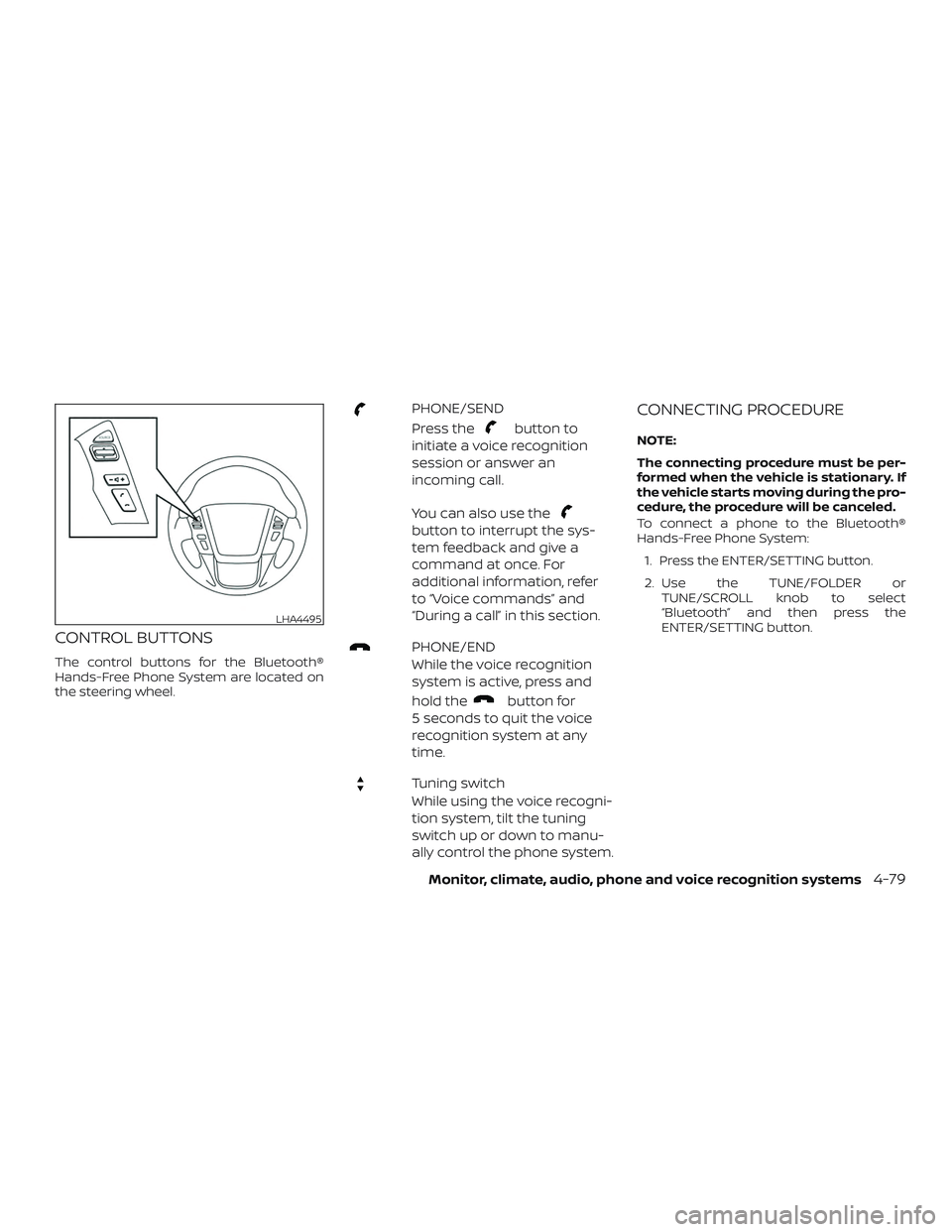
CONTROL BUTTONS
The control buttons for the Bluetooth®
Hands-Free Phone System are located on
the steering wheel.
PHONE/SEND
Press the
button to
initiate a voice recognition
session or answer an
incoming call.
You can also use the
button to interrupt the sys-
tem feedback and give a
command at once. For
additional information, refer
to “Voice commands” and
“During a call” in this section.
PHONE/END
While the voice recognition
system is active, press and
hold the
button for
5 seconds to quit the voice
recognition system at any
time.
Tuning switch
While using the voice recogni-
tion system, tilt the tuning
switch up or down to manu-
ally control the phone system.
CONNECTING PROCEDURE
NOTE:
The connecting procedure must be per-
formed when the vehicle is stationary. If
the vehicle starts moving during the pro-
cedure, the procedure will be canceled.
To connect a phone to the Bluetooth®
Hands-Free Phone System:
1. Press the ENTER/SETTING button.
2. Use the TUNE/FOLDER or TUNE/SCROLL knob to select
“Bluetooth” and then press the
ENTER/SETTING button.
LHA4495
Monitor, climate, audio, phone and voice recognition systems4-79
Page 247 of 426
5. Once a recipient is chosen, the systemprompts for which message to send.
Five predefined messages are avail-
able as well as three custom mes-
sages. To choose one of the predefined
messages, speak one of the following:
∙ “Driving, can’t text”
∙ “Call me”
∙ “On my way ”
∙ “Running late”
∙ “Okay ”
To send one of the custom messages, say
“Custom Message”. If more than one cus-
tom message is stored, the system will
prompt for the number of the desired cus-
tom message. For additional information
on setting and managing custom text
messages, refer to “Bluetooth® settings” in
this section. Reading a received text message:
1. Press the
button.
2. Say “Messaging”.
3. Say “Read Text”.
The text message, sender and delivery
time are shown on the screen. Use the tun-
ing switch on the steering wheel to scroll
through all text messages if more than one
are available. Press the
button to exit
the text message screen. Press
the
button to access the following
options for replying to the text message:
∙ Call Back Speak this command to call the sender
of the text message using the
Bluetooth® Hands-Free Phone System.
∙ Send Text Speak this command to send a text
message response to the sender of the
text message. ∙ Read Text
Speak this command to read the text
message again.
∙ Previous Text Speak this command to move to the
previous text message (if available).
∙ Next Text Speak this command to move to the
next text message (if available).
NOTE:
Text messages are only displayed if the
vehicle speed is less than 5 mph
(8 km/h).
4-84Monitor, climate, audio, phone and voice recognition systems
Page 249 of 426
∙ Auto Reply (if so equipped)Select to turn on or off the Auto Reply
function. When enabled, the vehicle will
automatically send a predefined text
message to the sender when a text
message is received while driving.
∙ Auto Reply Message (if so equipped) Select to choose the message that is
sent when the Auto Reply function is
enabled. Choose from “I’m Driving” or
one of the three custom messages
stored in the system.
∙ Vehicle Signature On/Off (if so equipped)
Select to choose whether or not the
vehicle signature is added to outgoing
text messages from the vehicle. This
message cannot be changed or cus-
tomized.MANUAL CONTROL
While using the Voice Recognition system,
it is possible to select menu options by
using the steering wheel controls instead
of speaking voice commands. The manual
control mode does not allow dialing a
phone number by digits. The user may se-
lect an entry from the Phonebook or Re-
cent Calls lists. To re-activate Voice Recog-
nition, exit the manual control mode by
pressing and holding the
PHONE/END
button. At that time,
pressing the PHONE/SEND
button
will start the Bluetooth® Hands-Free Phone
System.
WARNING
∙ Use a phone af ter stopping your ve- hicle in a safe location. If you have to
use a phone while driving, exercise ex-
treme caution at all times so full at-
tention may be given to vehicle
operation.
∙ If you are unable to devote full atten- tion to vehicle operation while talking
on the phone, pull off the road to a
safe location and stop your vehicle.
CAUTION
To avoid discharging the vehicle bat-
tery, use a phone af ter starting the
engine.
BLUETOOTH® HANDS-FREE PHONE
SYSTEM WITH NAVIGATION SYSTEM
(if so equipped)
4-86Monitor, climate, audio, phone and voice recognition systems
Page 252 of 426
– This Class B digital apparatus meets allrequirements of the Canadian Interference-Causing Equipment Regulations.
BLUETOOTH® is a
trademark owned
by Bluetooth SIG,
Inc. and licensed
to Bosch.
VOICE COMMANDS
You can use voice commands to operate
various Bluetooth® Hands-Free Phone Sys-
tem features using the NISSAN Voice Rec-
ognition system. For additional informa-
tion, refer to “NISSAN Voice Recognition
System” in this section.
Voice Prompt Interrupt
While using the voice recognition system,
the system voice can be interrupted to al-
low the user to speak commands. While
the system is speaking, press the
button on the steering wheel. The system
voice will stop and a tone will be heard.
Af ter the tone, speak desired command
(displayed on the touch-screen).
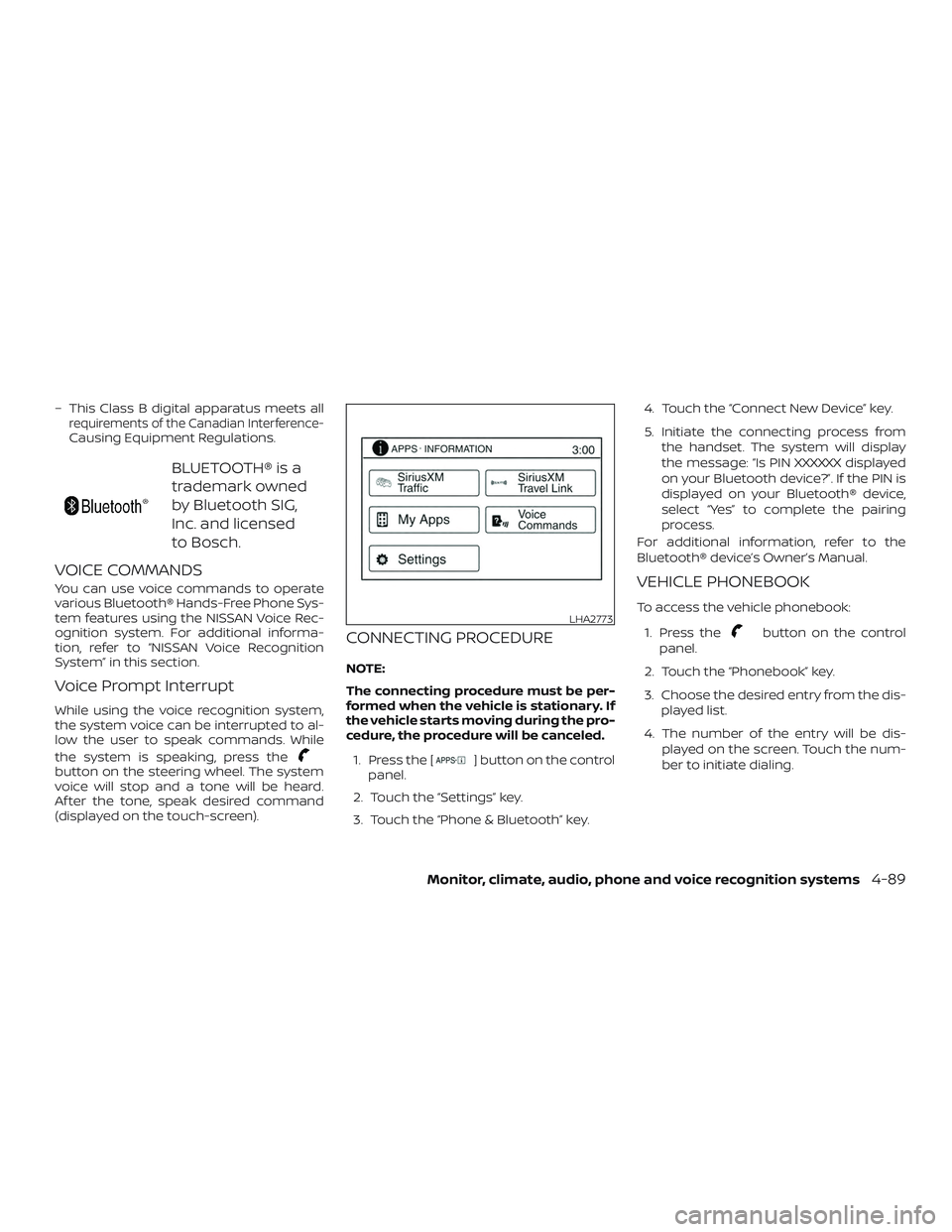
CONNECTING PROCEDURE
NOTE:
The connecting procedure must be per-
formed when the vehicle is stationary. If
the vehicle starts moving during the pro-
cedure, the procedure will be canceled.1. Press the [
] button on the control
panel.
2. Touch the “Settings” key.
3. Touch the “Phone & Bluetooth” key. 4. Touch the “Connect New Device” key.
5. Initiate the connecting process from
the handset. The system will display
the message: “Is PIN XXXXXX displayed
on your Bluetooth device?”. If the PIN is
displayed on your Bluetooth® device,
select “Yes” to complete the pairing
process.
For additional information, refer to the
Bluetooth® device’s Owner’s Manual.
VEHICLE PHONEBOOK
To access the vehicle phonebook:
1. Press the
button on the control
panel.
2. Touch the “Phonebook” key.
3. Choose the desired entry from the dis- played list.
4. The number of the entry will be dis- played on the screen. Touch the num-
ber to initiate dialing.LHA2773
Monitor, climate, audio, phone and voice recognition systems4-89
Page 253 of 426
NOTE:
To scroll quickly through the list, touch
the “A-Z” key in the upper right corner of
the screen. Turn the TUNE knob to
choose a letter or number and then
press the AUDIO button. The list will
move to the first entry that begins with
that number or letter.
MAKING A CALL
To make a call, follow the procedure below:1. Press the
button on the control
panel. The “Phone” screen will appear
on the display.
2. Select one of the following options to make a call:
∙ “Phonebook”: Select the name from an entry stored in the vehicle phonebook.
∙ “Call Lists”: Select the name from the incoming, outgoing or missed.
∙ “Redial”: Dial the last outgoing call from the vehicle.
∙“
”: Input the phone number manu-
ally using a keypad displayed on the
screen. For additional information, refer
to “How to use the touch-screen” in this
section.
RECEIVING A CALL
When a call is placed to the connected
phone, the display will change to phone
mode.
To accept the incoming call, either:
∙ Press the
button on the steering
wheel, or
∙ Touch the
icon on the screen.
To reject the incoming call, either:
∙ Press the
button on the steering
wheel, or
∙ Touch the phone icon on the screen.
DURING A CALL
While a call is active, the following options
are available on the screen: ∙ “Handset” Select this option to switch control of
the phone call over to the handset.
∙ “Mute Mic.” Select this option to mute the micro-
phone. Select again to unmute the mi-
crophone.
∙ Phone
icon
Select to end the phone call.
ENDING A CALL
To end a phone call, select the phone
icon on the screen or press thebut-
ton on the steering wheel.
TEXT MESSAGING (if so equipped)
WARNING
∙ Laws in some jurisdictions may re- strict the use of “Text-to-Speech.”
Check local regulations before using
the feature.
∙ Laws in some jurisdictions may re- strict the use of some of the applica-
tions and features, such as social net-
working and texting. Check local
regulations for any requirements.
∙ Use the text messaging feature af ter stopping your vehicle in a safe loca-
tion. If you have to use the feature
while driving, exercise extreme cau-
tion at all times so full attention may
be given to vehicle operation.
∙ If you are unable to devote full atten- tion to vehicle operation while using
the text messaging feature, pull off
the road to a safe location and stop
your vehicle.
4-90Monitor, climate, audio, phone and voice recognition systems
Page 254 of 426
NOTE:
Many phones may require special per-
mission to enable text messaging. Check
the phone’s screen during Bluetooth®
pairing. For some phones, you may need
to enable ‘Notifications’ in the phone’s
Bluetooth® menu for text messages to
appear on the head unit. For additional
information, refer to the phone’s Own-
er’s Manual.
Text message integration requires that
the phone support MAP (Message Ac-
cess Profile) for both receiving and send-
ing text messages. Some phones may
not support all text messaging features.
For additional information, please refer
to www.nissanusa.com/bluetooth or
www.nissan.ca/bluetooth for compat-
ibility information. For additional infor-
mation, refer to the phone’s Owner’s
Manual.
The system allows for the sending and re-
ceiving of text messages through the ve-
hicle interface.Sending a text message:
1.
Press thebutton on the steering
wheel.
2. Say “Phone” af ter the tone.
3. Say “Send Text” af ter the tone.
4. The system will provide a list of avail- able commands in order to determine
the recipient of the text message.
Choose from the following:
∙ To (a name)
∙ Enter Number
∙ Missed Calls
∙ Incoming Calls
∙ Outgoing Calls
For additional information, refer to
“Voice commands” in this section. 5. Once a recipient is chosen, the system
prompts for which message to send.
Nine predefined messages are avail-
able as well as three custom mes-
sages. To choose one of the predefined
messages, speak one of the following
af ter the tone:
∙ “Driving, can’t text”
∙ “Call me”
∙ “On my way ”
∙ “Running late”
∙ “Okay ”
∙ “Yes”
∙ “No”
∙ “Where are you?”
∙ “When?”
To send one of the custom messages,
say “Custom Messages”. If more than
one custom message is stored, the
system will prompt for the number of
the desired custom message. For ad-
ditional information, refer to
“Bluetooth® settings” in this section.
Monitor, climate, audio, phone and voice recognition systems4-91
Page 255 of 426
Reading a received text message:1. Press the
button on the steering
wheel.
2. Say “Phone” af ter the tone.
3. Say “Read Text” af ter the tone.
The text message, sender and delivery
time are shown on the screen. Use the tun-
ing switch
to scroll through all text
messages if more than one are available.
Press the
button to exit the text mes-
sage screen. Press the
button to ac-
cess the following options for replying to
the text message:
∙ Call Back Speak this command to call the sender
of the text message using the
Bluetooth® Hands-Free Phone System.
∙ Send Text Speak this command to send a text
message response to the sender of the
text message.
∙ Read Text Speak this command to read the text
message again.
∙ Previous Text Speak this command to move to the
previous text message (if available). ∙ Next Text
Speak this command to move to the
next text message (if available).
NOTE:
Text messages are only displayed if the
vehicle speed is less than 5 mph
(8 km/h).
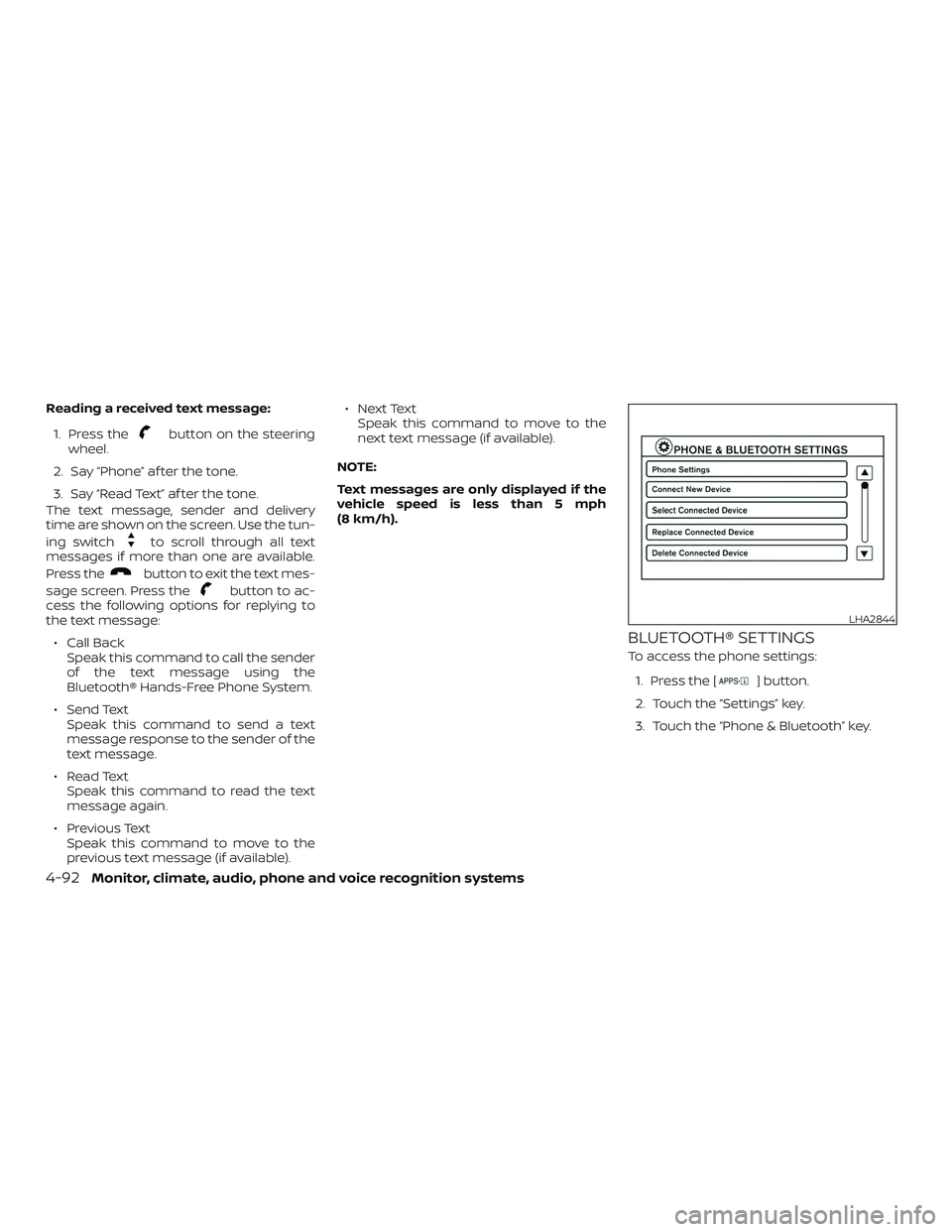
BLUETOOTH® SETTINGS
To access the phone settings: 1. Press the [
] button.
2. Touch the “Settings” key.
3. Touch the “Phone & Bluetooth” key.
LHA2844
4-92Monitor, climate, audio, phone and voice recognition systems