2018 NISSAN LEAF ECU
[x] Cancel search: ECUPage 84 of 435

2 Instruments and controls
Instrument panel................................2-2
Meters and gauges ..............................2-4
Speedometer and odometer .................2-5
Tachometer .................................. 2-7
Fuel gauge ...................................2-8
Trip computer (if so equipped) ................2-9
Warning lights, indicator lights and audible
reminders ...................................... 2-10
Checking lights ............................... 2-11
Warning lights ................................ 2-11
Indicator lights .............................. 2-17
Audible reminders ........................... 2-20
Vehicle information display (if so equipped) .....2-21
How to use the vehicle information
display ...................................... 2-21
Startup display .............................. 2-22
Settings ..................................... 2-22
Vehicle information display warnings
and indicators ............................... 2-30
Security systems (if so equipped) ...............2-34
Vehicle security system .....................2-34
NISSAN Anti-Thef t System (NATS)
(if so equipped) .............................. 2-35NISSAN Vehicle Immobilizer System
(if so equipped)
.............................. 2-36
Wiper and washer switch .......................2-37
Switch operation ............................ 2-37
Rear switch operation .......................2-39
Rear window and/or outside mirror defroster
switch (if so equipped) .......................... 2-40
Headlight and turn signal switch ...............2-41
Headlight control switch .....................2-41
Daytime Running Lights (DRL) system
(if so equipped) .............................. 2-43
Instrument brightness control ...............2-44
Turn signal switch ........................... 2-44
Fog light switch (if so equipped) .............2-45
Horn ........................................... 2-45
Heated seat switches (if so equipped) ..........2-45
Automatic Emergency Braking (AEB) switch
(if so equipped) ................................. 2-46
Vehicle Dynamic Control (VDC) OFF switch ......
2-47
Power outlets ..................................2-47
12v outlets ...................................2-47
Extended storage switch .......................2-48
Storage ........................................ 2-49
Page 94 of 435

orAnti-lock Braking System (ABS)
warning lightMaster warning light (if so equipped)High beam indicator light (blue)
Automatic Emergency Braking (AEB) system
warning light (if so equipped)NISSAN Intelligent Key® warning light (if
so equipped)Malfunction Indicator Light (MIL)
orBrake warning lightPower steering warning lightOverdrive OFF indicator light (if so
equipped)
Charge warning lightSeat belt warning lightSecurity indicator light (if so equipped)
Door open warning light (if so equipped)Shif t P (Park) warning light (if so
equipped)SET indicator light (if so equipped)
Engine oil pressure warning lightSupplemental air bag warning lightSide light and headlight indicator light
(green)
High temperature warning light (red) (if so
equipped)CRUISE indicator light (if so equipped)Slip indicator light
Low fuel warning light (if so equipped)Engine start operation indicator light (if
so equipped)SPORT mode indicator light (if so
equipped)
Low tire pressure warning lightFront fog light indicator light (green) (if
so equipped)Turn signal/hazard indicator lights
Low windshield-washer fluid warning light (if
so equipped)Front passenger air bag status lightVehicle Dynamic Control (VDC) OFF indi-
cator light
WARNING LIGHTS, INDICATOR LIGHTS
AND AUDIBLE REMINDERS
2-10Instruments and controls
Page 97 of 435

Door open warning light (ifso equipped)
This light comes on when any of the doors
are not closed securely while the ignition
switch is in the ON position.
Engine oil pressurewarning light
This light warns of low engine oil pressure. If
the light flickers or comes on during nor-
mal driving, pull off the road in a safe area,
stop the engine immediatelyand call a
NISSAN dealer or other authorized repair
shop.
The engine oil pressure warning light is
not designed to indicate a low oil level.
Use the dipstick to check the oil level. For
additional information, refer to “Engine oil”
in the “Do-it-yourself ” section of this
manual.
CAUTION
Running the engine with the engine oil
pressure warning light on could cause
serious damage to the engine almost
immediately. Such damage is not cov-
ered by the NISSAN New Vehicle Limited
Warranty. Turn off the engine as soon as
it is safe to do so.
High temperature warning
light (red) (if so equipped)
When the ignition switch is placed in the ON
position, the high temperature warning
light illuminates and then turns off. This in-
dicates that the high temperature sensor
in the engine coolant system is opera-
tional.
When driving, the high temperature warn-
ing light may turn off. This indicates that the
engine coolant temperature is within the
normal range.
CAUTION
If the high temperature warning light
illuminates while the engine is running,
it may indicate the engine temperature
is extremely high. Stop the vehicle
safely as soon as possible. If the vehicle
is overheated, continuing vehicle op-
eration may seriously damage the en-
gine. For additional information, refer
to “If your vehicle overheats” in the “In
case of emergency ” section of this
manual.
Low fuel warning light (if soequipped)
This light comes on when the fuel level in
the fuel tank is getting low. Refuel as soon
as it is convenient, preferably before the
fuel gauge reaches 0 (Empty). There will be
a small reserve of fuel in the tank when
the fuel gauge reaches 0 (Empty).
Low tire pressure warning
light
Your vehicle is equipped with a Tire Pres-
sure Monitoring System (TPMS) that moni-
tors the tire pressure of all tires except the
spare.
Instruments and controls2-13
Page 103 of 435

– if possible, reduce the amount ofcargo being hauled or towed.
The MIL may stop blinking and come on
steady. Have the vehicle inspected. It is rec-
ommended that you visit a NISSAN dealer
for this service. You do not need to have
your vehicle towed to the dealer.
CAUTION
Continued vehicle operation without
having the emission control system
checked and repaired as necessary
could lead to poor driveability, reduced
fuel economy, and possible damage to
the emission control system.
Overdrive OFF indicator light (if so equipped)
The overdrive OFF indicator light illumi-
nates when the overdrive OFF mode is se-
lected.
For additional information, refer to “Driving
the vehicle” in the “Starting and driving” sec-
tion of this manual.
Security indicator light (ifso equipped)
This light blinks when the ignition switch is
placed in the OFF or LOCK position. The blinking security indicator light indi-
cates that the security systems equipped
on the vehicle are operational.
For additional information, refer to “Security
systems” in this section.
SET indicator light (if so
equipped)
This light comes on while the vehicle speed
is controlled by the cruise control system. If
the light blinks while the engine is running,
it may indicate the cruise control system is
not functioning properly. Have the system
checked. It is recommended that you visit a
NISSAN dealer for this service.
For additional information, refer to “Cruise
control” in the “Starting and driving” section
of this manual.
Side light and headlightindicator light (green)
The side light and headlight indicator light
illuminates when the side light or head-
lights are on. If the headlight switch is in the
AUTO position, the side light and headlight
indicator light will illuminate when the
headlights turn on. For additional informa-
tion, refer to “Headlight and turn signal
switch” in this section.
Slip indicator light
This indicator will blink when the VDC sys-
tem is operating, thus alerting the driver to
the fact that the road surface is slippery
and the vehicle is nearing its traction limits.
You may feel or hear the system working;
this is normal.
The light will blink for a few seconds af ter
the VDC system stops limiting wheel spin.
The
indicator light also comes on
when you place the ignition switch in the
ON position. The light will turn off af ter ap-
proximately 2 seconds if the system is op-
erational. If the light does not come on
have the system checked. It is recom-
mended that you visit a NISSAN dealer for
this service.
SPORT mode indicator
light (if so equipped)
This light illuminates and then turns off
when the ignition switch is placed in the ON
position, and when the SPORT mode is se-
lected.
Instruments and controls2-19
Page 118 of 435

Front Radar Obstruction (if so
equipped)
This warning appears when there is a radar
obstruction detected. For additional infor-
mation, refer to “Automatic Emergency
Braking (AEB)” in the “Starting and driving”
section of this manual.
Side Radar Obstruction (if so equipped)
This message appears when the Blind
Spot Warning (BSW) or Rear Cross Traffic
Alert (RCTA) systems become unavailable
because a radar blockage is detected. For
additional information, refer to “Blind Spot
Warning (BSW)” or “Rear Cross Traffic Alert
(RCTA)” in the “Starting and driving” section
of this manual.
Sport mode indicator (if so equipped)
A small “S” appears to the right of the Trans-
mission Shif t Position indicator in the ve-
hicle information display when the Sport
mode is engaged.
Activate the Sport mode by pressing the
switch on the shif t lever while the shif t lever
is in the D (Drive) position.
For additional information, refer to “Driving
the vehicle” in the “Starting and driving” sec-
tion of this manual.Your vehicle may have three types of secu-
rity systems:
∙ Vehicle security system
∙ NISSAN Anti-Thef t System
∙ NISSAN Vehicle Immobilizer System
VEHICLE SECURITY SYSTEM
The vehicle security system provides visual
and audible alarm signals if someone
opens the doors or lif tgate when the sys-
tem is armed. It is not, however, a motion
detection type system that activates when
a vehicle is moved or when a vibration oc-
curs. The system helps deter vehicle thef t but
cannot prevent it, nor can it prevent the
thef t of interior or exterior vehicle compo-
nents in all situations. Always secure your
vehicle even if parking for a brief period.
Never leave your keys in the vehicle, and
always lock the vehicle when unattended.
Be aware of your surroundings, and park in
secure, well-lit areas whenever possible.
Many devices offering additional protec-
tion, such as component locks, identifica-
tion markers, and tracking systems, are
available at auto supply stores and spe-
cialty shops. A NISSAN dealer may also offer
such equipment. Check with your insur-
ance company to see if you may be eligible
for discounts for various thef t protection
features.
How to arm the vehicle security
system
1. Close all windows.
(The system can be
armed even if the windows are open.)
2. Remove the keys from the vehicle.
3. Close all doors and lif tgate. Lock all doors. The doors can be locked with
the key fob (if so equipped), Intelligent
Key (if so equipped), door handle re-
quest switch, or mechanical key.
LIC3633
SECURITY SYSTEMS (if so equipped)
2-34Instruments and controls
Page 119 of 435

4. Confirm that thesecurity indica-
tor light stays on for about 30 seconds.
The vehicle security system is now pre-
armed. The vehicle security system will
automatically shif t into the armed
phase. The
security light begins
to flash once every three seconds. If
during the pre-armed phase one of the
following occurs, the system will not
arm:
∙ Any door is unlocked with the key fob (if so equipped), the Intelligent Key (if so
equipped), mechanical key, or door re-
quest switch.
∙ Ignition switch is placed in the ON posi- tion.
∙ Even when the driver and/or passen-
gers are in the vehicle, the system will
activate with all the doors, hood and
lif tgate locked with the ignition
switch placed in the LOCK position.
When placing the ignition switch in
the ON position, the system will be
released.
Vehicle security system activation
The vehicle security system will give the
following alarm:
∙ The headlights or turn lamps blink and the horn sounds intermittently but syn-
chronously.
∙ The alarm automatically turns off af ter a period of time. However, the alarm
reactivates if the vehicle is tampered
with again.
The alarm is activated by: ∙ opening any door or the lif tgate without using the key or Intelligent Key (even if
the door is unlocked by releasing the
door inside lock knob).
How to stop an activated alarm
The alarm stops only by unlocking a door
or the lif tgate with the key fob (if so
equipped), pressing the
button on
the Intelligent Key (if so equipped), or push-
ing the request switch on the driver’s or
passenger’s door with the Intelligent Key (if
so equipped) in range of the door handle.
NISSAN ANTI-THEFT SYSTEM
(NATS) (if so equipped)
The NISSAN Anti-Thef t System will not al-
low the engine to start without the use of a
registered NATS key.
If the engine does not start using the reg-
istered NATS key, it may be due to interfer-
ence caused by:
∙ Another NATS key
∙ Automated toll road device
∙ Automated payment device
∙ Other devices that transmit similar sig- nals
Start the engine using the following proce-
dure: 1. Remove any items that may be causing the interference away from the NATS
key.
2. Leave the ignition switch in the ON po- sition for approximately 5 seconds.
3. Place the ignition switch in the OFF or LOCK position and wait approximately
10 seconds.
4. Repeat steps 2 and 3 again.
5. Start the engine.
Instruments and controls2-35
Page 121 of 435
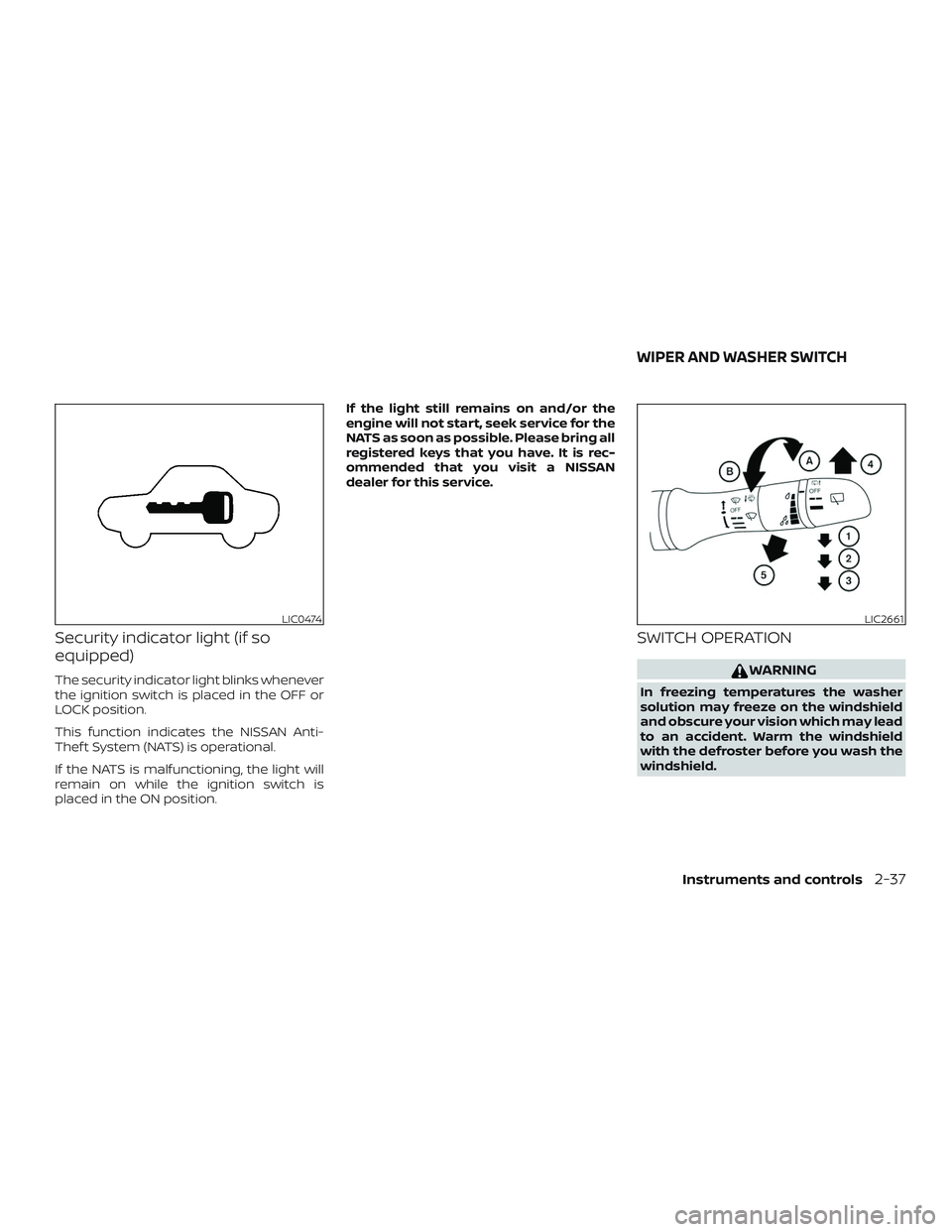
Security indicator light (if so
equipped)
The security indicator light blinks whenever
the ignition switch is placed in the OFF or
LOCK position.
This function indicates the NISSAN Anti-
Thef t System (NATS) is operational.
If the NATS is malfunctioning, the light will
remain on while the ignition switch is
placed in the ON position.If the light still remains on and/or the
engine will not start, seek service for the
NATS as soon as possible. Please bring all
registered keys that you have. It is rec-
ommended that you visit a NISSAN
dealer for this service.
SWITCH OPERATION
WARNING
In freezing temperatures the washer
solution may freeze on the windshield
and obscure your vision which may lead
to an accident. Warm the windshield
with the defroster before you wash the
windshield.
LIC0474LIC2661
WIPER AND WASHER SWITCH
Instruments and controls2-37
Page 136 of 435
CAUTION
∙ Do not use bottle holder for any otherobjects that could be thrown about in
the vehicle and possibly injure people
during sudden braking or an accident.
∙ Do not use bottle holder for open liq- uid containers.
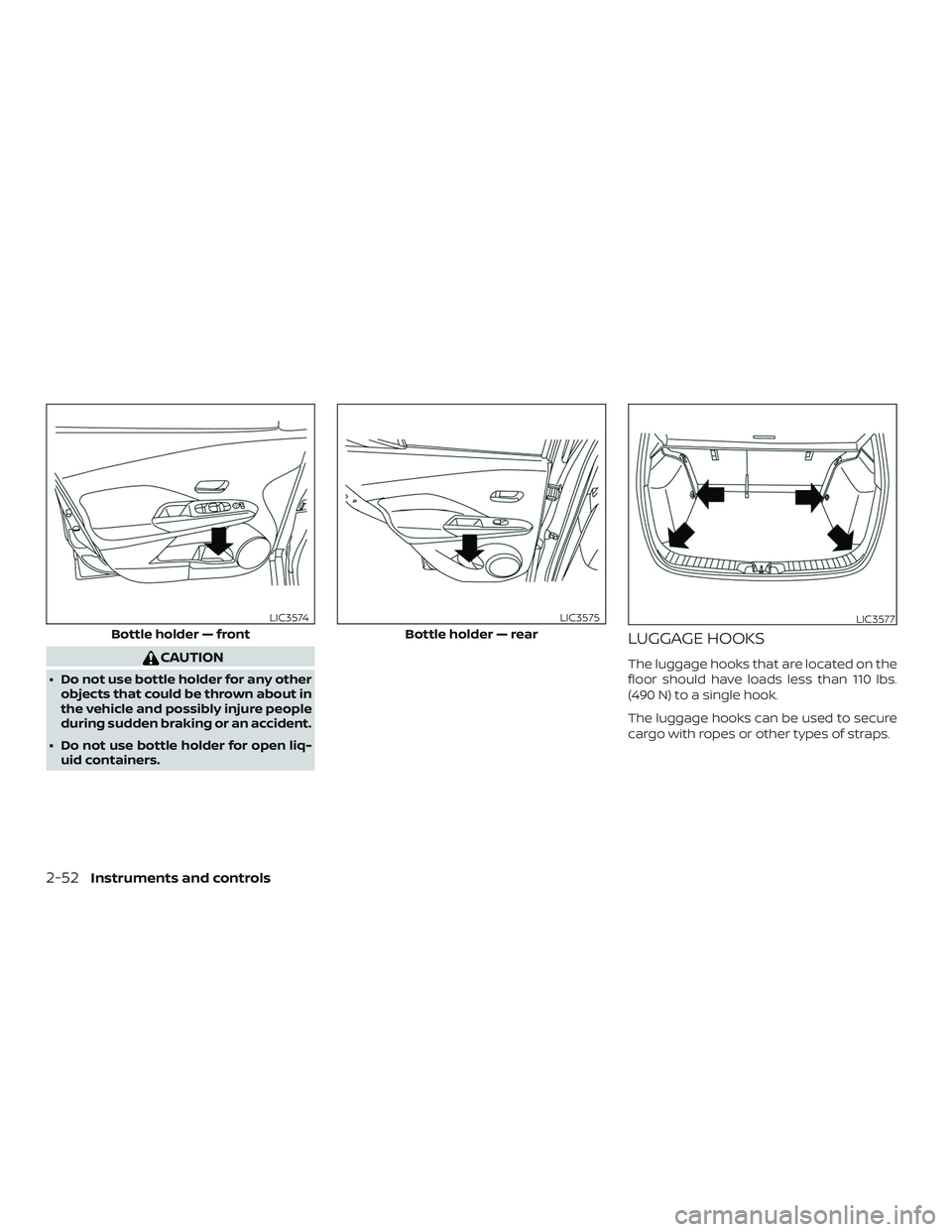
LUGGAGE HOOKS
The luggage hooks that are located on the
floor should have loads less than 110 lbs.
(490 N) to a single hook.
The luggage hooks can be used to secure
cargo with ropes or other types of straps.
Bottle holder — front
LIC3574
Bottle holder — rear
LIC3575LIC3577
2-52Instruments and controls