2018 MERCEDES-BENZ GLC engine
[x] Cancel search: enginePage 185 of 390
R
Vehicles with AIR BODY CONTROL: the
vehicle is adjusted to normal level R
The ECO start/stop function is available
( Y
page 140)
ESP ®
specially adapted for trailer operation is
also activated.
Activating/deactivating off-road pro-
grams
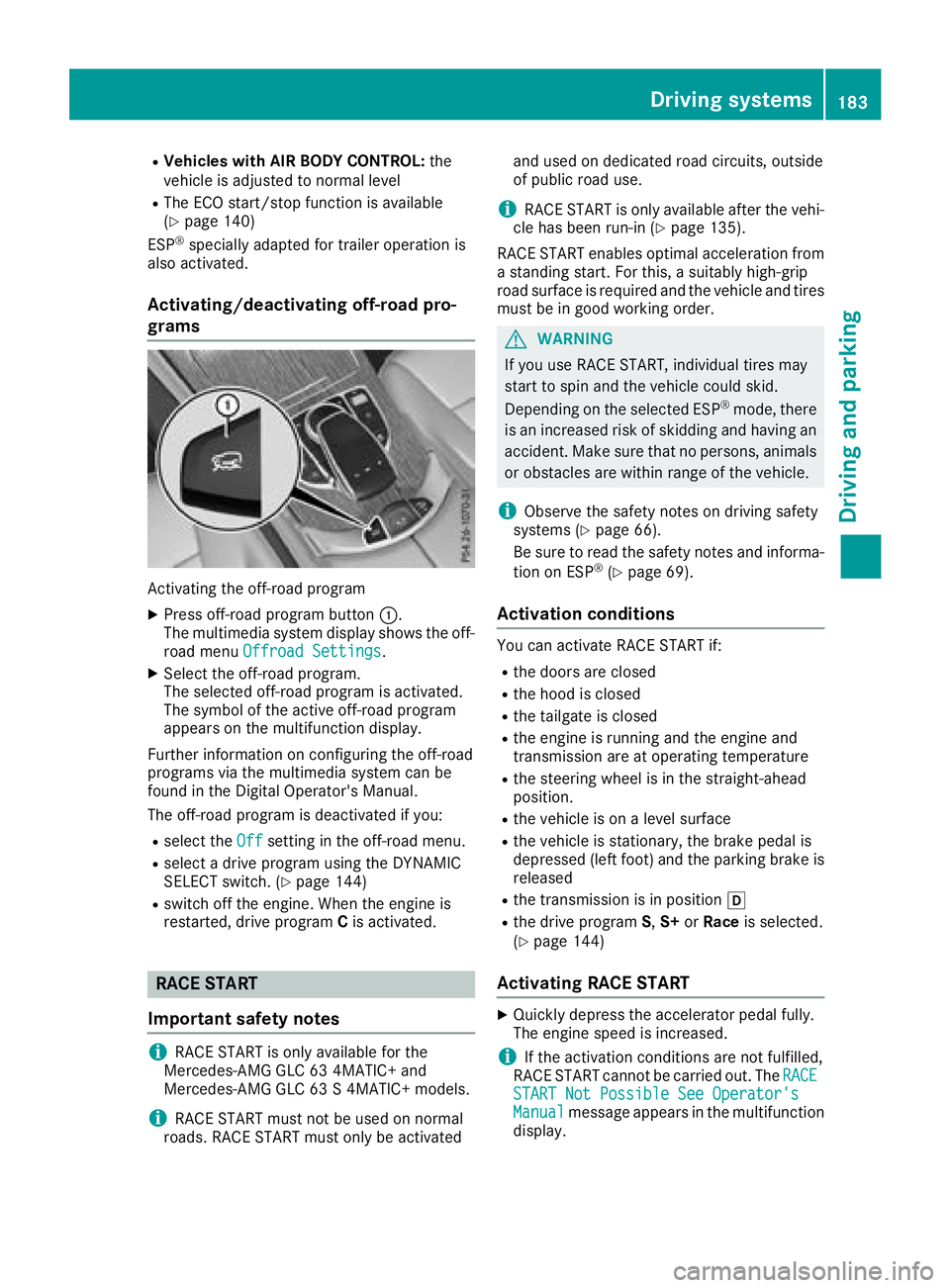
Activating the off-road program X
Press off-road program button C .
The multimedia system display shows the off-
road menu Offroad Settings
.X
Select the off-road program.
The selected off-road program is activated.
The symbol of the active off-road program
appears on the multifunction display.
Further information on configuring the off-road
programs via the multimedia system can be
found in the Digital Operator's Manual.
The off-road program is deactivated if you: R
select the Off setting in the off-road menu.R
select a drive program using the DYNAMIC
SELECT switch. ( Y
page 144)R
switch off the engine. When the engine is
restarted, drive program C is activated.
RACE START
Important safety notes
i RACE START is only available for the
Mercedes-AMG GLC 63 4MATIC+ and
Mercedes-AMG GLC 63 S 4MATIC+ models.
i RACE START must not be used on normal
roads. RACE START must only be activated and used on dedicated road circuits, outside
of public road use.
i RACE START is only available after the vehi-
cle has been run-in ( Y
page 135).
RACE START enables optimal acceleration from
a standing start. For this, a suitably high-grip
road surface is required and the vehicle and tires
must be in good working order.
G WARNING
If you use RACE START, individual tires may
start to spin and the vehicle could skid.
Depending on the selected ESP ®
mode, there
is an increased risk of skidding and having an
accident. Make sure that no persons, animals
or obstacles are within range of the vehicle.
i Observe the safety notes on driving safety
systems ( Y
page 66).
Be sure to read the safety notes and informa-
tion on ESP ®
( Y
page 69).
Activation conditions You can activate RACE START if: R
the doors are closed R
the hood is closed R
the tailgate is closed R
the engine is running and the engine and
transmission are at operating temperature R
the steering wheel is in the straight-ahead
position. R
the vehicle is on a level surface R
the vehicle is stationary, the brake pedal is
depressed (left foot) and the parking brake is
released R
the transmission is in position [R
the drive program S , S+ or Race is selected.
( Y
page 144)
Activating RACE START X
Quickly depress the accelerator pedal fully.
The engine speed is increased.
i If the activation conditions are not fulfilled,
RACE START cannot be carried out. The RACE
START Not Possible See Operator's
Manual message appears in the multifunction
display.Driving systems 183
Driving and parking Z
Page 186 of 390
X
The RACE START Release brake to start
message appears on the multifunction dis-
play.
i In this phase you can adjust RACE START
depending on the road conditions: you can
vary the engine speed by pulling on one of the
steering wheel paddle shifters. The segments
in the multifunction display flicker rapidly.
i If you do not release the brake pedal within
a short time, RACE START will be canceled.
The RACE START Canceled message
appears in the multifunction display. X
Take your foot off the brake, but keep the
accelerator pedal depressed.
The vehicle pulls away at maximum acceler-
ation.
The RACE START Active message appears
on the multifunction display.
RACE START is deactivated when the vehicle
reaches a speed of approximately 30 mph (Can-
ada: 50 km/h).
RACE START is deactivated immediately if you
release the accelerator pedal during RACE
START or if any of the activation conditions are
no longer fulfilled. The RACE START Canceled
message appears in the multifunction display.
i If RACE START is used repeatedly within a
short period of time, it is only available again
after the vehicle has been driven a certain
distance.
AIR BODY CONTROL
General notes AIR BODY CONTROL is an air suspension system
with variable damping for improved driving com-
fort. All-round level control ensures the best
possible suspension and constant ground clear-
ance, even with a laden vehicle. When you drive
fast, the vehicle is lowered automatically to
improve driving safety and to reduce fuel con-
sumption. There is also the option to manually
adjust the vehicle level.
AIR BODY CONTROL consists of: R
air suspension system with variable spring
rate R
automatic level control R
speed-dependent lowering to reduce fuel
consumption R
manual level control R
ADS PLUS (Adaptive Damping System with
continuous damping adjustment) R
DYNAMIC SELECT switch ( Y
page 144) and
level button ( Y
page 185)
Available suspension settings C (Comfort) R
the suspension setting is
comfortable R
the vehicle is set to normal
level R
Mercedes-AMG GLC 43
4MATIC: at speeds above
100 mph (160 km/h), the
vehicle level lowers R
Mercedes-AMG GLC 63
4MATIC+/GLC 63 S
4MATIC+: at speeds above
112 mph (180 km/ h) , the
vehicle level lowers R
All other models: at speeds
above 86 mph, (138 km/h)
the vehicle level lowers R
Mercedes-AMG GLC 43
4MATIC: at speeds less than
87 mph (140 km/h), the
vehicle is raised again R
Mercedes-AMG GLC 63
4MATIC+/GLC 63 S
4MATIC+: at speeds less
than 75 mph (120 km/h),
the vehicle is raised again R
All other models: at speeds
below 50 mph (80 km/h),
the vehicle is raised again R
Mercedes-AMG GLC 63
4MATIC+/GLC 63 S
4MATIC+: the 4MATIC+ is
synchronised dynamically
E (Econ-
omy) R
the suspension setting is
comfortable R
the vehicle is set to low level R
at higher speeds, the vehicle
level does not continue to
lower184
Driving systems
Driving and parking
Page 187 of 390
S (Sport) R
the suspension setting is
more taut R
the vehicle is set to low level R
at higher speeds, the vehicle
level does not continue to
lower R
Mercedes-AMG GLC 63
4MATIC+/GLC 63 S
4MATIC+: the 4MATIC+ is
synchronised more dynami-
cally
S+ (Sport
Plus)
Mercedes-
AMG GLC
63 4MATIC
+/GLC
63 S
4MATIC+:
RACE R
the suspension setting is
even more taut R
the vehicle is set to low level R
at higher speeds, the vehicle
level does not continue to
lower R
Mercedes-AMG GLC 63
4MATIC+/GLC 63 S
4MATIC+: the 4MATIC+ is
synchronised more dynami-
cally
Important safety notes
G WARNING
When the vehicle is being lowered, people
could become trapped if their limbs are
between the vehicle body and the wheels or
underneath the vehicle. There is a risk of
injury.
Make sure no one is underneath the vehicle or
in the immediate vicinity of the wheel arches
when the vehicle is being lowered.
i If one of the doors is open, the vehicle is not
lowered. Vehicle level Setting the raised vehicle level
Mercedes-AMG vehicles: it is possible to
choose between the "Normal" and "Raised"
vehicle levels below a speed of 30 mph
(50 km/h). Select the "Normal" setting for nor-
mal road surfaces and "Raised" for driving with
snow chains or on particularly poor road surfa-
ces. Your selection remains stored even if you
remove the SmartKey from the ignition lock.
All other models: it is possible to choose
between the "Normal" and "Raised" vehicle lev-
els below a speed of 50 mph (80 km/ h) . Select
the "Normal" setting for normal road surfaces
and "Raised" for driving with snow chains or on
particularly poor road surfaces. Your selection
remains stored even if you remove the Smart-
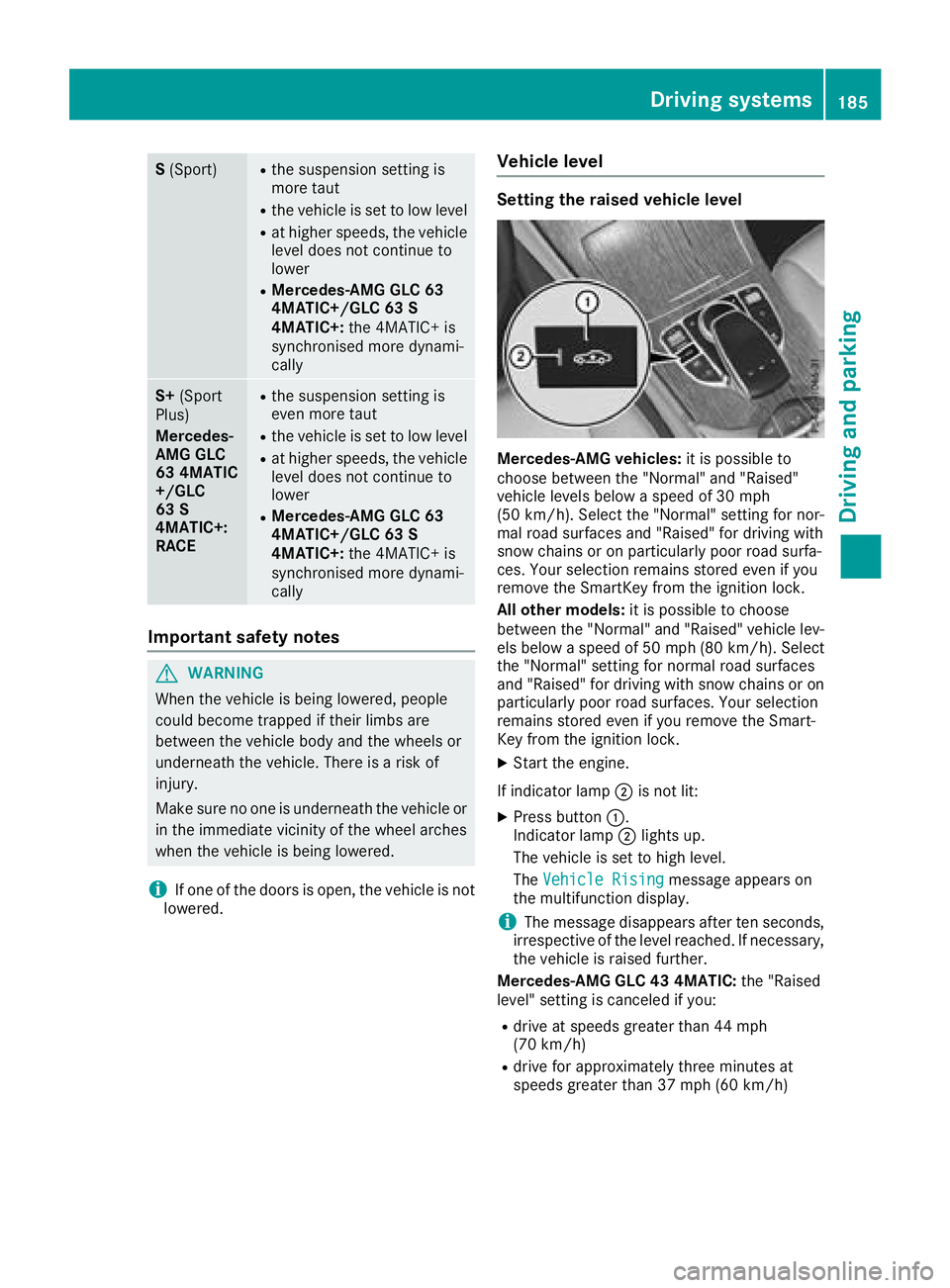
Key from the ignition lock. X
Start the engine.
If indicator lamp D is not lit: X
Press button C .
Indicator lamp D lights up.
The vehicle is set to high level.
The Vehicle Rising
message appears on
the multifunction display.
i The message disappears after ten seconds,
irrespective of the level reached. If necessary,
the vehicle is raised further.
Mercedes-AMG GLC 43 4MATIC: the "Raised
level" setting is canceled if you: R
drive at speeds greater than 44 mph
(70 km/h) R
drive for approximately three minutes at
speeds greater than 37 mph (60 km/h)Driving systems 185
Driving and parking Z
Page 188 of 390
Mercedes-AMG GLC 63 4MATIC+/GLC 63 S
4MATIC+: the "Raised level" setting is canceled
if you: R
drive at speeds greater than 44 mph
(70 km/h) R
drive for approximately three minutes at
speeds greater than 37 mph (60 km/h)
All other models: the "Raised level" setting is
canceled if you: R
drive faster than 75 mph (120 km/h) R
drive for approximately three minutes at a
speed above 50 mph (80 km/h)
The "Raised level" remains active when you are
not driving within these speed ranges.
Setting the normal vehicle level X
Start the engine.
If indicator lamp D is lit:X
Press button C .
Indicator lamp D goes out. The vehicle is
adjusted to the height of the currently selec-
ted drive program ( Y
page 144).
Lowering the rear of the vehicle (except
Mercedes-AMG vehicles)
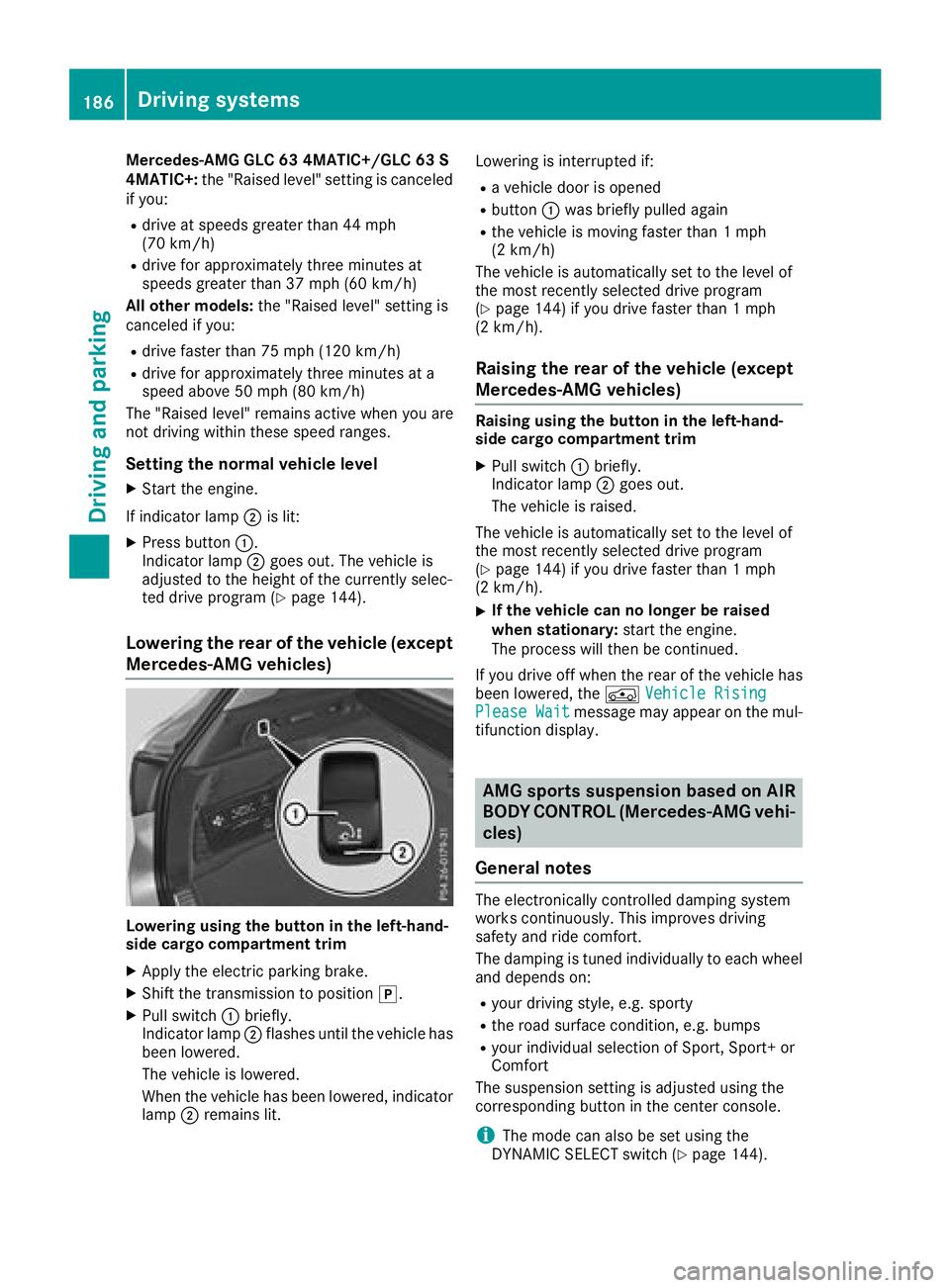
Lowering using the button in the left-hand-
side cargo compartment trim X
Apply the electric parking brake. X
Shift the transmission to position ] .X
Pull switch C briefly.
Indicator lamp D flashes until the vehicle has
been lowered.
The vehicle is lowered.
When the vehicle has been lowered, indicator
lamp D remains lit. Lowering is interrupted if: R
a vehicle door is opened R
button C was briefly pulled again R
the vehicle is moving faster than 1 mph
(2 km/h)
The vehicle is automatically set to the level of
the most recently selected drive program
( Y
page 144) if you drive faster than 1 mph
(2 km/h).
Raising the rear of the vehicle (except
Mercedes-AMG vehicles) Raising using the button in the left-hand-
side cargo compartment trim X
Pull switch C briefly.
Indicator lamp D goes out.
The vehicle is raised.
The vehicle is automatically set to the level of
the most recently selected drive program
( Y
page 144) if you drive faster than 1 mph
(2 km/h). X
If the vehicle can no longer be raised
when stationary: start the engine.
The process will then be continued.
If you drive off when the rear of the vehicle has
been lowered, the
Page 189 of 390
This is possible only if the same mode is
selected for the suspension by pressing the
button on the center console for AMG sports
suspension based on AIR BODY CONTROL
and the DYNAMIC SELECT switch. This is the
case, for example, when both are set to Com-
fort mode.
Each time you start the engine with the Smart-
Key or the Start/Stop button, Comfort mode is
activated. For further information about starting
the engine, see ( Y
page 138).
Sport mode
"Sport" mode ensures a more taut suspension
setting. Select this mode when employing a
sporty driving style, e.g. on winding country
roads. X
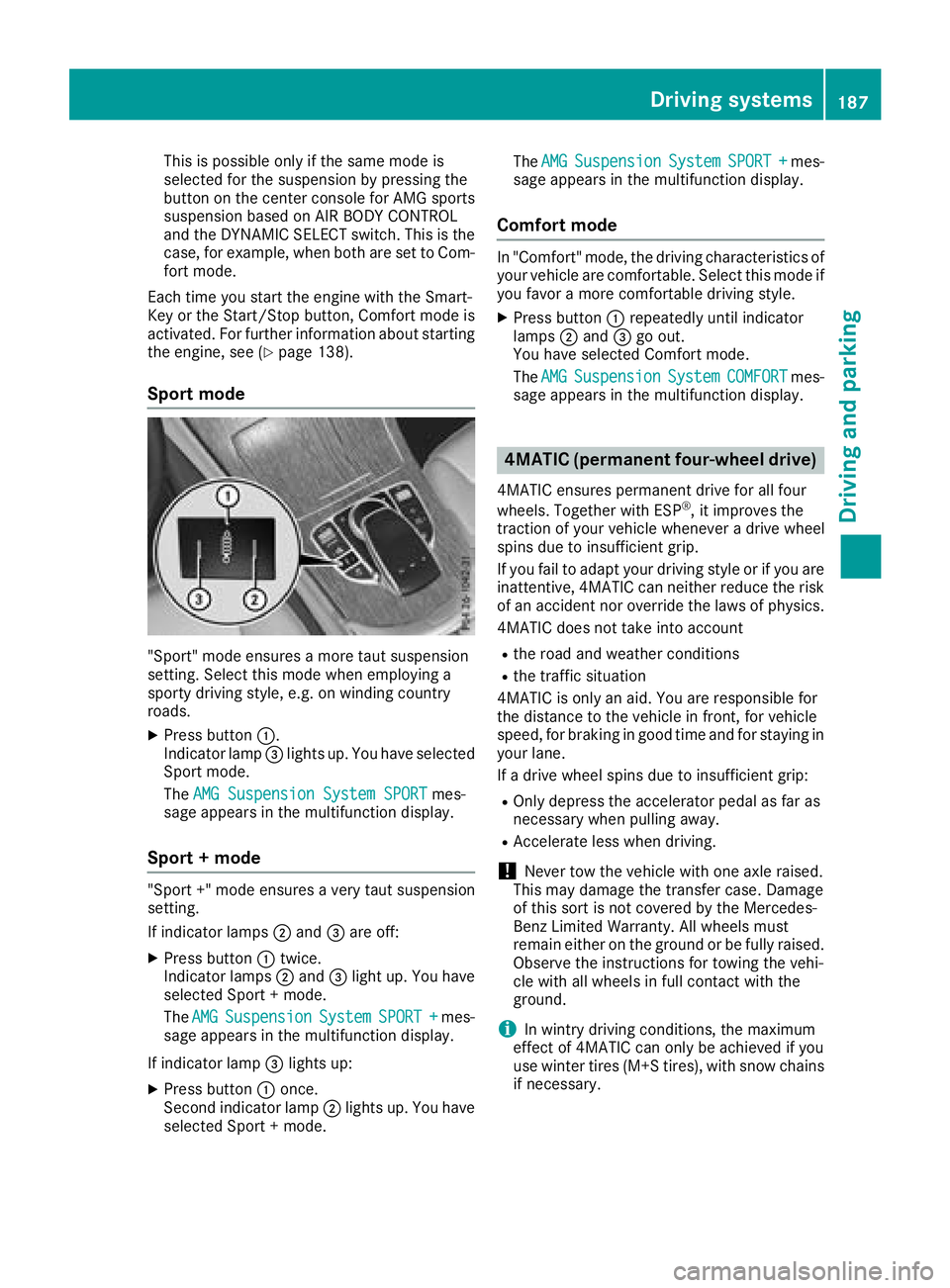
Press button C .
Indicator lamp
Page 193 of 390
while the vehicle is exiting the parking space.
You are responsible for braking in good time. X
Start the engine. X
Release the electric parking brake. X
Switch on the turn signal in the direction you
are pulling away. X
Shift the transmission to position [ or ^ .
The Start Parking Pilot? Yes: OK No:
8 message appears in the multifunction
display. X
To cancel the procedure: press the 8
button on the multifunction steering wheel or
pull away.
or X
To exit a parking space using Parking
Pilot: press the v button on the multi-
function steering wheel.
The Parking Pilot Active Accelerate
and Brake Observe Surroundings mes-
sage appears in the multifunction display. X
Let go of the multifunction steering wheel. X
Pull away, being ready to brake at all times. Do
not exceed a maximum speed of approx-
imately 6 mph (10 km/h) when exiting a park-
ing space. Otherwise, Parking Pilot is can-
celed immediately. X
Depending on the message or as required,
shift the transmission to position [ or ^ .
Parking Pilot immediately steers in the other
direction. The Parking Pilot Active
Accelerate and Brake Observe Sur‐
roundings message appears in the multi-
function display.
i You will achieve the best results by waiting
for the steering procedure to complete before
pulling away.
If you back up after activation, the steering
wheel is moved to the straight-ahead posi-
tion. X
Drive forwards and reverse as prompted by
Parking Assist PARKTRONIC warning dis-
plays, several times if necessary.
Once you have exited the parking space com-
pletely, the steering wheel is moved to the
straight-ahead position. You hear a tone and the
Parking Pilot Finished message appears in
the multifunction display. You will then have to
steer and merge into traffic on your own. Park-
ing Assist PARKTRONIC is still available. You can
take over the steering before the vehicle has
exited the parking space completely. This is useful if you recognize that it is already possible
to pull out of the parking space.
Canceling Active Parking Pilot X
Stop the movement of the multifunction
steering wheel or steer yourself.
Parking Pilot is canceled immediately. The
Parking Pilot Canceled message appears
on the multifunction display.
or X
Press the Parking Assist PARKTRONIC button
( Y
page 193).
Parking Assist PARKTRONIC is switched off
and Parking Pilot is immediately canceled.
The Parking Pilot Canceled message
appears on the multifunction display.
Parking Pilot is canceled automatically when: R
the electric parking brake is engaged R
transmission position ] is selectedR
parking using Parking Pilot is no longer pos-
sible R
you are driving faster than 6 mph (10 km/ h)R
a wheel spins, ESP ®
intervenes or fails. In
such cases the
Page 197 of 390
R
if there is a sudden change in temperature,
e.g. when driving into a heated garage in win-
ter R
if the camera lens is dirty or obstructed.
Observe the notes on cleaning
( Y
page 328) R
if the rear of your vehicle is damaged. In this
case, have the camera position and setting
checked at a qualified specialist workshop
The field of vision and other functions of the rear
view camera may be restricted due to additional
accessories on the rear of the vehicle (e.g.
license plate holder, rear bicycle rack).
The rear view camera is protected from rain-
drops and dust by means of a flap. When the rear
view camera is activated, this flap opens.
The flap closes again when: R
you have finished the maneuvering process R
you switch off the engine R
you open the cargo compartment
Observe the notes on cleaning ( Y
page 328).
For technical reasons, the flap may remain open
briefly after the rear view camera has been
deactivated.
Activating/deactivating the rear view
camera
X
To activate: make sure that the Activa‐
tion by R gear function is selected in the
multimedia system (see the Digital Operator's
Manual). X
Engage reverse gear.
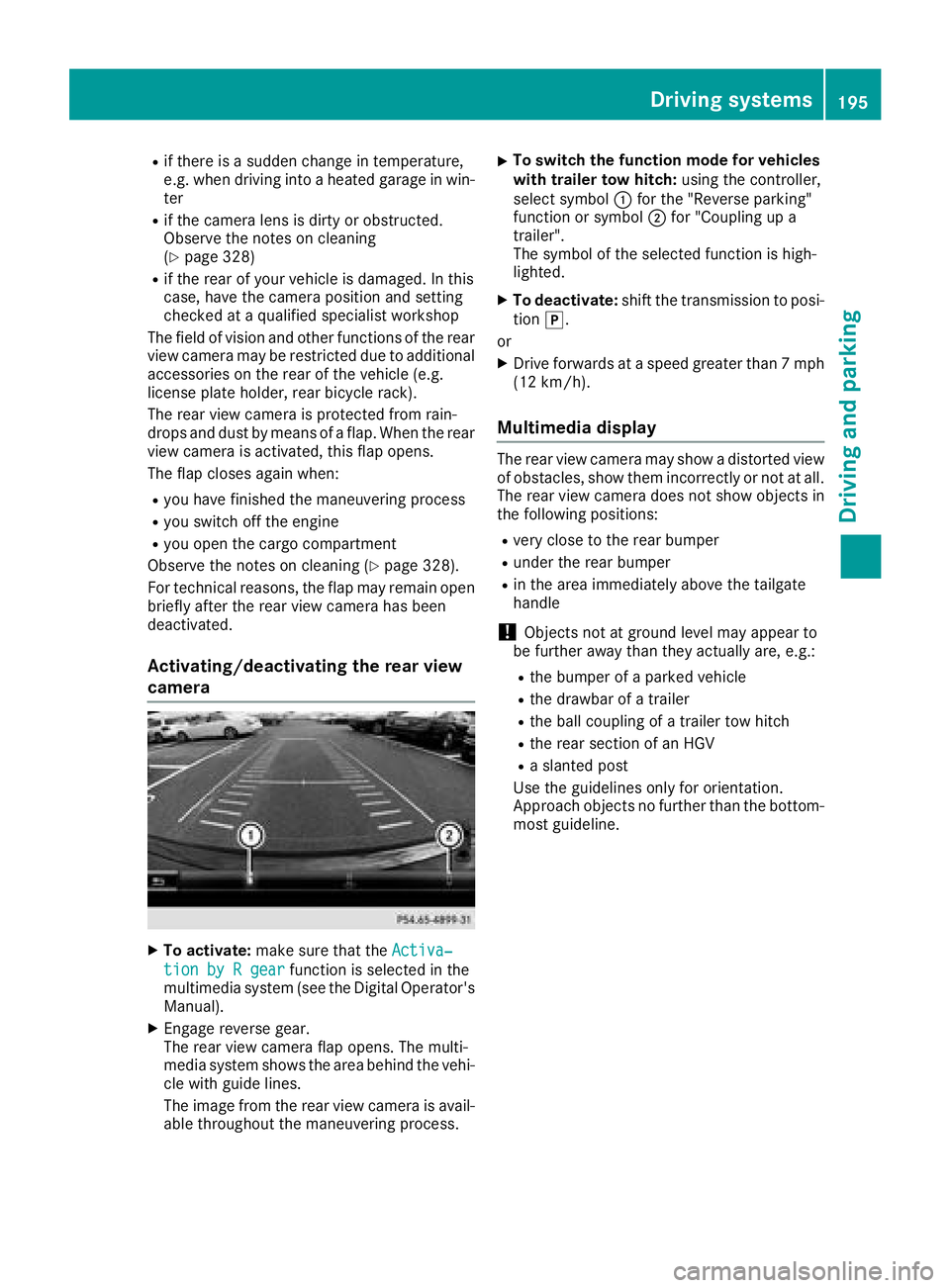
The rear view camera flap opens. The multi-
media system shows the area behind the vehi-
cle with guide lines.
The image from the rear view camera is avail-
able throughout the maneuvering process. X
To switch the function mode for vehicles
with trailer tow hitch: using the controller,
select symbol C for the "Reverse parking"
function or symbol D for "Coupling up a
trailer".
The symbol of the selected function is high-
lighted. X
To deactivate: shift the transmission to posi-
tion ] .
or X
Drive forwards at a speed greater than 7 mph
(12 km/h).
Multimedia display The rear view camera may show a distorted view
of obstacles, show them incorrectly or not at all.
The rear view camera does not show objects in
the following positions: R
very close to the rear bumper R
under the rear bumper R
in the area immediately above the tailgate
handle
! Objects not at ground level may appear to
be further away than they actually are, e.g.: R
the bumper of a parked vehicle R
the drawbar of a trailer R
the ball coupling of a trailer tow hitch R
the rear section of an HGV R
a slanted post
Use the guidelines only for orientation.
Approach objects no further than the bottom-
most guideline.Driving systems 195
Driving and parking Z
Page 206 of 390
R
if there is a strong side wind R
if you have adopted a sporty driving style with
high cornering speeds or high rates of accel-
eration R
if you are predominantly driving at a speed
below 37 mph (60 km/h) or above 124 mph
(200 km/h) R
if you are driving with the Steering Pilot of
Distance Pilot DISTRONIC activated R
if the time has been set incorrectly R
in active driving situations, such as when you
change lanes or change your speed
The ATTENTION ASSIST tiredness assessment
is deleted and restarted when continuing the
journey, if: R
you switch off the engine R
you take off your seat belt and open the driv-
er's door, e.g. for a change of drivers or to
take a break
Displaying the attention level
In the Assistance menu ( Y
page 232) of the on-
board computer, you can call up the current sta-
tus information. X
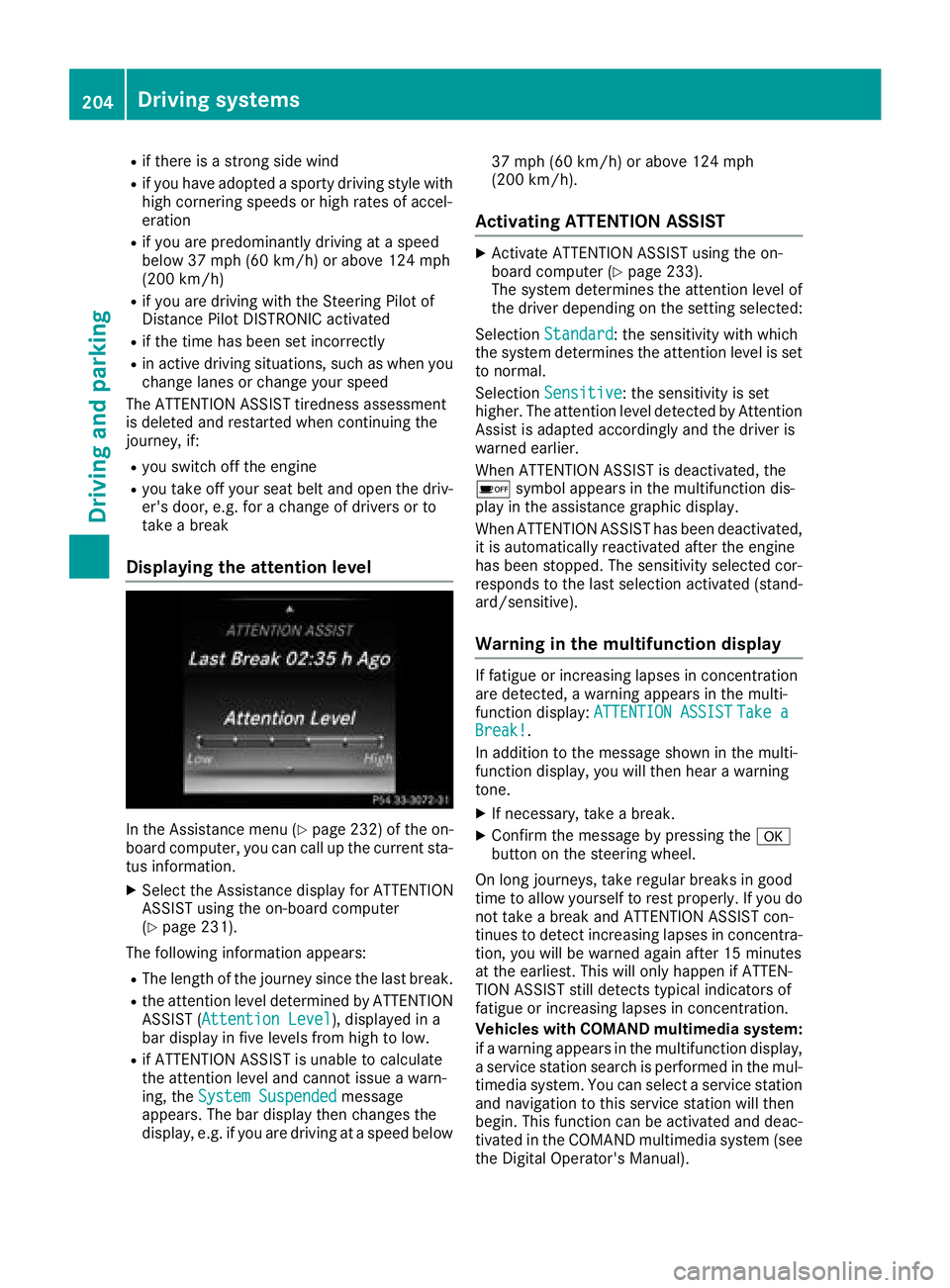
Select the Assistance display for ATTENTION
ASSIST using the on-board computer
( Y
page 231).
The following information appears: R
The length of the journey since the last break. R
the attention level determined by ATTENTION
ASSIST ( Attention Level ), displayed in a
bar display in five levels from high to low. R
if ATTENTION ASSIST is unable to calculate
the attention level and cannot issue a warn-
ing, the System Suspended message
appears. The bar display then changes the
display, e.g. if you are driving at a speed below 37 mph (60 km/h) or above 124 mph
(200 km/h).
Activating ATTENTION ASSIST X
Activate ATTENTION ASSIST using the on-
board computer ( Y
page 233).
The system determines the attention level of
the driver depending on the setting selected:
Selection Standard : the sensitivity with which
the system determines the attention level is set
to normal.
Selection Sensitive : the sensitivity is set
higher. The attention level detected by Attention
Assist is adapted accordingly and the driver is
warned earlier.
When ATTENTION ASSIST is deactivated, the