2018 LINCOLN CONTINENTAL battery
[x] Cancel search: batteryPage 382 of 615

MOTORCRAFT PARTS - 3.7L
Motorcraft Part numberComponent
FA-1912Air filter element.
FL-500-SOil filter.
BXT-48H6-610Battery (non-Livery).
BXT-94RH7-730Battery (Livery).
SP-520Spark plugs.
FP-80Cabin air filter (combi).
WW-2431 (driver side)Windshield wiper blade.WW-2050 (passenger side)
We recommend Motorcraft® replacement parts available at your authorized dealer or at fordparts.com for scheduled maintenance. The partsengineered for your vehicle meet or exceed our specifications. Use of other parts may impact vehicle performance, emissions and durability.Your warranty may be void for any damage related to use of other parts.
If a Motorcraft® oil filter is not available, use an oil filter that meets industry performance specification SAE/USCAR-36.
For spark plug replacement, contact an authorized dealer. Replace the spark plugs at the appropriate intervals. See Scheduled Maintenance(page 523).
379
Continental (CPL) Canada/United States of America, enUSA, Edition date: 201706, Second-Printing
Capacities and Specifications
Page 425 of 615
Note:Before setting this feature on, makesure that you read the 911 Assist PrivacyNotice later in this section for importantinformation.
Note:If any user sets 911 Assist to on or off,that setting applies for all paired phones. If911 Assist is switched off and the phone isconnected to SYNC, an icon displays on thestatus bar.
Note:Every phone operates differently.While SYNC 911 Assist works with mostcellular phones, some may have troubleusing this feature.
If a crash deploys an airbag (excluding kneeairbags and rear inflatable safety belts [ifequipped]) or activates the fuel pumpshut-off, your SYNC-equipped vehicle maybe able to contact emergency services bydialing 911 through a paired and connectedBluetooth-enabled phone. You can learnmore about the 911 Assist feature, by visiting:
Website
www.owner.lincoln.comwww.syncmyride.ca
Website
www.syncmaroute.ca
For important information about airbagdeployment and the fuel pump shut-offplease see the Supplementary Restrains andRoadside Emergencies sections of yourowner manual.
To switch 911 Assist on and off please viewthe settings information. See Settings (page480).
To make sure that 911 Assist works correctly:
•SYNC must be powered and workingproperly at the time of the incident andthroughout feature activation and use.
•The 911 Assist feature must be set onbefore the incident.
•You must pair and connect aBluetooth-enabled and compatible cellphone to SYNC.
•A connected Bluetooth-enabled phonemust have the ability to make andmaintain an outgoing call at the time ofthe incident.
•A connected Bluetooth-enabled phonemust have adequate network coverage,battery power and signal strength.
•The vehicle must have battery power andbe located in the U.S., Canada or in aterritory in which 911 is the emergencynumber.
In the Event of a Crash
Not all crashes will deploy an airbag oractivate the fuel pump shut-off (the triggersfor 911 Assist). If a connected cell phonesustains damage or loses its connection toSYNC during a crash, SYNC will search forand try to connect to a previously paired cellphone; SYNC will then attempt to call theemergency services.
422
Continental (CPL) Canada/United States of America, enUSA, Edition date: 201706, Second-Printing
SYNC™ 3
Page 426 of 615
Before making the call:
•SYNC provides a short window of time(about 10 seconds) to cancel the call. Ifyou fail to cancel the call, SYNC attemptsto dial 911.
•SYNC says the following, or a similarmessage: "SYNC will attempt to call 911,to cancel the call, press Cancel on yourscreen or press and hold the phonebutton on your steering wheel."
If you do not cancel the call, and SYNCmakes a successful call, a pre-recordedmessage plays for the 911 operator, and thenthe occupant(s) in your vehicle is able to talkwith the operator. Be prepared to provideyour name, phone number and locationimmediately, because not all 911 systems arecapable of receiving this informationelectronically.
911 Assist May Not Work If
•Your cellular phone or 911 Assisthardware sustains damage in a crash.
•The vehicle's battery or the SYNC systemhas no power.
•The phone(s) thrown from your vehicleare the ones paired and connected tothe system.
911 Assist Privacy Notice
When you switch on 911 Assist, it maydisclose to emergency services that yourvehicle has been in a crash involving thedeployment of an airbag or activation of thefuel pump shut-off. Certain versions orupdates to 911 Assist may also be capableof electronically or verbally disclosing to 911operators your vehicle location or otherdetails about your vehicle or crash to assist911 operators to provide the most appropriateemergency services. If you do not want todisclose this information, do not switch thefeature on.
Safety Information
WARNING: Driving while distractedcan result in loss of vehicle control, crashand injury. We strongly recommend that youuse extreme caution when using any devicethat may take your focus off the road. Yourprimary responsibility is the safe operationof your vehicle. We recommend against theuse of any hand-held device while drivingand encourage the use of voice-operatedsystems when possible. Make sure you areaware of all applicable local laws that mayaffect the use of electronic devices whiledriving.
•Do not attempt to service or repair thesystem. Have an authorized dealercheck your vehicle.
•Do not operate playing devices if thepower cords or cables are broken, splitor damaged. Place cords and cables outof the way, so they do not interfere withthe operation of pedals, seats,compartments or safe driving abilities.
423
Continental (CPL) Canada/United States of America, enUSA, Edition date: 201706, Second-Printing
SYNC™ 3
Page 433 of 615
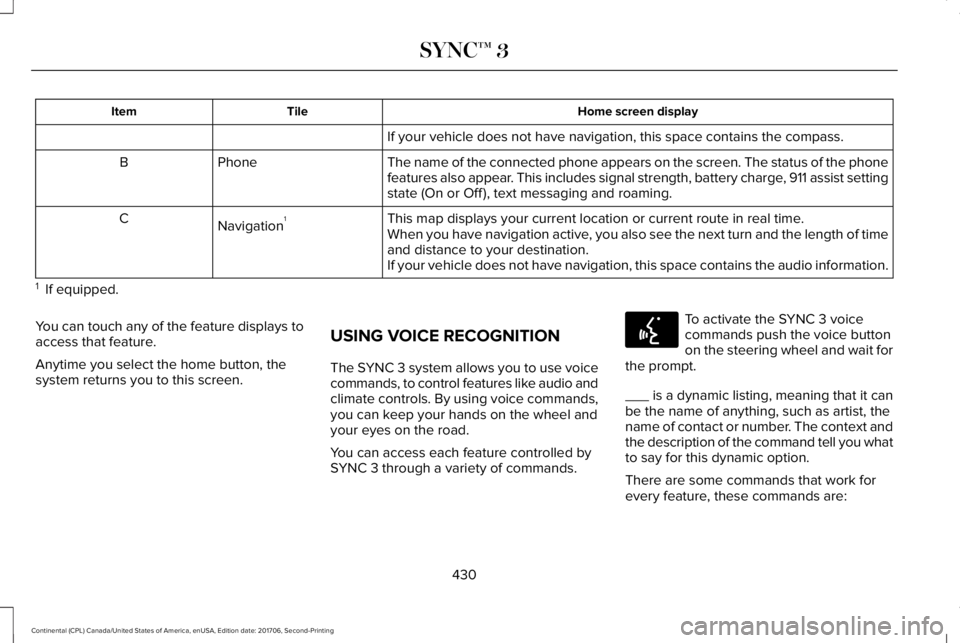
Home screen displayTileItem
If your vehicle does not have navigation, this space contains the compass.
The name of the connected phone appears on the screen. The status of the phonefeatures also appear. This includes signal strength, battery charge, 911 assist settingstate (On or Off ), text messaging and roaming.
PhoneB
This map displays your current location or current route in real time.Navigation1CWhen you have navigation active, you also see the next turn and the length of timeand distance to your destination.If your vehicle does not have navigation, this space contains the audio information.
1 If equipped.
You can touch any of the feature displays toaccess that feature.
Anytime you select the home button, thesystem returns you to this screen.
USING VOICE RECOGNITION
The SYNC 3 system allows you to use voicecommands, to control features like audio andclimate controls. By using voice commands,you can keep your hands on the wheel andyour eyes on the road.
You can access each feature controlled bySYNC 3 through a variety of commands.
To activate the SYNC 3 voicecommands push the voice buttonon the steering wheel and wait forthe prompt.
___ is a dynamic listing, meaning that it canbe the name of anything, such as artist, thename of contact or number. The context andthe description of the command tell you whatto say for this dynamic option.
There are some commands that work forevery feature, these commands are:
430
Continental (CPL) Canada/United States of America, enUSA, Edition date: 201706, Second-Printing
SYNC™ 3E142599
Page 466 of 615
To call a number in your contacts, select:
Action and DescriptionMenu Item
You can then select thename of the contact youwant to call. Any numbersstored for that contactdisplay along with anystored contact photos. Youcan then select the numberthat you want to call. Thesystem begins the call.
Contacts
To call a number from your recent calls,select:
Action and DescriptionMenu Item
You can then select an entrythat you want to call. Thesystem begins the call.
Recent CallList
To call a number that is not stored in yourphone, select:
Action and DescriptionMenu Item
Action and DescriptionMenu Item
Select the digits of thenumber you wish to call.PhoneKeypad
The system begins the call.Call
Pressing the backspace button deletes thelast digit you typed.
Receiving Calls
During an incoming call, an audible tonesounds. Caller information appears in thedisplay if it is available.
To accept the call, select:
Menu Item
Accept
Note:You can also accept the call bypressing the phone button on the steeringwheel.
To reject the call, select:
Menu Item
Reject
Note:You can also reject the call bypressing the phone button on the steeringwheel.
Ignore the call by doing nothing. SYNC 3logs it as a missed call.
During a Phone Call
During a phone call, the contacts name andnumber display on the screen along with thecall duration.
The phone status items are also visible:
•Signal Strength.
•Battery.
•911 Assist (United States and CanadaOnly). See Settings (page 480).
You can select any of the following duringan active phone call:
463
Continental (CPL) Canada/United States of America, enUSA, Edition date: 201706, Second-Printing
SYNC™ 3
Page 490 of 615
Action and DescriptionMenu Item
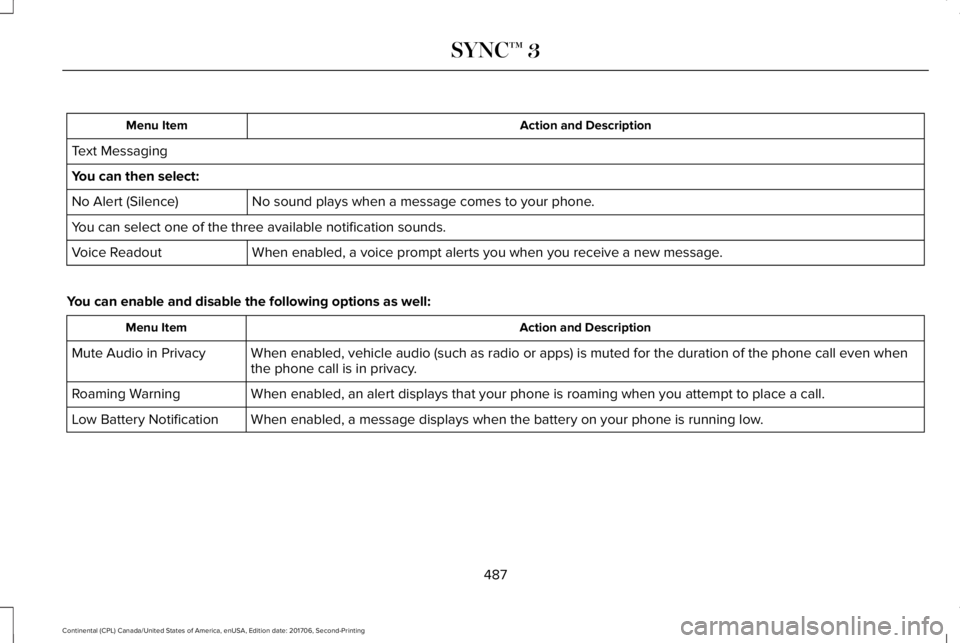
Text Messaging
You can then select:
No sound plays when a message comes to your phone.No Alert (Silence)
You can select one of the three available notification sounds.
When enabled, a voice prompt alerts you when you receive a new message.Voice Readout
You can enable and disable the following options as well:
Action and DescriptionMenu Item
When enabled, vehicle audio (such as radio or apps) is muted for the duration of the phone call even whenthe phone call is in privacy.Mute Audio in Privacy
When enabled, an alert displays that your phone is roaming when you attempt to place a call.Roaming Warning
When enabled, a message displays when the battery on your phone is running low.Low Battery Notification
487
Continental (CPL) Canada/United States of America, enUSA, Edition date: 201706, Second-Printing
SYNC™ 3
Page 504 of 615
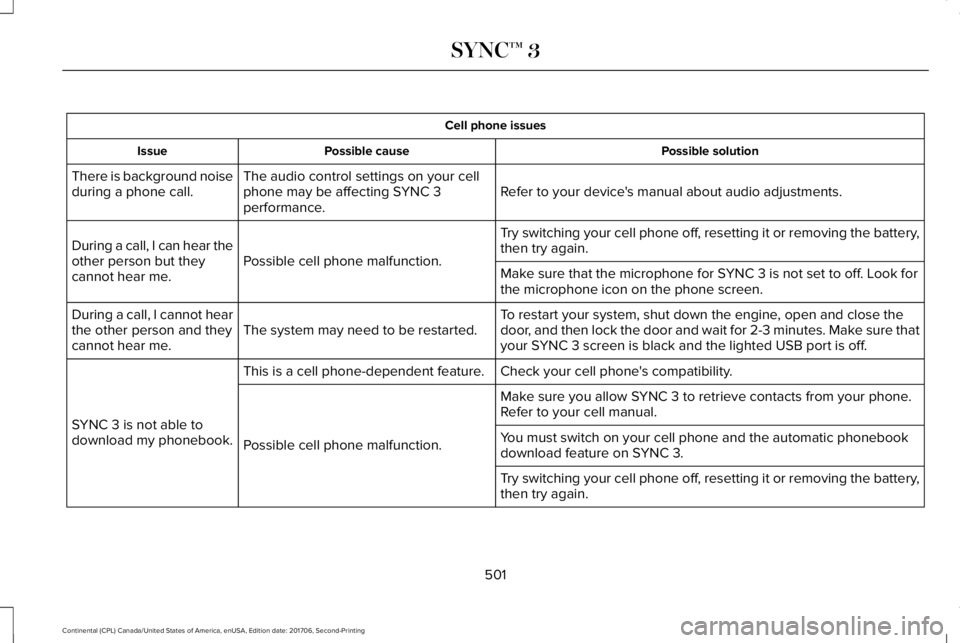
Cell phone issues
Possible solutionPossible causeIssue
Refer to your device's manual about audio adjustments.The audio control settings on your cellphone may be affecting SYNC 3performance.
There is background noiseduring a phone call.
Try switching your cell phone off, resetting it or removing the battery,then try again.Possible cell phone malfunction.During a call, I can hear theother person but theycannot hear me.Make sure that the microphone for SYNC 3 is not set to off. Look forthe microphone icon on the phone screen.
To restart your system, shut down the engine, open and close thedoor, and then lock the door and wait for 2-3 minutes. Make sure thatyour SYNC 3 screen is black and the lighted USB port is off.The system may need to be restarted.During a call, I cannot hearthe other person and theycannot hear me.
Check your cell phone's compatibility.This is a cell phone-dependent feature.
SYNC 3 is not able todownload my phonebook.
Make sure you allow SYNC 3 to retrieve contacts from your phone.Refer to your cell manual.
Possible cell phone malfunction.You must switch on your cell phone and the automatic phonebookdownload feature on SYNC 3.
Try switching your cell phone off, resetting it or removing the battery,then try again.
501
Continental (CPL) Canada/United States of America, enUSA, Edition date: 201706, Second-Printing
SYNC™ 3
Page 505 of 615
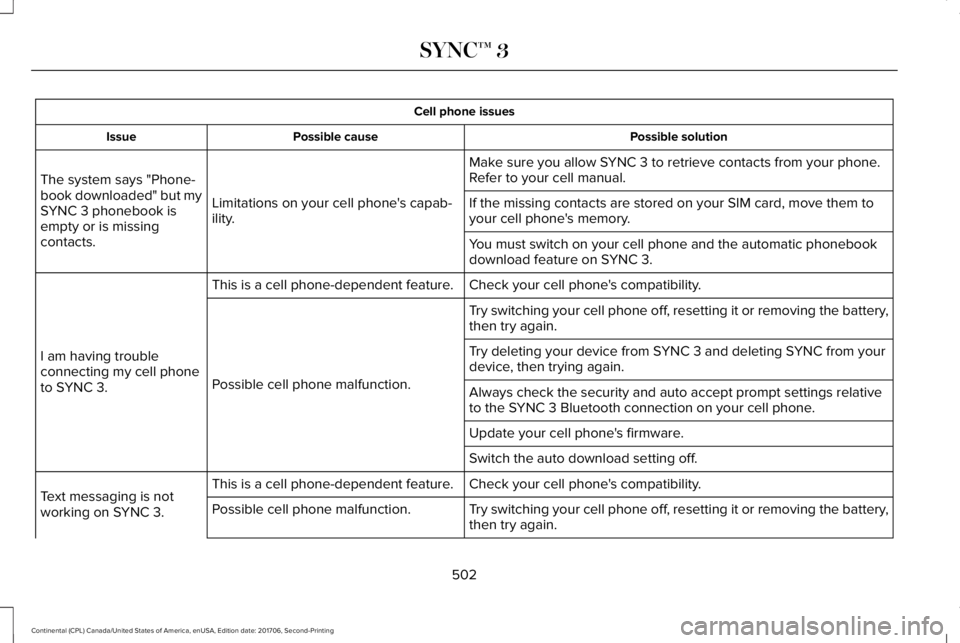
Cell phone issues
Possible solutionPossible causeIssue
Make sure you allow SYNC 3 to retrieve contacts from your phone.Refer to your cell manual.
Limitations on your cell phone's capab-ility.
The system says "Phone-book downloaded" but mySYNC 3 phonebook isempty or is missingcontacts.
If the missing contacts are stored on your SIM card, move them toyour cell phone's memory.
You must switch on your cell phone and the automatic phonebookdownload feature on SYNC 3.
Check your cell phone's compatibility.This is a cell phone-dependent feature.
I am having troubleconnecting my cell phoneto SYNC 3.
Try switching your cell phone off, resetting it or removing the battery,then try again.
Possible cell phone malfunction.
Try deleting your device from SYNC 3 and deleting SYNC from yourdevice, then trying again.
Always check the security and auto accept prompt settings relativeto the SYNC 3 Bluetooth connection on your cell phone.
Update your cell phone's firmware.
Switch the auto download setting off.
Check your cell phone's compatibility.This is a cell phone-dependent feature.Text messaging is notworking on SYNC 3.Try switching your cell phone off, resetting it or removing the battery,then try again.Possible cell phone malfunction.
502
Continental (CPL) Canada/United States of America, enUSA, Edition date: 201706, Second-Printing
SYNC™ 3