2018 LINCOLN CONTINENTAL display
[x] Cancel search: displayPage 253 of 615

Intensity: This setting affects the intensity ofthe steering wheel vibration used for the alertand alert + aid modes. This setting does notaffect the aid mode.
•Low.
•Normal.
•High.
System Display
If you switch the system on in alert mode, agraphic with lane markings appears in theinformation display.
If you switch the system on in aid or alert andaid mode, arrows appear with the lanemarkings.
If Adaptive Cruise Control is enabled and avehicle is being followed, additional graphicsappear in the display.
When you switch the system off, the lanemarking graphics do not display.
When the system is on, the color of the lanemarkings change to indicate the systemstatus.
Gray: Indicates that the system is temporarilyunable to provide a warning or interventionon the indicated side. This may be because:
•Your vehicle is under the activationspeed.
•The direction indicator is active.
•Your vehicle is in a dynamic maneuver.
•The road has no or poor lane markingsin the camera field-of-view.
•The camera is obscured or unable todetect the lane markings due toenvironmental, traffic or vehicleconditions. For example, significant sunangles, shadows, snow, heavy rain or fog,following a large vehicle that is blockingor shadowing the lane, poor headlampillumination.
See Troubleshooting for additionalinformation.
Green: Indicates that the system is availableor ready to provide a warning or intervention,on the indicated side.
Yellow: Indicates that the system is providingor has just provided a lane keeping aidintervention.
Red: Indicates that the system is providingor has just provided a lane keeping alertwarning.
250
Continental (CPL) Canada/United States of America, enUSA, Edition date: 201706, Second-Printing
Driving AidsE224867 E222903
Page 257 of 615

System Lights and Messages
When the system detects a vehicle, an alertindicator illuminates in the exterior mirror onthe side the approaching vehicle is comingfrom. If you turn the direction indicator on forthat side of your vehicle, the alert indicatorflashes.
Note:The system may not alert you if avehicle quickly passes through the detectionzone.
Blocked Sensors
The sensors are behind the rear bumper onboth sides of your vehicle.
Note:Keep the sensors free from snow, iceand large accumulations of dirt.
Note:Do not cover the sensors with bumperstickers, repair compound or other objects.
Note:Blocked sensors could affect systemperformance.
If the sensors are blocked, a message mayappear in the information display. SeeInformation Messages (page 123). The alertindicators remain illuminated but the systemdoes not alert you.
System Errors
If the system detects a fault, a warning lampilluminates and a message displays. SeeInformation Messages (page 123).
Switching the System Off and On
You can switch the system off using theinformation display. See GeneralInformation (page 115). When you switch thesystem off, a warning lamp illuminates anda message displays. When you switch thesystem on or off, the alert indicators flashtwice.
Note:The system remembers the last settingwhen you start your vehicle.
Note:The system may not correctly operatewhen towing a trailer. For vehicles with atrailer tow module and tow bar approved byus, the system turns off when you attach atrailer. For vehicles with an aftermarkettrailer tow module or tow bar, werecommend that you switch the system offwhen you attach a trailer.
To permanently switch the system off,contact an authorized dealer.
254
Continental (CPL) Canada/United States of America, enUSA, Edition date: 201706, Second-Printing
Driving AidsE142442 E205199
Page 261 of 615
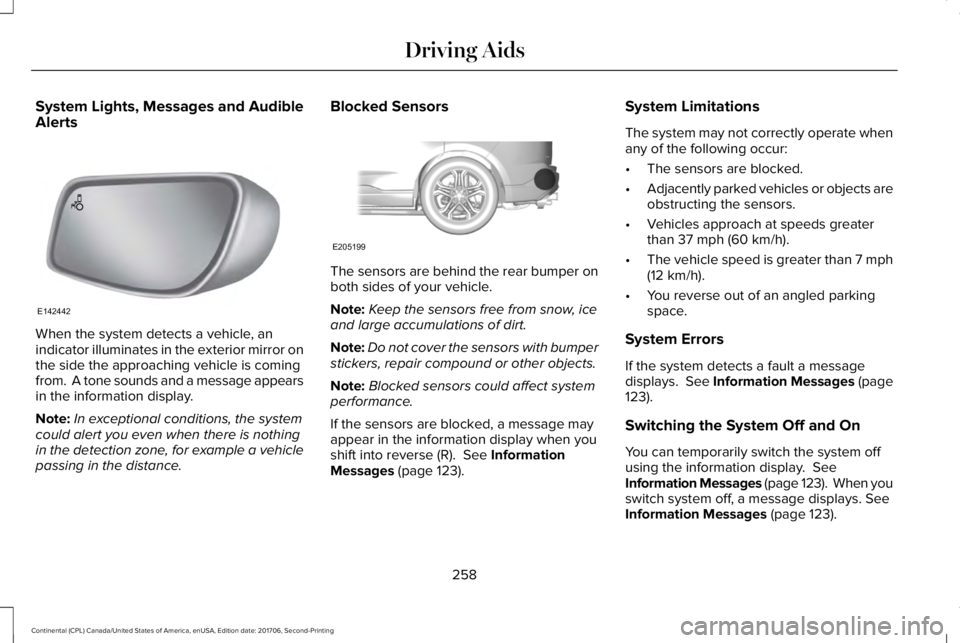
System Lights, Messages and AudibleAlerts
When the system detects a vehicle, anindicator illuminates in the exterior mirror onthe side the approaching vehicle is comingfrom. A tone sounds and a message appearsin the information display.
Note:In exceptional conditions, the systemcould alert you even when there is nothingin the detection zone, for example a vehiclepassing in the distance.
Blocked Sensors
The sensors are behind the rear bumper onboth sides of your vehicle.
Note:Keep the sensors free from snow, iceand large accumulations of dirt.
Note:Do not cover the sensors with bumperstickers, repair compound or other objects.
Note:Blocked sensors could affect systemperformance.
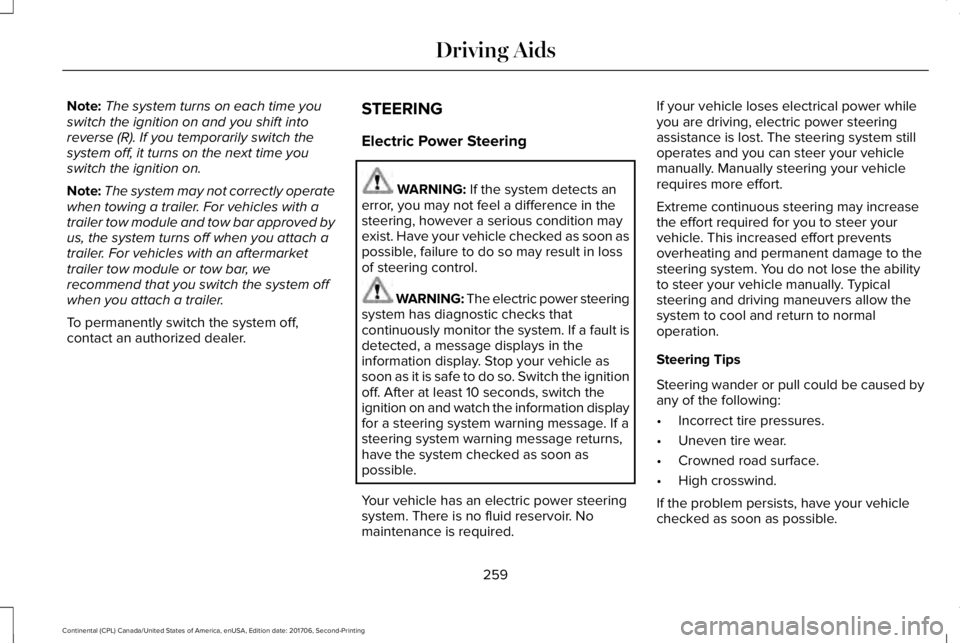
If the sensors are blocked, a message mayappear in the information display when youshift into reverse (R). See InformationMessages (page 123).
System Limitations
The system may not correctly operate whenany of the following occur:
•The sensors are blocked.
•Adjacently parked vehicles or objects areobstructing the sensors.
•Vehicles approach at speeds greaterthan 37 mph (60 km/h).
•The vehicle speed is greater than 7 mph(12 km/h).
•You reverse out of an angled parkingspace.
System Errors
If the system detects a fault a messagedisplays. See Information Messages (page123).
Switching the System Off and On
You can temporarily switch the system offusing the information display. SeeInformation Messages (page 123). When youswitch system off, a message displays. SeeInformation Messages (page 123).
258
Continental (CPL) Canada/United States of America, enUSA, Edition date: 201706, Second-Printing
Driving AidsE142442 E205199
Page 262 of 615
Note:The system turns on each time youswitch the ignition on and you shift intoreverse (R). If you temporarily switch thesystem off, it turns on the next time youswitch the ignition on.
Note:The system may not correctly operatewhen towing a trailer. For vehicles with atrailer tow module and tow bar approved byus, the system turns off when you attach atrailer. For vehicles with an aftermarkettrailer tow module or tow bar, werecommend that you switch the system offwhen you attach a trailer.
To permanently switch the system off,contact an authorized dealer.
STEERING
Electric Power Steering
WARNING: If the system detects anerror, you may not feel a difference in thesteering, however a serious condition mayexist. Have your vehicle checked as soon aspossible, failure to do so may result in lossof steering control.
WARNING: The electric power steeringsystem has diagnostic checks thatcontinuously monitor the system. If a fault isdetected, a message displays in theinformation display. Stop your vehicle assoon as it is safe to do so. Switch the ignitionoff. After at least 10 seconds, switch theignition on and watch the information displayfor a steering system warning message. If asteering system warning message returns,have the system checked as soon aspossible.
Your vehicle has an electric power steeringsystem. There is no fluid reservoir. Nomaintenance is required.
If your vehicle loses electrical power whileyou are driving, electric power steeringassistance is lost. The steering system stilloperates and you can steer your vehiclemanually. Manually steering your vehiclerequires more effort.
Extreme continuous steering may increasethe effort required for you to steer yourvehicle. This increased effort preventsoverheating and permanent damage to thesteering system. You do not lose the abilityto steer your vehicle manually. Typicalsteering and driving maneuvers allow thesystem to cool and return to normaloperation.
Steering Tips
Steering wander or pull could be caused byany of the following:
•Incorrect tire pressures.
•Uneven tire wear.
•Crowned road surface.
•High crosswind.
If the problem persists, have your vehiclechecked as soon as possible.
259
Continental (CPL) Canada/United States of America, enUSA, Edition date: 201706, Second-Printing
Driving Aids
Page 263 of 615
Adaptive Learning
The electronic power steering systemadaptive learning helps correct roadirregularities and improves overall handlingand steering feel. It communicates with thebrake system to help operate advancedstability control and accident avoidancesystems. Additionally, whenever the batteryis disconnected or a new battery installed,you must drive your vehicle a short distancebefore the system relearns the strategy andreactivates all systems.
Adaptive Steering (If Equipped)
Note:The adaptive steering system hasdiagnostic checks that continuously monitorthe system. If a fault is detected a messagedisplays in the information display. If a redwarning message displays, stop your vehicleas soon as it is safe to do so. The messagemay clear if the fault is no longer present. Ifan adaptive steering system warningmessage appears each time you start yourvehicle, have the system checked as soonas possible.
The adaptive steering system continuallychanges the steering ratio with changes tovehicle speed, optimizing the steeringresponse in all conditions.
The adaptive steering system is designedwith a locking device. While the lock isengaged, your vehicle returns to a fixedsteering ratio. You may also notice a soundwhen you start or turn off your vehicle as thelock is disengaged or engaged. If yourvehicle loses electrical power or detects afault while you are driving, the lock engagesand you are able to continue steering. Duringthis time it is possible that the steering wheelmay not be straight when the vehicle isdriving straight ahead. During this time youmay notice that the steering wheel anglerequired to steer the vehicle may bedifferent. Extreme operating conditions mayalso cause the lock to engage. This strategyprevents overheating and permanentdamage to the adaptive steering system.Typical steering and driving maneuvers allowthe system to cool and return to normaloperation.
PRE-COLLISION ASSIST (If Equipped)
WARNING: You are responsible forcontrolling your vehicle at all times. Thesystem is designed to be an aid and doesnot relieve you of your responsibility to drivewith due care and attention. Failure to followthis instruction could result in the loss ofcontrol of your vehicle, personal injury ordeath.
WARNING: The system does not detectvehicles that are driving in a differentdirection, pedestrians at night, cyclists oranimals. Failure to take care may result inthe loss of control of your vehicle, seriouspersonal injury or death.
WARNING: The system does notoperate during hard acceleration or steering.Failure to take care may lead to a crash orpersonal injury.
260
Continental (CPL) Canada/United States of America, enUSA, Edition date: 201706, Second-Printing
Driving Aids
Page 265 of 615

Note:If you perceive Pre-Collision Assistalerts as being too frequent or disturbing,then you can reduce the alert sensitivity,though the manufacturer recommends usingthe highest sensitivity setting where possible.Setting lower sensitivity would lead to fewerand later system warnings.
Adjusting the Pre-Collision Assist Settings
You can adjust the Alert sensitivity to one ofthree possible settings by using theinformation display control. See GeneralInformation (page 115).
If required, you can switch Active Braking offusing the information display control. SeeGeneral Information (page 115).
Note:Active braking automatically turns onevery time you switch the ignition on.
Blocked SensorsIf a message regarding a blocked sensor orcamera appears in the information display,the radar signals or camera images areobstructed. The radar sensor is locatedbehind a fascia cover near the driver side ofthe lower grille. With an obstructed radar,the Pre-Collision Assist system does notfunction and cannot detect a vehicle ahead.With the front camera obstructed, thePre-Collision Assist system does not respondto pedestrians or stationary vehicles and thesystem performance on moving vehiclesreduces. The following table lists possiblecauses and actions for when this messagedisplays.
262
Continental (CPL) Canada/United States of America, enUSA, Edition date: 201706, Second-Printing
Driving AidsE260069
Page 266 of 615
ActionCause
Clean the grille surface in front of the radar or remove the objectcausing the obstruction.The surface of the radar in the grille is dirty or obstructed in someway.
Wait a short time. It may take several minutes for the radar to detectthat there is no obstruction.The surface of the radar in the grille is clean but the message remainsin the display.
The Pre-Collision Assist system is temporarily disabled. Pre-CollisionAssist should automatically reactivate a short time after the weatherconditions improve.Heavy rain, spray, snow, or fog is interfering with the radar signals.
The Pre-Collision Assist system is temporarily disabled. Pre-CollisionAssist should automatically reactivate a short time after the weatherconditions improve.
Swirling water, or snow or ice on the surface of the road may interferewith the radar signals.
Contact an authorized dealer to have the radar checked for propercoverage and operation.Radar is out of alignment due to a front end impact.
Clean the outside of the windshield in front of the camera.The windshield in front of the camera is dirty or obstructed in someway.
Wait a short time. It may take several minutes for the camera to detectthat there is no obstruction.The windshield in front of the camera is clean but the message remainsin the display.
Note:Proper system operation requires aclear view of the road by the camera. Haveany windshield damage in the area of thecamera's field of view repaired.
263
Continental (CPL) Canada/United States of America, enUSA, Edition date: 201706, Second-Printing
Driving Aids
Page 267 of 615

Note:If something hits the front end of yourvehicle or damage occurs, the radar sensingzone may change. This could cause missedor false vehicle detections. Contact anauthorized dealer to have the radar checkedfor proper coverage and operation.
Note:If your vehicle detects excessive heatat the camera or a potential misalignmentcondition, a message may display in theinformation display indicating temporarysensor unavailability. This messagedeactivates automatically when operationalconditions are correct. For example, whenthe ambient temperature around the sensordecreases or the sensor automaticallyrecalibrates.
DRIVE CONTROL
LINCOLN DRIVE CONTROL
The system delivers a driving experiencethrough a suite of sophisticated electronicvehicle systems. These systems continuouslymonitor your driving inputs and the roadconditions to optimize ride comfort, steering,handling, powertrain response and sound.
You can preset your preferences for thesesystems within the information display. Thesystem responds to your preferences basedon what gear position you select. Thisprovides a single location to control multiplesystems performance settings.
Lincoln Drive Control consists of thefollowing systems:
•Continuously controlled dampingdynamically adjusts the shock absorbersstiffness in real time to match the roadsurface and driver inputs. This systemcontinuously monitors your vehicle’smotion (roll, pitch, bounce), suspensionposition, load, speed, road conditions,and steering to adjust the suspensiondamping for optimal vehicle control.
•Electronically power-assisted steeringadjusts steering effort and feel based onyour vehicle speed and your inputs.
•Adaptive steering optimizes yourvehicle's steering response based onyour steering wheel input, changes invehicle speed and other conditions.
•Active noise control utilizes your vehicleelectronics to enhance the acousticexperience.
•Electronic stability control and tractioncontrol maintain your vehicle control inadverse conditions or high performancedriving.
•Electronic throttle control enhances thepowertrain response to your inputs.
Using Lincoln Drive Control
You can configure which of the Drive Controlmodes are active when your vehicle is indrive (D) or in sport (S). The configurationremains active until modified from the mainmenu on the information display.
264
Continental (CPL) Canada/United States of America, enUSA, Edition date: 201706, Second-Printing
Driving Aids