2018 LEXUS LS500 brakes
[x] Cancel search: brakesPage 271 of 514
2714-5. Using the driving support systems
LS500_OM_OM50F54U_(U) 4
Driving *
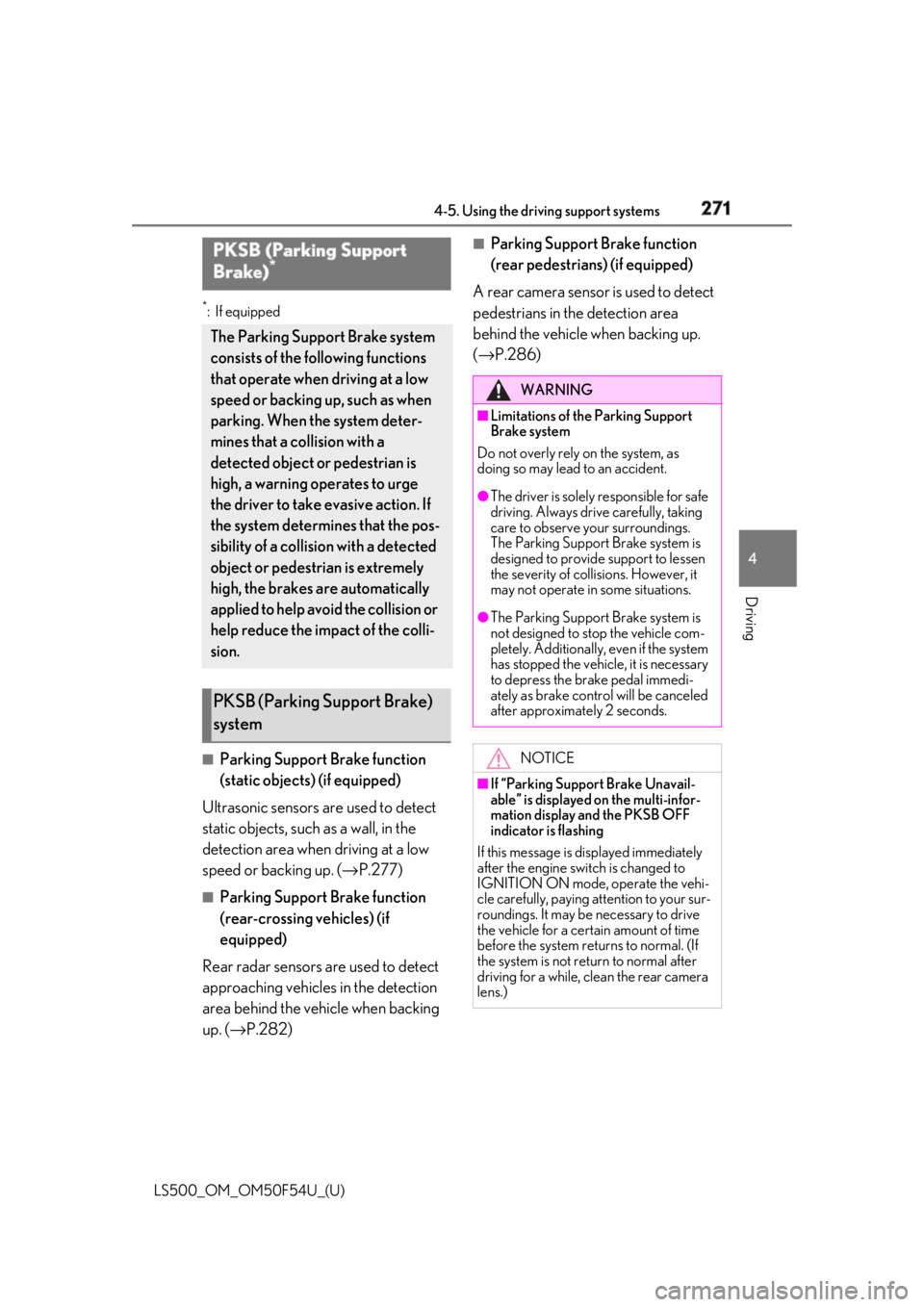
:If equipped
■
Parking Support Brake function
(static objects) (if equipped)
Ultrasonic sensors are used to detect
static objects, such as a wall, in the
detection area when driving at a low
speed or backing up. ( → P.277)■
Parking Support Brake function
(rear-crossing vehicles) (if
equipped)
Rear radar sensors are used to detect
approaching vehicles in the detection
area behind the vehicle when backing
up. ( → P.282) ■
Parking Support Brake function
(rear pedestrians) (if equipped)
A rear camera sensor is used to detect
pedestrians in the detection area
behind the vehicle when backing up.
( → P.286)PKSB (Parking Support
Brake) *
The Parking Support Brake system
consists of the following functions
that operate when driving at a low
speed or backing up, such as when
parking. When the system deter-
mines that a collision with a
detected object or pedestrian is
high, a warning operates to urge
the driver to take evasive action. If
the system determines that the pos-
sibility of a collision with a detected
object or pedestrian is extremely
high, the brakes are automatically
applied to help avoid the collision or
help reduce the impact of the colli-
sion.
PKSB (Parking Support Brake)
system WARNING■
Limitations of the Parking Support
Brake system
Do not overly rely on the system, as
doing so may lead to an accident. ●
The driver is solely responsible for safe
driving. Always drive carefully, taking
care to observe your surroundings.
The Parking Support Brake system is
designed to provide support to lessen
the severity of collisions. However, it
may not operate in some situations. ●
The Parking Support Brake system is
not designed to stop the vehicle com-
pletely. Additionally, even if the system
has stopped the vehicl e, it is necessary
to depress the brake pedal immedi-
ately as brake control will be canceled
after approximately 2 seconds.
NOTICE■
If “Parking Support Brake Unavail-
able” is displayed on the multi-infor-
mation display and the PKSB OFF
indicator is flashing
If this message is displayed immediately
after the engine swit ch is changed to
IGNITION ON mode, operate the vehi-
cle carefully, paying attention to your sur-
roundings. It may be necessary to drive
the vehicle for a certain amount of time
before the system returns to normal. (If
the system is not return to normal after
driving for a while, clean the rear camera
lens.)
Page 273 of 514

2734-5. Using the driving support systems
LS500_OM_OM50F54U_(U) 4
Driving “Press Brake Pedal”
Multi-information display: “Switch to
Brake” (If the accelerator pedal is not
depressed, “Press Brake Pedal” will be dis- played.)
PKSB OFF indicator: Illuminated
Buzzer: Short beep
If the Parking Support Brake determines that a collision with a detected object or
pedestrian is possible, the engine output w ill be restricted to restrain any increase
in the vehicle speed. (Engine output restriction control: Se e figure 2 below.)
Additionally, if the accelerator pedal contin ues to be depressed, the brakes will be
applied automatically to re duce the vehicle speed. (Brake control: See figure 3
below.)
Figure 1 When the PKSB (Parki ng Support Brake) is disabled
Engine output
Braking force
Time
Figure 2 When engine output restriction control operatesSystem overview
A
B
C
Page 281 of 514

2814-5. Using the driving support systems
LS500_OM_OM50F54U_(U) 4
Driving ●
Weather
• If a sensor is covered with ice, snow, dirt,
etc. (when cleared, the system will return
to normal)
• If heavy rain or water strikes a sensor
• When driving in incl ement weather such
as fog, snow or a sandstorm●
Other ultrasonic wave sources
• When vehicle horns, vehicle detectors,
motorcycle engines, air brakes of large
vehicles, the clearance sonar of other
vehicles or other devices which produce
ultrasonic waves are near the vehicle
• If a sticker or an el ectronic component,
such as a backlit license plate (especially
fluorescent type), fog lights, fender pole
or wireless antenna is installed near a
sensor●
Changes in the vehicle posture
• If the vehicle is significantly tilted
• If the front of the vehicle is raised or low-
ered due to the carried load
• If the orientation of a sensor has been
changed due to a collision or other
impact■
Situations in which the Parking Support
Brake function (stati c objects) may not
operate properly
In some situations, such as the following, this
function may not operate properly. ●
Weather
• When a sensor or the area around a sen-
sor is extremely hot or cold
• When strong winds are blowing • If a sensor is covered with ice, snow, dirt,
etc. (when cleared, the system will return
to normal)
• If heavy rain or water strikes a sensor
• When driving in incl ement weather such
as fog, snow or a sandstorm ●
Vehicle surroundings
• When an object that cannot be detected
is between the vehicle and a detected
object
• If an object such as a vehicle, motorcycle,
bicycle or pedestrian cuts in front of the
vehicle or runs out from the side of the
vehicle ●
Other ultrasonic waves sources
• When vehicle horns, vehicle detectors,
motorcycle engines, air brakes of large
vehicles, the clearance sonar of other
vehicles or other de vices which produce
ultrasonic waves are near the vehicle
• If a sticker or an electronic component,
such as a backlit license plate (especially
fluorescent type), fog lights, fender pole
or wireless antenna is installed near a
sensor ●
Changes in the vehicle posture
• If the vehicle is significantly tilted
• If the front of the vehicle is raised or low-
ered due to the carried load
• If the orientation of a sensor has been
changed due to a collision or other
impact
Page 286 of 514

286 4-5. Using the driving support systems
LS500_OM_OM50F54U_(U) *
:If equipped
When a pedestrian is detected behind the vehicle while backing up, the brake
pedal is not depressed or is depressed late.
Displays a message to urge the driver
to take evasive action when a pedes-
trian is detected in the detection area
behind the vehicle. (A message will
also be displayed on the multi-informa-
tion display and head-up display (if
equipped).)
Pedestrian detection icon with
brake reminderParking Support Brake function (rear pedestrians) *
If the rear camera sensor detects a pe destrian behind the vehicle while back-
ing up and the system determines that the possibility of colliding with the
detected pedestrian is high, a buzzer will sound. If the system determines that
the possibility of colliding with the dete cted pedestrian is extremely high, the
brakes will be applied automatically to he lp reduce the impact of the collision.
Examples of system operation
Center Display
A
Page 294 of 514

294 4-5. Using the driving support systems
LS500_OM_OM50F54U_(U) ■
ECB (Electronically Controlled
Brake System) (if equipped)
The electronically controlled system
generates braking force correspond-
ing to the brake operation ■
ABS (Anti-lock Brake System)
Helps to prevent wheel lock when the
brakes are applied suddenly, or if the
brakes are applied while driving on a
slippery road surface ■
Brake assist
Generates an increased level of brak-
ing force after the brake pedal is
depressed when the system detects a
panic stop situation ■
VSC (Vehicle Stability Control)
Helps the driver to control skidding
when swerving sudden ly or turning on
slippery road surfaces. ■
Secondary Collision Brake
When the airbag sensor detects a colli-
sion, the brakes and brake lights are
automatically controlled to reduce the vehicle speed and that helps reduce
the possibility of further damage due to
a secondary collision. ■
TRAC (Traction Control)
Helps to maintain drive power and pre-
vent the drive wheels from spinning
when starting the vehicle or accelerat-
ing on slippery roads ■
Hill-start assist control
Helps to reduce the backward move-
ment of the vehicle when starting on an
uphill ■
VGRS (Variable Gear Ratio Steer-
ing) (if equipped)
Adjusts the front wheel turning angle in
accordance with the vehicle speed and
steering wheel movement ■
DRS (Dynamic Rear Steering) (if
equipped)
Contributes to the turning characteris-
tics and responsiveness of the vehicle
by adjusting the rear wheel angle of the
vehicle in accordance with steering
wheel movement. ■
EPS (Electric Power Steering)
Employs an electric motor to reduce
the amount of effort needed to turn the
steering wheel. ■
Active stabilizer suspension sys-
tem (if equipped)
Reduces sway when cornering accord-
ing to steering wheel movement in
order to maintain a stable vehicle pos-
ture.Driving assist systems To keep driving safety and perfor-
mance, the following systems oper-
ate automatically in response to
various driving situations. Be aware,
however, that these systems are
supplementary and should not be
relied upon too heavily when oper-
ating the vehicle.
Summary of the driving assist
systems
Page 295 of 514

2954-5. Using the driving support systems
LS500_OM_OM50F54U_(U) 4
Driving ■
Adaptive Variable Suspension Sys-
tem (if equipped)
By independently controlling the
damping force of the shock absorbers
for each of the 4 wheels according to
the road and driving conditions, this
system helps riding comfort with supe-
rior vehicle stabilit y, and helps good
vehicle posture.
Also, the damping force changes
depending on the selected driving
mode. ( → P.289)■
LDH (Lexus Dynamic Handling
system) (if equipped)
Provides integrated control of the
VGRS, DRS and EPS. Contributes to
turning characteristics at low speeds,
responsiveness at medium speeds and
safety at high speeds by controlling the
steering angle of the front and rear
wheels in accordance with the steering
wheel operation and vehicle speed. ■
VDIM (Vehicle Dynamics Inte-
grated Management)
Provides integrated control of the
ABS, brake assist, TRAC, VSC,
hill-start assist control, EPS, VGRS (if
equipped), DRS (if equipped), active
stabilizer suspension system (if
equipped) and Adaptive Variable Sus-
pension System (if equipped)
Helps to maintain vehicle stability when
swerving on slippery road surfaces by
controlling the brakes, engine output,
steering assist, and steering ratio ■
When the TRAC/VSC systems are
operating (vehicles without Lexus
Safety System+A)
The slip indicator light will flash while the
TRAC/VSC systems are operating.
■
When the TRAC/VSC/ABS systems are
operating (vehicles with Lexus Safety
System+A)
The slip indicator light will flash while the
TRAC/VSC/ABS systems are operating.
■
Disabling the TRAC system
If the vehicle gets stuck in mud, dirt or snow,
the TRAC system may reduce power from
the engine to the wheels. Pressing the
switch to turn the system off may make it
easier for you to rock the vehicle in order to
free it.
To turn the TRAC system off, quickly press
and release the switch.
The “Traction Co ntrol Turned Off” will be
shown on the multi-information display.
Press the switch ag ain to turn the sys-
tem back on.
Page 300 of 514

300 4-6. Driving tips
LS500_OM_OM50F54U_(U) Perform the following according to the
driving conditions:
Do not try to forcib ly open a window
or move a wiper that is frozen. Pour
warm water over the frozen area to
melt the ice. Wipe away the water
immediately to prevent it from
freezing.
To ensure proper operation of the
climate control system fan, remove
any snow that has accumulated on
the air inlet vents in front of the
windshield.
Check for and remove any excess
ice or snow that may have accumu-
lated on the exterior lights, vehicle’s
roof, chassis, around the tires or on
the brakes.
Remove any snow or mud from the
bottom of your shoes before getting
in the vehicle.
Accelerate the vehicle slowly, keep a
safe distance between you and the
vehicle ahead, and drive at a reduced
speed suitable to road conditions. Park the vehicle and shift the shift posi-
tion to P without setting the parking
brake. The parking brake may freeze
up, preventing it from being released. If
the vehicle is parked without setting
the parking brake, make sure to block
the wheels.
Failure to do so may be dangerous
because it may cause the vehicle to
move unexpectedly, possibly leading to
an accident.
Vehicles with front and rear tires of
the same size
Use the correct tire chain size when
mounting the tire chains.
Chain size is regulated for each tire
size.
Side chain (0.12 in. [3 mm] in diam-
eter)
Cross chain (0.16 in. [4 mm] in
diameter)
Vehicles with front and rear tires of
differing sizes
Tire chains cannot be mounted.
Snow tires should be used instead.NOTICE■
Repairing or replacing snow tires
Request repairs or replacement of snow
tires from Lexus dealers or legitimate tire
retailers.
This is because the removal and attach-
ment of snow tires affects the operation
of the tire pressure warning valves and
transmitters.
Before driving the vehicle
When driving the vehicle When parking the vehicle
Selecting tire chains
A
B
Page 370 of 514
370 6-2. Maintenance
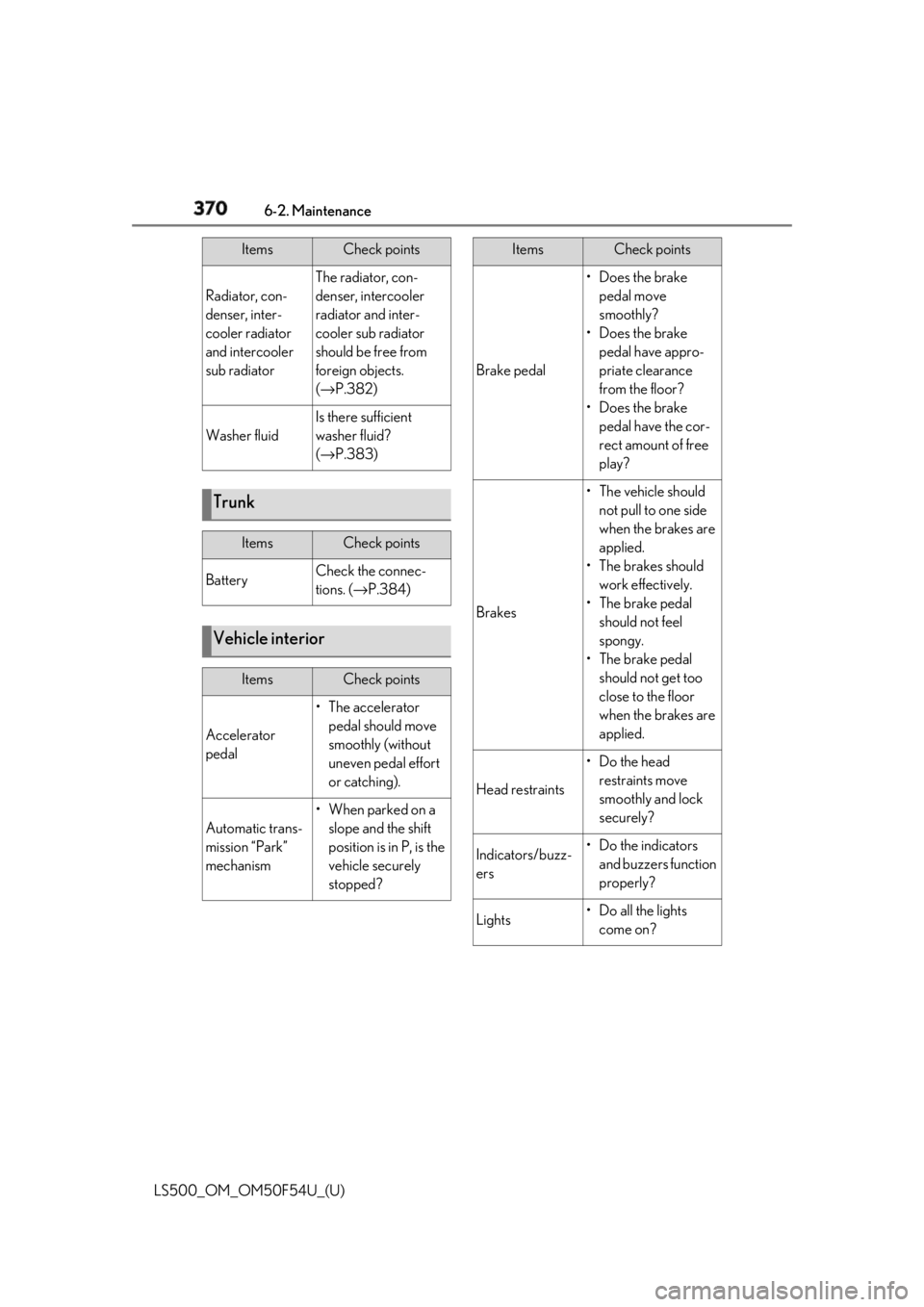
LS500_OM_OM50F54U_(U) Radiator, con-
denser, inter-
cooler radiator
and intercooler
sub radiator The radiator, con-
denser, intercooler
radiator and inter-
cooler sub radiator
should be free from
foreign objects.
( → P.382)
Washer fluid Is there sufficient
washer fluid?
( → P.383)
Trunk Items Check points
Battery Check the connec-
tions. ( → P.384)
Vehicle interior Items Check points
Accelerator
pedal • The accelerator
pedal should move
smoothly (without
uneven pedal effort
or catching).
Automatic trans-
mission “Park”
mechanism •When parked on a
slope and the shift
position is in P, is the
vehicle securely
stopped?Items Check points
Brake pedal •Does the brake
pedal move
smoothly?
•Does the brake
pedal have appro-
priate clearance
from the floor?
•Does the brake
pedal have the cor-
rect amount of free
play?
Brakes • The vehicle should
not pull to one side
when the brakes are
applied.
•The brakes should
work effectively.
• The brake pedal
should not feel
spongy.
• The brake pedal
should not get too
close to the floor
when the brakes are
applied.
Head restraints •Do the head
restraints move
smoothly and lock
securely?
Indicators/buzz-
ers •Do the indicators
and buzzers function
properly?
Lights • Do all the lights
come on?Items Check points