2018 KIA STINGER traction control
[x] Cancel search: traction controlPage 284 of 551
531
Driving your vehicle
Exercise extreme caution whendriving on a slippery surface. Be
especially careful when braking,
accelerating or shifting gears. On a
slippery surface, an abrupt change
in vehicle speed can cause the
drive wheels to lose traction and
may cause loss of vehicle control
resulting in an accident.
Optimum vehicle performance and economy is obtained by smoothly
depressing and releasing the
accelerator.
✽ ✽ NOTICE
Kia recommends you follow all post-
ed speed limits.
WARNING
To reduce the risk of SERIOUS
INJURY or DEATH:
ALWAYS wear your seatbelt.
In a collision, an unbelted
occupant is significantly more
likely to be seriously injured
or killed than a properly belt-
ed occupant.
Avoid high speeds when cor- nering or turning.
Do not make quick steering wheel movements, such as
sharp lane changes or fast,
sharp turns.
The risk of rollover is greatly increased if you lose control
of your vehicle at highway
speeds.
(Continued)
(Continued)
Loss of control often occurs iftwo or more wheels drop off
the roadway and the driver
over steers to reenter the
roadway.
In the event your vehicle leaves the roadway, do not
steer sharply. Instead, slow
down before pulling back into
the travel lanes.
Do not attempt sudden or abrupt driving maneuvers on
slippery surfaces. Attempting
such maneuvers can result in
loss of vehicle control and
accidents.
Page 288 of 551

535
Driving your vehicle
Using All Wheel Drive (AWD)
The All Wheel Drive (AWD) System
delivers engine power to front and
rear wheels for maximum traction.
AWD is useful when extra traction is
required, such as when driving slip-
pery, muddy, wet, or snow-covered
roads.
If the system determines there is a
need for four wheel drive, the
engine's driving power is distributed
to all four wheels automatically.
ALL WHEEL DRIVE (AWD) (IF EQUIPPED)
WARNING
If the AWD warning light ( )
stays on the instrument cluster,
your vehicle may have a mal-
function with the AWD system.
When the AWD warning light
( ) illuminates we recom-
mend that the vehicle be
checked by an authorized Kia
dealer as soon as possible.
WARNING
To reduce the risk of SERIOUS
INJURY or DEATH:
Do not drive in conditions thatexceed the vehicles intended
design such as challenging
off-road conditions.
(Continued)
(Continued)
Avoid high speeds when cor-nering or turning.
Do not make quick steering wheel movements, such as
sharp lane changes or fast,
sharp turns.
The risk of a rollover is great- ly increased if you lose con-
trol of your vehicle at highway
speeds.
Loss of control often occurs if two or more wheels drop off
the roadway and the driver
over steers to reenter the
roadway.
In the event your vehicle leaves the roadway, do not
steer sharply. Instead, slow
down before pulling back into
the travel lanes.
Page 309 of 551

Driving your vehicle
56
5
Electronic stability control
(ESC)
The Electronic Stability control
(ESC) system is designed to stabi-
lize the vehicle during cornering
maneuvers. ESC checks where you
are steering and where the vehicle is
actually going. ESC applies the
brakes on individual wheels and
intervenes with the engine manage-
ment system to stabilize the vehicle. Electronic stability control (ESC) will
not prevent accidents. Excessive
speed in turns, abrupt maneuvers
and hydroplaning on wet surfaces
can still result in serious accidents.
Only a safe and attentive driver can
prevent accidents by avoiding
maneuvers that cause the vehicle to
lose traction. Even with ESC
installed, always follow all the normal
precautions for driving - including
driving at safe speeds for the condi-
tions.
The Electronic Stability Control (ESC)
system is an electronic system
designed to help the driver maintain
vehicle control under adverse condi-
tions. It is not a substitute for safe driv-
ing practices. Factors including speed,
road conditions and driver steering
input can all affect whether ESC will be
effective in preventing a loss of control.
It is still your responsibility to drive and
corner at reasonable speeds and to
leave a sufficient margin of safety.
When you apply your brakes under
conditions which may lock the wheels,
you may hear a “tik-tik’’ sound from the
brakes, or feel a corresponding sensa-
tion in the brake pedal. This is normal
and it means your ESC is active.
✽ ✽
NOTICE
A click sound may be heard in the
engine compartment when the vehi-
cle begins to move after the engine is
started. These conditions are normal
and indicate that the Electronic
Stability Control System is function-
ing properly.
OCK057151N
Page 311 of 551

Driving your vehicle
58
5
ESC off state 1
To cancel ESC operation, press the
ESC OFF button (ESC OFF ) short-
ly (ESC OFF indicator light (ESC OFF ) illuminates). At this state, the
engine control function does not oper-
ate. It means the traction control func-
tion does not operate. Brake control
function only operates.
To cancel ESC operation, press the
ESC OFF button (ESC OFF ) for
more than 3 seconds. ESC OFF indi-
cator light (ESC OFF ) illuminates
and ESC OFF warning chime will
sound. At this state, the engine con-
trol function and brake control func-
tion do not operate. It means the car
stability control function does not
operate any more.Indicator light
When ignition switch is turned to ON,
the indicator light illuminates, then
goes off if the ESC system is operat-
ing normally.
The ESC indicator light blinks when-
ever ESC is operating or illuminates
when ESC fails to operate.
The ESC OFF indicator light comes
on when the ESC is turned off with
the button.
■
ESC indicator light
■ ESC OFF indicator light
OCK057085LOCK057086L
Page 318 of 551
565
Driving your vehicle
The warning light illumi-
nates on the LCD display,
when you cancel the FCA
system. The driver can
monitor the FCA ON/OFF status on
the LCD display. Also, the warning
light illuminates when the
ESC(Electronic Stability Control) is
turned off (Traction & Stability control
disabled.). When the warning light
remains ON with the FCA activated,
have the system checked by an
authorized Kia dealer.
The driver can select the initial warn-
ing activation time in the User
Settings in the instrument cluster
LCD display. The options for the ini-
tial Forward Collision Warning
include the following:
selected, the initial
Forward Collision Warning
is activated earlier than
normal. This setting maxi-
mizes the amount of dis-
tance between the vehicle
or pedestrian ahead before
the initial warning occurs. If
the ‘EARLY’ condition feels
too sensitive, change it into
‘NORMAL’. When the vehi-
cle ahead suddenly stops,
the warning may seem to
activate later even if the
‘EARLY’ condition was
selected.
selected, the initial
Forward Collision
Warning is activated nor-
mally. This setting allows
for a nominal amount of
distance between the
vehicle or pedestrian
ahead before the initial
warning occurs.
selected, the initial Forward
Collision Warning is activat-
ed later than normal. This
setting reduces the amount
of distance between the
vehicle or pedestrian ahead
before the initial warning
occurs. Select this condition
only when traffic is light,
and you are driving slowly.
Page 319 of 551
Driving your vehicle
66
5
Prerequisite for activation
The FCA will activate when the FCA
is selected on the LCD display, and
when the following prerequisites are
satisfied:
- The ESC (Electronic Stability
Control) is activated.
- The driving speed is over 10km / 6 mph. (The FCA only works within a
certain range of vehicle speeds)
- When the FCA recognizes a vehi- cle or the pedestrian in front. (The
FCA may not recognize every
obstacle or provide warnings and
braking in every situation, so do
not rely on the FCA to stop the
vehicle in instances where the driv-
er sees an obstacle and has the
ability to apply the brakes) The FCA automatically activates
upon placing the ignition switch to
the ON position. The driver can
deactivate the FCA by canceling the
swstem setting on the LCD display.
The FCA automatically deactivates upon canceling the ESC. When the
ESC is cancelind, the FCA cannot
be activated on the LCD display.
The FCA warning light will illumi-
nate, but it does not indicate a mal-
function of the system.
Set or cancel FCA with controlling switches on steering wheel after
stopping the vehicle in the safe
place for your safety.WARNING
To avoid driver distractions, do
not attempt to set or cancel the
FCA while operating the vehicle.
Page 392 of 551
5139
Driving your vehicle
Driving in flooded areas
Avoid driving through flooded areas
unless you are sure the water is no
higher than the bottom of the wheel
hub. Drive through any water slowly.
Allow adequate stopping distance
because brake performance may be
affected.
After driving through water, dry the
brakes by gently applying them sev-
eral times while the vehicle is moving
slowly.
Driving off-road
Drive carefully off-road because your
vehicle may be damaged by rocks or
roots of trees. Become familiar with
the off-road conditions where you
are going to drive before you begin
driving.
Highway driving
Tires
Adjust the tire inflation pressures to
specification. Low tire inflation pres-
sures will result in overheating and
possible failure of the tires.
Avoid using worn or damaged tires
which may result in reduced traction
or tire failure.
Never exceed the maximum tire
inflation pressure shown on the tires.
Fuel, engine coolant and engine oil
High speed travel consumes more
fuel than urban motoring. Do not for-
get to check both the engine coolant
and engine oil.
Drive belt
A loose or damaged drive belt may
result in overheating of the engine.
WARNING- Under/overinflated tires
Always check the tires for proper
inflation before driving.
Underinflated or overinflated
tires can cause poor handling,
loss of vehicle control, and sud-
den tire failure leading to acci-
dents, injuries, and even death.
For proper tire pressures, refer to
“Tires and wheels” in chapter 8.
WARNING- Tire tread
Always check the tire tread
before driving your vehicle.
Worn-out tires can result in loss
of vehicle control. Worn-out tires
should be replaced as soon as
possible. For further information
and tread limits, refer to "Tires
and wheels" in chapter 7.
Page 429 of 551
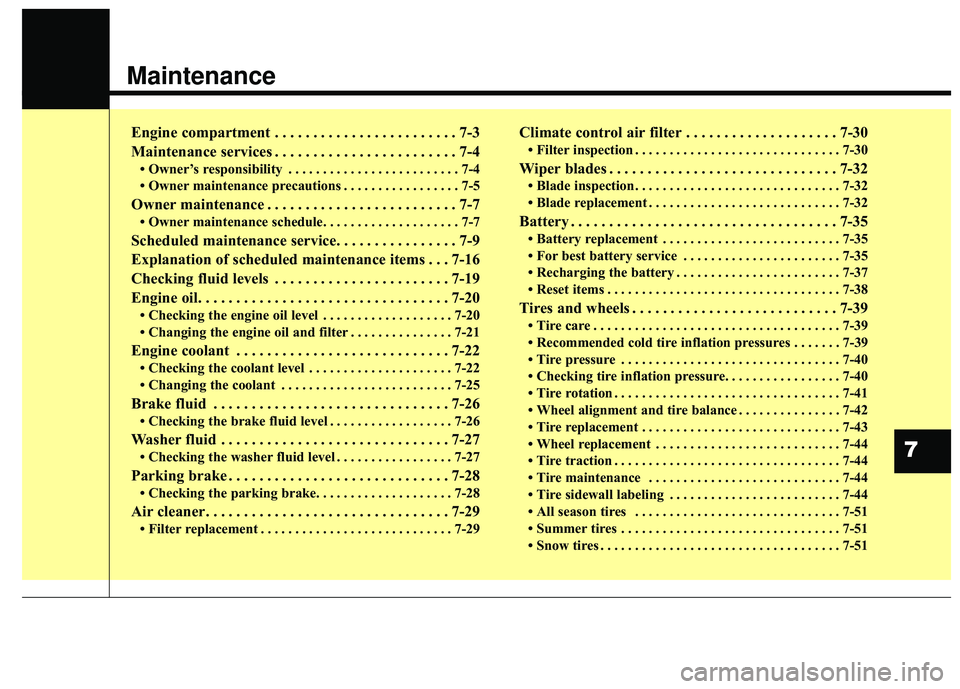
Maintenance
Engine compartment . . . . . . . . . . . . . . . . . . . . . . . . 7-3
Maintenance services . . . . . . . . . . . . . . . . . . . . . . . . 7-4
• Owner’s responsibility . . . . . . . . . . . . . . . . . . . . . . . . . 7-4
• Owner maintenance precautions . . . . . . . . . . . . . . . . . 7-5
Owner maintenance . . . . . . . . . . . . . . . . . . . . . . . . . 7-7
• Owner maintenance schedule. . . . . . . . . . . . . . . . . . . . 7-7
Scheduled maintenance service. . . . . . . . . . . . . . . . 7-9
Explanation of scheduled maintenance items . . . 7-16
Checking fluid levels . . . . . . . . . . . . . . . . . . . . . . . 7-19
Engine oil. . . . . . . . . . . . . . . . . . . . . . . . . . . . . . . . . 7-20
• Checking the engine oil level . . . . . . . . . . . . . . . . . . . 7-20
• Changing the engine oil and filter . . . . . . . . . . . . . . . 7-21
Engine coolant . . . . . . . . . . . . . . . . . . . . . . . . . . . . 7-22
• Checking the coolant level . . . . . . . . . . . . . . . . . . . . . 7-22
• Changing the coolant . . . . . . . . . . . . . . . . . . . . . . . . . 7-25
Brake fluid . . . . . . . . . . . . . . . . . . . . . . . . . . . . . . . 7-26
• Checking the brake fluid level . . . . . . . . . . . . . . . . . . 7-26
Washer fluid . . . . . . . . . . . . . . . . . . . . . . . . . . . . . . 7-27
• Checking the washer fluid level . . . . . . . . . . . . . . . . . 7-27
Parking brake . . . . . . . . . . . . . . . . . . . . . . . . . . . . . 7-28
• Checking the parking brake. . . . . . . . . . . . . . . . . . . . 7-28
Air cleaner. . . . . . . . . . . . . . . . . . . . . . . . . . . . . . . . 7-29
• Filter replacement . . . . . . . . . . . . . . . . . . . . . . . . . . . . 7-29
Climate control air filter . . . . . . . . . . . . . . . . . . . . 7-30
• Filter inspection . . . . . . . . . . . . . . . . . . . . . . . . . . . . . . 7-30
Wiper blades . . . . . . . . . . . . . . . . . . . . . . . . . . . . . . 7-32
• Blade inspection . . . . . . . . . . . . . . . . . . . . . . . . . . . . . . 7-32
• Blade replacement . . . . . . . . . . . . . . . . . . . . . . . . . . . . 7-32
Battery . . . . . . . . . . . . . . . . . . . . . . . . . . . . . . . . . . . 7-\
35
• Battery replacement . . . . . . . . . . . . . . . . . . . . . . . . . . 7-35
• For best battery service . . . . . . . . . . . . . . . . . . . . . . . 7-35
• Recharging the battery . . . . . . . . . . . . . . . . . . . . . . . . 7-37
• Reset items . . . . . . . . . . . . . . . . . . . . . . . . . . . . . . . . . . 7-38\
Tires and wheels . . . . . . . . . . . . . . . . . . . . . . . . . . . 7-39
• Tire care . . . . . . . . . . . . . . . . . . . . . . . . . . . . . . . . . . . . \
7-39
• Recommended cold tire inflation pressures . . . . . . . 7-39
• Tire pressure . . . . . . . . . . . . . . . . . . . . . . . . . . . . . . . . 7-40
• Checking tire inflation pressure. . . . . . . . . . . . . . . . . 7-40
• Tire rotation . . . . . . . . . . . . . . . . . . . . . . . . . . . . . . . . . 7-41
• Wheel alignment and tire balance . . . . . . . . . . . . . . . 7-42
• Tire replacement . . . . . . . . . . . . . . . . . . . . . . . . . . . . . 7-43
• Wheel replacement . . . . . . . . . . . . . . . . . . . . . . . . . . . 7-44
• Tire traction . . . . . . . . . . . . . . . . . . . . . . . . . . . . . . . . . 7-44
• Tire maintenance . . . . . . . . . . . . . . . . . . . . . . . . . . . . 7-44
• Tire sidewall labeling . . . . . . . . . . . . . . . . . . . . . . . . . 7-44
• All season tires . . . . . . . . . . . . . . . . . . . . . . . . . . . . . . 7-51
• Summer tires . . . . . . . . . . . . . . . . . . . . . . . . . . . . . . . . 7-51
• Snow tires . . . . . . . . . . . . . . . . . . . . . . . . . . . . . . . . . . . 7-\
51
7