2018 KIA STINGER fuel
[x] Cancel search: fuelPage 354 of 551

5101
Driving your vehicle
Your vehicle may be equipped with
the ISG system, which reduces fuel
consumption by automatically shut-
ting down the engine, when the vehi-
cle is at a standstill. (For example :
red light, stop sign and traffic jam)
The engine starts automatically as
soon as the starting conditions are
met.
The ISG system is ON whenever the
engine is running.
✽ ✽NOTICE
When the engine automatically
starts by the ISG system, some
warning lights (ABS, ESC, ESC
OFF, EPS or Parking brake warn-
ing light) may turn on for a few sec-
onds.
This happens because of low battery
voltage. It does not mean the system
has malfunctioned.
Auto stop
To stop the engine in idle stop
mode
Stop the vehicle completely by
pressing the brake pedal and the
shift lever is in the D(Drive) or
N(Neutral) position
The engine will stop and the green
AUTO STOP( ) indicator on the
instrument cluster will illuminate.
✽ ✽ NOTICE
If you open the engine hood in auto
stop mode, the following will hap-
pen:
• The ISG system will deactivate
(the light on the ISG OFF button
will illuminate).
• A message will appear on the LCD display. (Continued)
ISG (IDLE STOP AND GO) SYSTEM
OCK057144
OCK057095L
Page 358 of 551
5105
Driving your vehicle
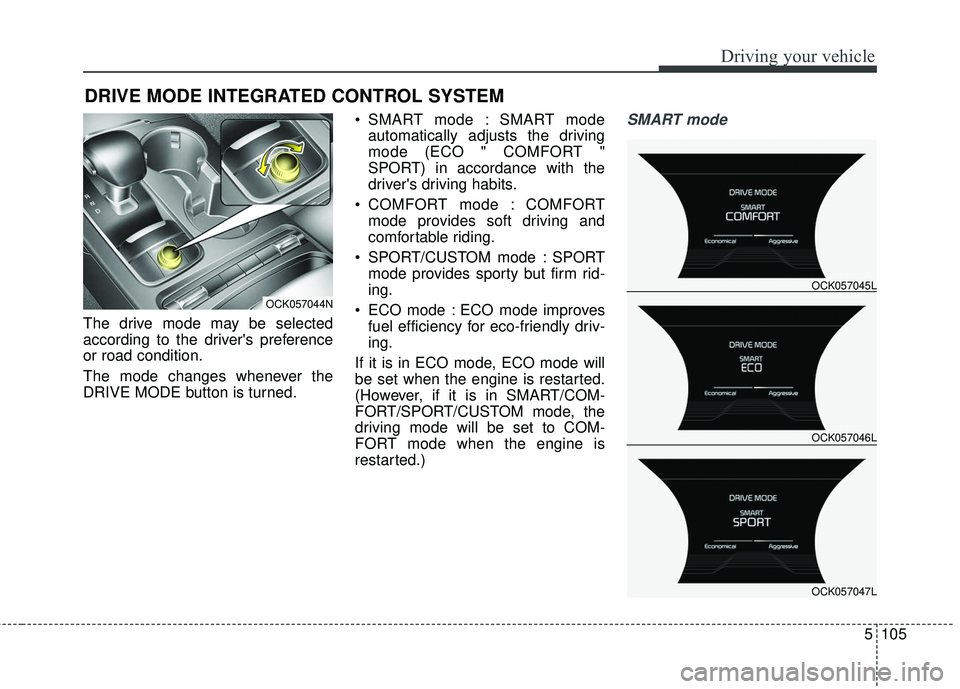
The drive mode may be selected
according to the driver's preference
or road condition.
The mode changes whenever the
DRIVE MODE button is turned. SMART mode : SMART mode
automatically adjusts the driving
mode (ECO " COMFORT "
SPORT) in accordance with the
driver's driving habits.
COMFORT mode : COMFORT mode provides soft driving and
comfortable riding.
SPORT/CUSTOM mode : SPORT mode provides sporty but firm rid-
ing.
ECO mode : ECO mode improves fuel efficiency for eco-friendly driv-
ing.
If it is in ECO mode, ECO mode will
be set when the engine is restarted.
(However, if it is in SMART/COM-
FORT/SPORT/CUSTOM mode, the
driving mode will be set to COM-
FORT mode when the engine is
restarted.)
SMART mode
DRIVE MODE INTEGRATED CONTROL SYSTEM
OCK057044N
OCK057046L OCK057045L
OCK057047L
Page 359 of 551
Driving your vehicle
106
5
SMART mode selects the
proper driving mode
among ECO, COMFORT
and SPORT by judging
the driver's driving habits
(i.e. mild or dynamic)
from the brake pedal
depression or the steer-
ing wheel operation.
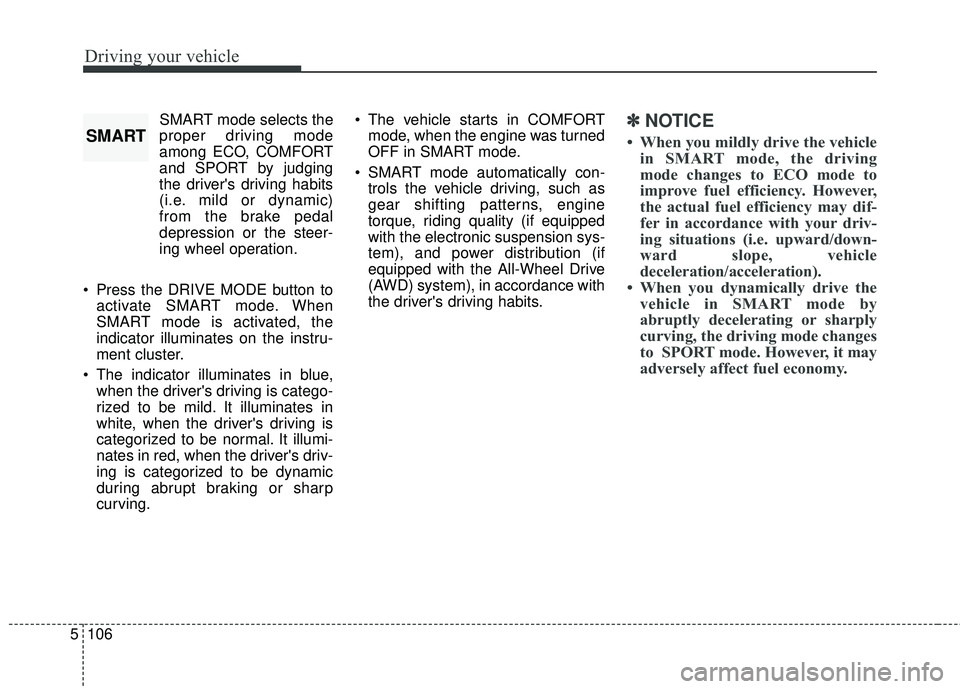
Press the DRIVE MODE button to activate SMART mode. When
SMART mode is activated, the
indicator illuminates on the instru-
ment cluster.
The indicator illuminates in blue, when the driver's driving is catego-
rized to be mild. It illuminates in
white, when the driver's driving is
categorized to be normal. It illumi-
nates in red, when the driver's driv-
ing is categorized to be dynamic
during abrupt braking or sharp
curving. The vehicle starts in COMFORT
mode, when the engine was turned
OFF in SMART mode.
SMART mode automatically con- trols the vehicle driving, such as
gear shifting patterns, engine
torque, riding quality (if equipped
with the electronic suspension sys-
tem), and power distribution (if
equipped with the All-Wheel Drive
(AWD) system), in accordance with
the driver's driving habits.✽ ✽ NOTICE
• When you mildly drive the vehicle
in SMART mode, the driving
mode changes to ECO mode to
improve fuel efficiency. However,
the actual fuel efficiency may dif-
fer in accordance with your driv-
ing situations (i.e. upward/down-
ward slope, vehicle
deceleration/acceleration).
• When you dynamically drive the vehicle in SMART mode by
abruptly decelerating or sharply
curving, the driving mode changes
to SPORT mode. However, it may
adversely affect fuel economy.SMART
Page 361 of 551

Driving your vehicle
108
5
SPORT/CUSTOM mode
SPORT/CUSTOM mode
manages the driving
dynamics by automati-
cally adjusting the steer-
ing effort, and the
engine and transmission
control logic for
enhanced driver per-
formance.
When SPORT/CUSTOM mode is selected by pressing the DRIVE
MODE button, the SPORT/CUS-
TOM indicator (orange color) will
illuminate.
Whenever the engine is restarted, the Drive Mode will revert back to
COMFORT mode. If SPORT/CUS-
TOM mode is desired, re-select
SPORT/CUSTOM mode from the
DRIVE MODE button. When SPORT/CUSTOM mode is
activated:
- The engine rpm will tend toremain raised over a certain
length of time even after releas-
ing the accelerator
- Upshifts are delayed when accel- erating
When CUSTOM is selected, ESC off indicator lights up (ESC off state 1)
✽ ✽ NOTICE
In SPORT/CUSTOM mode, the fuel
efficiency may decrease.
ECO mode
When the Drive Mode is
set to ECO mode, the
engine and transmission
control logic are changed
to maximize fuel efficiency.
When ECO mode is selected by pressing the DRIVE MODE button,
the ECO indicator (green color) will
illuminate.
If the vehicle is set to ECO mode, when the engine is turned OFF
and restarted the Drive Mode set-
ting will remain in ECO mode.
✽ ✽ NOTICE
Fuel efficiency depends on the dri-
ver's driving habit and road condi-
tion.
ECOSPORT
CUSTOM
Page 362 of 551
5109
Driving your vehicle
When ECO mode is activated:
The acceleration response may beslightly reduced if the accelerator
pedal is depressed moderately.
The air conditioner performance may be limited.
The shift pattern of the automatic transmission may change.
The engine noise may get louder.
The above situations are normal
conditions when ECO mode is acti-
vated to improve fuel efficiency. Limitation of ECO mode operation:
If the following conditions occur while
ECO mode is operating, the system
operation is limited even though
there is no change in the ECO indi-
cator.
When the coolant temperature is
low:
The system will be limited until
engine performance becomes nor-
mal.
When driving up a hill: The system will be limited to gain
power when driving uphill because
engine torque is restricted.
When driving the vehicle with the automatic transmission gear shift
lever in manual mode.
The system will be limited accord-
ing to the shift location.
Page 387 of 551

Driving your vehicle
134
5
Your vehicle's fuel economy depends
mainly on your style of driving, where
you drive and when you drive.
Each of these factors affects how
many kilometers (miles) you can get
from a liter (gallon) of fuel. To operate
your vehicle as economically as pos-
sible, use the following driving sug-
gestions to help save money in both
fuel and repairs:
Drive smoothly. Accelerate at a
moderate rate. Don't make "jack-
rabbit" starts or full-throttle shifts
and maintain a steady cruising
speed. Don't race between stop-
lights. Try to adjust your speed to
the traffic so you don't have to
change speeds unnecessarily.
Avoid heavy traffic whenever pos-
sible. Always maintain a safe dis-
tance from other vehicles so you
can avoid unnecessary braking.
This also reduces brake wear.
Drive at a moderate speed. The faster you drive, the more fuel your
vehicle uses. Driving at a moderate
speed, especially on the highway,
is one of the most effective ways to
reduce fuel consumption. Don't "ride" the brake pedal. This
can increase fuel consumption and
also increase wear on these com-
ponents. In addition, driving with
your foot resting on the brake pedal
may cause the brakes to overheat,
which reduces their effectiveness
and may lead to more serious con-
sequences.
Take care of your tires. Keep them inflated to the recommended pres-
sure. Incorrect inflation, either too
much or too little, results in unnec-
essary tire wear. Check the tire
pressures at least once a month.
Be sure that the wheels are aligned correctly. Improper align-
ment can result from hitting curbs
or driving too fast over irregular
surfaces. Poor alignment causes
faster tire wear and may also result
in other problems as well as
greater fuel consumption. Keep your vehicle in good condi-
tion. For better fuel economy and
reduced maintenance costs, main-
tain your vehicle in accordance
with the maintenance schedule in
chapter 7. If you drive your vehicle
in severe conditions, more frequent
maintenance is required (see
chapter 7 for details).
Keep your vehicle clean. For maxi- mum service, your vehicle should
be kept clean and free of corrosive
materials. It is especially important
that mud, dirt, ice, etc. not be
allowed to accumulate on the
underside of the vehicle. This extra
weight can result in increased fuel
consumption and also contribute to
corrosion.
Travel lightly. Don't carry unneces- sary weight in your vehicle. Weight
reduces fuel economy.
Don't let the engine idle longer than necessary. If you are waiting
(and not in traffic), turn off your
engine and restart only when
you're ready to go.
ECONOMICAL OPERATION
Page 388 of 551
5135
Driving your vehicle
WARNING - Engine off
during motion
Never turn the engine off to
coast down hills or anytime the
vehicle is in motion. The power
steering and power brakes will
not function properly without the
engine running. In addition, turn-
ing off the ignition while driving
could lead to out of working
power driven steering wheel and
hard to control steering wheel.
Keep the engine on and down-
shift to an appropriate gear for
an engine braking effect.
Remember, your vehicle does not require extended warm-up. After
the engine has started, allow the
engine to run for 10 to 20 seconds
prior to placing the vehicle in gear.
In very cold weather, however, give
your engine a slightly longer warm-
up period.
Don't "lug" or "over-rev" the engine. Lugging is driving too slowly in a
very high gear resulting in engine
bucking. If this happens, shift to a
lower gear. Over-revving is racing
the engine beyond its safe limit.
This can be avoided by shifting at
the recommended speed. Use your air conditioning sparingly.
The air conditioning system is
operated by engine power so your
fuel economy is reduced when you
use it.
Open windows at high speeds can reduce fuel economy.
Fuel economy is less in crosswinds and headwinds. To help offset
some of this loss, slow down when
driving in these conditions.
Keeping a vehicle in good operating
condition is important both for econ-
omy and safety. Therefore, have an
authorized Kia dealer perform
scheduled inspections and mainte-
nance.
Page 392 of 551
5139
Driving your vehicle
Driving in flooded areas
Avoid driving through flooded areas
unless you are sure the water is no
higher than the bottom of the wheel
hub. Drive through any water slowly.
Allow adequate stopping distance
because brake performance may be
affected.
After driving through water, dry the
brakes by gently applying them sev-
eral times while the vehicle is moving
slowly.
Driving off-road
Drive carefully off-road because your
vehicle may be damaged by rocks or
roots of trees. Become familiar with
the off-road conditions where you
are going to drive before you begin
driving.
Highway driving
Tires
Adjust the tire inflation pressures to
specification. Low tire inflation pres-
sures will result in overheating and
possible failure of the tires.
Avoid using worn or damaged tires
which may result in reduced traction
or tire failure.
Never exceed the maximum tire
inflation pressure shown on the tires.
Fuel, engine coolant and engine oil
High speed travel consumes more
fuel than urban motoring. Do not for-
get to check both the engine coolant
and engine oil.
Drive belt
A loose or damaged drive belt may
result in overheating of the engine.
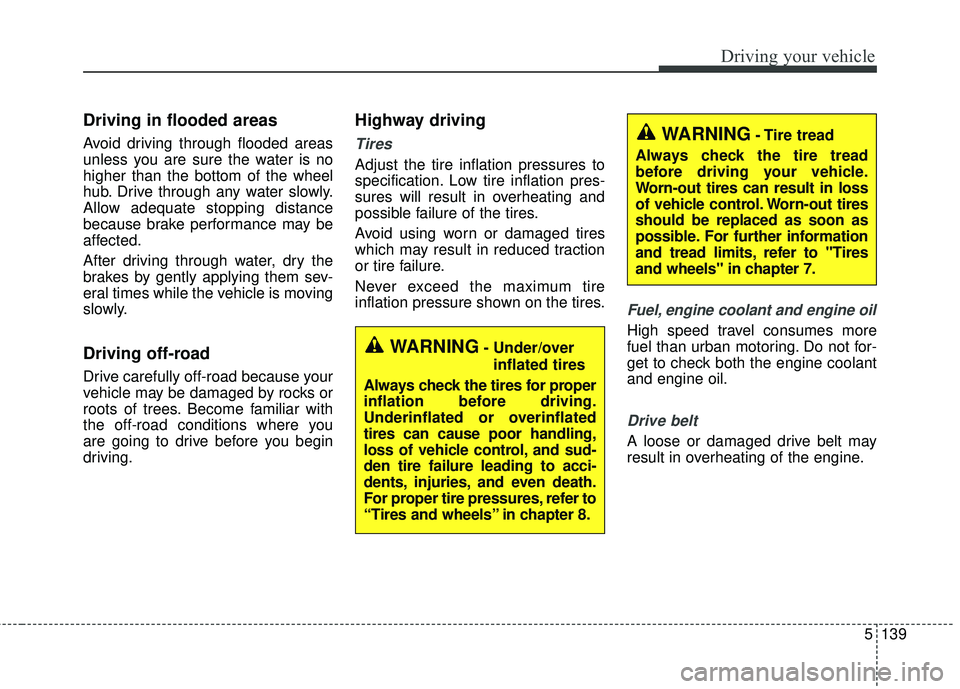
WARNING- Under/overinflated tires
Always check the tires for proper
inflation before driving.
Underinflated or overinflated
tires can cause poor handling,
loss of vehicle control, and sud-
den tire failure leading to acci-
dents, injuries, and even death.
For proper tire pressures, refer to
“Tires and wheels” in chapter 8.
WARNING- Tire tread
Always check the tire tread
before driving your vehicle.
Worn-out tires can result in loss
of vehicle control. Worn-out tires
should be replaced as soon as
possible. For further information
and tread limits, refer to "Tires
and wheels" in chapter 7.