Page 111 of 605
425
Features of your vehicle
Impact sensing door unlock
system
In the event of air bag deployment
resulting from a vehicle impact, all
doors will automatically unlock.
Speed sensing door lock system
All doors will automatically lock after
the vehicle speed exceeds 10 mph
(15 km/h).
✽ ✽NOTICE
You can select some auto door
lock/unlock features in “User
Settings”.
For more information, refer to
“User Settings” in this chapter.
WARNING - Unattended
children/animals
Never leave children or animals
unattended in your vehicle. An
enclosed vehicle can become
extremely hot, causing death or
severe injury to unattended
children or animals who cannot
escape the vehicle.WARNING - Doors
The doors should always be fully closed and locked while
the vehicle is in motion to pre-
vent accidental opening of the
door.
Be careful when opening doors and watch for vehicles, motor-
cycles, bicycles or pedestrians
approaching the vehicle in the
path of the door. Opening a
door when something is
approaching can cause dam-
age or injury.
Page 117 of 605
431
Features of your vehicle
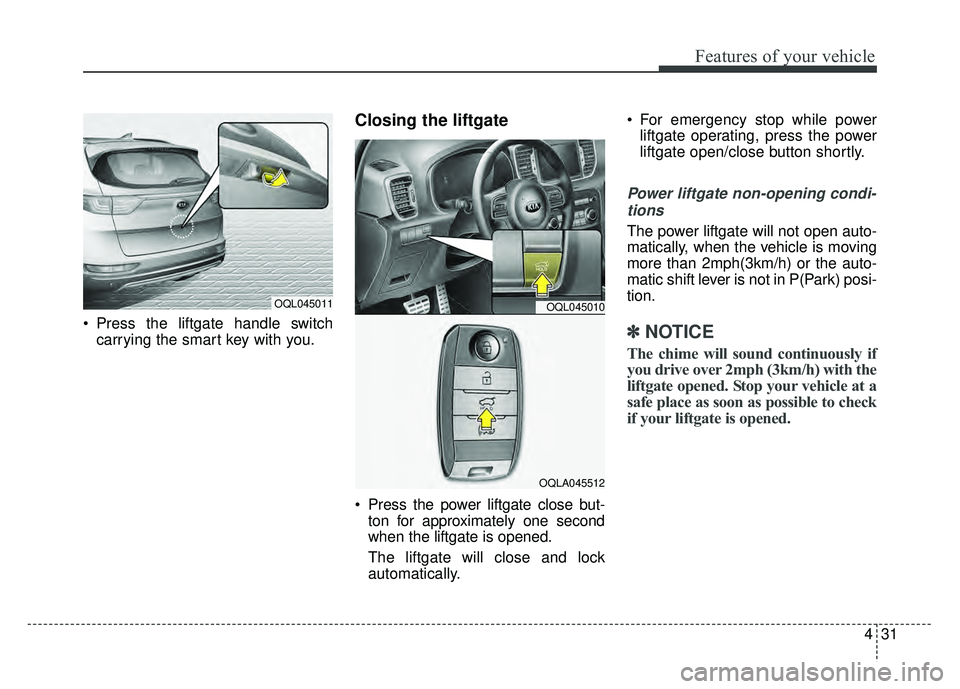
Press the liftgate handle switchcarrying the smart key with you.
Closing the liftgate
Press the power liftgate close but-ton for approximately one second
when the liftgate is opened.
The liftgate will close and lock
automatically. For emergency stop while power
liftgate operating, press the power
liftgate open/close button shortly.
Power liftgate non-opening condi-
tions
The power liftgate will not open auto-
matically, when the vehicle is moving
more than 2mph(3km/h) or the auto-
matic shift lever is not in P(Park) posi-
tion.
✽ ✽ NOTICE
The chime will sound continuously if
you drive over 2mph (3km/h) with the
liftgate opened. Stop your vehicle at a
safe place as soon as possible to check
if your liftgate is opened.
OQL045011OQL045010
OQLA045512
Page 118 of 605
Features of your vehicle
32
4
✽
✽
NOTICE
• The power liftgate can be operated
when the engine is not running.
However the power liftgate opera-
tion consumes large amounts of
vehicle electric power. To prevent
the battery from being discharged,
do not operate it excessively.
• To prevent the battery from being discharged, do not leave the power
liftgate in the open position for a
long time.
• Do not modify or repair any part of the power liftgate by yourself.
This must be done by an author-
ized Kia dealer.
• When jacking up the vehicle to change a tire or repair the vehicle,
do not operate the power liftgate.
This could cause the power liftgate
to operate improperly. (Continued)(Continued)
• In cold and wet climates, the
power liftgate may not work prop-
erly due to freezing conditions.
• It is recommended to wait until the power liftgate is fully closed
before starting the vehicle. The
power liftgate may not close fully
if the vehicle is started during
automatic closing.
CAUTION
Do not operate the power lift-
gate more than 5 times continu-ously.
It may damage the power liftgatesystem. If you operate the powerliftgate more than 5 times con-tinuously, the chime will sound 3times and the power liftgate willnot operate. At this time, stopoperating the liftgate and leave itfor more than 1 minute.
WARNING
Make sure there are no people
or objects around the liftgate
before opening or closing the
power liftgate. Wait until the lift-
gate is open fully and stopped
before loading or unloading
cargo from the vehicle.
Page 119 of 605
433
Features of your vehicle
Automatic reversal
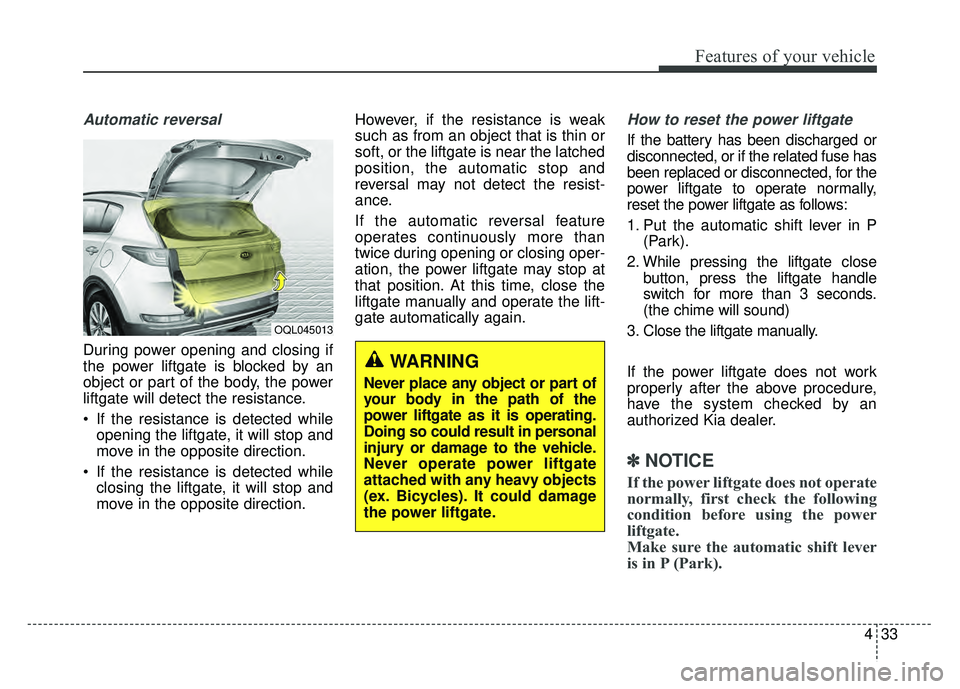
During power opening and closing if
the power liftgate is blocked by an
object or part of the body, the power
liftgate will detect the resistance.
If the resistance is detected whileopening the liftgate, it will stop and
move in the opposite direction.
If the resistance is detected while closing the liftgate, it will stop and
move in the opposite direction. However, if the resistance is weak
such as from an object that is thin or
soft, or the liftgate is near the latched
position, the automatic stop and
reversal may not detect the resist-
ance.
If the automatic reversal feature
operates continuously more than
twice during opening or closing oper-
ation, the power liftgate may stop at
that position. At this time, close the
liftgate manually and operate the lift-
gate automatically again.
How to reset the power liftgate
If the battery has been discharged or
disconnected, or if the related fuse has
been replaced or disconnected, for the
power liftgate to operate normally,
reset the power liftgate as follows:
1. Put the automatic shift lever in P
(Park).
2. While pressing the liftgate close button, press the liftgate handle
switch for more than 3 seconds.
(the chime will sound)
3. Close the liftgate manually.
If the power liftgate does not work
properly after the above procedure,
have the system checked by an
authorized Kia dealer.
✽ ✽ NOTICE
If the power liftgate does not operate
normally, first check the following
condition before using the power
liftgate.
Make sure the automatic shift lever
is in P (Park).
OQL045013
WARNING
Never place any object or part of
your body in the path of the
power liftgate as it is operating.
Doing so could result in personal
injury or damage to the vehicle.
Never operate power liftgate
attached with any heavy objects
(ex. Bicycles). It could damage
the power liftgate.
Page 120 of 605
Features of your vehicle
34
4
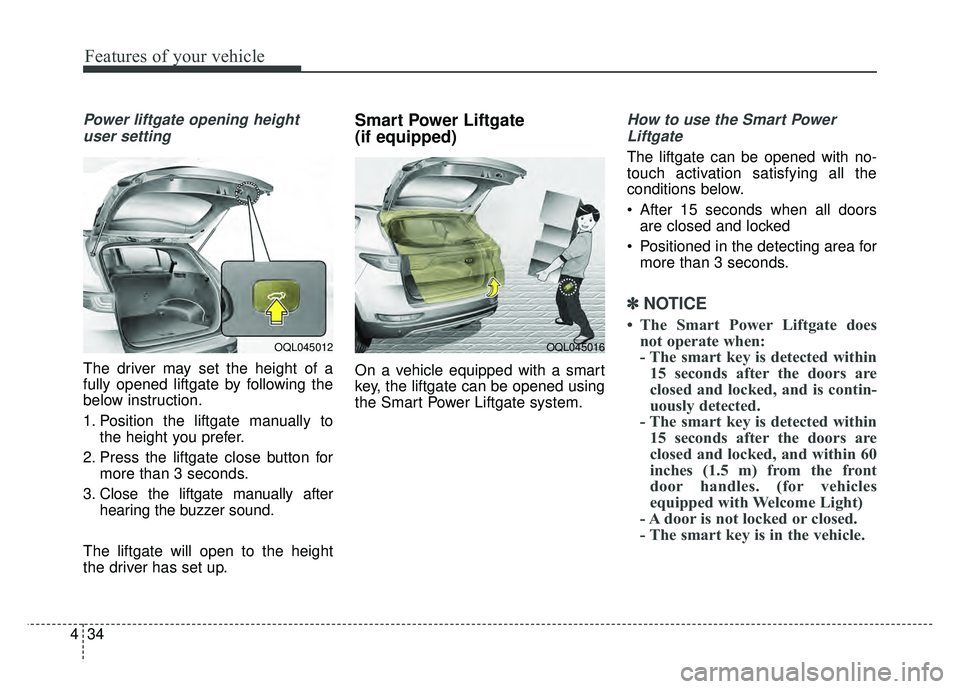
Power liftgate opening height
user setting
The driver may set the height of a
fully opened liftgate by following the
below instruction.
1. Position the liftgate manually to the height you prefer.
2. Press the liftgate close button for more than 3 seconds.
3. Close the liftgate manually after hearing the buzzer sound.
The liftgate will open to the height
the driver has set up.
Smart Power Liftgate
(if equipped)
On a vehicle equipped with a smart
key, the liftgate can be opened using
the Smart Power Liftgate system.
How to use the Smart Power Liftgate
The liftgate can be opened with no-
touch activation satisfying all the
conditions below.
After 15 seconds when all doors are closed and locked
Positioned in the detecting area for more than 3 seconds.
✽ ✽ NOTICE
• The Smart Power Liftgate does
not operate when:
- The smart key is detected within15 seconds after the doors are
closed and locked, and is contin-
uously detected.
- The smart key is detected within 15 seconds after the doors are
closed and locked, and within 60
inches (1.5 m) from the front
door handles. (for vehicles
equipped with Welcome Light)
- A door is not locked or closed.
- The smart key is in the vehicle.
OQL045012OQL045016
Page 121 of 605
435
Features of your vehicle
1. Setting
To activate the Smart Power Liftgate,
go to User Settings Mode and select
Smart Power Liftgate on the LCD
display.
For more information, refer to the
"LCD Display" section in this
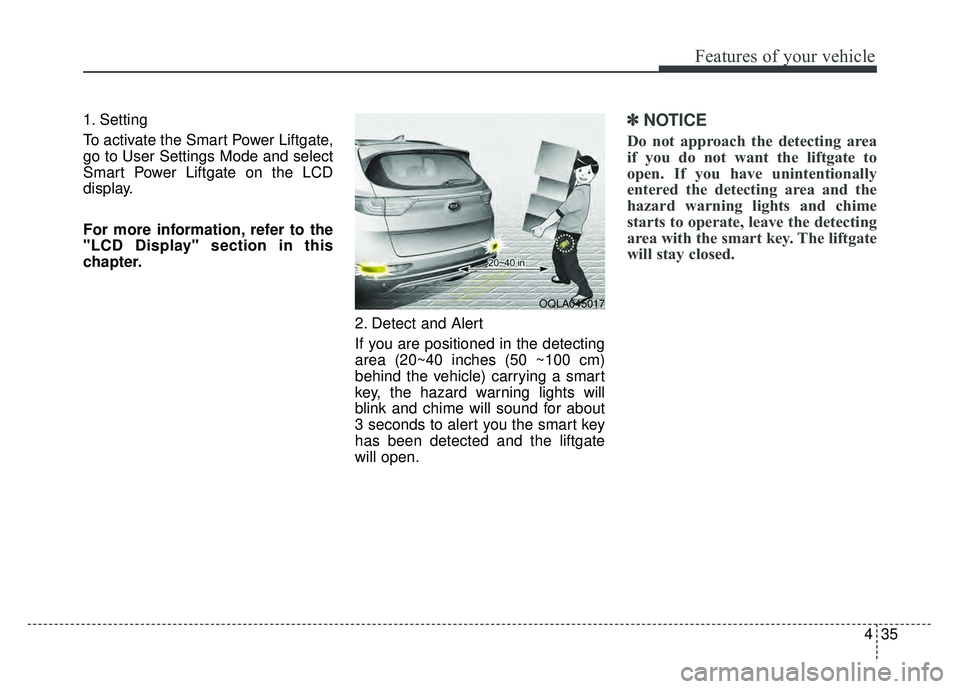
chapter.2. Detect and Alert
If you are positioned in the detecting
area (20~40 inches (50 ~100 cm)
behind the vehicle) carrying a smart
key, the hazard warning lights will
blink and chime will sound for about
3 seconds to alert you the smart key
has been detected and the liftgate
will open.✽ ✽NOTICE
Do not approach the detecting area
if you do not want the liftgate to
open. If you have unintentionally
entered the detecting area and the
hazard warning lights and chime
starts to operate, leave the detecting
area with the smart key. The liftgate
will stay closed.
OQLA045017
Page 123 of 605
437
Features of your vehicle
✽
✽NOTICE
• If you press the door unlock but-
ton (2), the Smart Power Liftgate
function will be deactivated tem-
porarily. But, if you do not open
any door for 30 seconds, the smart
power liftgate function will be
activated again.
• If you press the liftgate open but- ton (3) for more than 1 second, the
liftgate opens.
• If you press the door lock button (1) or liftgate open button (3) when
the Smart Power Liftgate function
is not in the Detect and Alert stage,
the smart power liftgate function
will not be deactivated.
• In case you have deactivated the Smart Power Liftgate function by
pressing the smart key button and
opened a door, the smart power
liftgate function can be activated
again by closing and locking all
doors.
Detecting area
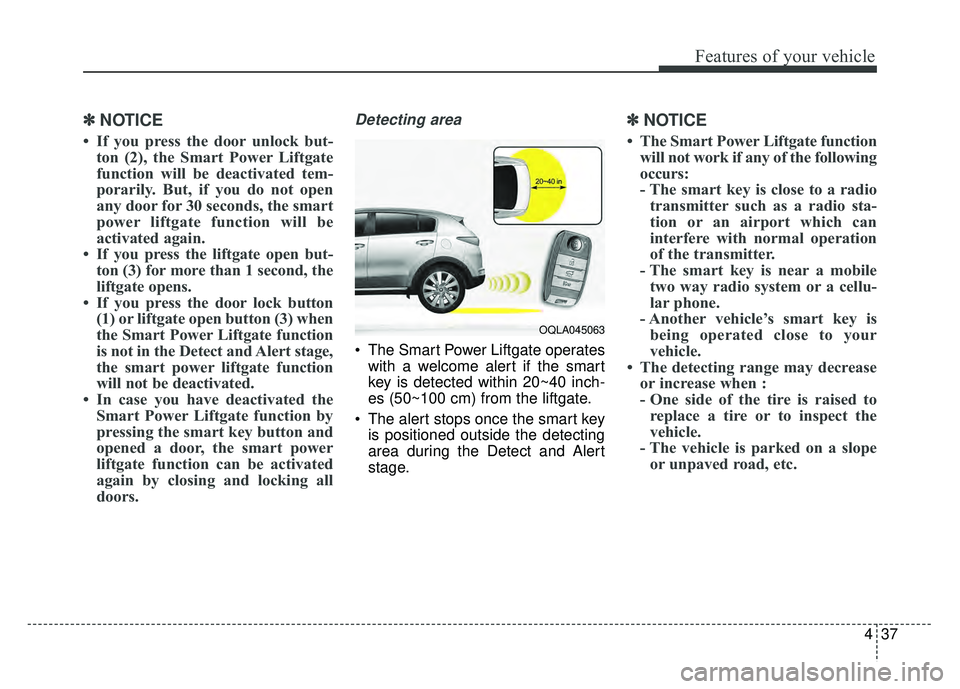
The Smart Power Liftgate operates
with a welcome alert if the smart
key is detected within 20~40 inch-
es (50~100 cm) from the liftgate.
The alert stops once the smart key is positioned outside the detecting
area during the Detect and Alert
stage.
✽ ✽ NOTICE
• The Smart Power Liftgate function
will not work if any of the following
occurs:
- The smart key is close to a radiotransmitter such as a radio sta-
tion or an airport which can
interfere with normal operation
of the transmitter.
- The smart key is near a mobile two way radio system or a cellu-
lar phone.
- Another vehicle’s smart key is being operated close to your
vehicle.
• The detecting range may decrease or increase when :
- One side of the tire is raised toreplace a tire or to inspect the
vehicle.
- The vehicle is parked on a slope or unpaved road, etc.
OQLA045063
Page 125 of 605
439
Features of your vehicle
Power windows
The ignition switch must be in the ON
position for power windows to operate.
Each door has a power window
switch that controls the door's win-
dow. The driver has a power window
lock button which can block the oper-
ation of rear seat windows. The
power windows can be operated for
approximately 30 seconds after the
ignition key is removed or turned to
the ACC or LOCK (or OFF) position.
If the front doors are opened; howev-
er, the power windows cannot be
operated even within the 30 second
period.
If the window cannot be close
because it is blocked by objects,
remove the objects and close the
window.
✽ ✽NOTICE
While driving with the rear windows
down or with the sunroof (if
equipped) in an open (or partially
open) position, your vehicle may
demonstrate a wind buffeting or
pulsation noise. This noise is a nor-
mal occurrence and can be reduced
or eliminated by taking the follow-
ing actions. If the noise occurs with
one or both of the rear windows
down, partially lower both front
windows approximately one inch. If
you experience the noise with the
sunroof open, slightly reduce the
size of the sunroof opening.
Window opening and closing
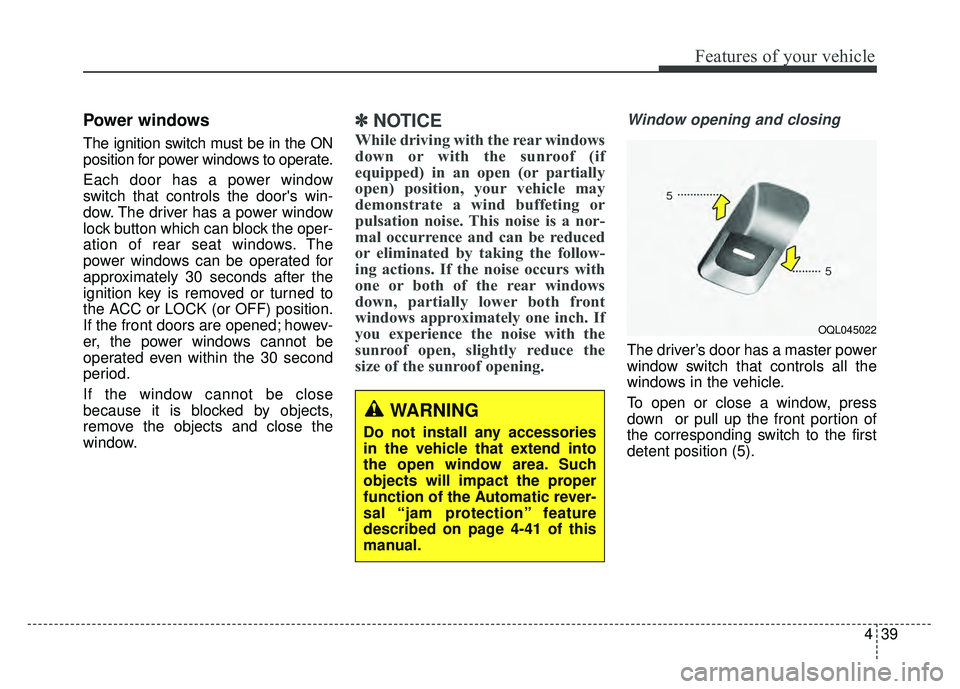
The driver’s door has a master power
window switch that controls all the
windows in the vehicle.
To open or close a window, press
down or pull up the front portion of
the corresponding switch to the first
detent position (5).
OQL045022
WARNING
Do not install any accessories
in the vehicle that extend into
the open window area. Such
objects will impact the proper
function of the Automatic rever-
sal “jam protection” feature
described on page 4-41 of this
manual.