Page 319 of 605
Audio system
557
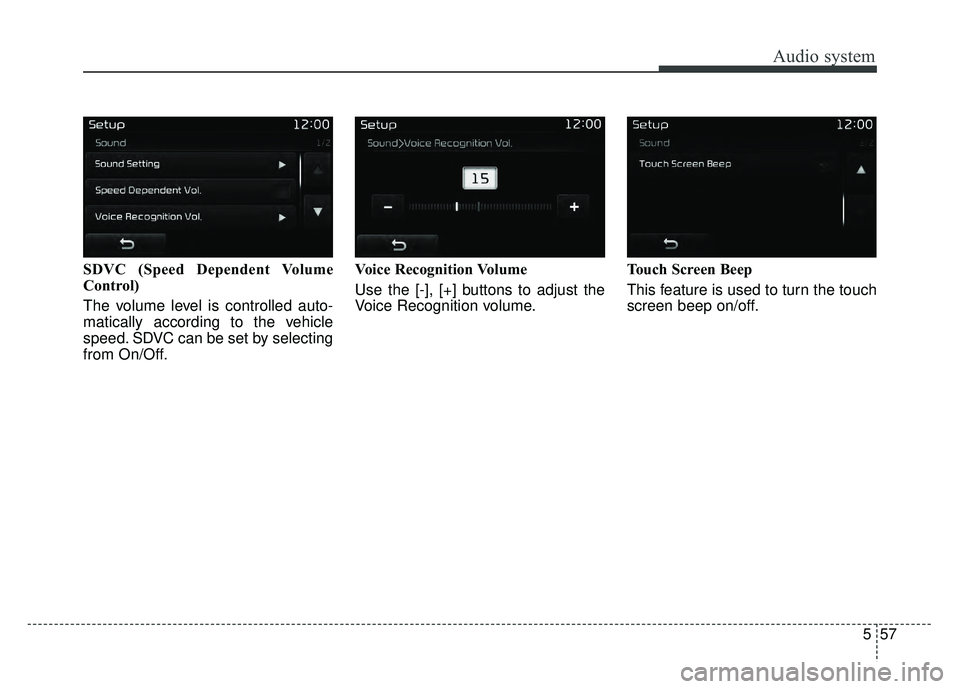
SDVC (Speed Dependent Volume
Control)
The volume level is controlled auto-
matically according to the vehicle
speed. SDVC can be set by selecting
from On/Off.Voice Recognition Volume
Use the [-], [+] buttons to adjust the
Voice Recognition volume.
Touch Screen Beep
This feature is used to turn the touch
screen beep on/off.
Page 322 of 605
Audio system
60
5
✽
✽
NOTICE - Before
Downloading Contacts
• Only contacts within connected phones can be downloaded. Also
check to see that your mobile
phone supports the download fea-
ture.
• To learn more about whether your mobile phone supports contact
downloads, refer to your mobile
phone user’s manual.
• The contacts for only the connect- ed phone can be downloaded.
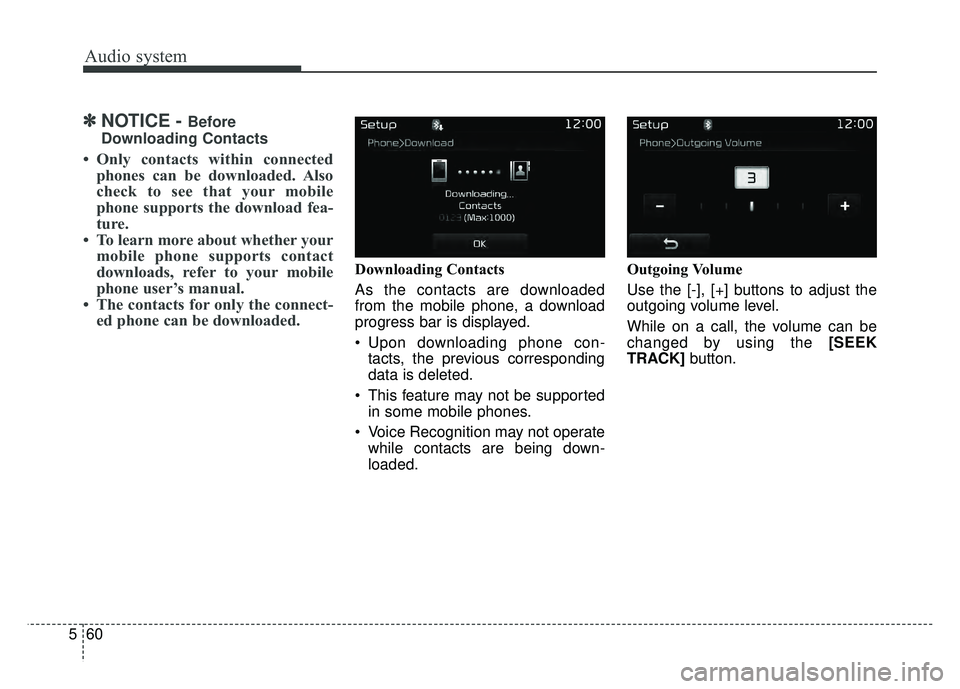
Downloading Contacts
As the contacts are downloaded
from the mobile phone, a download
progress bar is displayed.
Upon downloading phone con-
tacts, the previous corresponding
data is deleted.
This feature may not be supported in some mobile phones.
Voice Recognition may not operate while contacts are being down-
loaded. Outgoing Volume
Use the [-], [+] buttons to adjust the
outgoing volume level.
While on a call, the volume can be
changed by using the [SEEK
TRACK]
button.
Page 324 of 605
Audio system
62
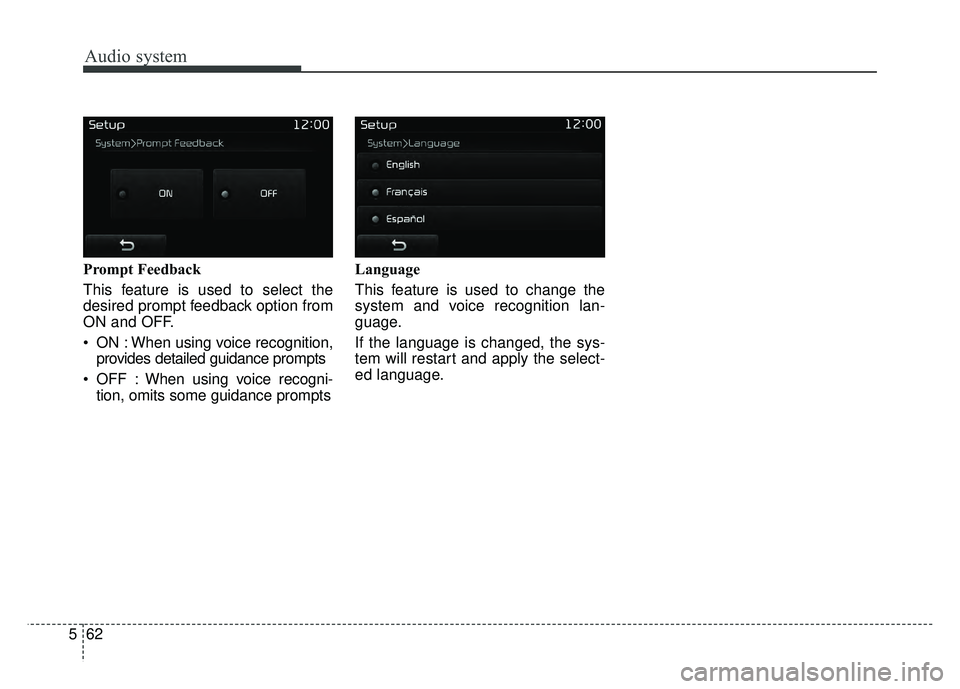
5 Prompt Feedback
This feature is used to select the
desired prompt feedback option from
ON and OFF.
ON : When using voice recognition,
provides detailed guidance prompts
OFF : When using voice recogni- tion, omits some guidance prompts Language
This feature is used to change the
system and voice recognition lan-
guage.
If the language is changed, the sys-
tem will restart and apply the select-
ed language.
Page 329 of 605
 . . . . . . . . . . . . 6")
Drive mode integrated control system . . . . . . . . . 6-70
mode . . . . . . . . . . . . . . . . . . . . . . . . . . . . . . . . . . 6-70\
Blind spot detection system (BSD) . . . . . . . . . . . . 6-72
LCA (Lane Change Assist) . . . . . . . . . . . . . . . . . . . . 6-73
. . . . . . . . . . . . . . . . . . . . . . . . . 6-78
Lane departure warning system (LDWS) . . . . . . 6-80
. . . . . . . . . . . . . . . . . . . . . . . . . . . 6-82
. . 6-82
false warnings: . . . . . . . . . . . . . . . . . . . . . . . . . . . . . . 6-83
Economical operation . . . . . . . . . . . . . . . . . . . . . . 6-84
Special driving conditions . . . . . . . . . . . . . . . . . . . 6-86
. . . . . . . . . . . . . . . . . 6-86
. . . . . . . . . . . . . . . . . . . . . . . . . . . 6-86
. . . . . . . . . . . . . . . . . . . . . . . . . . . . 6-87
. . . . . . . . . . . . . . . . . . . . . . . . . . . . . . 6-87
. . . . . . . . . . . . . . . . . . . . . . 6-89
. . . . . . . . . . . . . . . . . . . . . . . . . . . . . 6-89
. . . . . . . . . . . . . . . . . . . . . . . . . . . . . 6-89
Winter driving . . . . . . . . . . . . . . . . . . . . . . . . . . . . 6-90
. . . . . . . . . . . . . . . . . . . . . . . 6-90
. . . . . . . . . . 6-92
. . . . . . . . . . . . . . . . . . . . . . 6-92
. . . . . . . 6-92
. . . . . . . . . . . . . . . . . . . . 6-93
. 6-93
. . . . . . . . . . . . . 6-93
. . . . 6-93
. . . . . . . . . . . . . . . . . . . 6-93
Trailer Towing . . . . . . . . . . . . . . . . . . . . . . . . . . . . 6-94
. . . . . . . . . . . . . . . . . . . . . . . . . . . . . . . . . . . . \
. 6-95
. . . . . . . . . . . . . . . . . . . . . . . . . . . . . . . . 6-95
. . . . . . . . . . . . . . . . . . . . . . . . . . . . . . . 6-95
. . . . . . . . . . . . . . . . . . . . . . . . 6-96
. . . . . . . . . . . . . . 6-99
. . . . . . . . . . . . . . . 6-100
Vehicle load limit . . . . . . . . . . . . . . . . . . . . . . . . . 6-102
. . . . . . . . . . . . . 6-102
. . . . . . . . . . . . . . . . . . . . . . . . . . . 6-106
Vehicle weight . . . . . . . . . . . . . . . . . . . . . . . . . . . . 6-107
6
Page 333 of 605
Driving your vehicle
66
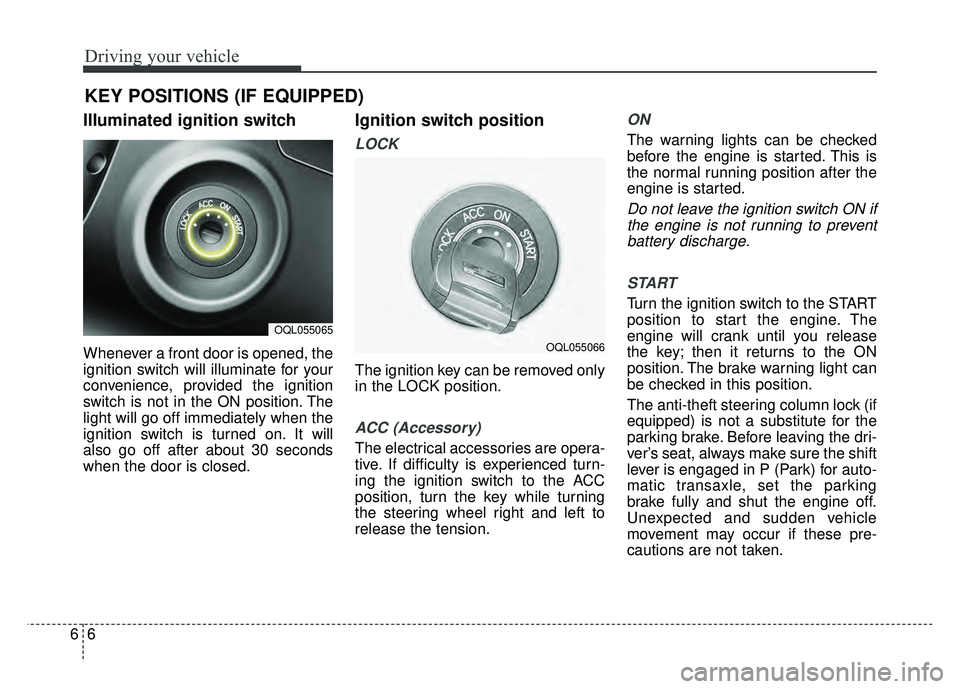
Illuminated ignition switch
Whenever a front door is opened, the
ignition switch will illuminate for your
convenience, provided the ignition
switch is not in the ON position. The
light will go off immediately when the
ignition switch is turned on. It will
also go off after about 30 seconds
when the door is closed.
Ignition switch position
LOCK
The ignition key can be removed only
in the LOCK position.
ACC (Accessory)
The electrical accessories are opera-
tive. If difficulty is experienced turn-
ing the ignition switch to the ACC
position, turn the key while turning
the steering wheel right and left to
release the tension.
ON
The warning lights can be checked
before the engine is started. This is
the normal running position after the
engine is started.
Do not leave the ignition switch ON ifthe engine is not running to preventbattery discharge.
START
Turn the ignition switch to the START
position to start the engine. The
engine will crank until you release
the key; then it returns to the ON
position. The brake warning light can
be checked in this position.
The anti-theft steering column lock (if
equipped) is not a substitute for the
parking brake. Before leaving the dri-
ver’s seat, always make sure the shift
lever is engaged in P (Park) for auto-
matic transaxle, set the parking
brake fully and shut the engine off.
Unexpected and sudden vehicle
movement may occur if these pre-
cautions are not taken.
KEY POSITIONS (IF EQUIPPED)
OQL055065
OQL055066
Page 335 of 605
Driving your vehicle
86
3.Turn the ignition switch to STARTand hold it there until the engine
starts (a maximum of 10 seconds),
then release the key.
It should be started withoutdepressing the accelerator.
4.Do not wait for the engine to warm up while the vehicle remains sta-
tionary.
Start driving at moderate engine
speeds. (Steep accelerating and
decelerating should be avoided.) If the engine stalls while you are in
motion, do not attempt to move the
shift lever to the P (Park) position. If
traffic and road conditions permit,
you may put the shift lever in the N
(Neutral) position while the vehicle is
still moving and turn the ignition
switch to the START position in an
attempt to restart the engine.
Starting and stopping the engine for
turbocharger intercooler
1. Do not race or accelerate the
engine immediately after starting.
If the engine is cold, idle for sever-
al seconds before sufficient lubri-
cation is ensured in the tur-
bocharger unit.
2. After high speed or extended driv- ing, requiring a heavy engine load,
run the engine on idle condition
about 1 minute before turning it off.
This idle time will allow the tur- bocharger to cool prior to shutting
the engine off.
CAUTION- Starter
Do not engage the starter for more than 10 seconds. If theengine stalls or fails to start,wait 5 to 10 seconds before re-engaging the starter. Improperuse of the starter may damageit.
WARNING- Steering
wheel
Never reach for any controls
through the steering wheel
while the vehicle is in motion.
The presence of your hand or
arm in this area could cause a
loss of vehicle control.
CAUTION
Do not turn off the engine imme- diately after it has been subject-ed to a heavy load. Doing somay cause severe damage tothe engine or turbo charger unit.
Page 336 of 605
69
Driving your vehicle
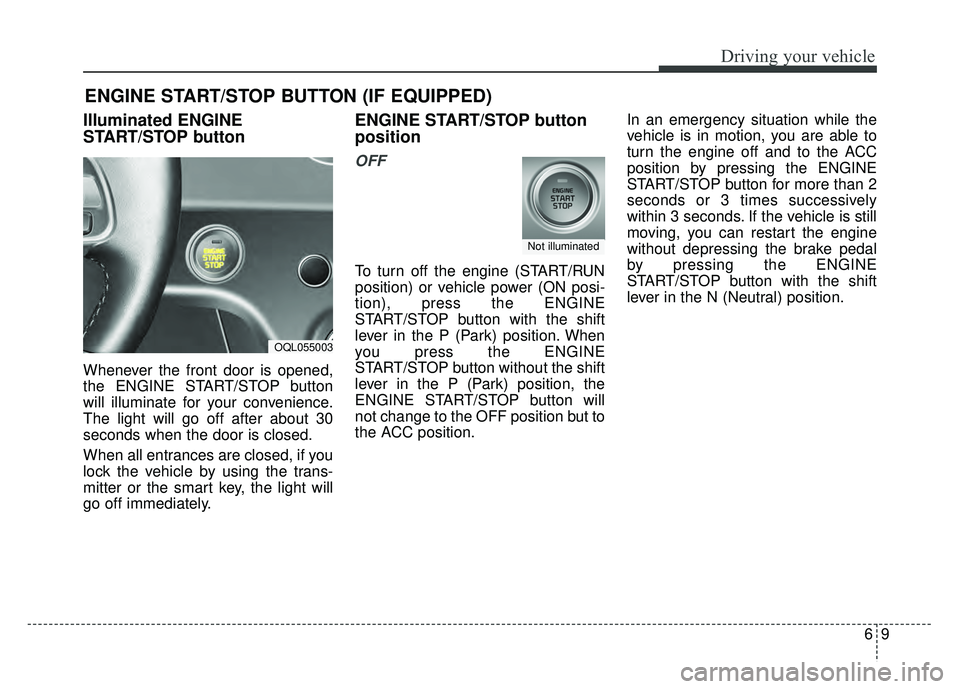
Illuminated ENGINE
START/STOP button
Whenever the front door is opened,
the ENGINE START/STOP button
will illuminate for your convenience.
The light will go off after about 30
seconds when the door is closed.
When all entrances are closed, if you
lock the vehicle by using the trans-
mitter or the smart key, the light will
go off immediately.
ENGINE START/STOP button
position
OFF
To turn off the engine (START/RUN
position) or vehicle power (ON posi-
tion), press the ENGINE
START/STOP button with the shift
lever in the P (Park) position. When
you press the ENGINE
START/STOP button without the shift
lever in the P (Park) position, the
ENGINE START/STOP button will
not change to the OFF position but to
the ACC position.In an emergency situation while the
vehicle is in motion, you are able to
turn the engine off and to the ACC
position by pressing the ENGINE
START/STOP button for more than 2
seconds or 3 times successively
within 3 seconds. If the vehicle is still
moving, you can restart the engine
without depressing the brake pedal
by pressing the ENGINE
START/STOP button with the shift
lever in the N (Neutral) position.
ENGINE START/STOP BUTTON (IF EQUIPPED)
OQL055003
Not illuminated
Page 338 of 605
611
Driving your vehicle
✽
✽
NOTICE
If you leave the ENGINE START/
STOP button in the ACC or ON
position for a long time, the battery
will discharge.
Starting the engine with a
smart key
1.Carry the smart key or place it
inside the vehicle.
2.Make sure the parking brake is firmly applied
3.Place the transaxle shift lever in P (Park). Depress the brake pedal
fully.
You can also start the engine whenthe shift lever is in the N (Neutral)position.
4.Press the ENGINE START/STOP button while depressing the brake
pedal.
It should be started withoutdepressing the accelerator.
5.Do not wait for the engine to warm up while the vehicle remains sta-
tionary.
Start driving at moderate engine
speeds. (Steep accelerating and
decelerating should be avoided.) Starting and stopping the engine for
turbocharger intercooler
1. Do not race or accelerate the
engine immediately after starting.
If the engine is cold, idle for sever-
al seconds before sufficient lubri-
cation is ensured in the tur-
bocharger unit.
2. After high speed or extended driv- ing, requiring a heavy engine load,
idle the engine about 1 minute
before turning it off.
This idle time will allow the tur- bocharger to cool prior to shutting
the engine off.
WARNING- Starting
vehicle
Never press the ENGINE
START/STOP button while the
vehicle is in motion except in an
emergency. This would result in
loss of directional control and
braking function, which could
cause an accident.
CAUTION
Do not turn the engine off imme- diately after it has been subject-ed to a heavy load. Doing somay cause severe damage tothe engine or turbocharger unit.