2018 KIA SOUL EV ECO mode
[x] Cancel search: ECO modePage 281 of 496
150
4
Features of your vehicle
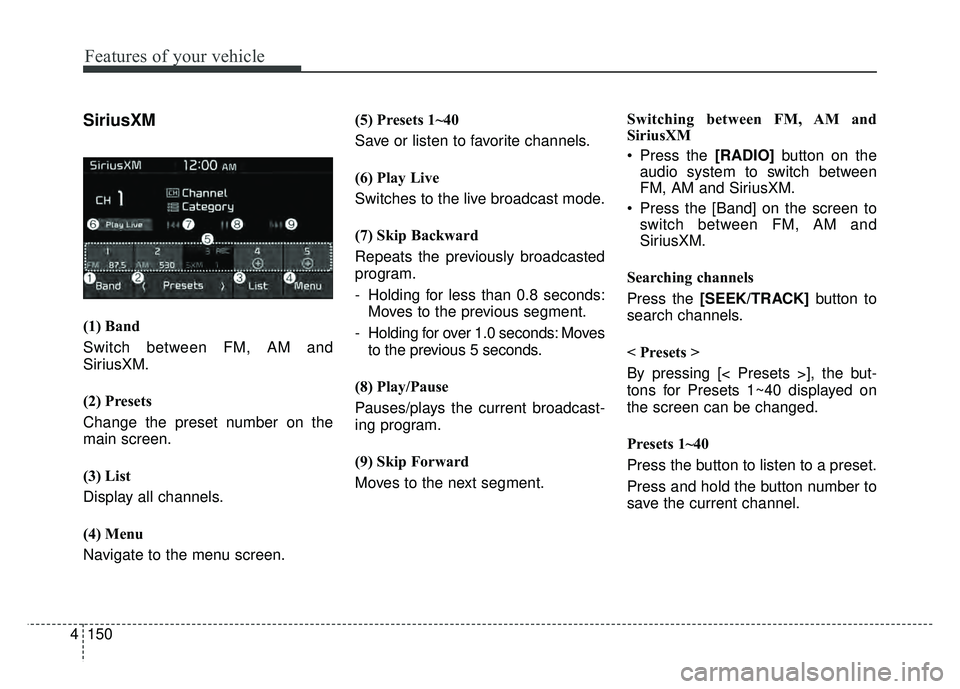
SiriusXM
(1) Band
Switch between FM, AM and
SiriusXM.
(2) Presets
Change the preset number on the
main screen.
(3) List
Display all channels.
(4) Menu
Navigate to the menu screen. (5) Presets 1~40
Save or listen to favorite channels.
(6) Play Live
Switches to the live broadcast mode.
(7) Skip Backward
Repeats the previously broadcasted
program.
- Holding for less than 0.8 seconds:
Moves to the previous segment.
- Holding for over 1.0 seconds: Moves to the previous 5 seconds.
(8) Play/Pause
Pauses/plays the current broadcast-
ing program.
(9) Skip Forward
Moves to the next segment. Switching between FM, AM and
SiriusXM
Press the [RADIO]
button on the
audio system to switch between
FM, AM and SiriusXM.
Press the [Band] on the screen to switch between FM, AM and
SiriusXM.
Searching channels
Press the [SEEK/TRACK] button to
search channels.
< Presets >
By pressing [< Presets >], the but-
tons for Presets 1~40 displayed on
the screen can be changed.
Presets 1~40
Press the button to listen to a preset.
Press and hold the button number to
save the current channel.
Page 289 of 496
158
4
Features of your vehicle
✽
✽
NOTICE - Using the iPod®
Devices
• To use the audio system’s iPod®
control function, use the dedicated
cable provided with your iPod®.
• Connecting the iPod®to the vehi-
cle during play may result in a
loud noise that lasts about one to
two seconds. Connect the iPod
®to
the vehicle after stopping or paus-
ing play.
• Connect the iPod
®with the vehicle
in the ACC ON state to begin
charging.
• When connecting the iPod
®cable,
be sure to fully push the cable into
the port.
• When EQ effects are enabled simultaneously on external
devices, such as iPod
®s and the
audio system, the EQ effects may
overlap, causing sound quality
deterioration or distortion.
Deactivate the EQ function for all
external devices, if possible.
• Noise may occur when your iPod
®
or the AUX port is connected.
Disconnect and store separately
when not in use. (Continued)(Continued)
• There may be noise if the audio
system is used with an iPod
®or
AUX external device connected to
the power jack. In these cases, dis-
connect the iPod
®or external
device from the power jack.
• Play may be interrupted, or device malfunctions may occur depend-
ing on the characteristics of your
iPod
®/iPhone®.
• Play may fail if your iPhone®is
connected through both
Bluetooth
®Wireless Technology
and USB. In this case, select Dock
connector or Bluetooth
®Wireless
Technology on your iPhone®to
change the sound output settings.
• If your software version does not support the communication proto-
col or your iPod
®is not recognized
due to device failure, anomalies or
defects, iPod
®mode cannot be
used.
• iPod
®nano (5th generation)
devices may not be recognized if
the battery is low. Charge suffi-
ciently before use. (Continued)(Continued)
• The search and song play order in
the iPod
®device may be different
from the search order in the audio
system.
• If the iPod
®has failed due to an
internal defect, please reset the
iPod
®(consult your iPod®manu-
al).
• Depending on the software ver- sion, the iPod
®may fail to sync
with the system. If the media is
removed or disconnected before
recognition, the previous mode
may not be restored (iPad
®cannot
be charged).
• Cables other than the 1-meter cable provided with iPod
®/iPhone®
products may not be recognized.
• When other music apps are used on your iPod
®, the system sync
function may fail due to malfunc-
tion of the iPod
®application.
Page 302 of 496
4171
Features of your vehicle
✽
✽NOTICE
• For device that require passkey
entry, enter the passkey '0000' in
your Bluetooth
®Wireless Technology
device.
• The 6-digit passkey in the image above is an example. Refer to your
vehicle for the actual passkey.
Pairing a second Bluetooth®Wireless
Technology device
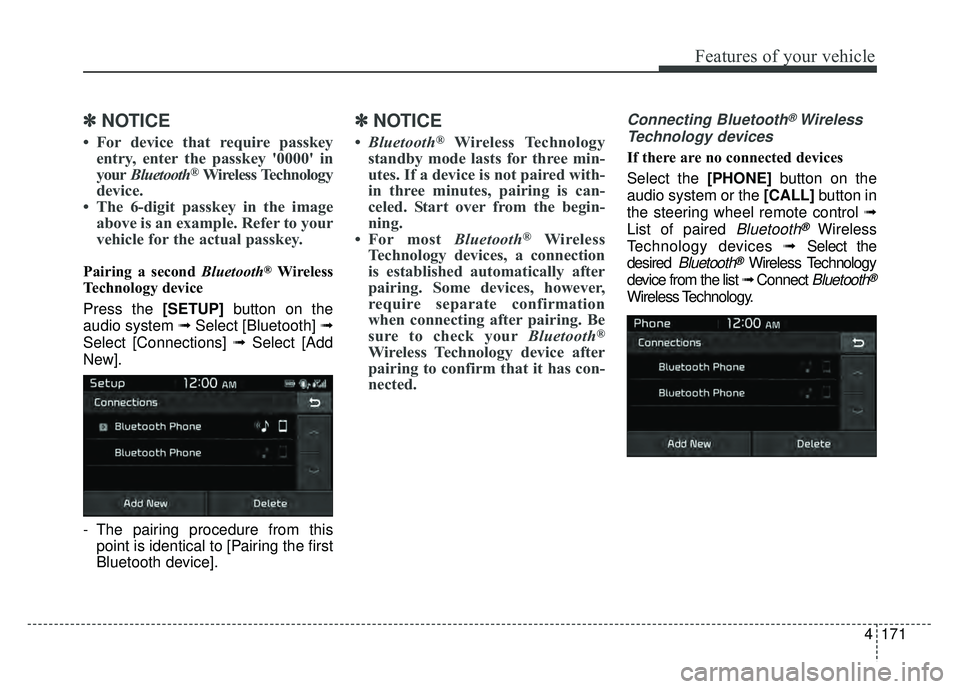
Press the [SETUP] button on the
audio system ➟ Select [Bluetooth] ➟
Select [Connections] ➟ Select [Add
New].
- The pairing procedure from this point is identical to [Pairing the first
Bluetooth device].
✽ ✽ NOTICE
•Bluetooth®Wireless Technology
standby mode lasts for three min-
utes. If a device is not paired with-
in three minutes, pairing is can-
celed. Start over from the begin-
ning.
• For most Bluetooth
®Wireless
Technology devices, a connection
is established automatically after
pairing. Some devices, however,
require separate confirmation
when connecting after pairing. Be
sure to check your Bluetooth
®
Wireless Technology device after
pairing to confirm that it has con-
nected.
Connecting Bluetooth®Wireless
Technology devices
If there are no connected devices
Select the [PHONE] button on the
audio system or the [CALL] button in
the steering wheel remote control ➟
List of paired
Bluetooth®Wireless
Technology devices ➟Select the
desired
Bluetooth®Wireless Technology
device from the list ➟ Connect
Bluetooth®
Wireless Technology.
Page 322 of 496
Driving your vehicle
10
5
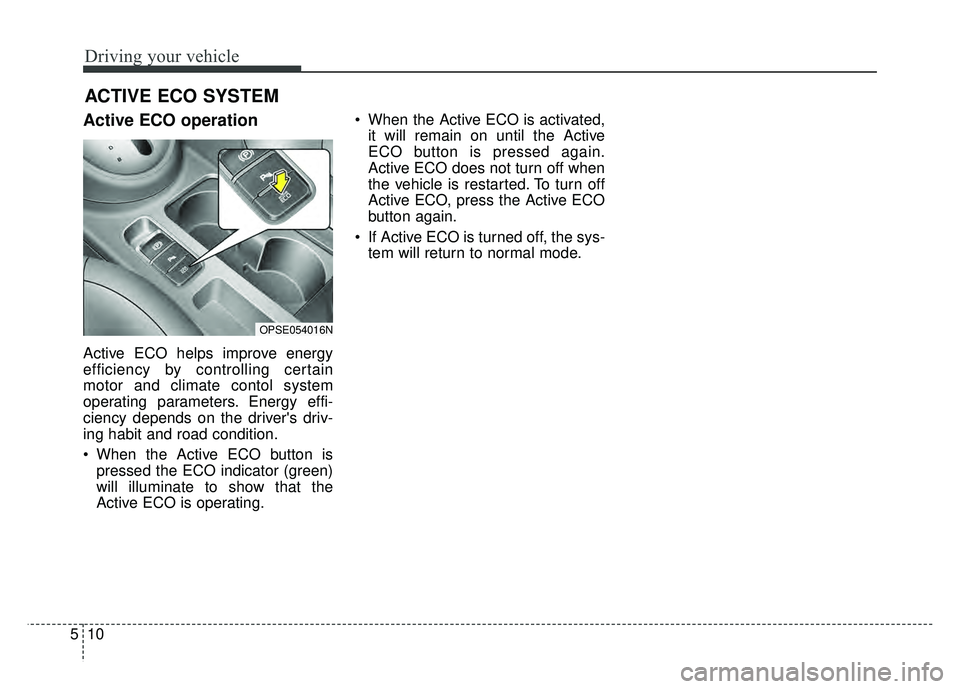
Active ECO operation
Active ECO helps improve energy
efficiency by controlling certain
motor and climate contol system
operating parameters. Energy effi-
ciency depends on the driver's driv-
ing habit and road condition.
When the Active ECO button is
pressed the ECO indicator (green)
will illuminate to show that the
Active ECO is operating. When the Active ECO is activated,
it will remain on until the Active
ECO button is pressed again.
Active ECO does not turn off when
the vehicle is restarted. To turn off
Active ECO, press the Active ECO
button again.
If Active ECO is turned off, the sys- tem will return to normal mode.
ACTIVE ECO SYSTEM
OPSE054016N
Page 325 of 496
513
Driving your vehicle
R (Reverse)
Use this position to drive the vehicle
backward.N (Neutral)
The wheels and gear are not
engaged. The vehicle will roll freely
even on the slightest incline unless
the parking brake or service brakes
are applied.
D (Drive)
This is the normal forward driving
position. The gear will automatically
shift providing the best energy econ-
omy and power.
✽ ✽
NOTICE
Always come to a complete stop
before shifting into D (Drive).
B (Regenerative brake): maximum
regenerative braking mode
Use it when you desire to use regen-
erative braking.
It is useful when you drive on a long
downhill on a highway, mountain
trails, or a slope.
❈ If you use regenerative braking,
you can achieve the same effect
as engine brake of a combustion
engine.
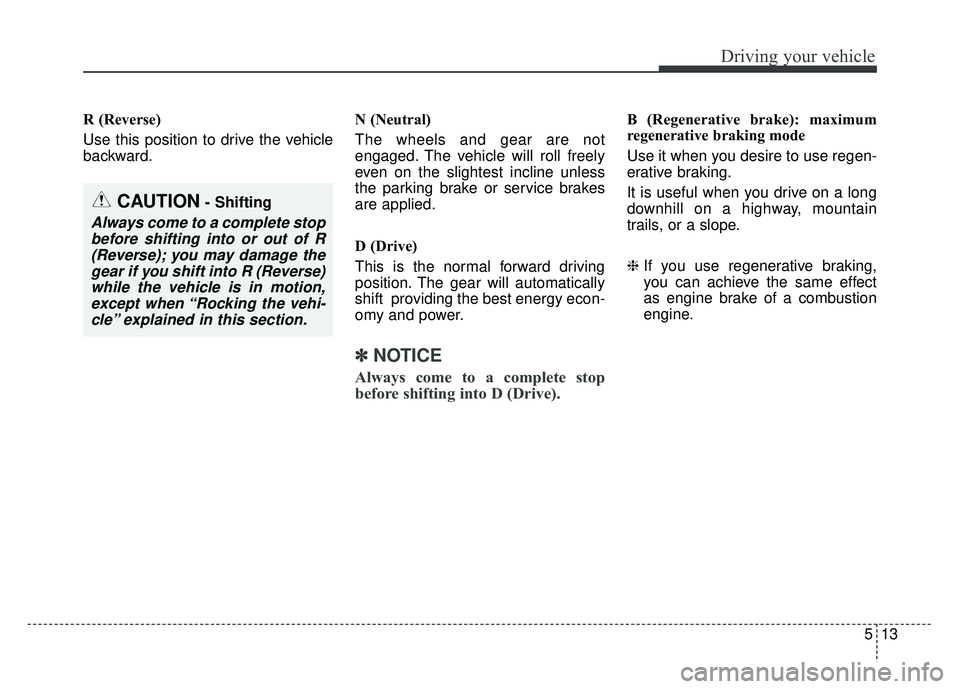
CAUTION- Shifting
Always come to a complete stop
before shifting into or out of R(Reverse); you may damage thegear if you shift into R (Reverse)while the vehicle is in motion,except when “Rocking the vehi-cle” explained in this section.
Page 350 of 496
Driving your vehicle
38
5
Your vehicle's energy economy
depends mainly on your style of driv-
ing, where you drive and when you
drive.
Each of these factors affects how
many miles (kilometers) you can get
from a capacity (kwh) of battery. To
operate your vehicle as economical-
ly as possible, use the following driv-
ing suggestions to help save money
in both energy and repairs:
Drive smoothly. Accelerate at a
moderate rate. Don't make "jack-
rabbit" starts or full-throttle shifts
and maintain a steady cruising
speed. Don't race between stop-
lights. Try to adjust your speed to
the traffic so you don't have to
change speeds unnecessarily.
Avoid heavy traffic whenever pos-
sible. Always maintain a safe dis-
tance from other vehicles so you
can avoid unnecessary braking.
This also reduces brake wear. Drive at a moderate speed. The
faster you drive, the more energy
your vehicle uses. Driving at a
moderate speed, especially on the
highway, is one of the most effec-
tive ways to reduce energy con-
sumption.
Don't "ride" the brake or clutch pedal. This can increase energy
consumption and also increase
wear on these components. In
addition, driving with your foot rest-
ing on the brake pedal may cause
the brakes to overheat, which
reduces their effectiveness and
may lead to more serious conse-
quences.
Take care of your tires. Keep them inflated to the recommended pres-
sure. Incorrect inflation, either too
much or too little, results in unnec-
essary tire wear. Check the tire
pressures at least once a month. Be sure that the wheels are
aligned correctly. Improper align-
ment can result from hitting curbs
or driving too fast over irregular
surfaces. Poor alignment causes
faster tire wear and may also result
in other problems as well as
greater energy consumption.
Keep your vehicle in good condi- tion. For better energy economy
and reduced maintenance costs,
maintain your vehicle in accor-
dance with the maintenance
schedule in section 7. If you drive
your vehicle in severe conditions,
more frequent maintenance is
required (see section 7 for details).
Keep your vehicle clean. For maxi- mum service, your vehicle should
be kept clean and free of corrosive
materials. It is especially important
that mud, dirt, ice, etc. not be
allowed to accumulate on the
underside of the vehicle. This extra
weight can result in increased
energy consumption and also con-
tribute to corrosion.
ECONOMICAL OPERATION
Page 351 of 496
539
Driving your vehicle
Travel lightly. Don't carry unneces-sary weight in your vehicle. Weight
reduces energy economy.
Open windows at high speeds can reduce energy economy.
Energy economy is less in cross- winds and headwinds. To help off-
set some of this loss, slow down
when driving in these conditions.
Keeping a vehicle in good operating
condition is important both for econ-
omy and safety. Therefore, have an
authorized Kia dealer perform
scheduled inspections and mainte-
nance.
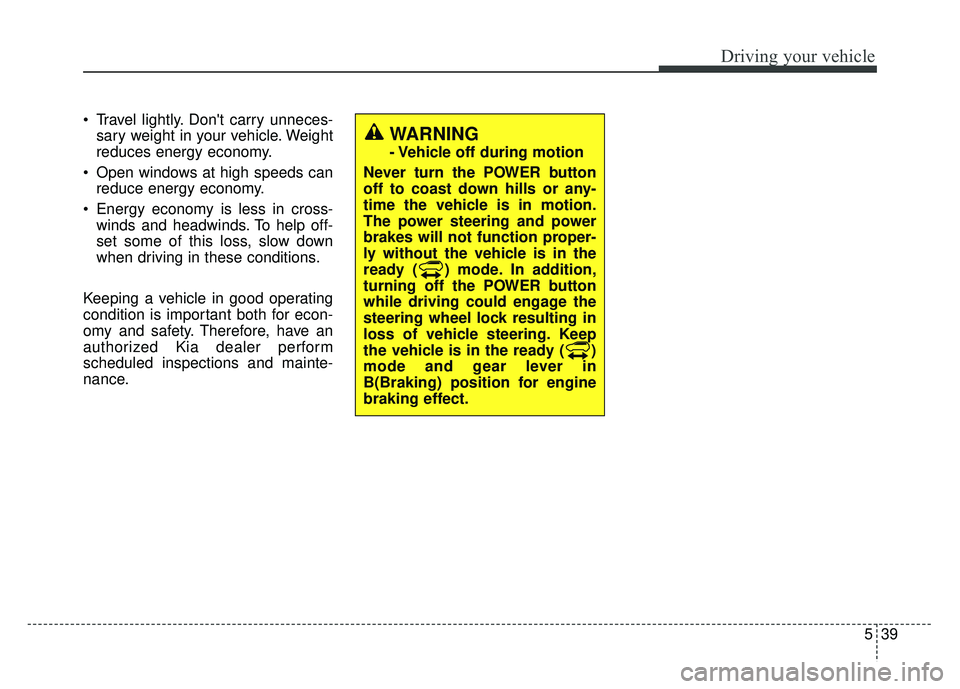
WARNING
- Vehicle off during motion
Never turn the POWER button
off to coast down hills or any-
time the vehicle is in motion.
The power steering and power
brakes will not function proper-
ly without the vehicle is in the
ready ( ) mode. In addition,
turning off the POWER button
while driving could engage the
steering wheel lock resulting in
loss of vehicle steering. Keep
the vehicle is in the ready ( )
mode and gear lever in
B(Braking) position for engine
braking effect.
Page 394 of 496
Maintenance
47
(Continued)
• Wash the undercarriage of yourvehicle regularly during the win-
ter and whenever your vehicle has
been exposed to such salts or
chemicals.
• Do a thorough washing of the undercarriage at the end of the
winter.
• Use professional service techni- cians or governmental inspection
stations to annually inspect for
corrosion.
• Immediately seek an inspection of your vehicle if you become visual-
ly aware of corrosion flaking or
scaling or if you become aware of
a change in vehicle performance,
such as soft or spongy brakes, flu-
ids leaking, impairment of direc-
tional control, suspension noises
or rattling metal straps.
NHTSA further advises that after
a vehicle is 7 years old, it is essen-
tial that you take these indicated
maintenance steps to ensure that
you protect yourself from unsafe
corrosion conditions.Owner maintenance precau-
tions
Improper or incomplete service may
result in problems. This section gives
instructions only for the maintenance
items that are easy to perform.
As explained earlier in this section,
several procedures can be done only
by an authorized Kia dealer with spe-
cial tools.
✽ ✽ NOTICE
Improper owner maintenance dur-
ing the warranty period may affect
warranty coverage. For details, read
the separate Warranty & Consumer
Information manual provided with
the vehicle. If you're unsure about
any servicing or maintenance proce-
dure, have it done by an authorized
Kia dealer.
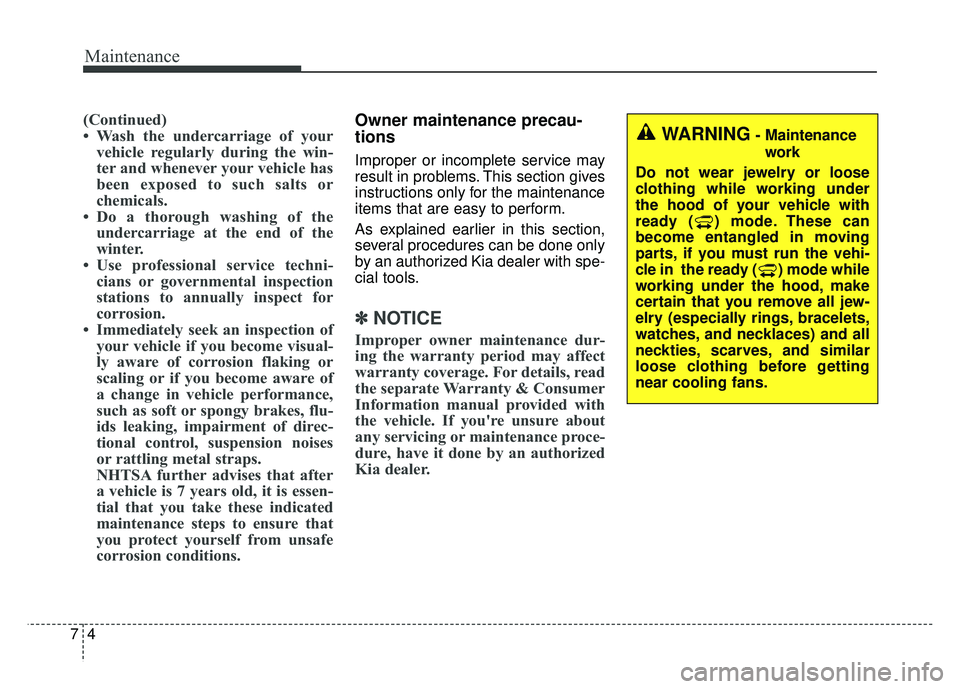
WARNING- Maintenance
work
Do not wear jewelry or loose
clothing while working under
the hood of your vehicle with
ready ( ) mode. These can
become entangled in moving
parts, if you must run the vehi-
cle in the ready ( ) mode while
working under the hood, make
certain that you remove all jew-
elry (especially rings, bracelets,
watches, and necklaces) and all
neckties, scarves, and similar
loose clothing before getting
near cooling fans.