2018 KIA RIO lock
[x] Cancel search: lockPage 159 of 490
487
Features of your vehicle
Battery saver function
The purpose of this feature is toprevent the battery from being dis-
charged. The system automatically
turns off the parking lights when
the driver removes the ignition key
and opens the driver-side door.
With this feature, the parking lights will turn off automatically if the driv-
er parks on the side of the road at
night.
If necessary, to keep the lights on
when the ignition key is removed,
perform the following:
1) Open the driver-side door.
2) Turn the parking lights OFF and ON again using the light switch
on the steering column.
Headlight escort function
(if equipped)
The headlights (and/or taillights) will
remain on for approximately 5 min-
utes after the ignition key is removed
or turned to the ACC or LOCK posi-
tion. However, if the driver’s door is
opened and closed, the headlights
are turned off after 15 seconds.
The headlights can be turned off by
pressing the lock button on the trans-
mitter (or smart key) twice or turning
off the light switch from the headlight
or Auto light position.
If the driver gets out of the vehicle
through other doors (except driver's
door), the battery saver function
does not operate and the headlight
escort function does not turn off
automatically. Therefore, It causes
the battery to be discharged. In this
case, make sure to turn off the lamp
before getting out of the vehicle.
If the headlights are not working
properly have your vehicle inspected
by an authorized Kia dealer.
Don't attempt to inspect or replace
the wiring yourself to prevent mal-
function.
Headlight welcome function
(if equipped)
When the headlight switch is in the
ON or AUTO position and all doors
(and tailgate) are closed and locked,
if you press the door unlock button
on the transmitter (or smart key), the
headlights will come on for about 15
seconds.
If the headlight switch is in the AUTO
position, the function can only oper-
ate at night.
At this time, if you press the door
unlock button again or door lock but-
ton on the transmitter (or smart key),
the headlights will turn off immedi-
ately.
LIGHTING
Page 171 of 490
499
Features of your vehicle
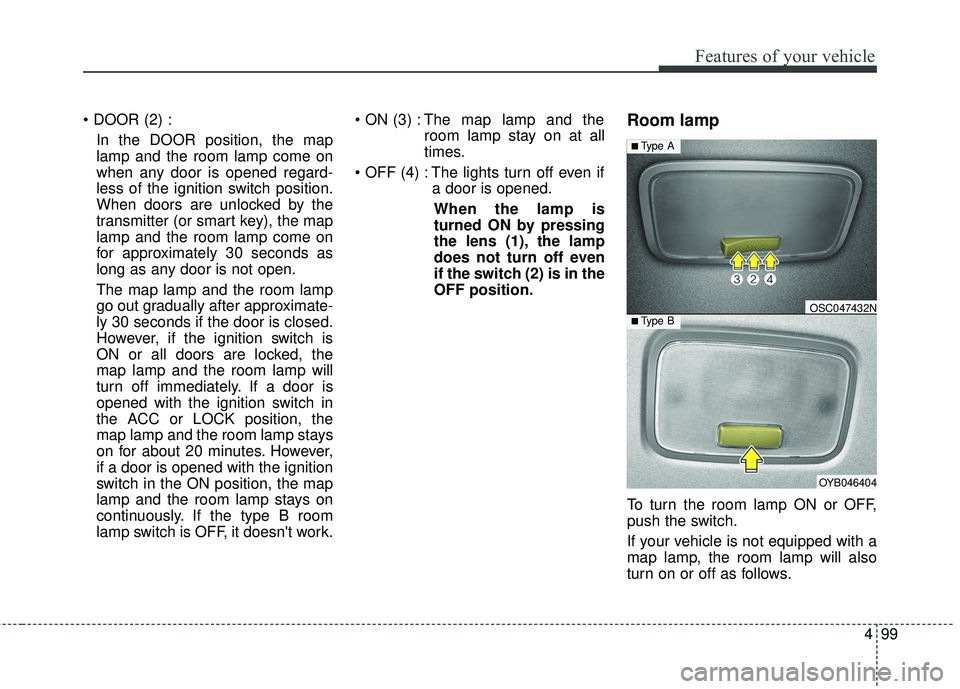
In the DOOR position, the map
lamp and the room lamp come on
when any door is opened regard-
less of the ignition switch position.
When doors are unlocked by the
transmitter (or smart key), the map
lamp and the room lamp come on
for approximately 30 seconds as
long as any door is not open.
The map lamp and the room lamp
go out gradually after approximate-
ly 30 seconds if the door is closed.
However, if the ignition switch is
ON or all doors are locked, the
map lamp and the room lamp will
turn off immediately. If a door is
opened with the ignition switch in
the ACC or LOCK position, the
map lamp and the room lamp stays
on for about 20 minutes. However,
if a door is opened with the ignition
switch in the ON position, the map
lamp and the room lamp stays on
continuously. If the type B room
lamp switch is OFF, it doesn't work. The map lamp and the
room lamp stay on at all
times.
The lights turn off even if a door is opened.
When the lamp is
turned ON by pressing
the lens (1), the lamp
does not turn off even
if the switch (2) is in the
OFF position.Room lamp
To turn the room lamp ON or OFF,
push the switch.
If your vehicle is not equipped with a
map lamp, the room lamp will also
turn on or off as follows.
OYB046404
OSC047432N
■ Type A
■ Type B
Page 172 of 490
Features of your vehicle
100
4
- The room lamp comes on when a
door is opened. The lamps go out
after approximately 30 seconds.
- The room lamp comes on for approximately 30 seconds when
doors are unlocked with a trans-
mitter or smart key as long as the
doors are not opened.
- The room lamp will stay on for approximately 20 minutes if a
door is opened with the ignition
switch in the ACC or LOCK/OFF
position.
- The room lamp will stay on con- tinuously if the door is opened
with the ignition switch in the ON
position.
- The room lamp will go out imme- diately if the ignition switch is
changed to the ON position or all
doors are locked.
In the DOOR position, the map
lamp and the room lamp come on
when any door is opened regard-
less of the ignition switch position.
When doors are unlocked by the
transmitter (or smart key), the map
lamp and the room lamp come on
for approximately 30 seconds as
long as any door is not open.
The map lamp and the room lamp
go out gradually after approximate-
ly 30 seconds if the door is closed.
However, if the ignition switch is
ON or all doors are locked, the
map lamp and the room lamp will
turn off immediately. If a door is
opened with the ignition switch in
the ACC or LOCK position, the
map lamp and the room lamp stays
on for about 20 minutes. However,
if a door is opened with the ignition
switch in the ON position, the map
lamp and the room lamp stays on
continuously. If the type B room
lamp switch is OFF, it doesn't work. The map lamp and the
room lamp stay on at all
times.
The lights turn off even if a door is opened.
When the lamp is
turned ON by pressing
the lens (1), the lamp
does not turn off even
if the switch (2) is in the
OFF position.
Page 182 of 490
Features of your vehicle
110
4
Air conditioning (if equipped)
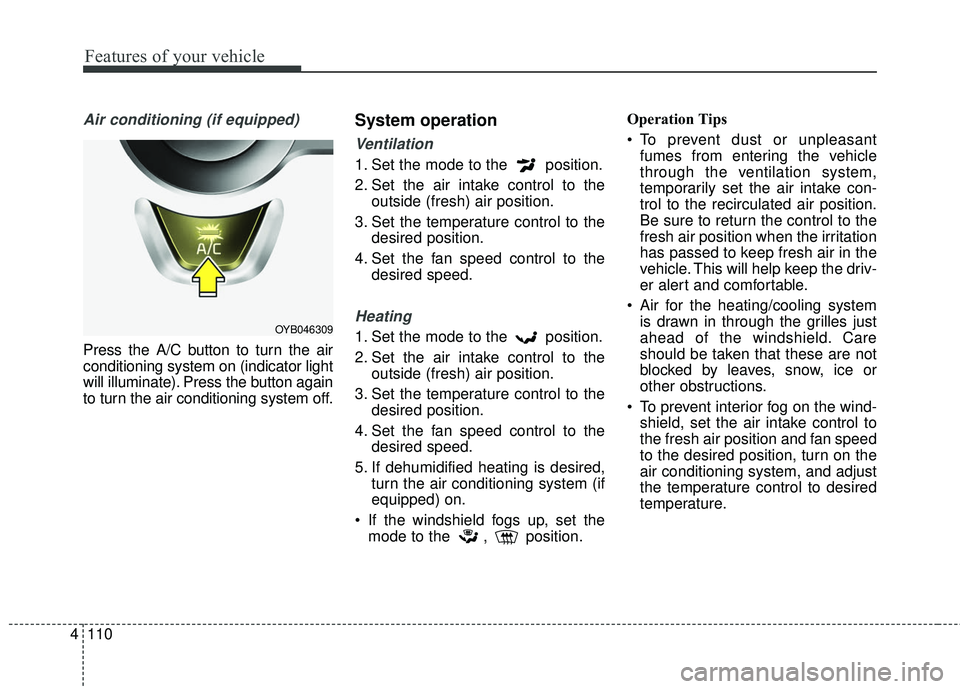
Press the A/C button to turn the air
conditioning system on (indicator light
will illuminate). Press the button again
to turn the air conditioning system off.
System operation
Ventilation
1. Set the mode to the position.
2. Set the air intake control to the
outside (fresh) air position.
3. Set the temperature control to the desired position.
4. Set the fan speed control to the desired speed.
Heating
1. Set the mode to the position.
2. Set the air intake control to theoutside (fresh) air position.
3. Set the temperature control to the desired position.
4. Set the fan speed control to the desired speed.
5. If dehumidified heating is desired, turn the air conditioning system (if
equipped) on.
If the windshield fogs up, set the mode to the , position. Operation Tips
To prevent dust or unpleasant
fumes from entering the vehicle
through the ventilation system,
temporarily set the air intake con-
trol to the recirculated air position.
Be sure to return the control to the
fresh air position when the irritation
has passed to keep fresh air in the
vehicle. This will help keep the driv-
er alert and comfortable.
Air for the heating/cooling system is drawn in through the grilles just
ahead of the windshield. Care
should be taken that these are not
blocked by leaves, snow, ice or
other obstructions.
To prevent interior fog on the wind- shield, set the air intake control to
the fresh air position and fan speed
to the desired position, turn on the
air conditioning system, and adjust
the temperature control to desired
temperature.OYB046309
Page 193 of 490
4121
Features of your vehicle
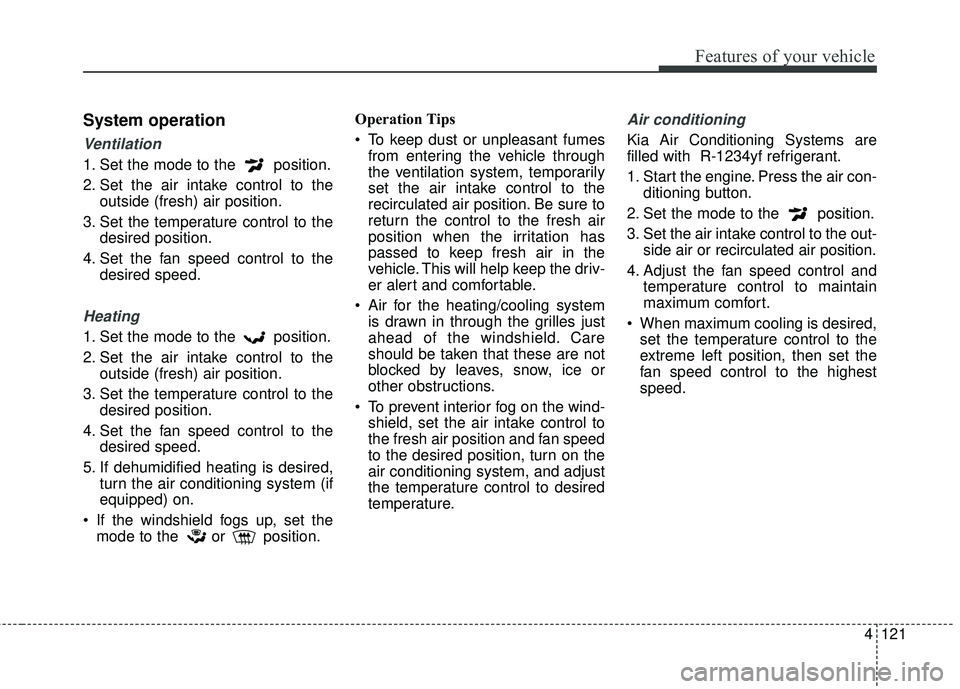
System operation
Ventilation
1. Set the mode to the position.
2. Set the air intake control to theoutside (fresh) air position.
3. Set the temperature control to the desired position.
4. Set the fan speed control to the desired speed.
Heating
1. Set the mode to the position.
2. Set the air intake control to theoutside (fresh) air position.
3. Set the temperature control to the desired position.
4. Set the fan speed control to the desired speed.
5. If dehumidified heating is desired, turn the air conditioning system (if
equipped) on.
If the windshield fogs up, set the mode to the or position. Operation Tips
To keep dust or unpleasant fumes
from entering the vehicle through
the ventilation system, temporarily
set the air intake control to the
recirculated air position. Be sure to
return the control to the fresh air
position when the irritation has
passed to keep fresh air in the
vehicle. This will help keep the driv-
er alert and comfortable.
Air for the heating/cooling system is drawn in through the grilles just
ahead of the windshield. Care
should be taken that these are not
blocked by leaves, snow, ice or
other obstructions.
To prevent interior fog on the wind- shield, set the air intake control to
the fresh air position and fan speed
to the desired position, turn on the
air conditioning system, and adjust
the temperature control to desired
temperature.
Air conditioning
Kia Air Conditioning Systems are
filled with R-1234yf refrigerant.
1. Start the engine. Press the air con- ditioning button.
2. Set the mode to the position.
3. Set the air intake control to the out- side air or recirculated air position.
4. Adjust the fan speed control and temperature control to maintain
maximum comfort.
When maximum cooling is desired, set the temperature control to the
extreme left position, then set the
fan speed control to the highest
speed.
Page 201 of 490
4129
Features of your vehicle
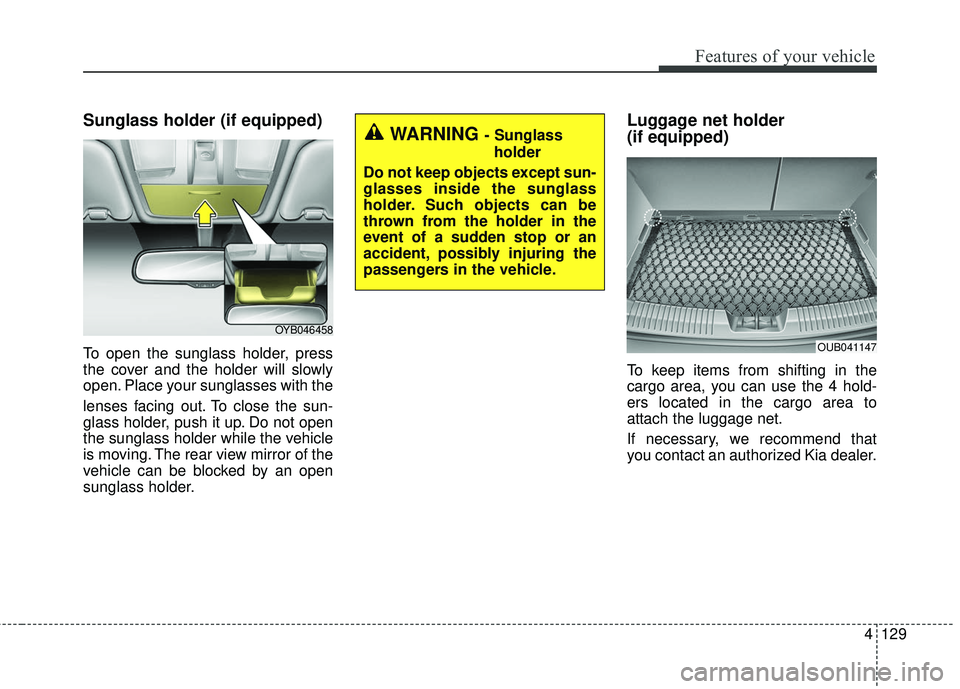
Sunglass holder (if equipped)
To open the sunglass holder, press
the cover and the holder will slowly
open. Place your sunglasses with the
lenses facing out. To close the sun-
glass holder, push it up. Do not open
the sunglass holder while the vehicle
is moving. The rear view mirror of the
vehicle can be blocked by an open
sunglass holder.
Luggage net holder
(if equipped)
To keep items from shifting in the
cargo area, you can use the 4 hold-
ers located in the cargo area to
attach the luggage net.
If necessary, we recommend that
you contact an authorized Kia dealer.
OYB046458
WARNING - Sunglassholder
Do not keep objects except sun-
glasses inside the sunglass
holder. Such objects can be
thrown from the holder in the
event of a sudden stop or an
accident, possibly injuring the
passengers in the vehicle.
OUB041147
Page 211 of 490
Audio system
52
AUDIO SYSTEM
✽ ✽ NOTICE
If you install an aftermarket HID
head lamp, your vehicle’s audio and
electronic device may malfunction.
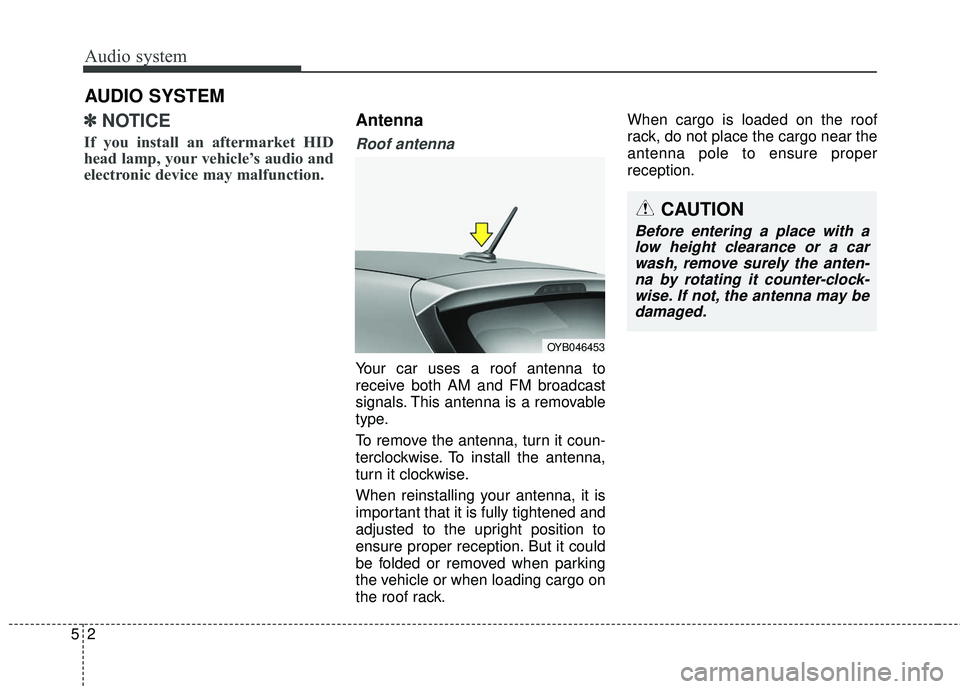
Antenna
Roof antenna
Your car uses a roof antenna to
receive both AM and FM broadcast
signals. This antenna is a removable
type.
To remove the antenna, turn it coun-
terclockwise. To install the antenna,
turn it clockwise.
When reinstalling your antenna, it is
important that it is fully tightened and
adjusted to the upright position to
ensure proper reception. But it could
be folded or removed when parking
the vehicle or when loading cargo on
the roof rack. When cargo is loaded on the roof
rack, do not place the cargo near the
antenna pole to ensure proper
reception.
CAUTION
Before entering a place with a
low height clearance or a carwash, remove surely the anten-na by rotating it counter-clock-wise. If not, the antenna may bedamaged.
OYB046453
Page 214 of 490
Audio system
55
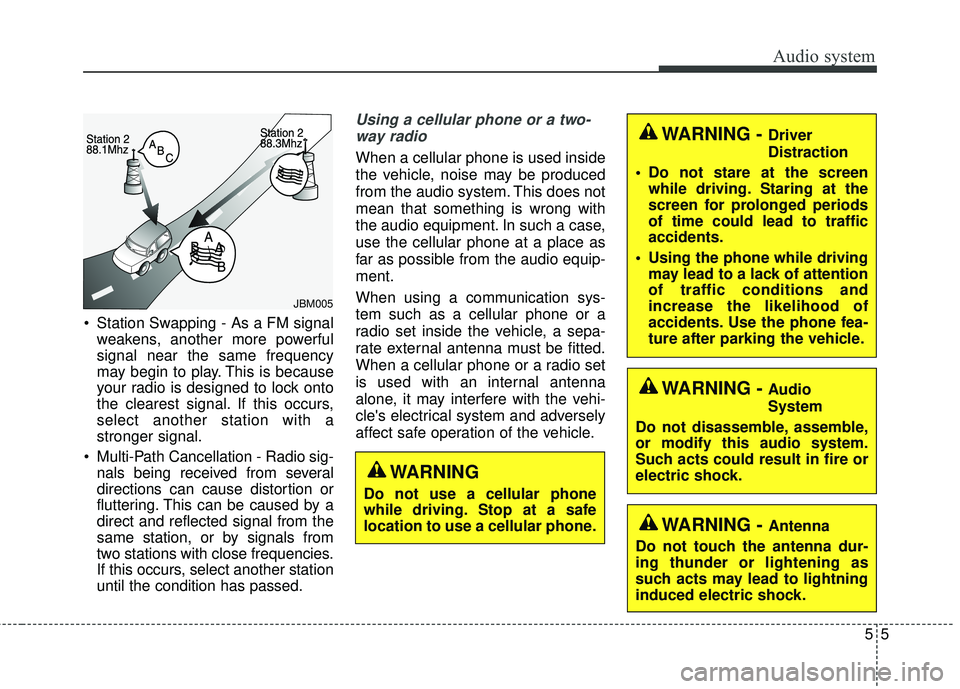
Station Swapping - As a FM signalweakens, another more powerful
signal near the same frequency
may begin to play. This is because
your radio is designed to lock onto
the clearest signal. If this occurs,
select another station with a
stronger signal.
Multi-Path Cancellation - Radio sig- nals being received from several
directions can cause distortion or
fluttering. This can be caused by a
direct and reflected signal from the
same station, or by signals from
two stations with close frequencies.
If this occurs, select another station
until the condition has passed.
Using a cellular phone or a two-
way radio
When a cellular phone is used inside
the vehicle, noise may be produced
from the audio system. This does not
mean that something is wrong with
the audio equipment. In such a case,
use the cellular phone at a place as
far as possible from the audio equip-
ment.
When using a communication sys-
tem such as a cellular phone or a
radio set inside the vehicle, a sepa-
rate external antenna must be fitted.
When a cellular phone or a radio set
is used with an internal antenna
alone, it may interfere with the vehi-
cle's electrical system and adversely
affect safe operation of the vehicle.
JBM005
WARNING
Do not use a cellular phone
while driving. Stop at a safe
location to use a cellular phone.
WARNING - Driver
Distraction
• Do not stare at the screen while driving. Staring at the
screen for prolonged periods
of time could lead to traffic
accidents.
Using the phone while driving may lead to a lack of attention
of traffic conditions and
increase the likelihood of
accidents. Use the phone fea-
ture after parking the vehicle.
WARNING - Audio
System
Do not disassemble, assemble,
or modify this audio system.
Such acts could result in fire or
electric shock.
WARNING - Antenna
Do not touch the antenna dur-
ing thunder or lightening as
such acts may lead to lightning
induced electric shock.