Page 285 of 570
Features of your vehicle
182
4
✽
✽
NOTICE
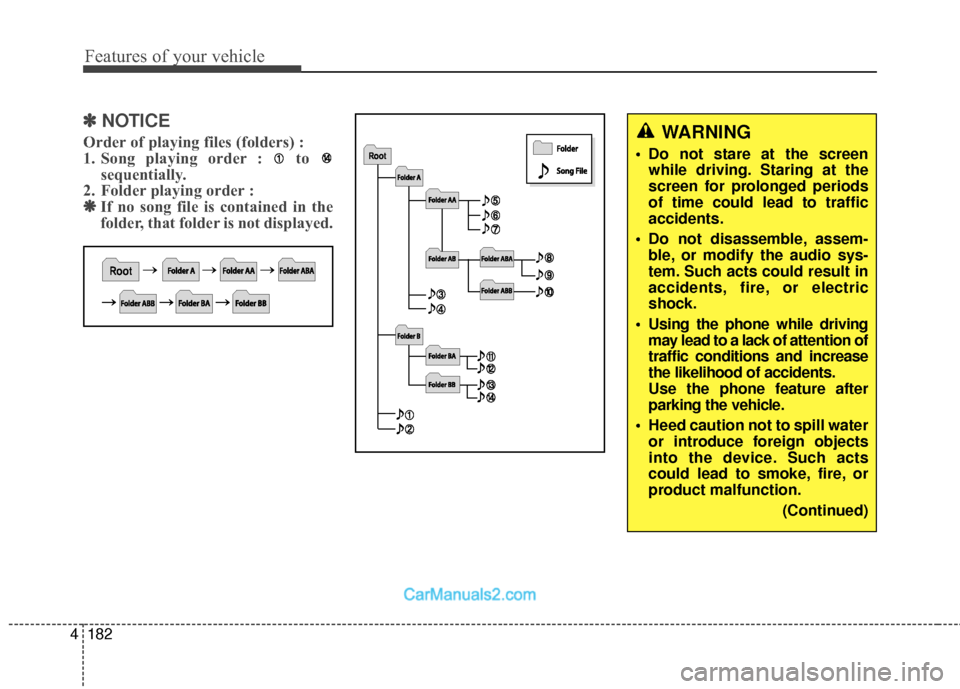
Order of playing files (folders) :
1. Song playing order : to
sequentially.
2. Folder playing order : ❋ ❋ If no song file is contained in the
folder, that folder is not displayed.WARNING
• Do not stare at the screen
while driving. Staring at the
screen for prolonged periods
of time could lead to traffic
accidents.
Do not disassemble, assem- ble, or modify the audio sys-
tem. Such acts could result in
accidents, fire, or electric
shock.
Using the phone while driving may lead to a lack of attention of
traffic conditions and increase
the likelihood of accidents.
Use the phone feature after
parking the vehicle.
Heed caution not to spill water or introduce foreign objects
into the device. Such acts
could lead to smoke, fire, or
product malfunction.
(Continued)
Page 305 of 570
513
Driving your vehicle
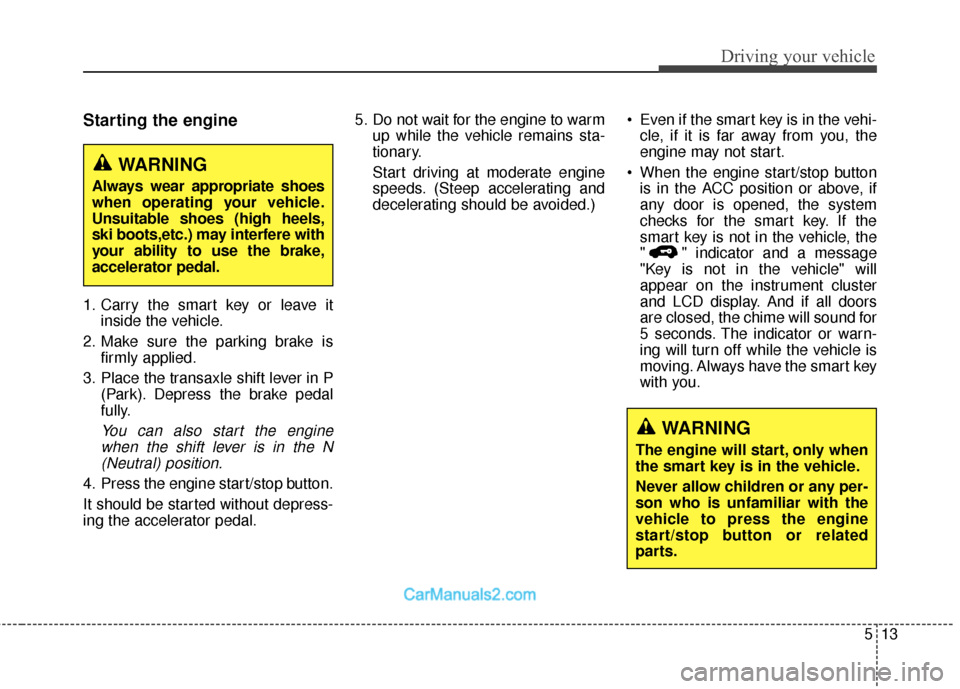
Starting the engine
1. Carry the smart key or leave itinside the vehicle.
2. Make sure the parking brake is firmly applied.
3. Place the transaxle shift lever in P (Park). Depress the brake pedal
fully.
You can also start the enginewhen the shift lever is in the N(Neutral) position.
4. Press the engine start/stop button.
It should be started without depress-
ing the accelerator pedal. 5. Do not wait for the engine to warm
up while the vehicle remains sta-
tionary.
Start driving at moderate engine
speeds. (Steep accelerating and
decelerating should be avoided.) Even if the smart key is in the vehi-
cle, if it is far away from you, the
engine may not start.
When the engine start/stop button is in the ACC position or above, if
any door is opened, the system
checks for the smart key. If the
smart key is not in the vehicle, the
" " indicator and a message
"Key is not in the vehicle" will
appear on the instrument cluster
and LCD display. And if all doors
are closed, the chime will sound for
5 seconds. The indicator or warn-
ing will turn off while the vehicle is
moving. Always have the smart key
with you.
WARNING
The engine will start, only when
the smart key is in the vehicle.
Never allow children or any per-
son who is unfamiliar with the
vehicle to press the engine
start/stop button or related
parts.
WARNING
Always wear appropriate shoes
when operating your vehicle.
Unsuitable shoes (high heels,
ski boots,etc.) may interfere with
your ability to use the brake,
accelerator pedal.
Page 308 of 570
Driving your vehicle
16
5
For smooth operation, depress the
brake pedal when shifting from N(Neutral) to a forward or reverse gear. Transaxle ranges
The indicator lights in the instrument
cluster displays the shift lever posi-
tion when the ignition switch is in the
ON position.
P (Park)
Always come to a complete stop
before shifting into P (Park). This
position locks the transaxle and pre-
vents the front wheels from rotating.
WARNING - Automatic
transaxle
Always check the surrounding areas near your vehicle for
people, especially children,
before shifting a vehicle into
D (Drive) or R (Reverse).
Before leaving the driver's seat, always make sure the
shift lever is in the P (Park)
position; then set the parking
brake fully and shut the
engine off. Unexpected and
sudden vehicle movement
can occur if these precautions
are not followed in the order
identified.
CAUTION
To avoid damage to your transaxle, do not acceleratethe engine in R (Reverse) orany forward gear position withthe brakes on.
When stopped on an incline, do not hold the vehicle sta-tionary with engine power.Use the service brake or theparking brake.
Do not shift from N (Neutral) or P (Park) into D (Drive), or R(Reverse) when the engine isabove idle speed.
Page 321 of 570
529
Driving your vehicle
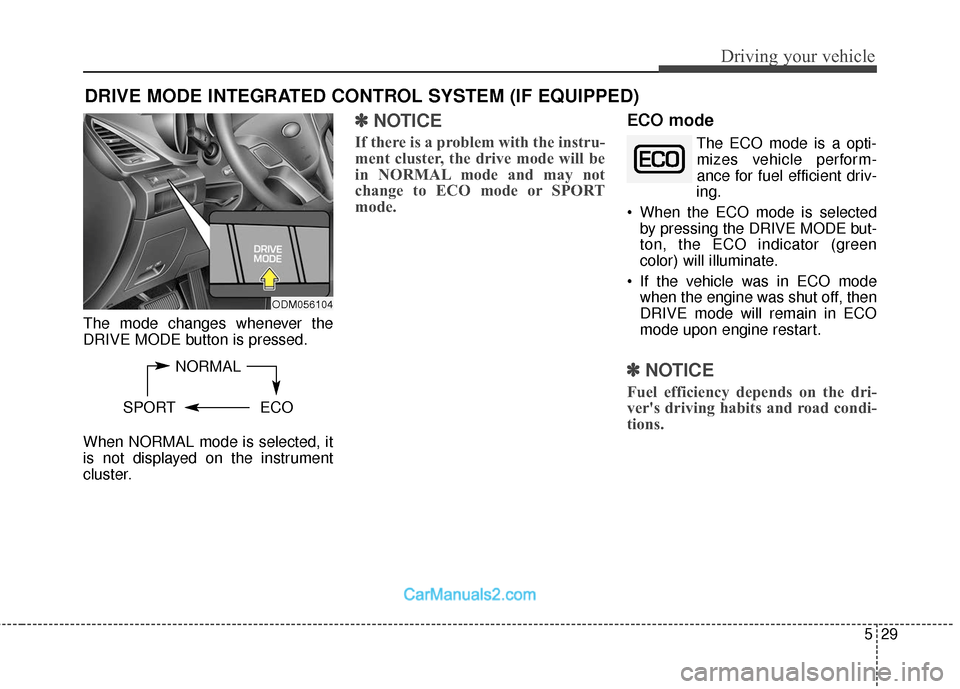
The mode changes whenever the
DRIVE MODE button is pressed.
When NORMAL mode is selected, it
is not displayed on the instrument
cluster.
✽ ✽NOTICE
If there is a problem with the instru-
ment cluster, the drive mode will be
in NORMAL mode and may not
change to ECO mode or SPORT
mode.
ECO mode
The ECO mode is a opti-
mizes vehicle perform-
ance for fuel efficient driv-
ing.
When the ECO mode is selected by pressing the DRIVE MODE but-
ton, the ECO indicator (green
color) will illuminate.
If the vehicle was in ECO mode when the engine was shut off, then
DRIVE mode will remain in ECO
mode upon engine restart.
✽ ✽ NOTICE
Fuel efficiency depends on the dri-
ver's driving habits and road condi-
tions.
DRIVE MODE INTEGRATED CONTROL SYSTEM (IF EQUIPPED)
NORMAL
SPORT ECO
ODM056104
Page 342 of 570
Driving your vehicle
50
5
✽
✽
NOTICE
Turning the ESC OFF does not
affect ABS or standard brake sys-
tem operation.
Vehicle stability management
(VSM) (if equipped)
This system provides further
enhancements to vehicle stability
and steering responses when a vehi-
cle is driving on a slippery road or a
vehicle detected changes in coeffi-
cient of friction between right wheels
and left wheels when braking.
VSM operation
When the VSM is in operation, ESC
indicator light ( ) blinks.
When the vehicle stability manage-
ment is operating properly, you can
feel a slight pulsation in the vehicle
and/or abnormal steering responses
(EPS). This is only the effect of brake
and EPS control and indicates noth-
ing unusual. The VSM does not operate when:
Driving on a banked road such as
gradient or incline
Driving rearward
ESC OFF indicator light ( ) remains on the instrument cluster
EPS indicator light remains on the instrument cluster
VSM operation off
If you press the ESC OFF button to
turn off the ESC, the VSM will also
cancel and the ESC OFF indicator
light ( ) illuminates.
To turn on the VSM, press the button
again. The ESC OFF indicator light
goes out.
CAUTION
To prevent damage to thetransaxle:
Do not allow wheel(s) of one axle to spin excessively whilethe ESC, ABS, and brakewarning lights are displayed.The repairs would not be cov-ered by the vehicle warranty.Reduce engine power and donot spin the wheel(s) exces-sively while these lights aredisplayed.
When operating the vehicle on a dynamometer, ensure theESC is turned off (ESC OFFlight illuminated).
Page 349 of 570
557
Driving your vehicle
The warning light illumi-
nates on the LCD display,
when you cancel the AEB
system. The driver can
monitor the AEB ON/OFF status on
the LCD display. When the warning
light remains ON with the AEB acti-
vated, have the system checked by
an authorized HYUNDAI dealer.
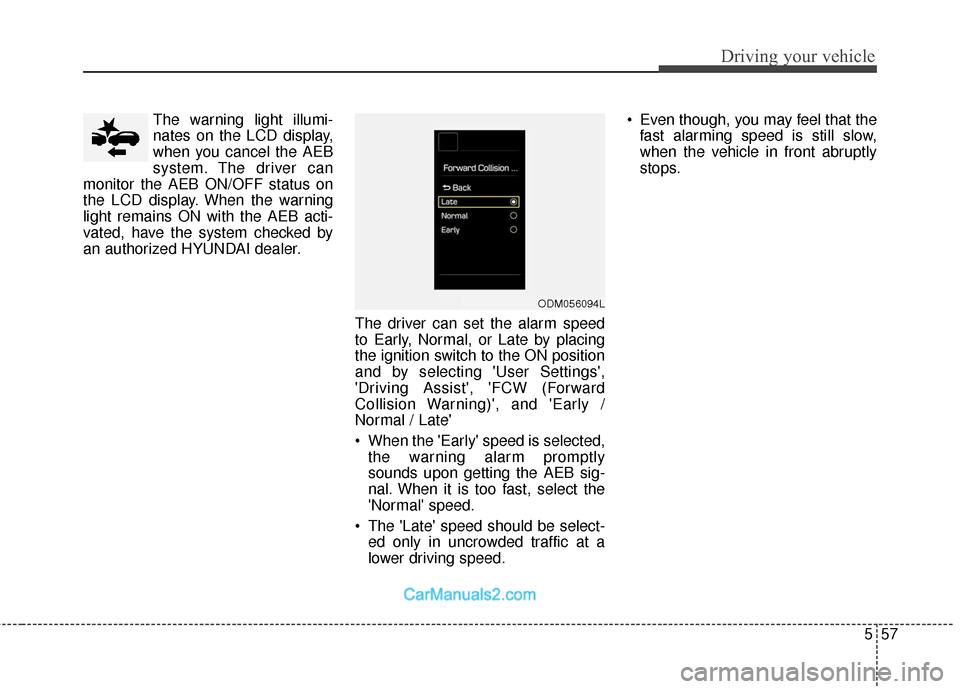
The driver can set the alarm speed
to Early, Normal, or Late by placing
the ignition switch to the ON position
and by selecting 'User Settings',
'Driving Assist', 'FCW (Forward
Collision Warning)', and 'Early /
Normal / Late'
When the 'Early' speed is selected,the warning alarm promptly
sounds upon getting the AEB sig-
nal. When it is too fast, select the
'Normal' speed.
The 'Late' speed should be select- ed only in uncrowded traffic at a
lower driving speed. Even though, you may feel that the
fast alarming speed is still slow,
when the vehicle in front abruptly
stops.
ODM056094L
Page 350 of 570
Driving your vehicle
58
5
The AEB can be successfully
activated
When the AEB is selected on the
LCD display, and when the following
prerequisites are satisfied.
- The ESC (and TCS) is activated.
- Driving speed exceeds approxi- mately 6mph (10km/h). (The AEB
is only activated within a certain
speed range.)
- The system detects a pedestrian or a vehicle in front, which may collide
with your vehicle. (The AEB may
not be activated or may sound a
warning alarm in accordance with
the driving situation or vehicle con-
dition.)
AEB warning message and
system control
The AEB produces warning mes-
sages and warning alarms in accor-
dance with the collision risk levels.
Also, it controls the brakes in accor-
dance with the collision risk levels.
WARNING
The driver can either activate or deactivate the AEB by
selecting 'User Settings',
'Driving Assist' and enabling/
disabling the feature.
However, for your safety, oper-
ate the AEB after parking the
vehicle on a safe location.
The AEB automatically acti- vates upon placing the igni-
tion switch to the ON position.
The driver can deactivate the
AEB by canceling the system
setting on the LCD display.
The AEB automatically deacti- vates upon canceling the
ESC. When the ESC is can-
celed, the AEB cannot be acti-
vated on the LCD display.
Page 351 of 570
559
Driving your vehicle
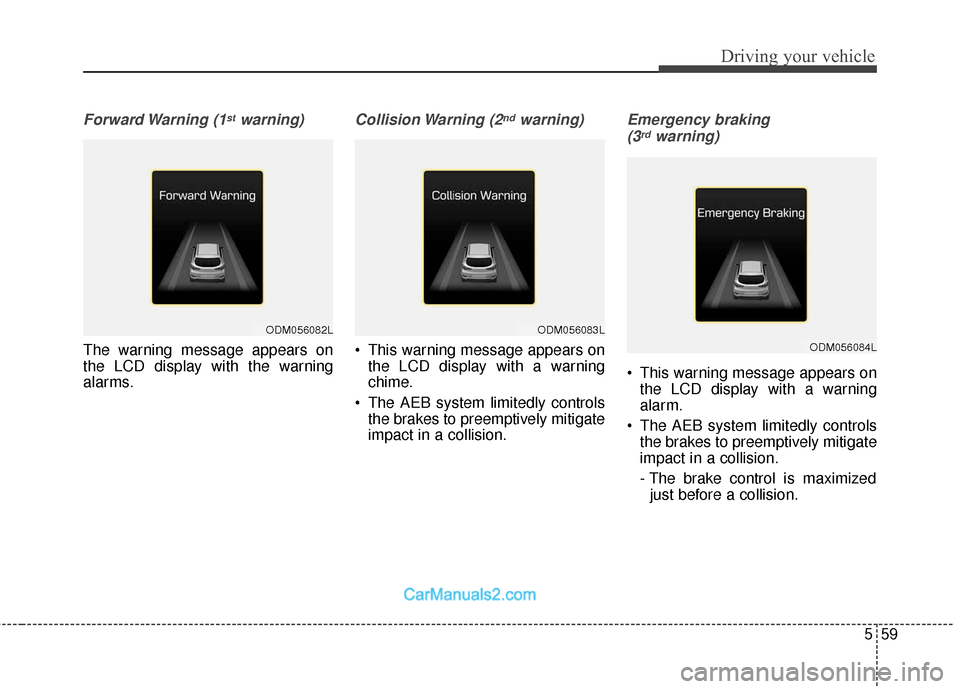
Forward Warning (1stwarning)
The warning message appears on
the LCD display with the warning
alarms.
Collision Warning (2ndwarning)
This warning message appears onthe LCD display with a warning
chime.
The AEB system limitedly controls the brakes to preemptively mitigate
impact in a collision.
Emergency braking
(3rdwarning)
This warning message appears on the LCD display with a warning
alarm.
The AEB system limitedly controls the brakes to preemptively mitigate
impact in a collision.
- The brake control is maximizedjust before a collision.
ODM056082LODM056083L
ODM056084L