2018 Hyundai Kona brakes
[x] Cancel search: brakesPage 291 of 523
5-37
Driving your vehicle
5
Driving with wheels and tires with
different sizes may cause the VSM
system to malfunction. Before
replacing tires, make sure all fourtires and wheels are the same
size. Never drive the vehicle with
different sized tires and wheelsinstalled.
Hill-Start Assist Control (HAC) (if equipped)
The Hill-Start Assist Control (HAC)
helps prevent the vehicle from rolling
backwards when starting a vehicle
from a stop on a hill. The system
operates the brakes automatically for
approximately 2 seconds and releas-
es the brake after 2 seconds or when
the accelerator pedal is depressed.Information
The HAC does not operate when the shift lever is in P (Park) or N
(Neutral).
The HAC activates even when the ESC (Electronic Stability Control) is
off. However, it does not activate,
when the ESC does not operate nor-
mally.
Emergency Stop Signal (ESS) (if equipped)
The Emergency Stop Signal system
alerts the driver behind by blinking
the stop lights, while sharply and
severely braking.
The system is activated when:
The vehicle suddenly stops. (Thedeceleration power exceeds 7 m/s 2
,
and the driving speed exceeds 55 km/h (34 mph).)
The ABS is activated and the driv- ing speed exceeds 55 km/h (34mph).
The hazard warning flasher automat-
ically turns ON after blinking the stoplights:
When the driving speed is under 40 km/h (25 mph),
When the ABS is deactivated, and
When the sudden braking situation is over.
i
NOTICE
If the ESC indicator light ( ) or
EPS warning light ( ) stays
or blinks, your vehicle may have
a malfunction with the VSM sys-
tem. When the warning light illu-minates we recommend that the
vehicle be checked by an
authorized HYUNDAI dealer as
soon as possible.
WARNING
Always be ready to depress the
accelerator pedal when starting
off on a incline. The HAC acti-
vates only for approximately 2seconds.
WARNING
Page 292 of 523
5-38
Driving your vehicle
The hazard warning flasher turns OFF:
When the vehicle drives at a lowspeed for a certain period of time.
The driver can manually turn OFF the
hazard warning flasher by pressing
the button.
Information
The Emergency Stop Signal (ESS) sys-
tem will not activate, when the hazard
warning flashers are already on.Downhill Brake Control (DBC) (if equipped)
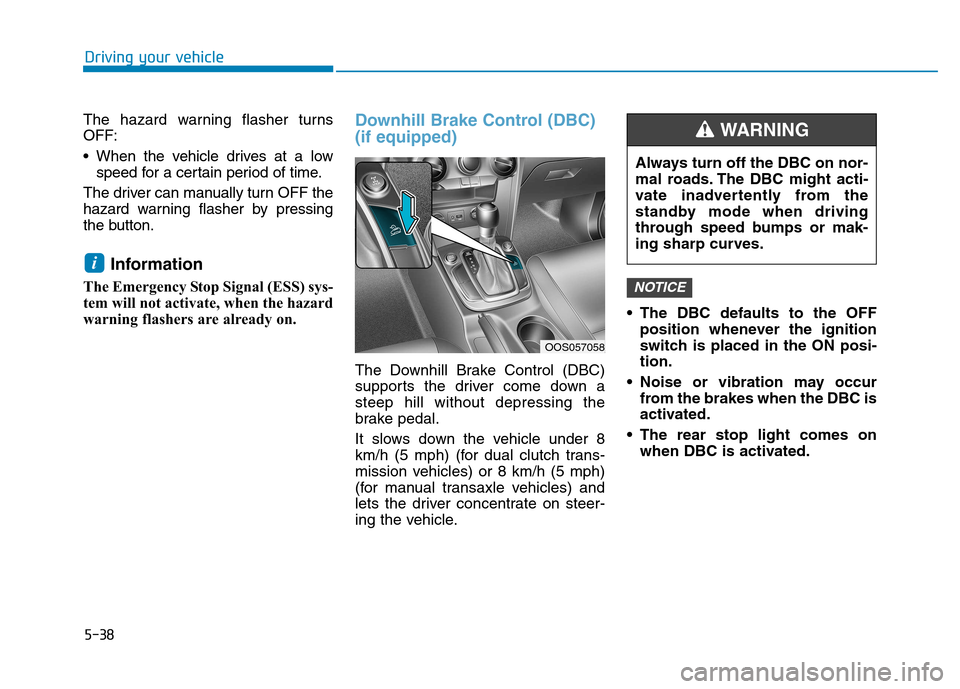
The Downhill Brake Control (DBC)
supports the driver come down asteep hill without depressing the
brake pedal.
It slows down the vehicle under 8
km/h (5 mph) (for dual clutch trans-
mission vehicles) or 8 km/h (5 mph)
(for manual transaxle vehicles) and
lets the driver concentrate on steer-
ing the vehicle. The DBC defaults to the OFF
position whenever the ignition
switch is placed in the ON posi-tion.
Noise or vibration may occur from the brakes when the DBC is
activated.
The rear stop light comes on when DBC is activated.
NOTICE
i
OOS057058 Always turn off the DBC on nor-
mal roads. The DBC might acti-
vate inadvertently from the
standby mode when driving
through speed bumps or mak-
ing sharp curves.
WARNING
Page 294 of 523
5-40
Driving your vehicle
Good braking practices Wet brakes can be dangerous! The
brakes may get wet if the vehicle is
driven through standing water or if it
is washed. Your vehicle will not stop
as quickly if the brakes are wet. Wet
brakes may cause the vehicle to pull
to one side.
To dry the brakes, apply the brakes
lightly until the braking action returns
to normal, taking care to keep the
vehicle under control at all times. If
the braking action does not return to
normal, stop as soon as it is safe to
do so and we recommend that you
call an authorized HYUNDAI dealer
for assistance.
DO NOT drive with your foot resting
on the brake pedal. Even light, butconstant pedal pressure can result in
the brakes overheating, brake wear,
and possibly even brake failure.If a tire goes flat while you are driv-
ing, apply the brakes gently and
keep the vehicle pointed straight
ahead while you slow down. When
you are moving slowly enough for it
to be safe to do so, pull off the road
and stop in a safe location.
Keep your foot firmly on the brake
pedal when the vehicle is stopped to
prevent the vehicle from rolling for-
ward.
Whenever leaving the vehicle or
parking, always come to a com-
plete stop and continue to
depress the brake pedal. Move
the shift lever into the P (Park)
position, then apply the parking
brake, and place the ignition
switch in the LOCK/OFF posi-tion.
Vehicles parked with the park- ing brake not applied or not
fully engaged may roll inadver-
tently and may cause injury to
the driver and others. ALWAYS
apply the parking brake before
exiting the vehicle.
WARNING
Page 319 of 523
5-65
Driving your vehicle
5
FCA warning message and
system control
The FCA produces warning mes-
sages and warning alarms in accor-
dance with the collision risk levels,
such as abrupt stopping of the vehi-
cle in front, insufficient braking dis-
tance, or pedestrian detection. Also,
it controls the brakes in accordance
with the collision risk levels.
The driver can select the initial warn-
ing activation time in the User
Settings in the LCD display. The
options for the initial Forward
Collision Warning include Early,
Normal or Late initial warning time.
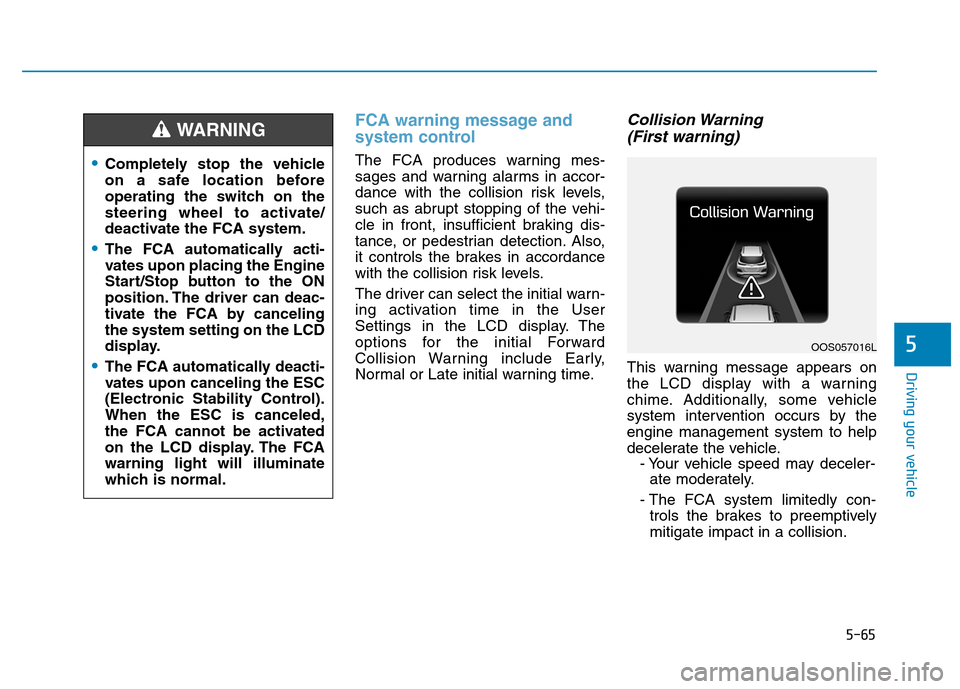
Collision Warning (First warning)
This warning message appears on
the LCD display with a warning
chime. Additionally, some vehicle
system intervention occurs by theengine management system to help
decelerate the vehicle. - Your vehicle speed may deceler-ate moderately.
- The FCA system limitedly con- trols the brakes to preemptivelymitigate impact in a collision.
Completely stop the vehicle
on a safe location before
operating the switch on the
steering wheel to activate/
deactivate the FCA system.
The FCA automatically acti-
vates upon placing the Engine
Start/Stop button to the ON
position. The driver can deac-
tivate the FCA by cancelingthe system setting on the LCD
display.
The FCA automatically deacti-
vates upon canceling the ESC
(Electronic Stability Control).When the ESC is canceled,
the FCA cannot be activated
on the LCD display. The FCAwarning light will illuminate
which is normal.
WARNING
OOS057016L
Page 320 of 523
5-66
Driving your vehicle
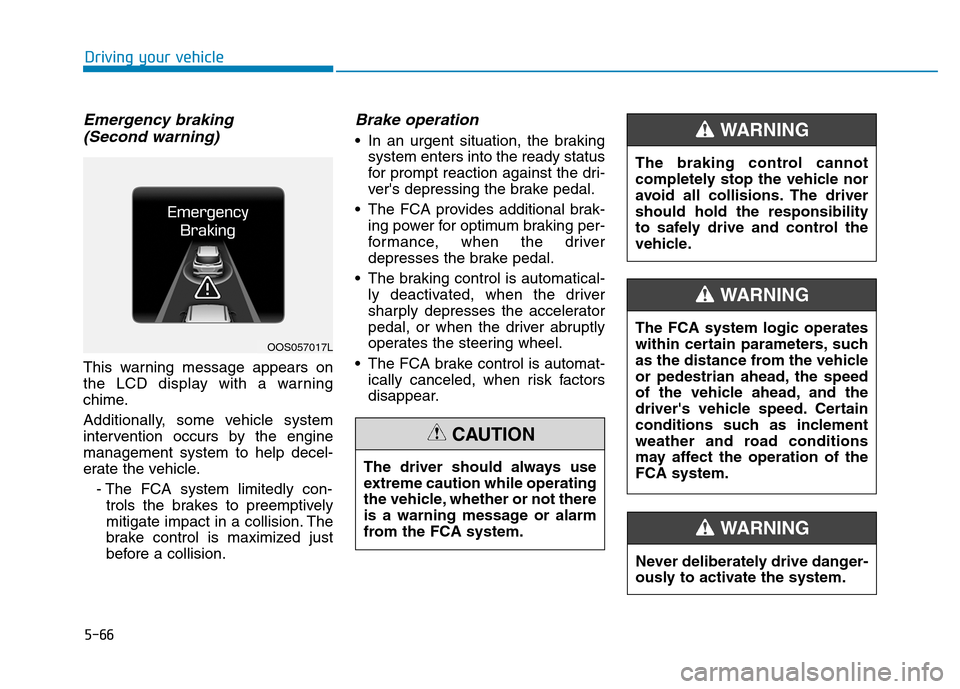
Emergency braking (Second warning)
This warning message appears on
the LCD display with a warning
chime.
Additionally, some vehicle system
intervention occurs by the enginemanagement system to help decel-
erate the vehicle.
- The FCA system limitedly con-trols the brakes to preemptively
mitigate impact in a collision. The
brake control is maximized just
before a collision.
Brake operation
In an urgent situation, the braking system enters into the ready status
for prompt reaction against the dri-
ver's depressing the brake pedal.
The FCA provides additional brak- ing power for optimum braking per-
formance, when the driver
depresses the brake pedal.
The braking control is automatical- ly deactivated, when the driver
sharply depresses the accelerator
pedal, or when the driver abruptly
operates the steering wheel.
The FCA brake control is automat- ically canceled, when risk factors
disappear.
OOS057017L
The driver should always use
extreme caution while operating
the vehicle, whether or not there
is a warning message or alarm
from the FCA system.
CAUTION
The braking control cannot
completely stop the vehicle nor
avoid all collisions. The drivershould hold the responsibility
to safely drive and control the
vehicle.
WARNING
Never deliberately drive danger-
ously to activate the system.
WARNING
The FCA system logic operates
within certain parameters, such
as the distance from the vehicle
or pedestrian ahead, the speed
of the vehicle ahead, and the
driver's vehicle speed. Certain
conditions such as inclement
weather and road conditions
may affect the operation of theFCA system.
WARNING
Page 335 of 523
5-81
Driving your vehicle
5
Warning light and message
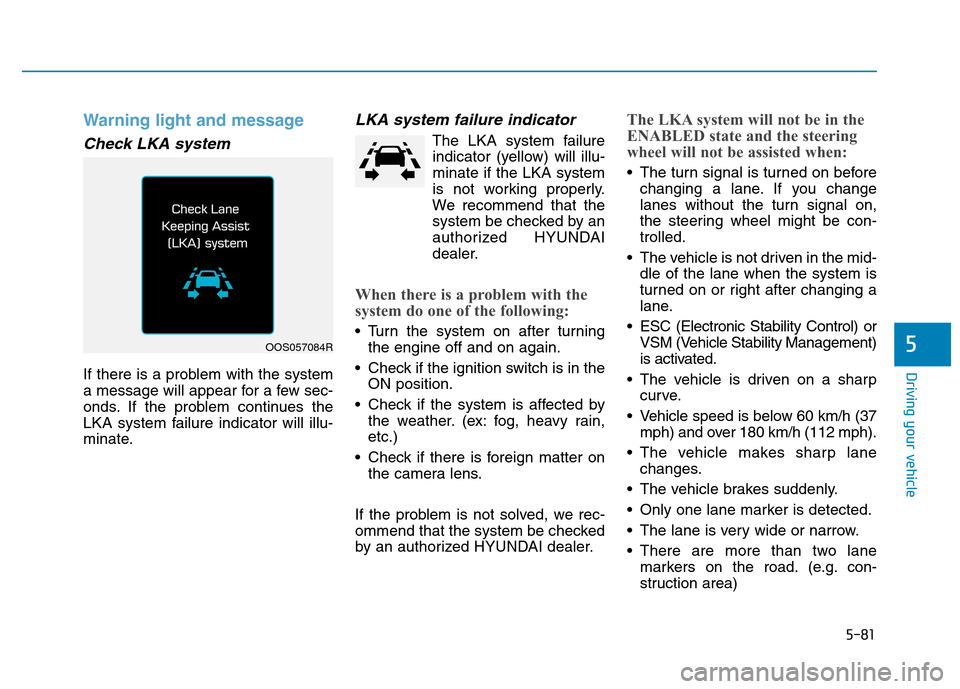
Check LKA system
If there is a problem with the system
a message will appear for a few sec-
onds. If the problem continues the
LKA system failure indicator will illu-
minate.
LKA system failure indicator
The LKA system failureindicator (yellow) will illu-minate if the LKA system
is not working properly.
We recommend that the
system be checked by an
authorized HYUNDAI
dealer.
When there is a problem with the
system do one of the following:
Turn the system on after turning the engine off and on again.
Check if the ignition switch is in the ON position.
Check if the system is affected by the weather. (ex: fog, heavy rain, etc.)
Check if there is foreign matter on the camera lens.
If the problem is not solved, we rec-
ommend that the system be checked
by an authorized HYUNDAI dealer.
The LKA system will not be in the
ENABLED state and the steering
wheel will not be assisted when:
The turn signal is turned on before changing a lane. If you change
lanes without the turn signal on,
the steering wheel might be con-trolled.
The vehicle is not driven in the mid- dle of the lane when the system is
turned on or right after changing a
lane.
ESC (Electronic Stability Control) or VSM (Vehicle Stability Management)
is activated.
The vehicle is driven on a sharp curve.
Vehicle speed is below 60 km/h (37 mph) and over 180 km/h (112 mph).
The vehicle makes sharp lane changes.
The vehicle brakes suddenly.
Only one lane marker is detected.
The lane is very wide or narrow.
There are more than two lane markers on the road. (e.g. con-
struction area)
OOS057084R
Page 345 of 523
5-91
Driving your vehicle
5
Information
During normal cruise control opera- tion, when the SET switch is activat-
ed or reactivated after applying the
brakes, the cruise control will acti-
vate after approximately 3 seconds.
This delay is normal.
Before activating the cruise control function, the system will check to
verify that the brake switch is oper-
ating normally. Depress the brake
pedal at least once after turning ON
the ignition or starting the vehicle.
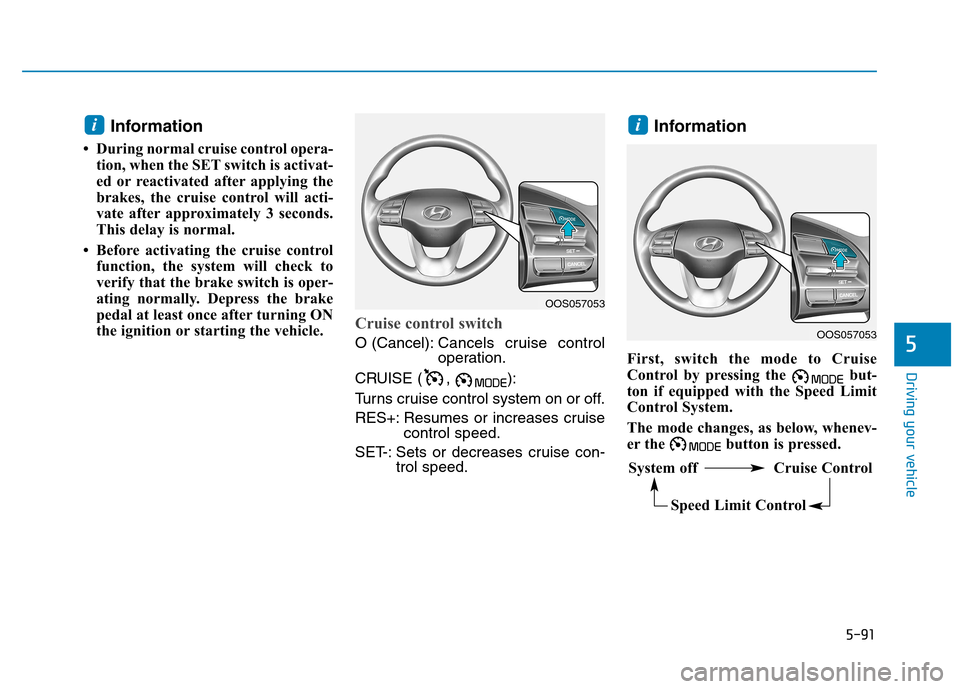
Cruise control switch
O (Cancel): Cancels cruise control
operation.
CRUISE ( , ):
Turns cruise control system on or off.
RES+: Resumes or increases cruise control speed.
SET-: Sets or decreases cruise con- trol speed. Information
First, switch the mode to Cruise
Control by pressing the but-
ton if equipped with the Speed Limit
Control System.
The mode changes, as below, whenev-
er the button is pressed.
ii
OOS057053
System off Cruise Control Speed Limit Control
OOS057053
Page 351 of 523
5-97
Driving your vehicle
5
Information
The ESC system (if equipped) must be
turned OFF before rocking the vehi-
cle.
If you are still stuck after rocking
the vehicle a few times, have the
vehicle pulled out by a tow vehicle
to avoid engine overheating, pos-
sible damage to the transmission,
and tire damage. See "Towing" in
chapter 6.Smooth cornering
Avoid braking or gear changing in
corners, especially when roads are
wet. Ideally, corners should always
be taken under gentle acceleration.
Driving at night
Night driving presents more hazards
than driving in the daylight. Here are
some important tips to remember:
Slow down and keep more dis- tance between you and other vehi-
cles, as it may be more difficult tosee at night, especially in areas
where there may not be any street
lights.
Adjust your mirrors to reduce the glare from other drivers' head-
lamps.
Keep your headlamps clean and properly aimed. Dirty or improperly
aimed headlamps will make it
much more difficult to see at night.
Avoid staring directly at the head- lamps of oncoming vehicles. You
could be temporarily blinded, and it
will take several seconds for your
eyes to readjust to the darkness.
Driving in the rain
Rain and wet roads can make driving
dangerous. Here are a few things to
consider when driving in the rain or
on slick pavement:
Slow down and allow extra follow-ing distance. A heavy rainfall
makes it harder to see and increas-es the distance needed to stop
your vehicle.
Turn OFF your Cruise Control. (if equipped)
Replace your windshield wiper blades when they show signs ofstreaking or missing areas on thewindshield.
Be sure your tires have enough tread. If your tires do not have
enough tread, making a quick stop
on wet pavement can cause a skid
and possibly lead to an accident.
See "Tire Tread" in chapter 7 .
Turn on your headlamps to make it easier for others to see you.
Driving too fast through large pud- dles can affect your brakes. If you
must go through puddles, try to
drive through them slowly.
NOTICE
i