2018 Hyundai Kona warning sounds
[x] Cancel search: warning soundsPage 290 of 523
5-36
Driving your vehicle
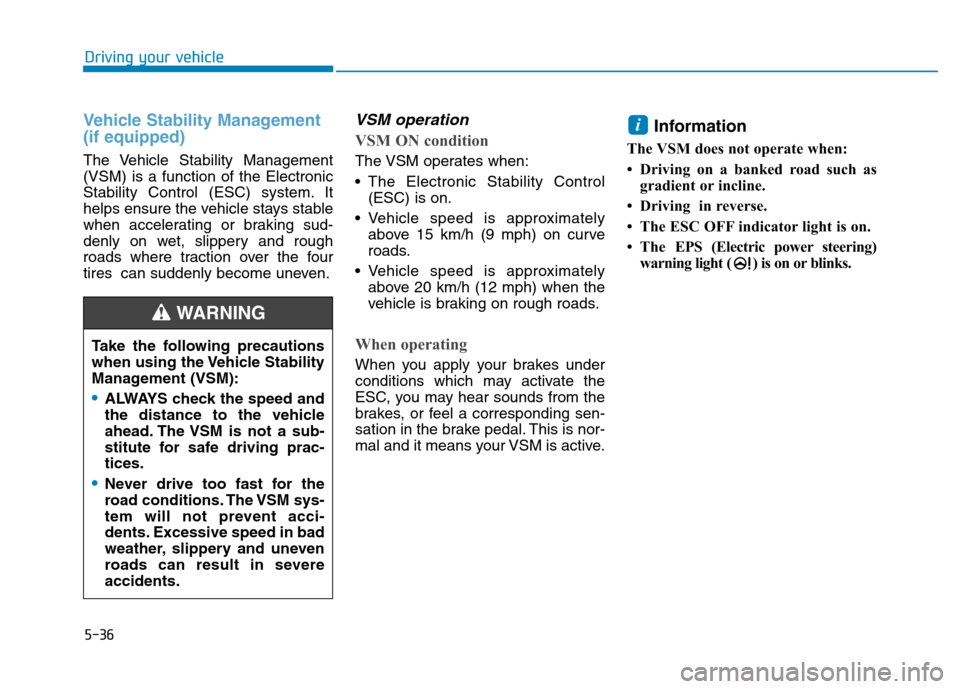
Vehicle Stability Management (if equipped)
The Vehicle Stability Management (VSM) is a function of the Electronic
Stability Control (ESC) system. It
helps ensure the vehicle stays stable
when accelerating or braking sud-
denly on wet, slippery and rough
roads where traction over the four
tires can suddenly become uneven.
VSM operation
VSM ON condition
The VSM operates when:
The Electronic Stability Control(ESC) is on.
Vehicle speed is approximately above 15 km/h (9 mph) on curve
roads.
Vehicle speed is approximately above 20 km/h (12 mph) when the
vehicle is braking on rough roads.
When operating
When you apply your brakes under
conditions which may activate the
ESC, you may hear sounds from the
brakes, or feel a corresponding sen-
sation in the brake pedal. This is nor-
mal and it means your VSM is active. Information
The VSM does not operate when:
Driving on a banked road such as gradient or incline.
Driving in reverse.
The ESC OFF indicator light is on.
The EPS (Electric power steering)
warning light ( ) is on or blinks.
i
Take the following precautions
when using the Vehicle Stability
Management (VSM):
ALWAYS check the speed and
the distance to the vehicle
ahead. The VSM is not a sub-
stitute for safe driving prac-tices.
Never drive too fast for the
road conditions. The VSM sys-
tem will not prevent acci-
dents. Excessive speed in bad
weather, slippery and uneven
roads can result in severeaccidents.
WARNING
Page 309 of 523
![Hyundai Kona 2018 Owners Manual 5-55
Driving your vehicle
5
[A] : Blind spot area
[B] : Closing at high speed
The Blind-spot Collision Warning
(BCW) system uses radar sensors in
the rear bumper to monitor and warn
the driver of](/manual-img/35/16231/w960_16231-308.png "Hyundai Kona 2018 Owners Manual 5-55
Driving your vehicle
5
[A] : Blind spot area
[B] : Closing at high speed
The Blind-spot Collision Warning
(BCW) system uses radar sensors in
the rear bumper to monitor and warn
the driver of")
5-55
Driving your vehicle
5
[A] : Blind spot area
[B] : Closing at high speed
The Blind-spot Collision Warning
(BCW) system uses radar sensors in
the rear bumper to monitor and warn
the driver of an approaching vehicle
in the driver's blind spot area. The system monitors the rear area of
the vehicle and provides information
to the driver with an audible alert and
an indicator on the outside rearview
mirrors.(1) BCW : Blind spot area
The BCW range varies relative to
vehicle speed. Note that if your
vehicle is traveling much faster
than the vehicles around you, the
warning will not occur.
(2) BCW : Closing at high speed
The BCW-Closing at high speed
feature will alert you when a vehi-cle is approaching in an adjacent
lane at a high rate of speed. If the
driver activates the turn signalwhen the system detects an
oncoming vehicle, the system
sounds an audible alert. Distance
from the approaching vehicle can
be seen differently according to
the relative speed. (3) RCCW (Rear Cross-Traffic
Collision Warning)
The RCCW feature monitors
approaching cross traffic from the
left and right side of the vehicle
when your vehicle is in reverse.
The feature will operate when the
vehicle is moving in reverse below
about 10 km/h (6 mph). If oncom-
ing cross traffic is detected a
warning chime will sound. Distance from the approaching
vehicle can be seen differently
according to the relative speed.
BBLLIINN DD--SS PP OO TT CC OO LLLLIISS IIOO NN WW AARRNN IINN GG (( BB CCWW )) SS YY SSTT EEMM (( IIFF EE QQ UUIIPP PPEEDD ))
OOS057099L
A
B
Page 322 of 523

5-68
Driving your vehicle
NEVER install any accessoriesor stickers on the front wind-
shield, nor tint the front wind-shield.
NEVER locate any reflective objects (i.e. white paper, mirror)
over the dashboard. Any light
reflection may cause a malfunc-tion of the system.
Pay extreme caution to keep the camera out of water.
NEVER arbitrarily disassemble the camera assembly, nor apply
any impact on the camera
assembly.
Playing the vehicle audio sys- tem at high volume may offsetthe system warning sounds.
Information
We recommend that you have the sys-
tem checked by an authorized
HYUNDAI dealer when:
The windshield glass is replaced.
The radar sensor or cover gets dam- aged or replaced.
Warning message and warning
light
Forward Collision Avoidance Assist
(FCA) system disabled.
Radar blocked
When the sensor cover is blocked
with dirt, snow, or debris, the FCA
system operation may stop tem-
porarily. If this occurs, a warningmessage will appear on the LCD dis-
play.
Remove any dirt, snow, or debris and
clean the radar sensor cover before
operating the FCA system.
The system will operate normally
when such dirt, snow or debris is
removed. The FCA may not properly operate in
an area (e.g. open terrain), where
any substances are not detected
after turning ON the engine.
i
NOTICE
OOS057080L
Page 339 of 523
5-85
Driving your vehicle
5
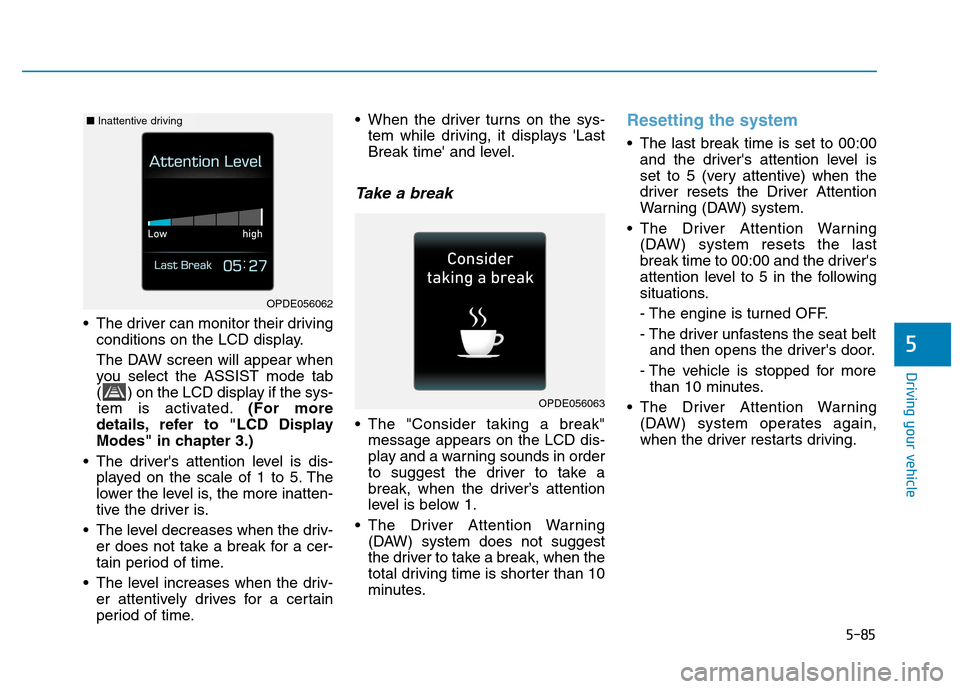
The driver can monitor their drivingconditions on the LCD display.
The DAW screen will appear when
you select the ASSIST mode tab
( ) on the LCD display if the sys-
tem is activated. (For more
details, refer to "LCD Display
Modes" in chapter 3.)
The driver's attention level is dis- played on the scale of 1 to 5. The
lower the level is, the more inatten-
tive the driver is.
The level decreases when the driv- er does not take a break for a cer-
tain period of time.
The level increases when the driv- er attentively drives for a certain
period of time. When the driver turns on the sys-
tem while driving, it displays 'Last
Break time' and level.
Take a break
The "Consider taking a break"message appears on the LCD dis-
play and a warning sounds in order
to suggest the driver to take a
break, when the driver’s attention
level is below 1.
The Driver Attention Warning (DAW) system does not suggest
the driver to take a break, when the
total driving time is shorter than 10
minutes.
Resetting the system
The last break time is set to 00:00and the driver's attention level is
set to 5 (very attentive) when the
driver resets the Driver Attention
Warning (DAW) system.
The Driver Attention Warning (DAW) system resets the last
break time to 00:00 and the driver's
attention level to 5 in the following
situations.
- The engine is turned OFF.
- The driver unfastens the seat beltand then opens the driver's door.
- The vehicle is stopped for more than 10 minutes.
The Driver Attention Warning (DAW) system operates again,
when the driver restarts driving.
OPDE056063
OPDE056062
■Inattentive driving
Page 341 of 523
5-87
Driving your vehicle
5
The Driver Attention Warning
(DAW) system utilizes the camera
sensor on the front windshield for
its operation. To keep the camera
sensor in the best condition, you
should observe the followings:
NEVER install any accessoriesor stickers on the front wind-
shield, nor tint the front wind-shield.
NEVER locate any reflective objects (i.e. white paper, mirror)
over the dashboard. Any light
reflection may cause a malfunc-tion of the Driver Attention
Warning (DAW) system.
Pay extreme caution to keep the camera sensor out of water.
NEVER arbitrarily disassemble the camera assembly, nor apply
any impact on the camera
assembly. Do not disassemble camera
temporarily for tinted window or
attaching any types of coatings
and accessories. If you disas-
semble a camera and assemble
it again, we recommend that you
take your vehicle to an author-
ized HYUNDAI dealer and have
the system checked for calibra-tion.
NOTICE
The Driver Attention Warning
(DAW) system may not properly
operate with limited alerting in
the following situations:
The lane detection perform-
ance is limited. (For more
details, refer to "Lane KeepingAssist (LKA) system" in this
chapter.)
The vehicle is violently driven
or is abruptly turned for
obstacle avoidance (e.g. con-
struction area, other vehicles,
fallen objects, bumpy road).
CAUTION
Forward drivability of the
vehicle is severely under-
mined (possibly due to wide
variation in tire pressures,
uneven tire wear-out, toe-in/toe-out alignment).
The vehicle drives on a curvy
road.
The vehicle drives through a
windy area.
The vehicle drives on a
bumpy road.
The vehicle is controlled by
the following driving assistsystems:
- Lane Keeping Assist (LKA)system
- Forward Collision-avoidance Assist (FCA) system
Playing the vehicle audio sys-
tem at high volume may offset
the Driver Attention Warning
(DAW) system warning sounds.
CAUTION
Page 418 of 523
7-6
Maintenance
While operating your vehicle:
Note any changes in the sound ofthe exhaust or any smell of exhaust
fumes in the vehicle.
Check for vibrations in the steering wheel. Notice if there is any
increased steering effort or loose-
ness in the steering wheel, or
change in its straight-ahead position.
Notice if your vehicle constantly turns slightly or “pulls” to one side when
traveling on smooth, level road.
When stopping, listen and check for unusual sounds, pulling to one side,
increased brake pedal travel or
“hard-to-push” brake pedal.
If any slipping or changes in the operation of your transmission
occurs, check the transmission fluid
level.
Check the dual clutch transmission P (Park) function.
Check the parking brake.
Check for fluid leaks under your vehicle (water dripping from the air
conditioning system during or after
use is normal).
At least monthly:
Check coolant level in the enginecoolant reservoir.
Check the operation of all exterior lights, including the stoplights, turn
signals and hazard warning flashers.
Check the inflation pressures of all tires including the spare for tires
that are worn, show uneven wear,or are damaged.
Check for loose wheel lug nuts.
At least twice a year: (i.e., every Spring and Autumn)
Check radiator, heater and air condi- tioning hoses for leaks or damage.
Check windshield washer spray and wiper operation. Clean wiper
blades with a clean cloth damp-
ened with washer fluid.
Check headlamp alignment.
Check muffler, exhaust pipes, shields and clamps.
Check the seat belts for wear and function.
At least once a year:
Clean body and door drain holes.
Lubricate door hinges and hoodhinges.
Lubricate door and hood locks and latches.
Lubricate door rubber weather strips.
Check the air conditioning system.
Inspect and lubricate dual clutch transmission linkage and controls.
Clean the battery and terminals.
Check the brake fluid level.