Page 190 of 472
3-105
Convenient features of your vehicle
3
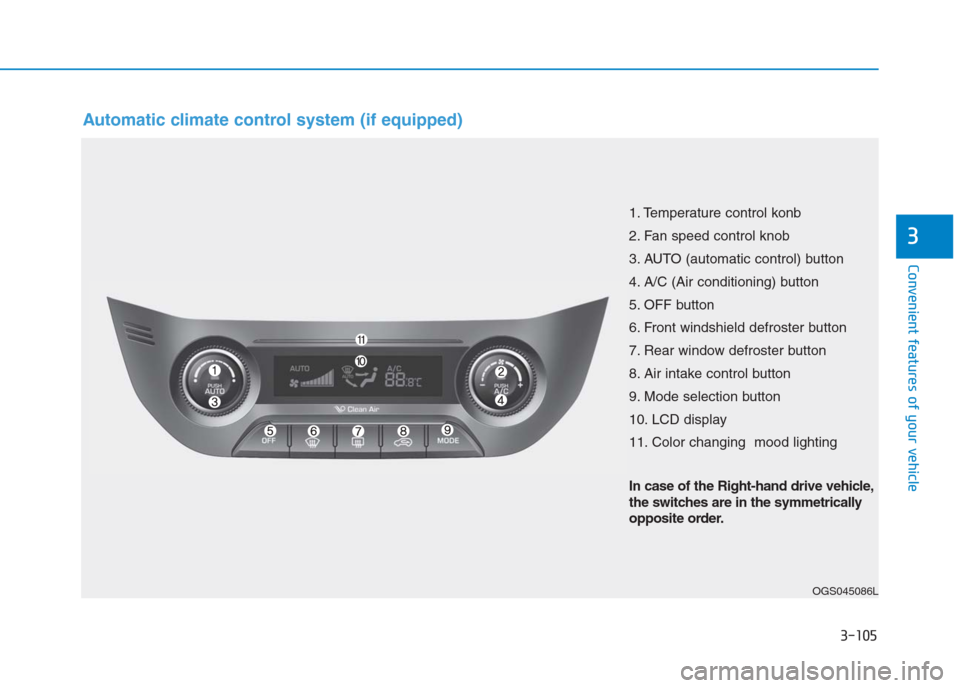
Automatic climate control system (if equipped)
OGS045086L
1. Temperature control konb
2. Fan speed control knob
3. AUTO (automatic control) button
4. A/C (Air conditioning) button
5. OFF button
6. Front windshield defroster button
7. Rear window defroster button
8. Air intake control button
9. Mode selection button
10. LCD display
11. Color changing mood lighting
In case of the Right-hand drive vehicle,
the switches are in the symmetrically
opposite order.
Page 196 of 472
3-111
Convenient features of your vehicle
3
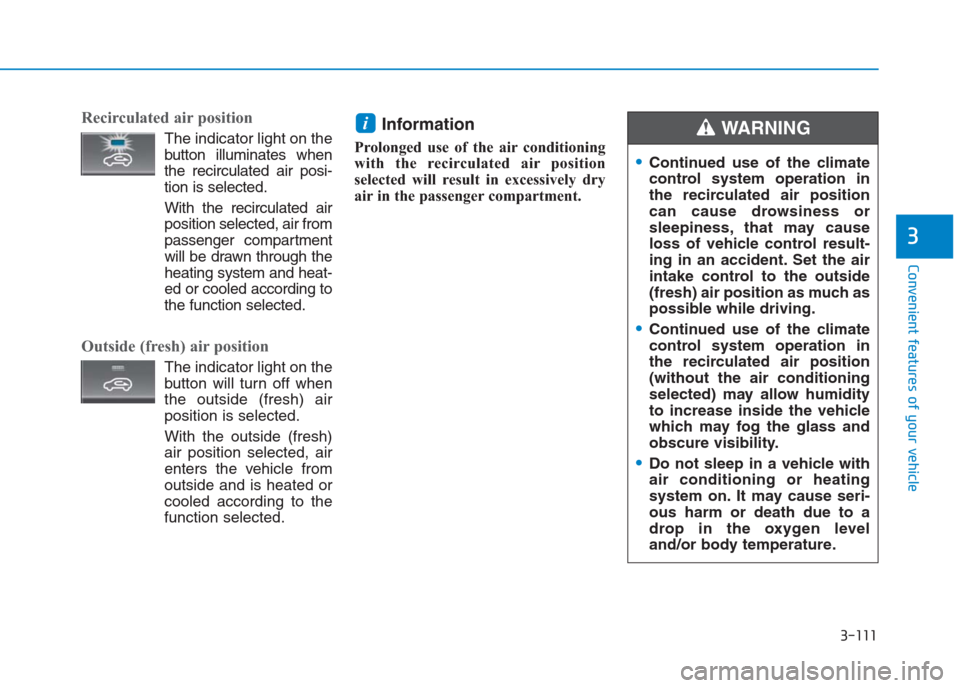
Recirculated air position
The indicator light on the
button illuminates when
the recirculated air posi-
tion is selected.
With the recirculated air
position selected, air from
passenger compartment
will be drawn through the
heating system and heat-
ed or cooled according to
the function selected.
Outside (fresh) air position
The indicator light on the
button will turn off when
the outside (fresh) air
position is selected.
With the outside (fresh)
air position selected, air
enters the vehicle from
outside and is heated or
cooled according to the
function selected.
Information
Prolonged use of the air conditioning
with the recirculated air position
selected will result in excessively dry
air in the passenger compartment.
i
Continued use of the climate
control system operation in
the recirculated air position
can cause drowsiness or
sleepiness, that may cause
loss of vehicle control result-
ing in an accident. Set the air
intake control to the outside
(fresh) air position as much as
possible while driving.
Continued use of the climate
control system operation in
the recirculated air position
(without the air conditioning
selected) may allow humidity
to increase inside the vehicle
which may fog the glass and
obscure visibility.
Do not sleep in a vehicle with
air conditioning or heating
system on. It may cause seri-
ous harm or death due to a
drop in the oxygen level
and/or body temperature.
WARNING
Page 197 of 472
3-112
Convenient features of your vehicle
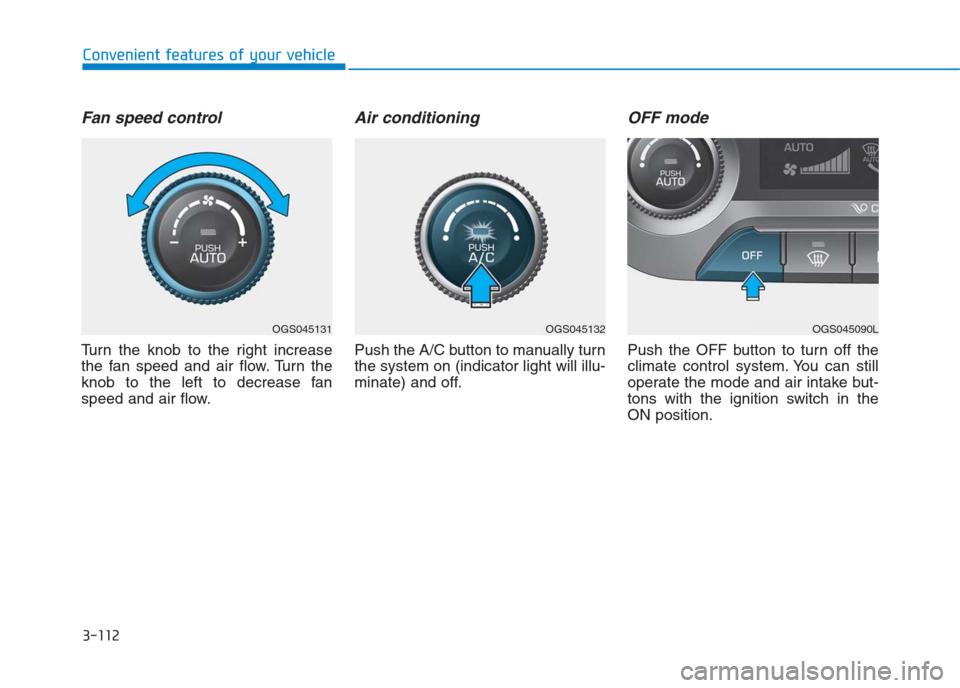
Fan speed control
Turn the knob to the right increase
the fan speed and air flow. Turn the
knob to the left to decrease fan
speed and air flow.
Air conditioning
Push the A/C button to manually turn
the system on (indicator light will illu-
minate) and off.
OFF mode
Push the OFF button to turn off the
climate control system. You can still
operate the mode and air intake but-
tons with the ignition switch in the
ON position.
OGS045131OGS045132OGS045090L
Page 199 of 472

3-114
Convenient features of your vehicle
When using the air conditioning
system, monitor the temperature
gauge closely while driving up hills
or in heavy traffic when outside
temperatures are high. Air condi-
tioning system operation may
cause engine overheating.
Continue to use the blower fan but
turn the air conditioning system off
if the engine temperature gauge
indicates engine overheating.
Air conditioning system operation
tips
If the vehicle has been parked in
direct sunlight during hot weather,
open the windows for a short time
to let the hot air inside the vehicle
escape.
After sufficient cooling has been
achieved, switch back from the
recirculated air to the fresh outside
air position.
To help reduce moisture inside of
the windows on rainy or humid
days, decrease the humidity inside
the vehicle by operating the air
conditioning system with the win-
dows closed.
Use the air conditioning system
every month only for a few minutes
to ensure maximum system per-
formance. If you operate air conditioner
excessively, the difference between
the temperature of the outside air
and that of the windshield could
cause the outer surface of the
windshield to fog up, causing loss
of visibility. In this case, set the
mode selection knob or button to
the position and fan speed
control to the lower speed.
NOTICE
Page 203 of 472
3-118
Convenient features of your vehicle
To defrost outside windshield
1. Set the fan speed to the highest
position.
2. Set the temperature to the extreme
hot (HI) position.
3. Press the defroster button ( ).
4. The air-conditioning will turn on
according to the detected ambient
temperature and outside (fresh)
air position will be selected auto-
matically.
If the position is selected, lower
fan speed is adjusted to higher fan
speed.
Clean air (if equipped)
When the ignition switch is in the ON
position, the clean air function turns
on automatically.
Also, the clean air function turns off
automatically, when the ignition
switch turns to the OFF position.
Mood bar color
Mood bar color changes by tempera-
ture when parking light is ON position.
OGS045133OGS045091LOGS036048L
Set temperature
< Car temperatureBlue (Cooling)
Set temperature
= Car temperatureWhite
Set temperature
> Car temperatureOrange (Heating)
Page 205 of 472
3-120
Convenient features of your vehicle
To avoid possible theft, do not
leave valuables in the storage
compartment.
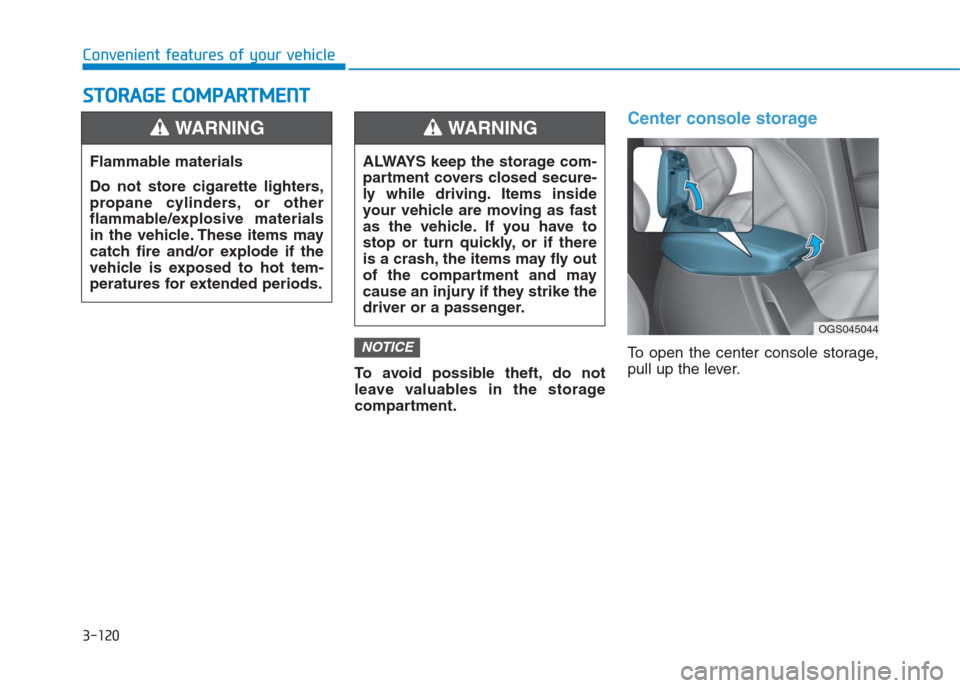
Center console storage
To open the center console storage,
pull up the lever.NOTICE
S ST
TO
OR
RA
AG
GE
E
C
CO
OM
MP
PA
AR
RT
TM
ME
EN
NT
T
Flammable materials
Do not store cigarette lighters,
propane cylinders, or other
flammable/explosive materials
in the vehicle. These items may
catch fire and/or explode if the
vehicle is exposed to hot tem-
peratures for extended periods.
WARNING
ALWAYS keep the storage com-
partment covers closed secure-
ly while driving. Items inside
your vehicle are moving as fast
as the vehicle. If you have to
stop or turn quickly, or if there
is a crash, the items may fly out
of the compartment and may
cause an injury if they strike the
driver or a passenger.
WARNING
OGS045044
Page 207 of 472

3-122
Convenient features of your vehicle
I IN
NT
TE
ER
RI
IO
OR
R
F
FE
EA
AT
TU
UR
RE
ES
S
Digital clock (if equipped)Whenever the battery terminals or
related fuses are disconnected, you
must reset the time.
When the ignition switch is in the
ACC or ON position, the clock but-
tons operate as follows:
• H (Hour)
Press the "H" button to advance the
time displayed by one hour.
• M (Minute)
Press the "M" button to advance the
time displayed by one minute.
• Display conversion
To change the 12 hour format to the
24 hour format, press the "H" and
"M" button simultaneously for more
than 4 seconds.
For example, if the "H" and "M" but-
ton is pressed when the time is 10:15
p.m., the display will change to
22:15.
Cigarette lighter (if equipped)
To use the cigarette lighter, the igni-
tion switch must be in the ACC or ON
position.
Push the cigarette lighter all the way
into its socket. When the element is
heated, the lighter will pop out to the
“ready” position.
We recommend that you use parts
for replacement from an authorized
HYUNDAI dealer. Do not adjust the clock while
driving. You may lose your steer-
ing control and cause severe
personal injury or accidents.
WARNING
OGS045124OGS045092L
Page 208 of 472
3-123
Convenient features of your vehicle
3
Putting lit cigarettes or matches
in an ashtray with other com-
bustible materials may cause
fire.
WARNING
Do not hold the lighter in after it
is already heated because it will
overheat.
If the lighter does not pop out
within 30 seconds, remove it to
prevent overheating.
Do not insert foreign objects
into the socket of the cigarette
lighter. It may damage the ciga-
rette lighter.
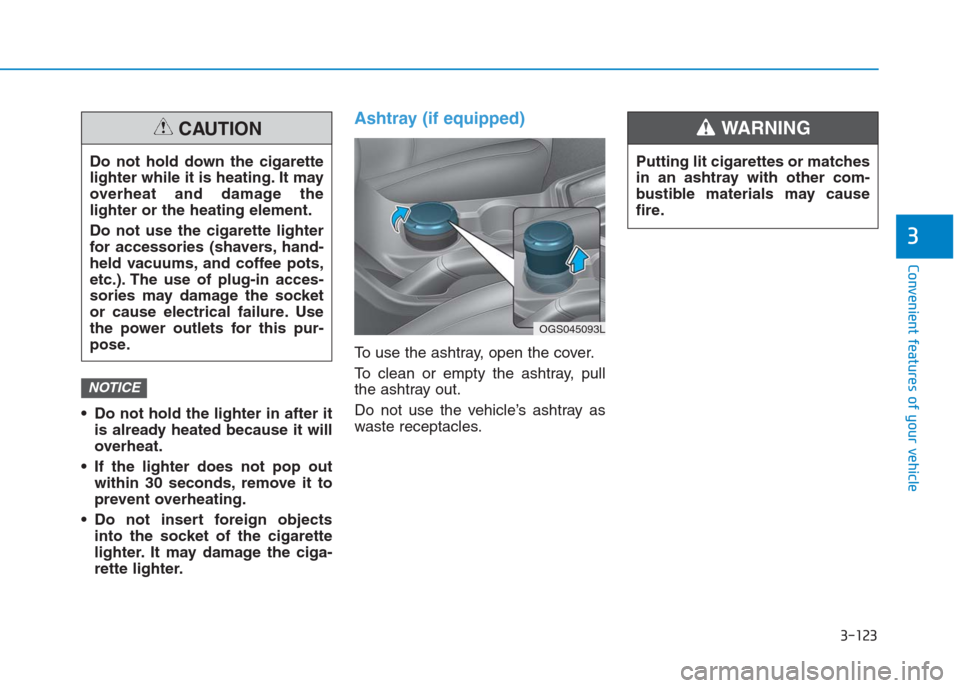
Ashtray (if equipped)
To use the ashtray, open the cover.
To clean or empty the ashtray, pull
the ashtray out.
Do not use the vehicle’s ashtray as
waste receptacles.
NOTICE
Do not hold down the cigarette
lighter while it is heating. It may
overheat and damage the
lighter or the heating element.
Do not use the cigarette lighter
for accessories (shavers, hand-
held vacuums, and coffee pots,
etc.). The use of plug-in acces-
sories may damage the socket
or cause electrical failure. Use
the power outlets for this pur-
pose.
CAUTION
OGS045093L