2018 HONDA RIDGELINE ECU
[x] Cancel search: ECUPage 70 of 623
68
uuChild Safety uSafety of Larger Children
Safe Driving
Safety of Larger Children
The following pages give instructions on how to check proper seat belt fit, what kind
of booster seat to use if one is needed , and important precautions for a child who
must sit in front.
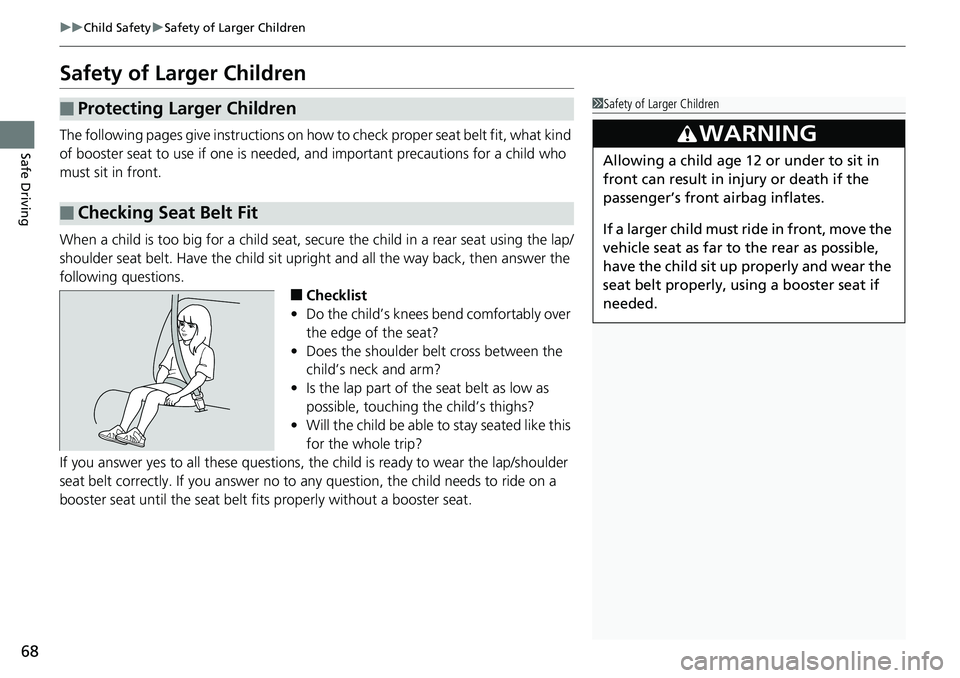
When a child is too big for a child seat, secure the child in a rear seat using the lap/
shoulder seat belt. Have the child sit upright and all the way back, then answer the
following questions.
■Checklist
• Do the child’s knees bend comfortably over
the edge of the seat?
• Does the shoulder belt cross between the
child’s neck and arm?
• Is the lap part of the seat belt as low as
possible, touching the child’s thighs?
• Will the child be able to stay seated like this
for the whole trip?
If you answer yes to all these questions, the child is ready to wear the lap/shoulder
seat belt correctly. If you answer no to any question, the child needs to ride on a
booster seat until the seat belt fits properly without a booster seat.
■Protecting Larger Children
■Checking Seat Belt Fit
1 Safety of Larger Children
3WARNING
Allowing a child age 12 or under to sit in
front can result in injury or death if the
passenger’s front airbag inflates.
If a larger child must ri de in front, move the
vehicle seat as far to the rear as possible,
have the child sit up properly and wear the
seat belt properly, us ing a booster seat if
needed.
Page 71 of 623
69
uuChild Safety uSafety of Larger Children
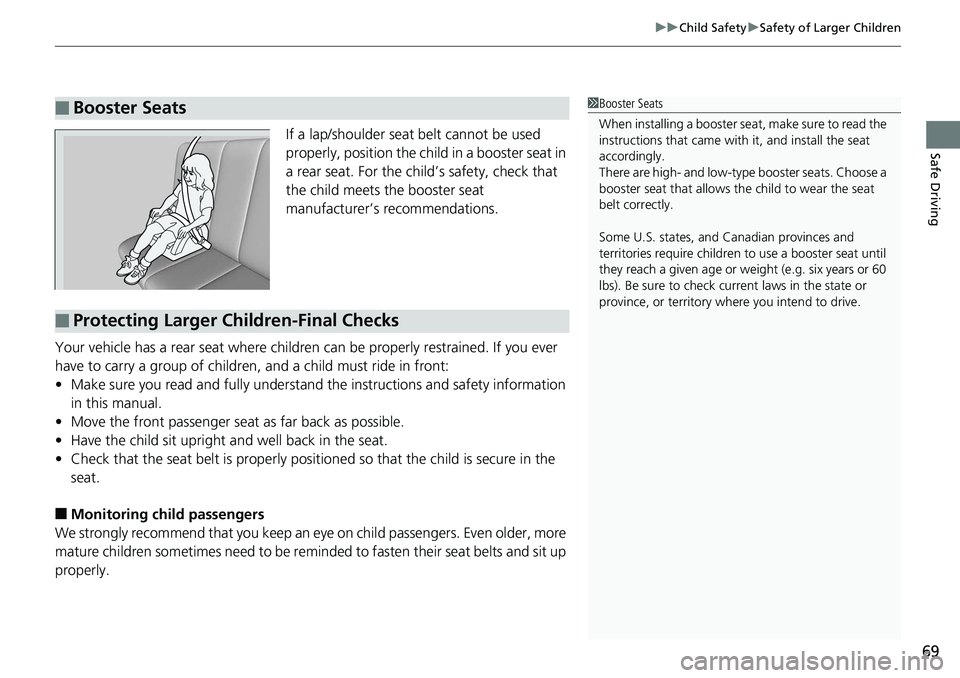
Safe DrivingIf a lap/shoulder seat belt cannot be used
properly, position the child in a booster seat in
a rear seat. For the child’s safety, check that
the child meets the booster seat
manufacturer’s recommendations.
Your vehicle has a rear seat where children can be properly restrained. If you ever
have to carry a group of children, and a child must ride in front:
• Make sure you read and fully understand the instructions and safety information
in this manual.
• Move the front passenger seat as far back as possible.
• Have the child sit upright and well back in the seat.
• Check that the seat belt is properly positi oned so that the child is secure in the
seat.
■Monitoring child passengers
We strongly recommend that you keep an ey e on child passengers. Even older, more
mature children sometimes need to be remind ed to fasten their seat belts and sit up
properly.
■Booster Seats1 Booster Seats
When installing a booster seat, make sure to read the
instructions that came with it, and install the seat
accordingly.
There are high- and low-type booster seats. Choose a
booster seat that allows the child to wear the seat
belt correctly.
Some U.S. states, and Canadian provinces and
territories require children to use a booster seat until
they reach a given age or we ight (e.g. six years or 60
lbs). Be sure to check current laws in the state or
province, or territory where you intend to drive.
■Protecting Larger Children-Final Checks
Page 84 of 623

82
uuIndicators u
Instrument Panel
IndicatorNameOn/BlinkingExplanationMessage
Security System
Alarm Indicator
●Blinks when the security system
alarm has been set.
2Security System Alarm P. 133—
System Message
Indicator
●Comes on for a few seconds
when you set the power mode to
ON, then goes off.
●Comes on along with a beep
when a problem is detected. A
system message on the multi-
information display appears at
the same time.
●While the indicator is on, press the
(information) button to see the message
again.
●Refer to the Indicators information in this
chapter when a system message appears on
the multi-information display. Take the
appropriate action for the message.
●The multi-information display does not
return to the normal screen unless the
warning is canceled, or the button
is pressed.
—
CRUISE MAIN
Indicator*
●Comes on when you press the
CRUISE button.2Cruise Control* P. 445—
CRUISE
CONTROL
Indicator
*
●Comes on when you have set a
speed for crui se control.
2Cruise Control* P. 445—
Indicator
* Not available on all models
Page 111 of 623

109
Controls
This chapter explains how to operate the various controls necessary for driving.
Clock.................................................. 110
Locking and Unlocking the Doors Key Types and Functions .................. 111
Low Smart Entry Remote Signal Strength... 113
Locking/Unlocking the Doors from the Outside .......................................... 114
Locking/Unlocking the Doors from the
Inside ............................................. 121
Childproof Door Locks ..................... 123
Auto Door Locking/Unlocking .......... 124
Opening and Closing the Tailgate ... 128
Opening and Closing the Trunk ....... 130
Security System
Immobilizer System .......................... 133
Security System Alarm ...................... 133
Opening and Closing the Windows .... 136
Opening and Closing the Moonroof*... 140Operating the Switches Around the Steering Wheel ENGINE START/STOP Button............. 142
Turn Signals ..................................... 145
Light Switches.................................. 146
Fog Lights
*...................................... 149
Daytime Running Lights ................... 150
Auto High-Beam (H igh Beam Support
System)
*........................................ 151
Wipers and Washers ........................ 154
Rear Defogger/Heat ed Door Mirror
*
Button ........................................... 156 Heated Windshield Button ............... 156
Brightness Control ........................... 157
Driving Position Memory System
*.... 158
Adjusting the Steering Wheel .......... 160
Adjusting the Mirrors Interior Rearview Mirror ................... 161
Power Door Mirrors ......................... 162
Adjusting the Seats .......................... 163
Interior Lights/Convenience Items
Interior Lights .................................. 171
Interior Convenience Items .............. 173
In-Bed Convenience Items................ 184
Climate Control System
*.................. 188
Heating and Cooling System*......... 195
Canadian models
* Not available on all models
Page 117 of 623

Continued115
uuLocking and Unlocking the Doors uLocking/Unlocking the Doors from the Outside
Controls
■Locking the doors
Press the door lock button on a front door. u Some exterior lights flash; the beeper
sounds; all the doors lock; and the
security system sets.1Using the Smart Entry with Push Button Start System*
•Do not leave the smart entry remote in the vehicle
when you get out. Carry it with you.
•Even if you are not carrying the smart entry remote,
you can lock or unlock the doors or open the trunk
while someone else with the remote is within
range.
•The door may be unlocked if the door handle is
covered with water in heavy rain or in a car wash if
the smart entry remote is within range.
•If you grip a door handle wearing gloves, the door
sensor may be slow to respond or may not respond
by unlocking the doors.
•After locking the door, wait at least two seconds
before unlocking it by gripping the handle.
•The door might not open if you pull it immediately
after gripping the door handle. Grip the handle
again and confirm that th e door is unlocked before
pulling the handle.
•Even within the 32 inches (80 cm) radius, you may
not be able to lock/unlock the doors with the smart
entry remote if it is a bove or below the outside
handle.
•The smart entry remote may not operate if it is too
close to the door and door glass.
Door Lock Button
* Not available on all models
Page 121 of 623

Continued119
uuLocking and Unlocking the Doors uLocking/Unlocking the Doors from the Outside
Controls
■Locking the doors
Press the lock button.
Once: u Some exterior lights flash, all the doors
lock, and the security system sets.
Twice (within five se conds after the first
push): u Some exterior lights flash, the beeper
sounds and verifies the security system is
set.
■Unlocking the doors
Press the unlock button.
Once: u Some exterior lights flash twice, and the
driver’s door unlocks.
Twice:
u Some exterior light s flash twice, the
remaining doors unlock.
■Using the Remote Transmitter1 Using the Remote Transmitter
If you do not open a door within 30 seconds of
unlocking the vehicle with the remote transmitter,
the doors will auto matically relock.
You can change the relock timer setting. 2 Customized Features P. 317
You can lock or unlock the doors using the remote
transmitter only when the power mode is in VEHICLE
OFF.
The remote transmitter us es low-power signals, so
the operating range may vary depending on the
surroundings.
The remote will not lock th e vehicle when a door is
open.
If the distance at which the remote transmitter works
varies, the batter y is probably low.
If the LED does not come on when you press a
button, the battery is dead.
2 Replacing the Button Battery P. 555
You can customize the door lock mode and keyless
lock acknowledge ment setting.
2 Customized Features P. 317
Models with Display Audio
Models with Display Audio
LED
Unlock
Button Lock
Button
LED
Unlock
Button Lock
Button
Page 135 of 623

133Continued
Controls
Security System
Immobilizer System
The immobilizer system prevents a key that has not been pre-registered from
starting the engine. Each key contains electronic transmitters that use electronic
signals to verify the key.
Pay attention to the follo wing when pressing the ENGINE START/STOP button:
• Do not allow objects that emit strong radio waves near the ENGINE START/
STOP button.
• Make sure the key is not covered by or touching a metal object.
• Do not bring a key from another vehicle’s immobilizer system near the ENGINE
START/STOP button.
• Do not put the key near magnetic items. Electronic device such as televisions and
audio systems emit strong magnetic fiel ds. Note that even a key chain can
become magnetic.
Security System Alarm
The security system alarm activates when the trunk, hood or doors are forcibly
opened. The alarm does not go off if the trunk or doors are opened with the key,
remote transmitter or smart entry with push button start system.
However, the alarm goes off if a door is opened with the key and the shift lever is
moved out of
(P or the hood is opened before the power mode is set to ON.
■When the security system alarm activates
The horn sounds intermittently , some exterior lights flash.
1Immobilizer System
NOTICE
Leaving the smart entry remote in the vehicle can
result in theft or accident al movement of the vehicle.
Always take the key with you whenever you leave the
vehicle unattended.
Do not alter the system or add other devices to it.
Doing so may damage the system and make your
vehicle inoperable.
1 Security System Alarm
Do not alter the system or add other devices to it.
Doing so may damage the system and make your
vehicle inoperable.
The security alarm continues for a maximum of two
minutes until the security system alarm deactivates.
Page 136 of 623

uuSecurity System uSecurity System Alarm
134
Controls
■To deactivate the security system alarm
Unlock the vehicle using the key, remote transmitter, or smart entry with push
button start system. The system, along with the horn and fl ashing lights, is
deactivated.
■Setting the security system alarm
The security system alarm automatically sets when the following conditions have
been met:
• The power mode is set to VEHICLE OFF (LOCK).
• The hood and trunk are closed.
• All doors are locked from outside with the key, remote transmitter, or smart entry
system.
■When the security system alarm sets
The security system alarm indicator in the instrument panel blinks. When the
blinking interval changes after about 15 se conds, the security system alarm is set.
■To cancel the security system alarm
The security system alarm is canceled when the vehicle is unlocked using the key,
remote transmitter, smart entry system, or th e power mode is set to ON. The security
system alarm indicator goe s off at the same time.
1Security System Alarm
Do not set the security system alarm when someone
is in the vehicle or a window is open. The system can
accidentally activate when:
•Unlocking the door with the lock tab.•Opening the trunk with the trunk release or the
emergency trunk opener.
•Opening the hood with the hood release.•Moving the shift lever out of ( P.
If the battery goes dead after you have set the
security system alarm, the security alarm may go off
once the battery is re charged or replaced.
If this occurs, deactivate the security system alarm by
unlocking a door using the ke y, remote transmitter,
or smart entry system.