Page 76 of 763
uuChild Safety uSafety of Infants and Small Children
74
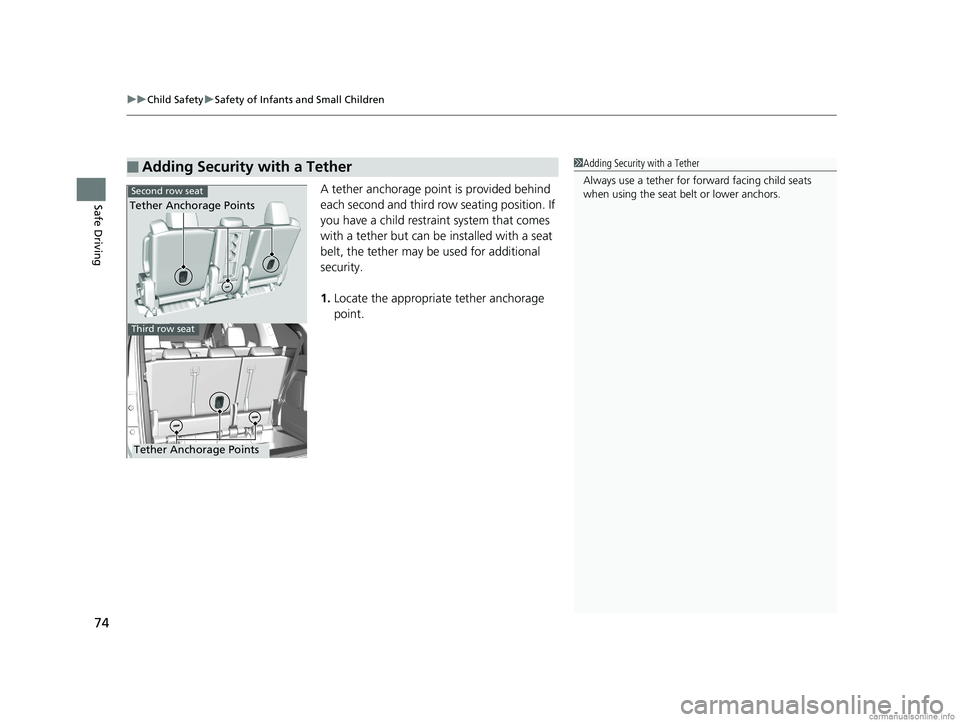
Safe DrivingA tether anchorage point is provided behind
each second and third row seating position. If
you have a child restraint system that comes
with a tether but can be installed with a seat
belt, the tether may be used for additional
security.
1. Locate the appropriate tether anchorage
point.
■Adding Security with a Tether1Adding Security with a Tether
Always use a tether for forward facing child seats
when using the seat be lt or lower anchors.
Second row seat
Third row seat
Tether Anchorage Points
Tether Anchorage Points
18 US ODYSSEY-31THR6010.book 74 ページ 2018年12月6日 木曜日 午後4時18分
Page 78 of 763
76
uuChild Safety uSafety of Infants and Small Children
Safe Driving
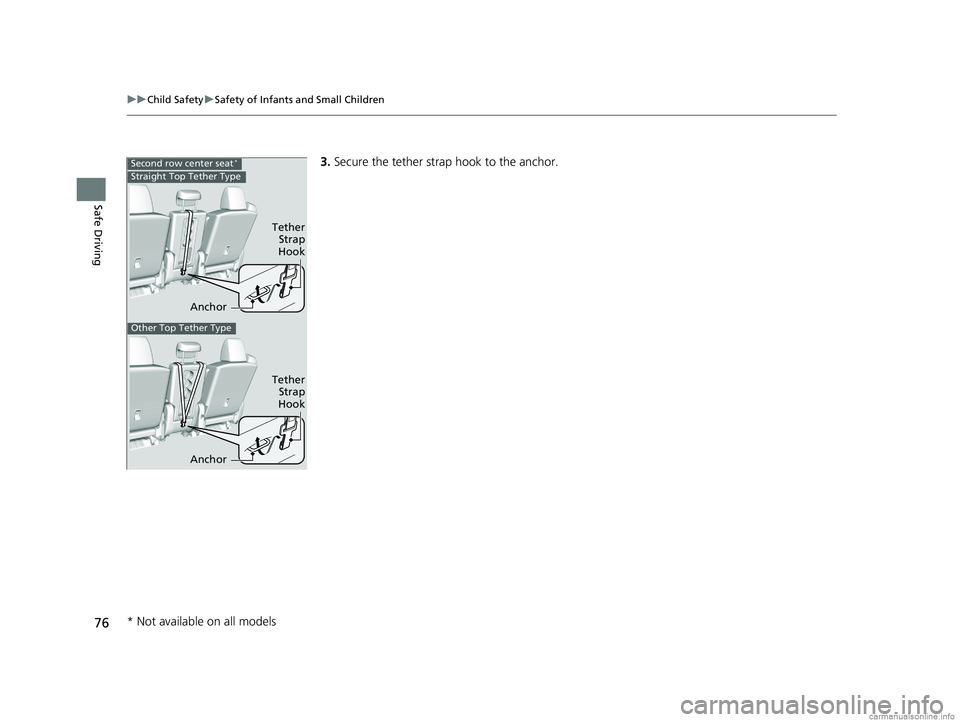
3. Secure the tether strap hook to the anchor.Second row center seat*
Anchor
Tether
Strap
Hook
Straight Top Tether Type
Other Top Tether Type
Anchor
Tether Strap
Hook
* Not available on all models
18 US ODYSSEY-31THR6010.book 76 ページ 2018年12月6日 木曜日 午後4時18分
Page 80 of 763
78
uuChild Safety uSafety of Larger Children
Safe Driving
Safety of Larger Children
The following pages give instructions on how to check proper seat belt fit, what kind
of booster seat to use if one is needed , and important precautions for a child who
must sit in front.
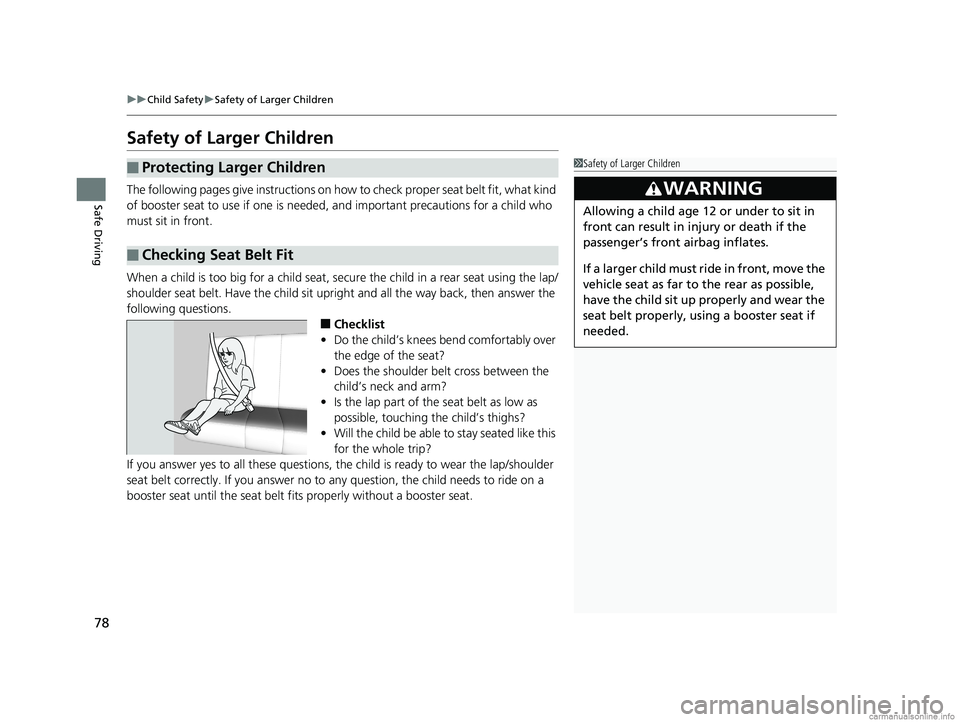
When a child is too big for a child seat, secure the child in a rear seat using the lap/
shoulder seat belt. Have the child sit upright and all the way back, then answer the
following questions.
■Checklist
• Do the child’s knees bend comfortably over
the edge of the seat?
• Does the shoulder belt cross between the
child’s neck and arm?
• Is the lap part of the seat belt as low as
possible, touching the child’s thighs?
• Will the child be able to stay seated like this
for the whole trip?
If you answer yes to all these questions, the child is ready to wear the lap/shoulder
seat belt correctly. If you answer no to any question, the child needs to ride on a
booster seat until the seat belt fits properly without a booster seat.
■Protecting Larger Children
■Checking Seat Belt Fit
1 Safety of Larger Children
3WARNING
Allowing a child age 12 or under to sit in
front can result in injury or death if the
passenger’s front airbag inflates.
If a larger child must ri de in front, move the
vehicle seat as far to the rear as possible,
have the child sit up properly and wear the
seat belt properly, us ing a booster seat if
needed.
18 US ODYSSEY-31THR6010.book 78 ページ 2018年12月6日 木曜日 午後4時18分
Page 81 of 763
79
uuChild Safety uSafety of Larger Children
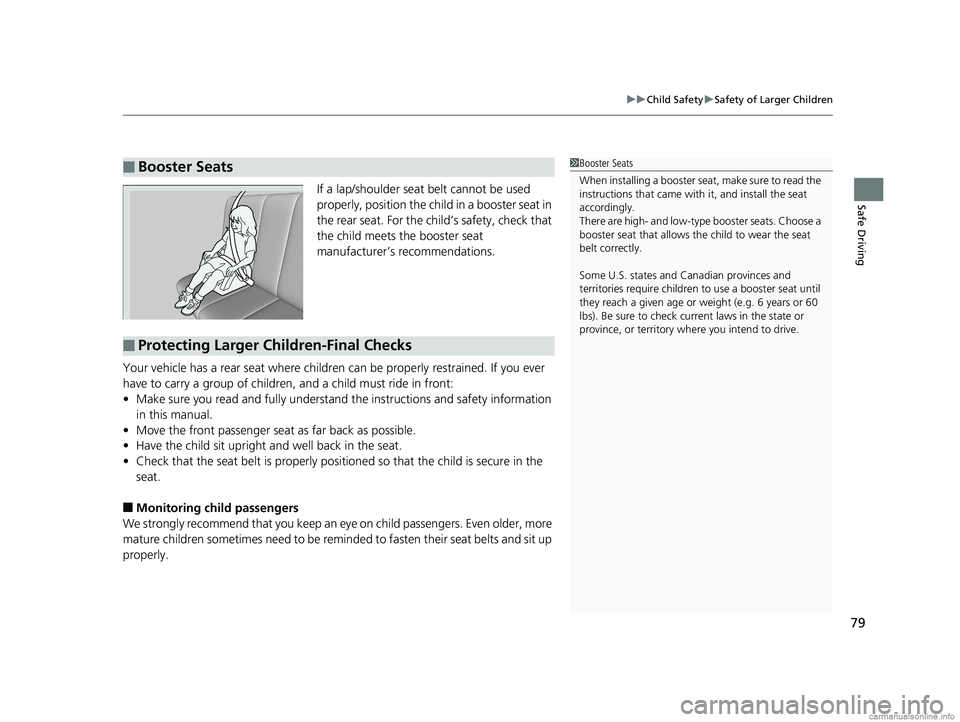
Safe DrivingIf a lap/shoulder seat belt cannot be used
properly, position the child in a booster seat in
the rear seat. For the child’s safety, check that
the child meets the booster seat
manufacturer’s recommendations.
Your vehicle has a rear seat where children can be properly restrained. If you ever
have to carry a group of children, and a child must ride in front:
• Make sure you read and fully understand the instructions and safety information
in this manual.
• Move the front passenger seat as far back as possible.
• Have the child sit upright and well back in the seat.
• Check that the seat belt is properly positi oned so that the child is secure in the
seat.
■Monitoring child passengers
We strongly recommend that you keep an ey e on child passengers. Even older, more
mature children sometimes need to be remind ed to fasten their seat belts and sit up
properly.
■Booster Seats1 Booster Seats
When installing a booster seat, make sure to read the
instructions that came with it, and install the seat
accordingly.
There are high- and low-type booster seats. Choose a
booster seat that allows the child to wear the seat
belt correctly.
Some U.S. states and Canadian provinces and
territories require children to use a booster seat until
they reach a given age or weight (e.g. 6 years or 60
lbs). Be sure to check current laws in the state or
province, or territory where you intend to drive.
■Protecting Larger Children-Final Checks
18 US ODYSSEY-31THR6010.book 79 ページ 2018年12月6日 木曜日 午後4時18分
Page 95 of 763

93
uuIndicators u
Continued
Instrument Panel
*1:Canadian models only: Apply and hold th e brake pedal before selecting the ON mode.
IndicatorNameOn/BlinkingExplanationMessage
Lights On
Indicator
•Comes on whenever the light
switch is on, or in AUTO* when
the exterior lights are on.
• If you set the power mode to
ACCESSORY or VEHICLE OFF while the
lights are on, a chime sounds when the
driver’s door is opened.
—
Fog Light
Indicator*
•Comes on when the fog lights are
on.——
Immobilizer
System Indicator
•Comes on briefly when you set the
power mode to ON, then goes off.
• Comes on if the immobilizer
system cannot recognize the key
information.•Blinks - You cannot start the engine. Set
the power mode to VEHICLE OFF*1, then
select the ON mode again.
• Repeatedly blinks - The system may be
malfunctioning. Have your vehicle
checked by a dealer.
• Do not attempt to alter this system or
add other devices to it. Electrical
problems can occur.
Security System
Alarm Indicator
•Comes on briefly when you set the
power mode to ON, then goes off.
• Blinks when the security system
alarm has been set.
2 Security System Alarm P. 179—
Indicator
Indicator
* Not available on all models
18 US ODYSSEY-31THR6010.book 93 ページ 2018年12月6日 木曜日 午後4時18分
Page 137 of 763
135
uuGauges and Displays uDriver Information Interface
Continued
Instrument Panel
Default All
ENTER
ENTER
Auto Door Lock
Security Relock Timer
Auto Door Unlock
Key And Remote Unlock Mode
Keyless Lock Answer Back
Door Setup
Exit
3
4
3
4
3
4
3
4
3
4
18 US ODYSSEY-31THR6010.book 135 ページ 2018年12月6日 木曜日 午後4時18分
Page 139 of 763

137
uuGauges and Displays uDriver Information Interface
Continued
Instrument Panel
*1:Default SettingSetup Group Customizable Features
Description Selectable settings
Door Setup
Auto Door LockChanges the setting for when the doors
automatically lock.With Vehicle Speed*1/Shift
From P /OFF
Auto Door UnlockChanges the setting for when the doors
automatically unlock.
All Doors When Driver’s Door
Opens*1/All Doors When
Shifted To Park /All Doors When
Ignition Switched OFF /OFF
Key And Remote
Unlock ModeSets up either the driver’s do or or all doors to unlock
on the first operation of th e remote or built-in key.Driver Door*1/All Doors
Keyless Lock Answer
BackLOCK/UNLOCK - The exterior lights flash.
LOCK (2nd push)- The beeper sounds.ON*1/OFF
Security Relock Timer
Changes the time it takes fo r the doors to relock and
the security system to set after you unlock the
vehicle without opening a door.
90sec /60sec /30sec*1
Default All —Cancels customized changes you have made or
restores them to their default setting.
Cancel
/Set
18 US ODYSSEY-31THR6010.book 137 ページ 2018年12月6日 木曜日 午後4時18分
Page 143 of 763

141
Controls
This chapter explains how to operate the various controls necessary for driving.
Clock.................................................. 142
Locking and Unlocking the Doors Key Types and Functions .................. 144
Low Remote Signal Strength ............ 146
Locking/Unlocking the Doors from the Outside .... 147
Locking/Unlocking the Doors from the Inside ...154
Childproof Door Locks ..................... 157
Auto Door Locking/Unlocking .......... 158
Opening and Closing the Tailgate ... 159
Opening and Closing the Sliding Doors..... 170Security System
Immobilizer System .......................... 179
Security System Alarm ...................... 179
Opening and Closing the Windows.... 182Opening and Closing the Moonroof*..... 185
Operating the Switches Around the Steering Wheel ENGINE START/STOP Button............. 186
Turn Signals ..................................... 189
Light Switches.................................. 189
Fog Lights
*...................................... 192
Daytime Running Lights ................... 193
Auto High-Beam
*............................ 194
Wipers and Washers ........................ 197
Brightness Control ........................... 200
Rear Defogger/Heated Door Mirror* Button...201
Heated Windshield Button ............... 202
Driving Position Memory System*.... 203
Adjusting the Steering Wheel........... 205
Canadian models
Adjusting the Mirrors ....................... 206
Interior Rearview Mirror ................... 206
Power Door Mirrors .............................. 207
Adjusting the Seats Front Seats ........................................... 209
Head Restraints .................................... 212
Maintain a Proper Sitting Position ......... 215
Interior Lights/Interior Convenience Items...... 225Interior Lights ....................................... 225
Interior Convenience Items ................... 227
Climate Control System
Using Automatic Climate Control ......... 248
Using Automatic Climate Control ......... 252
Automatic Climate Control Sensors ...... 257
Dual-zone climate control system
Tri-zone climate control system
* Not available on all models
18 US ODYSSEY-31THR6010.book 141 ページ 2018年12月6日 木曜日 午後4時18分